manual radio set VOLVO XC60 2018 Owner´s Manual
[x] Cancel search | Manufacturer: VOLVO, Model Year: 2018, Model line: XC60, Model: VOLVO XC60 2018Pages: 660, PDF Size: 11.77 MB
Page 111 of 660
DISPLAYS AND VOICE CONTROL
* Option/accessory.109
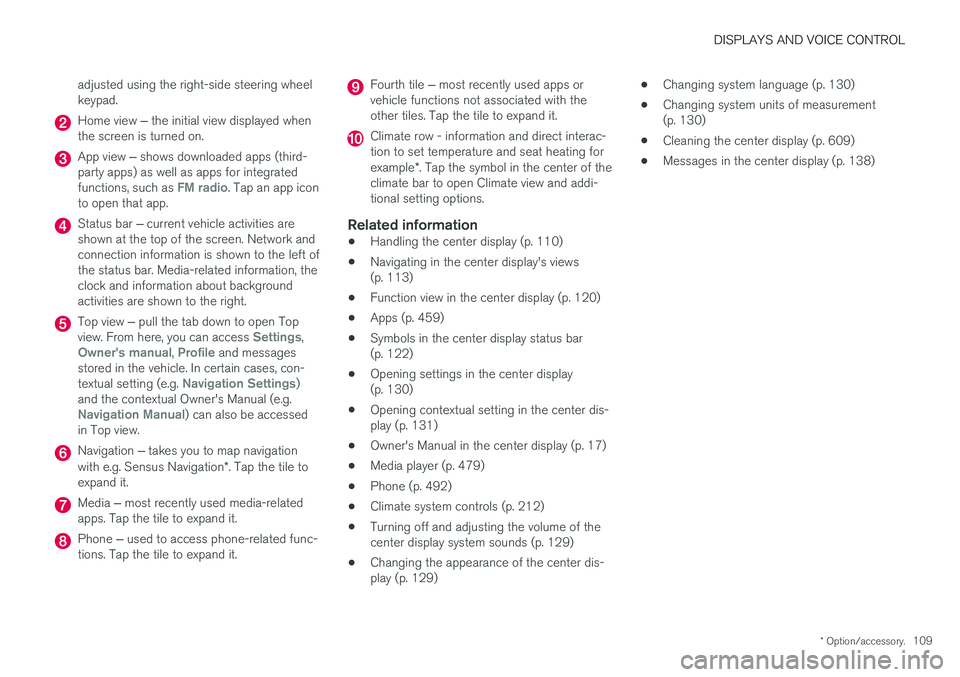
adjusted using the right-side steering wheel keypad.
Home view
‒ the initial view displayed when
the screen is turned on.
App view ‒ shows downloaded apps (third-
party apps) as well as apps for integrated functions, such as
FM radio. Tap an app icon
to open that app.
Status bar ‒ current vehicle activities are
shown at the top of the screen. Network and connection information is shown to the left ofthe status bar. Media-related information, theclock and information about backgroundactivities are shown to the right.
Top view ‒ pull the tab down to open Top
view. From here, you can access Settings,Owner's manual, Profile and messages
stored in the vehicle. In certain cases, con- textual setting (e.g.
Navigation Settings)
and the contextual Owner's Manual (e.g.
Navigation Manual) can also be accessed
in Top view.
Navigation ‒ takes you to map navigation
with e.g. Sensus Navigation *. Tap the tile to
expand it.
Media ‒ most recently used media-related
apps. Tap the tile to expand it.
Phone ‒ used to access phone-related func-
tions. Tap the tile to expand it.
Fourth tile ‒ most recently used apps or
vehicle functions not associated with the other tiles. Tap the tile to expand it.
Climate row - information and direct interac- tion to set temperature and seat heating for example *. Tap the symbol in the center of the
climate bar to open Climate view and addi- tional setting options.
Related information
• Handling the center display (p. 110)
• Navigating in the center display's views(p. 113)
• Function view in the center display (p. 120)
• Apps (p. 459)
• Symbols in the center display status bar(p. 122)
• Opening settings in the center display(p. 130)
• Opening contextual setting in the center dis-play (p. 131)
• Owner's Manual in the center display (p. 17)
• Media player (p. 479)
• Phone (p. 492)
• Climate system controls (p. 212)
• Turning off and adjusting the volume of thecenter display system sounds (p. 129)
• Changing the appearance of the center dis-play (p. 129) •
Changing system language (p. 130)
• Changing system units of measurement(p. 130)
• Cleaning the center display (p. 609)
• Messages in the center display (p. 138)
Page 136 of 660
||
DISPLAYS AND VOICE CONTROL
* Option/accessory.
134
Type ofsettingDescription
Slider Select a level for a function by pressing and dragging the slider control, e.g. to set volume level.
Informa-tion dis-play This is not an actual setting, butinstead displays information suchas the vehicle's VIN number.
Related information
•
Center display overview (p. 107)
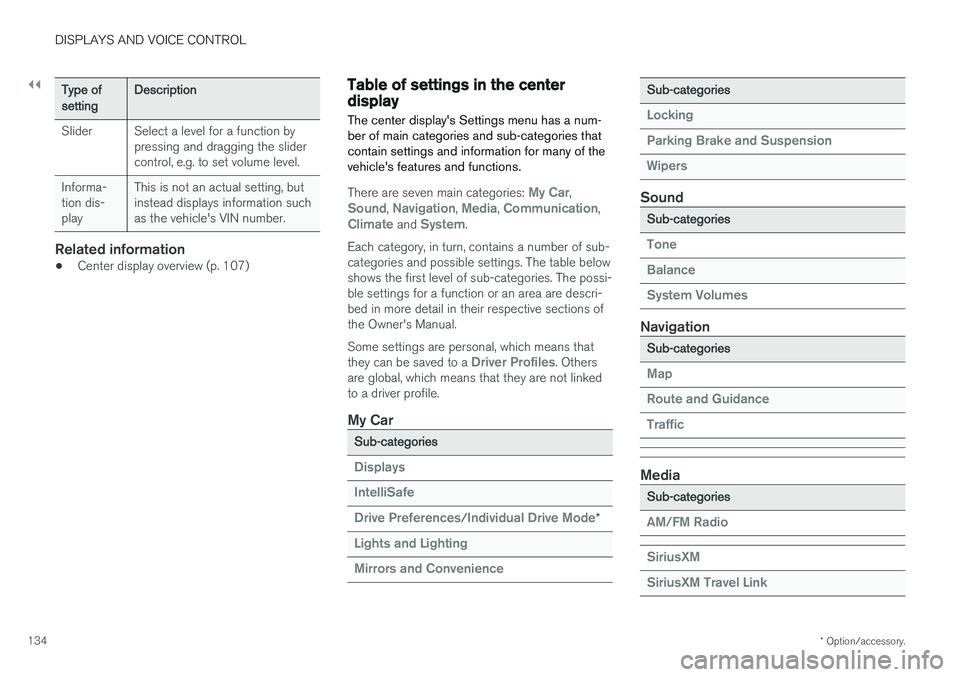
Table of settings in the centerdisplay The center display's Settings menu has a num- ber of main categories and sub-categories thatcontain settings and information for many of thevehicle's features and functions.
There are seven main categories: My Car,Sound, Navigation, Media, Communication,Climate and System.
Each category, in turn, contains a number of sub- categories and possible settings. The table belowshows the first level of sub-categories. The possi-ble settings for a function or an area are descri-bed in more detail in their respective sections ofthe Owner's Manual. Some settings are personal, which means that they can be saved to a
Driver Profiles. Others
are global, which means that they are not linked to a driver profile.
My Car
Sub-categories
Displays IntelliSafe Drive Preferences
/Individual Drive Mode*
Lights and Lighting Mirrors and Convenience
Sub-categories
Locking Parking Brake and SuspensionWipers
Sound
Sub-categories
Tone BalanceSystem Volumes
Navigation
Sub-categories
Map Route and GuidanceTraffic
Media
Sub-categories
AM/FM Radio SiriusXM SiriusXM Travel Link
Page 466 of 660
||
AUDIO, MEDIA AND INTERNET
464
Genres - only plays channels broadcasting the
selected genre or program type, e.g. pop, classi- cal, etc.
Changing radio stations in a selected
list
–Press or under the center display
or on the right-side steering wheel keypad.
> Move step-by-step through the selected list.
It is also possible to change radio station in the selected list via the center display.
Related information
• Radio (p. 462)
• Searching for a radio station (p. 464)
• Voice control for radio and media (p. 146)
• Storing radio favorites (p. 465)
• Radio settings (p. 465)
• App menu in instrument panel (p. 100)
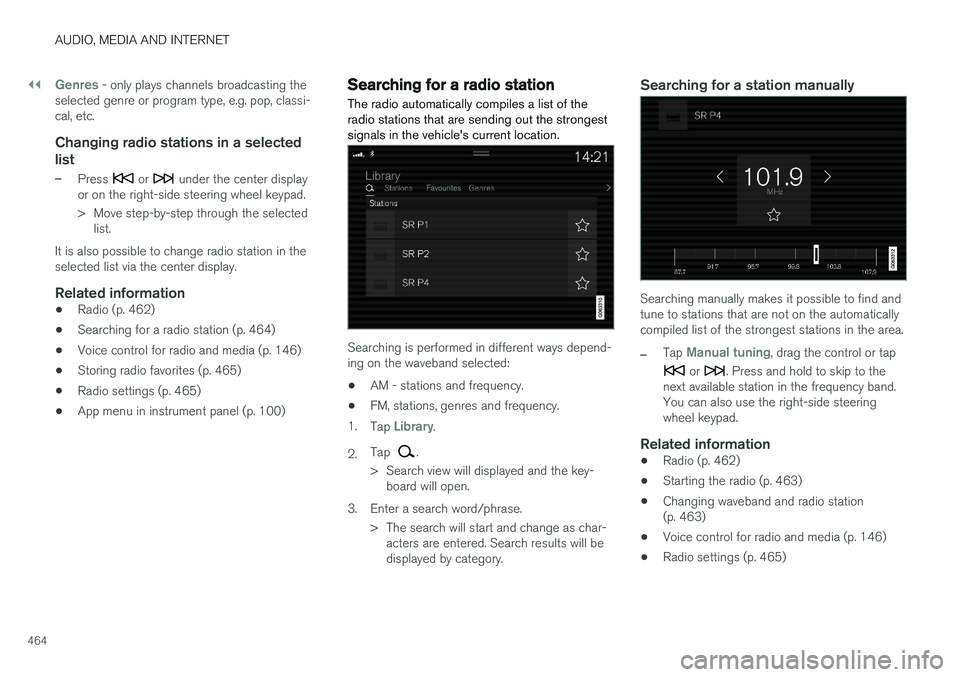
Searching for a radio station
The radio automatically compiles a list of the radio stations that are sending out the strongestsignals in the vehicle's current location.
Searching is performed in different ways depend- ing on the waveband selected:
• AM - stations and frequency.
• FM, stations, genres and frequency.
1. Tap
Library.
2. Tap
.
> Search view will displayed and the key- board will open.
3. Enter a search word/phrase. > The search will start and change as char-acters are entered. Search results will be displayed by category.
Searching for a station manually
Searching manually makes it possible to find and tune to stations that are not on the automaticallycompiled list of the strongest stations in the area.
–Tap Manual tuning, drag the control or tap
or . Press and hold to skip to the
next available station in the frequency band. You can also use the right-side steeringwheel keypad.
Related information
• Radio (p. 462)
• Starting the radio (p. 463)
• Changing waveband and radio station(p. 463)
• Voice control for radio and media (p. 146)
• Radio settings (p. 465)
Page 653 of 660
INDEX
651
sun shade 172, 175
ventilation position 174
PAP – Park Assist Pilot 388, 389, 392, 393, 395, 396
Park Assist Camera 379, 380, 381, 383, 384, 386, 387
settings 384
Park Assist Camera limitations 384
Park Assist Pilot 388, 389, 392, 393, 395, 396
function 388, 389, 393, 395, 396
limitations 393
operation 389, 392
Symbols and messages 396
Park Assist Pilot – PAP 388, 389, 392, 393, 395, 396
parking on hills 408
Parking Assist 374, 375, 376, 377, 378 function 374, 375, 376
Parking brake 405 activate and deactivate 406
automatic activation 407
Low battery charge level 408
Passenger compartment filter 205
Passenger compartment interior 554 center console 555
electrical outlet 556
glove compartment 559
sun visor 560
Passenger compartment lighting 161, 162 auto switch 161
Passing assistance 296, 313
personal information (Privacy Policy) 34
Phone 492 changing to another 496
connect 493
connect automatically 495
connect manually 495
delete 497
disconnect 496
phone call 497, 499
text message 498
voice control 145
Pilot Assist 303, 306, 307, 308, 309, 311, 313, 314, 315, 316
pass 313
pinch protection 166 resetting 167
PIN code 505
Polishing 615
Position lights 152
Power 637
Power folding door mirrors 170
Power panoramic roof 172Power save mode 441
Power seats 185
Power tailgate 253
Power windows 167, 168 pinch protection 166
Pressure wash 618
Privacy Policy 34
Private locking 258 activation/deactivation 259
PROPOSITION 65 WARNING 441
R
Radar sensor 290, 318 limitations 319
Radar unit 318
Radio 462 changing radio waveband and radio sta-
tion 463
HD radio 466
RBDS 466
search radio station 464
settings 465 SiriusXM ® Satellite radio 470, 471, 472
start 463
voice control 146
Radio favorites 465