display VOLVO XC60 T8 2018 Owner´s Manual
[x] Cancel search | Manufacturer: VOLVO, Model Year: 2018, Model line: XC60 T8, Model: VOLVO XC60 T8 2018Pages: 674, PDF Size: 11.93 MB
Page 467 of 674
STARTING AND DRIVING
* Option/accessory.465
Checking trailer lights
When connecting a trailer, make sure that all of the lights on the trailer are functioning beforestarting to drive.
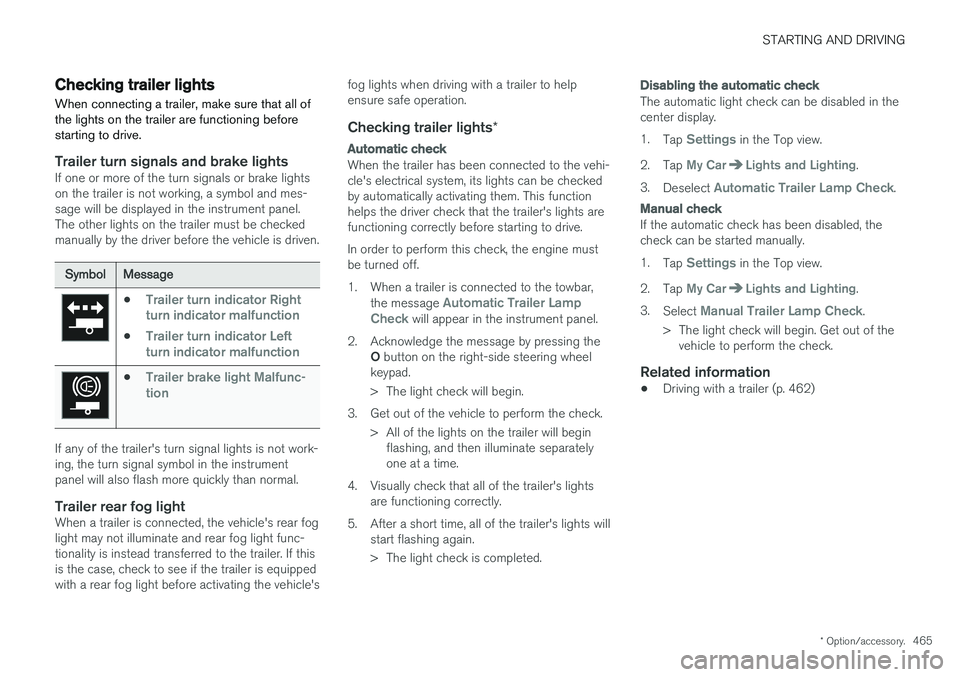
Trailer turn signals and brake lightsIf one or more of the turn signals or brake lights on the trailer is not working, a symbol and mes-sage will be displayed in the instrument panel.The other lights on the trailer must be checkedmanually by the driver before the vehicle is driven.
SymbolMessage
•Trailer turn indicator Right
turn indicator malfunction
•Trailer turn indicator Left
turn indicator malfunction
•Trailer brake light Malfunc-
tion
If any of the trailer's turn signal lights is not work- ing, the turn signal symbol in the instrumentpanel will also flash more quickly than normal.
Trailer rear fog lightWhen a trailer is connected, the vehicle's rear foglight may not illuminate and rear fog light func-tionality is instead transferred to the trailer. If thisis the case, check to see if the trailer is equippedwith a rear fog light before activating the vehicle's fog lights when driving with a trailer to helpensure safe operation.
Checking trailer lights
*
Automatic check
When the trailer has been connected to the vehi- cle's electrical system, its lights can be checkedby automatically activating them. This functionhelps the driver check that the trailer's lights arefunctioning correctly before starting to drive. In order to perform this check, the engine must be turned off.
1. When a trailer is connected to the towbar,
the message
Automatic Trailer Lamp
Check will appear in the instrument panel.
2. Acknowledge the message by pressing the O button on the right-side steering wheel
keypad.
> The light check will begin.
3. Get out of the vehicle to perform the check. > All of the lights on the trailer will beginflashing, and then illuminate separately one at a time.
4. Visually check that all of the trailer's lights are functioning correctly.
5. After a short time, all of the trailer's lights will start flashing again.
> The light check is completed.
Disabling the automatic check
The automatic light check can be disabled in the center display. 1.Tap
Settings in the Top view.
2. Tap
My CarLights and Lighting.
3. Deselect
Automatic Trailer Lamp Check.
Manual check
If the automatic check has been disabled, the check can be started manually. 1.Tap
Settings in the Top view.
2. Tap
My CarLights and Lighting.
3. Select
Manual Trailer Lamp Check.
> The light check will begin. Get out of the vehicle to perform the check.
Related information
• Driving with a trailer (p. 462)
Page 469 of 674
STARTING AND DRIVING
}}
* Option/accessory.467
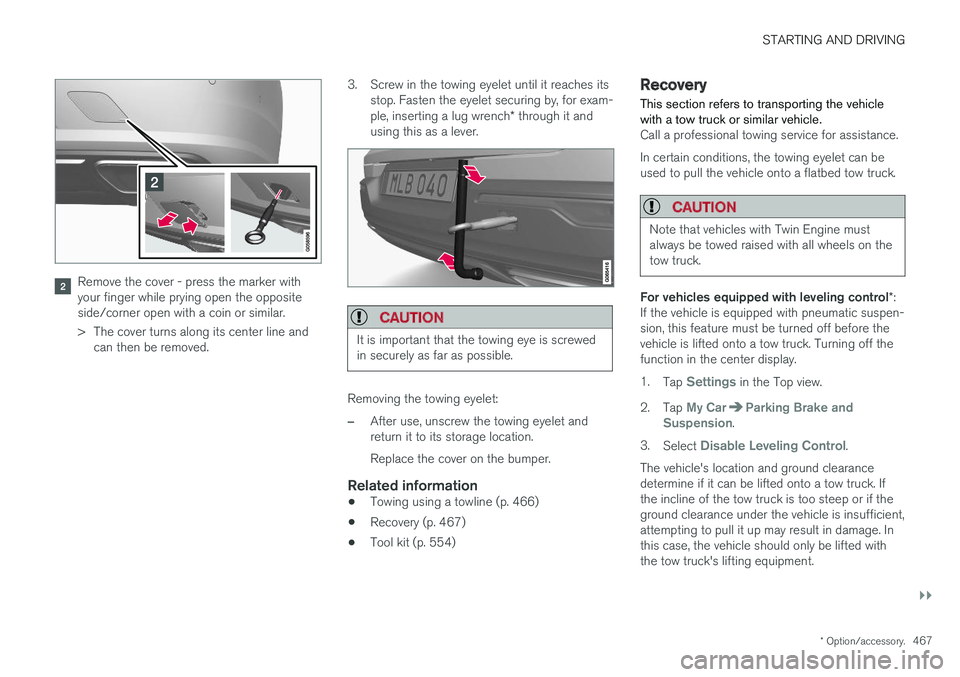
Remove the cover - press the marker with your finger while prying open the oppositeside/corner open with a coin or similar.
> The cover turns along its center line and
can then be removed. 3. Screw in the towing eyelet until it reaches its
stop. Fasten the eyelet securing by, for exam- ple, inserting a lug wrench * through it and
using this as a lever.
CAUTION
It is important that the towing eye is screwed in securely as far as possible.
Removing the towing eyelet:
–After use, unscrew the towing eyelet and return it to its storage location. Replace the cover on the bumper.
Related information
• Towing using a towline (p. 466)
• Recovery (p. 467)
• Tool kit (p. 554)
Recovery
This section refers to transporting the vehicle with a tow truck or similar vehicle.
Call a professional towing service for assistance. In certain conditions, the towing eyelet can be used to pull the vehicle onto a flatbed tow truck.
CAUTION
Note that vehicles with Twin Engine must always be towed raised with all wheels on thetow truck.
For vehicles equipped with leveling control *:
If the vehicle is equipped with pneumatic suspen- sion, this feature must be turned off before thevehicle is lifted onto a tow truck. Turning off thefunction in the center display. 1. Tap
Settings in the Top view.
2. Tap
My CarParking Brake and
Suspension.
3. Select
Disable Leveling Control.
The vehicle's location and ground clearance determine if it can be lifted onto a tow truck. Ifthe incline of the tow truck is too steep or if theground clearance under the vehicle is insufficient,attempting to pull it up may result in damage. Inthis case, the vehicle should only be lifted withthe tow truck's lifting equipment.
Page 474 of 674
STARTING AND DRIVING
* Option/accessory.
472
Activating and deactivating thecompass
An integrated compass in the upper right corner of the rearview mirror shows the direction thevehicle is traveling.
Activating and deactivating the compass
The compass is automatically activated when the vehicle is started. To deactivate/activate the compass manually:
–Use a paper clip or similar object to press the button on the bottom of the mirror.
Related information
• Compass (p. 471)
• Calibrating the compass (p. 472)
Calibrating the compass
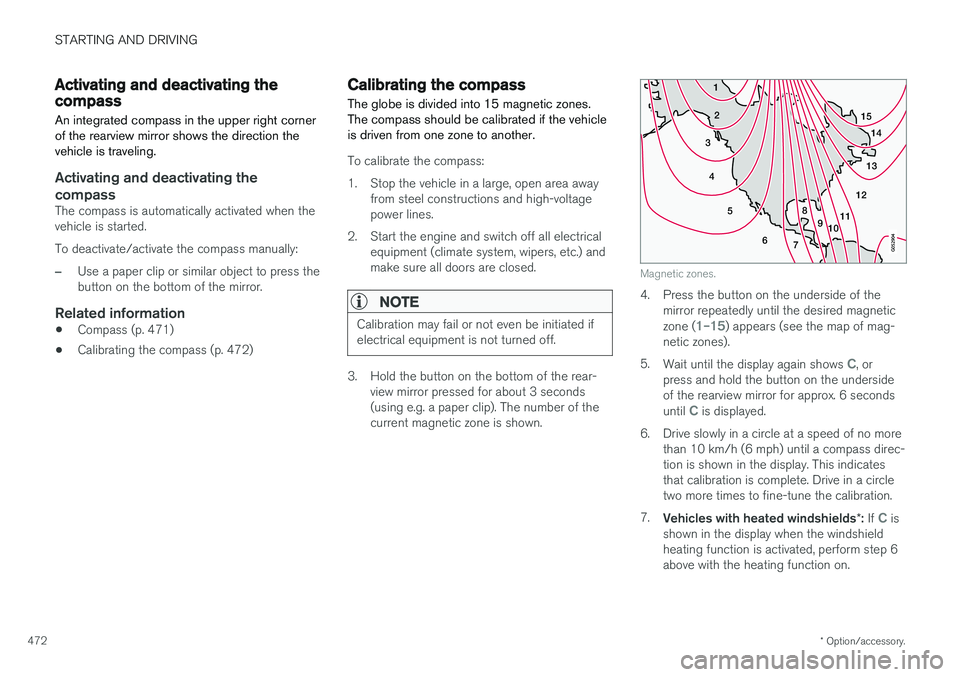
The globe is divided into 15 magnetic zones. The compass should be calibrated if the vehicleis driven from one zone to another.
To calibrate the compass:
1. Stop the vehicle in a large, open area away from steel constructions and high-voltage power lines.
2. Start the engine and switch off all electrical equipment (climate system, wipers, etc.) andmake sure all doors are closed.
NOTE
Calibration may fail or not even be initiated if electrical equipment is not turned off.
3. Hold the button on the bottom of the rear-view mirror pressed for about 3 seconds (using e.g. a paper clip). The number of thecurrent magnetic zone is shown.
15
14
13
12
11
9
8
7
6
5
4
3
2
1
10
Magnetic zones.
4. Press the button on the underside of themirror repeatedly until the desired magnetic zone (
1–15) appears (see the map of mag-
netic zones).
5. Wait until the display again shows
C, or
press and hold the button on the underside of the rearview mirror for approx. 6 seconds until
C is displayed.
6. Drive slowly in a circle at a speed of no more than 10 km/h (6 mph) until a compass direc- tion is shown in the display. This indicatesthat calibration is complete. Drive in a circletwo more times to fine-tune the calibration.
7. Vehicles with heated windshields *: If
C is
shown in the display when the windshield heating function is activated, perform step 6above with the heating function on.
Page 478 of 674
AUDIO, MEDIA AND INTERNET
* Option/accessory.
476
Audio, media and Internet
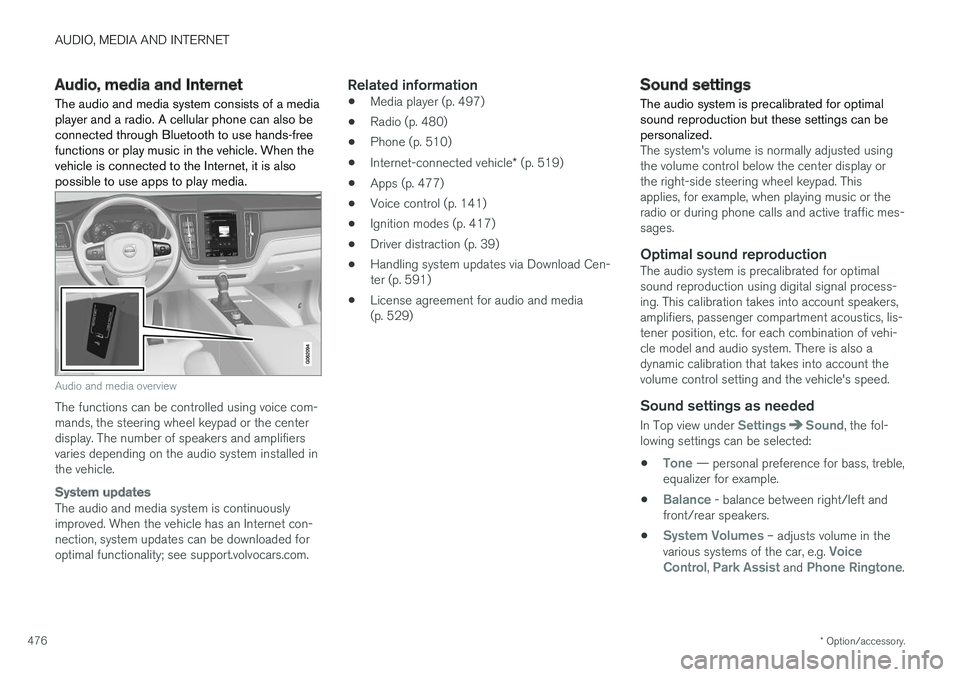
The audio and media system consists of a media player and a radio. A cellular phone can also beconnected through Bluetooth to use hands-freefunctions or play music in the vehicle. When thevehicle is connected to the Internet, it is alsopossible to use apps to play media.
Audio and media overview
The functions can be controlled using voice com- mands, the steering wheel keypad or the centerdisplay. The number of speakers and amplifiersvaries depending on the audio system installed inthe vehicle.
System updates
The audio and media system is continuously improved. When the vehicle has an Internet con-nection, system updates can be downloaded foroptimal functionality; see support.volvocars.com.
Related information
• Media player (p. 497)
• Radio (p. 480)
• Phone (p. 510)
• Internet-connected vehicle
* (p. 519)
• Apps (p. 477)
• Voice control (p. 141)
• Ignition modes (p. 417)
• Driver distraction (p. 39)
• Handling system updates via Download Cen-ter (p. 591)
• License agreement for audio and media(p. 529)
Sound settings
The audio system is precalibrated for optimal sound reproduction but these settings can bepersonalized.
The system's volume is normally adjusted using the volume control below the center display orthe right-side steering wheel keypad. Thisapplies, for example, when playing music or theradio or during phone calls and active traffic mes-sages.
Optimal sound reproductionThe audio system is precalibrated for optimalsound reproduction using digital signal process-ing. This calibration takes into account speakers,amplifiers, passenger compartment acoustics, lis-tener position, etc. for each combination of vehi-cle model and audio system. There is also adynamic calibration that takes into account thevolume control setting and the vehicle's speed.
Sound settings as needed
In Top view under SettingsSound, the fol-
lowing settings can be selected:
•
Tone — personal preference for bass, treble,
equalizer for example.
•
Balance - balance between right/left and
front/rear speakers.
•
System Volumes – adjusts volume in the
various systems of the car, e.g. Voice
Control, Park Assist and Phone Ringtone.
Page 479 of 674
AUDIO, MEDIA AND INTERNET
}}
* Option/accessory.477
Sound experience *
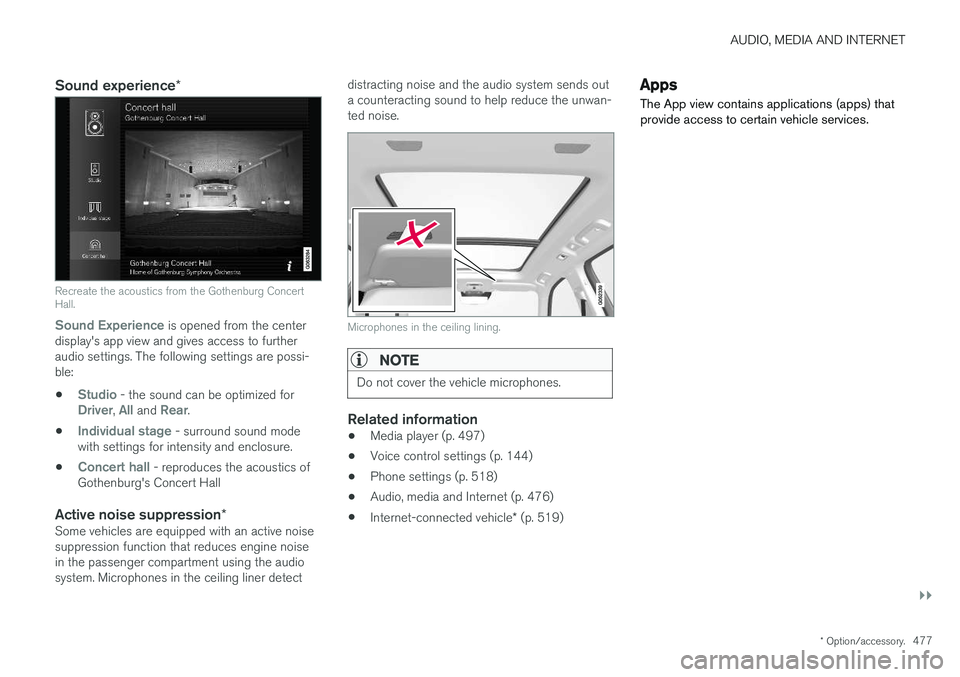
Recreate the acoustics from the Gothenburg Concert Hall.
Sound Experience
is opened from the center
display's app view and gives access to further audio settings. The following settings are possi-ble:
•
Studio - the sound can be optimized forDriver, All and Rear.
•
Individual stage - surround sound mode
with settings for intensity and enclosure.
•
Concert hall - reproduces the acoustics of
Gothenburg's Concert Hall
Active noise suppression *Some vehicles are equipped with an active noise suppression function that reduces engine noisein the passenger compartment using the audiosystem. Microphones in the ceiling liner detect distracting noise and the audio system sends outa counteracting sound to help reduce the unwan-ted noise.
Microphones in the ceiling lining.
NOTE
Do not cover the vehicle microphones.
Related information
•
Media player (p. 497)
• Voice control settings (p. 144)
• Phone settings (p. 518)
• Audio, media and Internet (p. 476)
• Internet-connected vehicle
* (p. 519)
Apps
The App view contains applications (apps) that provide access to certain vehicle services.
Page 480 of 674
||
AUDIO, MEDIA AND INTERNET
* Option/accessory.
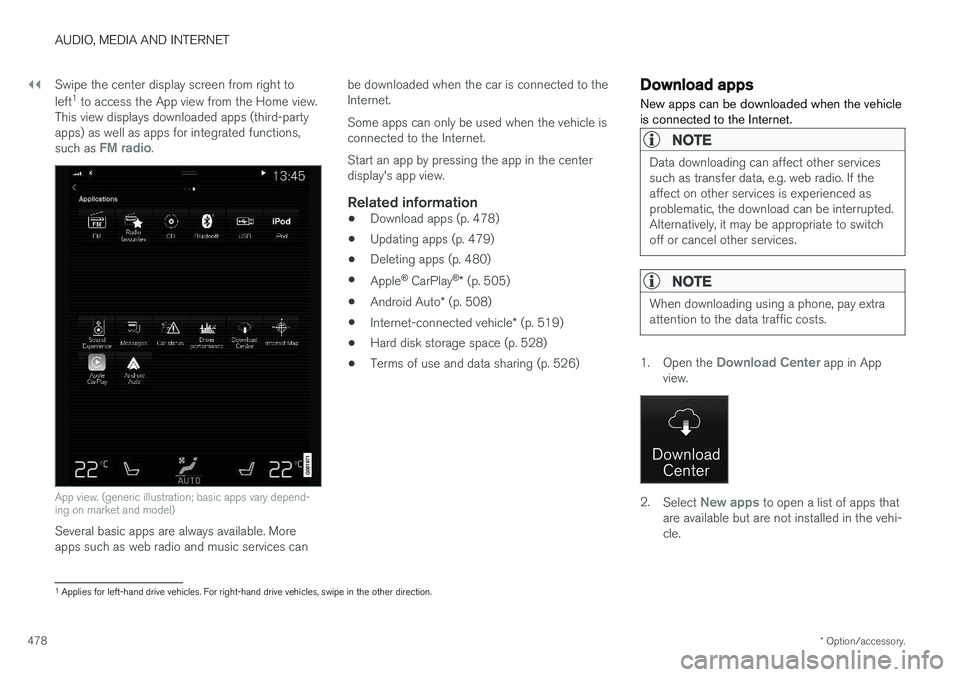
478 Swipe the center display screen from right to left
1
to access the App view from the Home view.
This view displays downloaded apps (third-party apps) as well as apps for integrated functions, such as
FM radio.
App view. (generic illustration; basic apps vary depend- ing on market and model)
Several basic apps are always available. More apps such as web radio and music services can be downloaded when the car is connected to theInternet. Some apps can only be used when the vehicle is connected to the Internet. Start an app by pressing the app in the center display's app view.
Related information
•
Download apps (p. 478)
• Updating apps (p. 479)
• Deleting apps (p. 480)
• Apple ®
CarPlay ®
* (p. 505)
• Android Auto
* (p. 508)
• Internet-connected vehicle
* (p. 519)
• Hard disk storage space (p. 528)
• Terms of use and data sharing (p. 526)
Download apps
New apps can be downloaded when the vehicle is connected to the Internet.
NOTE
Data downloading can affect other services such as transfer data, e.g. web radio. If theaffect on other services is experienced asproblematic, the download can be interrupted.Alternatively, it may be appropriate to switchoff or cancel other services.
NOTE
When downloading using a phone, pay extra attention to the data traffic costs.
1. Open the Download Center app in App
view.
2. Select New apps to open a list of apps that
are available but are not installed in the vehi- cle.
1 Applies for left-hand drive vehicles. For right-hand drive vehicles, swipe in the other direction.
Page 481 of 674
AUDIO, MEDIA AND INTERNET
* Option/accessory.479
3. Tap on the row for an app in order to expand
in the list and get more information about the app.
4. Select
Install to start the download and
installation of the app.
> The current status of the download and installation will be shown. If a download cannot be started immedi- ately, a message will be displayed. Theapp will remain in the list and it will bepossible to reattempt downloading.
Canceling a download
–Tap Abort to cancel a download in progress.
Note that only a download can be cancelled. An installation cannot be cancelled once it hasbegun.
Related information
• Apps (p. 477)
• Updating apps (p. 479)
• Deleting apps (p. 480)
• Internet-connected vehicle
* (p. 519)
• Handling system updates via Download Cen-ter (p. 591)
• Hard disk storage space (p. 528)
Updating apps
Apps can be updated when the vehicle is con- nected to the Internet.
NOTE
Data downloading can affect other services such as transfer data, e.g. web radio. If theaffect on other services is experienced asproblematic, the download can be interrupted.Alternatively, it may be appropriate to switchoff or cancel other services.
NOTE
When downloading using a phone, pay extra attention to the data traffic costs.
If an app is being used while an update is in pro- gress, it will be restarted to complete the update.
Update all
1. Open the Download Center app in App
view.
2. Select Install all.
> The update will begin.
Update certain apps
1. Open the Download Center app in App
view.
2. Select
Application updates to open a list
of all available updates.
3. Find the desired app and select
Install.
> The update will begin.
Related information
• Apps (p. 477)
• Download apps (p. 478)
• Deleting apps (p. 480)
• Handling system updates via Download Cen- ter (p. 591)
• Internet-connected vehicle
* (p. 519)
Page 482 of 674
AUDIO, MEDIA AND INTERNET
* Option/accessory.
480
Deleting apps
When the vehicle is connected to the Internet, it is possible to uninstall apps.
If the app is being used, it must be closed before it can be uninstalled. 1. Open the
Download Center app in App
view.
2. Select Application updates to open a list
of all installed apps.
3. Find the desired app and select
Uninstall to
begin uninstalling the app.
> When the app has been uninstalled, it will be removed from the list.
Related information
• Apps (p. 477)
• Download apps (p. 478)
• Updating apps (p. 479)
• Handling system updates via Download Cen- ter (p. 591)
• Internet-connected vehicle
* (p. 519)
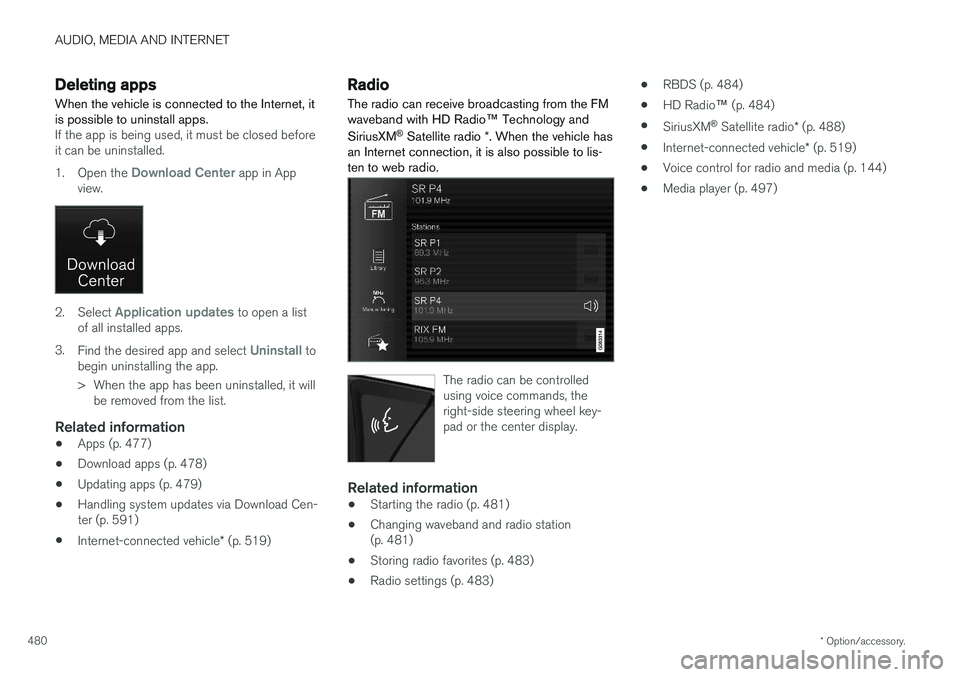
Radio The radio can receive broadcasting from the FM waveband with HD Radio ™ Technology and
SiriusXM ®
Satellite radio *. When the vehicle has
an Internet connection, it is also possible to lis- ten to web radio.
The radio can be controlled using voice commands, theright-side steering wheel key-pad or the center display.
Related information
• Starting the radio (p. 481)
• Changing waveband and radio station (p. 481)
• Storing radio favorites (p. 483)
• Radio settings (p. 483) •
RBDS (p. 484)
• HD Radio
™ (p. 484)
• SiriusXM ®
Satellite radio * (p. 488)
• Internet-connected vehicle
* (p. 519)
• Voice control for radio and media (p. 144)
• Media player (p. 497)
Page 483 of 674
AUDIO, MEDIA AND INTERNET
}}
481
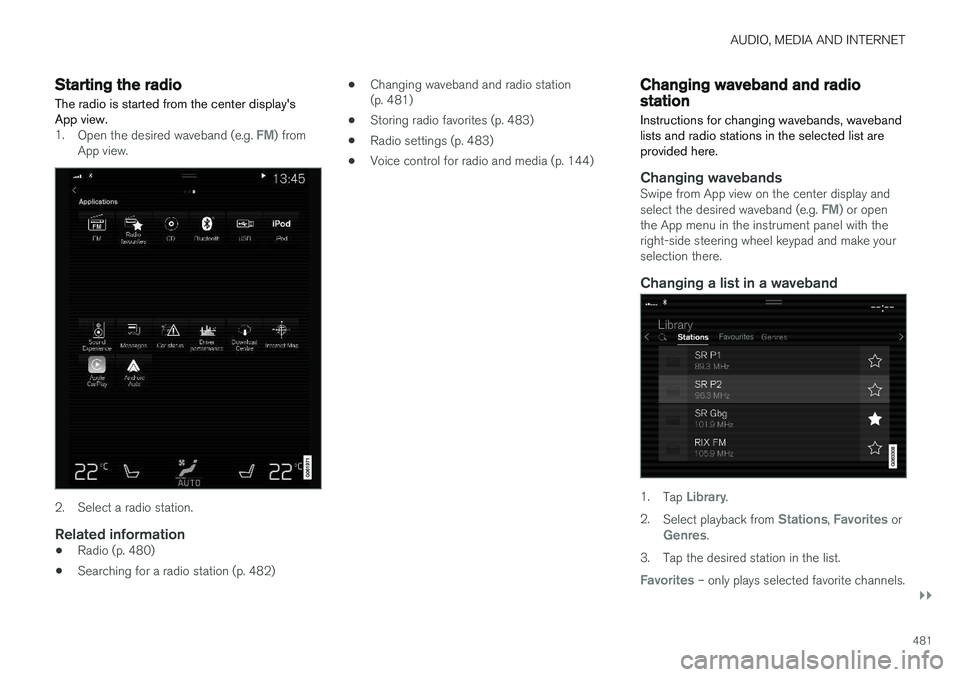
Starting the radio The radio is started from the center display's App view.
1.Open the desired waveband (e.g. FM) from
App view.
2. Select a radio station.
Related information
• Radio (p. 480)
• Searching for a radio station (p. 482) •
Changing waveband and radio station (p. 481)
• Storing radio favorites (p. 483)
• Radio settings (p. 483)
• Voice control for radio and media (p. 144)
Changing waveband and radiostation
Instructions for changing wavebands, waveband lists and radio stations in the selected list areprovided here.
Changing wavebandsSwipe from App view on the center display and select the desired waveband (e.g. FM) or open
the App menu in the instrument panel with the right-side steering wheel keypad and make yourselection there.
Changing a list in a waveband
1. Tap Library.
2. Select playback from
Stations, Favorites orGenres.
3. Tap the desired station in the list.
Favorites – only plays selected favorite channels.
Page 484 of 674
||
AUDIO, MEDIA AND INTERNET
482
Genres - only plays channels broadcasting the
selected genre or program type, e.g. pop, classi- cal, etc.
Changing radio stations in a selected
list
–Press or under the center display
or on the right-side steering wheel keypad.
> Move step-by-step through the selected list.
It is also possible to change radio station in the selected list via the center display.
Related information
• Radio (p. 480)
• Searching for a radio station (p. 482)
• Voice control for radio and media (p. 144)
• Storing radio favorites (p. 483)
• Radio settings (p. 483)
• App menu in instrument panel (p. 99)
Searching for a radio station
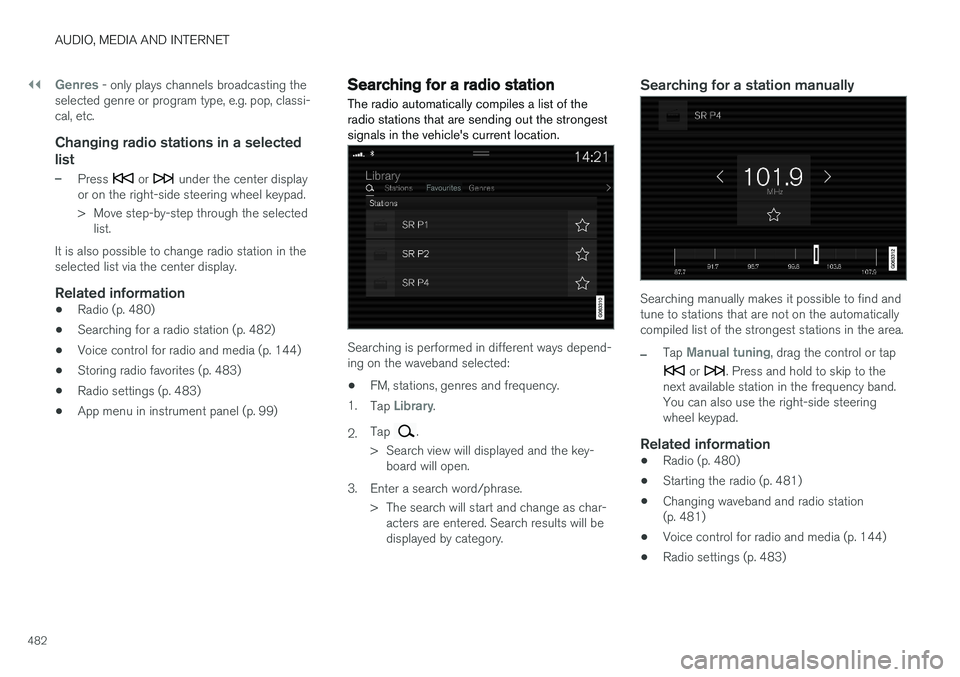
The radio automatically compiles a list of the radio stations that are sending out the strongestsignals in the vehicle's current location.
Searching is performed in different ways depend- ing on the waveband selected:
• FM, stations, genres and frequency.
1. Tap
Library.
2. Tap
.
> Search view will displayed and the key- board will open.
3. Enter a search word/phrase. > The search will start and change as char-acters are entered. Search results will be displayed by category.
Searching for a station manually
Searching manually makes it possible to find and tune to stations that are not on the automaticallycompiled list of the strongest stations in the area.
–Tap Manual tuning, drag the control or tap
or . Press and hold to skip to the
next available station in the frequency band. You can also use the right-side steeringwheel keypad.
Related information
• Radio (p. 480)
• Starting the radio (p. 481)
• Changing waveband and radio station(p. 481)
• Voice control for radio and media (p. 144)
• Radio settings (p. 483)