climate settings VOLVO XC60 T8 2018 Owner´s Manual
[x] Cancel search | Manufacturer: VOLVO, Model Year: 2018, Model line: XC60 T8, Model: VOLVO XC60 T8 2018Pages: 674, PDF Size: 11.93 MB
Page 216 of 674
CLIMATE CONTROL
* Option/accessory.
214
Activating and deactivating therecirculation timer setting
The climate system's recirculation function helps shut out smog, smoke, exhaust fumes, etc. byreusing the air in the passenger compartment.
When the recirculation timer is activated, air recir- culation will switch off automatically after 20minutes. 1. Tap
Settings in the Top view in the center
display.
2. Tap
Climate.
3. Tap
Recirculation Timer to activate/deacti-
vate the recirculation timer.
Related information
• Activating and deactivating recirculation (p. 213)
Activating and deactivating maxdefroster
Max defroster is used to quickly remove conden- sation and ice from windows.
Activating and deactivating max defroster from the center console
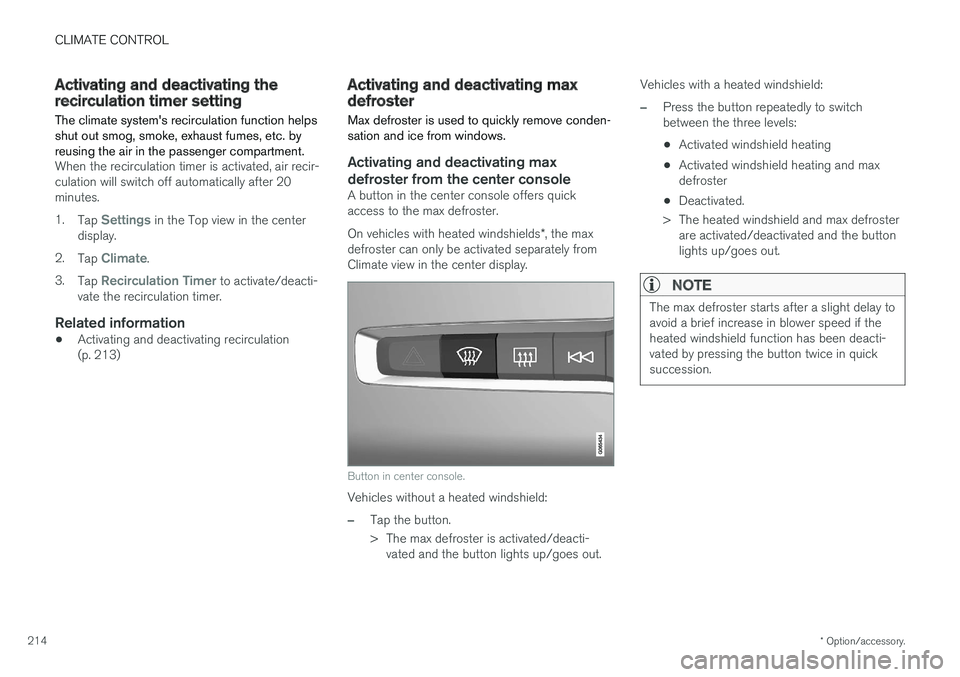
A button in the center console offers quick access to the max defroster. On vehicles with heated windshields *, the max
defroster can only be activated separately from Climate view in the center display.
Button in center console.
Vehicles without a heated windshield:
–Tap the button.
> The max defroster is activated/deacti- vated and the button lights up/goes out. Vehicles with a heated windshield:
–Press the button repeatedly to switch between the three levels:
• Activated windshield heating
• Activated windshield heating and maxdefroster
• Deactivated.
> The heated windshield and max defroster are activated/deactivated and the buttonlights up/goes out.
NOTE
The max defroster starts after a slight delay to avoid a brief increase in blower speed if theheated windshield function has been deacti-vated by pressing the button twice in quicksuccession.
Page 218 of 674
||
CLIMATE CONTROL
* Option/accessory.
216
Activating and deactivating windshield heating from the center display
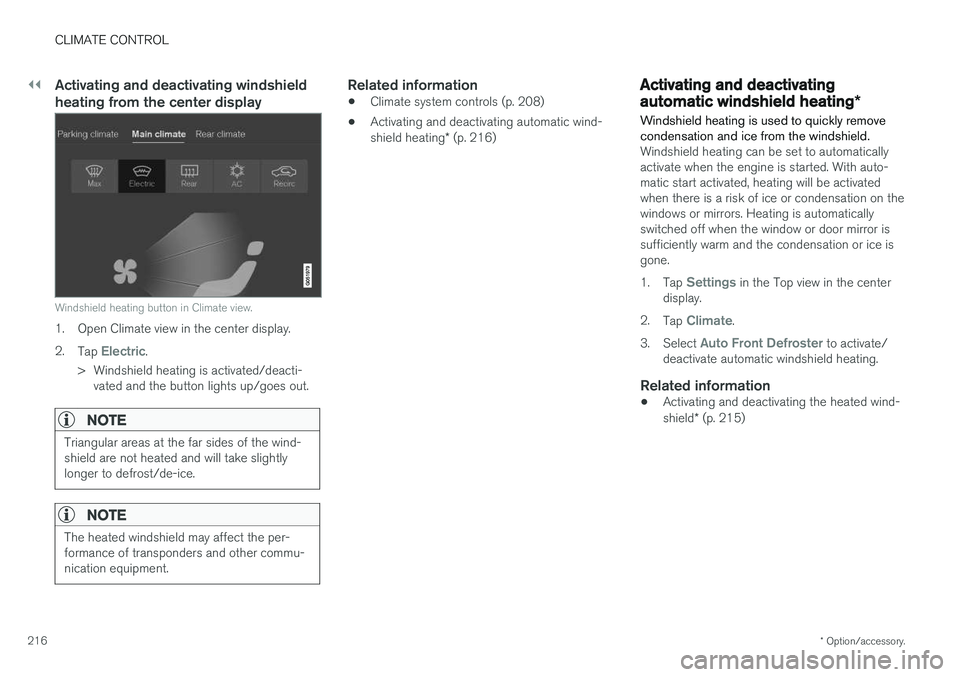
Windshield heating button in Climate view.
1. Open Climate view in the center display. 2.
Tap
Electric.
> Windshield heating is activated/deacti- vated and the button lights up/goes out.
NOTE
Triangular areas at the far sides of the wind- shield are not heated and will take slightlylonger to defrost/de-ice.
NOTE
The heated windshield may affect the per- formance of transponders and other commu-nication equipment.
Related information
• Climate system controls (p. 208)
• Activating and deactivating automatic wind- shield heating
* (p. 216)
Activating and deactivating
automatic windshield heating *
Windshield heating is used to quickly remove condensation and ice from the windshield.
Windshield heating can be set to automatically activate when the engine is started. With auto-matic start activated, heating will be activatedwhen there is a risk of ice or condensation on thewindows or mirrors. Heating is automaticallyswitched off when the window or door mirror issufficiently warm and the condensation or ice isgone. 1. Tap
Settings in the Top view in the center
display.
2. Tap
Climate.
3. Select
Auto Front Defroster to activate/
deactivate automatic windshield heating.
Related information
• Activating and deactivating the heated wind- shield
* (p. 215)
Page 219 of 674
CLIMATE CONTROL
217
Activating and deactivating theheated rear window and doormirrors The heated rear window and door mirrors are used to quickly remove condensation and icefrom the glass.
Activating and deactivating the heated rear window and door mirrors from thecenter console
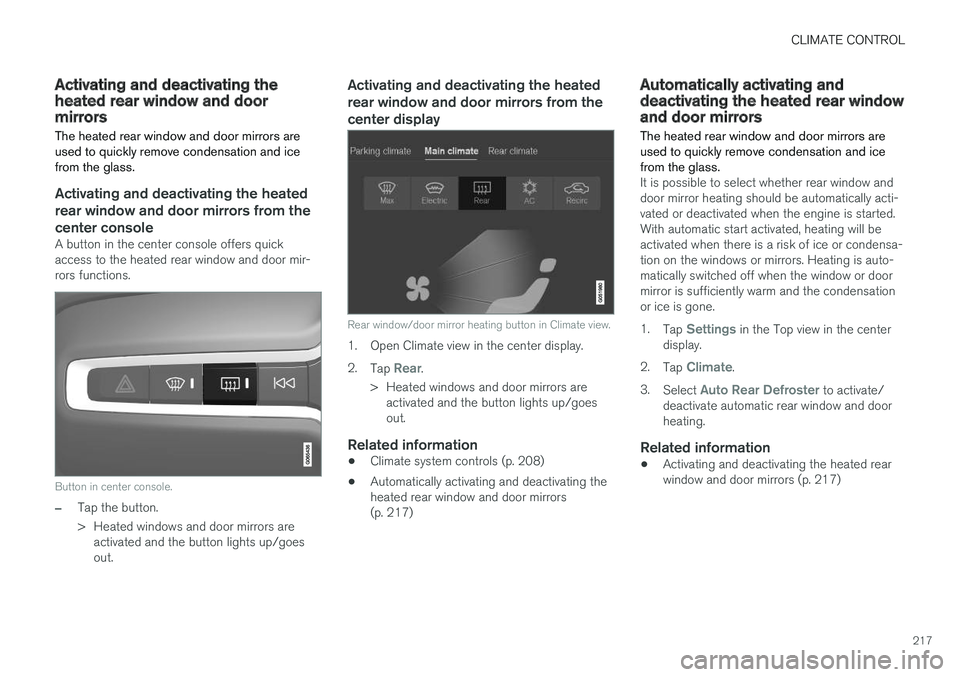
A button in the center console offers quick access to the heated rear window and door mir-rors functions.
Button in center console.
–Tap the button.
> Heated windows and door mirrors areactivated and the button lights up/goes out.
Activating and deactivating the heated rear window and door mirrors from thecenter display
Rear window/door mirror heating button in Climate view.
1. Open Climate view in the center display. 2. Tap
Rear.
> Heated windows and door mirrors are activated and the button lights up/goes out.
Related information
• Climate system controls (p. 208)
• Automatically activating and deactivating theheated rear window and door mirrors(p. 217)
Automatically activating anddeactivating the heated rear windowand door mirrors
The heated rear window and door mirrors are used to quickly remove condensation and icefrom the glass.
It is possible to select whether rear window and door mirror heating should be automatically acti-vated or deactivated when the engine is started.With automatic start activated, heating will beactivated when there is a risk of ice or condensa-tion on the windows or mirrors. Heating is auto-matically switched off when the window or doormirror is sufficiently warm and the condensationor ice is gone. 1. Tap
Settings in the Top view in the center
display.
2. Tap
Climate.
3. Select
Auto Rear Defroster to activate/
deactivate automatic rear window and door heating.
Related information
• Activating and deactivating the heated rearwindow and door mirrors (p. 217)
Page 223 of 674
CLIMATE CONTROL
* Option/accessory.221
Related information
•Climate (p. 196)
• Preconditioning (p. 221)
• Climate comfort retaining function (p. 225)
• Parking climate symbols and messages (p. 226)
Preconditioning
Preconditioning the vehicle before driving can help reduce wear and reduce energy consump-tion during a trip.
Preconditioning can be started immediately or started at a preset time using a timer. The function utilizes several of the vehicle's sys- tems:
• In cold weather, the high-voltage coolantheater (HVCH) heats the passenger com-partment to a comfortable temperature.
• In warm weather, air conditioning cools thepassenger compartment to a comfortabletemperature.
• The electrically heated steering wheel
* and
seats * can be activated.
• Heating for the windshield, rear window anddoor mirrors are automatically activated asneeded.
During preconditioning in a hot climate, conden-sation from the air conditions may drip under thevehicle. This is normal.
NOTE
Preconditioning is only available when the car is connected to an electrical outlet. A charg-ing post that is not always active, for examplebecause of a timer, can cause loss of functionfor preconditioning. If the car is not connected to an electrical socket it is still possible in a warm climate toachieve brief cooling of the passenger com-partment by direct starting preconditioning.
NOTE
During preconditioning of the passenger compartment, the vehicle works to reach acomfortable temperature and not the tem-perature set in the climate system.
Related information
• Parking climate (p. 220)
• Starting and stopping preconditioning (p. 222)
• Preconditioning timer settings (p. 223)
Page 224 of 674
CLIMATE CONTROL
* Option/accessory.
222
Starting and stoppingpreconditioning
Preconditioning heats or cools the passenger compartment before driving. Preconditioningcan be started in the center display or from acellular phone.
Starting/stopping from the center display
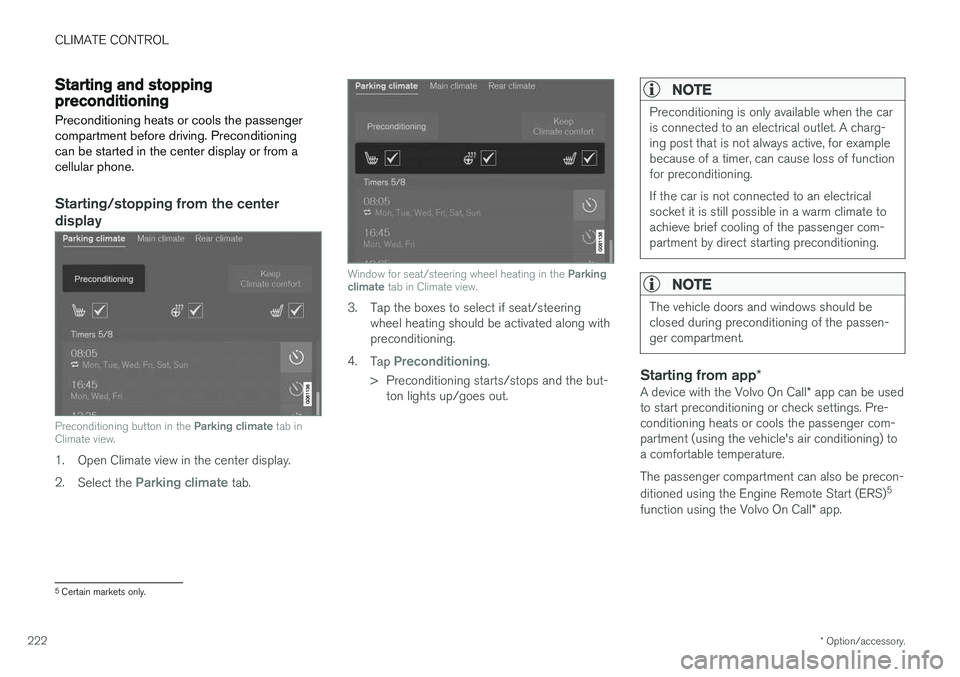
Preconditioning button in the Parking climate tab in
Climate view.
1. Open Climate view in the center display. 2. Select the
Parking climate tab.
Window for seat/steering wheel heating in the Parking
climate tab in Climate view.
3. Tap the boxes to select if seat/steering
wheel heating should be activated along with preconditioning.
4. Tap
Preconditioning.
> Preconditioning starts/stops and the but- ton lights up/goes out.
NOTE
Preconditioning is only available when the car is connected to an electrical outlet. A charg-ing post that is not always active, for examplebecause of a timer, can cause loss of functionfor preconditioning. If the car is not connected to an electrical socket it is still possible in a warm climate toachieve brief cooling of the passenger com-partment by direct starting preconditioning.
NOTE
The vehicle doors and windows should be closed during preconditioning of the passen-ger compartment.
Starting from app *
A device with the Volvo On Call * app can be used
to start preconditioning or check settings. Pre- conditioning heats or cools the passenger com-partment (using the vehicle's air conditioning) toa comfortable temperature. The passenger compartment can also be precon- ditioned using the Engine Remote Start (ERS) 5
function using the Volvo On Call * app.
5
Certain markets only.
Page 225 of 674
CLIMATE CONTROL
}}
223
Related information
•Parking climate (p. 220)
• Preconditioning (p. 221)
• Preconditioning timer settings (p. 223)
Preconditioning timer settings
The timer can be set to finish preconditioning at a predetermined time.
The timer can store up to 8 preset times for:
• A time on a particular date
• A time on one or more days of the week, with or without the repeat function.
NOTE
Preconditioning is only available when the car is connected to an electrical outlet. A charg-ing post that is not always active, for examplebecause of a timer, can cause loss of functionfor preconditioning. If the car is not connected to an electrical socket it is still possible in a warm climate toachieve brief cooling of the passenger com-partment by direct starting preconditioning.
Related information
• Preconditioning (p. 221)
• Adding and editing timer setting for precon- ditioning (p. 223)
• Activating and deactivating preconditioningtimer settings (p. 224)
• Deleting preconditioning timer settings(p. 224)
Adding and editing timer setting forpreconditioning
The preconditioning timer can store up to 8 pre- set timer settings.
Adding a timer setting
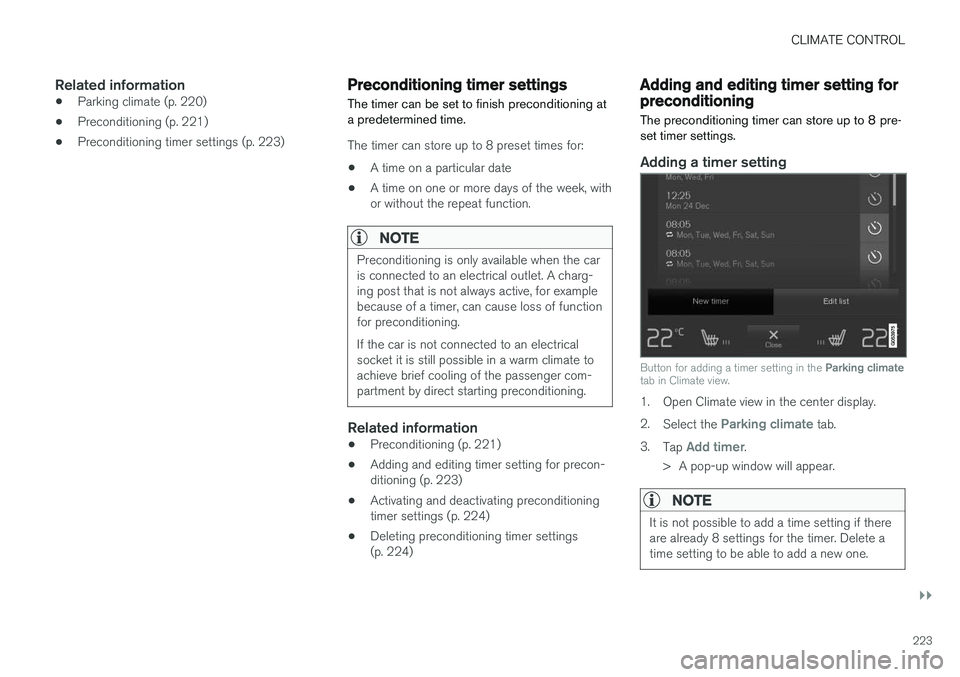
Button for adding a timer setting in the Parking climate
tab in Climate view.
1. Open Climate view in the center display. 2. Select the
Parking climate tab.
3. Tap
Add timer.
> A pop-up window will appear.
NOTE
It is not possible to add a time setting if there are already 8 settings for the timer. Delete atime setting to be able to add a new one.
Page 226 of 674
||
CLIMATE CONTROL
2244.
Tap
Date to set a time for a specific date.
Tap
Days to set a time for one or more days
of the week. With
Days: Activate/deactivate the repeat
function by selecting/deselecting the
Repeat weekly checkbox.
5. With
Date: Select a date for preconditioning
by scrolling in the date list using the arrows. With
Days: Select days of the week for pre-
conditioning by tapping the buttons for the days.
6. Set the time at which preconditioning should be completed by scrolling using the arrows inthe clock.
7. Tap
Confirm to add a timer setting.
> The timer setting will be added to the list and activated.
Editing a timer setting1. Open Climate view in the center display. 2. Select the
Parking climate tab.
3. Tap the timer setting you would like to change.
> A pop-up window will appear.
4. To edit a timer setting, follow the procedures described under the heading "Adding a timer setting" above.
Activating and deactivatingpreconditioning timer settings
Timer settings in the preconditioning timer can be activated or deactivated as needed.
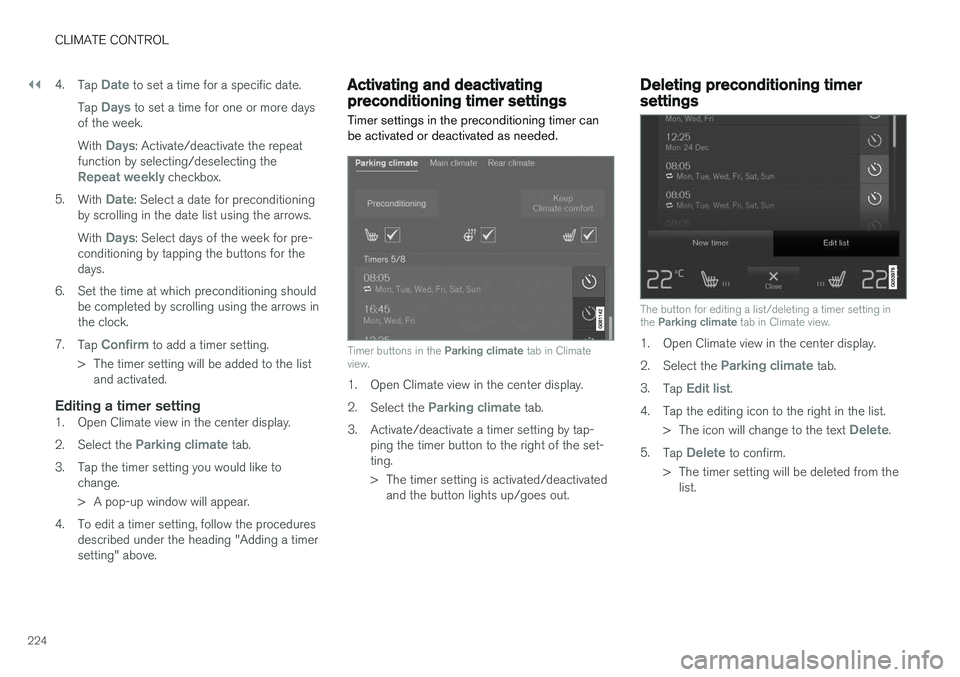
Timer buttons in the Parking climate tab in Climate
view.
1. Open Climate view in the center display. 2. Select the
Parking climate tab.
3. Activate/deactivate a timer setting by tap- ping the timer button to the right of the set- ting.
> The timer setting is activated/deactivatedand the button lights up/goes out.
Deleting preconditioning timersettings
The button for editing a list/deleting a timer setting in the Parking climate tab in Climate view.
1. Open Climate view in the center display. 2.
Select the
Parking climate tab.
3. Tap
Edit list.
4. Tap the editing icon to the right in the list. >The icon will change to the text
Delete.
5. Tap
Delete to confirm.
> The timer setting will be deleted from the list.
Page 227 of 674
CLIMATE CONTROL
225
Climate comfort retaining function
The climate in the passenger compartment can be maintained when the vehicle is parked, e.g. ifthe engine is turned off but the driver or passen-gers remain in the vehicle.
This function can only be direct-started. The function utilizes several of the vehicle's sys- tems:
• Residual heat from the engine is used tohelp heat the passenger compartment to acomfortable temperature.
• In warm weather, the ventilation system coolsthe passenger compartment by blowing air infrom outside.
NOTE
Climate comfort maintenance will be deacti- vated if the vehicle is locked from the outsidein order to avoid using residual engine heatunnecessarily. This function is intended to beused to maintain climate comfort when thedriver or a passenger remains in the vehicleafter the engine is turned off.
Related information
• Parking climate (p. 220)
• Switching on and off the climate retaining function when parking (p. 225)
Switching on and off the climateretaining function when parking
The climate retaining function maintains the cli- mate settings in the vehicle after the engine hasbeen switched off. The function can be activatedin the center display.
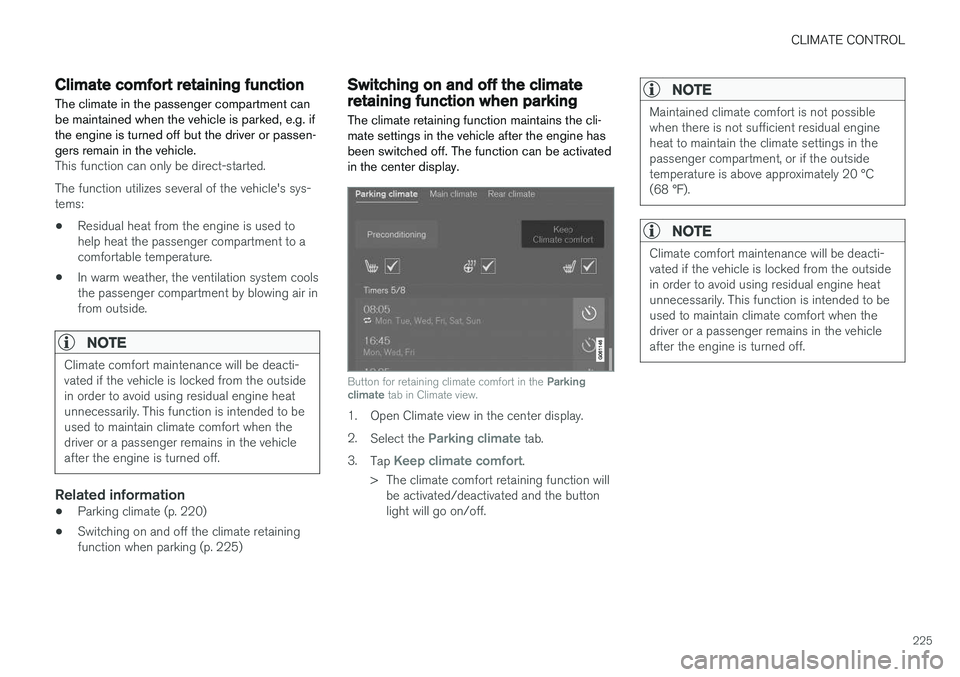
Button for retaining climate comfort in the Parking
climate tab in Climate view.
1. Open Climate view in the center display. 2.
Select the
Parking climate tab.
3. Tap
Keep climate comfort.
> The climate comfort retaining function will be activated/deactivated and the button light will go on/off.
NOTE
Maintained climate comfort is not possible when there is not sufficient residual engineheat to maintain the climate settings in thepassenger compartment, or if the outsidetemperature is above approximately 20 °C(68 °F).
NOTE
Climate comfort maintenance will be deacti- vated if the vehicle is locked from the outsidein order to avoid using residual engine heatunnecessarily. This function is intended to beused to maintain climate comfort when thedriver or a passenger remains in the vehicleafter the engine is turned off.
Page 436 of 674
||
STARTING AND DRIVING
434Can provide the combustion engine with extra electrical current.
Electric motor - Powers the vehicle using electricity. Can provide extra torque andpower during acceleration. Provides electricalall-wheel drive functionality. Regeneratesbraking energy into electrical current.
Related information
•
General information about Twin Engine(p. 396)
• Starting and stopping the combustion enginein Twin Engine vehicles (p. 434)
• Drive modes (p. 435)
• Transmission (p. 428)
• Factors affecting electric motor range(p. 448)
Starting and stopping thecombustion engine in Twin Enginevehicles
An advanced control system determines the dis- tance that the vehicle can be driven on the com-bustion engine, electric motor, or both at thesame time. When driving on only the electricmotor, the vehicle may automatically start thecombustion engine due to outside circumstan-ces, e.g. low ambient temperatures. This is com-pletely normal. The combustion engine will alsoalways start when the hybrid battery is nearlyfully discharged.
Climate settings at low temperaturesAt low ambient temperatures, the combustion engine will sometimes start automatically to helpachieve the desired passenger compartmenttemperature and air quality. The amount of timethe combustion engine is running can be affec-ted by:
• lowering the temperature
• reducing blower speed
• activating Pure drive mode.
Using the electric motor in hot or cold weather
At very low or high ambient temperatures, the electric motor's driving range and power may bereduced and affect how often the combustionengine automatically starts.
Emission control systemTo help ensure that the emission control systemfunctions optimally, the combustion engine willrun for several minutes after it is started. Theamount of time the combustion engine needs tobe used varies depending on the temperature ofthe three-way catalytic converter.
Related information
•
Drive systems (p. 433)
• Economical driving (p. 446)
• Using the electric motor only (p. 447)
• Drive modes (p. 435)
Page 437 of 674
STARTING AND DRIVING
}}
* Option/accessory.435
Drive modes
Drive modes affect the vehicle's driving charac- teristics in different ways to enhance and sim-plify the driving experience in certain types of sit-uations.
Drive modes enable easy access to the vehicle's many functions and settings in different drivingsituations. The following systems are adapted tohelp optimize driving characteristics in each drivemode: • Steering
• Engine/transmission/all-wheel drive
• Brakes
• Pneumatic suspension
* and shock absorbers
• Instrument panel
• Climate control settings
Select the drive mode that is best suited to the current driving conditions. Keep in mind that notall drive modes are available in all situations.
Available drive modes
WARNING
Keep in mind that the vehicle does not emit any engine noise when using the electricmotor and may therefore be difficult to detectfor children, pedestrians, cyclists or animals.This is particularly true at low speeds, e.g. inparking lots.
WARNING
Do not leave the vehicle in an unventilated area with a drive mode activated and the com-bustion engine switched off. The engine willstart automatically if the charge level in thehybrid battery is low and the resulting exhaustgases can be very harmful to people and ani-mals.
HYBRID
• This is the default mode in which the electric motor and combustion engine work together.
The vehicle starts in Hybrid mode. The control system uses both the electric motor and the gas-oline engine - separately or in tandem - and cal-culates optimal utilization with regard to perform-ance, fuel consumption and comfort. At highspeeds, ground clearance is automatically low- ered 4
to reduce air resistance. Driving capacity on
the electric motor alone is determined by factors such as the hybrid battery's charge level, the need for heat/cooling in the passenger compart-ment, etc. If there is sufficient charge in the battery, it is possible to drive solely on electric power. Whenthe accelerator pedal is pressed, only the electricmotor will be activated until the battery reaches acertain charge level. Above this level, the currentin the battery cannot supply the power requestedby the accelerator pedal and the combustionengine will start. When the hybrid battery's charge level is low, the combustion engine will start more frequently tosave the remaining current in the battery. Chargethe hybrid battery from a 120-240 volt outlet using a charging cable, or activate
Charge in
Function view to reset the option of only using the electric motor. This drive mode is designed for low energy con- sumption with an optimized mix between theelectric motor and gasoline engine, without com-promising on climate comfort or driving experi-ence. When faster acceleration is requested bythe driver, the electric driveline will be utilized tohelp provide maximum additional power. Thevehicle also monitors the driving conditions andautomatically engages all-wheel drive if neces-sary. All-wheel drive and extra electric power arealways available regardless of the battery'scharging status.
4 For vehicles with pneumatic suspension.