display VOLVO XC60 T8 2018 Owner´s Manual
[x] Cancel search | Manufacturer: VOLVO, Model Year: 2018, Model line: XC60 T8, Model: VOLVO XC60 T8 2018Pages: 674, PDF Size: 11.93 MB
Page 126 of 674
||
DISPLAYS AND VOICE CONTROL
124
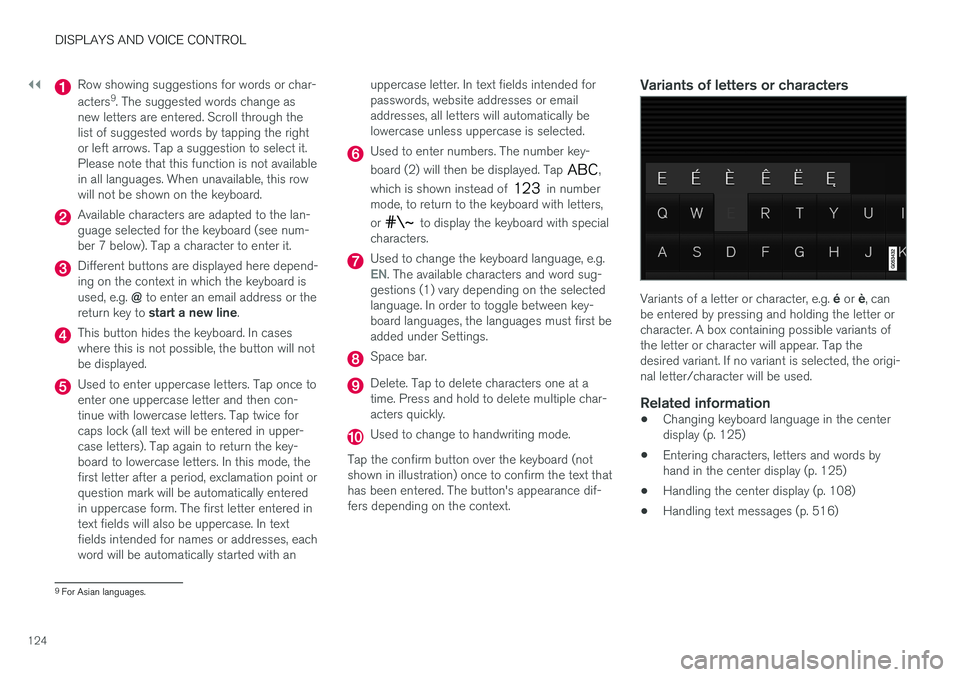
Row showing suggestions for words or char- acters9
. The suggested words change as
new letters are entered. Scroll through the list of suggested words by tapping the rightor left arrows. Tap a suggestion to select it.Please note that this function is not availablein all languages. When unavailable, this rowwill not be shown on the keyboard.
Available characters are adapted to the lan- guage selected for the keyboard (see num-ber 7 below). Tap a character to enter it.
Different buttons are displayed here depend- ing on the context in which the keyboard is used, e.g. @ to enter an email address or the
return key to start a new line .
This button hides the keyboard. In cases where this is not possible, the button will notbe displayed.
Used to enter uppercase letters. Tap once to enter one uppercase letter and then con-tinue with lowercase letters. Tap twice forcaps lock (all text will be entered in upper-case letters). Tap again to return the key-board to lowercase letters. In this mode, thefirst letter after a period, exclamation point orquestion mark will be automatically enteredin uppercase form. The first letter entered intext fields will also be uppercase. In textfields intended for names or addresses, eachword will be automatically started with an uppercase letter. In text fields intended forpasswords, website addresses or emailaddresses, all letters will automatically belowercase unless uppercase is selected.
Used to enter numbers. The number key- board (2) will then be displayed. Tap
,
which is shown instead of
in number
mode, to return to the keyboard with letters, or
to display the keyboard with special
characters.
Used to change the keyboard language, e.g.EN. The available characters and word sug-
gestions (1) vary depending on the selected language. In order to toggle between key-board languages, the languages must first beadded under Settings.
Space bar.
Delete. Tap to delete characters one at a time. Press and hold to delete multiple char-acters quickly.
Used to change to handwriting mode.
Tap the confirm button over the keyboard (not shown in illustration) once to confirm the text thathas been entered. The button's appearance dif-fers depending on the context.
Variants of letters or characters
Variants of a letter or character, e.g. é or è, can
be entered by pressing and holding the letter or character. A box containing possible variants ofthe letter or character will appear. Tap thedesired variant. If no variant is selected, the origi-nal letter/character will be used.
Related information
• Changing keyboard language in the centerdisplay (p. 125)
• Entering characters, letters and words byhand in the center display (p. 125)
• Handling the center display (p. 108)
• Handling text messages (p. 516)
9
For Asian languages.
Page 127 of 674
DISPLAYS AND VOICE CONTROL
}}
125
Changing keyboard language in thecenter display
In order to toggle between keyboard languages, the languages must first be added under
Settings.
Adding or deleting languages in Settings
The keyboard is automatically set to the same language as the system language. The keyboardlanguage can be manually changed withoutaffecting the system language. 1. Tap
Settings in Top view.
2. Tap
SystemSystem Languages and
Units
Keyboard Layouts.
3. Select one or more languages in the list. > It is now possible to toggle between theselected languages using the keyboard.
If no language has been selected under
Settings, the keyboard will remain in the same
language as the vehicle's system language.
Toggling between keyboard languagesIf more than one language has been selected in Settings, the
button in the keyboard can be used to switch between the dif-ferent languages.
To toggle between keyboard languages from the list:
1. Press and hold the button.
> A list will appear.
2. Select the desired language. If more than four languages have been selected under
Settings, you can scroll through the list
shown on the keyboard.
> The keyboard and word suggestions will be adapted to the selected language.
To change keyboard language without displaying the list:
–Tap the button.
> The keyboard layout will change to the next language in the list without display- ing the list.
Related information
• Changing system language (p. 128)
• Using the center display keyboard (p. 122)
Entering characters, letters andwords by hand in the center display
Characters, letters and words can be entered in the center display by handwriting them on thetouchscreen.
Tap the button on the center display's keyboard to switchfrom the keyboard to handwrit-ing mode.
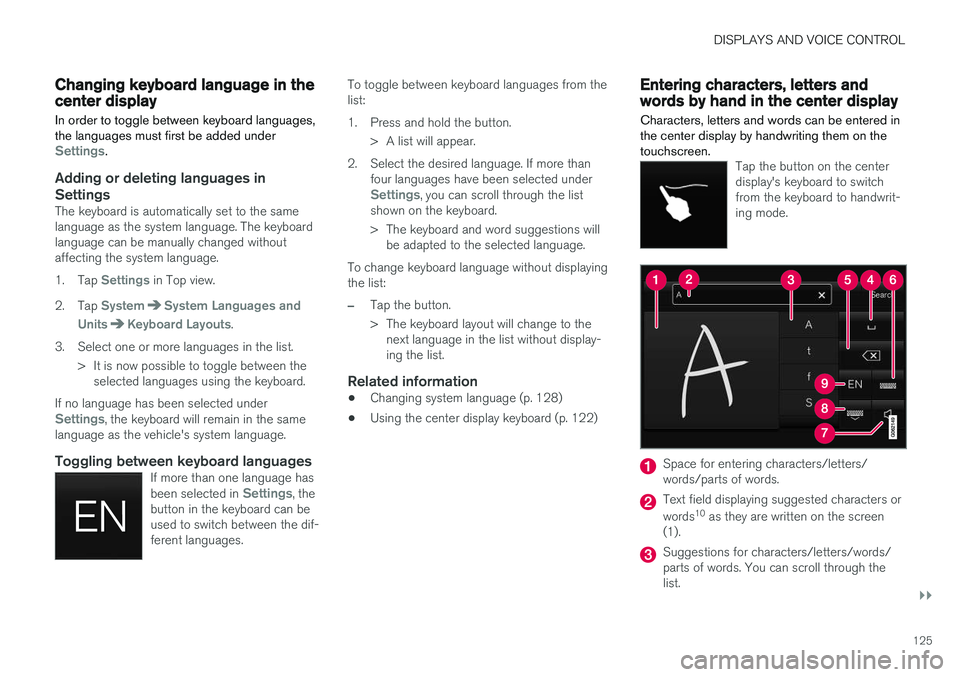
Space for entering characters/letters/ words/parts of words.
Text field displaying suggested characters or words 10
as they are written on the screen
(1).
Suggestions for characters/letters/words/ parts of words. You can scroll through thelist.
Page 128 of 674
||
DISPLAYS AND VOICE CONTROL
126
Space bar. Blank spaces can be created by writing a dash (‒) in the field for handwritten
letters (1). See "Writing blank spaces in free- text fields" below.
Delete. Tap once to erase one character/ letter at a time. Wait a moment before tap-ping again to erase the next character, letteretc.
Return to the standard keyboard layout.
Switch off/on screen tap sounds.
Hide the keyboard. In cases where this is not possible, the button will not be displayed.
Change language for text input.
Handwriting characters/letters/words
1. Write a character, a letter, a word or parts of a word in the field for handwritten letters (1). Write the word or part of the word verticallyor horizontally.
> A number of suggestions for characters,letters or words will be displayed (3). The most likely will be shown at the top of thelist.
CAUTION
Do not use sharp objects on the screen as this could cause scratches.
2. The character/letter/word will be entered automatically after a short pause if no other action is taken.
> The character/letter/word at the top ofthe list will be used. Tap one of the other characters/letters/words in the list to useit instead.
Erasing/changing handwritten characters/
letters
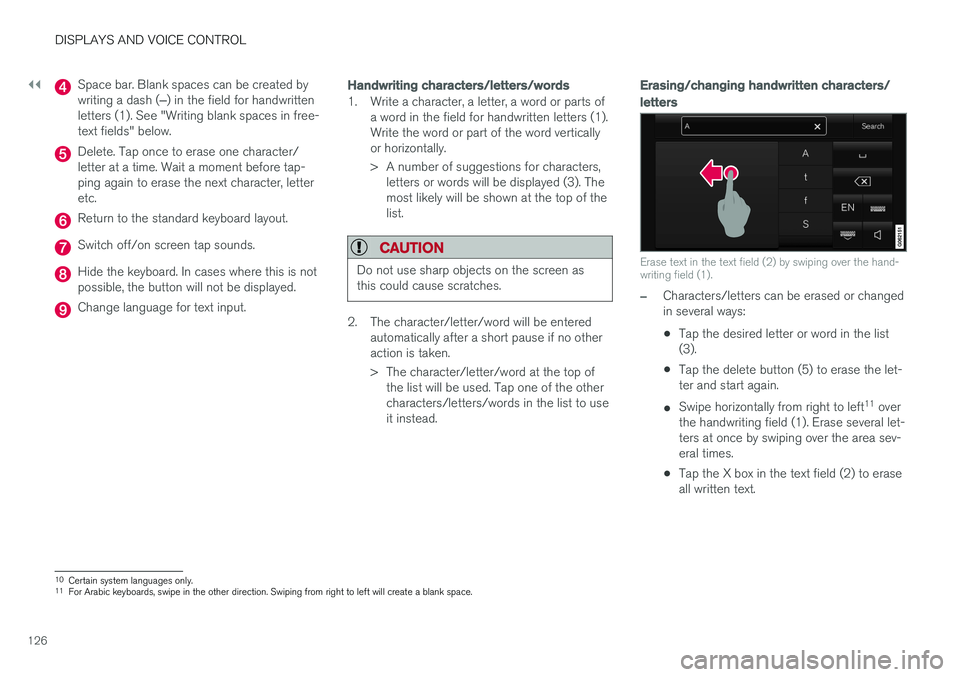
Erase text in the text field (2) by swiping over the hand- writing field (1).
–Characters/letters can be erased or changed in several ways: •Tap the desired letter or word in the list (3).
• Tap the delete button (5) to erase the let-ter and start again.
• Swipe horizontally from right to left 11
over
the handwriting field (1). Erase several let-ters at once by swiping over the area sev-eral times.
• Tap the X box in the text field (2) to eraseall written text.
10
Certain system languages only.
11 For Arabic keyboards, swipe in the other direction. Swiping from right to left will create a blank space.
Page 129 of 674
DISPLAYS AND VOICE CONTROL
127
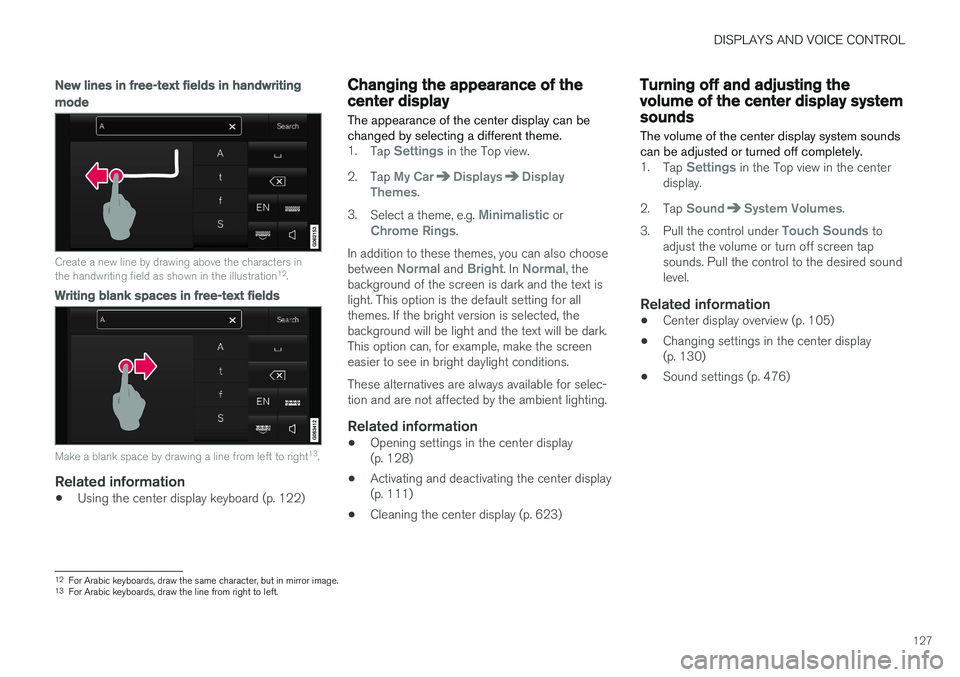
New lines in free-text fields in handwriting
mode
Create a new line by drawing above the characters in the handwriting field as shown in the illustration12
.
Writing blank spaces in free-text fields
Make a blank space by drawing a line from left to right 13
.
Related information
• Using the center display keyboard (p. 122)
Changing the appearance of thecenter display
The appearance of the center display can be changed by selecting a different theme.
1. Tap Settings in the Top view.
2. Tap
My CarDisplaysDisplay
Themes.
3. Select a theme, e.g.
Minimalistic orChrome Rings.
In addition to these themes, you can also choose between
Normal and Bright. In Normal, the
background of the screen is dark and the text is light. This option is the default setting for allthemes. If the bright version is selected, thebackground will be light and the text will be dark.This option can, for example, make the screeneasier to see in bright daylight conditions. These alternatives are always available for selec- tion and are not affected by the ambient lighting.
Related information
• Opening settings in the center display(p. 128)
• Activating and deactivating the center display(p. 111)
• Cleaning the center display (p. 623)
Turning off and adjusting thevolume of the center display systemsounds
The volume of the center display system sounds can be adjusted or turned off completely.
1. Tap Settings in the Top view in the center
display.
2. Tap
SoundSystem Volumes.
3. Pull the control under
Touch Sounds to
adjust the volume or turn off screen tap sounds. Pull the control to the desired soundlevel.
Related information
• Center display overview (p. 105)
• Changing settings in the center display(p. 130)
• Sound settings (p. 476)
12
For Arabic keyboards, draw the same character, but in mirror image.
13 For Arabic keyboards, draw the line from right to left.
Page 130 of 674
DISPLAYS AND VOICE CONTROL
128
Changing system units ofmeasurement
Unit settings are adjusted in the
Settings menu
in the center display.
1. Tap Settings in the Top view in the center
display.
2. Proceed to
SystemSystem Languages
and Units
Units of Measurement.
3. Select one of the following measurement standards:
•
Metric - kilometers, liters and degrees
Celsius.
•
Imperial - miles, gallons and degrees
Celsius.
•
US - miles, gallons and degrees Fahren-
heit.
> The units in the instrument panel, center display and head-up display are changed.
Related information
• Center display overview (p. 105)
• Opening settings in the center display (p. 128)
• Changing settings in the center display(p. 130)
• Changing system language (p. 128)
Changing system language Language settings are adjusted in the
Settingsmenu in the center display.
NOTE
Changing languages in the center display could mean that certain owner's informationwill not comply with national or local laws andregulations. Do not change to a language thatyou do not fully understand, as this couldmake it difficult to navigate back through themenu.
1.
Tap Settings in the Top view in the center
display.
2. Proceed to
SystemSystem Languages
and Units.
3. Select
System Language. A voice control
symbol indicates that the language can be used for voice commands.
> Languages in the instrument panel, center display and head-up display are changed.
Related information
• Center display overview (p. 105)
• Opening settings in the center display (p. 128)
• Changing settings in the center display(p. 130)
• Changing system units of measurement(p. 128)
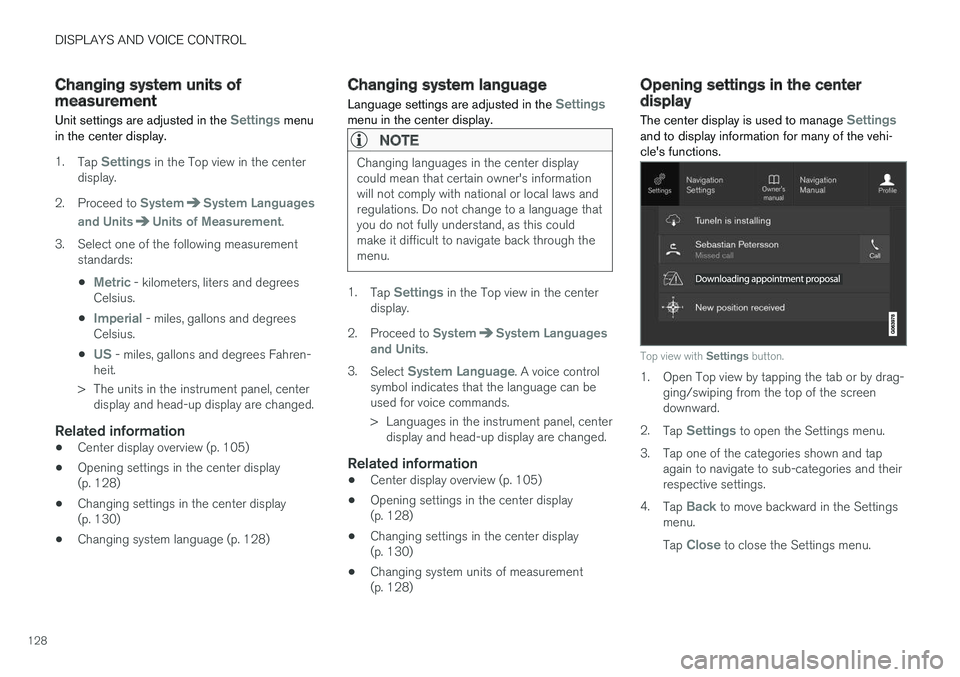
Opening settings in the centerdisplay The center display is used to manage
Settingsand to display information for many of the vehi- cle's functions.
Top view with
Settings button.
1. Open Top view by tapping the tab or by drag-
ging/swiping from the top of the screen downward.
2. Tap
Settings to open the Settings menu.
3. Tap one of the categories shown and tap again to navigate to sub-categories and their respective settings.
4. Tap
Back to move backward in the Settings
menu. Tap
Close to close the Settings menu.
Page 131 of 674
DISPLAYS AND VOICE CONTROL
129
Related information
•Center display overview (p. 105)
• Changing settings in the center display (p. 130)
• Setting types in the center display (p. 131)
• Table of settings in the center display(p. 132)
Opening contextual setting in thecenter display
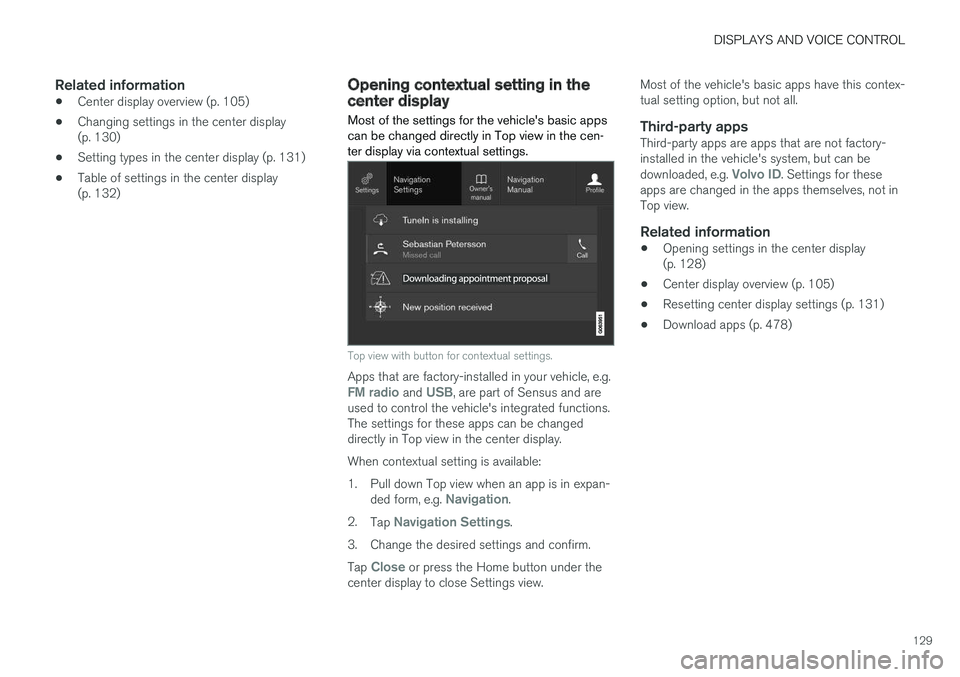
Most of the settings for the vehicle's basic apps can be changed directly in Top view in the cen-ter display via contextual settings.
Top view with button for contextual settings.
Apps that are factory-installed in your vehicle, e.g.FM radio and USB, are part of Sensus and are
used to control the vehicle's integrated functions. The settings for these apps can be changeddirectly in Top view in the center display. When contextual setting is available:
1. Pull down Top view when an app is in expan-
ded form, e.g.
Navigation.
2. Tap
Navigation Settings.
3. Change the desired settings and confirm. Tap
Close or press the Home button under the
center display to close Settings view. Most of the vehicle's basic apps have this contex- tual setting option, but not all.
Third-party appsThird-party apps are apps that are not factory-installed in the vehicle's system, but can be downloaded, e.g.
Volvo ID. Settings for these
apps are changed in the apps themselves, not in Top view.
Related information
• Opening settings in the center display(p. 128)
• Center display overview (p. 105)
• Resetting center display settings (p. 131)
• Download apps (p. 478)
Page 132 of 674
DISPLAYS AND VOICE CONTROL
130
Changing settings in the centerdisplay You can change
Settings and information for
many of the vehicle's functions via the center display.
1. Open Top view by tapping the tab or by drag- ging/swiping from the top of the screen downward.
2. Tap
Settings to open the Settings menu.
3. Tap one of the categories and sub-catego- ries to navigate to the desired setting.
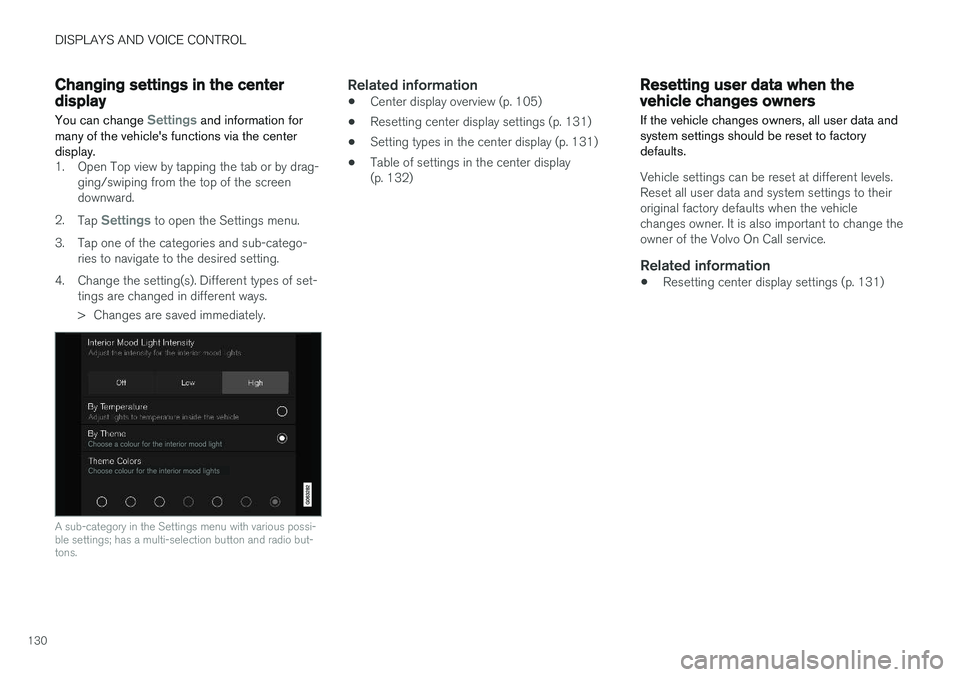
4. Change the setting(s). Different types of set- tings are changed in different ways.
> Changes are saved immediately.
A sub-category in the Settings menu with various possi- ble settings; has a multi-selection button and radio but-tons.
Related information
• Center display overview (p. 105)
• Resetting center display settings (p. 131)
• Setting types in the center display (p. 131)
• Table of settings in the center display (p. 132)
Resetting user data when thevehicle changes owners
If the vehicle changes owners, all user data and system settings should be reset to factorydefaults.
Vehicle settings can be reset at different levels. Reset all user data and system settings to theiroriginal factory defaults when the vehiclechanges owner. It is also important to change theowner of the Volvo On Call service.
Related information
• Resetting center display settings (p. 131)
Page 133 of 674
DISPLAYS AND VOICE CONTROL
}}
131
Resetting center display settingsAll settings made in the center display's Settings menu can be reset to default values.
Two types of resetThere are two ways to reset the settings in the Settings menu:
•
Factory Reset- erases all data and files and
resets all settings to factory default.
•
Reset Personal Settings- erases personal
data and resets personalized settings to fac- tory default.
Resetting settingsFollow these instructions to reset the settings.
NOTE
Factory Reset is only possible when the
vehicle is stationary.
1. Tap Settings in the Top view in the center
display.
2. Proceed to
SystemFactory Reset.
3. Select the type of reset you would like to do. > A pop-up window will appear. 4.
Tap
OK to confirm the reset.
For
Reset Personal Settings, confirm the
reset by tapping Reset for the active
profile or Reset for all profiles.
> The selected settings will be reset.
Related information
• Center display overview (p. 105)
• Opening settings in the center display (p. 128)
• Changing settings in the center display(p. 130)
• Table of settings in the center display(p. 132)
Setting types in the center display
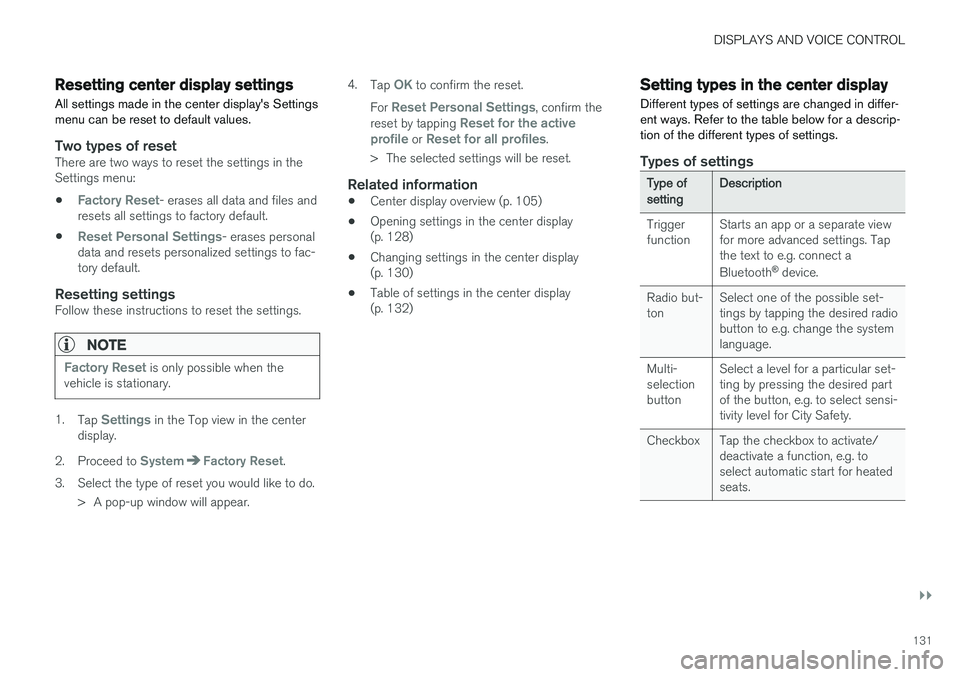
Different types of settings are changed in differ- ent ways. Refer to the table below for a descrip-tion of the different types of settings.
Types of settings
Type ofsettingDescription
Trigger function Starts an app or a separate viewfor more advanced settings. Tapthe text to e.g. connect a Bluetooth
®
device.
Radio but- ton Select one of the possible set-tings by tapping the desired radiobutton to e.g. change the systemlanguage.
Multi-selectionbutton Select a level for a particular set-ting by pressing the desired partof the button, e.g. to select sensi-tivity level for City Safety.
Checkbox Tap the checkbox to activate/ deactivate a function, e.g. toselect automatic start for heatedseats.
Page 134 of 674
||
DISPLAYS AND VOICE CONTROL
* Option/accessory.
132
Type ofsettingDescription
Slider Select a level for a function by pressing and dragging the slider control, e.g. to set volume level.
Informa-tion dis-play This is not an actual setting, butinstead displays information suchas the vehicle's VIN number.
Related information
•
Center display overview (p. 105)
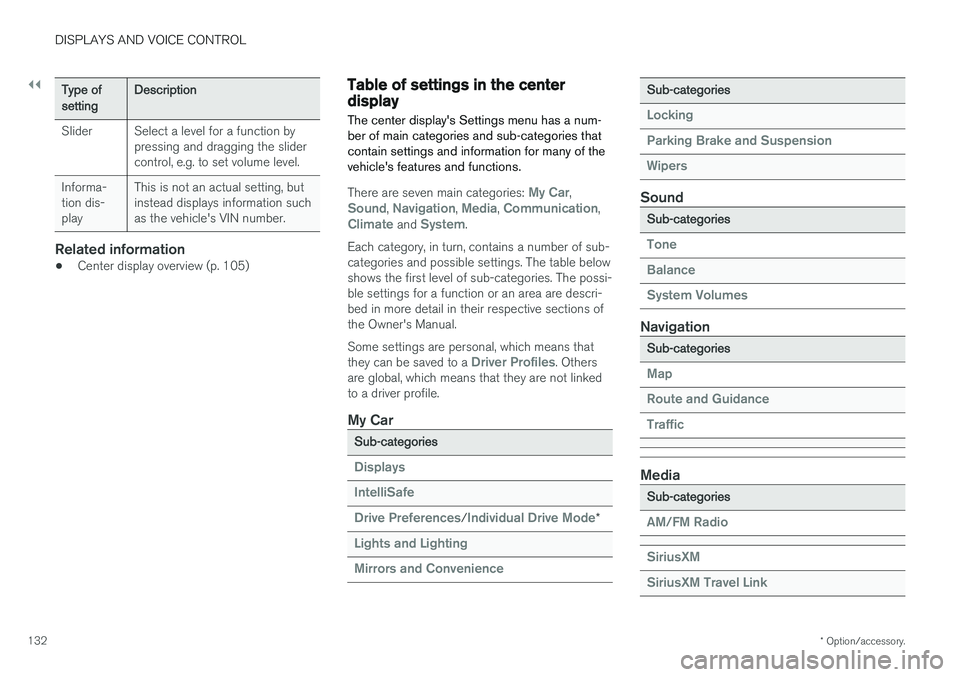
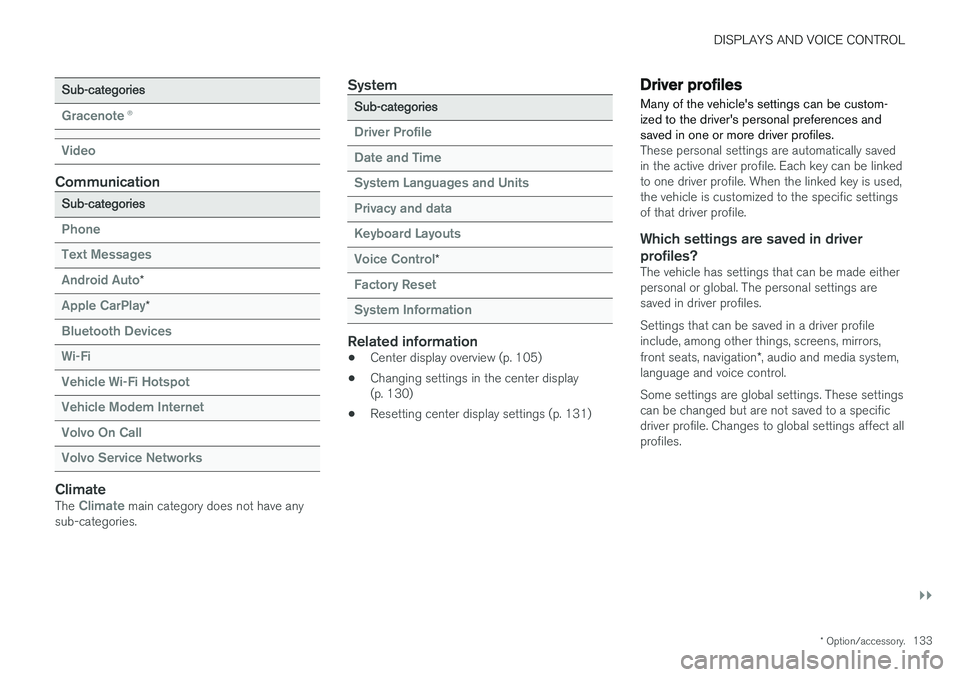
Table of settings in the centerdisplay The center display's Settings menu has a num- ber of main categories and sub-categories thatcontain settings and information for many of thevehicle's features and functions.
There are seven main categories: My Car,Sound, Navigation, Media, Communication,Climate and System.
Each category, in turn, contains a number of sub- categories and possible settings. The table belowshows the first level of sub-categories. The possi-ble settings for a function or an area are descri-bed in more detail in their respective sections ofthe Owner's Manual. Some settings are personal, which means that they can be saved to a
Driver Profiles. Others
are global, which means that they are not linked to a driver profile.
My Car
Sub-categories
Displays IntelliSafe Drive Preferences
/Individual Drive Mode*
Lights and Lighting Mirrors and Convenience
Sub-categories
Locking Parking Brake and SuspensionWipers
Sound
Sub-categories
Tone BalanceSystem Volumes
Navigation
Sub-categories
Map Route and GuidanceTraffic
Media
Sub-categories
AM/FM Radio SiriusXM SiriusXM Travel Link
Page 135 of 674
DISPLAYS AND VOICE CONTROL
}}
* Option/accessory.133
Sub-categories
Gracenote®
Video
Communication
Sub-categories
Phone Text Messages Android Auto
*
Apple CarPlay*
Bluetooth Devices Wi-FiVehicle Wi-Fi HotspotVehicle Modem Internet Volvo On Call Volvo Service Networks
ClimateThe Climate main category does not have any
sub-categories.
System
Sub-categories
Driver Profile Date and TimeSystem Languages and UnitsPrivacy and dataKeyboard Layouts Voice Control
*
Factory Reset System Information
Related information
• Center display overview (p. 105)
• Changing settings in the center display (p. 130)
• Resetting center display settings (p. 131)
Driver profiles
Many of the vehicle's settings can be custom- ized to the driver's personal preferences andsaved in one or more driver profiles.
These personal settings are automatically saved in the active driver profile. Each key can be linkedto one driver profile. When the linked key is used,the vehicle is customized to the specific settingsof that driver profile.
Which settings are saved in driver profiles?
The vehicle has settings that can be made eitherpersonal or global. The personal settings aresaved in driver profiles. Settings that can be saved in a driver profile include, among other things, screens, mirrors, front seats, navigation *, audio and media system,
language and voice control. Some settings are global settings. These settings can be changed but are not saved to a specificdriver profile. Changes to global settings affect allprofiles.