checking oil VOLVO XC60 T8 2018 Owner´s Manual
[x] Cancel search | Manufacturer: VOLVO, Model Year: 2018, Model line: XC60 T8, Model: VOLVO XC60 T8 2018Pages: 674, PDF Size: 11.93 MB
Page 15 of 674
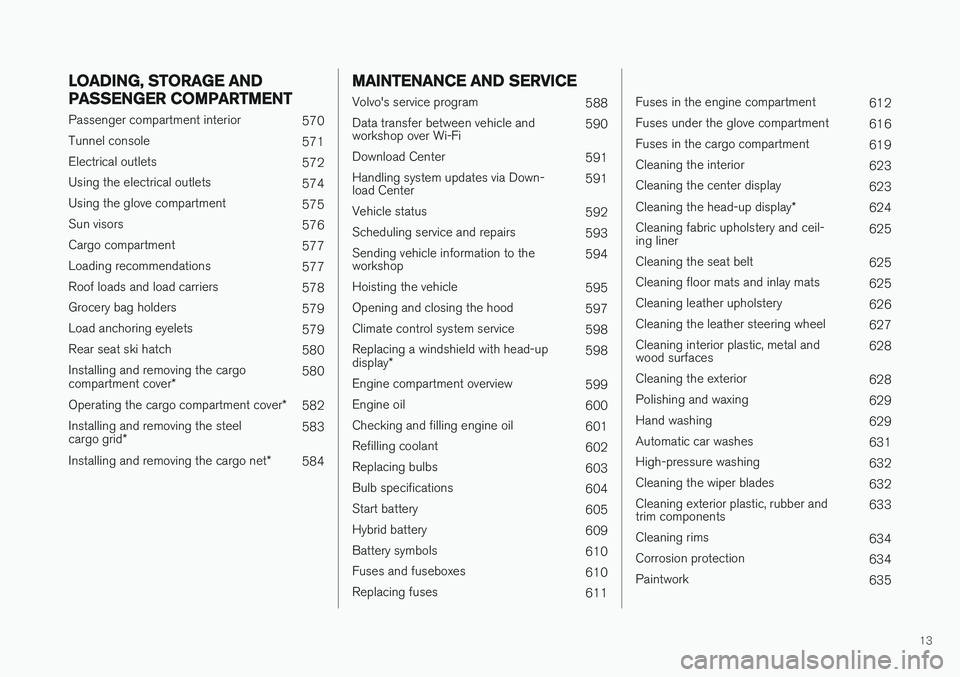
13
LOADING, STORAGE AND
PASSENGER COMPARTMENT
Passenger compartment interior570
Tunnel console 571
Electrical outlets 572
Using the electrical outlets 574
Using the glove compartment 575
Sun visors 576
Cargo compartment 577
Loading recommendations 577
Roof loads and load carriers 578
Grocery bag holders 579
Load anchoring eyelets 579
Rear seat ski hatch 580
Installing and removing the cargo compartment cover * 580
Operating the cargo compartment cover *
582
Installing and removing the steelcargo grid * 583
Installing and removing the cargo net *
584
MAINTENANCE AND SERVICE
Volvo's service program
588
Data transfer between vehicle and workshop over Wi-Fi 590
Download Center 591
Handling system updates via Down-load Center 591
Vehicle status 592
Scheduling service and repairs 593
Sending vehicle information to theworkshop 594
Hoisting the vehicle 595
Opening and closing the hood 597
Climate control system service 598
Replacing a windshield with head-up display * 598
Engine compartment overview 599
Engine oil 600
Checking and filling engine oil 601
Refilling coolant 602
Replacing bulbs 603
Bulb specifications 604
Start battery 605
Hybrid battery 609
Battery symbols 610
Fuses and fuseboxes 610
Replacing fuses 611
Fuses in the engine compartment612
Fuses under the glove compartment 616
Fuses in the cargo compartment 619
Cleaning the interior 623
Cleaning the center display 623
Cleaning the head-up display *
624
Cleaning fabric upholstery and ceil- ing liner 625
Cleaning the seat belt 625
Cleaning floor mats and inlay mats 625
Cleaning leather upholstery 626
Cleaning the leather steering wheel 627
Cleaning interior plastic, metal andwood surfaces 628
Cleaning the exterior 628
Polishing and waxing 629
Hand washing 629
Automatic car washes 631
High-pressure washing 632
Cleaning the wiper blades 632
Cleaning exterior plastic, rubber andtrim components 633
Cleaning rims 634
Corrosion protection 634
Paintwork 635
Page 452 of 674
||
STARTING AND DRIVING
450
Charge
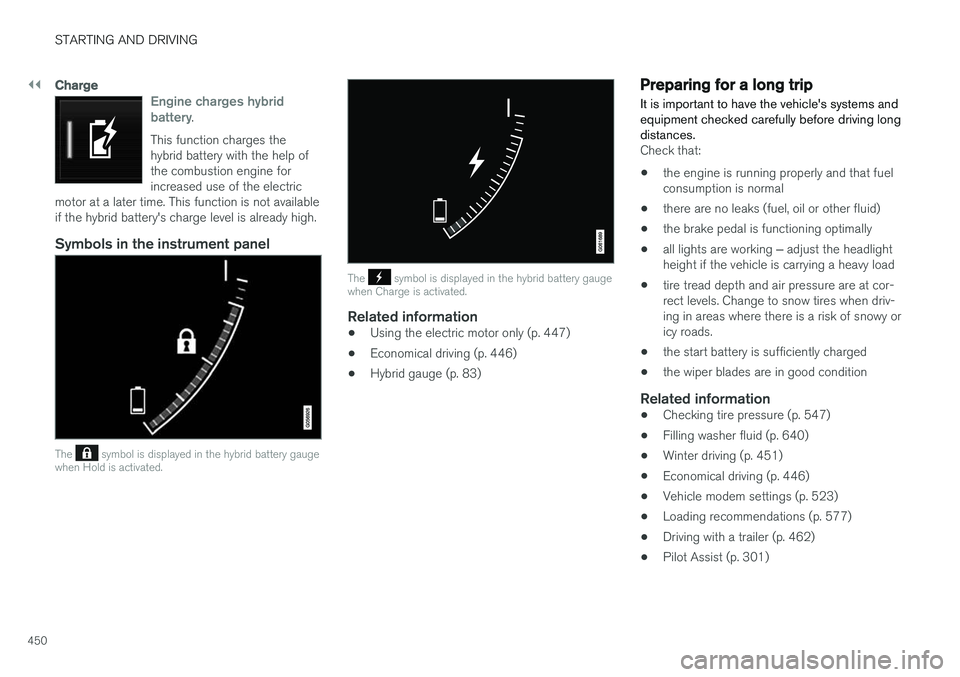
Engine charges hybrid battery.
This function charges the hybrid battery with the help ofthe combustion engine forincreased use of the electric
motor at a later time. This function is not availableif the hybrid battery's charge level is already high.
Symbols in the instrument panel
The symbol is displayed in the hybrid battery gauge
when Hold is activated.
The symbol is displayed in the hybrid battery gauge
when Charge is activated.
Related information
• Using the electric motor only (p. 447)
• Economical driving (p. 446)
• Hybrid gauge (p. 83)
Preparing for a long trip
It is important to have the vehicle's systems and equipment checked carefully before driving longdistances.
Check that:
• the engine is running properly and that fuel consumption is normal
• there are no leaks (fuel, oil or other fluid)
• the brake pedal is functioning optimally
• all lights are working
‒ adjust the headlight
height if the vehicle is carrying a heavy load
• tire tread depth and air pressure are at cor-rect levels. Change to snow tires when driv-ing in areas where there is a risk of snowy oricy roads.
• the start battery is sufficiently charged
• the wiper blades are in good condition
Related information
• Checking tire pressure (p. 547)
• Filling washer fluid (p. 640)
• Winter driving (p. 451)
• Economical driving (p. 446)
• Vehicle modem settings (p. 523)
• Loading recommendations (p. 577)
• Driving with a trailer (p. 462)
• Pilot Assist (p. 301)
Page 594 of 674
||
MAINTENANCE AND SERVICE
* Option/accessory.
592
NOTE
Data downloading can affect other services such as transfer data, e.g. web radio. If theaffect on other services is experienced asproblematic, the download can be interrupted.Alternatively, it may be appropriate to switchoff or cancel other services.
NOTE
An update can be interrupted when the igni- tion is switched off and the vehicle is left. However, the update does not have to be completed before the vehicle is left as theupdate is resumed the next time the vehicle isused.
Updating all system software
–Select Install all at the bottom of the list.
To avoid displaying a list, select
Install all via theSystem updates button.
Updating individual system software
–Select Install to choose the software you
would like to download.
Canceling software download
–Tap the checkbox in the activity indicator that replaced the Install button when the down-
load began. Note that only a download can be cancelled. An installation cannot be cancelled once it hasbegun.
Deactivating the background search for
software update
Automatic background searching for softwareupdates is activated as the default factory setting,but the function can be deactivated. 1. Tap
Settings in the center display's Top
view.
2. Tap
SystemDownload Center.
3. Tap to deselect
Auto Software Update.
Related information
• Download Center (p. 591)
• Internet-connected vehicle
* (p. 519)
• Navigating in the center display's views (p. 111)
Vehicle status
The vehicle's general status can be displayed in the center display along with the option to schedule service 3
.
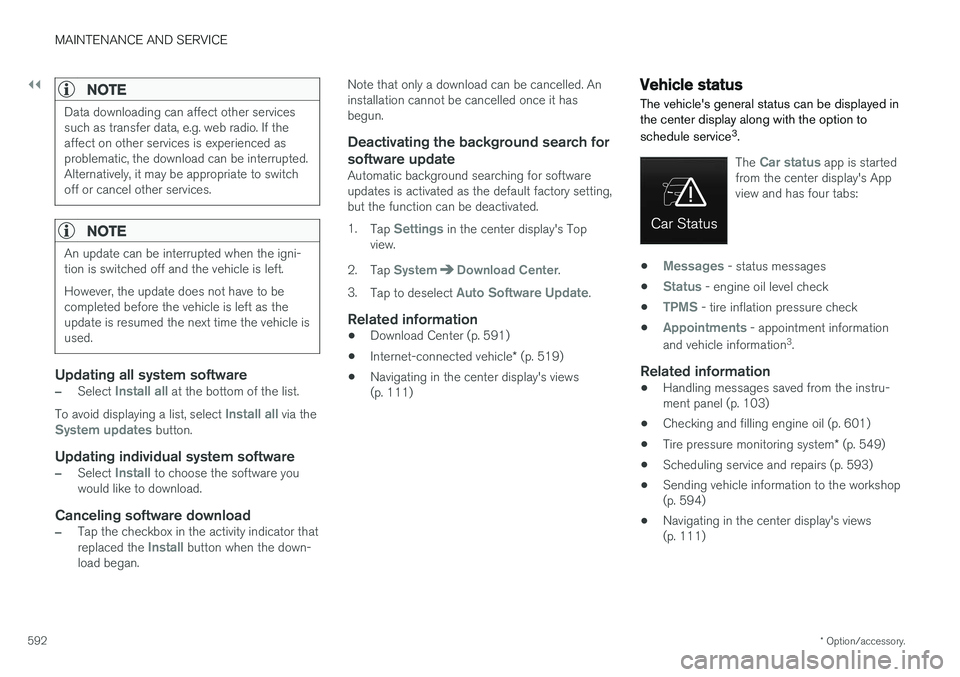
The Car status app is started
from the center display's App view and has four tabs:
•Messages - status messages
•
Status - engine oil level check
•
TPMS - tire inflation pressure check
•
Appointments - appointment information
and vehicle information 3
.
Related information
• Handling messages saved from the instru- ment panel (p. 103)
• Checking and filling engine oil (p. 601)
• Tire pressure monitoring system
* (p. 549)
• Scheduling service and repairs (p. 593)
• Sending vehicle information to the workshop(p. 594)
• Navigating in the center display's views(p. 111)
Page 601 of 674
MAINTENANCE AND SERVICE
599
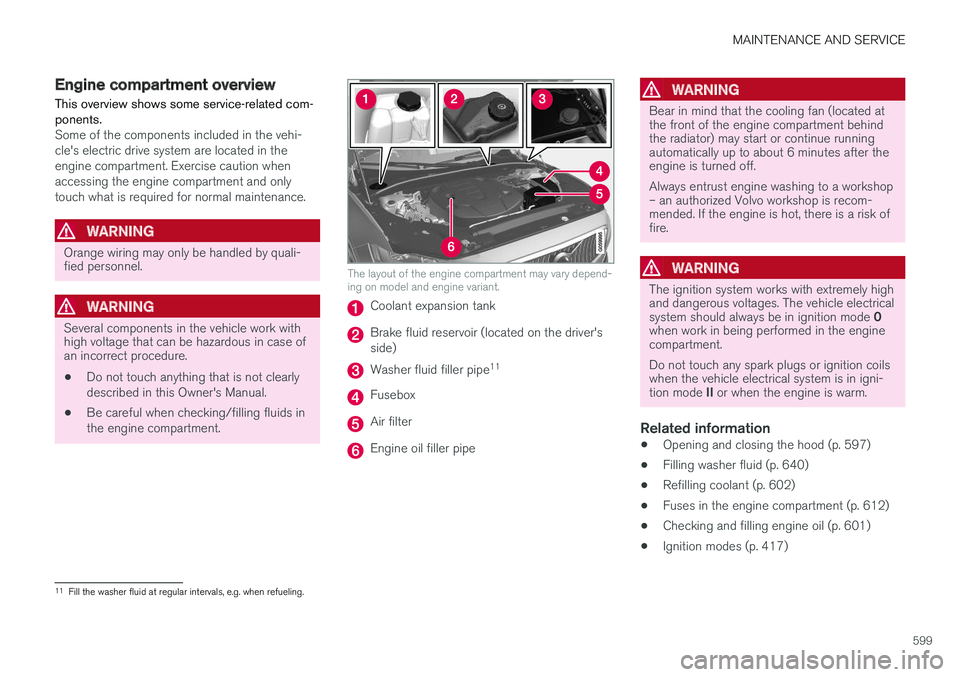
Engine compartment overview
This overview shows some service-related com- ponents.
Some of the components included in the vehi- cle's electric drive system are located in theengine compartment. Exercise caution whenaccessing the engine compartment and onlytouch what is required for normal maintenance.
WARNING
Orange wiring may only be handled by quali- fied personnel.
WARNING
Several components in the vehicle work with high voltage that can be hazardous in case ofan incorrect procedure.
• Do not touch anything that is not clearly described in this Owner's Manual.
• Be careful when checking/filling fluids inthe engine compartment.
The layout of the engine compartment may vary depend- ing on model and engine variant.
Coolant expansion tank
Brake fluid reservoir (located on the driver's side)
Washer fluid filler pipe 11
Fusebox
Air filter
Engine oil filler pipe
WARNING
Bear in mind that the cooling fan (located at the front of the engine compartment behindthe radiator) may start or continue runningautomatically up to about 6 minutes after theengine is turned off. Always entrust engine washing to a workshop – an authorized Volvo workshop is recom-mended. If the engine is hot, there is a risk offire.
WARNING
The ignition system works with extremely high and dangerous voltages. The vehicle electrical system should always be in ignition mode
0
when work in being performed in the engine compartment. Do not touch any spark plugs or ignition coils when the vehicle electrical system is in igni- tion mode II or when the engine is warm.
Related information
• Opening and closing the hood (p. 597)
• Filling washer fluid (p. 640)
• Refilling coolant (p. 602)
• Fuses in the engine compartment (p. 612)
• Checking and filling engine oil (p. 601)
• Ignition modes (p. 417)
11
Fill the washer fluid at regular intervals, e.g. when refueling.
Page 602 of 674
MAINTENANCE AND SERVICE
600
Engine oil
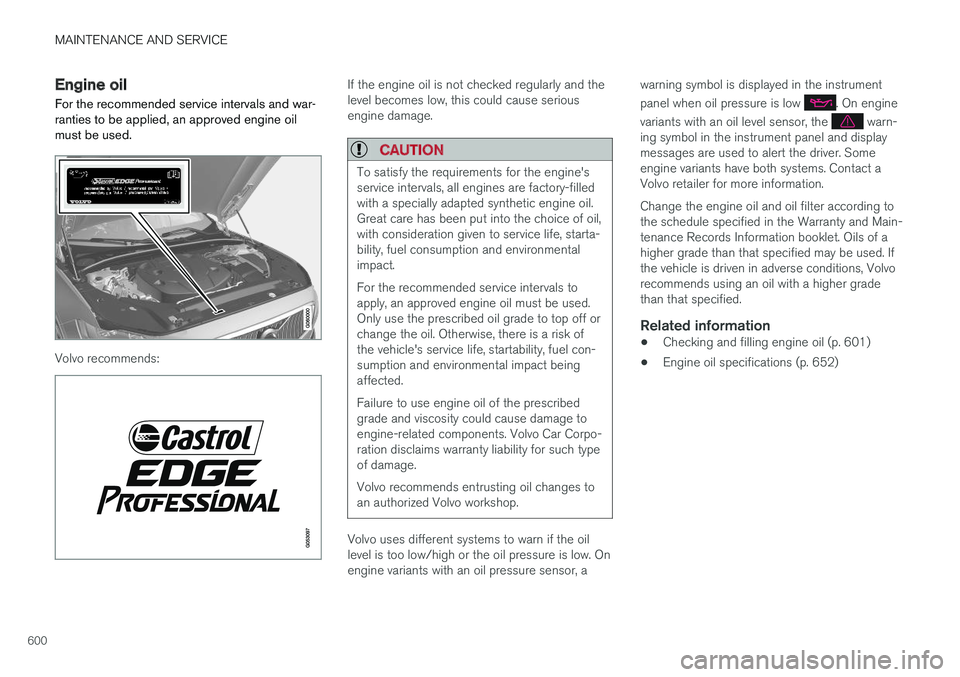
For the recommended service intervals and war- ranties to be applied, an approved engine oilmust be used.
Volvo recommends:
If the engine oil is not checked regularly and the level becomes low, this could cause seriousengine damage.
CAUTION
To satisfy the requirements for the engine's service intervals, all engines are factory-filledwith a specially adapted synthetic engine oil.Great care has been put into the choice of oil,with consideration given to service life, starta-bility, fuel consumption and environmentalimpact. For the recommended service intervals to apply, an approved engine oil must be used.Only use the prescribed oil grade to top off orchange the oil. Otherwise, there is a risk ofthe vehicle's service life, startability, fuel con-sumption and environmental impact beingaffected. Failure to use engine oil of the prescribed grade and viscosity could cause damage toengine-related components. Volvo Car Corpo-ration disclaims warranty liability for such typeof damage. Volvo recommends entrusting oil changes to an authorized Volvo workshop.
Volvo uses different systems to warn if the oil level is too low/high or the oil pressure is low. Onengine variants with an oil pressure sensor, a warning symbol is displayed in the instrument panel when oil pressure is low
. On engine
variants with an oil level sensor, the
warn-
ing symbol in the instrument panel and display messages are used to alert the driver. Someengine variants have both systems. Contact aVolvo retailer for more information. Change the engine oil and oil filter according to the schedule specified in the Warranty and Main-tenance Records Information booklet. Oils of ahigher grade than that specified may be used. Ifthe vehicle is driven in adverse conditions, Volvorecommends using an oil with a higher gradethan that specified.
Related information
• Checking and filling engine oil (p. 601)
• Engine oil specifications (p. 652)
Page 603 of 674
MAINTENANCE AND SERVICE
}}
601
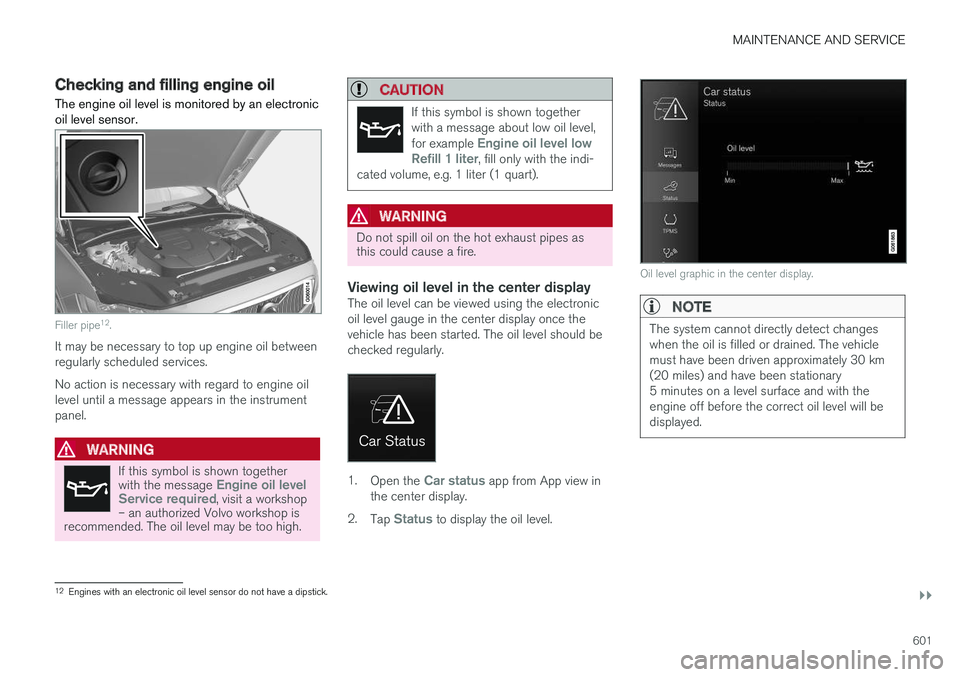
Checking and filling engine oilThe engine oil level is monitored by an electronic oil level sensor.
Filler pipe 12
.
It may be necessary to top up engine oil between regularly scheduled services. No action is necessary with regard to engine oil level until a message appears in the instrumentpanel.
WARNING
If this symbol is shown together with the message Engine oil level
Service required, visit a workshop
– an authorized Volvo workshop is
recommended. The oil level may be too high.
CAUTION
If this symbol is shown together with a message about low oil level, for example
Engine oil level low
Refill 1 liter, fill only with the indi-
cated volume, e.g. 1 liter (1 quart).
WARNING
Do not spill oil on the hot exhaust pipes as this could cause a fire.
Viewing oil level in the center displayThe oil level can be viewed using the electronic oil level gauge in the center display once thevehicle has been started. The oil level should bechecked regularly.
1. Open the Car status app from App view in
the center display.
2. Tap
Status to display the oil level.
Oil level graphic in the center display.
NOTE
The system cannot directly detect changes when the oil is filled or drained. The vehiclemust have been driven approximately 30 km(20 miles) and have been stationary5 minutes on a level surface and with theengine off before the correct oil level will bedisplayed.
12
Engines with an electronic oil level sensor do not have a dipstick.
Page 654 of 674
SPECIFICATIONS
652
Engine oil specificationsFully synthetic engine oil of at least ACEA A5/B5 must be used. Lower oil gradesmay not offer the same fuel economy, engineperformance or engine protection.
Volvo recommends:
GeneralSee the Service and warranty booklet for infor- mation about oil change intervals.
NOTE
This vehicle is delivered from the factory with synthetic oil.
Do not use oil additives.
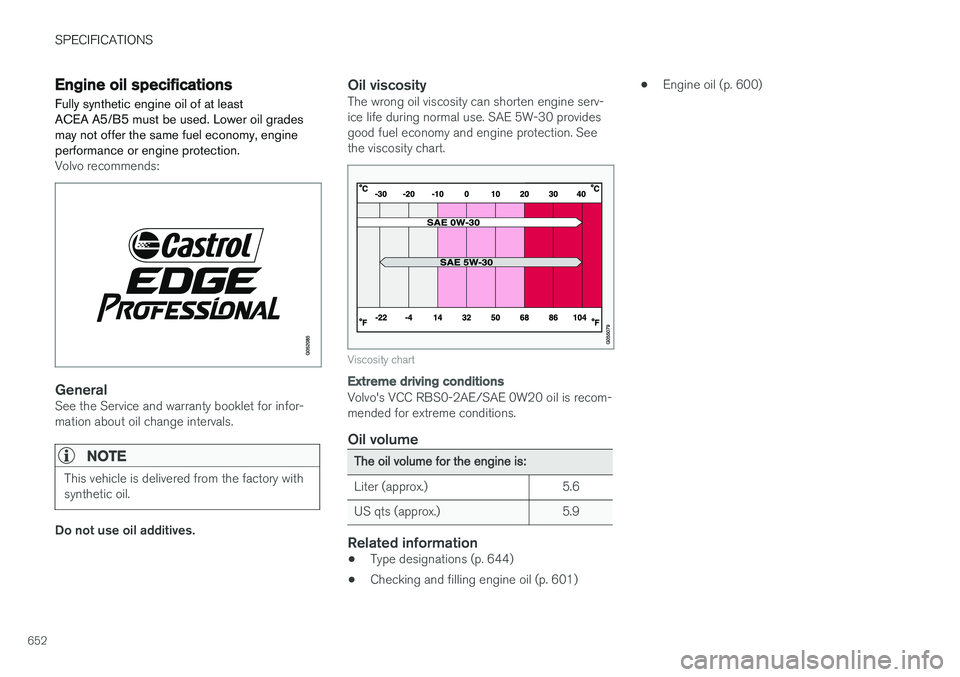
Oil viscosityThe wrong oil viscosity can shorten engine serv- ice life during normal use. SAE 5W-30 providesgood fuel economy and engine protection. Seethe viscosity chart.
Viscosity chart
Extreme driving conditions
Volvo's VCC RBS0-2AE/SAE 0W20 oil is recom- mended for extreme conditions.
Oil volume
The oil volume for the engine is:
Liter (approx.) 5.6
US qts (approx.) 5.9
Related information
• Type designations (p. 644)
• Checking and filling engine oil (p. 601) •
Engine oil (p. 600)
Page 661 of 674
INDEX
659
Charge level
vehicle function 449
Charging hybrid battery 397 opening and closing the charging
door 401
start charging 402
Status 404, 405, 406
stop charging 408
Charging cable 399
Charging current 398
Checking engine oil level 601
Child restraints 63, 65 booster cushions 71
convertible seats 69
infant seats 67
ISOFIX/LATCH anchors 74
lower attachment points 73
recalls and registration 65
top tether anchors 72
Child safety 63
Child safety locks 249
Circuit breaker 400
City Safety 325, 326, 328, 329, 335, 337
City Safety during evasive maneuver 333
City Safety in crossing traffic 331, 332
City Safety when evasive maneuver preven- ted 334
Cleaning 625, 627, 628 automatic car wash 631
car wash 628, 629, 631, 632, 633, 634
center display 623
Seat belts 625
textile upholstery 623, 625, 626
upholstery 623, 625, 626, 627, 628
wheels 634
Cleaning wheels 634
Cleaning wiper blades 632
Clean Zone 199
Clean Zone Interior Package 200
Climate 196 auto-regulation 212
blower control 218
parking 220
perceived temperature 197
Sensors 196
temperature control 218, 219
voice control 197
zones 196
Climate controls 208 center display 208
rear seat 208Climate system 196, 208
Refrigerant 654
repairs 598
Clock, setting 89
Collision 42, 47, 52, 61Collision warner detection of pedestrians 329
radar sensor 316
Collision warning 325, 338
Color code, paintwork 636
Color codes 636
Compass 471, 472 calibration 472
Condensation in headlights 629, 631, 632, 633
Connecting vehicle to Internet No connection or poor connection 524
via a mobile device (WiFi) 521
via mobile device (Bluetooth) 521
via vehicle's modem 522
Connect phone 511
Contact information 26
Convertible seats 69
coolant 653
Coolant, filling 602