oil VOLVO XC60 T8 2018 Owner´s Manual
[x] Cancel search | Manufacturer: VOLVO, Model Year: 2018, Model line: XC60 T8, Model: VOLVO XC60 T8 2018Pages: 674, PDF Size: 11.93 MB
Page 15 of 674
13
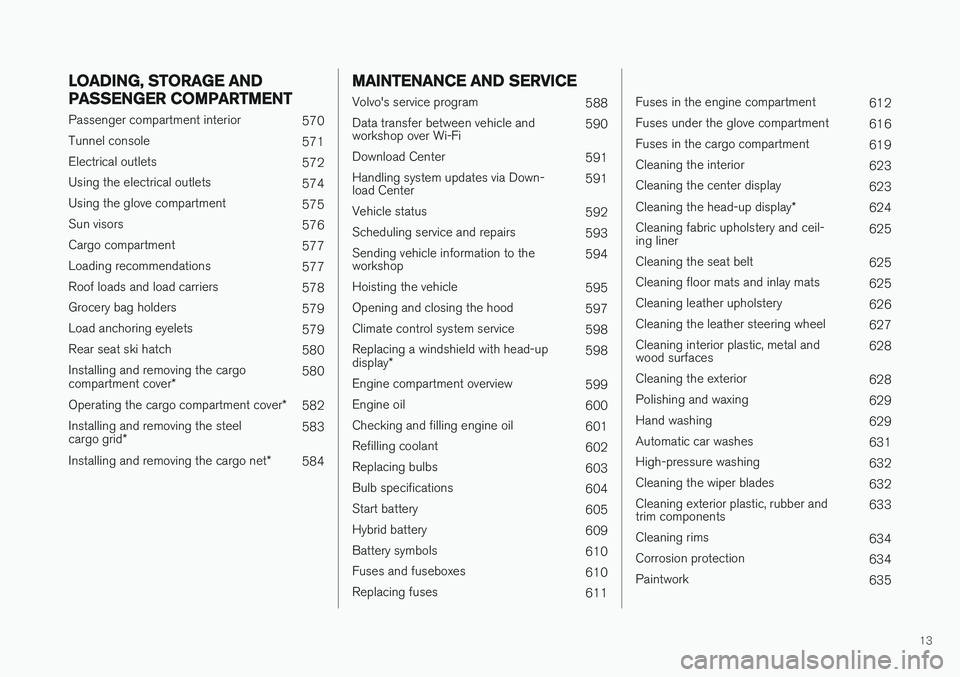
LOADING, STORAGE AND
PASSENGER COMPARTMENT
Passenger compartment interior570
Tunnel console 571
Electrical outlets 572
Using the electrical outlets 574
Using the glove compartment 575
Sun visors 576
Cargo compartment 577
Loading recommendations 577
Roof loads and load carriers 578
Grocery bag holders 579
Load anchoring eyelets 579
Rear seat ski hatch 580
Installing and removing the cargo compartment cover * 580
Operating the cargo compartment cover *
582
Installing and removing the steelcargo grid * 583
Installing and removing the cargo net *
584
MAINTENANCE AND SERVICE
Volvo's service program
588
Data transfer between vehicle and workshop over Wi-Fi 590
Download Center 591
Handling system updates via Down-load Center 591
Vehicle status 592
Scheduling service and repairs 593
Sending vehicle information to theworkshop 594
Hoisting the vehicle 595
Opening and closing the hood 597
Climate control system service 598
Replacing a windshield with head-up display * 598
Engine compartment overview 599
Engine oil 600
Checking and filling engine oil 601
Refilling coolant 602
Replacing bulbs 603
Bulb specifications 604
Start battery 605
Hybrid battery 609
Battery symbols 610
Fuses and fuseboxes 610
Replacing fuses 611
Fuses in the engine compartment612
Fuses under the glove compartment 616
Fuses in the cargo compartment 619
Cleaning the interior 623
Cleaning the center display 623
Cleaning the head-up display *
624
Cleaning fabric upholstery and ceil- ing liner 625
Cleaning the seat belt 625
Cleaning floor mats and inlay mats 625
Cleaning leather upholstery 626
Cleaning the leather steering wheel 627
Cleaning interior plastic, metal andwood surfaces 628
Cleaning the exterior 628
Polishing and waxing 629
Hand washing 629
Automatic car washes 631
High-pressure washing 632
Cleaning the wiper blades 632
Cleaning exterior plastic, rubber andtrim components 633
Cleaning rims 634
Corrosion protection 634
Paintwork 635
Page 16 of 674
14
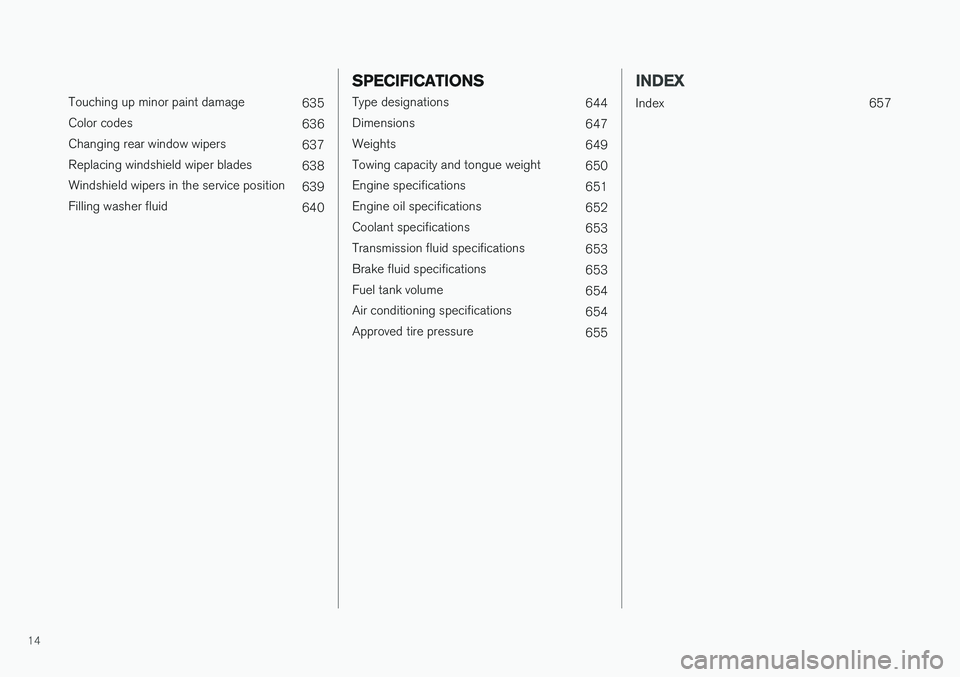
Touching up minor paint damage635
Color codes 636
Changing rear window wipers 637
Replacing windshield wiper blades 638
Windshield wipers in the service position 639
Filling washer fluid 640
SPECIFICATIONS
Type designations644
Dimensions 647
Weights 649
Towing capacity and tongue weight 650
Engine specifications 651
Engine oil specifications 652
Coolant specifications 653
Transmission fluid specifications 653
Brake fluid specifications 653
Fuel tank volume 654
Air conditioning specifications 654
Approved tire pressure 655
INDEX
Index 657
Page 25 of 674
OWNER'S INFORMATION
23
If there are no illustrations associated with step- by-step instructions, the steps are indicated byordinary numbers.
Position listsRed circles containing a number are used in general overview illustrations of components.The corresponding number is used in theposition list's description of that component.
Bullet listsBullets are used for items (components, func-tions, information, etc.) that can be listed in a ran-dom order. For example:
• Coolant
• Engine oil
Related informationRelated information offers references to other parts of the manual containing information asso-ciated with the information you are currentlyreading.
ImagesIllustrations and images used in the Owner'sManual are sometimes generic and are intendedto provide an overview or an example of a certainfunction or feature. These images vary dependingon equipment level and market and may differfrom the appearance of your vehicle.
Continues on next page
}}
This symbol is shown in the lower right-hand
corner to indicate that the current topic continues on the next page.
Continuation from previous page
|| This symbol is shown in the upper left-hand
corner to indicate that the current topic is a con- tinuation from the previous page.
Related information
• Owner's Manual in the center display (p. 17)
• Owner's manual in mobile devices (p. 20)
• Volvo Cars support site (p. 20)
The Owner's Manual and theenvironment
The Owner's Manual is printed on paper from responsibly managed forests.
The Forest Stewardship Council (FSC) ®
symbol
certifies that the paper pulp in the printed Owner's Manual comes from FSC ®
-certified for-
ests or other responsibly managed sources.
Related information
• Drive-E
‒ purer driving pleasure (p. 27)
Page 30 of 674
||
YOUR VOLVO
* Option/accessory.
28 goal. In addition to continuous environmental refinement of conventional gasoline-poweredinternal combustion engines, Volvo is activelylooking at advanced technology alternative-fuelvehicles. When you drive a Volvo, you become our partner in the work to lessen the vehicle's impact on theenvironment. To reduce your vehicle's environ-mental impact, you can:
• Maintain proper air pressure in your tires.Tests have shown decreased fuel economywith improperly inflated tires.
• Follow the recommended maintenanceschedule in your Warranty and ServiceRecords Information booklet.
• Drive at a constant speed whenever possible.
• See a trained and qualified Volvo servicetechnician as soon as possible for inspectionif the check engine (malfunction indicator)light illuminates, or stays on after the vehiclehas started.
• Properly dispose of any vehicle-related wastesuch as used motor oil, used batteries, brakepads, etc.
• When cleaning your vehicle, please use gen-uine Volvo car care products. All Volvo carcare products are formulated to be environ-mentally friendly.
Twin Engine vehicles
•If possible, precondition the vehicle with thecharging cable before driving.
• If preconditioning is not possible in coldweather, use the seat and steering wheelheating primarily. Avoid heating the entirepassenger compartment, which reduces thehybrid battery's charge level.
• Choose the
Pure drive mode to help mini-
mize electric power consumption.
• In hilly terrain, put the gear selector in mode B
to utilize the electric motor's braking func-
tion when the accelerator pedal is released. This helps charge the hybrid battery.
Related information
• Economical driving (p. 446)
• Starting and stopping preconditioning(p. 222)
• The Owner's Manual and the environment(p. 23)
• Air quality (p. 198)
IntelliSafe - driver support
IntelliSafe is Volvo Cars' philosophy regarding vehicle safety. IntelliSafe consists of a number ofsystems, both standard and optional, that aredesigned to help make driving safer, preventaccidents and protect passengers and otherroad users.
SupportIntelliSafe includes driver support functions such as Adaptive cruise control * which helps the driver
to maintain an even speed combined with a pre- selected time interval to the vehicle ahead. Pilot Assist 4
helps the driver keep the vehicle in
the current traffic lane by providing steering assistance and maintaining an even speed and aset time interval to the vehicle ahead. Park Assist Pilot * helps the driver pull into and
out of parking spaces. Other examples of systems that can help the driver are the Active main beam, Cross Traffic Alert (CTA) * and Blind Spot Information (BLIS) *
systems.
PreventionCity Safety is a function intended to help prevent accidents. The function can help prevent or miti-gate a collision with pedestrians, cyclists, largeanimals or other vehicles. Light, sound and pulsa-tions in the brake pedal are provided to alert of a
4 Depending on market, this function can be either standard or optional.
Page 95 of 674
DISPLAYS AND VOICE CONTROL
93
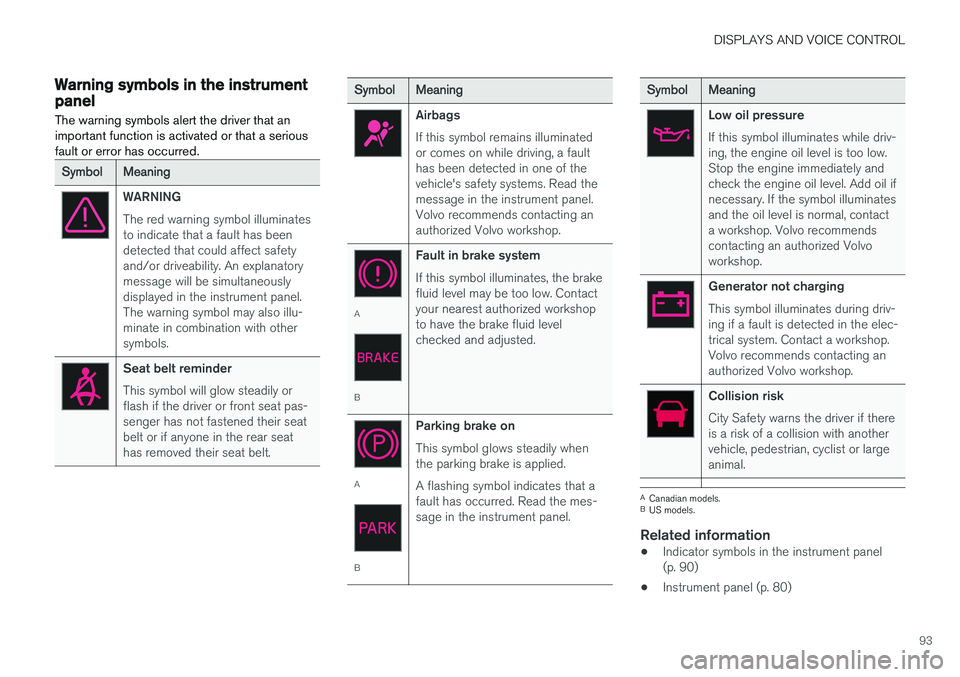
Warning symbols in the instrumentpanelThe warning symbols alert the driver that an important function is activated or that a seriousfault or error has occurred.
SymbolMeaning
WARNING The red warning symbol illuminates to indicate that a fault has beendetected that could affect safetyand/or driveability. An explanatorymessage will be simultaneouslydisplayed in the instrument panel.The warning symbol may also illu-minate in combination with othersymbols.
Seat belt reminder This symbol will glow steadily or flash if the driver or front seat pas-senger has not fastened their seatbelt or if anyone in the rear seathas removed their seat belt.
SymbolMeaning
Airbags If this symbol remains illuminated or comes on while driving, a faulthas been detected in one of thevehicle's safety systems. Read themessage in the instrument panel.Volvo recommends contacting anauthorized Volvo workshop.
A
B Fault in brake system If this symbol illuminates, the brake fluid level may be too low. Contactyour nearest authorized workshopto have the brake fluid levelchecked and adjusted.
A
BParking brake on This symbol glows steadily when the parking brake is applied. A flashing symbol indicates that a fault has occurred. Read the mes-sage in the instrument panel.
SymbolMeaning
Low oil pressure If this symbol illuminates while driv- ing, the engine oil level is too low.Stop the engine immediately andcheck the engine oil level. Add oil ifnecessary. If the symbol illuminatesand the oil level is normal, contacta workshop. Volvo recommendscontacting an authorized Volvoworkshop.
Generator not charging This symbol illuminates during driv- ing if a fault is detected in the elec-trical system. Contact a workshop.Volvo recommends contacting anauthorized Volvo workshop.
Collision risk City Safety warns the driver if there is a risk of a collision with anothervehicle, pedestrian, cyclist or largeanimal.
A
Canadian models.
B US models.
Related information
• Indicator symbols in the instrument panel (p. 90)
• Instrument panel (p. 80)
Page 418 of 674
||
STARTING AND DRIVING
416
NOTE
With a cold start, idling speed may be consid- erably higher than normal for certain enginetypes. This is done to get the emissions sys-tem up to normal operating temperature asquickly as possible, which minimizes exhaustemissions and protects the environment.
CAUTION
•When starting in cold weather, the auto- matic transmission may shift up at slightlyhigher engine speeds than normal untilthe automatic transmission fluid reachesnormal operating temperature.
• Do not race a cold engine immediatelyafter starting. This could prevent fluidsfrom properly lubricating vital compo-nents in the engine before it has reachedthe proper operating temperature.
• The engine should be idling when thegear selector is moved. Never accelerateuntil the gear is fully engaged. Accelerat-ing rapidly before a gear is properlyengaged could lead to harder wear ofcomponents.
• To help prevent the transmission oil from overheating, select
P or N when idling at
a standstill for prolonged periods of time.
Related information
• Switching off the vehicle (p. 416)
• Ignition modes (p. 417)
• Adjusting the steering wheel (p. 193)
• Jump starting using another battery (p. 459)
• Selecting ignition mode (p. 418)
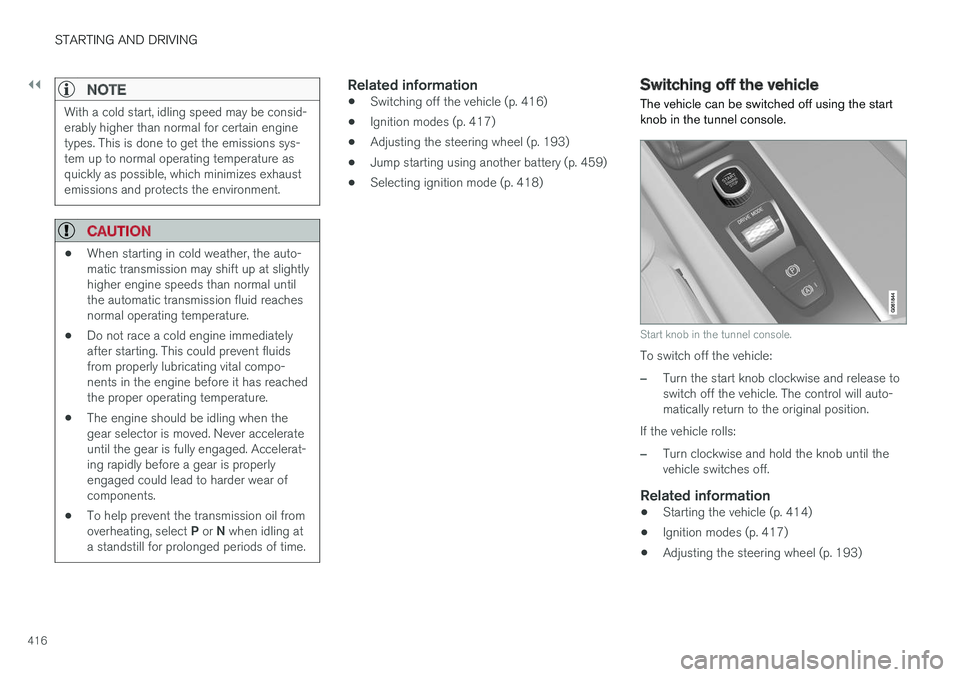
Switching off the vehicle The vehicle can be switched off using the start knob in the tunnel console.
Start knob in the tunnel console.
To switch off the vehicle:
–Turn the start knob clockwise and release to switch off the vehicle. The control will auto-matically return to the original position.
If the vehicle rolls:
–Turn clockwise and hold the knob until the vehicle switches off.
Related information
• Starting the vehicle (p. 414)
• Ignition modes (p. 417)
• Adjusting the steering wheel (p. 193)
Page 452 of 674
||
STARTING AND DRIVING
450
Charge
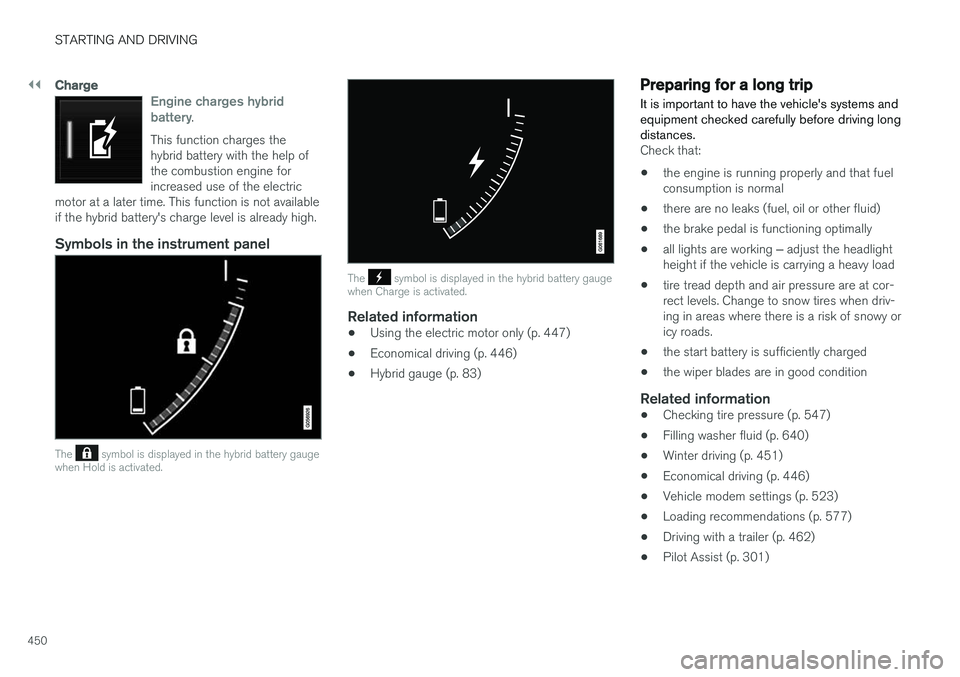
Engine charges hybrid battery.
This function charges the hybrid battery with the help ofthe combustion engine forincreased use of the electric
motor at a later time. This function is not availableif the hybrid battery's charge level is already high.
Symbols in the instrument panel
The symbol is displayed in the hybrid battery gauge
when Hold is activated.
The symbol is displayed in the hybrid battery gauge
when Charge is activated.
Related information
• Using the electric motor only (p. 447)
• Economical driving (p. 446)
• Hybrid gauge (p. 83)
Preparing for a long trip
It is important to have the vehicle's systems and equipment checked carefully before driving longdistances.
Check that:
• the engine is running properly and that fuel consumption is normal
• there are no leaks (fuel, oil or other fluid)
• the brake pedal is functioning optimally
• all lights are working
‒ adjust the headlight
height if the vehicle is carrying a heavy load
• tire tread depth and air pressure are at cor-rect levels. Change to snow tires when driv-ing in areas where there is a risk of snowy oricy roads.
• the start battery is sufficiently charged
• the wiper blades are in good condition
Related information
• Checking tire pressure (p. 547)
• Filling washer fluid (p. 640)
• Winter driving (p. 451)
• Economical driving (p. 446)
• Vehicle modem settings (p. 523)
• Loading recommendations (p. 577)
• Driving with a trailer (p. 462)
• Pilot Assist (p. 301)
Page 453 of 674
STARTING AND DRIVING
451
•
Speed limiter (p. 268)
• Tire sealing system (p. 562)
Winter driving
It is important to check the vehicle before driving in cold/snowy conditions to make sure it can bedriven safely.
Before the cold season arrives:
• Make sure the engine coolant contains 50% antifreeze. This mixture helps protect theengine from frost erosion down toapprox. -35 °C (-31 °F). Do not mix differenttypes of antifreeze as this could pose ahealth risk.
• Keep the fuel tank well filled to prevent con-densation from forming.
• Check the viscosity of the engine oil. Oil withlow viscosity (thinner oil) improves cold-weather starting and reduces fuel consump-tion when driving with a cold engine.
CAUTION
Low-viscosity oil should not be used with hard driving or in hot weather.
•
Check the condition and charge level of the start battery. Cold weather places greaterdemands on the start battery and reduces itscapacity.
• Use washer fluid containing antifreeze tohelp prevent ice from forming in the washerfluid reservoir.
Slippery driving conditionsFor optimal traction and roadholding, Volvo rec-ommends using snow tires on all wheels when-ever there is a risk of snow or ice on the road.
NOTE
Certain countries require use of winter tires by law. Not all countries permit the use ofstudded tires.
Practice driving on slippery surfaces under con- trolled conditions to learn how the vehicle reacts.
Related information
•Snow tires (p. 561)
• Snow chains (p. 561)
• Braking on salted roads (p. 421)
• Braking on wet roads (p. 421)
• Filling washer fluid (p. 640)
• Start battery (p. 605)
• Replacing windshield wiper blades (p. 638)
• Changing rear window wipers (p. 637)
• Refilling coolant (p. 602)
Page 454 of 674
STARTING AND DRIVING
452
Driving through standing water
Driving the vehicle through a deep pool of stand- ing water on a water-covered roadway is calledfording. This must be done with great caution.
To prevent damage to the vehicle when driving through water (e.g. on flooded roads): • Do not drive in water higher than the floor of the vehicle. If possible, check the depth ofthe water at its deepest point before drivingthrough it. Be particularly careful when driv-ing through flowing water.
• Always select the
Off Road drive mode
before driving in water to ensure the gasoline engine is running.
• Do not drive faster than walking speed.
• Do not stop the vehicle in the water. Drivecarefully forward or back the vehicle out ofthe water.
• Remember that waves created by passingvehicles could cause the water level to riseabove the vehicle's floor level.
• Avoid driving through salt water to help avoidthe risk of corrosion.
CAUTION
Parts of the vehicle (e.g. engine, transmission, driveline, electrical components, etc.) can bedamaged if the vehicle is driven through waterhigher than its floor level. Damage to anycomponents caused by flooding, vapor lock orinsufficient oil is not covered under warranty. If the engine stalls while the vehicle is in water, do not attempt to restart it. Have thevehicle towed on the bed of a tow truck to aworkshop - an authorized Volvo workshop isrecommended.
When you have passed the water, press lightly on the brake pedal and check that the brakes arefunctioning properly. Water, mud, slush, etc. canmake the brake linings slippery, resulting indelayed braking effect. If the vehicle is equipped with a trailer coupling contact, clean the contact after driving in water ormud.
Related information
•
Recovery (p. 467)
• Low Speed Control (p. 443)
Opening/closing the fuel filler door A button on the instrument panel is used to unlock the fuel filler door.
An arrow next to the fuel pump symbol in the instrument panelindicates the side of the vehicleon which the fuel filler door islocated.
Page 543 of 674
WHEELS AND TIRES
}}
541
imprinted on the sidewall of the tire. The last four digits in the series is the Department ofTransportation (DOT) stamp and indicates theweek and year the tire was manufactured. Thetire in the illustration has 0717 as the last fourdigits, which means it was manufactured week 7of 2017.
Tire ageTires degrade over time, even when they are notbeing used. It is recommended that tires gener-ally be replaced after 6 years of normal service.Heat caused by hot climates, frequent high load-ing conditions or Ultra Violet (U.V.) exposure canaccelerate the aging process. The temporary spare
2
should also be replaced at 6-year inter-
vals, even if it has never been used. A tire with e.g., visible cracks or discoloration should bereplaced immediately.
Tire economy
• Maintain correct tire pressure.
• Avoid fast starts, hard braking and tirescreeching.
• Tire wear increases with speed.
• Correct front wheel alignment is very impor-tant.
• Unbalanced wheels impair tire economy anddriving comfort. •
Tires must maintain the same direction ofrotation throughout their lifetime.
• When replacing tires, the tires with the mosttread should be mounted on the rear wheelsto reduce the chance of oversteer duringhard braking.
• Hitting curbs or potholes can damage thetires and/or wheels permanently.
Tire rotationYour vehicle has no required tire rotation. Drivingstyle, tire pressure, climate and road conditionsaffect how quickly the tires age and exhibit signsof wear. Maintaining the correct tire pressurehelps keep tread wear evenly distributed. To help prevent differences in tread depth and wear patterns forming on the tires, the front andrear wheels should be rotated, i.e. the front tiresmoved to the rear and the rear tires moved to thefront. Ideally, tire rotation should be done the firsttime after approximately 5000 km (ca3100 miles) and thereafter at 10,000 km(approx. 6200 miles) intervals. If you have any questions regarding tread depth, Volvo recommends consulting an authorizedVolvo workshop. If significant differences in wear(> 1 mm difference in tread depth) between thetires have already occurred, the least worn tiresshould always be mounted on the rear wheels. Afront-wheel skid (understeer) is usually easier to control than a rear-wheel skid (oversteer). If thefront wheels skid, the vehicle will continue in astraight line instead of the rear wheels skiddingto the side, which could cause you to completelylose control of the vehicle. It is therefore impor-tant that the rear wheels never lose grip beforethe front wheels.
Storing wheels and tiresWhen storing complete wheels (tires mounted onrims), they should be suspended off the floor orplaced on their sides on the floor. Tires not mounted on rims should be stored on their sides or standing upright, but should not besuspended.
CAUTION
Tires should preferably be stored in a cool, dry, dark place, and should never be stored inclose proximity to solvents, gasoline, oils, etc.
2
Not available on all models.