pre heating VOLVO XC60 T8 2018 Owner´s Manual
[x] Cancel search | Manufacturer: VOLVO, Model Year: 2018, Model line: XC60 T8, Model: VOLVO XC60 T8 2018Pages: 674, PDF Size: 11.93 MB
Page 7 of 674
5
SEATS AND STEERING WHEEL
Manual front seats180
Power front seats *
181
Adjusting the power front seats *
181
Storing memory settings in power front seats * 182
Using stored memory in a powered front seat 183
Front seat massage settings *
184
Adjusting front seat massage settings *
184
Adjusting front seat cushion length 185
Adjusting front seat side bolster settings *
186
Adjusting front seat lumbar support *
186
Adjusting the passenger seat from the driver's seat * 187
Folding down the rear seat backrests 188
Adjusting the rear seat head restraints 191
Steering wheel controls and horn 192
Adjusting the steering wheel 193
CLIMATE CONTROL
Climate196
Climate zones 196
Climate control sensors 196
Perceived temperature 197
Climate control system voice commands 197
Air quality 198
Clean Zone *
199
Clean Zone Interior Package *
200
Interior Air Quality System *
200
Activating and deactivating the air quality sensor * 201
Passenger compartment air filter 201
Air distribution 201
Adjusting air distribution 202
Opening, closing and directing air vents 203
Air distribution options 205
Climate system controls 208
Activating and deactivating powerfront seats * 209
Activating and deactivating theheated front seat * 210
Activating and deactivating theheated rear seats * 210
Activating and deactivating front seatventilation * 211
Activating and deactivating the heated steering wheel
*211
Activating and deactivating automaticsteering wheel heating *212
Activating auto climate control 212
Activating and deactivating recirculation 213
Activating and deactivating the recir- culation timer setting 214
Activating and deactivating max defroster 214
Activating and deactivating the heated windshield * 215
Activating and deactivating automaticwindshield heating * 216
Activating and deactivating the heated rear window and door mirrors 217
Automatically activating and deacti-vating the heated rear window anddoor mirrors 217
Setting the blower speed for thefront seats 218
Setting the temperature for the frontseats 218
Synchronize temperature 219
Activating and deactivating air condi-tioning 220
Parking climate 220
Preconditioning 221
Starting and stopping preconditioning 222
Page 12 of 674
10
STARTING AND DRIVING
Starting the vehicle414
Switching off the vehicle 416
Ignition modes 417
Selecting ignition mode 418
Brake functions 419
Brakes 419
Brake Assist System 421
Braking on wet roads 421
Braking on salted roads 421
Maintenance of the brake system 422
Parking brake 422
Activating and deactivating the park- ing brake 423
Settings for automatically activatingthe parking brake 424
Parking on a hill 424
Parking brake malfunction 425
Auto-hold brakes 426
Activating and deactivating Auto-hold at a standstill 426
Hill Start Assist 427
Braking assist after a collision 427
Transmission 428
Gear selector positions for automatictransmissions 429
Using the steering wheel paddles
* to
shift 431
Shiftlock 432
The kickdown function 432
Gear indicator *
432
All Wheel Drive (AWD) 433
Drive systems 433
Starting and stopping the combus- tion engine in Twin Engine vehicles 434
Drive modes 435
Changing drive mode 439
Leveling control * and suspension
440
Leveling control settings *
443
Low Speed Control 443
Activating and deactivating LowSpeed Control using the function button 444
Hill Descent Control 444
Activating and deactivating HillDescent Control using the functionbutton 445
Economical driving 446
Using the electric motor only 447
Factors affecting electric motor range 448
"Hold" and "Charge" functions 449
Preparing for a long trip 450
Winter driving 451
Driving through standing water452
Opening/closing the fuel filler door 452
Refueling 453
Fuel 454
Octane rating 455
Emission controls 457
Overheating of engine and transmission 458
Battery drain 459
Jump starting using another battery 459
Detachable towbar *
461
Driving with a trailer 462
Trailer Stability Assist *
464
Checking trailer lights 465
Towing using a towline 466
Attaching and removing the towing eyelet 466
Recovery 467
HomeLink ®
* 468
Programming HomeLink ®
* 469
Using HomeLink 470
Type approval for HomeLink ®
* 471
Compass 471
Activating and deactivating the compass 472
Calibrating the compass 472
Page 30 of 674
||
YOUR VOLVO
* Option/accessory.
28 goal. In addition to continuous environmental refinement of conventional gasoline-poweredinternal combustion engines, Volvo is activelylooking at advanced technology alternative-fuelvehicles. When you drive a Volvo, you become our partner in the work to lessen the vehicle's impact on theenvironment. To reduce your vehicle's environ-mental impact, you can:
• Maintain proper air pressure in your tires.Tests have shown decreased fuel economywith improperly inflated tires.
• Follow the recommended maintenanceschedule in your Warranty and ServiceRecords Information booklet.
• Drive at a constant speed whenever possible.
• See a trained and qualified Volvo servicetechnician as soon as possible for inspectionif the check engine (malfunction indicator)light illuminates, or stays on after the vehiclehas started.
• Properly dispose of any vehicle-related wastesuch as used motor oil, used batteries, brakepads, etc.
• When cleaning your vehicle, please use gen-uine Volvo car care products. All Volvo carcare products are formulated to be environ-mentally friendly.
Twin Engine vehicles
•If possible, precondition the vehicle with thecharging cable before driving.
• If preconditioning is not possible in coldweather, use the seat and steering wheelheating primarily. Avoid heating the entirepassenger compartment, which reduces thehybrid battery's charge level.
• Choose the
Pure drive mode to help mini-
mize electric power consumption.
• In hilly terrain, put the gear selector in mode B
to utilize the electric motor's braking func-
tion when the accelerator pedal is released. This helps charge the hybrid battery.
Related information
• Economical driving (p. 446)
• Starting and stopping preconditioning(p. 222)
• The Owner's Manual and the environment(p. 23)
• Air quality (p. 198)
IntelliSafe - driver support
IntelliSafe is Volvo Cars' philosophy regarding vehicle safety. IntelliSafe consists of a number ofsystems, both standard and optional, that aredesigned to help make driving safer, preventaccidents and protect passengers and otherroad users.
SupportIntelliSafe includes driver support functions such as Adaptive cruise control * which helps the driver
to maintain an even speed combined with a pre- selected time interval to the vehicle ahead. Pilot Assist 4
helps the driver keep the vehicle in
the current traffic lane by providing steering assistance and maintaining an even speed and aset time interval to the vehicle ahead. Park Assist Pilot * helps the driver pull into and
out of parking spaces. Other examples of systems that can help the driver are the Active main beam, Cross Traffic Alert (CTA) * and Blind Spot Information (BLIS) *
systems.
PreventionCity Safety is a function intended to help prevent accidents. The function can help prevent or miti-gate a collision with pedestrians, cyclists, largeanimals or other vehicles. Light, sound and pulsa-tions in the brake pedal are provided to alert of a
4 Depending on market, this function can be either standard or optional.
Page 114 of 674
||
DISPLAYS AND VOICE CONTROL
* Option/accessory.
112
NOTE
In Home view's standard mode – short press on the Home button. An animation describingaccess to the various views is shown on thescreen.
NOTE
When the vehicle is moving:
• Certain functions (e.g. using the center display's keyboard) may be deactivated.
• Certain texts (e.g. those generated byapps) will be shortened to three rows. Tap the
Read out button to have the
entire message read aloud.
• The message will be shortened to one row. Tap the
Read out button to have
the entire message read aloud.
Status barCurrent vehicle activities are shown at the top of the screen in the status bar. Network and con-nection information is shown to the left of thestatus bar. Media-related information, the clockand information about background activities areshown to the right.
Top view
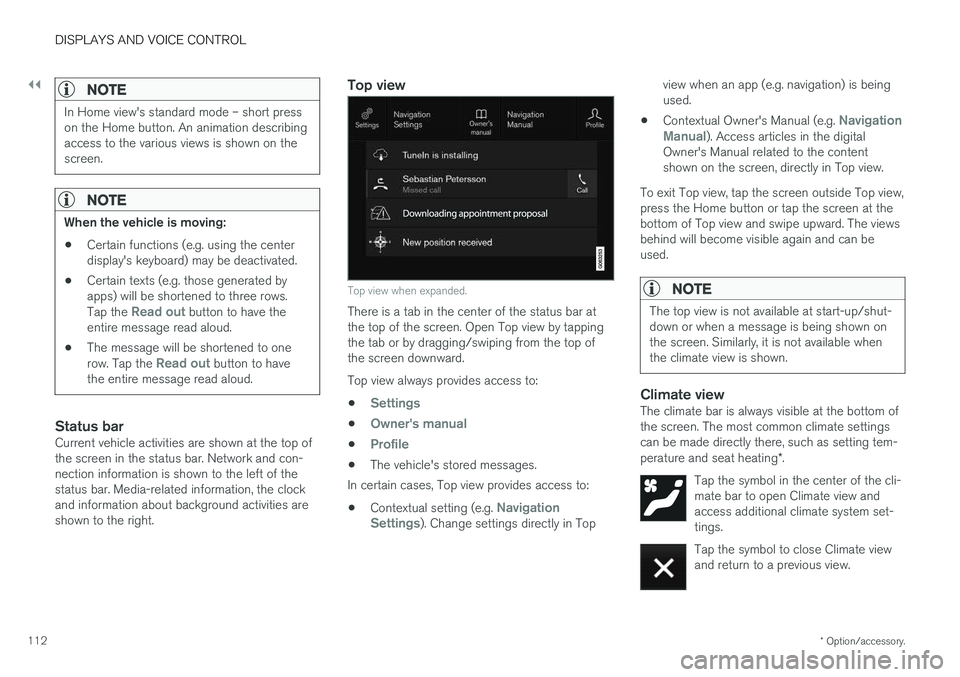
Top view when expanded.
There is a tab in the center of the status bar at the top of the screen. Open Top view by tappingthe tab or by dragging/swiping from the top ofthe screen downward. Top view always provides access to:
•
Settings
•Owner's manual
•Profile
• The vehicle's stored messages.
In certain cases, Top view provides access to:
• Contextual setting (e.g.
Navigation
Settings). Change settings directly in Top view when an app (e.g. navigation) is being used.
• Contextual Owner's Manual (e.g.
Navigation
Manual). Access articles in the digital
Owner's Manual related to the content shown on the screen, directly in Top view.
To exit Top view, tap the screen outside Top view,press the Home button or tap the screen at thebottom of Top view and swipe upward. The viewsbehind will become visible again and can beused.
NOTE
The top view is not available at start-up/shut- down or when a message is being shown onthe screen. Similarly, it is not available whenthe climate view is shown.
Climate viewThe climate bar is always visible at the bottom of the screen. The most common climate settingscan be made directly there, such as setting tem- perature and seat heating *.
Tap the symbol in the center of the cli- mate bar to open Climate view andaccess additional climate system set-tings.
Tap the symbol to close Climate view and return to a previous view.
Page 212 of 674
||
CLIMATE CONTROL
* Option/accessory.
210
Related information
• Climate system controls (p. 208)
• Activating and deactivating the heated front seat
* (p. 210)
Activating and deactivating the
heated front seat *
The seats can be heated for added comfort for the driver and passengers in cold weather.
Seat heating can be set to automatically activate when the engine is started. When set to automat-ically activate, heating will be turned on at lowambient temperatures. 1. Tap
Settings in the Top view in the center
display.
2. Tap
Climate.
3. Select
Auto Driver Seat Heating Leveland Auto Passenger Seat Heating Levelto activate/deactivate automatic start of heated driver's and passenger seat.
4. Select
Low, Medium or High to select level
after the function has been activated.
Related information
• Climate system controls (p. 208)
• Activating and deactivating power front seats
* (p. 209)
Activating and deactivating the
heated rear seats *
The seats can be heated for added comfort for the driver and passengers in cold weather.
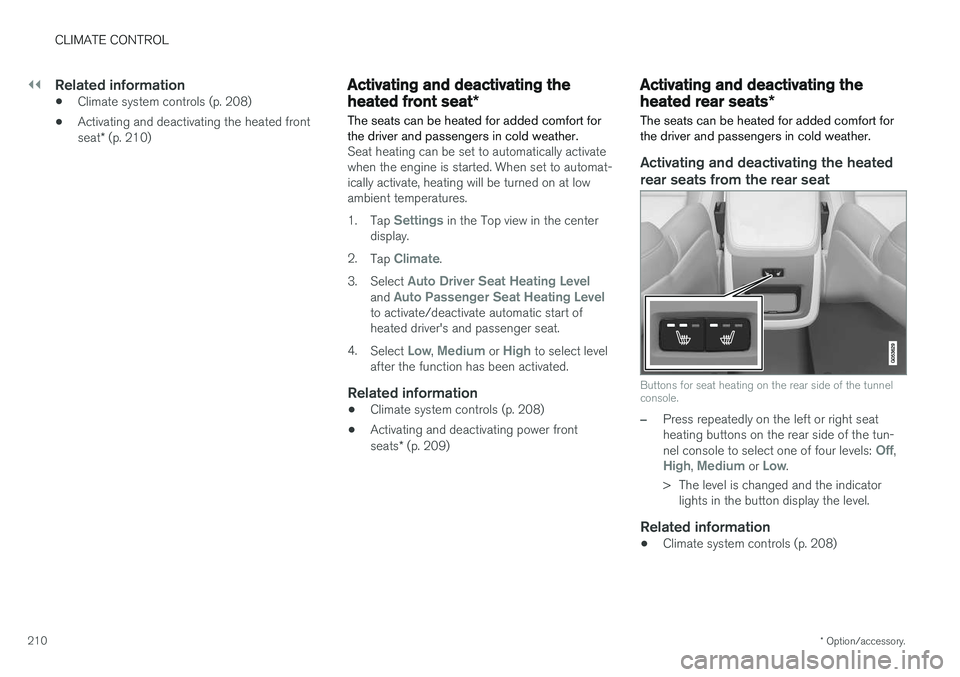
Activating and deactivating the heated rear seats from the rear seat
Buttons for seat heating on the rear side of the tunnel console.
–Press repeatedly on the left or right seat heating buttons on the rear side of the tun- nel console to select one of four levels:
Off,High, Medium or Low.
> The level is changed and the indicator lights in the button display the level.
Related information
• Climate system controls (p. 208)
Page 214 of 674
||
CLIMATE CONTROL
* Option/accessory.
212
Related information
• Climate system controls (p. 208)
• Activating and deactivating automatic steer- ing wheel heating
* (p. 212)
Activating and deactivating
automatic steering wheel heating *
The steering wheel can be heated for added comfort in cold weather.
Steering wheel heating can be set to automati- cally activate when the engine is started. Whenset to automatically activate, heating will beturned on at low ambient temperatures. 1. Tap
Settings in the Top view in the center
display.
2. Tap
Climate.
3. Select
Auto Steering Wheel Heating
Level to activate/deactivate automatic start
of heated steering wheel.
4. Select
Low, Medium or High to select level
after the function has been activated.
Related information
• Activating and deactivating the heated steer- ing wheel
* (p. 211)
Activating auto climate control
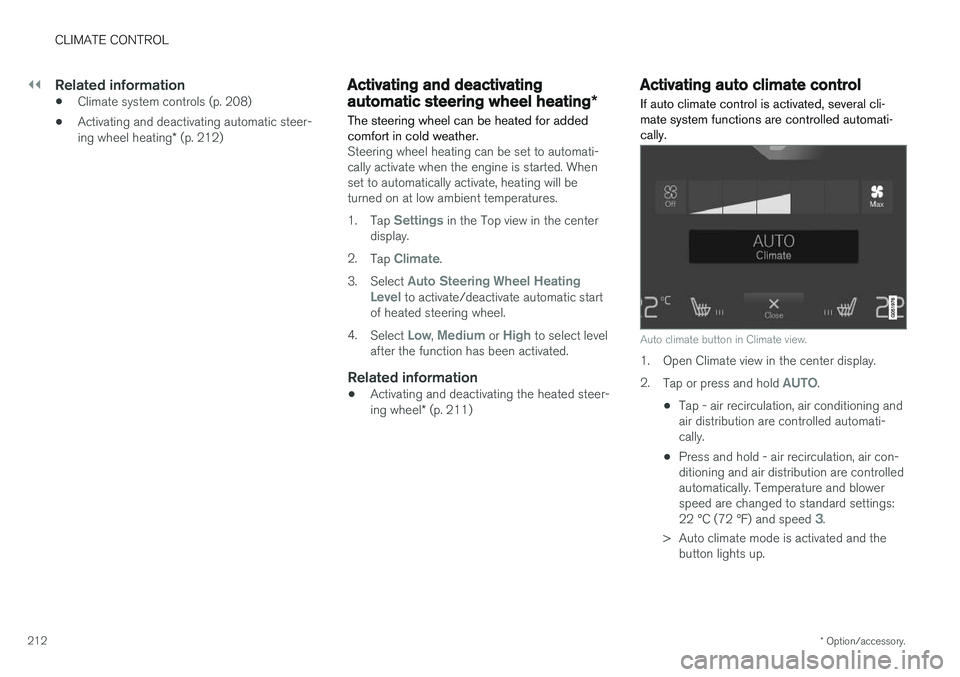
If auto climate control is activated, several cli- mate system functions are controlled automati-cally.
Auto climate button in Climate view.
1. Open Climate view in the center display. 2. Tap or press and hold
AUTO.
• Tap - air recirculation, air conditioning and air distribution are controlled automati-cally.
• Press and hold - air recirculation, air con-ditioning and air distribution are controlledautomatically. Temperature and blowerspeed are changed to standard settings: 22 °C (72 °F) and speed
3.
> Auto climate mode is activated and the button lights up.
Page 216 of 674
CLIMATE CONTROL
* Option/accessory.
214
Activating and deactivating therecirculation timer setting
The climate system's recirculation function helps shut out smog, smoke, exhaust fumes, etc. byreusing the air in the passenger compartment.
When the recirculation timer is activated, air recir- culation will switch off automatically after 20minutes. 1. Tap
Settings in the Top view in the center
display.
2. Tap
Climate.
3. Tap
Recirculation Timer to activate/deacti-
vate the recirculation timer.
Related information
• Activating and deactivating recirculation (p. 213)
Activating and deactivating maxdefroster
Max defroster is used to quickly remove conden- sation and ice from windows.
Activating and deactivating max defroster from the center console
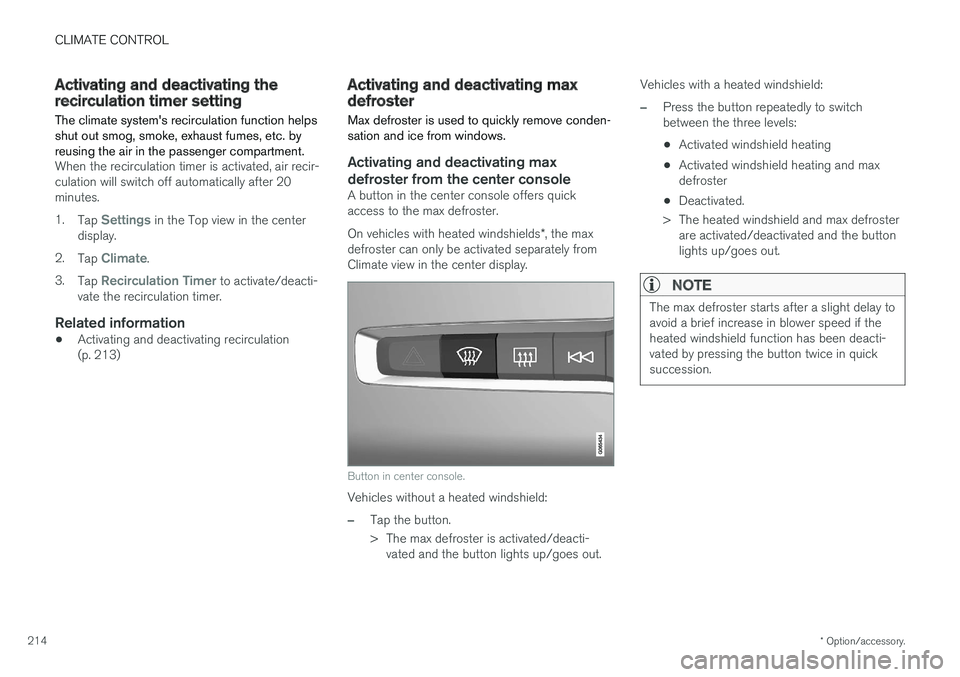
A button in the center console offers quick access to the max defroster. On vehicles with heated windshields *, the max
defroster can only be activated separately from Climate view in the center display.
Button in center console.
Vehicles without a heated windshield:
–Tap the button.
> The max defroster is activated/deacti- vated and the button lights up/goes out. Vehicles with a heated windshield:
–Press the button repeatedly to switch between the three levels:
• Activated windshield heating
• Activated windshield heating and maxdefroster
• Deactivated.
> The heated windshield and max defroster are activated/deactivated and the buttonlights up/goes out.
NOTE
The max defroster starts after a slight delay to avoid a brief increase in blower speed if theheated windshield function has been deacti-vated by pressing the button twice in quicksuccession.
Page 217 of 674
CLIMATE CONTROL
}}
* Option/accessory.215
Activating and deactivating max defroster from the center display
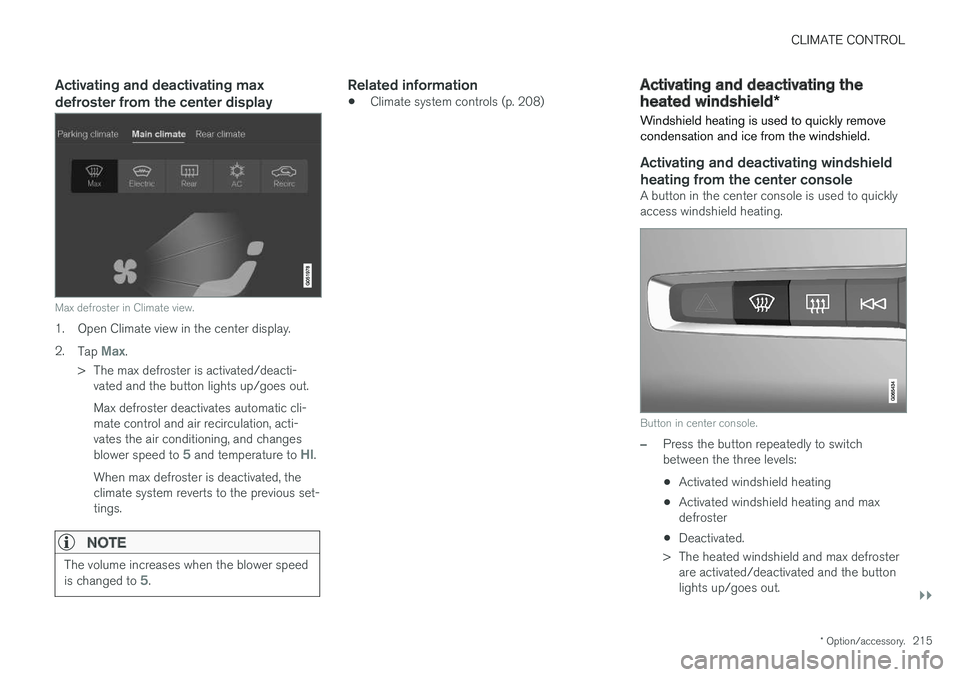
Max defroster in Climate view.
1. Open Climate view in the center display. 2.
Tap
Max.
> The max defroster is activated/deacti- vated and the button lights up/goes out. Max defroster deactivates automatic cli- mate control and air recirculation, acti-vates the air conditioning, and changes blower speed to
5 and temperature to HI.
When max defroster is deactivated, the climate system reverts to the previous set-tings.
NOTE
The volume increases when the blower speed is changed to 5.
Related information
• Climate system controls (p. 208)
Activating and deactivating the
heated windshield
*
Windshield heating is used to quickly remove condensation and ice from the windshield.
Activating and deactivating windshield heating from the center console
A button in the center console is used to quickly access windshield heating.
Button in center console.
–Press the button repeatedly to switch between the three levels:
• Activated windshield heating
• Activated windshield heating and maxdefroster
• Deactivated.
> The heated windshield and max defroster are activated/deactivated and the buttonlights up/goes out.
Page 221 of 674
CLIMATE CONTROL
219
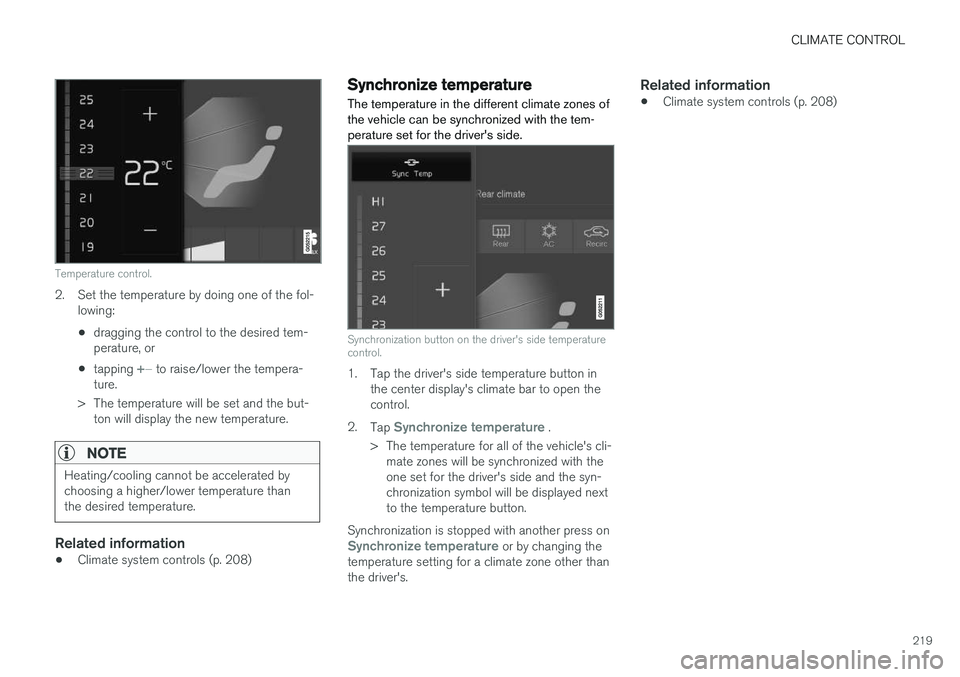
Temperature control.
2. Set the temperature by doing one of the fol-lowing:
• dragging the control to the desired tem- perature, or
• tapping
+
− to raise/lower the tempera-
ture.
> The temperature will be set and the but- ton will display the new temperature.
NOTE
Heating/cooling cannot be accelerated by choosing a higher/lower temperature thanthe desired temperature.
Related information
• Climate system controls (p. 208)
Synchronize temperature
The temperature in the different climate zones of the vehicle can be synchronized with the tem-perature set for the driver's side.
Synchronization button on the driver's side temperature control.
1. Tap the driver's side temperature button in the center display's climate bar to open the control.
2. Tap
Synchronize temperature .
> The temperature for all of the vehicle's cli- mate zones will be synchronized with the one set for the driver's side and the syn-chronization symbol will be displayed nextto the temperature button.
Synchronization is stopped with another press on
Synchronize temperature or by changing the
temperature setting for a climate zone other than the driver's.
Related information
• Climate system controls (p. 208)
Page 223 of 674
CLIMATE CONTROL
* Option/accessory.221
Related information
•Climate (p. 196)
• Preconditioning (p. 221)
• Climate comfort retaining function (p. 225)
• Parking climate symbols and messages (p. 226)
Preconditioning
Preconditioning the vehicle before driving can help reduce wear and reduce energy consump-tion during a trip.
Preconditioning can be started immediately or started at a preset time using a timer. The function utilizes several of the vehicle's sys- tems:
• In cold weather, the high-voltage coolantheater (HVCH) heats the passenger com-partment to a comfortable temperature.
• In warm weather, air conditioning cools thepassenger compartment to a comfortabletemperature.
• The electrically heated steering wheel
* and
seats * can be activated.
• Heating for the windshield, rear window anddoor mirrors are automatically activated asneeded.
During preconditioning in a hot climate, conden-sation from the air conditions may drip under thevehicle. This is normal.
NOTE
Preconditioning is only available when the car is connected to an electrical outlet. A charg-ing post that is not always active, for examplebecause of a timer, can cause loss of functionfor preconditioning. If the car is not connected to an electrical socket it is still possible in a warm climate toachieve brief cooling of the passenger com-partment by direct starting preconditioning.
NOTE
During preconditioning of the passenger compartment, the vehicle works to reach acomfortable temperature and not the tem-perature set in the climate system.
Related information
• Parking climate (p. 220)
• Starting and stopping preconditioning (p. 222)
• Preconditioning timer settings (p. 223)