towing VOLVO XC60 T8 2018 Owner´s Manual
[x] Cancel search | Manufacturer: VOLVO, Model Year: 2018, Model line: XC60 T8, Model: VOLVO XC60 T8 2018Pages: 674, PDF Size: 11.93 MB
Page 12 of 674
10
STARTING AND DRIVING
Starting the vehicle414
Switching off the vehicle 416
Ignition modes 417
Selecting ignition mode 418
Brake functions 419
Brakes 419
Brake Assist System 421
Braking on wet roads 421
Braking on salted roads 421
Maintenance of the brake system 422
Parking brake 422
Activating and deactivating the park- ing brake 423
Settings for automatically activatingthe parking brake 424
Parking on a hill 424
Parking brake malfunction 425
Auto-hold brakes 426
Activating and deactivating Auto-hold at a standstill 426
Hill Start Assist 427
Braking assist after a collision 427
Transmission 428
Gear selector positions for automatictransmissions 429
Using the steering wheel paddles
* to
shift 431
Shiftlock 432
The kickdown function 432
Gear indicator *
432
All Wheel Drive (AWD) 433
Drive systems 433
Starting and stopping the combus- tion engine in Twin Engine vehicles 434
Drive modes 435
Changing drive mode 439
Leveling control * and suspension
440
Leveling control settings *
443
Low Speed Control 443
Activating and deactivating LowSpeed Control using the function button 444
Hill Descent Control 444
Activating and deactivating HillDescent Control using the functionbutton 445
Economical driving 446
Using the electric motor only 447
Factors affecting electric motor range 448
"Hold" and "Charge" functions 449
Preparing for a long trip 450
Winter driving 451
Driving through standing water452
Opening/closing the fuel filler door 452
Refueling 453
Fuel 454
Octane rating 455
Emission controls 457
Overheating of engine and transmission 458
Battery drain 459
Jump starting using another battery 459
Detachable towbar *
461
Driving with a trailer 462
Trailer Stability Assist *
464
Checking trailer lights 465
Towing using a towline 466
Attaching and removing the towing eyelet 466
Recovery 467
HomeLink ®
* 468
Programming HomeLink ®
* 469
Using HomeLink 470
Type approval for HomeLink ®
* 471
Compass 471
Activating and deactivating the compass 472
Calibrating the compass 472
Page 16 of 674
14
Touching up minor paint damage635
Color codes 636
Changing rear window wipers 637
Replacing windshield wiper blades 638
Windshield wipers in the service position 639
Filling washer fluid 640
SPECIFICATIONS
Type designations644
Dimensions 647
Weights 649
Towing capacity and tongue weight 650
Engine specifications 651
Engine oil specifications 652
Coolant specifications 653
Transmission fluid specifications 653
Brake fluid specifications 653
Fuel tank volume 654
Air conditioning specifications 654
Approved tire pressure 655
INDEX
Index 657
Page 54 of 674
||
SAFETY
52
Rear seat
The rear seat belt reminder has two functions:• To indicate which seat belts are buckled in the rear seats. This will also be displayed inan instrument panel graphic.
• To provide audio and visual reminders if anyseat belt in the rear seat is removed whilethe vehicle is in motion. The reminder willstop when the seat belt has been rebuckled.
Door/hood/tailgate and fuel filler door
reminder
If the hood, tailgate, fuel filler door or any door isnot properly closed, this will be indicated by agraphic in the instrument panel. Stop the vehiclesafely and close the open door, hood, etc.
If the vehicle is moving at a speedunder approx. 10 km/h (6 mph), theinformation symbol will illuminate in theinstrument panel.
If the vehicle is moving at a speed above approx. 10 km/h (6 mph), thewarning symbol will illuminate in theinstrument panel.
Related information
•Seat belts (p. 47)
• Buckling and unbuckling seat belts (p. 48)
Airbags
The vehicle is equipped with airbags and inflat- able curtains for the driver and passengers.
WARNING
• If the airbag warning light stays on after the engine has started or if it illuminateswhile you are driving, have the vehicleinspected by a trained and qualified Volvoservice technician as soon as possible.
• Never attempt to alter or repair any of thevehicle's safety systems yourself. Incor-rectly performed repairs to any systemcould impair function and lead to seriousinjury. All work on these systems shouldbe performed by a trained and qualifiedVolvo service technician.
WARNING
If your vehicle has become water-damaged in any way (e.g., soaked floor mats/standingwater on the floor of the vehicle), do notattempt to start the engine. This may causeairbag deployment, which could result in seri-ous injury. Volvo recommends towing thevehicle directly to an authorized Volvo work-shop. Before attempting to tow the vehicle:
1. Switch off the ignition for at least 10
minutes and disconnect the battery.
2. Follow the instructions for manually over- riding the shiftlock system.
Deployed airbags
WARNING
If any of the airbags have deployed:
• Do not attempt to drive the vehicle. Have it towed to an authorized workshop.
• If necessary, seek medical attention.
Related information
•
Safety (p. 42)
• Driver/passenger-side airbags (p. 53)
• Side airbags (p. 59)
• Inflatable curtain (p. 60)
Page 63 of 674
SAFETY
61
Related information
•Airbags (p. 52)
Safety mode Safety mode is a feature that is triggered after a collision if there is potential damage to an impor-tant function in the vehicle, such as the fuellines, sensors for one of the safety systems, thebrake system, etc.
If the vehicle has been involved in a collision, the text Safety mode See Owner's manual may
appear in the instrument panel along with the warning symbol if the panel is undamaged andthe vehicle's electrical system is intact. The mes-sage indicates that one or more of the vehicle'sfunctions may be reduced.
WARNING
Never attempt to restart the vehicle if you smell fuel fumes when the message Safety
mode See Owner's manual is displayed in
the instrument panel. Leave the vehicle imme- diately.
If safety mode has been set, it may be possible to reset the system in order to start and move thevehicle a short distance, for example, if it is block-ing traffic.
WARNING
Never attempt to perform repairs or reset electrical components on your own after thevehicle has been in safety mode. This couldresult in injury or prevent the vehicle fromfunctioning properly. Volvo recommends hav-ing the vehicle inspected and reset to normaloperating status by an authorized Volvo work- shop after
Safety mode See Owner's
manual has been displayed.
WARNING
When the vehicle is in safety mode, it should not be towed behind another vehicle. It shouldbe towed from the site on a tow truck. Volvorecommends towing the vehicle directly to anauthorized Volvo workshop.
Related information
• Safety (p. 42)
• Starting and moving the vehicle when it is in safety mode (p. 62)
• Recovery (p. 467)
Page 64 of 674
SAFETY
62
Starting and moving the vehiclewhen it is in safety mode If safety mode has been set, it may be possible to reset the system in order to start and movethe vehicle a short distance, for example, if it isblocking traffic.
Starting the vehicle when it is in safety mode
1. Check the vehicle for damage, particularly forfuel leakage. Make sure you do not detect any gasoline fumes. If the damage to the vehicle is minor and there is no fuel leakage/fumes, you mayattempt to start the engine.
WARNING
Never attempt to restart the vehicle if you smell fuel fumes when the message Safety
mode See Owner's manual is displayed in
the instrument panel. Leave the vehicle imme- diately.
2. Switch off the ignition.
3. Then try to start the vehicle. >The message
Vehicle start System
check, wait will appear in the instrument
panel while the electrical system performs a system check and then attempts toreset to normal operating mode. This maytake up to a minute. 4.
When
Vehicle start System check, wait is
no longer displayed in the instrument panel, try again to start the vehicle.
CAUTION
If the message Safety mode See Owner's
manual is still displayed, the vehicle should
not be driven or towed behind another vehi- cle. If the vehicle needs to be moved, it mustbe towed on a tow truck. Even if no damageis apparent, there may be hidden damage thatcould make the vehicle impossible to control.
Moving the vehicle when it is in safety mode
1. If the message Normal mode The vehicle
is now in normal mode is displayed after
attempting to start the engine, the vehicle may be moved carefully from its presentposition if, for example, it is blocking traffic.
2. Do not move the vehicle farther than abso- lutely necessary.
WARNING
When the vehicle is in safety mode, it should not be towed behind another vehicle. It shouldbe towed from the site on a tow truck. Volvorecommends towing the vehicle directly to anauthorized Volvo workshop.
Related information
• Safety mode (p. 61)
• Starting the vehicle (p. 414)
• Recovery (p. 467)
Page 266 of 674
DRIVER SUPPORT
* Option/accessory.
264
Electronic Stability Control
The Electronic Stability Control (ESC 2
) function
helps the driver avoid skidding and improves the vehicle's directional stability.
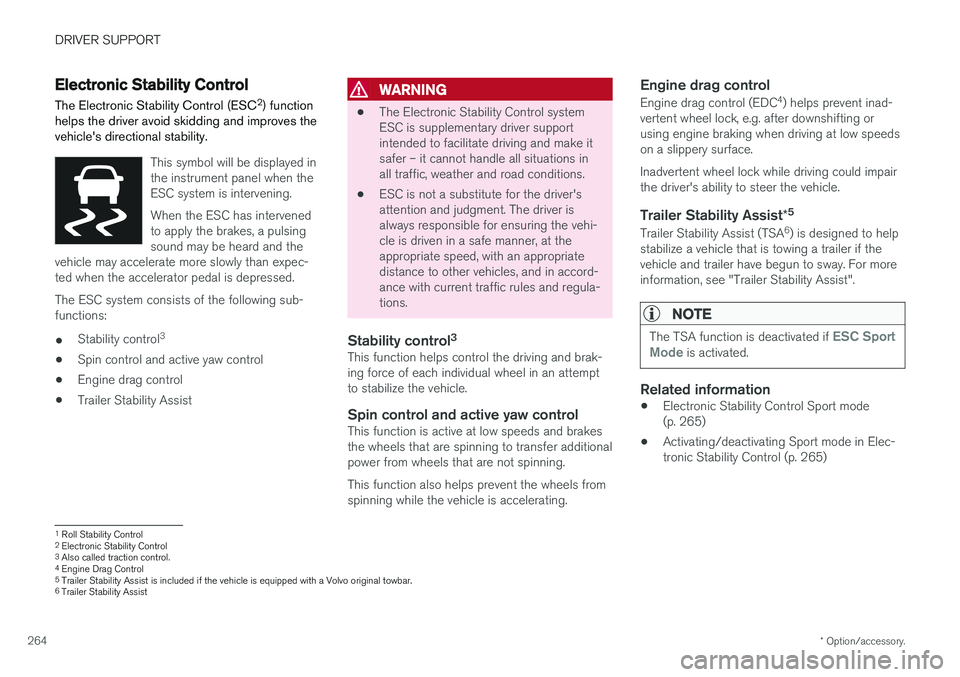
This symbol will be displayed in the instrument panel when theESC system is intervening. When the ESC has intervened to apply the brakes, a pulsingsound may be heard and the
vehicle may accelerate more slowly than expec-ted when the accelerator pedal is depressed.
The ESC system consists of the following sub- functions: • Stability control 3
• Spin control and active yaw control
• Engine drag control
• Trailer Stability Assist
WARNING
•The Electronic Stability Control system ESC is supplementary driver supportintended to facilitate driving and make itsafer – it cannot handle all situations inall traffic, weather and road conditions.
• ESC is not a substitute for the driver'sattention and judgment. The driver isalways responsible for ensuring the vehi-cle is driven in a safe manner, at theappropriate speed, with an appropriatedistance to other vehicles, and in accord-ance with current traffic rules and regula-tions.
Stability control 3This function helps control the driving and brak-ing force of each individual wheel in an attemptto stabilize the vehicle.
Spin control and active yaw controlThis function is active at low speeds and brakesthe wheels that are spinning to transfer additionalpower from wheels that are not spinning. This function also helps prevent the wheels from spinning while the vehicle is accelerating.
Engine drag control
Engine drag control (EDC
4
) helps prevent inad-
vertent wheel lock, e.g. after downshifting orusing engine braking when driving at low speedson a slippery surface. Inadvertent wheel lock while driving could impair the driver's ability to steer the vehicle.
Trailer Stability Assist *5
Trailer Stability Assist (TSA
6
) is designed to help
stabilize a vehicle that is towing a trailer if thevehicle and trailer have begun to sway. For moreinformation, see "Trailer Stability Assist".
NOTE
The TSA function is deactivated if ESC Sport
Mode is activated.
Related information
• Electronic Stability Control Sport mode (p. 265)
• Activating/deactivating Sport mode in Elec-tronic Stability Control (p. 265)
1
Roll Stability Control
2 Electronic Stability Control
3 Also called traction control.
4 Engine Drag Control
5Trailer Stability Assist is included if the vehicle is equipped with a Volvo original towbar.6
Trailer Stability Assist
Page 298 of 674
||
DRIVER SUPPORT
* Option/accessory.
296
NOTE
ACC can keep the vehicle stationary for no more than 5 minutes – after that time theparking brake is applied and Adaptive CruiseControl is deactivated. The parking brake must be released before Adaptive Cruise Control can be reactivated.
Deactivation of the Auto-hold brake function
In certain situations, Auto-hold will be deactivated when the vehicle is at a standstill and AdaptiveCruise Control will go into standby mode. Thismeans that the brakes will be released and thevehicle could begin to roll. The driver mustactively apply the brakes to keep the vehicle sta-tionary. This can occur if:
• the driver depresses the brake pedal
• the parking brake is applied
• the gear selector is moved to the
P
, N
or R
positions
• the driver puts Adaptive Cruise Control in standby mode.
Auto Activate Parking BrakeIn certain situations, the parking brake will beapplied to keep the vehicle at a standstill. This occurs if Adaptive Cruise Control is keepingthe vehicle stationary using the brakes and:
• the driver opens the door or unbuckleshis/her seat belt
• ACC has kept the vehicle at a standstill formore than approx. 5 minutes
• the brakes overheat
• the driver switches off the engine manually.
Related information
•
Adaptive Cruise Control
* (p. 285)
Adaptive Cruise Control limitations
Adaptive Cruise Control (ACC 55
) may have lim-
ited functionality in certain situations.
Steep roads and/or heavy loadsAdaptive Cruise Control is primarily intended to be driven on flat roads. The function may not beable to maintain the correct time interval to thevehicle ahead when driving down steep hills. Thedriver should be extra attentive and prepared toapply the brakes.
• Do not use Adaptive Cruise Control if thevehicle is carrying a heavy load or towing atrailer.
Other limitations
•
The Off Road drive mode cannot be
selected if Adaptive Cruise Control is acti- vated.
NOTE
The function uses the vehicle's camera unit, which has some general limitations – see thesection "Camera unit limitations".
NOTE
The function uses the vehicle's radar unit, which has some general limitations – see thesection "Radar unit limitations".
55 Adaptive Cruise Control
Page 316 of 674

||
DRIVER SUPPORT
* Option/accessory.
314
The driver is responsible for ensuring that the vehicle maintains a suitable distancefrom such obstacles.
• The camera and radar sensors do nothave the capacity to detect all oncomingobjects and obstacles in traffic environ-ments, e.g. potholes, stationary obstaclesor objects that completely or partiallyblock the route.
• Pilot Assist does not "see" pedestrians,animals, etc.
• The recommended steering input is lim-ited in force, which means that it cannotalways help the driver to steer and keepthe vehicle within the lane.
• Pilot Assist is switched off if the powersteering is working with reduced power -e.g. during cooling due to overheating(see section "Speed-dependent steeringforce").
The driver can always correct or adjust steeringassistance provided by Pilot Assist by turning thesteering wheel to the desired position.
Steep roads and/or heavy loadsPilot Assist is primarily intended to be driven onflat roads. The function may not be able to main-tain the correct time interval to the vehicle aheadwhen driving down steep hills. The driver should be extra attentive and prepared to apply thebrakes.
• Do not use Pilot Assist if the vehicle is carry-ing a heavy load or towing a trailer.
NOTE
Pilot Assist cannot be activated if a trailer, bike carrier or similar is connected to thevehicle electrical system.
Other limitations
•
The Off Road drive mode cannot be
selected when Pilot Assist is activated.
NOTE
The function uses the vehicle's camera unit, which has some general limitations – see thesection "Camera unit limitations".
NOTE
The function uses the vehicle's radar unit, which has some general limitations – see thesection "Radar unit limitations".
Related information
• Pilot Assist (p. 301)
• Speed-dependent steering wheel resistance (p. 262)
Pilot Assist
* symbols and messages
A number of symbols and messages relating to Pilot Assist may be displayed in the instrument panel and/or the head-up display *.
Page 320 of 674

||
DRIVER SUPPORT
318
CauseAction
Water or snow is spraying/swirling up and blocking the radar signals or the camera's range of visibility. No action. Very wet or snow-covered roads may sometimes prevent the cam-era/radar sensor from functioning.
There is dirt between the inside of the windshield and the camera/radarsensor. Consult a workshop to have the area of the windshield on the inside of the cam-era's casing cleaned. An authorized Volvo workshop is recommended.
NOTE
Keep the windshield in front of the camera and radar unit clean.
Vehicle speedThe radar sensor's ability to detect a vehicle ahead is significantly reduced if:
• the speed of the vehicle ahead differs greatlyfrom your vehicle's speed
Limited field of visionThe radar sensor has a limited field of vision. Insome situations, it may detect a vehicle later thanexpected or not at all.
The radar sensor's field of vision.
The radar sensor's detection of vehicles very close to your vehicle may be delayed in cer-tain situations, e.g. if a vehicle pulls in between your vehicle and the vehicle directlyahead.
Small vehicles, such as motorcycles, or vehi- cles that are not driving in the center of thelane may remain undetected.
In curves, the radar may detect the wrong vehicle or lose sight of a target vehicle.
Low trailers
Low trailer in the radar shadow.
Low trailers may also be difficult or even impossi- ble for the radar to detect. The driver should beextra alert when driving behind vehicles towing low trailers when Adaptive Cruise Control or Pilot Assist is activated.
Page 398 of 674
HYBRID INFORMATION
396
General information about TwinEngine
Twin Engine vehicles are driven just like any other vehicle, but certain functions differ from avehicle powered exclusively by gasoline. Theelectric motor powers the vehicle primarily at lowspeeds; the gasoline engine is used at higherspeeds or during more active driving.
The instrument panel displays Twin Engine-spe- cific information - charging information, selecteddrive mode, distance to discharged battery andhybrid battery charge level. Different drive modes can be selected while driv- ing, e.g. electric power only or, if more power isneeded, a combination of electric and gasolinepower. The vehicle calculates the optimal combi-nation of driveability, driving experience, environ-mental impact and fuel economy for the selecteddrive mode. In order to function optimally, the hybrid battery (and its electrical drive systems) and the gasolineengine (and its drive systems) must be at thecorrect operating temperature. Battery capacitycan be considerably reduced if the battery is toocold or too hot. Preconditioning prepares thevehicle's drive systems and passenger compart-ment before driving to help reduce both wear andenergy consumption. It also helps increase thehybrid battery's range. The hybrid battery, which powers the electric motor, is recharged using the charging cable. Itcan also be recharged during light braking and through engine braking in gear position
B. The
combustion engine can also help recharge thehybrid battery.
Important
No electrical current
Keep in mind that if there is no electrical current to the vehicle, i.e. the ignition is switched off orthe start battery is discharged, certain functionssuch as brakes, power steering, etc. will not work.
WARNING
If the vehicle does not have electrical current and both the electric motor and the gasolineengine are switched off, the brakes cannot beused to stop the vehicle.
Towing not permitted
Never tow a Twin Engine vehicle behind another vehicle, as this could damage the electric motor.
Exterior engine noise
WARNING
Keep in mind that the vehicle does not emit any engine noise when using the electricmotor and may therefore be difficult to detectfor children, pedestrians, cyclists or animals.This is especially true at low speeds, e.g. inparking lots.
High-voltage electrical current
WARNING
Several components in the vehicle work with high voltage that can be hazardous in case ofan incorrect procedure. These componentsand any orange wiring in the vehicle may onlybe handled by trained and qualified Volvoservice technicians.
Do not touch anything that is not clearly descri- bed in this Owner's Manual.
Related information
• Charging the hybrid battery (p. 397)
• Hybrid gauge (p. 83)
• Drive modes (p. 435)
• Starting and stopping preconditioning(p. 222)
• Hybrid battery (p. 609)
• Factors affecting electric motor range(p. 448)
• Gear selector positions for automatic trans-missions (p. 429)
• Towing using a towline (p. 466)