warning lights VOLVO XC60 TWIN ENGINE 2019 Owner's Manual
[x] Cancel search | Manufacturer: VOLVO, Model Year: 2019, Model line: XC60 TWIN ENGINE, Model: VOLVO XC60 TWIN ENGINE 2019Pages: 695, PDF Size: 14.96 MB
Page 423 of 695
HYBRID INFORMATION
}}
421
Charging status in the vehicle'scharging socket
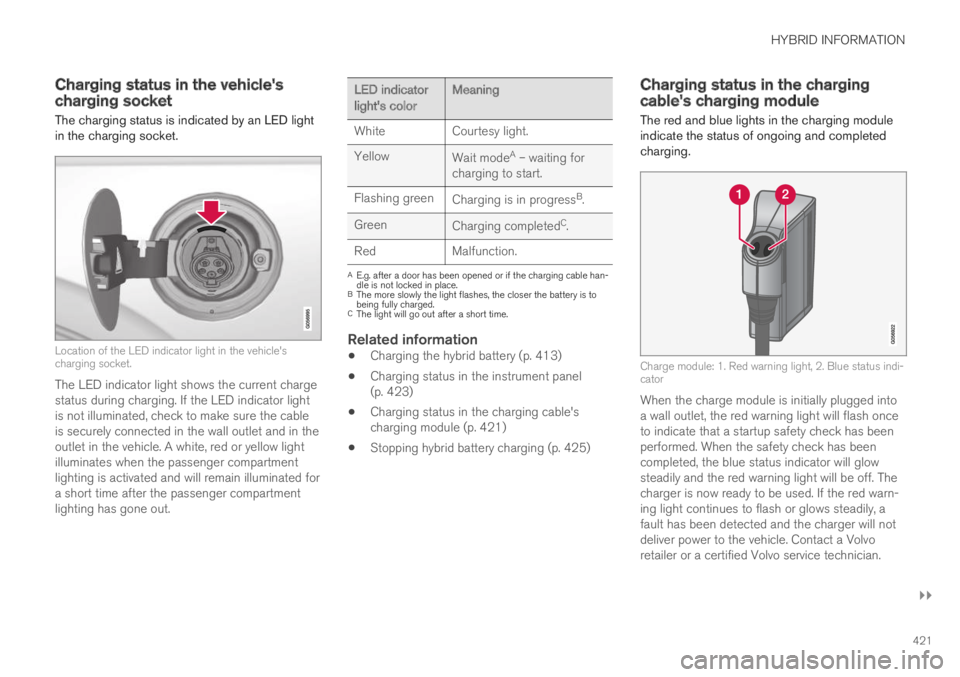
The charging status is indicated by an LED lightin the charging socket.
Location of the LED indicator light in the vehicle'scharging socket.
The LED indicator light shows the current chargestatus during charging. If the LED indicator lightis not illuminated, check to make sure the cableis securely connected in the wall outlet and in theoutlet in the vehicle. A white, red or yellow lightilluminates when the passenger compartmentlighting is activated and will remain illuminated fora short time after the passenger compartmentlighting has gone out.
LED indicatorlight's colorMeaning
WhiteCourtesy light.
YellowWait modeA – waiting forcharging to start.
Flashing greenCharging is in progressB.
GreenCharging completedC.
RedMalfunction.
AE.g. after a door has been opened or if the charging cable han-dle is not locked in place.BThe more slowly the light flashes, the closer the battery is tobeing fully charged.CThe light will go out after a short time.
Related information
Charging the hybrid battery (p. 413)
Charging status in the instrument panel(p. 423)
Charging status in the charging cable'scharging module (p. 421)
Stopping hybrid battery charging (p. 425)
Charging status in the chargingcable's charging module
The red and blue lights in the charging moduleindicate the status of ongoing and completedcharging.
Charge module: 1. Red warning light, 2. Blue status indi-cator
When the charge module is initially plugged intoa wall outlet, the red warning light will flash onceto indicate that a startup safety check has beenperformed. When the safety check has beencompleted, the blue status indicator will glowsteadily and the red warning light will be off. Thecharger is now ready to be used. If the red warn-ing light continues to flash or glows steadily, afault has been detected and the charger will notdeliver power to the vehicle. Contact a Volvoretailer or a certified Volvo service technician.
Page 435 of 695
STARTING AND DRIVING
* Option/accessory.433
Ignition modes
The vehicle's ignition can be put in variousmodes (levels) to make different functions availa-ble.
To enable the use of a limited number of func-tions when the engine is not running, the ignitioncan be put in one of three different levels: 0, Iand II. These levels are referred to as "ignitionmodes" in the Owner's Manual.
The following table shows which functions areavailable in each ignition mode:
ModeFunctions
0The odometer, clock and tem-
perature gauge are illuminatedA.
The power* seats can beadjusted.
The power windows can be used.
The center display is activated
and can be usedA.
The infotainment system can be
usedA.
In this mode, the functions are availa-ble for a limited time and then switchoff automatically.
IThe panoramic roof, power win-dows, 12-volt electrical socket inthe passenger compartment,Bluetooth, navigation, phone,blower and windshield wipers canbe used.
The power seats can be adjusted.
The 12-volt electrical socket* inthe cargo compartment can beused.
Electrical current will be takenfrom the battery in this ignitionmode.
ModeFunctions
IIThe headlights illuminate.
Warning/indicator lights illumi-nate for 5 seconds.
A number of other systems areactivated. However, seat and rearwindow heating can only be acti-vated when the engine is running.
This ignition mode uses a lot ofcurrent from the battery andshould be avoided whenever pos-sible!
AAlso activated when the door is opened.
Related information
Starting the vehicle (p. 430)
Adjusting the steering wheel (p. 198)
Jump starting using another battery (p. 477)
Selecting ignition mode (p. 434)
Page 438 of 695
||
STARTING AND DRIVING
436
Symbols in the instrument panel
SymbolMeaning
A
B
Check the brake fluid level. If thelevel is low, fill brake fluid andcheck to determine the reason forthe loss of brake fluid.
A
B
Fault in pedal sensor.
SymbolMeaning
A
B
Steady glow for 2 seconds afterthe engine is started: Automaticfunction check.
Steady glow for more than 2 sec-onds: Fault in the ABS system. Thevehicle's regular brake system isstill working, but without the ABSfunction.
If the message Brake pedal Cha-racteristics changed Servicerequired is displayed, the "Brake-by-wire" system is not functioningproperly. Greater pressure will berequired to brake the vehicle.
AIn Canada.BIn the US.
WARNING
If the warning symbols for both brake faultand ABS fault are lit simultaneously, theremay be a fault in the brake system.
If the brake fluid reservoir level is normalwhen this occurs, drive carefully to thenearest workshop to have the brake sys-tem checked - an authorized Volvo work-shop is recommended.
If the brake fluid has fallen below the MINlevel in the brake fluid reservoir, the vehi-cle should not be driven until the brakefluid has been filled. The reason for thebrake fluid loss must be checked.
Related information
Brake Assist System (p. 437)
Auto-hold brakes (p. 442)
Hill Start Assist (p. 443)
Braking on wet roads (p. 437)
Braking on salted roads (p. 437)
Maintenance of the brake system (p. 438)
Brake lights (p. 160)
Page 445 of 695
STARTING AND DRIVING
}}
443
When shutting off
If the function is active and holding thevehicle stationary using the normalbrakes (A symbol lit), the brake pedalmust be depressed while pressing thebutton in order to deactivate Auto-hold.
The function will remain off until it is reactiva-ted.
When Auto-hold is switched off, Hill StartAssist (HSA) will remain active to help pre-vent the vehicle from rolling backward whenstarting up a hill.
Related information
Auto-hold brakes (p. 442)
Hill Start Assist
The function for assisting when starting the vehi-cle on inclines, Hill Start Assist (HSA), helpsprevent the vehicle from rolling backward whenstarting on an uphill gradient. When backing upa hill, HSA helps prevent the vehicle from rollingforward.
The function retains pressure from the brakepedal in the brake system for several secondsafter the brake pedal has been released.
This temporary braking effect is released after afew seconds or when the driver begins driving.
Hill Start Assist is available even if the Auto-holdbrake function is switched off.
Related information
Auto-hold brakes (p. 442)
Brakes (p. 435)
Braking assist after a collision
In a collision in which the activation level isreached for the pyrotechnic seat belt tensionersor airbags, or if a collision with a large animal isdetected, the vehicle's brakes will be automati-cally activated. This function is intended to helpprevent or reduce the effects of any subsequentcollision.
After a serious collision, it may no longer be pos-sible to control and steer the vehicle. In order toavoid or mitigate a possible further collision witha vehicle or an object in the vehicle's path, thebrake assist system is activated automatically tohelp stop the vehicle safely.
The brake lights and hazard warning flashers areactivated during braking. When the vehicle hasstopped, the hazard warning flashers will con-tinue to flash and the parking brake will beapplied.
If braking is not appropriate, e.g. if there is a riskof being hit by passing traffic, the driver can over-ride the system by depressing the acceleratorpedal.
This function assumes that the brake system isintact after a collision.
Brake assist is part of the Rear Collision Warningand Blind Spot Information safety systems.
Page 464 of 695
STARTING AND DRIVING
462
Hill Descent Control
The function for assisting when driving downhill,Hill Descent Control (HDC), is a low-speedfunction with increased engine braking. Thefunction makes it possible to increase ordecrease the vehicle's speed on steep downhillgradients by only using the accelerator pedal,without applying the brakes.
The function is included in the Off Road drivemode.
HDC is designed for driving on rough roads atlow speeds and downhill gradients with slipperyor otherwise difficult road surfaces. The driverdoes not need to use the brake pedal but caninstead focus on steering.
WARNING
HDC is only intended to be a supplementarybraking aid and it does not function in all sit-uations.
The driver is always ultimately responsible foroperating the vehicle in a safe manner.
Function
Hill Descent Control allows the vehicle to moveforward or backward at very low speeds assistedby the brake system. The driver can increase thespeed by pressing the accelerator pedal. Whenthe accelerator pedal is released, the vehicle willreturn to very low speed regardless of how steep
the hill is and without the brakes needing to beapplied. The brake lights will illuminate when thefunction is activated.
The driver can brake to stop or slow the vehicleat any time by depressing the brake pedal.
HDC is activated along with Low Speed Control(LSC), which facilitates and improves traction andcontrol on rough and slippery surfaces. The sys-tem is intended to be used at low speeds, up toapproximately 40 km/h (25 mph).
To keep in mind when using HDC
If the function is switched off while driving ona steep downhill gradient, braking effect willbe gradually reduced.
HDC can be used in gear positions D and R,and in manual gears 1 or 2.
It is not possible to manually shift to thirdgear or higher when HDC is active.
NOTE
When LSC with HDC is activated in the OFFROAD drive mode, the feel of the acceleratorpedal and engine response will change.
NOTE
This drive mode is not designed to be usedfor normal street driving.
NOTE
The function is deactivated when driving athigh speeds and must be reactivated at lowerspeeds if so desired.
Related information
Activating and deactivating Hill Descent Con-trol using the function button (p. 463)
Changing drive mode (p. 455)
Low Speed Control (p. 460)
All Wheel Drive (AWD) (p. 448)
Page 477 of 695
STARTING AND DRIVING
}}
475
Emission controls
Three-way catalytic converter
Keep your engine properly tuned. Certainengine malfunctions, particularly involving theelectrical, fuel or distributor ignition systems,may cause unusually high three-way catalyticconverter temperatures. Do not continue tooperate your vehicle if you detect enginemisfire, noticeable loss of power or otherunusual operating conditions, such as engineoverheating or backfiring. A properly tunedengine will help avoid malfunctions thatcould damage the three-way catalytic con-verter.
Do not park your vehicle over combustiblematerials, such as grass or leaves, which cancome into contact with the hot exhaust sys-tem and cause such materials to ignite undercertain wind and weather conditions.
Excessive starter cranking (in excess of oneminute), or an intermittently firing or floodedengine can cause three-way catalytic con-verter or exhaust system overheating.
Remember that tampering or unauthorizedmodifications to the engine, the Engine Con-trol Module, or the vehicle may be illegal andcan cause three-way catalytic converter orexhaust system overheating. This includes:altering fuel injection settings or compo-nents, altering emission system components
or location or removing components, and/orrepeated use of leaded fuel.
NOTE
Unleaded fuel is required for vehicles withthree-way catalytic converters.
Heated oxygen sensors
The heated oxygen sensors monitor the oxygencontent of the exhaust gases. Readings are fedinto a control module that continuously monitorsengine functions and controls fuel injection. Theratio of fuel to air into the engine is continuouslyadjusted for efficient combustion to help reduceharmful emissions.
Related information
Octane rating (p. 473)
Fuel (p. 472)
Overheating of engine andtransmission
In demanding driving conditions, such as drivingin mountainous areas or hot weather, there is arisk of the engine or transmission overheating,especially when carrying heavy loads.
Engine power may be temporarily limited.
Remove any auxiliary lights mounted in frontof the grille when driving in hot weather.
If the temperature in the engine's coolingsystem becomes too high, a warning symbolwill appear in the instrument panel along withthe message Engine temperature Hightemperature Stop safely. Pull over to asafe location and let the engine idle for a fewminutes to cool down.
If the message Engine temperature Hightemperature Turn off engine or Enginecoolant Level low, turn off engine is dis-played, stop the vehicle and turn off theengine.
If the transmission begins to overheat, analternative gear shifting program will beselected. An integrated protective functionwill also be activated, the warning symbol willilluminate and the message Transmissionwarm Reduce speed to lowertemperature or Transmission hot Stopsafely, wait for cooling will be displayed inthe instrument panel. Follow the recommen-dations given by reducing speed or stopping
Page 485 of 695
STARTING AND DRIVING
483
Disabling the automatic check
The automatic light check can be disabled in thecenter display.
1.Tap Settings in the Top view.
2.Tap My CarLights and Lighting.
3.Deselect Automatic Trailer Lamp Check.
Manual check
If the automatic check has been disabled, thecheck can be started manually.
1.Tap Settings in the Top view.
2.Tap My CarLights and Lighting.
3.Select Manual Trailer Lamp Check.
>The light check will begin. Get out of thevehicle to perform the check.
Related information
Driving with a trailer (p. 479)
Towing using a towline
This section refers to one vehicle being towedbehind another using a towline.
Twin Engine vehicles may not be towed behindanother vehicle due to the risk of damage to theelectric motor. The vehicle must be lifted onto atow truck and transported with all four wheels onthe bed or lifting platform of the truck (no wheelsmay touch the road).
Towing another vehicle
Towing another vehicle requires a lot of power -use the AWD drive mode. This helps charge thehybrid battery and improve the vehicle's drivingand roadholding characteristics.
Before towing another vehicle, check applicablespeed limit regulations.
Jump starting
Do not tow the vehicle to start the engine. Use anauxiliary battery if the start battery's charge levelis so low that the engine cannot be started.
CAUTION
Attempts to tow-start the vehicle could causedamage to the electrical drive motor andthree-way catalytic converter.
Related information
Attaching and removing the towing eyelet(p. 484)
Hazard warning flashers (p. 161)
Recovery (p. 485)
Jump starting using another battery (p. 477)
Selecting ignition mode (p. 434)
Page 652 of 695
||
MAINTENANCE AND SERVICE
* Option/accessory.650
Wash using a sponge, car washing detergentand plenty of lukewarm water.
Clean the wiper blades with lukewarm soapsolution or car washing detergent.
Dry the vehicle using a clean, soft chamois ora squeegee. Try not to let drops of water dryin strong sunlight. This could cause waterdrying stains that may need to be polishedout.
In areas with heavy industrial emissions,more frequent washing of the vehicle's exte-rior is recommended.
Tar spots from asphalt may remain even afterwashing. Use a tar remover to remove thesespots after washing the vehicle.
WARNING
Always entrust engine washing to a workshop.If the engine is hot, there is a risk of fire.
CAUTION
Dirty headlights do not work as well. Cleanthem regularly, e.g. when refueling.
Do not use corrosive cleaners. Use water anda non-abrasive sponge.
NOTE
Exterior lighting such as headlights and tail-lights may develop temporary condensationon the inside of the lens. This is normal. Allexterior lighting is designed to resist this.Condensation is normally vented out of thelamp housing once the light has been lit forsome period of time.
CAUTION
Make sure that the panoramic roof* andsun shade are closed before washing thevehicle.
Never use abrasive polishing agents onthe panoramic roof.
Never use wax on the rubber sealsaround the panoramic roof.
CAUTION
Remember to remove dirt from the drainholes in the doors and sills after washing thevehicle.
Related information
Cleaning the exterior (p. 648)
Polishing and waxing (p. 649)
Automatic car washes (p. 651)
High-pressure washing (p. 652)
Cleaning the wiper blades (p. 652)
Cleaning exterior plastic, rubber and trimcomponents (p. 653)
Cleaning rims (p. 654)
Corrosion protection (p. 654)
Settings for automatically activating the park-ing brake (p. 440)
Page 677 of 695
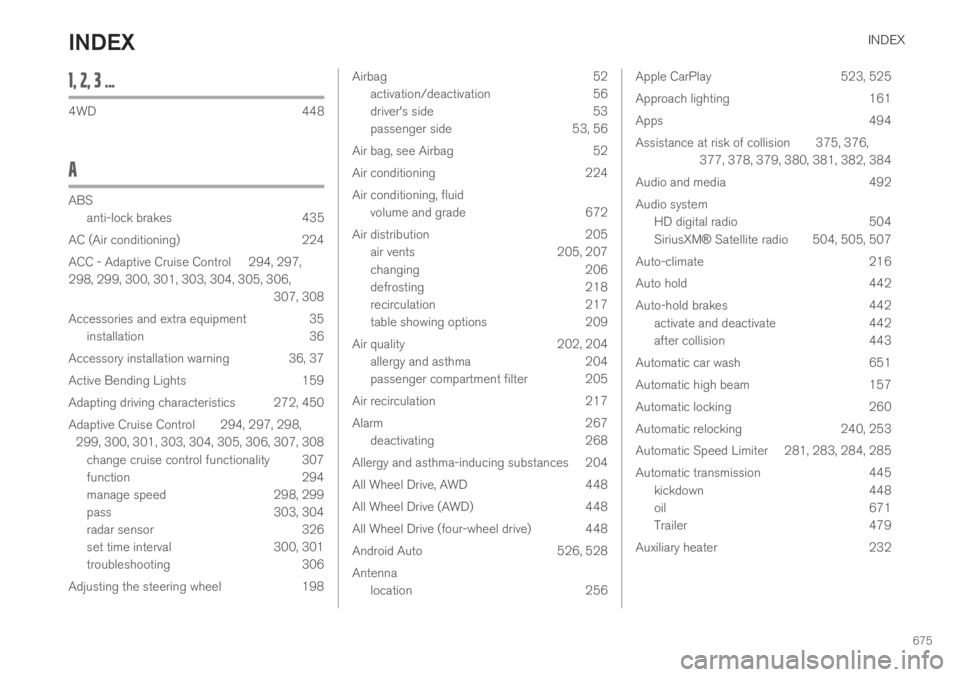
INDEX
675
1, 2, 3 ...
4WD448
A
ABS
anti-lock brakes435
AC (Air conditioning) 224
ACC - Adaptive Cruise Control 294, 297,
298, 299, 300, 301, 303, 304, 305, 306,
307, 308
Accessories and extra equipment 35
installation 36
Accessory installation warning 36, 37
Active Bending Lights 159
Adapting driving characteristics 272, 450
Adaptive Cruise Control 294, 297, 298,
299, 300, 301, 303, 304, 305, 306, 307, 308
change cruise control functionality 307
function 294
manage speed 298, 299
pass 303, 304
radar sensor 326
set time interval 300, 301
troubleshooting 306
Adjusting the steering wheel 198
Airbag52
activation/deactivation56
driver's side53
passenger side53, 56
Air bag, see Airbag52
Air conditioning224
Air conditioning, fluid
volume and grade672
Air distribution205
air vents205, 207
changing206
defrosting218
recirculation217
table showing options209
Air quality202, 204
allergy and asthma204
passenger compartment filter 205
Air recirculation217
Alarm267
deactivating268
Allergy and asthma-inducing substances 204
All Wheel Drive, AWD448
All Wheel Drive (AWD)448
All Wheel Drive (four-wheel drive) 448
Android Auto526, 528
Antenna
location256
Apple CarPlay523, 525
Approach lighting161
Apps494
Assistance at risk of collision 375, 376,
377, 378, 379, 380, 381, 382, 384
Audio and media492
Audio system
HD digital radio504
SiriusXM® Satellite radio 504, 505, 507
Auto-climate216
Auto hold442
Auto-hold brakes442
activate and deactivate442
after collision443
Automatic car wash651
Automatic high beam157
Automatic locking260
Automatic relocking240, 253
Automatic Speed Limiter 281, 283, 284, 285
Automatic transmission445
kickdown448
oil671
Trailer479
Auxiliary heater232
INDEX
Page 678 of 695
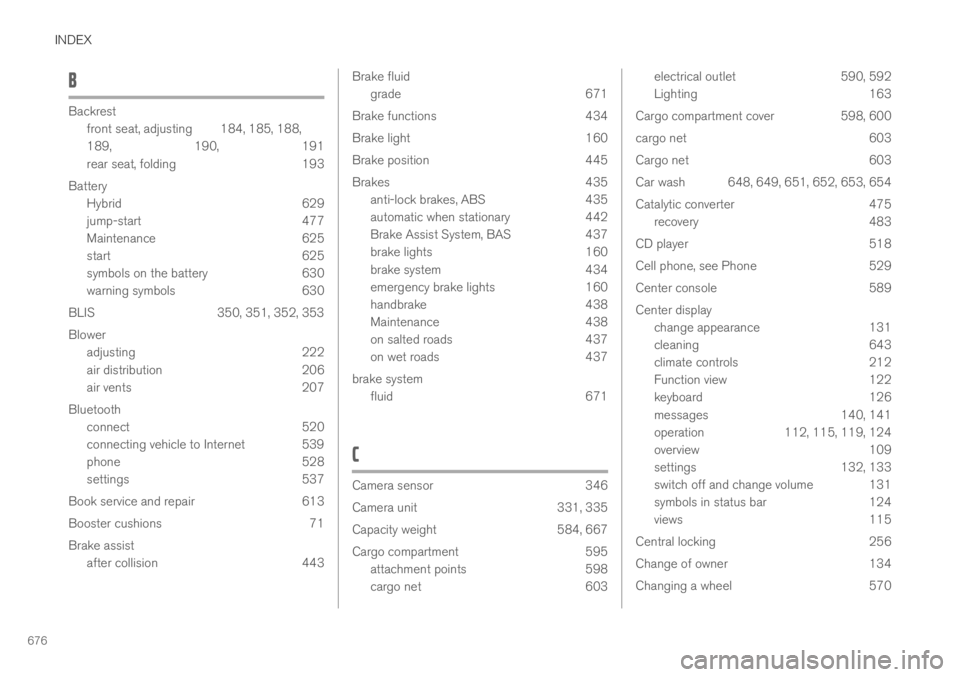
INDEX
676
B
Backrest
front seat, adjusting184, 185, 188,
189, 190, 191
rear seat, folding193
Battery
Hybrid629
jump-start477
Maintenance625
start625
symbols on the battery630
warning symbols630
BLIS350, 351, 352, 353
Blower
adjusting222
air distribution206
air vents207
Bluetooth
connect520
connecting vehicle to Internet 539
phone528
settings537
Book service and repair613
Booster cushions71
Brake assist
after collision443
Brake fluid
grade671
Brake functions434
Brake light160
Brake position445
Brakes435
anti-lock brakes, ABS435
automatic when stationary442
Brake Assist System, BAS437
brake lights160
brake system434
emergency brake lights160
handbrake438
Maintenance438
on salted roads437
on wet roads437
brake system
fluid671
C
Camera sensor346
Camera unit331, 335
Capacity weight584, 667
Cargo compartment595
attachment points598
cargo net603
electrical outlet590, 592
Lighting163
Cargo compartment cover598, 600
cargo net603
Cargo net603
Car wash 648, 649, 651, 652, 653, 654
Catalytic converter475
recovery483
CD player518
Cell phone, see Phone529
Center console589
Center display
change appearance131
cleaning643
climate controls212
Function view122
keyboard126
messages140, 141
operation112, 115, 119, 124
overview109
settings132, 133
switch off and change volume 131
symbols in status bar124
views115
Central locking256
Change of owner134
Changing a wheel570