door lock VOLVO XC60 TWIN ENGINE 2019 Service Manual
[x] Cancel search | Manufacturer: VOLVO, Model Year: 2019, Model line: XC60 TWIN ENGINE, Model: VOLVO XC60 TWIN ENGINE 2019Pages: 695, PDF Size: 14.96 MB
Page 304 of 695
||
DRIVER SUPPORT
302
To temporarily deactivate Adaptive Cruise Controland put it in standby mode:
–Press the button on the steering wheel(2).
>The symbol in the instrument panelchanges color from WHITE to GRAY andthe set speed in the center of the speed-ometer will change from BEIGE to GRAY.
WARNING
If Adaptive Cruise Control is in standbymode, the driver must intervene and regu-late both speed and distance to the vehicleahead.
If the vehicle comes too close to a vehicleahead when Adaptive Cruise Control is instandby mode, the driver is instead warnedof the short distance by the Distance Alertfunction.
Standby mode due to action by the driver
Adaptive Cruise Control will be temporarily deac-tivated and put in standby mode if:
the brakes are applied
the gear selector is moved to N
the vehicle is driven faster than the setspeed for more than 1 minute
Temporarily increasing speed using the accelera-tor pedal, e.g. when passing another vehicle, willnot affect the setting. The vehicle will return tothe set speed when the accelerator pedal isreleased.
Automatic standby mode
Adaptive Cruise Control is dependent on othersystems, such as Electronic Stability Control
(ESC46). If any of these other systems stopsworking, Adaptive Cruise Control will automati-cally switch off.
WARNING
With automatic standby mode, the driver iswarned by an acoustic signal and a messageon the instrument panel.
The driver must then regulate vehiclespeed, apply the brakes if necessary, andmaintain a safe distance to other vehicles.
Adaptive Cruise Control may go into standbymode if:
your vehicle's speed goes below 5 km/h(3 mph) and ACC cannot determine if thevehicle ahead is stationary or if it is anotherobject, e.g. a speed bump.
your vehicle's speed goes under 5 km/h(3 mph) and the vehicle ahead turns so thatACC no longer has a vehicle to follow.
the driver opens the door.
the driver unbuckles the seat belt.
the engine speed (rpm) is too low/high.
one or more of the wheels lose traction.
the brake temperature is high.
the parking brake is applied.
the camera/radar sensor is covered by snowor heavy rain (the camera lens/radar wavesare blocked)
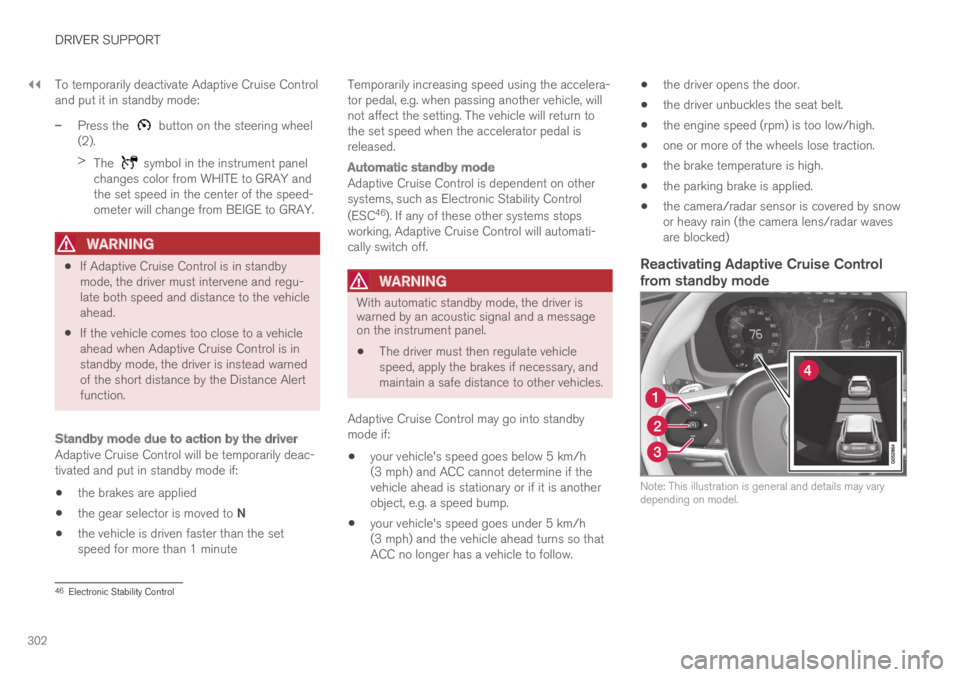
Reactivating Adaptive Cruise Control
from standby mode
Note: This illustration is general and details may varydepending on model.
46Electronic Stability Control
Page 321 of 695
DRIVER SUPPORT
}}
319
Standby mode due to action by the driver
Pilot Assist will be temporarily deactivated andput in standby mode if:
the brakes are applied.
the gear selector is moved to N
a turn signal is used for more than 1 minute.
the vehicle is driven faster than the setspeed for more than 1 minute
Temporarily increasing speed using the accelera-tor pedal, e.g. when passing another vehicle, willnot affect the setting. The vehicle will return tothe set speed when the accelerator pedal isreleased.
When the turn signals are used, Pilot Assist'ssteering assistance will be temporarily deacti-vated. When the turn signal is switched off, steer-ing assistance will be automatically reactivated ifthe traffic lane's side markings can still bedetected.
Automatic standby mode
Pilot Assist is dependent on other systems, such
as Electronic Stability Control (ESC60). If any ofthese other systems stops working, Pilot Assistwill automatically switch off.
WARNING
With automatic standby mode, the driver iswarned by an acoustic signal and a messageon the instrument panel.
The driver must then regulate vehiclespeed, apply the brakes if necessary, andmaintain a safe distance to other vehicles.
Adaptive Cruise Control may go into standbymode if, e.g.:
the driver opens the door.
the brake temperature is high.
the driver's hands are not on the steeringwheel.
the parking brake is applied.
the engine speed (rpm) is too low/high.
the driver unbuckles the seat belt.
one or more of the wheels lose traction.
the camera/radar sensor is covered by snowor heavy rain (the camera lens/radar wavesare blocked)
your vehicle's speed goes below 5 km/h(3 mph) and Pilot Assist cannot determine ifthe vehicle ahead is stationary or if it isanother object, e.g. a speed bump.
your vehicle's speed goes under 5 km/h(3 mph) and the vehicle ahead turns so thatPilot Assist no longer has a vehicle to follow.
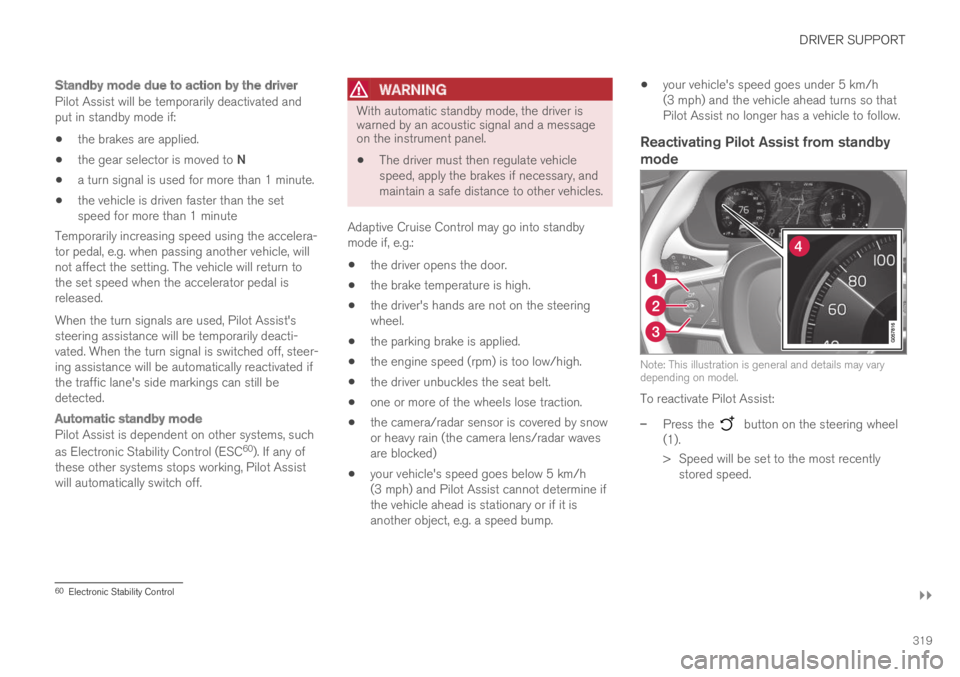
Reactivating Pilot Assist from standby
mode
Note: This illustration is general and details may varydepending on model.
To reactivate Pilot Assist:
–Press the button on the steering wheel(1).
>Speed will be set to the most recentlystored speed.
60Electronic Stability Control
Page 420 of 695
HYBRID INFORMATION
418
Charging cable temperaturemonitoring
To help ensure the vehicle's hybrid battery is reli-ably charged each time it is connected, chargingis stopped if the temperature in the chargingcable becomes too high and reaches a criticallimit.
CAUTION
If charging is often inadvertently interrupted,have the charging cable and the vehicle'scharging system inspected by a trained andqualified Volvo service technician.
Related information
Charge cable (p. 415)
Opening and closing the chargingsocket cover
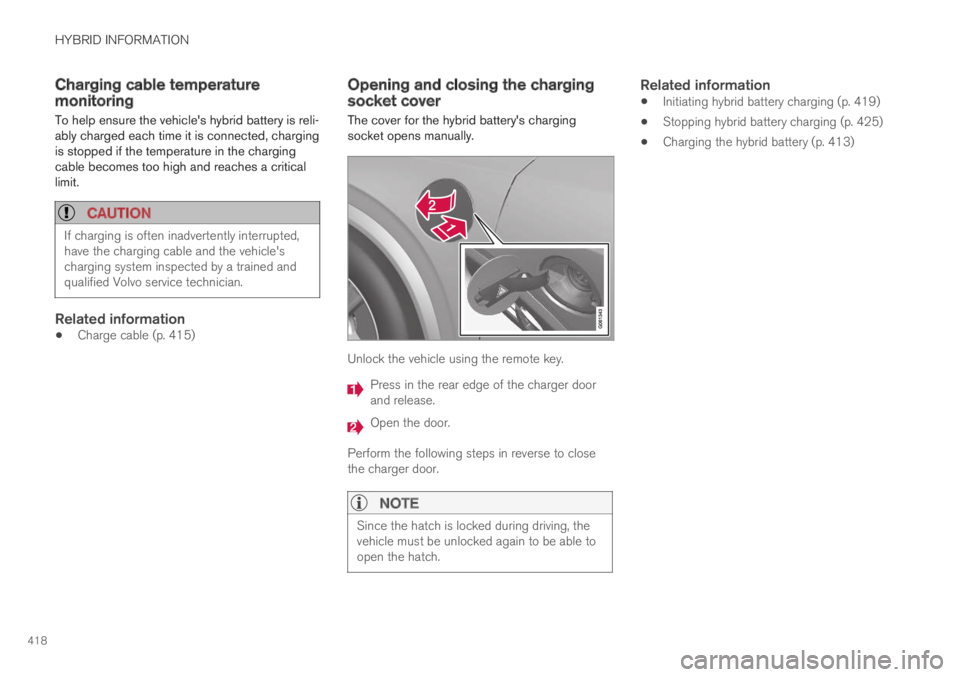
The cover for the hybrid battery's chargingsocket opens manually.
Unlock the vehicle using the remote key.
Press in the rear edge of the charger doorand release.
Open the door.
Perform the following steps in reverse to closethe charger door.
NOTE
Since the hatch is locked during driving, thevehicle must be unlocked again to be able toopen the hatch.
Related information
Initiating hybrid battery charging (p. 419)
Stopping hybrid battery charging (p. 425)
Charging the hybrid battery (p. 413)
Page 422 of 695
||
HYBRID INFORMATION
420
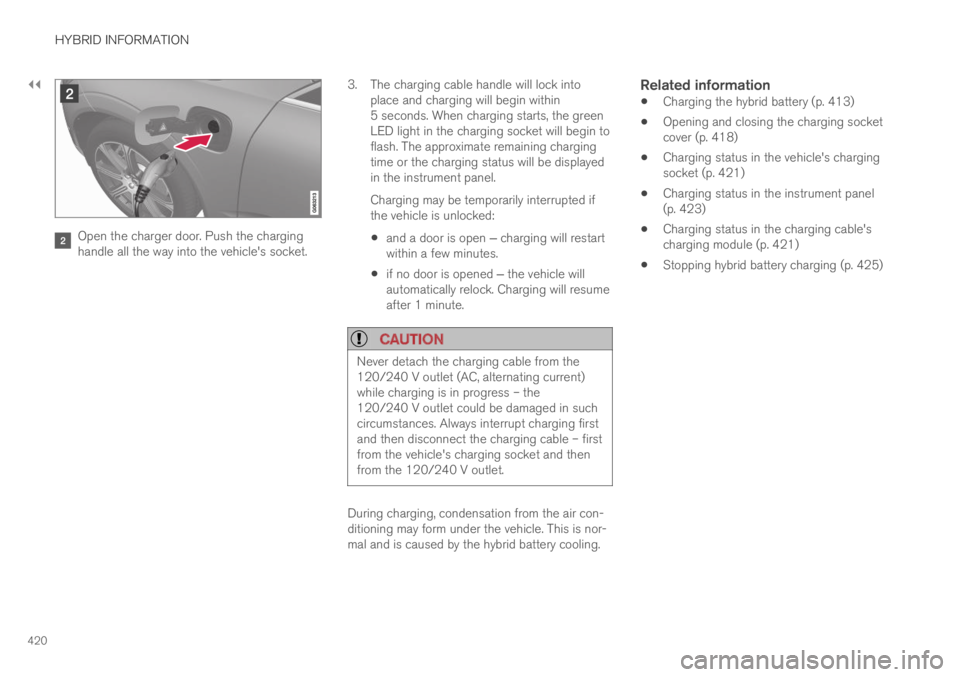
Open the charger door. Push the charginghandle all the way into the vehicle's socket.
3.The charging cable handle will lock intoplace and charging will begin within5 seconds. When charging starts, the greenLED light in the charging socket will begin toflash. The approximate remaining chargingtime or the charging status will be displayedin the instrument panel.
Charging may be temporarily interrupted ifthe vehicle is unlocked:
and a door is open ‒ charging will restartwithin a few minutes.
if no door is opened ‒ the vehicle willautomatically relock. Charging will resumeafter 1 minute.
CAUTION
Never detach the charging cable from the120/240 V outlet (AC, alternating current)while charging is in progress – the120/240 V outlet could be damaged in suchcircumstances. Always interrupt charging firstand then disconnect the charging cable – firstfrom the vehicle's charging socket and thenfrom the 120/240 V outlet.
During charging, condensation from the air con-ditioning may form under the vehicle. This is nor-mal and is caused by the hybrid battery cooling.
Related information
Charging the hybrid battery (p. 413)
Opening and closing the charging socketcover (p. 418)
Charging status in the vehicle's chargingsocket (p. 421)
Charging status in the instrument panel(p. 423)
Charging status in the charging cable'scharging module (p. 421)
Stopping hybrid battery charging (p. 425)
Page 423 of 695
HYBRID INFORMATION
}}
421
Charging status in the vehicle'scharging socket
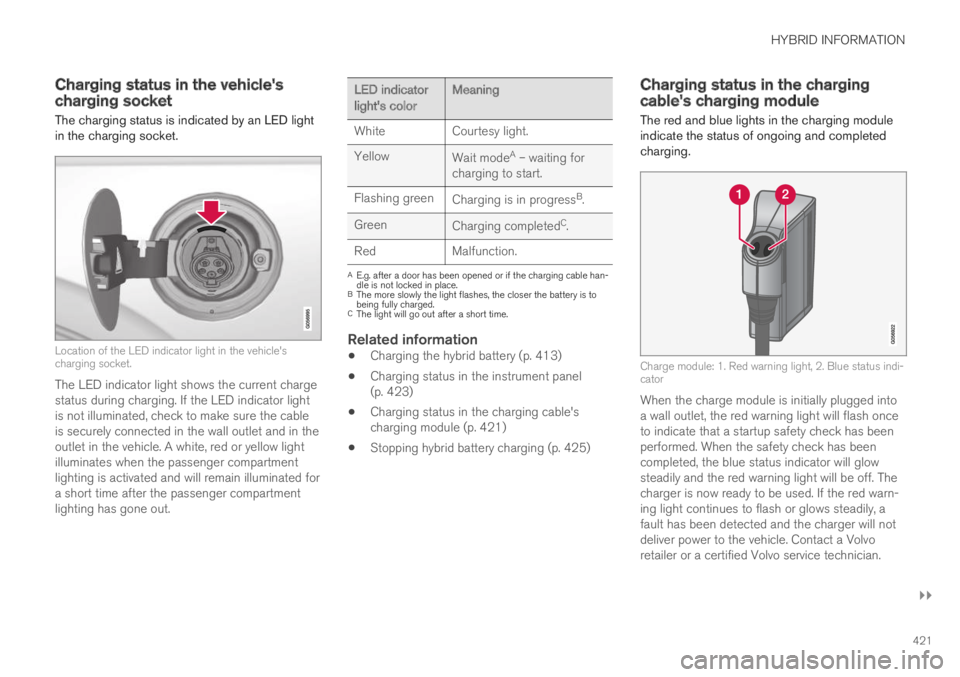
The charging status is indicated by an LED lightin the charging socket.
Location of the LED indicator light in the vehicle'scharging socket.
The LED indicator light shows the current chargestatus during charging. If the LED indicator lightis not illuminated, check to make sure the cableis securely connected in the wall outlet and in theoutlet in the vehicle. A white, red or yellow lightilluminates when the passenger compartmentlighting is activated and will remain illuminated fora short time after the passenger compartmentlighting has gone out.
LED indicatorlight's colorMeaning
WhiteCourtesy light.
YellowWait modeA – waiting forcharging to start.
Flashing greenCharging is in progressB.
GreenCharging completedC.
RedMalfunction.
AE.g. after a door has been opened or if the charging cable han-dle is not locked in place.BThe more slowly the light flashes, the closer the battery is tobeing fully charged.CThe light will go out after a short time.
Related information
Charging the hybrid battery (p. 413)
Charging status in the instrument panel(p. 423)
Charging status in the charging cable'scharging module (p. 421)
Stopping hybrid battery charging (p. 425)
Charging status in the chargingcable's charging module
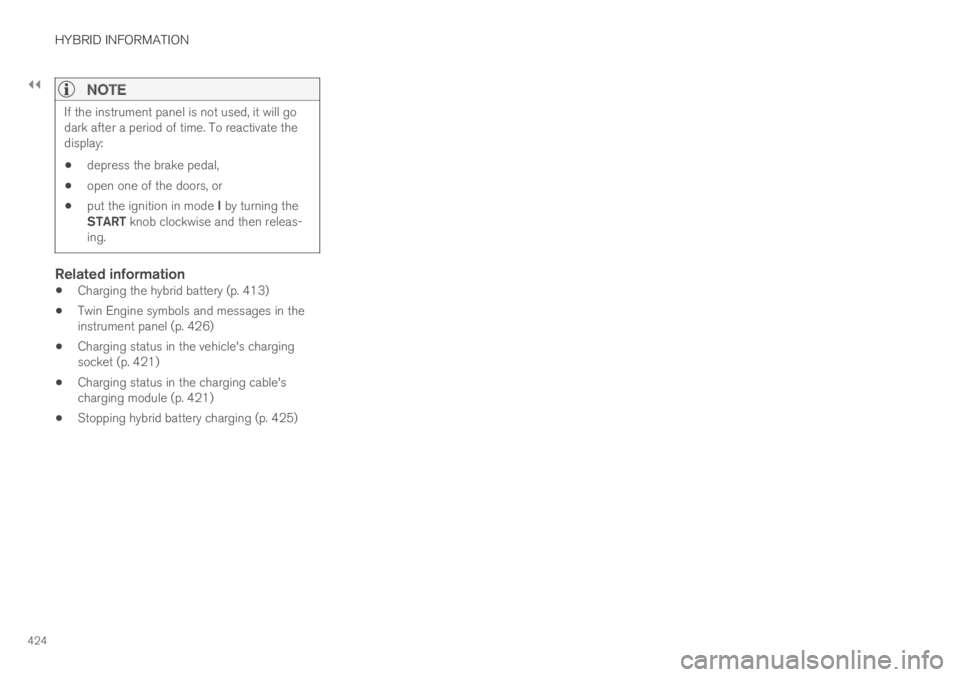
The red and blue lights in the charging moduleindicate the status of ongoing and completedcharging.
Charge module: 1. Red warning light, 2. Blue status indi-cator
When the charge module is initially plugged intoa wall outlet, the red warning light will flash onceto indicate that a startup safety check has beenperformed. When the safety check has beencompleted, the blue status indicator will glowsteadily and the red warning light will be off. Thecharger is now ready to be used. If the red warn-ing light continues to flash or glows steadily, afault has been detected and the charger will notdeliver power to the vehicle. Contact a Volvoretailer or a certified Volvo service technician.
Page 426 of 695
||
HYBRID INFORMATION
424
NOTE
If the instrument panel is not used, it will godark after a period of time. To reactivate thedisplay:
depress the brake pedal,
open one of the doors, or
put the ignition in mode I by turning theSTART knob clockwise and then releas-ing.
Related information
Charging the hybrid battery (p. 413)
Twin Engine symbols and messages in theinstrument panel (p. 426)
Charging status in the vehicle's chargingsocket (p. 421)
Charging status in the charging cable'scharging module (p. 421)
Stopping hybrid battery charging (p. 425)
Page 427 of 695
HYBRID INFORMATION
* Option/accessory.425
Stopping hybrid battery charging
To stop charging of the hybrid battery, unlockthe vehicle, unplug the charging cable from thevehicle's charging socket and then unplug thecable from the 120/240 V outlet (alternatingcurrent).
CAUTION
Before the charging cable is removed fromthe vehicle's charging socket, the vehiclemust be unlocked using the unlock button onthe remote key. This must be done even if thevehicle's doors are already unlocked. If thevehicle is not unlocked using the unlock but-ton, the charging cable or system may bedamaged.
NOTE
Always unlock the vehicle so that charging iscut off before the connection to the120/240 V outlet (AC, alternating current) isdisconnected. Note that the charging cablemust be disconnected from the vehicle'scharging socket before it is disconnectedfrom the 120/240 V outlet, partly to preventdamage to the system and party to preventunintentional interruption of charging.
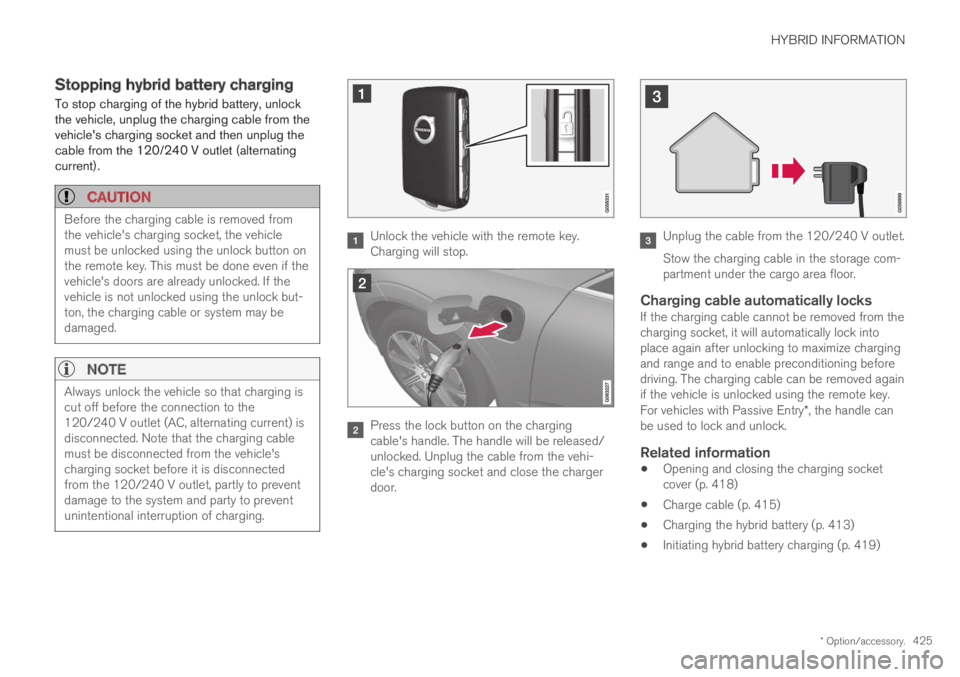
Unlock the vehicle with the remote key.Charging will stop.
Press the lock button on the chargingcable's handle. The handle will be released/unlocked. Unplug the cable from the vehi-cle's charging socket and close the chargerdoor.
Unplug the cable from the 120/240 V outlet.
Stow the charging cable in the storage com-partment under the cargo area floor.
Charging cable automatically locks
If the charging cable cannot be removed from thecharging socket, it will automatically lock intoplace again after unlocking to maximize chargingand range and to enable preconditioning beforedriving. The charging cable can be removed againif the vehicle is unlocked using the remote key.For vehicles with Passive Entry*, the handle canbe used to lock and unlock.
Related information
Opening and closing the charging socketcover (p. 418)
Charge cable (p. 415)
Charging the hybrid battery (p. 413)
Initiating hybrid battery charging (p. 419)
Page 433 of 695
STARTING AND DRIVING
}}
431
In some situations, such as in cold weather or ifthe hybrid battery's charge level is too low, thegasoline engine will start instead.
The vehicle should not be started with the charg-ing cable connected. However, if the cable can-not be pulled out or if the vehicle incorrectlydetects a cable that is not connected, the vehiclecan be started using an override procedure:
1.Press the brake pedal and turn the startknob clockwise.
2.Charge cable Remove before start willappear in the instrument panel.
3.Turn the start knob clockwise again.
4.Removed? Turn and hold start knob 7swill appear. Turn the knob clockwise and holdit for 7 seconds to start the vehicle.
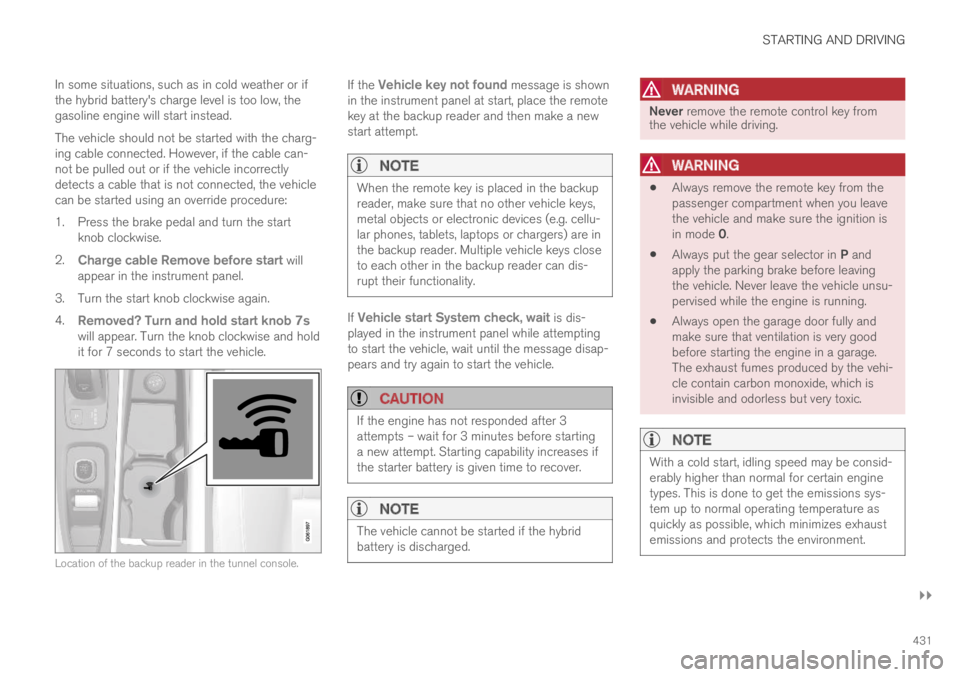
Location of the backup reader in the tunnel console.
If the Vehicle key not found message is shownin the instrument panel at start, place the remotekey at the backup reader and then make a newstart attempt.
NOTE
When the remote key is placed in the backupreader, make sure that no other vehicle keys,metal objects or electronic devices (e.g. cellu-lar phones, tablets, laptops or chargers) are inthe backup reader. Multiple vehicle keys closeto each other in the backup reader can dis-rupt their functionality.
If Vehicle start System check, wait is dis-played in the instrument panel while attemptingto start the vehicle, wait until the message disap-pears and try again to start the vehicle.
CAUTION
If the engine has not responded after 3attempts – wait for 3 minutes before startinga new attempt. Starting capability increases ifthe starter battery is given time to recover.
NOTE
The vehicle cannot be started if the hybridbattery is discharged.
WARNING
Never remove the remote control key fromthe vehicle while driving.
WARNING
Always remove the remote key from thepassenger compartment when you leavethe vehicle and make sure the ignition isin mode 0.
Always put the gear selector in P andapply the parking brake before leavingthe vehicle. Never leave the vehicle unsu-pervised while the engine is running.
Always open the garage door fully andmake sure that ventilation is very goodbefore starting the engine in a garage.The exhaust fumes produced by the vehi-cle contain carbon monoxide, which isinvisible and odorless but very toxic.
NOTE
With a cold start, idling speed may be consid-erably higher than normal for certain enginetypes. This is done to get the emissions sys-tem up to normal operating temperature asquickly as possible, which minimizes exhaustemissions and protects the environment.
Page 435 of 695
STARTING AND DRIVING
* Option/accessory.433
Ignition modes
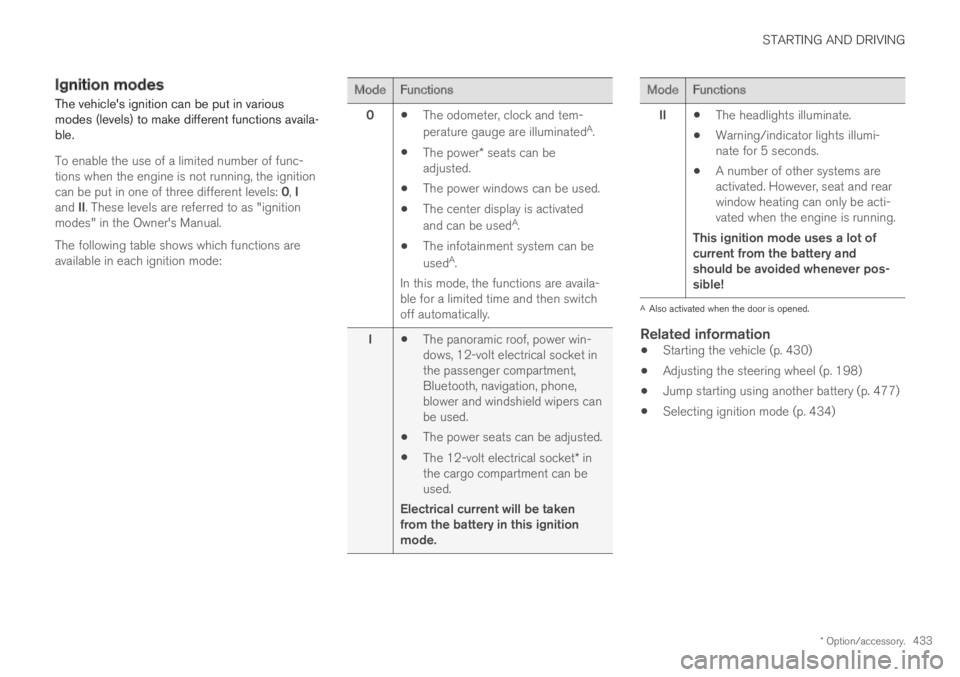
The vehicle's ignition can be put in variousmodes (levels) to make different functions availa-ble.
To enable the use of a limited number of func-tions when the engine is not running, the ignitioncan be put in one of three different levels: 0, Iand II. These levels are referred to as "ignitionmodes" in the Owner's Manual.
The following table shows which functions areavailable in each ignition mode:
ModeFunctions
0The odometer, clock and tem-
perature gauge are illuminatedA.
The power* seats can beadjusted.
The power windows can be used.
The center display is activated
and can be usedA.
The infotainment system can be
usedA.
In this mode, the functions are availa-ble for a limited time and then switchoff automatically.
IThe panoramic roof, power win-dows, 12-volt electrical socket inthe passenger compartment,Bluetooth, navigation, phone,blower and windshield wipers canbe used.
The power seats can be adjusted.
The 12-volt electrical socket* inthe cargo compartment can beused.
Electrical current will be takenfrom the battery in this ignitionmode.
ModeFunctions
IIThe headlights illuminate.
Warning/indicator lights illumi-nate for 5 seconds.
A number of other systems areactivated. However, seat and rearwindow heating can only be acti-vated when the engine is running.
This ignition mode uses a lot ofcurrent from the battery andshould be avoided whenever pos-sible!
AAlso activated when the door is opened.
Related information
Starting the vehicle (p. 430)
Adjusting the steering wheel (p. 198)
Jump starting using another battery (p. 477)
Selecting ignition mode (p. 434)
Page 448 of 695
||
STARTING AND DRIVING
* Option/accessory.446
Help functions
The system will automatically shift to P:
if the ignition is switched off while D or R isselected.
if the driver unbuckles the seat belt andopens the driver's door while the vehicle isrunning with the gear selector in a gear otherthan P.
To park a vehicle with an unbuckled seat belt andopen door – end P mode by shifting to R or Dagain.
The system will not automatically shift to P if theignition is switched off while the gear selector isin the neutral position (N). This is to make it pos-sible to wash the vehicle in an automatic carwash in which the vehicle is pulled forward onrolling wheels.
Reverse - R
Select R when backing up. The vehicle must bestationary when Reverse is selected.
Neutral - N
No gear is selected and the engine can bestarted. Apply the parking brake if the vehicle isstationary with the gear selector in N.
To move the gear selector from Neutral toanother gear, the brake pedal must be depressedand the ignition in mode II.
D drive mode
D is the normal driving gear position. The trans-mission shifts up or down automatically depend-
ing on acceleration and speed. The vehicle mustbe stationary when the gear selector is movedfrom R to D.
Brake - B
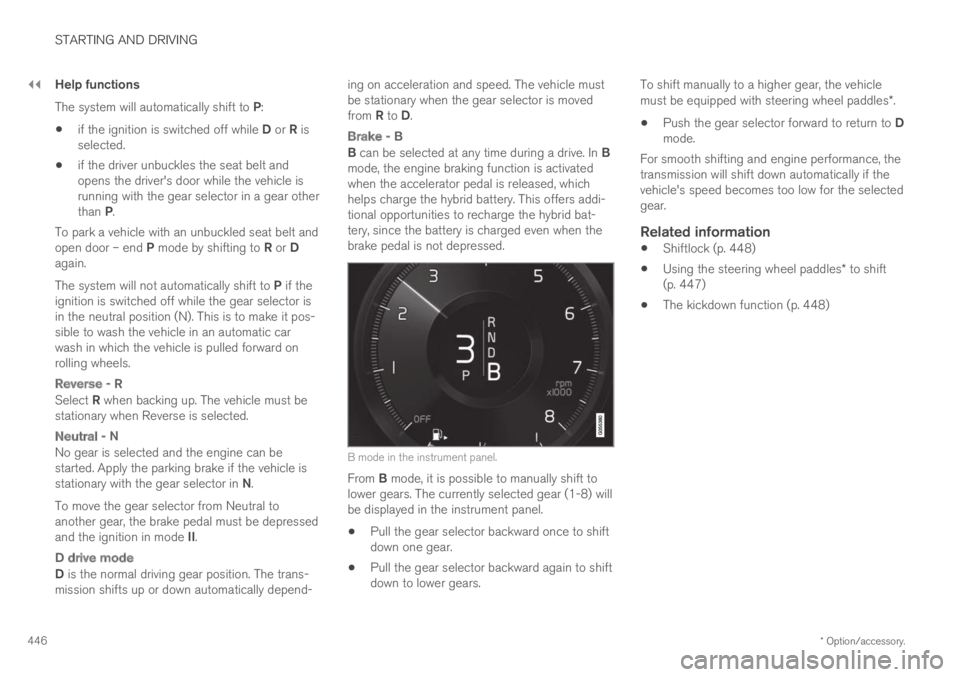
B can be selected at any time during a drive. In Bmode, the engine braking function is activatedwhen the accelerator pedal is released, whichhelps charge the hybrid battery. This offers addi-tional opportunities to recharge the hybrid bat-tery, since the battery is charged even when thebrake pedal is not depressed.
B mode in the instrument panel.
From B mode, it is possible to manually shift tolower gears. The currently selected gear (1-8) willbe displayed in the instrument panel.
Pull the gear selector backward once to shiftdown one gear.
Pull the gear selector backward again to shiftdown to lower gears.
To shift manually to a higher gear, the vehiclemust be equipped with steering wheel paddles*.
Push the gear selector forward to return to Dmode.
For smooth shifting and engine performance, thetransmission will shift down automatically if thevehicle's speed becomes too low for the selectedgear.
Related information
Shiftlock (p. 448)
Using the steering wheel paddles* to shift(p. 447)
The kickdown function (p. 448)