trailer VOLVO XC60 TWIN ENGINE 2019 Owners Manual
[x] Cancel search | Manufacturer: VOLVO, Model Year: 2019, Model line: XC60 TWIN ENGINE, Model: VOLVO XC60 TWIN ENGINE 2019Pages: 695, PDF Size: 14.96 MB
Page 12 of 695
10
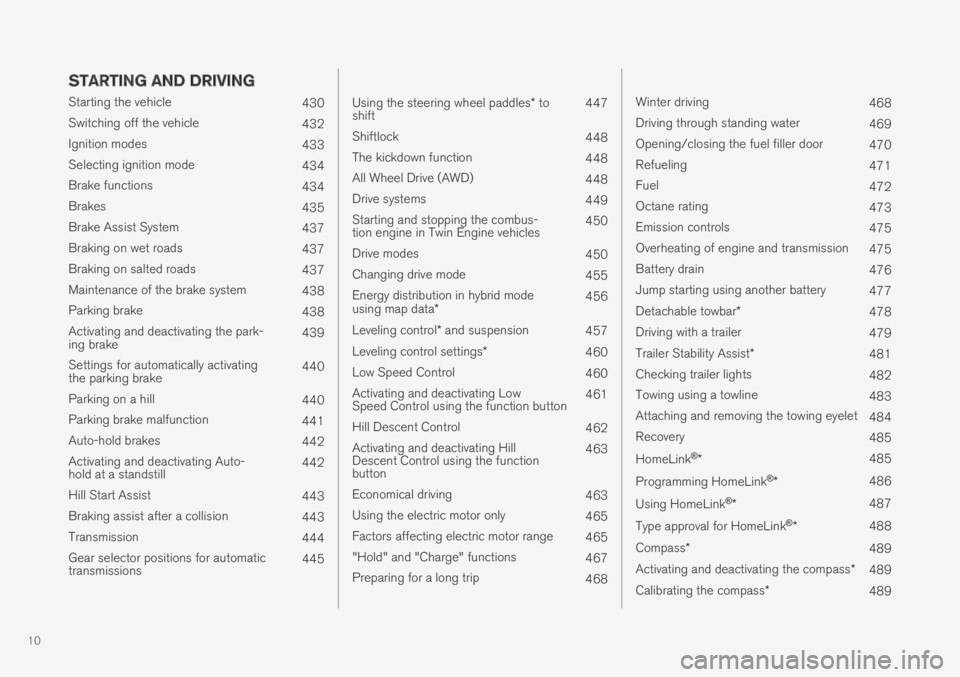
STARTING AND DRIVING
Starting the vehicle430
Switching off the vehicle432
Ignition modes433
Selecting ignition mode434
Brake functions434
Brakes435
Brake Assist System437
Braking on wet roads437
Braking on salted roads437
Maintenance of the brake system438
Parking brake438
Activating and deactivating the park-ing brake439
Settings for automatically activatingthe parking brake440
Parking on a hill440
Parking brake malfunction441
Auto-hold brakes442
Activating and deactivating Auto-hold at a standstill442
Hill Start Assist443
Braking assist after a collision443
Transmission444
Gear selector positions for automatictransmissions445
Using the steering wheel paddles* toshift447
Shiftlock448
The kickdown function448
All Wheel Drive (AWD)448
Drive systems449
Starting and stopping the combus-tion engine in Twin Engine vehicles450
Drive modes450
Changing drive mode455
Energy distribution in hybrid modeusing map data*456
Leveling control* and suspension457
Leveling control settings*460
Low Speed Control460
Activating and deactivating LowSpeed Control using the function button461
Hill Descent Control462
Activating and deactivating HillDescent Control using the functionbutton
463
Economical driving463
Using the electric motor only465
Factors affecting electric motor range465
"Hold" and "Charge" functions467
Preparing for a long trip468
Winter driving468
Driving through standing water469
Opening/closing the fuel filler door470
Refueling471
Fuel472
Octane rating473
Emission controls475
Overheating of engine and transmission475
Battery drain476
Jump starting using another battery477
Detachable towbar*478
Driving with a trailer479
Trailer Stability Assist*481
Checking trailer lights482
Towing using a towline483
Attaching and removing the towing eyelet484
Recovery485
HomeLink®*485
Programming HomeLink®*486
Using HomeLink®*487
Type approval for HomeLink®*488
Compass*489
Activating and deactivating the compass*489
Calibrating the compass*489
Page 276 of 695
||
DRIVER SUPPORT
* Option/accessory.274
WARNING
The Electronic Stability Control systemESC is supplementary driver supportintended to facilitate driving and make itsafer – it cannot handle all situations inall traffic, weather and road conditions.
ESC is not a substitute for the driver'sattention and judgment. The driver isalways responsible for ensuring the vehi-cle is driven in a safe manner, at theappropriate speed, with an appropriatedistance to other vehicles, and in accord-ance with current traffic rules and regula-tions.
Stability control 3
This function helps control the driving and brak-ing force of each individual wheel in an attemptto stabilize the vehicle.
Spin control and active yaw control
This function is active at low speeds and brakesthe wheels that are spinning to transfer additionalpower from wheels that are not spinning.
This function also helps prevent the wheels fromspinning while the vehicle is accelerating.
Engine drag control
Engine drag control (EDC4) helps prevent inad-vertent wheel lock, e.g. after downshifting orusing engine braking when driving at low speedson a slippery surface.
Inadvertent wheel lock while driving could impairthe driver's ability to steer the vehicle.
Trailer Stability Assist * 5
Trailer Stability Assist (TSA6) is designed to helpstabilize a vehicle that is towing a trailer if thevehicle and trailer have begun to sway. For moreinformation, see "Trailer Stability Assist".
NOTE
The TSA function is deactivated if ESC SportMode is activated.
Related information
Electronic Stability Control Sport mode(p. 275)
Activating/deactivating Sport mode in Elec-tronic Stability Control (p. 275)
Electronic Stability Control Sport mode limi-tations (p. 275)
Electronic Stability Control symbols and mes-sages (p. 276)
Trailer Stability Assist* (p. 481)
3
Also called traction control.
4Engine Drag Control
5
Trailer Stability Assist is included if the vehicle is equipped with a Volvo original towbar.
6Trailer Stability Assist
Page 277 of 695
DRIVER SUPPORT
275
Electronic Stability Control Sportmode
The ESC7 system is always activated and can-not be switched off. However, the driver canselect ESC Sport Mode, which offers moreactive driving characteristics.
With the ESC Sport Mode sub-functionselected, intervention from ESC is reduced andmore lateral movement is permitted, giving thedriver more control of the vehicle than usual.
When ESC Sport Mode is selected, ESC mayseem to be disabled even though the functioncontinues to assist the driver.
NOTE
When the ESC Sport Mode function is
selected, the trailer stabilizer (TSA8) isswitched off.
ESC Sport Mode also helps provide maximumtraction if the vehicle gets stuck or is driving on aloose surface such as deep snow or loose sand.
Related information
Electronic Stability Control (p. 273)
Activating/deactivating Sport modein Electronic Stability Control
The ESC9 system is always activated and can-not be switched off. However, the driver canselect Sport mode, which offers more activedriving characteristics.
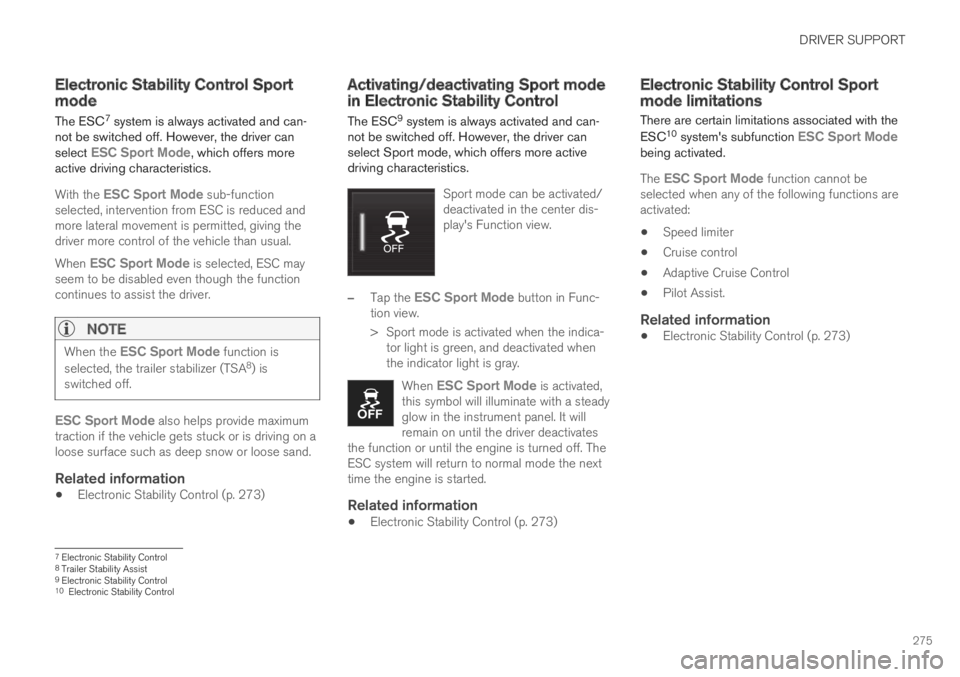
Sport mode can be activated/deactivated in the center dis-play's Function view.
–Tap the ESC Sport Mode button in Func-tion view.
>Sport mode is activated when the indica-tor light is green, and deactivated whenthe indicator light is gray.
When ESC Sport Mode is activated,this symbol will illuminate with a steadyglow in the instrument panel. It willremain on until the driver deactivatesthe function or until the engine is turned off. TheESC system will return to normal mode the nexttime the engine is started.
Related information
Electronic Stability Control (p. 273)
Electronic Stability Control Sportmode limitations
There are certain limitations associated with the
ESC10 system's subfunction ESC Sport Modebeing activated.
The ESC Sport Mode function cannot beselected when any of the following functions areactivated:
Speed limiter
Cruise control
Adaptive Cruise Control
Pilot Assist.
Related information
Electronic Stability Control (p. 273)
7Electronic Stability Control8Trailer Stability Assist9Electronic Stability Control10Electronic Stability Control
Page 297 of 695
DRIVER SUPPORT
}}
295
Adaptive Cruise Control regulates speed byaccelerating and braking. It is normal for thebrakes to emit a slight sound when they arebeing used to adjust speed.
Adaptive Cruise Control always attempts to regu-late speed smoothly. The driver must apply thebrakes in situations requiring immediate braking.For example, when there are great differences inspeed between vehicles or if the vehicle aheadbrakes suddenly. Due to limitations in the radarsensor, braking may occur unexpectedly or not atall.
Adaptive Cruise Control is designed to follow avehicle ahead in the same lane and maintain atime interval to that vehicle set by the driver. If theradar sensor does not detect a vehicle ahead, itwill instead maintain the speed set by the driver.This will also happen if the speed of the vehicleahead exceeds the set speed for your vehicle.
Adaptive Cruise Control can follow anothervehicle at speeds from a standstill up to200 km/h (125 mph).
WARNING
Adaptive Cruise Control is not a collisionavoidance system. The driver is alwaysresponsible and must intervene if the sys-tem fails to detect a vehicle ahead.
Adaptive Cruise Control does not brakefor people or animals and does not brakefor small vehicles, such as bikes andmotorcycles. Similarly, it does not brakefor low trailers, oncoming, slow-moving orstationary vehicles and objects.
Do not use Adaptive Cruise Control indemanding situations, such as in city traf-fic, at intersections, on slippery surfaces,with a lot of water or slush on the road, inheavy rain/snow, in poor visibility, onwinding roads, or on on/off ramps.
CAUTION
Maintenance of Adaptive Cruise Control com-ponents may only be performed by a work-shop – an authorized Volvo workshop is rec-ommended.
Overview
Controls
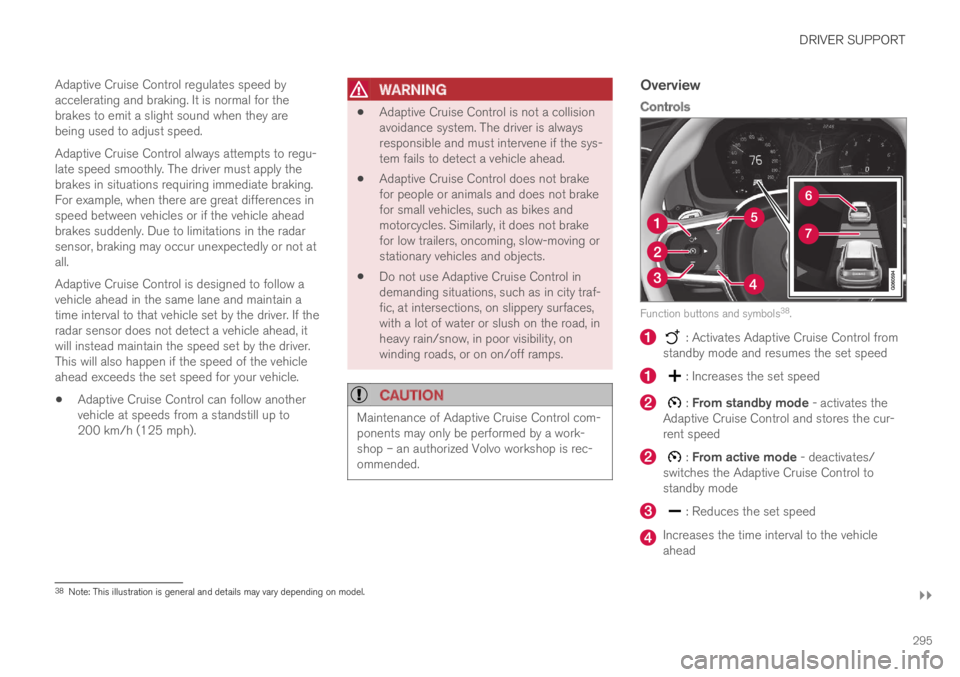
Function buttons and symbols38.
: Activates Adaptive Cruise Control fromstandby mode and resumes the set speed
: Increases the set speed
: From standby mode - activates theAdaptive Cruise Control and stores the cur-rent speed
: From active mode - deactivates/switches the Adaptive Cruise Control tostandby mode
: Reduces the set speed
Increases the time interval to the vehicleahead
38Note: This illustration is general and details may vary depending on model.
Page 308 of 695
||
DRIVER SUPPORT
* Option/accessory.306
This occurs if Adaptive Cruise Control is keepingthe vehicle stationary using the brakes and:
the driver opens the door or unbuckleshis/her seat belt
ACC has kept the vehicle at a standstill formore than approx. 5 minutes
the brakes overheat
the driver switches off the engine manually.
Related information
Adaptive Cruise Control* (p. 294)
Adaptive Cruise Control limitations
Adaptive Cruise Control (ACC52) may have lim-ited functionality in certain situations.
Steep roads and/or heavy loads
Adaptive Cruise Control is primarily intended tobe driven on flat roads. The function may not beable to maintain the correct time interval to thevehicle ahead when driving down steep hills. Thedriver should be extra attentive and prepared toapply the brakes.
Do not use Adaptive Cruise Control if thevehicle is carrying a heavy load or towing atrailer.
Other limitations
The Off Road drive mode cannot beselected if Adaptive Cruise Control is acti-vated.
NOTE
The function uses the vehicle's combinedcamera and radar unit, which has certain gen-eral limitations; see sections "Camera limita-tions" and "Radar sensor limitations".
Related information
Adaptive Cruise Control* (p. 294)
Camera limitations (p. 332)
Radar sensor limitations (p. 327)
52Adaptive Cruise Control
Page 313 of 695
DRIVER SUPPORT
}}
311
WARNING
The Pilot Assist function is supplementarydriver support intended to facilitate driv-ing and help make it safer – it cannothandle all situations in all traffic, weatherand road conditions.
The driver is advised to read all sectionsin the Owner's Manual about this functionto learn of its limitations, which the drivermust be aware of before using the func-tion (see the link list at the end of thisarticle).
Pilot Assist should only be used if thereare clear lane lines painted on each sideof the lane. All other use will increase therisk of contact with nearby obstacles thatcannot be detected by the functions.
Pilot Assist is not a substitute for the driv-er's attention and judgment. The driver isalways responsible for ensuring the vehi-cle is driven in a safe manner, at theproper position within the lane, at theappropriate speed, with an appropriatedistance to other vehicles, and in accord-ance with current traffic rules and regula-tions.
NOTE
Depending on market, this function may beeither Standard or Optional.
Pilot Assist regulates speed by accelerating andbraking. It is normal for the brakes to emit a slightsound when they are being used to adjust speed.
Pilot Assist attempts to smoothly regulate speed.The driver must apply the brakes in situationsrequiring immediate braking. For example, whenthere are great differences in speed betweenvehicles or if the vehicle ahead brakes suddenly.Due to limitations in the camera and radar sen-sor, braking may occur unexpectedly or not at all.
Pilot Assist is designed to follow a vehicle aheadin the same lane and maintain a time interval tothat vehicle set by the driver. If the radar sensordoes not detect a vehicle ahead, it will insteadmaintain the speed set by the driver. This will alsohappen if the speed of the vehicle aheadexceeds the set speed for your vehicle.
Pilot Assist can follow another vehicle atspeeds from a standstill up to 200 km/h(125 mph).
Pilot Assist can provide steering assistancefrom near-stationary speeds up to 140 km/h(87 mph).
WARNING
Pilot Assist is not a collision avoidancesystem. The driver must intervene if thesystem fails to detect a vehicle ahead.
Pilot Assist does not brake for people,animals, objects, small vehicles (e.g.cycles and motorcycles), low trailers aswell as oncoming, slow or stationary vehi-cles.
Do not use Pilot Assist in demanding sit-uations, such as in city traffic, at intersec-tions, on slippery surfaces, with a lot ofwater or slush on the road, in heavy rain/snow, in poor visibility, on winding roads,on highway on- or off-ramps, or with atrailer connected to the vehicle.
CAUTION
Maintenance of the integrated components inPilot Assist may only be performed by a work-shop – an authorized Volvo workshop is rec-ommended.
In curves and forks in the road
Pilot Assist is designed to interact with the driver.The driver should never wait for steering assis-tance from Pilot Assist, but instead should alwaysbe ready to increase his or her own steeringefforts, particularly in curves.
Page 326 of 695
||
DRIVER SUPPORT
* Option/accessory.324
Steep roads and/or heavy loads
Pilot Assist is primarily intended to be driven onflat roads. The function may not be able to main-tain the correct time interval to the vehicle aheadwhen driving down steep hills. The driver shouldbe extra attentive and prepared to apply thebrakes.
Do not use Pilot Assist if the vehicle is carry-ing a heavy load or towing a trailer.
NOTE
Pilot Assist cannot be activated if a trailer,bike carrier or similar is connected to thevehicle electrical system.
Other limitations
The Off Road drive mode cannot beselected when Pilot Assist is activated.
NOTE
The function uses the vehicle's combinedcamera and radar unit, which has certain gen-eral limitations; see sections "Camera limita-tions" and "Radar sensor limitations".
Related information
Pilot Assist (p. 310)
Speed-dependent steering wheel resistance(p. 272)
Camera limitations (p. 332)
Radar sensor limitations (p. 327)
Pilot Assist* symbols and messages
A number of symbols and messages relating toPilot Assist may be displayed in the instrumentpanel and/or the head-up display*.
Page 330 of 695
||
DRIVER SUPPORT
328
CauseAction
Water or snow is spraying/swirling up and blocking the radar signals orthe camera's range of visibility.No action. Very wet or snow-covered roads may sometimes prevent the cam-era/radar sensor from functioning.
There is dirt between the inside of the windshield and the camera/radarsensor.Consult a workshop to have the area of the windshield on the inside of the cam-era's casing cleaned. An authorized Volvo workshop is recommended.
NOTE
Keep the windshield in front of the cameraand radar unit clean.
Vehicle speed
The radar sensor's ability to detect a vehicleahead is significantly reduced if:
the speed of the vehicle ahead differs greatlyfrom your vehicle's speed
Limited field of vision
The radar sensor has a limited field of vision. Insome situations, it may detect a vehicle later thanexpected or not at all.
The radar sensor's field of vision.
The radar sensor's detection of vehicles veryclose to your vehicle may be delayed in cer-tain situations, e.g. if a vehicle pulls in
between your vehicle and the vehicle directlyahead.
Small vehicles, such as motorcycles, or vehi-cles that are not driving in the center of thelane may remain undetected.
In curves, the radar may detect the wrongvehicle or lose sight of a target vehicle.
Low trailers
Low trailer in the radar shadow.
Low trailers may also be difficult or even impossi-ble for the radar to detect. The driver should beextra alert when driving behind vehicles towinglow trailers when Adaptive Cruise Control or PilotAssist is activated.
Page 351 of 695
DRIVER SUPPORT
349
Rear Collision Warning
The Rear Collision Warning (RCW) function canhelp the driver avoid rear-end collisions fromvehicles approaching from behind.
RCW is automatically activated each time theengine is started.
RCW can warn the driver of a potential collisionwith vehicles approaching from behind by rapidlyflashing the turn signals.
If, at a speed below 30 km/h (20 mph), the RCWfunction detects that the car is in danger of beinghit from behind, the seatbelt tensioners may ten-sion the front seatbelts and activate the WhiplashProtection System safety system.
Immediately before a collision from behind, RCWmay also activate the foot brake in order toreduce the forward acceleration of the car duringthe collision. However, the brakes will only beapplied if your vehicle is stationary. The brakeswill be immediately released if the acceleratorpedal is depressed.
Related information
Rear Collision Warning limitations (p. 349)
Whiplash Protection System (p. 46)
Rear Collision Warning limitations
In some situations, it may be difficult for RCW towarn the driver of a collision risk.
This may be the case if:
the vehicle approaching from the rear isdetected at a late stage
the vehicle approaching from the rearchanges lanes at a late stage
the vehicle approaching from the rear is mov-ing at a speed above 80 km/h (50 mph)
a trailer, bicycle holder or similar is con-nected to the vehicle's electrical system - theRCW function will then be automaticallydeactivated.
NOTE
In certain markets RCW does not warn withthe direction indicators due to local trafficregulations – in such cases, that part of thefunction is deactivated.
NOTE
The warning with direction indicators for RearCollision Warning is deactivated if the colli-sion warning distance in the City Safety func-tion is set to the lowest level "Late".
The seat belt tensioning and braking func-tions remain active.
Related information
Rear Collision Warning (p. 349)
Page 354 of 695
||
DRIVER SUPPORT
* Option/accessory.352
Related information
BLIS* (p. 350)
BLIS limitations
BLIS77 functionality may be reduced in certainsituations.
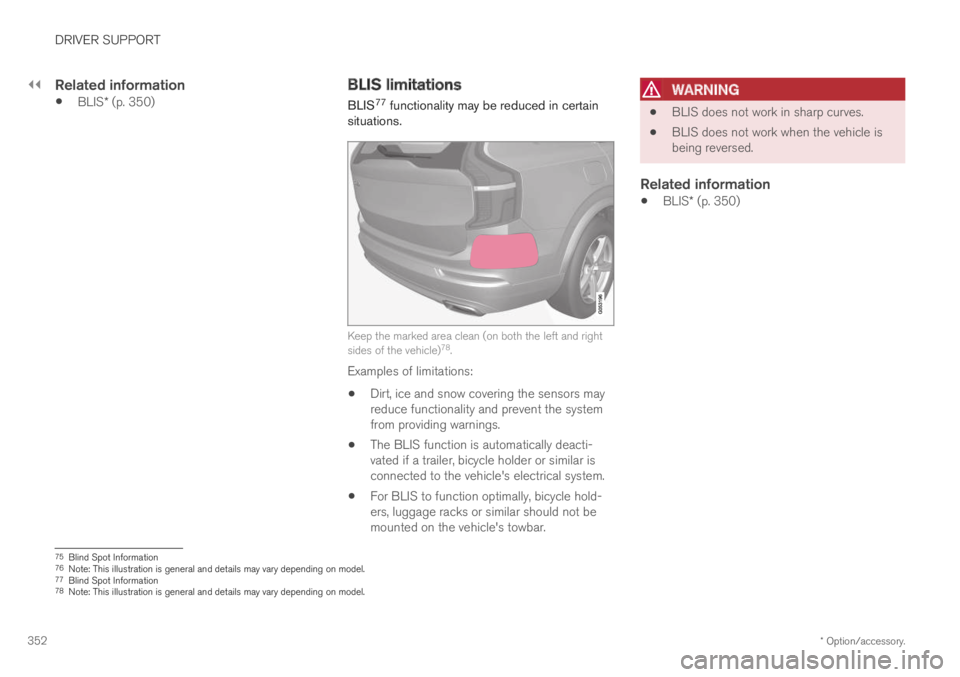
Keep the marked area clean (on both the left and rightsides of the vehicle)78.
Examples of limitations:
Dirt, ice and snow covering the sensors mayreduce functionality and prevent the systemfrom providing warnings.
The BLIS function is automatically deacti-vated if a trailer, bicycle holder or similar isconnected to the vehicle's electrical system.
For BLIS to function optimally, bicycle hold-ers, luggage racks or similar should not bemounted on the vehicle's towbar.
WARNING
BLIS does not work in sharp curves.
BLIS does not work when the vehicle isbeing reversed.
Related information
BLIS* (p. 350)
75Blind Spot Information76Note: This illustration is general and details may vary depending on model.77Blind Spot Information78Note: This illustration is general and details may vary depending on model.