trip computer VOLVO XC60 TWIN ENGINE 2019 Owners Manual
[x] Cancel search | Manufacturer: VOLVO, Model Year: 2019, Model line: XC60 TWIN ENGINE, Model: VOLVO XC60 TWIN ENGINE 2019Pages: 695, PDF Size: 14.96 MB
Page 5 of 695
3
Top tether anchors72
Lower child seat attachment points73
ISOFIX/LATCH lower anchors74
Integrated booster cushion*75
Folding up the integrated boostercushion*77
Folding down the integrated boostercushion*78
DISPLAYS AND VOICE CONTROL
Instruments and controls in left-handdrive vehicles82
Instrument panel84
Instrument panel settings86
Fuel gauge87
Hybrid gauge87
Hybrid gauge88
Trip computer89
Displaying trip data in the instrumentpanel91
Resetting the trip odometer92
Displaying trip statistics in the centerdisplay92
Trip statistics settings93
Date and time93
Ambient temperature sensor94
Indicator symbols in the instrument panel94
Warning symbols in the instrument panel97
Instrument panel licenses98
App menu in instrument panel103
Handling the App menu in the instru-ment panel104
Messages in the instrument panel105
Handling messages in the instru-ment panel106
Handling messages saved from theinstrument panel107
Center display overview109
Handling the center display112
Activating and deactivating the cen-ter display115
Navigating in the center display's views115
Handling tiles in the center display119
Function view in the center display122
Moving apps and buttons in the cen-ter display124
Symbols in the center display status bar124
Using the center display keyboard126
Changing keyboard language in thecenter display129
Entering characters, letters andwords by hand in the center display129
Changing the appearance of thecenter display131
Turning off and adjusting the volumeof the center display system sounds131
Changing system units of measurement132
Changing system language132
Changing settings in the center dis-play's Top view132
Opening contextual setting in thecenter display133
Page 84 of 695
DISPLAYS AND VOICE CONTROL
* Option/accessory.82
Instruments and controls in left-hand drive vehicles
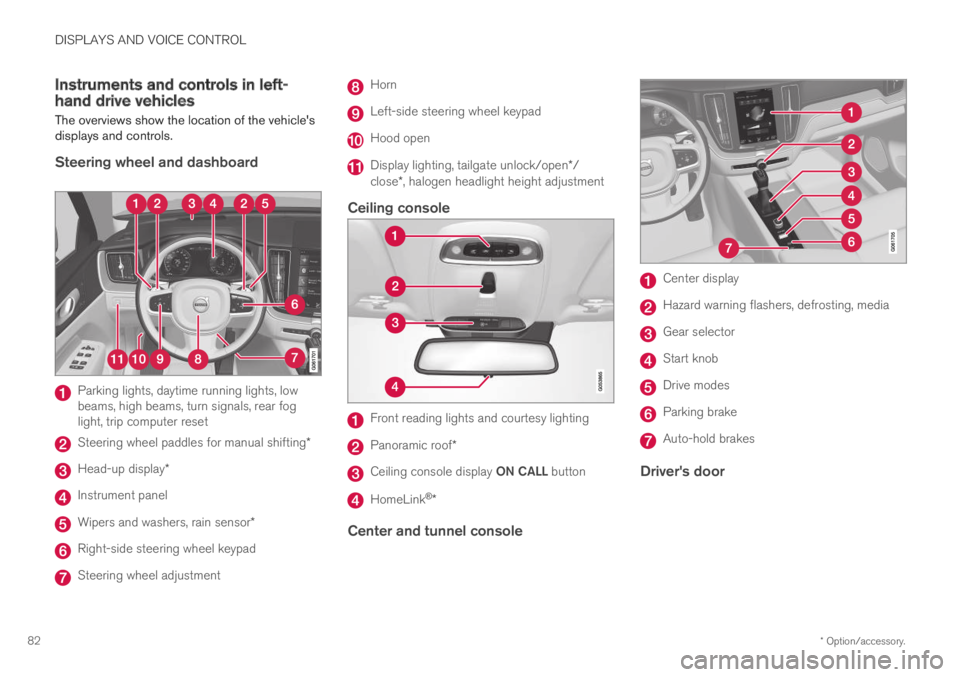
The overviews show the location of the vehicle'sdisplays and controls.
Steering wheel and dashboard
Parking lights, daytime running lights, lowbeams, high beams, turn signals, rear foglight, trip computer reset
Steering wheel paddles for manual shifting*
Head-up display*
Instrument panel
Wipers and washers, rain sensor*
Right-side steering wheel keypad
Steering wheel adjustment
Horn
Left-side steering wheel keypad
Hood open
Display lighting, tailgate unlock/open*/close*, halogen headlight height adjustment
Ceiling console
Front reading lights and courtesy lighting
Panoramic roof*
Ceiling console display ON CALL button
HomeLink®*
Center and tunnel console
Center display
Hazard warning flashers, defrosting, media
Gear selector
Start knob
Drive modes
Parking brake
Auto-hold brakes
Driver's door
Page 87 of 695
DISPLAYS AND VOICE CONTROL
85
Left sideIn the centerRight side
–Media playerDistance to discharged battery
–Navigation system mapCurrent fuel consumption
–PhoneApp menu (activated using steering wheel keypad)
–Voice Control–
–CompassA–
ADepends on selected drive mode.BTotal distance.
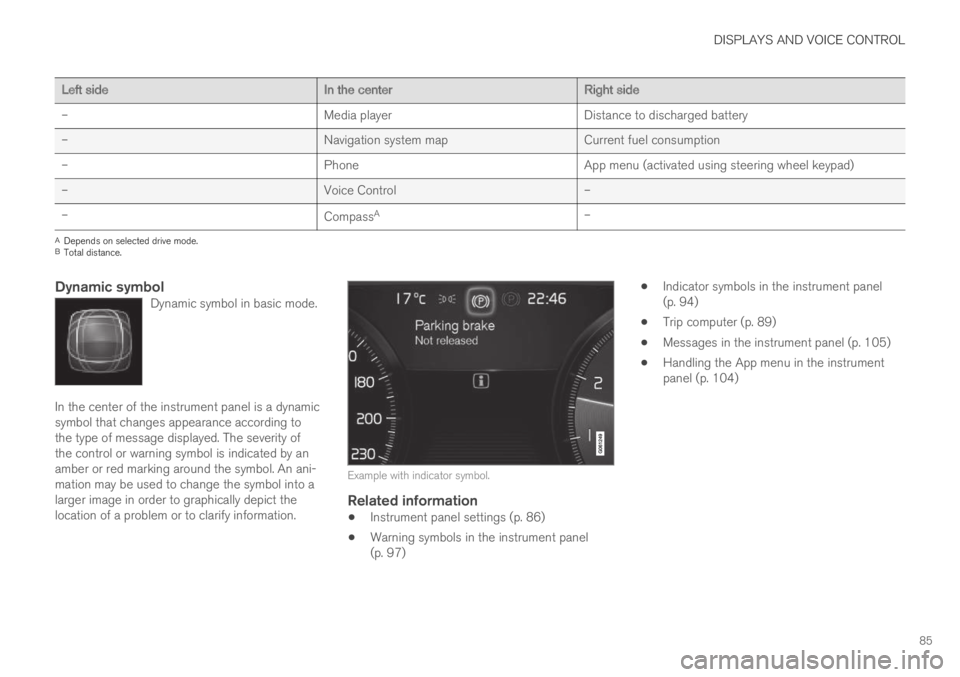
Dynamic symbol
Dynamic symbol in basic mode.
In the center of the instrument panel is a dynamicsymbol that changes appearance according tothe type of message displayed. The severity ofthe control or warning symbol is indicated by anamber or red marking around the symbol. An ani-mation may be used to change the symbol into alarger image in order to graphically depict thelocation of a problem or to clarify information.
Example with indicator symbol.
Related information
Instrument panel settings (p. 86)
Warning symbols in the instrument panel(p. 97)
Indicator symbols in the instrument panel(p. 94)
Trip computer (p. 89)
Messages in the instrument panel (p. 105)
Handling the App menu in the instrumentpanel (p. 104)
Page 88 of 695
DISPLAYS AND VOICE CONTROL
86
Instrument panel settings
Display settings for the instrument panel can beset via the instrument panel's app menu and viathe center display's Settings menu.
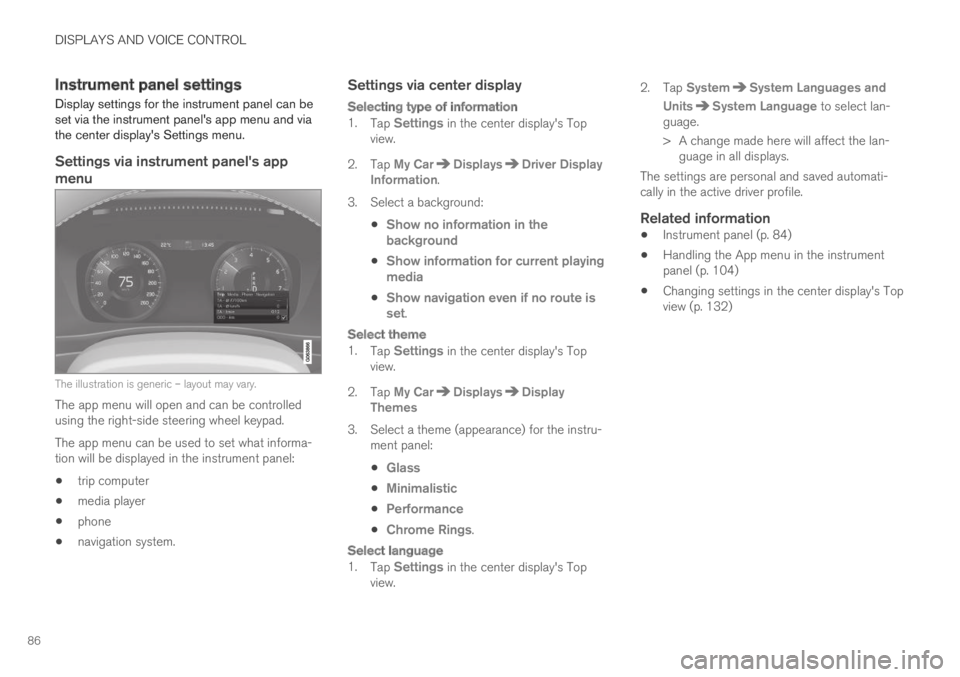
Settings via instrument panel's app
menu
The illustration is generic – layout may vary.
The app menu will open and can be controlledusing the right-side steering wheel keypad.
The app menu can be used to set what informa-tion will be displayed in the instrument panel:
trip computer
media player
phone
navigation system.
Settings via center display
Selecting type of information
1.Tap Settings in the center display's Topview.
2.Tap My CarDisplaysDriver DisplayInformation.
3.Select a background:
Show no information in thebackground
Show information for current playingmedia
Show navigation even if no route isset.
Select theme
1.Tap Settings in the center display's Topview.
2.Tap My CarDisplaysDisplayThemes
3. Select a theme (appearance) for the instru-ment panel:
Glass
Minimalistic
Performance
Chrome Rings.
Select language
1.Tap Settings in the center display's Topview.
2.Tap SystemSystem Languages and
UnitsSystem Language to select lan-guage.
> A change made here will affect the lan-guage in all displays.
The settings are personal and saved automati-cally in the active driver profile.
Related information
Instrument panel (p. 84)
Handling the App menu in the instrumentpanel (p. 104)
Changing settings in the center display's Topview (p. 132)
Page 89 of 695
DISPLAYS AND VOICE CONTROL
}}
87
Fuel gauge
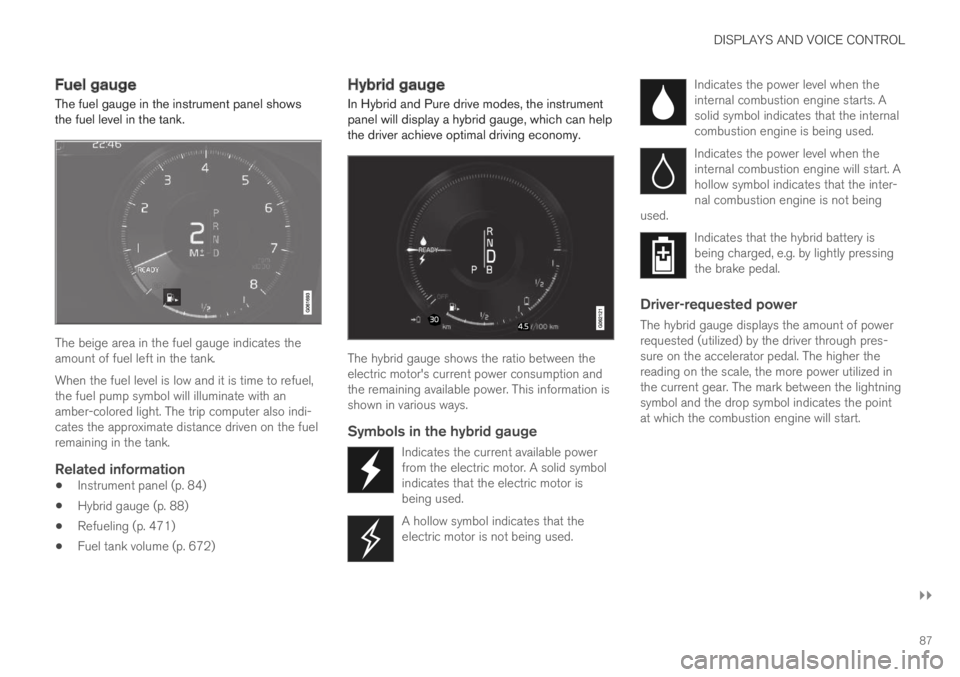
The fuel gauge in the instrument panel showsthe fuel level in the tank.
The beige area in the fuel gauge indicates theamount of fuel left in the tank.
When the fuel level is low and it is time to refuel,the fuel pump symbol will illuminate with anamber-colored light. The trip computer also indi-cates the approximate distance driven on the fuelremaining in the tank.
Related information
Instrument panel (p. 84)
Hybrid gauge (p. 88)
Refueling (p. 471)
Fuel tank volume (p. 672)
Hybrid gauge
In Hybrid and Pure drive modes, the instrumentpanel will display a hybrid gauge, which can helpthe driver achieve optimal driving economy.
The hybrid gauge shows the ratio between theelectric motor's current power consumption andthe remaining available power. This information isshown in various ways.
Symbols in the hybrid gauge
Indicates the current available powerfrom the electric motor. A solid symbolindicates that the electric motor isbeing used.
A hollow symbol indicates that theelectric motor is not being used.
Indicates the power level when theinternal combustion engine starts. Asolid symbol indicates that the internalcombustion engine is being used.
Indicates the power level when theinternal combustion engine will start. Ahollow symbol indicates that the inter-nal combustion engine is not beingused.
Indicates that the hybrid battery isbeing charged, e.g. by lightly pressingthe brake pedal.
Driver-requested power
The hybrid gauge displays the amount of powerrequested (utilized) by the driver through pres-sure on the accelerator pedal. The higher thereading on the scale, the more power utilized inthe current gear. The mark between the lightningsymbol and the drop symbol indicates the pointat which the combustion engine will start.
Page 90 of 695

||
DISPLAYS AND VOICE CONTROL
88
For example:
The vehicle has been started, but is stationary and nopower is being requested.
The electric motor cannot supply the requested powerand the internal combustion engine will start.
The vehicle is generating current to recharge the battery,e.g. during light braking or engine braking on a down-slope.
Related information
Drive modes (p. 450)
Instrument panel (p. 84)
Brakes (p. 435)
Using the electric motor only (p. 465)
Starting and stopping the combustion enginein Twin Engine vehicles (p. 450)
Hybrid gauge
The hybrid battery gauge shows how much cur-rent is left in the hybrid battery.
The current in the hybrid battery is used to powerthe electric motor, but can also be used to heator cool the vehicle. The trip computer calculatesan approximate driving distance with the remain-ing current in the hybrid battery.
Page 91 of 695
DISPLAYS AND VOICE CONTROL
}}
89
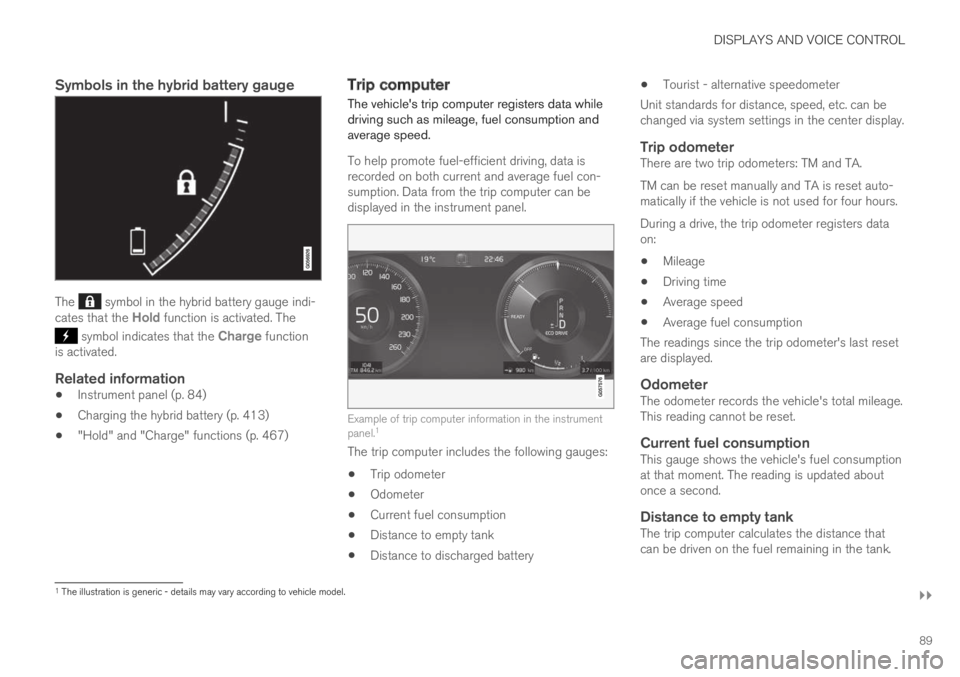
Symbols in the hybrid battery gauge
The symbol in the hybrid battery gauge indi-cates that the Hold function is activated. The
symbol indicates that the Charge functionis activated.
Related information
Instrument panel (p. 84)
Charging the hybrid battery (p. 413)
"Hold" and "Charge" functions (p. 467)
Trip computer
The vehicle's trip computer registers data whiledriving such as mileage, fuel consumption andaverage speed.
To help promote fuel-efficient driving, data isrecorded on both current and average fuel con-sumption. Data from the trip computer can bedisplayed in the instrument panel.
Example of trip computer information in the instrumentpanel.1
The trip computer includes the following gauges:
Trip odometer
Odometer
Current fuel consumption
Distance to empty tank
Distance to discharged battery
Tourist - alternative speedometer
Unit standards for distance, speed, etc. can bechanged via system settings in the center display.
Trip odometer
There are two trip odometers: TM and TA.
TM can be reset manually and TA is reset auto-matically if the vehicle is not used for four hours.
During a drive, the trip odometer registers dataon:
Mileage
Driving time
Average speed
Average fuel consumption
The readings since the trip odometer's last resetare displayed.
Odometer
The odometer records the vehicle's total mileage.This reading cannot be reset.
Current fuel consumption
This gauge shows the vehicle's fuel consumptionat that moment. The reading is updated aboutonce a second.
Distance to empty tank
The trip computer calculates the distance thatcan be driven on the fuel remaining in the tank.
1The illustration is generic - details may vary according to vehicle model.
Page 93 of 695
DISPLAYS AND VOICE CONTROL
91
Displaying trip data in theinstrument panel
Data recorded and calculated by the trip com-puter can be displayed on the instrument panel.
This data is stored in a trip computer app. Youcan choose which information the instrumentpanel will display in the app menu.
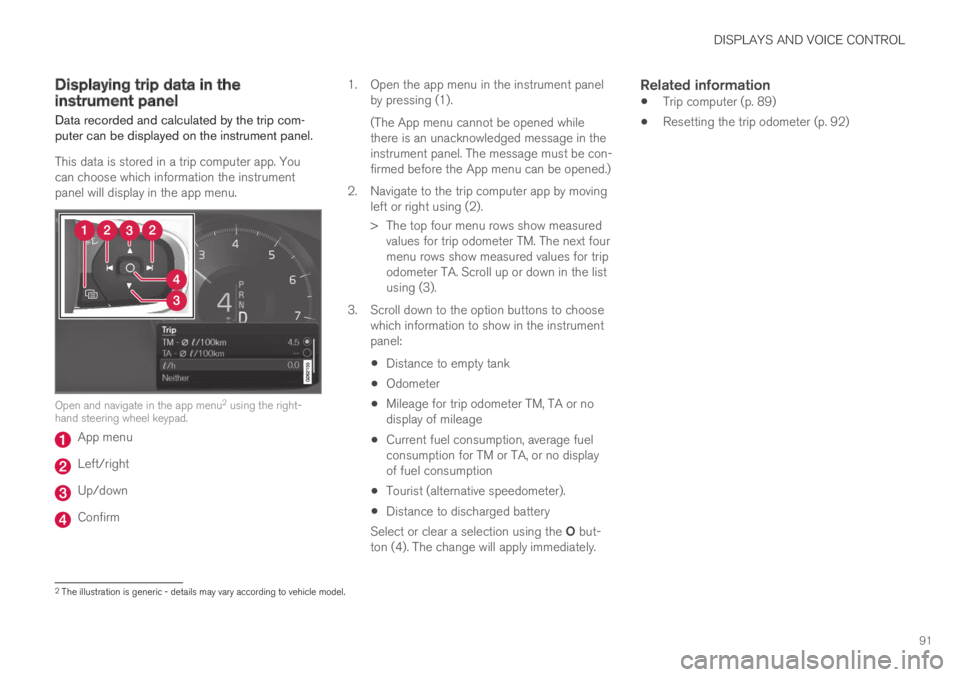
Open and navigate in the app menu2 using the right-hand steering wheel keypad.
App menu
Left/right
Up/down
Confirm
1.Open the app menu in the instrument panelby pressing (1).
(The App menu cannot be opened whilethere is an unacknowledged message in theinstrument panel. The message must be con-firmed before the App menu can be opened.)
2. Navigate to the trip computer app by movingleft or right using (2).
> The top four menu rows show measuredvalues for trip odometer TM. The next fourmenu rows show measured values for tripodometer TA. Scroll up or down in the listusing (3).
3. Scroll down to the option buttons to choosewhich information to show in the instrumentpanel:
Distance to empty tank
Odometer
Mileage for trip odometer TM, TA or nodisplay of mileage
Current fuel consumption, average fuelconsumption for TM or TA, or no displayof fuel consumption
Tourist (alternative speedometer).
Distance to discharged battery
Select or clear a selection using the O but-ton (4). The change will apply immediately.
Related information
Trip computer (p. 89)
Resetting the trip odometer (p. 92)
2The illustration is generic - details may vary according to vehicle model.
Page 94 of 695
DISPLAYS AND VOICE CONTROL
92
Resetting the trip odometer
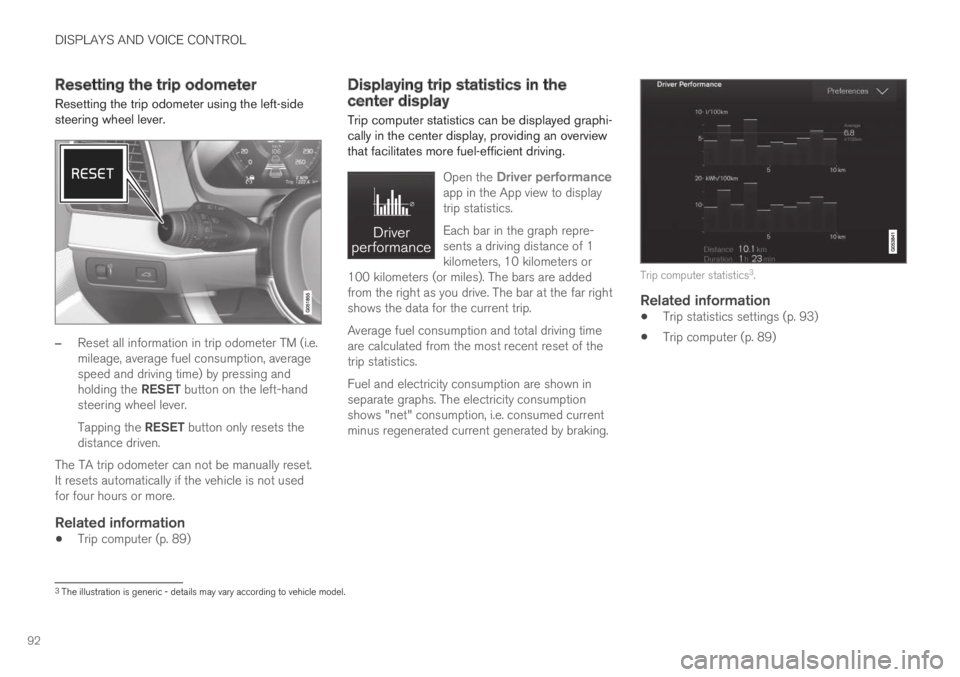
Resetting the trip odometer using the left-sidesteering wheel lever.
–Reset all information in trip odometer TM (i.e.mileage, average fuel consumption, averagespeed and driving time) by pressing andholding the RESET button on the left-handsteering wheel lever.
Tapping the RESET button only resets thedistance driven.
The TA trip odometer can not be manually reset.It resets automatically if the vehicle is not usedfor four hours or more.
Related information
Trip computer (p. 89)
Displaying trip statistics in thecenter display
Trip computer statistics can be displayed graphi-cally in the center display, providing an overviewthat facilitates more fuel-efficient driving.
Open the Driver performanceapp in the App view to displaytrip statistics.
Each bar in the graph repre-sents a driving distance of 1kilometers, 10 kilometers or100 kilometers (or miles). The bars are addedfrom the right as you drive. The bar at the far rightshows the data for the current trip.
Average fuel consumption and total driving timeare calculated from the most recent reset of thetrip statistics.
Fuel and electricity consumption are shown inseparate graphs. The electricity consumptionshows "net" consumption, i.e. consumed currentminus regenerated current generated by braking.
Trip computer statistics3.
Related information
Trip statistics settings (p. 93)
Trip computer (p. 89)
3The illustration is generic - details may vary according to vehicle model.
Page 95 of 695
DISPLAYS AND VOICE CONTROL
93
Trip statistics settings
Trip statistics settings can be reset or adjusted.
1.Open the Driver performance app in theApp view to display trip statistics.
2.Tap Preferences to
change the graph scale. Select 1, 10 or100 km/miles for the bar.
reset data after each trip. Performed whenthe vehicle remains stationary for morethan 4 hours.
reset data for current trip.
Trip statistics, calculated average consump-tion, and total driving time are always resetsimultaneously.
Unit standards for distance, speed, etc. can bechanged via system settings in the center display.
Related information
Displaying trip statistics in the center display(p. 92)
Trip computer (p. 89)
Resetting the trip odometer (p. 92)
Date and time
The clock is displayed in both the instrumentpanel and the center display.
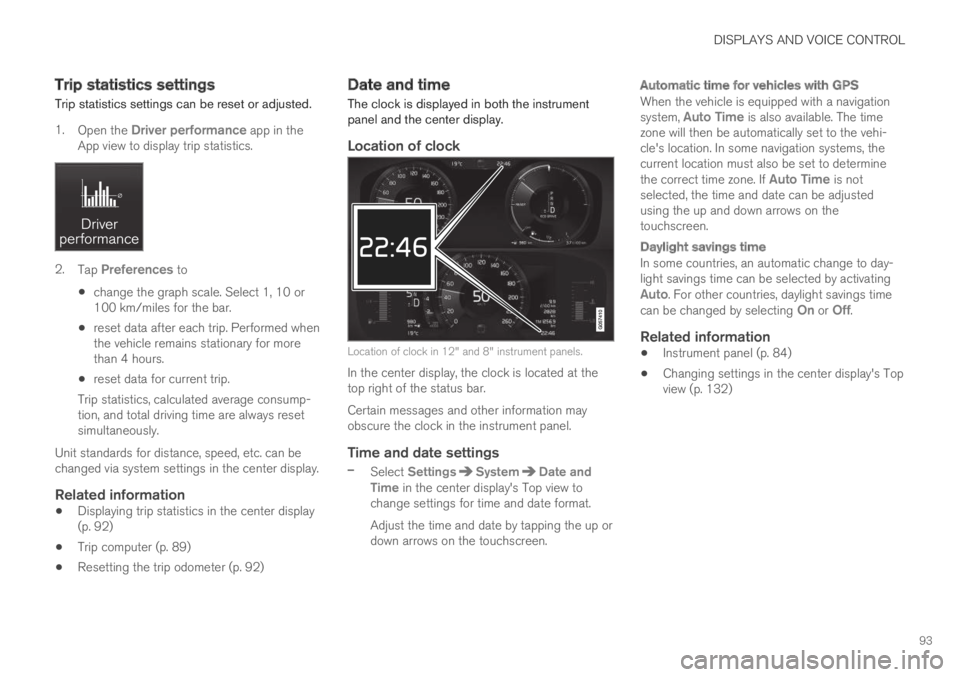
Location of clock
Location of clock in 12" and 8" instrument panels.
In the center display, the clock is located at thetop right of the status bar.
Certain messages and other information mayobscure the clock in the instrument panel.
Time and date settings
–Select SettingsSystemDate andTime in the center display's Top view tochange settings for time and date format.
Adjust the time and date by tapping the up ordown arrows on the touchscreen.
Automatic time for vehicles with GPS
When the vehicle is equipped with a navigationsystem, Auto Time is also available. The timezone will then be automatically set to the vehi-cle's location. In some navigation systems, thecurrent location must also be set to determinethe correct time zone. If Auto Time is notselected, the time and date can be adjustedusing the up and down arrows on thetouchscreen.
Daylight savings time
In some countries, an automatic change to day-light savings time can be selected by activatingAuto. For other countries, daylight savings timecan be changed by selecting On or Off.
Related information
Instrument panel (p. 84)
Changing settings in the center display's Topview (p. 132)