heating VOLVO XC60 TWIN ENGINE 2020 Owner's Manual
[x] Cancel search | Manufacturer: VOLVO, Model Year: 2020, Model line: XC60 TWIN ENGINE, Model: VOLVO XC60 TWIN ENGINE 2020Pages: 687, PDF Size: 14.65 MB
Page 382 of 687

||
DRIVER SUPPORT
* Option/accessory.
380 3. Be prepared to stop the vehicle when
instructed to do so by a graphic and mes- sage in the center display. Follow theinstructions in the same way as for theparking procedure.
Note that the steering wheel can "spring"back when the procedure is completed andthe driver may need to turn the steering wheelback to the maximum position in order to pullout of the parking space. If the function determines that the driver can pull out of the parking space without any extramaneuvers, the function will be deactivated,even if it seems as though the vehicle is notcompletely out of the parking space.
Related information
Park Assist Pilot
* (p. 375)
Park Assist Pilot
* limitations (p. 380)
Park Assist Pilot * limitations
Park Assist Pilot (PAP 104
) may not be able to
detect all conditions in all situations and func- tionality may therefore be limited.
WARNING
The parking sensors have dead/blind spots where objects cannot bedetected.
Pay particular attention to people andanimals near the vehicle.
Bear in mind that the front end of thevehicle may swing out towards oncom-ing traffic during the parking maneuver.
CAUTION
Objects situated higher than the detection area of the sensors are not included whenthe parking maneuver is calculated, whichcould cause the function to swing into theparking space too early. Such parkingspaces should be avoided for this reason.
The driver should be aware of the following limitations for Park Assist Pilot:
The parking sequence is cancelledA parking sequence will be cancelled if: the driver moves the steering wheel
the vehicle's speed exceeds 7 km/h (4 mph)
the driver taps
Cancel in the center dis-
play
when the anti-lock brakes or the Elec- tronic stability control are engaged - e.g.when a wheel loses grip on a slippery road
when speed-dependent power steeringwheel resistance is working at reducedpower – e.g. during cooling due to over-heating.
A message in the center display will explainwhy the parking sequence was cancelled.
CAUTION
Under certain circumstances, the function may not be able to find parking spaces –one reason may be that the sensors aredisrupted by external sound sources thatemit the same ultrasonic frequencies thatthe system works with. Examples of such sources include horns, wet tires on asphalt, pneumatic brakes,exhaust noise from motorcycles, etc.
104 Park Assist Pilot
Page 390 of 687
||
HYBRID INFORMATION
388
WARNING
The charging cable must be grounded when in use. It is equipped with a cordwith a grounding conductor and agrounding plug. The plug must beinserted into an appropriate outlet thatis properly installed and grounded inaccordance with all local codes andordinances and is not damaged in anyway.
Children should be supervised when inthe vicinity of the charging cable whenit is plugged in.
High voltage is present in your electricmeter housing and power distributionservice panel. Contact with high volt-age can cause death or serious per-sonal injury.
Do not use the charging cable if it isdamaged in any way. A damaged ormalfunctioning charging cable mayonly be repaired by a workshop – anauthorized Volvo workshop is recom-mended.
Always position the charging cable sothat it will not be driven over, steppedon, tripped over or otherwise damaged,or cause personal injury.
Disconnect the charger from the walloutlet before cleaning it.
Never connect the charging cable to an extension cord or a multiple plugsocket.
Also, refer to the manufacturer's instruc- tions for using the charging cable and itscomponents.
CAUTION
Power strips, extension cords, surge pro- tectors or similar devices must not be usedtogether with the charging cable since thismay involve a risk of fire, electric shocks,etc. An adapter may not be used between the 120/240 V outlet (AC, alternating current)and the charging cable.
CAUTION
Never detach the charging cable from the 120/240 V outlet (AC, alternating current)while charging is in progress – the120/240 V outlet could be damaged insuch circumstances. Always interruptcharging first and then disconnect thecharging cable – first from the vehicle'scharging socket and then from the120/240 V outlet.
CAUTION
Wipe the charging cable with a clean cloth lightly moistened with water or a milddetergent. Do not use chemicals or sol-vents.
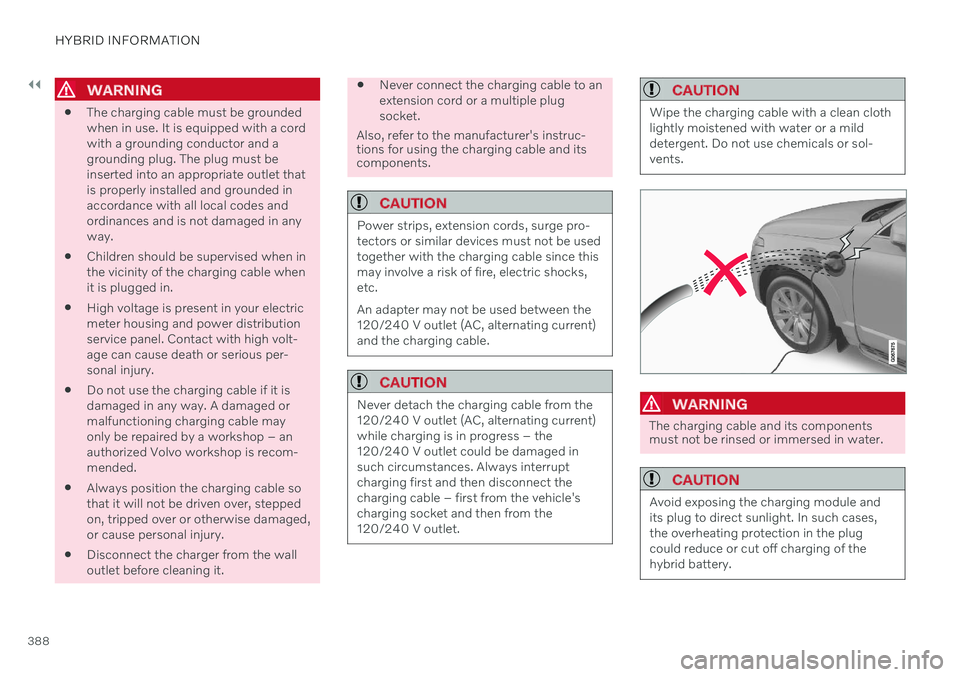
WARNING
The charging cable and its components must not be rinsed or immersed in water.
CAUTION
Avoid exposing the charging module and its plug to direct sunlight. In such cases,the overheating protection in the plugcould reduce or cut off charging of thehybrid battery.
Page 391 of 687

HYBRID INFORMATION
389
Charging cable components
Charge module
240 V adapter clip
240 V adapter
Charge coupler
Release button
Related information
Charging cable residual current device (p. 389)
Charging cable temperature monitoring(p. 390)
Charging the hybrid battery (p. 385)
Charging status in the charging cable'scharging module (p. 393)
Charging cable residual current device The charging cable has a circuit breaker that helps protect against current overloads andthermal overheating.
WARNING
Charging the hybrid battery may only be done from approved, grounded 120/240 Voutlets (AC, alternating current). If the elec-trical circuit or electrical socket's capacityis not known, let a licensed electricianinspect the electrical circuit's capacity.Using a charge level that exceeds the elec-trical circuit's or electrical outlet's capacitymay start a fire or damage the electrical cir-cuit.
WARNING
The charging cable's residual current breaker helps protect the vehicle'scharging system but cannot ensurethat an current overload will neveroccur.
Never use visibly worn or damagedelectrical sockets. Doing so could leadto fires or serious injury.
Never connect the charging cable to anextension cord.
Maintenance or replacement of thehybrid battery may only be performedby a trained and qualified Volvo servicetechnician.
If the charging cable's residual current device
is triggered, the blue indicator light in thecharging module will not illuminate when thecharging cable is plugged into an electricaloutlet (or the red warning light will glowsteadily). Have the outlet checked by alicensed electrician or try using another walloutlet.
Related information
Charge cable (p. 387)
Charging status in the charging cable'scharging module (p. 393)
Page 404 of 687

STARTING AND DRIVING
* Option/accessory.
402
Starting the vehicle
The vehicle can be started using the start knob in the tunnel console when the remotekey is in the passenger compartment.
Start knob in the tunnel console.
WARNING
Before starting:
Buckle your seat belt.
Adjust the seat, steering wheel and mirrors.
Make sure you can fully depress thebrake pedal.
The remote key is not physically used to startthe ignition because the vehicle is equippedwith the keyless Passive Start system. To start the vehicle:
CAUTION
The vehicle cannot be started if the charg- ing cable is still plugged in. Make sure topull out the charging cable from the charg-ing socket before starting the vehicle.
1. The remote key must be inside the vehicle.
For vehicles with Passive Start, the key must be in the front section of the passen-ger compartment. With the optional key- less locking/unlocking function *, the key
can be anywhere in the vehicle.
2. Press and hold down the brake pedal 1
as
far as possible.
3. Turn the start knob clockwise and release. The control will automatically return to the original position.
WARNING
Never use more than one inlay mat at a time on the driver's floor. If any othertype of floor mat is used, remove theoriginal mat from the driver's seat floorbefore driving. All types of mats mustbe securely anchored in the attach-ment points in the floor. Make sure thefloor mat does not impede the move-ment of the brake pedal or acceleratorpedal in any way, as this could be aserious safety hazard.
Volvo's floor mats are specially manu-factured for your vehicle. They must beproperly secured in the attachmentpoints in the floor to help ensure theycannot slide and become trappedunder the pedals.
The starter motor will crank until the enginestarts or until overheating protection is trig-gered. During normal start conditions, the vehicle's electric motor will be prioritized and the gaso-line engine will remain off. This means thatonce the start knob is turned clockwise, theelectric motor has been "started" and the vehi-cle is ready to be driven. The warning andinformation symbols in the instrument panel
1 If the vehicle is moving, it is only necessary to turn the start knob clockwise to start the engine.
Page 406 of 687
||
STARTING AND DRIVING
404
CAUTION
When starting in cold weather, the automatic transmission may shift up atslightly higher engine speeds than nor-mal until the automatic transmissionfluid reaches normal operating tem-perature.
Do not race a cold engine immediatelyafter starting. This could prevent fluidsfrom properly lubricating vital compo-nents in the engine before it hasreached the proper operating tempera-ture.
The engine should be idling when thegear selector is moved. Never acceler-ate until the gear is fully engaged.Accelerating rapidly before a gear isproperly engaged could lead to harderwear of components.
To help prevent the transmission oilfrom overheating, select
P or N when
idling at a standstill for prolonged peri-ods of time.
NOTE
With a cold start, idling speed may be con- siderably higher than normal for certainengine types. This is done to get the emis-sions system up to normal operating tem-perature as quickly as possible, which min-imizes exhaust emissions and protects theenvironment.
Related information
Switching off the vehicle (p. 404)
Ignition modes (p. 405)
Adjusting the steering wheel (p. 202)
Jump starting using another battery (p. 451)
Selecting ignition mode (p. 406)
Switching off the vehicle
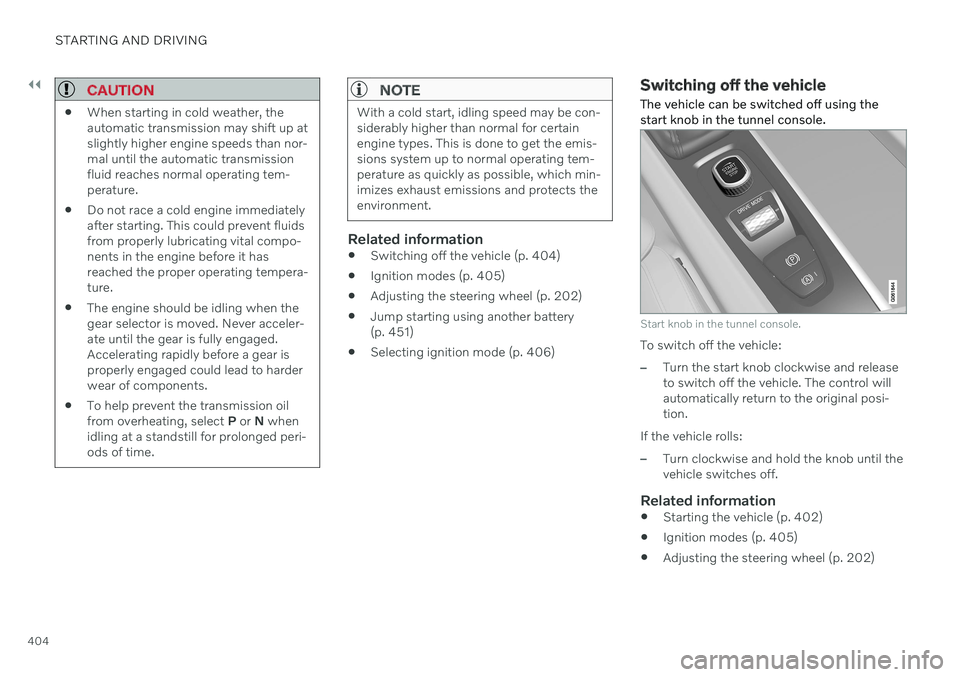
The vehicle can be switched off using the start knob in the tunnel console.
Start knob in the tunnel console.
To switch off the vehicle:
–Turn the start knob clockwise and release to switch off the vehicle. The control willautomatically return to the original posi-tion.
If the vehicle rolls:
–Turn clockwise and hold the knob until the vehicle switches off.
Related information
Starting the vehicle (p. 402)
Ignition modes (p. 405)
Adjusting the steering wheel (p. 202)
Page 408 of 687
||
STARTING AND DRIVING
* Option/accessory.
406
Mode Functions
I The panoramic roof, power windows, 12-volt electricalsocket in the passenger com-partment, Bluetooth, naviga-tion, phone, blower and wind-shield wipers can be used.
The power seats can beadjusted.
The 12-volt electrical socket
* in
the cargo compartment can beused.
Electrical current will be taken
from the battery in this ignitionmode.
II The headlights illuminate.
Warning/indicator lights illumi-nate for 5 seconds.
A number of other systems areactivated. However, seat andrear window heating can onlybe activated when the engineis running.
This ignition mode uses a lot of
current from the battery andshould be avoided wheneverpossible!
A Also activated when the door is opened.
Related information
Starting the vehicle (p. 402)
Adjusting the steering wheel (p. 202)
Jump starting using another battery (p. 451)
Selecting ignition mode (p. 406)
Selecting ignition mode
The vehicle's ignition can be put in various modes (levels) to make different functionsavailable.
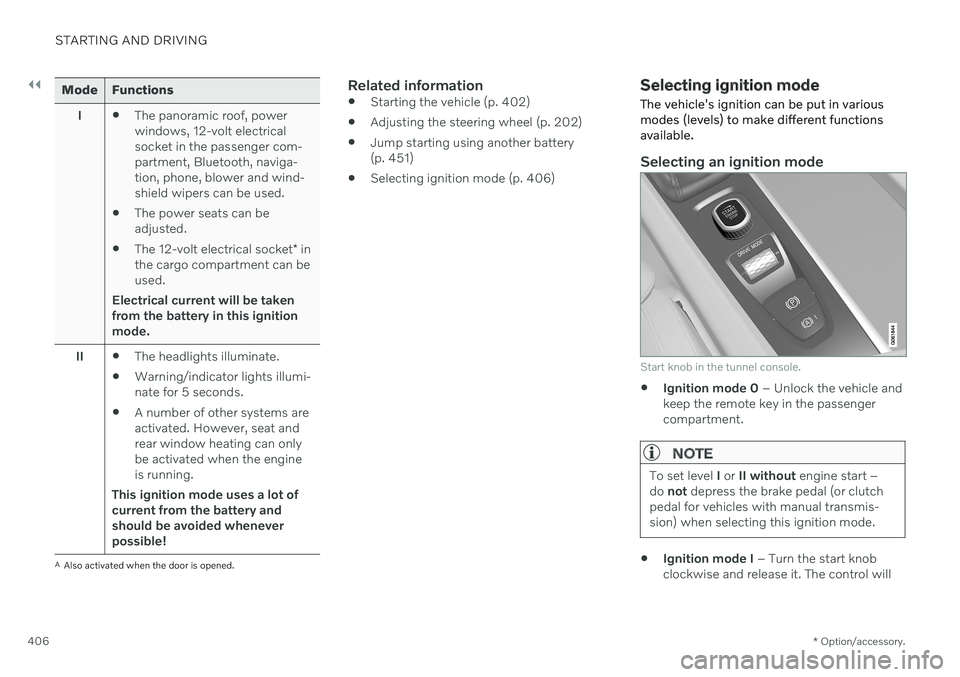
Selecting an ignition mode
Start knob in the tunnel console.
Ignition mode 0
– Unlock the vehicle and
keep the remote key in the passenger compartment.
NOTE
To set level I or II without engine start –
do not depress the brake pedal (or clutch
pedal for vehicles with manual transmis- sion) when selecting this ignition mode.
Ignition mode I
– Turn the start knob
clockwise and release it. The control will
Page 419 of 687

STARTING AND DRIVING
* Option/accessory.417
Automatic transmission
In vehicles with an automatic transmission, the system selects the gear so that drivingwill be as energy-efficient as possible. Thetransmission also has a manual mode.
Overview of gear selector and gear shift pattern in the instrument panel
The instrument panel shows which gear is cur- rently in use: R , N , D or B. P position is electric.
For manual shifting, the gear indicator in the instrument panel displays the gear currentlybeing used.
CAUTION
Check the operating temperature of the transmission to help avoid damage to anyof the drive system components. If there isa risk of overheating, a warning symbol willappear in the instrument panel and a textmessage will be displayed. Follow the rec-ommendations given.
Symbols in the instrument panelIf a problem should occur with the transmis- sion, a symbol and a message will appear inthe instrument panel.
Symbol Meaning
Information and messages rela- ted to the transmission. Followthe recommendations provided.
Hot or overheated transmission. Follow the recommendationsprovided.
Reduced performance/Accel-
eration performance reduced
In the event of a temporary fault in the driveline, the vehicle maygo into a "limp home" mode withreduced power output to helpavoid damage to the driveline.
Related information
Gear selector positions for automatic transmissions (p. 418)
Using the steering wheel paddles
* to shift
(p. 419)
Shiftlock (p. 420)
The kickdown function (p. 421)
Page 423 of 687

STARTING AND DRIVING
421
Related information
Automatic transmission (p. 417)
Gear selector positions for automatic transmissions (p. 418)
The kickdown function Kickdown can be used when maximum acceleration is needed, e.g. when passing.
When the accelerator pedal is depressed all the way to the floor (past the normal full accel-erator position), the transmission will auto-matically engage kickdown, i.e. immediatelyshift down to a lower gear. If the accelerator pedal is released from the kickdown position, the transmission will auto-matically shift up again.
Safety function
The transmission control module is equipped with a downshift protection feature to helpprevent the engine from overheating. In some conditions, the transmission will pre- vent downshifting/kickdown if this would leadto such high engine speed (rpm) that theengine could be damaged. If the driver stillattempts downshifting or kickdown at a highrpm, nothing will happen and the original gearwill remain selected. With kickdown, the vehicle can downshift one or more steps at a time depending on theengine speed. The vehicle upshifts when theengine reaches its maximum rpm to preventengine damage.
Related information
Automatic transmission (p. 417)
All Wheel Drive (AWD)
All-wheel drive (AWD 5
), also called four-
wheel drive, means that power is distributed to all four wheels, which improves traction.
The electric motor that powers the rear wheels enables electronic all-wheel drive functionality.All-wheel drive reacts differently depending onwhich drive mode is selected.
Related information
Drive modes (p. 423)
Low Speed Control (p. 435)
Transmission (p. 416)
5
All Wheel Drive
Page 440 of 687

||
STARTING AND DRIVING
438
Related information
Hill Descent Control (p. 436)
Changing drive mode (p. 428)
Economical driving
Drive economically and more environmentally conscious by thinking ahead and avoidingrapid starts and stops.
Adapt your driving style and speed to the cur- rent traffic conditions. To help achieve the greatest distance with the lowest fuel consumption with Twin Engine,observe the following:
Charge
Charge the vehicle regularly by plugging it into an electrical outlet. Make it a habit toalways begin trips with the hybrid batteryfully charged.
Locate charging stations along your route.
If possible, choose parking spots withcharging stations.
NOTE
Charge the vehicle from the electricity grid as often as possible!
Preconditioning
Whenever possible, precondition the vehi- cle before driving by connecting thecharging cable to an electrical outlet.
Avoid parking the vehicle somewherewhere the interior will become too hot ortoo cold while the vehicle is parked. If pos- sible, park the vehicle in a climate-con-trolled garage.
During a short drive after passenger com-partment preconditioning, turn off thepassenger compartment fan or the airconditioning in a hot climate.
If preconditioning is not possible when itis cold outside, use seat and steeringwheel heating first. Avoid heating theentire passenger compartment to reducethe amount of current being taken fromthe hybrid battery.
Page 441 of 687

STARTING AND DRIVING
}}
* Option/accessory.439
Driving
Choose the Pure drive mode to help mini-
mize electric power consumption.
Maintain a steady speed and a generous following distance to traffic ahead to mini-mize braking. This drive mode has thelowest power consumption.
Balance energy requirements using theaccelerator pedal. Use the indicator on theinstrument panel to see available electricpower and avoid starting the combustionengine unnecessarily. The electric motor ismore effective than the combustionengine, especially at low speeds.
When braking is necessary, brake gentlyusing the brake pedal. This will helprecharge the hybrid battery. A regenerativefunction is integrated in the brake pedaland can be augmented by the electricmotor's braking capacity when the gearselector is in mode
B.
Higher speeds increase energy consump-tion - air resistance increases with speed.
Activate the
Hold function in the Function
view at high speeds when traveling farther than is possible using the hybrid battery'scapacity.
Whenever possible, avoid using the
Charge function to charge the hybrid bat-
tery. Charging the battery using the com- bustion engine increases fuel consump- tion and carbon dioxide emissions.
In a cold climate, reduce heating of thewindshield/rear window, mirrors, seatsand the steering wheel.
Maintain the correct pressure in the tiresand check pressure regularly.
The type of tires used could affect energyconsumption - consult a retailer for adviceon suitable tires.
Remove unnecessary items from the vehi-cle - the heavier the load, the higher thefuel consumption.
Roof loads increase air resistance andincrease fuel consumption. Remove roofboxes, ski racks, etc. that are not in use.
Avoid driving with the windows open.
Do not keep the vehicle still on an upwardgradient by using the accelerator pedal.Use the brakes instead.
Related information
Drive-E
‒ purer driving pleasure (p. 30)
Energy distribution in hybrid mode using map data
* (p. 429)
Factors affecting electric motor range (p. 439)
Hybrid gauge (p. 89)
Checking tire pressure (p. 545)
Factors affecting electric motor range
A number of factors affect the electric motor's driving range. The ability to achieve along driving range varies according to theoutside conditions and to how the vehicle isdriven.
The certified value for the distance that can be driven using the electric motor should not beconsidered an expected driving range. Theactual range is dependent on a number of fac-tors.
Factors affecting driving rangeThe driver can influence some factors affectingdriving range, but not all. The longest range is achieved under very favorable conditions when all factors positivelyinfluence range.