brake light VOLVO XC60 TWIN ENGINE 2020 Owner's Guide
[x] Cancel search | Manufacturer: VOLVO, Model Year: 2020, Model line: XC60 TWIN ENGINE, Model: VOLVO XC60 TWIN ENGINE 2020Pages: 687, PDF Size: 14.65 MB
Page 388 of 687

||
HYBRID INFORMATION
386
Charging cable handle and charging socket.
Charging status is indicated in three ways:
The indicator lights in the charging module (the unit connected to the wall outlet).
Indicator light in the vehicle's chargingsocket.
Images and text in the instrument panel.
The start battery is charged while the hybridbattery is charging and stops charging whenthe hybrid battery is fully charged. If the hybrid battery's temperature is below -10 ºC (14 ºF) or above 40 ºC (104 ºF), some
of the vehicle's functions may be reduced ornot available at all. The electric motor cannot be used if the bat- tery's temperature is too low or too high. If thePURE drive mode is selected, the gasolineengine will start.
Charging using the gasoline engine
The vehicle generates electrical current to charge the battery, e.g. when the driver lightly presses the brakepedal or when engine braking is used on down-grades.
The vehicle can also generate current to the hybrid battery to charge it. The hybrid battery can also be recharged by lightly depressing the brake pedal, i.e.during light braking. This converts thevehicle's kinetic energy to electricalenergy, which is used to charge the hybridbattery.
In gear position
B, the electric motor
brakes the vehicle when the acceleratorpedal is released and the hybrid battery isrecharged at the same time.
The combustion engine can also helprecharge the hybrid battery.
Related information
Charge cable (p. 387)
Charging current (p. 387)
Opening and closing the charging socketcover (p. 390)
Initiating hybrid battery charging (p. 390)
Stopping hybrid battery charging (p. 396)
Charging status in the charging cable'scharging module (p. 393)
Charging status in the vehicle's chargingsocket (p. 392)
Charging status in the instrument panel(p. 394)
Twin Engine symbols and messages in theinstrument panel (p. 397)
Automatic transmission (p. 417)
Changing drive mode (p. 428)
Long-term storage of vehicles with hybridbatteries (p. 399)
Page 408 of 687
||
STARTING AND DRIVING
* Option/accessory.
406
Mode Functions
I The panoramic roof, power windows, 12-volt electricalsocket in the passenger com-partment, Bluetooth, naviga-tion, phone, blower and wind-shield wipers can be used.
The power seats can beadjusted.
The 12-volt electrical socket
* in
the cargo compartment can beused.
Electrical current will be taken
from the battery in this ignitionmode.
II The headlights illuminate.
Warning/indicator lights illumi-nate for 5 seconds.
A number of other systems areactivated. However, seat andrear window heating can onlybe activated when the engineis running.
This ignition mode uses a lot of
current from the battery andshould be avoided wheneverpossible!
A Also activated when the door is opened.
Related information
Starting the vehicle (p. 402)
Adjusting the steering wheel (p. 202)
Jump starting using another battery (p. 451)
Selecting ignition mode (p. 406)
Selecting ignition mode
The vehicle's ignition can be put in various modes (levels) to make different functionsavailable.
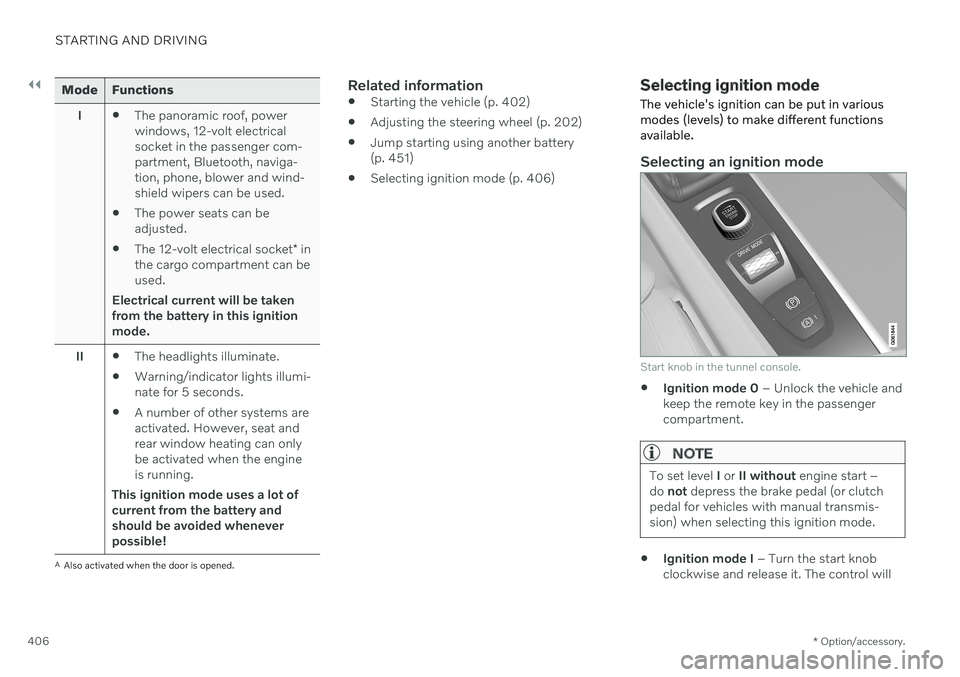
Selecting an ignition mode
Start knob in the tunnel console.
Ignition mode 0
– Unlock the vehicle and
keep the remote key in the passenger compartment.
NOTE
To set level I or II without engine start –
do not depress the brake pedal (or clutch
pedal for vehicles with manual transmis- sion) when selecting this ignition mode.
Ignition mode I
– Turn the start knob
clockwise and release it. The control will
Page 409 of 687

STARTING AND DRIVING
}}
407
automatically return to the original posi- tion.
Ignition mode II
– Turn the start knob
clockwise and hold it there forapprox. 5 seconds. Release the knob,which will automatically return to its origi-nal position.
Back to ignition mode 0
– To return to
ignition mode 0 from modes I and II, turn
the start knob clockwise and release it.The control will automatically return to theoriginal position.
Related information
Starting the vehicle (p. 402)
Switching off the vehicle (p. 404)
Ignition modes (p. 405)
Adjusting the steering wheel (p. 202)
Jump starting using another battery(p. 451)
Brake functions
The vehicle's brakes are used to reduce speed or prevent the vehicle from rolling.
In addition to the wheel brakes and parking brakes, the vehicle is also equipped with anumber of automatic brake assist functions.These systems provide assistance by e.g. thedriver not needing to depress the brake pedalat a traffic light, when starting up a hill orwhen driving down a hill. Depending on how the vehicle is equipped, the following brake assist functions may beincluded:
Auto-hold brake function at a standstill(Auto Hold)
Hill Start Assist (Hill Start Assist)
Braking assist after a collision
City Safety
Hill Descent Control (Hill Descent Control)
Related information
Brakes (p. 407)
Parking brake (p. 411)
Auto-hold brakes (p. 414)
Braking assist after a collision (p. 416)
Hill Start Assist (p. 416)
City Safety
™ (p. 318)
Hill Descent Control (p. 436)
Brakes
The brake pedal is used to apply the vehicle's regular brakes, which are part of the brakesystem.
The vehicle is equipped with two brake cir- cuits. If one brake circuit is damaged, thebrake pedal will go down further whendepressed. More pressure will then berequired from the driver for normal brakingeffect.
WARNING
The power brakes only work when the electric motor or combustion engine is run-ning.
If the brake pedal is used when the engine is switched off, greater pressure must be appliedto brake the vehicle. In very hilly areas or when driving with a heavy load, gear position B can be used to augment
the brakes with engine braking. Use the Off Road drive mode to increase the engine braking effect when driving on steepdowngrades at low speeds.
Anti-lock brakesThe vehicle is equipped with an Anti-lock Braking System (ABS 2
), which helps prevent
the wheels from locking and helps maintain steering control when braking. Vibrations may
Page 410 of 687

||
STARTING AND DRIVING
408be felt from the brake pedal when ABS is operating, which is normal. After the vehicle is started, a brief test of the ABS system is automatically performed whenthe driver releases the brake pedal. An addi-tional automatic test of the system may beperformed when the vehicle is traveling at alow speed. During the test, the brake pedalmay feel as though it is pulsating.
Light braking charges the hybrid
battery
When the brakes are applied lightly, the elec-tric motor braking function is used. This con-verts the vehicle's kinetic energy into electricalenergy, which is used to charge the hybridbattery. When the battery is being chargedwith the electric motor braking function, thiswill be indicated in the instrument panel.When the battery is being charged with the electric motor braking function, this will be indicated in theinstrument panel.
This function is active at speeds in the range of 150-5 km/h (93-3 mph). When braking atspeeds outside of this range, or during harderbraking, the hydraulic braking system is usedto augment braking. This is indicated in theinstrument panel with the pointer down in thered area.
Symbols in the instrument panel
Symbol Meaning
A
B Check the brake fluid level. If the level is low, fill brake fluid andcheck to determine the reasonfor the loss of brake fluid.
A
BFault in pedal sensor.
2
Anti-lock Braking System
Page 411 of 687

STARTING AND DRIVING
409
Symbol Meaning
A
BSteady glow for 2 seconds after the engine is started: Automaticfunction check. Steady glow for more than 2 seconds: Fault in the ABS sys-tem. The vehicle's regular brakesystem is still working, but with-out the ABS function.
If the message Brake pedal
Characteristics changed Serv- ice required
is displayed, the
"Brake-by-wire" system is not functioning properly. Greaterpressure will be required to brakethe vehicle.
A In Canada.
B In the US.
WARNING
If the warning symbols for both brake fault and ABS fault are lit simultaneously, theremay be a fault in the brake system.
If the brake fluid reservoir level is nor- mal when this occurs, drive carefully tothe nearest workshop to have thebrake system checked - an authorizedVolvo workshop is recommended.
If the brake fluid has fallen below theMIN
level in the brake fluid reservoir,
the vehicle should not be driven untilthe brake fluid has been filled. The rea-son for the brake fluid loss must bechecked.
Related information
Brake Assist System (p. 409)
Auto-hold brakes (p. 414)
Hill Start Assist (p. 416)
Braking on wet roads (p. 410)
Braking on salted roads (p. 410)
Maintenance of the brake system(p. 410)
Brake lights (p. 164)
Brake Assist System The brake enhancing system, (BAS 3
), helps
increase braking force and can thereby reduce braking distance.
The system monitors the driver's braking hab- its and increases braking force when neces-sary. Braking force can be increased up to thepoint at which the ABS intervenes. The func-tion is deactivated when pressure on the brakepedal is decreased.
Related information
Brakes (p. 407)
3
Brake Assist System
Page 412 of 687
STARTING AND DRIVING
410
Braking on wet roadsProlonged driving in heavy rain without brak- ing may cause braking effect to be slightlydelayed the first time the brakes are applied.
This may also occur after washing the vehicle. It will then be necessary to apply greater pres-sure to the brake pedal. You should thereforemaintain a greater distance to the vehicleahead. Firmly apply the brakes after washing the vehicle or driving on wet roads. This helpswarm up the brake discs, enabling them to drymore quickly and protecting them against cor-rosion. Consider the current traffic situationwhen braking.
Related information
Brakes (p. 407)
Braking on salted roads (p. 410)
Braking on salted roads
When driving on salted roads, a layer of salt may form on the brake discs and brake pads.
This could increase stopping distance. Main- tain an extra large safety distance to the vehi-cle ahead. Make sure to also:
Apply the brakes from time to time to helpremove salt. Make sure braking does notpose a risk to any other road users.
Gently apply the brakes when you havefinished driving and before driving again.
Related information
Brakes (p. 407)
Braking on wet roads (p. 410)
Maintenance of the brake system
Regularly check the brake system compo- nents for wear.
To keep the vehicle as safe and reliable as possible, follow the Volvo service schedulespecified in the Warranty and MaintenanceRecords Information booklet. After replacingbrake pads and brake discs, braking effect isnot adapted until they are "broken in" by driv-ing a few hundred kilometers (miles). Com-pensate for the reduced braking effect byapplying greater pressure to the brake pedal.Volvo recommends only using brake padsapproved for your Volvo.
CAUTION
The brake system's components should be regularly checked for wear. Contact a workshop for advice on how to do this or let a workshop perform theinspection - an authorized Volvo workshopis recommended.
Related information
Brakes (p. 407)
Page 416 of 687

||
STARTING AND DRIVING
414
Symbols in the instrument panel
Symbol Meaning
A
BA flashing symbol indicates that a fault has been detected. Seethe message in the instrumentpanel.
A
BFault in the brake system. See the message in the instrumentpanel.
Information message in the instrument panel.
A
Canadian models.
B US models.
Related information
Activating and deactivating the parking brake (p. 411)
Parking on a hill (p. 413)
Start battery (p. 607)
Volvo's service program (p. 590)
Auto-hold brakes
With the Auto-hold brake function, the driver can release the brake pedal and the brakeswill remain applied, for example, when thevehicle has stopped at a traffic light or inter-section.
When the vehicle stops, the brakes are acti- vated automatically. The function can useeither the normal brakes or the parking brakesto keep the vehicle stationary and works onflat surfaces or hills. If the driver has their seatbelt fastened or if the driver's door is closed,the brakes will disengage automatically whenthe vehicle starts driving.
NOTE
When braking to a stop on an uphill or downhill gradient, depress the brake pedalwith slightly more force than usual beforereleasing to ensure that the vehicle cannotmove at all.
The parking brake is activated if
the vehicle is switched off
the driver's door is opened
the driver's seat belt is removed
the vehicle has been stationary for a pro- longed period of time (5-10 minutes)
Page 417 of 687
STARTING AND DRIVING
415
Symbols in the instrument panel
Symbol Meaning
This symbol illuminates when the function is using the normalbrakes to keep the vehicle sta-tionary.
A
BThis symbol illuminates when the function is using the parkingbrake to keep the vehicle station-ary.
A
Canadian models.
B US models.
Related information
Activating and deactivating Auto-hold at a standstill (p. 415)
Brakes (p. 407)
Parking brake (p. 411)
Hill Start Assist (p. 416)
Activating and deactivating Auto- hold at a standstill
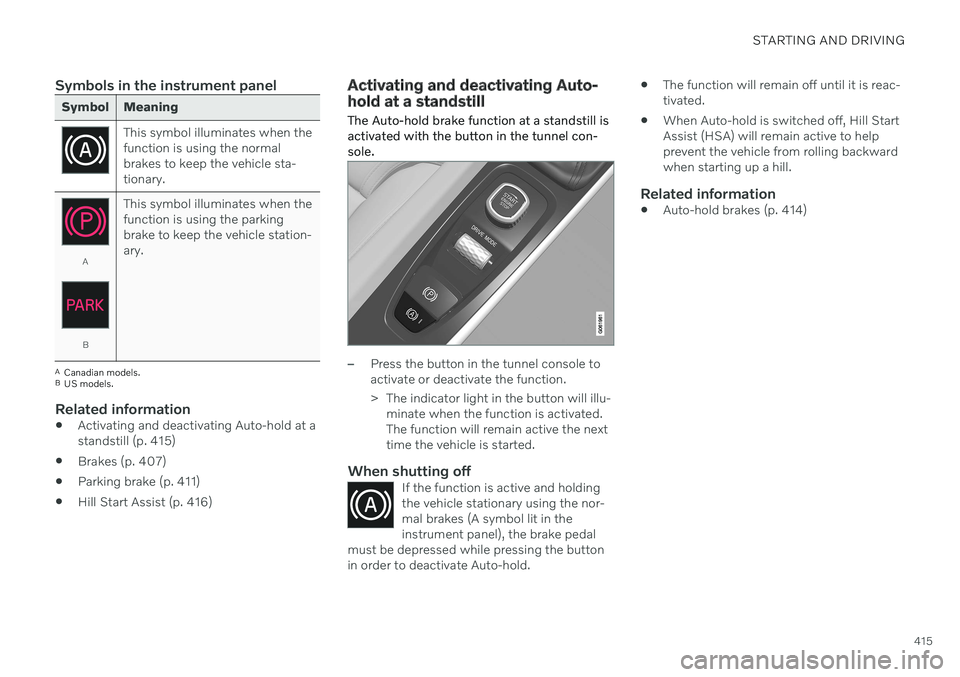
The Auto-hold brake function at a standstill is activated with the button in the tunnel con-sole.
–Press the button in the tunnel console to activate or deactivate the function.
> The indicator light in the button will illu- minate when the function is activated. The function will remain active the nexttime the vehicle is started.
When shutting offIf the function is active and holdingthe vehicle stationary using the nor-mal brakes (A symbol lit in theinstrument panel), the brake pedal
must be depressed while pressing the buttonin order to deactivate Auto-hold.
The function will remain off until it is reac- tivated.
When Auto-hold is switched off, Hill StartAssist (HSA) will remain active to helpprevent the vehicle from rolling backwardwhen starting up a hill.
Related information
Auto-hold brakes (p. 414)
Page 435 of 687
STARTING AND DRIVING
}}
* Option/accessory.433
Leveling control settings *
Turn off leveling control before lifting the vehicle with a jack to help avoid problemswith the pneumatic suspension. The vehicle can be lowered or raised to make it easier to load or for passengers to get inand out.
Adjusting loading mode
Use the buttons in the cargo compartment to raise or lower the rear section of the vehicle tofacilitate loading or unloading the vehicle orconnecting or disconnecting a trailer.
Center display settings
Easy Entry and Exit Suspension Control
The vehicle can be lowered to make it easier to get in and out. Activating easy entry in the center display: 1.
Tap
Settings in the Top view.
2. Tap
My CarMirrors and Convenience.
3. Select
Easy Entry and Exit Suspension
Control.
> When the vehicle is parked and the engine is turned off, the level is low- ered. (Level adjustment will stop if aside door is opened and will resumeafter a slight delay when the door hasbeen closed.) When the engine isstarted and the vehicle begins to move,the level will be raised to the height setby the selected drive mode.
Disable Leveling Control
In certain situations, this function must be turned off, e.g. before the vehicle is raised using a jack *. The level difference caused by
raising the vehicle with a jack could cause problems with the pneumatic suspension. Turning off the function in the center display:1. Tap
Settings in the Top view.
2. Tap
My CarParking Brake and
Suspension.
3. Select
Disable Leveling Control.
Related information
Leveling control
* and suspension (p. 430)
Loading recommendations (p. 577)
Adjusting suspension settings Polestar Engineered
*
The shock absorber settings can be adjusted for driving in other conditions or on particularroad surfaces.
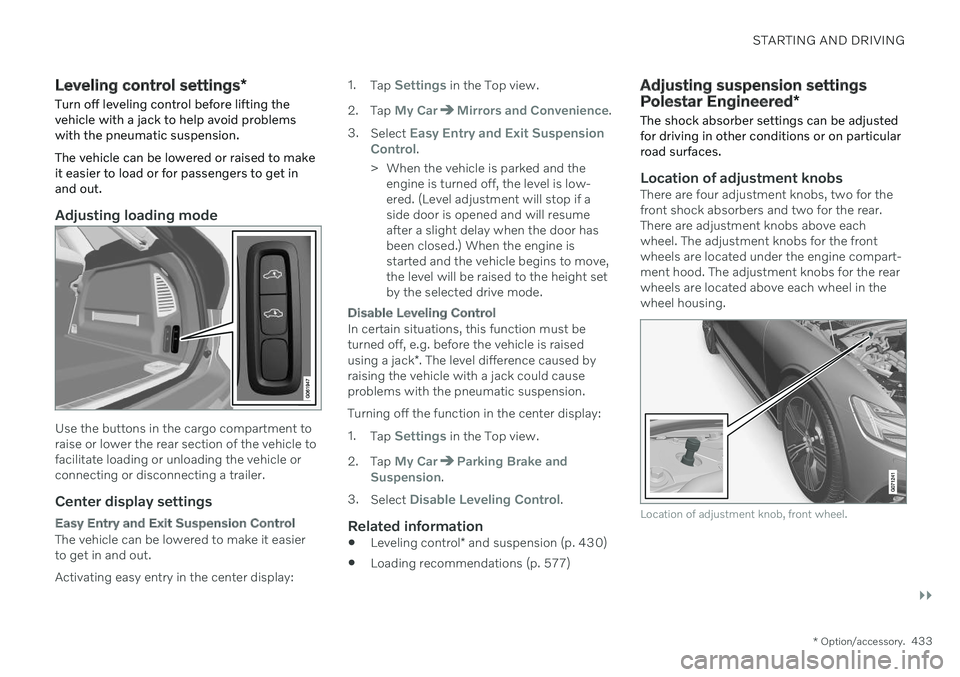
Location of adjustment knobsThere are four adjustment knobs, two for the front shock absorbers and two for the rear.There are adjustment knobs above eachwheel. The adjustment knobs for the frontwheels are located under the engine compart-ment hood. The adjustment knobs for the rearwheels are located above each wheel in thewheel housing.
Location of adjustment knob, front wheel.
Page 438 of 687
STARTING AND DRIVING
436
Activating and deactivating Low Speed Control using the functionbutton There is a function button for driving at low speeds with
Hill Descent Control in the cen-
ter display's Function view if the vehicle is not equipped with a drive mode control in thetunnel console.
Selecting Low Speed Control in the center display's Function view
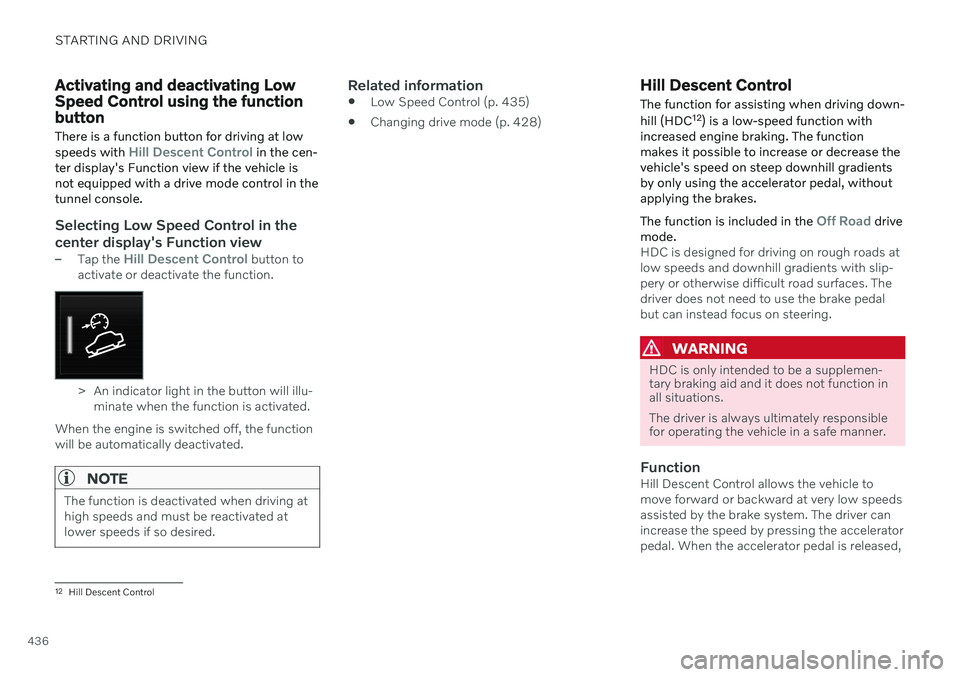
–Tap the Hill Descent Control button to
activate or deactivate the function.
> An indicator light in the button will illu- minate when the function is activated.
When the engine is switched off, the function will be automatically deactivated.
NOTE
The function is deactivated when driving at high speeds and must be reactivated atlower speeds if so desired.
Related information
Low Speed Control (p. 435)
Changing drive mode (p. 428)
Hill Descent Control
The function for assisting when driving down- hill (HDC 12
) is a low-speed function with
increased engine braking. The function makes it possible to increase or decrease thevehicle's speed on steep downhill gradientsby only using the accelerator pedal, withoutapplying the brakes. The function is included in the
Off Road drive
mode.
HDC is designed for driving on rough roads at low speeds and downhill gradients with slip-pery or otherwise difficult road surfaces. Thedriver does not need to use the brake pedalbut can instead focus on steering.
WARNING
HDC is only intended to be a supplemen- tary braking aid and it does not function inall situations. The driver is always ultimately responsible for operating the vehicle in a safe manner.
FunctionHill Descent Control allows the vehicle to move forward or backward at very low speedsassisted by the brake system. The driver canincrease the speed by pressing the acceleratorpedal. When the accelerator pedal is released,
12 Hill Descent Control