mirror VOLVO XC60 TWIN ENGINE 2020 Workshop Manual
[x] Cancel search | Manufacturer: VOLVO, Model Year: 2020, Model line: XC60 TWIN ENGINE, Model: VOLVO XC60 TWIN ENGINE 2020Pages: 687, PDF Size: 14.65 MB
Page 335 of 687

DRIVER SUPPORT
}}
* Option/accessory.333
NOTE
The warning with direction indicators for Rear Collision Warning * is deactivated if
the collision warning distance in the City Safety function is set to the lowest level "
Late".
The seat belt tensioning and braking func- tions remain active.
NOTE
The function uses the vehicle's camera and radar sensor, which has certain generallimitations.
Related information
Rear Collision Warning
* (p. 332)
Setting a warning distance for City Safety (p. 321)
Camera/radar sensor limitations (p. 313)
BLIS
*
The BLIS 66
function is designed to help pro-
vide assistance in heavy traffic with several lanes moving in the same direction by helpingthe driver to detect the presence of vehiclesin the "blind spot" area behind and to the sideof the vehicle.
Location of BLIS indicator light.
BLIS is a driver support system designed to alert the driver of:
vehicles in your "blind spot"
vehicles approaching rapidly in adjacentlanes.
BLIS overview
Blind spot zone
Rapidly approaching vehicle zone.
The system is designed to react to:
vehicles passing your vehicle
vehicles that are rapidly approaching your vehicle from behind.
When BLIS detects a vehicle in zone 1 or arapidly approaching vehicle in zone 2, an indi-cator light will illuminate in the relevant rear-view mirror and glow steadily. If the driverthen uses the turn signal on the side in whichthe warning has been given, the indicator lightwill become brighter and begin flashing. BLIS is active when your vehicle is traveling at a speed over 10 km/h (6 mph).
66 Blind Spot Information
Page 336 of 687
||
DRIVER SUPPORT
* Option/accessory.
334 If a passing vehicle's speed is more than 15 km/h (9 mph) faster than your vehicle, BLISwill not react.
NOTE
The light illuminates on the side of the vehicle where the system has detected thevehicle. If the vehicle is passed on bothsides simultaneously, both lights come on.
WARNING
The function is supplementary driver support intended to facilitate drivingand help make it safer – it cannot han-dle all situations in all traffic, weatherand road conditions.
The driver is advised to read all sec-tions in the Owner's Manual about thisfunction to learn of its limitations,which the driver must be aware ofbefore using the function.
Driver support functions are not a sub-stitute for the driver's attention andjudgment. The driver is always respon-sible for ensuring the vehicle is drivenin a safe manner, at the appropriatespeed, with an appropriate distance toother vehicles, and in accordance withcurrent traffic rules and regulations.
Related information
Driver support systems (p. 272)
Activating or deactivating BLIS (p. 334)
BLIS limitations (p. 335)
BLIS messages (p. 336)
Activating or deactivating BLIS
The BLIS 67
function can be activated or deac-
tivated.
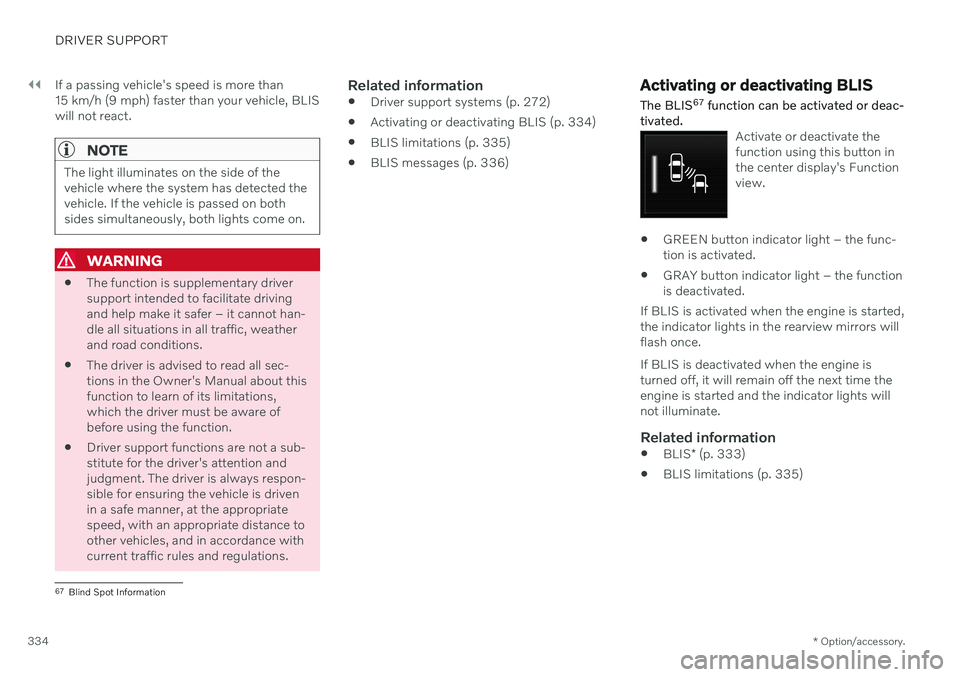
Activate or deactivate the function using this button inthe center display's Functionview.
GREEN button indicator light – the func- tion is activated.
GRAY button indicator light – the functionis deactivated.
If BLIS is activated when the engine is started,the indicator lights in the rearview mirrors willflash once. If BLIS is deactivated when the engine is turned off, it will remain off the next time theengine is started and the indicator lights willnot illuminate.
Related information
BLIS
* (p. 333)
BLIS limitations (p. 335)
67
Blind Spot Information
Page 360 of 687
||
DRIVER SUPPORT
* Option/accessory.
358 The function is active at speeds between
60-140 km/h (37-87 mph) on roads with clearly visible traffic lane markings/lines. If your vehicle is starting to veer from your own lane and a vehicle is approaching fromthe opposite direction, this function can helpthe driver steer the vehicle back into its ownlane. However, the function will not provide steer-
ing assistance if the turn signal is used. The function will also not be activated if it detectsthat the driver is actively operating the vehicle.
Related information
Steering assistance at risk of collision(p. 355)
Collision risk warning from driver support(p. 300)
Steering assistance during collision riskslimitations (p. 359)
Steering assistance during collision risks from behind
*
Steering assistance has several sub-func- tions. If you become distracted and do notnotice your vehicle starting to veer out of thelane while another vehicle is approachingfrom behind or is in your vehicle's blind spot,Steering assistance during collision risksfrom behind can help provide assistance.
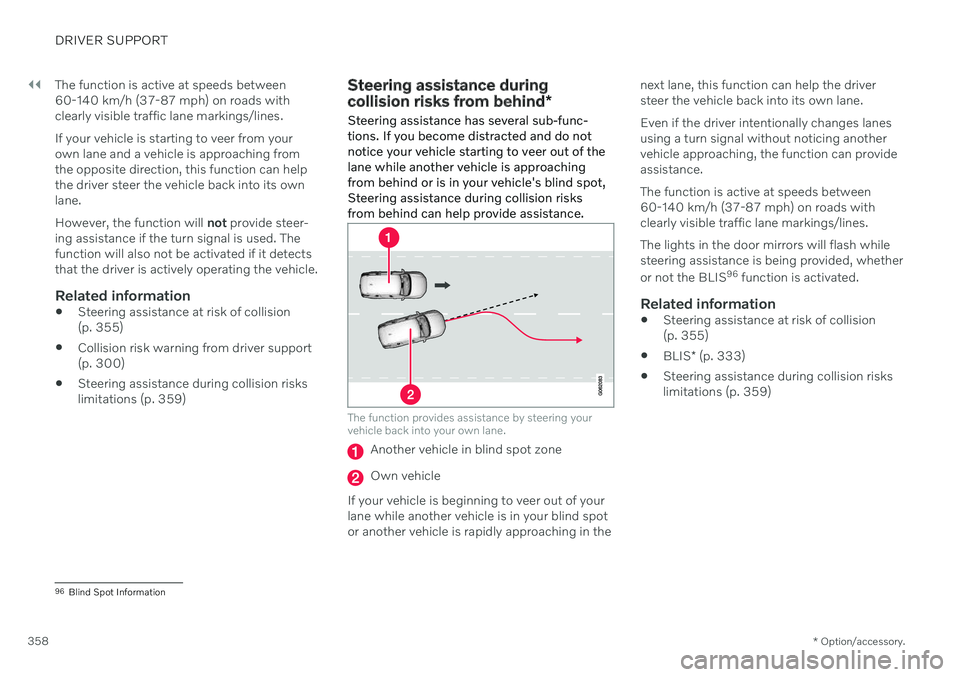
The function provides assistance by steering your vehicle back into your own lane.
Another vehicle in blind spot zone
Own vehicle
If your vehicle is beginning to veer out of your lane while another vehicle is in your blind spotor another vehicle is rapidly approaching in the next lane, this function can help the driversteer the vehicle back into its own lane. Even if the driver intentionally changes lanes using a turn signal without noticing anothervehicle approaching, the function can provideassistance. The function is active at speeds between 60-140 km/h (37-87 mph) on roads withclearly visible traffic lane markings/lines. The lights in the door mirrors will flash while steering assistance is being provided, whether or not the BLIS
96
function is activated.
Related information
Steering assistance at risk of collision (p. 355)
BLIS
* (p. 333)
Steering assistance during collision riskslimitations (p. 359)
96
Blind Spot Information
Page 371 of 687

DRIVER SUPPORT
}}
* Option/accessory.369
Side cameras
The side cameras are located in the rearview mirrors.
The side cameras can show views along each side of the vehicle.
Related information
Park Assist Camera
* (p. 366)
Activating Park Assist Camera (p. 372)
Camera/radar sensor limitations (p. 313)
Park Assist Camera trajectory lines
*
The Park Assist Cameras use trajectory lines and fields on the screen to indicate the vehi-cle's position in relation to its immediate sur-roundings.
Example of trajectory lines.
The trajectory lines show the anticipated tra- jectory for the vehicle's outermost dimensionsbased on the current position of the steering wheel and can help simplify parallel parking,backing into tight spaces or attaching a trailer. The lines on the screen are projected as if they were painted lines on the ground behind thevehicle and are directly affected by the way inwhich the steering wheel is turned. Thismakes it possible for the driver to see path thevehicle will take, even if he/she turns thesteering wheel. These lines also indicate the outermost limits that any object (towbar, rearview mirrors, cor-ners of the body, etc.) extends out from thevehicle.
NOTE
When reversing with a trailer that is not electrically connected to the vehi-cle, the screen guide lines show thepath the
vehicle will take – not the
trailer.
The screen does not show guide lineswhen a trailer is electrically connectedto the vehicle's electrical system.
Guide lines are not shown when zoom-ing in.
Page 404 of 687

STARTING AND DRIVING
* Option/accessory.
402
Starting the vehicle
The vehicle can be started using the start knob in the tunnel console when the remotekey is in the passenger compartment.
Start knob in the tunnel console.
WARNING
Before starting:
Buckle your seat belt.
Adjust the seat, steering wheel and mirrors.
Make sure you can fully depress thebrake pedal.
The remote key is not physically used to startthe ignition because the vehicle is equippedwith the keyless Passive Start system. To start the vehicle:
CAUTION
The vehicle cannot be started if the charg- ing cable is still plugged in. Make sure topull out the charging cable from the charg-ing socket before starting the vehicle.
1. The remote key must be inside the vehicle.
For vehicles with Passive Start, the key must be in the front section of the passen-ger compartment. With the optional key- less locking/unlocking function *, the key
can be anywhere in the vehicle.
2. Press and hold down the brake pedal 1
as
far as possible.
3. Turn the start knob clockwise and release. The control will automatically return to the original position.
WARNING
Never use more than one inlay mat at a time on the driver's floor. If any othertype of floor mat is used, remove theoriginal mat from the driver's seat floorbefore driving. All types of mats mustbe securely anchored in the attach-ment points in the floor. Make sure thefloor mat does not impede the move-ment of the brake pedal or acceleratorpedal in any way, as this could be aserious safety hazard.
Volvo's floor mats are specially manu-factured for your vehicle. They must beproperly secured in the attachmentpoints in the floor to help ensure theycannot slide and become trappedunder the pedals.
The starter motor will crank until the enginestarts or until overheating protection is trig-gered. During normal start conditions, the vehicle's electric motor will be prioritized and the gaso-line engine will remain off. This means thatonce the start knob is turned clockwise, theelectric motor has been "started" and the vehi-cle is ready to be driven. The warning andinformation symbols in the instrument panel
1 If the vehicle is moving, it is only necessary to turn the start knob clockwise to start the engine.
Page 435 of 687
STARTING AND DRIVING
}}
* Option/accessory.433
Leveling control settings *
Turn off leveling control before lifting the vehicle with a jack to help avoid problemswith the pneumatic suspension. The vehicle can be lowered or raised to make it easier to load or for passengers to get inand out.
Adjusting loading mode
Use the buttons in the cargo compartment to raise or lower the rear section of the vehicle tofacilitate loading or unloading the vehicle orconnecting or disconnecting a trailer.
Center display settings
Easy Entry and Exit Suspension Control
The vehicle can be lowered to make it easier to get in and out. Activating easy entry in the center display: 1.
Tap
Settings in the Top view.
2. Tap
My CarMirrors and Convenience.
3. Select
Easy Entry and Exit Suspension
Control.
> When the vehicle is parked and the engine is turned off, the level is low- ered. (Level adjustment will stop if aside door is opened and will resumeafter a slight delay when the door hasbeen closed.) When the engine isstarted and the vehicle begins to move,the level will be raised to the height setby the selected drive mode.
Disable Leveling Control
In certain situations, this function must be turned off, e.g. before the vehicle is raised using a jack *. The level difference caused by
raising the vehicle with a jack could cause problems with the pneumatic suspension. Turning off the function in the center display:1. Tap
Settings in the Top view.
2. Tap
My CarParking Brake and
Suspension.
3. Select
Disable Leveling Control.
Related information
Leveling control
* and suspension (p. 430)
Loading recommendations (p. 577)
Adjusting suspension settings Polestar Engineered
*
The shock absorber settings can be adjusted for driving in other conditions or on particularroad surfaces.
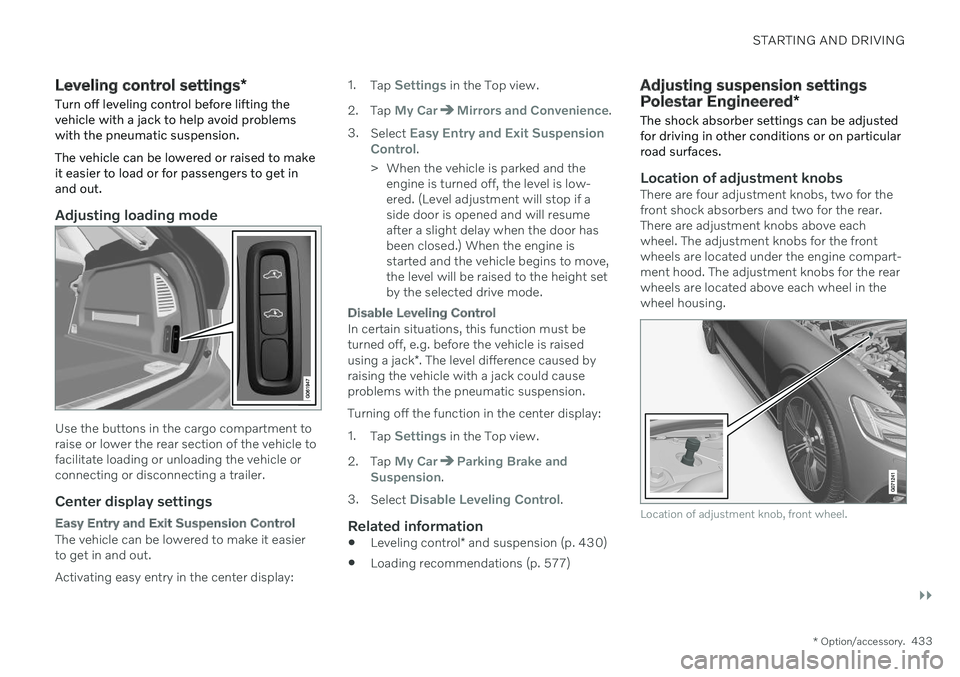
Location of adjustment knobsThere are four adjustment knobs, two for the front shock absorbers and two for the rear.There are adjustment knobs above eachwheel. The adjustment knobs for the frontwheels are located under the engine compart-ment hood. The adjustment knobs for the rearwheels are located above each wheel in thewheel housing.
Location of adjustment knob, front wheel.
Page 441 of 687

STARTING AND DRIVING
}}
* Option/accessory.439
Driving
Choose the Pure drive mode to help mini-
mize electric power consumption.
Maintain a steady speed and a generous following distance to traffic ahead to mini-mize braking. This drive mode has thelowest power consumption.
Balance energy requirements using theaccelerator pedal. Use the indicator on theinstrument panel to see available electricpower and avoid starting the combustionengine unnecessarily. The electric motor ismore effective than the combustionengine, especially at low speeds.
When braking is necessary, brake gentlyusing the brake pedal. This will helprecharge the hybrid battery. A regenerativefunction is integrated in the brake pedaland can be augmented by the electricmotor's braking capacity when the gearselector is in mode
B.
Higher speeds increase energy consump-tion - air resistance increases with speed.
Activate the
Hold function in the Function
view at high speeds when traveling farther than is possible using the hybrid battery'scapacity.
Whenever possible, avoid using the
Charge function to charge the hybrid bat-
tery. Charging the battery using the com- bustion engine increases fuel consump- tion and carbon dioxide emissions.
In a cold climate, reduce heating of thewindshield/rear window, mirrors, seatsand the steering wheel.
Maintain the correct pressure in the tiresand check pressure regularly.
The type of tires used could affect energyconsumption - consult a retailer for adviceon suitable tires.
Remove unnecessary items from the vehi-cle - the heavier the load, the higher thefuel consumption.
Roof loads increase air resistance andincrease fuel consumption. Remove roofboxes, ski racks, etc. that are not in use.
Avoid driving with the windows open.
Do not keep the vehicle still on an upwardgradient by using the accelerator pedal.Use the brakes instead.
Related information
Drive-E
‒ purer driving pleasure (p. 30)
Energy distribution in hybrid mode using map data
* (p. 429)
Factors affecting electric motor range (p. 439)
Hybrid gauge (p. 89)
Checking tire pressure (p. 545)
Factors affecting electric motor range
A number of factors affect the electric motor's driving range. The ability to achieve along driving range varies according to theoutside conditions and to how the vehicle isdriven.
The certified value for the distance that can be driven using the electric motor should not beconsidered an expected driving range. Theactual range is dependent on a number of fac-tors.
Factors affecting driving rangeThe driver can influence some factors affectingdriving range, but not all. The longest range is achieved under very favorable conditions when all factors positivelyinfluence range.
Page 465 of 687
STARTING AND DRIVING
* Option/accessory.463
only be lifted with the tow truck's lifting equip- ment.
WARNING
No person or object should be behind the tow truck when the vehicle is lifted ontothe bed of the truck.
Related information
Attaching and removing the towing eyelet (p. 461)
HomeLink ®
*18
HomeLink ®
19
is a programmable remote con-
trol, integrated in the vehicle electrical sys- tem, that can control up to three differentdevices (e.g. garage door opener, alarm sys-tem, outdoor and indoor lighting) and therebyreplace the remote controls for these.
General
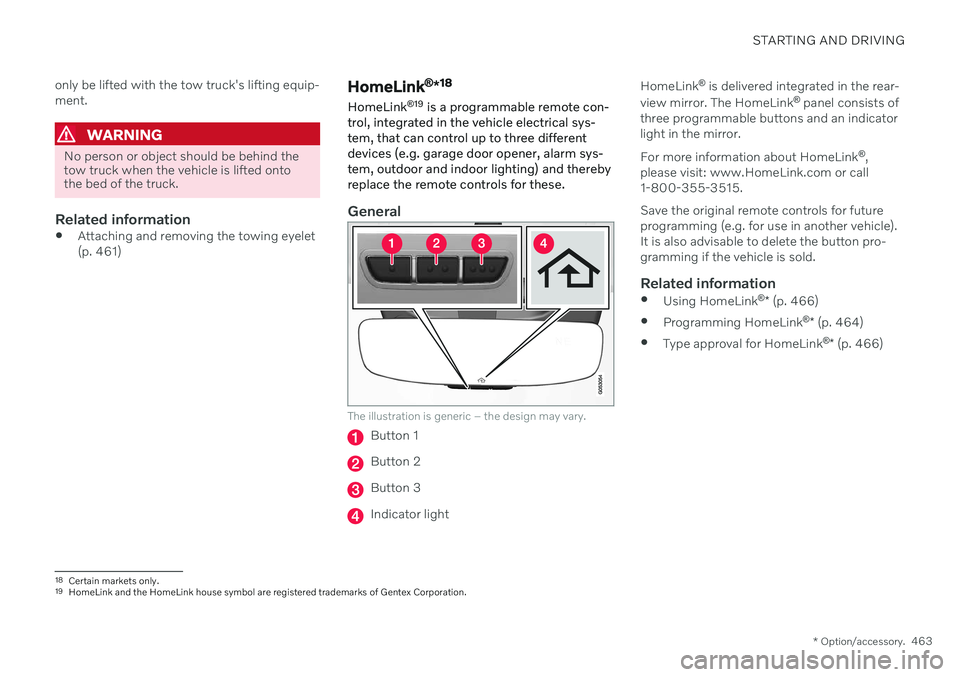
The illustration is generic – the design may vary.
Button 1
Button 2
Button 3
Indicator light HomeLink
®
is delivered integrated in the rear-
view mirror. The HomeLink ®
panel consists of
three programmable buttons and an indicator light in the mirror. For more information about HomeLink ®
,
please visit: www.HomeLink.com or call 1-800-355-3515. Save the original remote controls for future programming (e.g. for use in another vehicle).It is also advisable to delete the button pro-gramming if the vehicle is sold.
Related information
Using HomeLink ®
* (p. 466)
Programming HomeLink ®
* (p. 464)
Type approval for HomeLink ®
* (p. 466)
18
Certain markets only.
19 HomeLink and the HomeLink house symbol are registered trademarks of Gentex Corporation.
Page 469 of 687
STARTING AND DRIVING
* Option/accessory.467
868.70MHz-868.20MHz <25mW E.R.P.
869.40MHz-869.65MHz <25mW E.R.P.
869.70MHz-870.00MHz <25mW E.R.P.
Certificate holder address: Gentex Corpora- tion, 600 North Centennial Street, Zeeland MI49464, USA For further details, search for support informa- tion on type approval at www.volvocars.com.
Related information
HomeLink ®
* (p. 463)
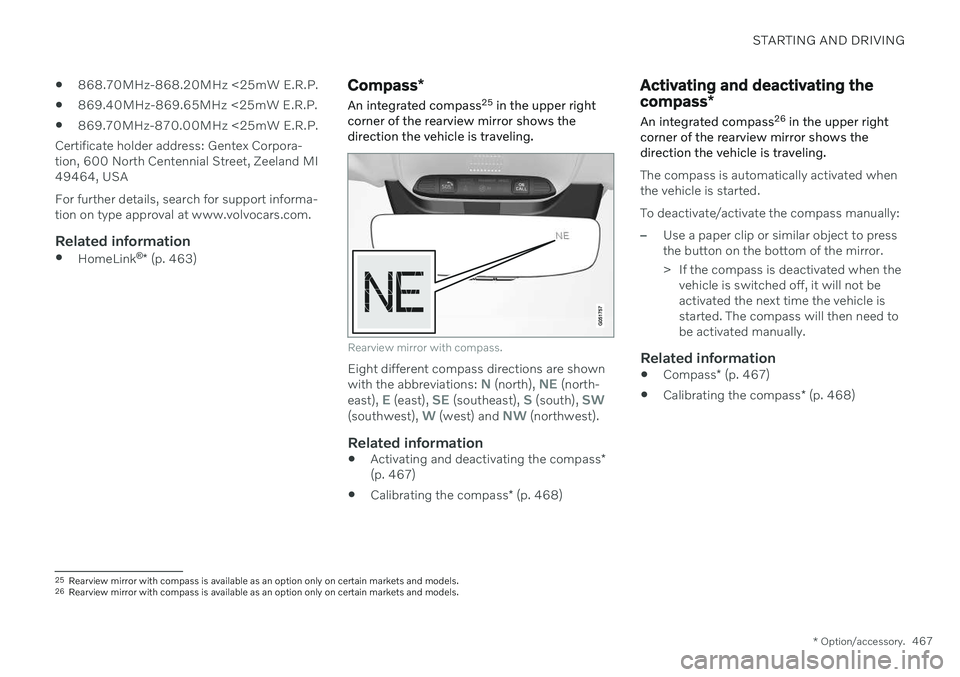
Compass *
An integrated compass 25
in the upper right
corner of the rearview mirror shows the direction the vehicle is traveling.
Rearview mirror with compass.
Eight different compass directions are shown with the abbreviations: N (north), NE (north-
east), E (east), SE (southeast), S (south), SW(southwest), W (west) and NW (northwest).
Related information
Activating and deactivating the compass
*
(p. 467)
Calibrating the compass
* (p. 468)
Activating and deactivating the compass *
An integrated compass 26
in the upper right
corner of the rearview mirror shows the direction the vehicle is traveling.
The compass is automatically activated when the vehicle is started. To deactivate/activate the compass manually:
–Use a paper clip or similar object to press the button on the bottom of the mirror.
> If the compass is deactivated when the vehicle is switched off, it will not be activated the next time the vehicle isstarted. The compass will then need tobe activated manually.
Related information
Compass
* (p. 467)
Calibrating the compass
* (p. 468)
25
Rearview mirror with compass is available as an option only on certain markets and models.
26 Rearview mirror with compass is available as an option only on certain markets and models.
Page 470 of 687

STARTING AND DRIVING
* Option/accessory.
468
Calibrating the compass *
The globe is divided into 15 magnetic zones. The compass 27
should be calibrated if the
vehicle is driven from one zone to another.
1. Stop the vehicle in a large, open area away from steel constructions and high-voltage power lines.
2. Start the engine and switch off all electri- cal equipment (climate system, wipers,etc.) and make sure all doors are closed.
NOTE
Calibration may fail or not even be initiated if electrical equipment is not turned off.
3. Hold the button on the bottom of the rear-view mirror pressed for about 3 seconds (using e.g. a paper clip). The number of thecurrent magnetic zone is shown.
15
14
13
12
11
9
8
7
6
5
4
3
2
1
10
Magnetic zones.
4. Press the button on the underside of themirror repeatedly until the desired mag- netic zone (
1–15) appears (see the map of
magnetic zones).
5. Wait until the display again shows
C, or
press and hold the button on the under- side of the rearview mirror for approx.
6 seconds until
C is displayed.
6. Drive slowly in a circle at a speed of no more than 10 km/h (6 mph) until a com- pass direction is shown in the display. Thisindicates that calibration is complete.Drive in a circle two more times to fine-tune the calibration. 7.
Vehicles with heated windshields *: If
Cis shown in the display when the wind- shield heating function is activated, per-form step 6 above with the heating func-tion on.
8. Repeat the above procedure as needed.
Related information
Compass
* (p. 467)
Activating and deactivating the compass
*
(p. 467)
27 Rearview mirror with compass is available as an option only on certain markets and models.