interior lights VOLVO XC60 TWIN ENGINE 2020 Owners Manual
[x] Cancel search | Manufacturer: VOLVO, Model Year: 2020, Model line: XC60 TWIN ENGINE, Model: VOLVO XC60 TWIN ENGINE 2020Pages: 687, PDF Size: 14.65 MB
Page 6 of 687
4
Changing settings in the center display's Top view135
Opening contextual setting in thecenter display 136
Resetting user data when thevehicle changes owners 137
Resetting center display settings 137
Table of settings in the center display 138
Driver profiles 139
Selecting a driver profile 140
Changing a driver profile's name 140
Protecting a driver profile 141
Linking a remote key to a driver profile 141
Resetting driver profile settings 143
Messages in the center display 143
Handling messages in the centerdisplay 144
Handling messages saved fromthe center display 144
Head-up display *
145
Activating and deactivating the head-up display * 147
Head-up display settings *
147
Voice Control 148
Use voice recognition 149
Voice control for cellular phones 151
Voice control for radio and media152
Voice control settings 153
LIGHTING
Lighting control and panel 156
Adjusting light functions via the center display 157
Parking lights 158
Daytime running lights 158
Low beams 159
Using high beam 160
Active high beam 161
Using turn signals 162
Active Bending Lights *
162
Rear fog light 163
Brake lights 164
Emergency brake lights 164
Hazard warning flashers 164
Using home safe lighting 165
Welcome Light 165
Interior Lighting 165
Adjusting interior lighting 167
Page 158 of 687

LIGHTING
* Option/accessory.
156
Lighting control and panel
The lighting panel and controls can be used to adjust both exterior and interior lighting.The lighting ring on the left-side steeringwheel lever can be used to activate andadjust the exterior lighting. The brightness ofthe interior lighting can be adjusted using thethumb wheel on the dashboard.
Exterior lighting
Lighting ring position.
When the vehicle's ignition is in mode II, the
lighting ring positions have the following func- tions:
Position Meaning
US: Daytime running lights and parking lights are off. Canada: Daytime running lights and parking lights are on. High beam flash can be used.
Parking lights when the vehicle is parked. US: Daytime running lights are off. Canada: Daytime running lights are on. High beam flash can be used.
Low beams and parking lights. High beams can be activated.High beam flash can be used.
Position Meaning
Daytime running lights and parking lights in daylight condi- tions. A
Low beams and parking lights in weak daylight or dark conditions or when the front fog lights *
and/or rear fog light are acti- vated. Active high beam can be acti- vated. High beams can be activated when low beams are on. High beam flash can be used.
Active high beams on/off.
A US models only: Daytime running lights and parking lights can be deactivated in the center display.
NOTE
Volvo recommends use of Daytime Running Lights in the US. Its use is man-datory in Canada.
Volvo recommends using position when
the vehicle is in motion.
Page 159 of 687
LIGHTING
* Option/accessory.157
WARNING
The vehicle lighting system cannot in all sit- uations determine when the daylight is tooweak or not strong enough, e.g. whenthere is fog or rain. The driver is always responsible for driving the vehicle with lighting that is safe for thetraffic conditions and as specified by appli-cable traffic regulations.
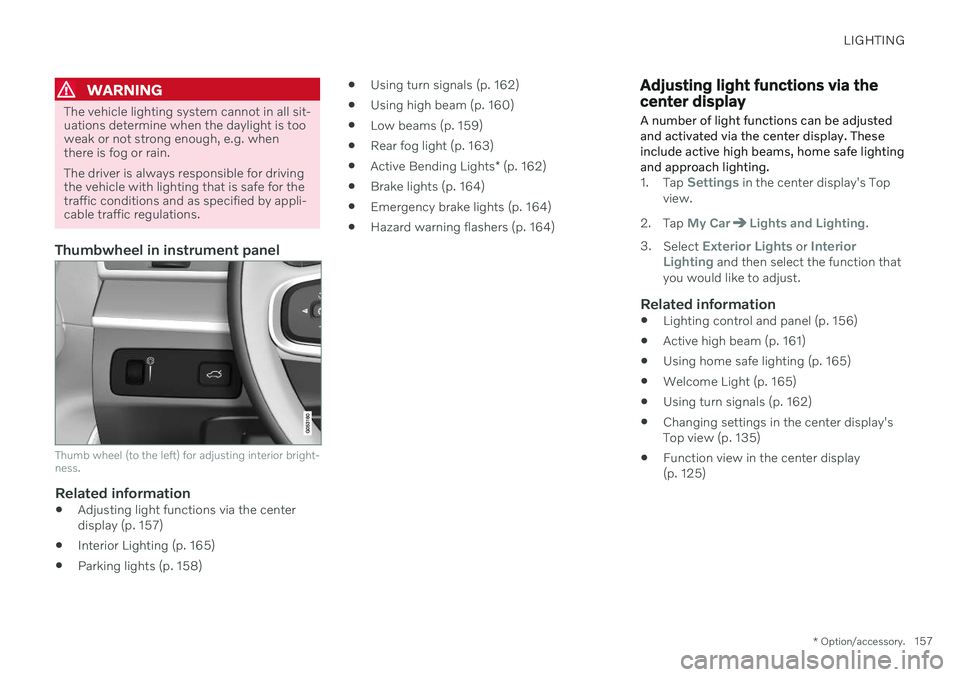
Thumbwheel in instrument panel
Thumb wheel (to the left) for adjusting interior bright- ness.
Related information
Adjusting light functions via the center display (p. 157)
Interior Lighting (p. 165)
Parking lights (p. 158)
Using turn signals (p. 162)
Using high beam (p. 160)
Low beams (p. 159)
Rear fog light (p. 163)
Active Bending Lights
* (p. 162)
Brake lights (p. 164)
Emergency brake lights (p. 164)
Hazard warning flashers (p. 164)
Adjusting light functions via the center display A number of light functions can be adjusted and activated via the center display. Theseinclude active high beams, home safe lightingand approach lighting.
1.
Tap Settings in the center display's Top
view.
2. Tap
My CarLights and Lighting.
3. Select
Exterior Lights or Interior
Lighting and then select the function that
you would like to adjust.
Related information
Lighting control and panel (p. 156)
Active high beam (p. 161)
Using home safe lighting (p. 165)
Welcome Light (p. 165)
Using turn signals (p. 162)
Changing settings in the center display's Top view (p. 135)
Function view in the center display(p. 125)
Page 167 of 687

LIGHTING
}}
* Option/accessory.165
Using home safe lighting
Some of the exterior lights remain on to illu- minate the area around the vehicle. This iscalled home safe lighting.
To activate home safe lighting:
1. Switch off the ignition.
2. Push the left-side steering wheel lever toward the dashboard and release.
3. Exit the vehicle and lock the doors. > A symbol in the instrument panel illumi-nates to indicate that the function is activated and exterior lighting switcheson: Parking lights, headlights, licenseplate lighting and outer door handle lighting *.
The length of time home safe lighting remains illuminated can be set in the center display.
Related information
Adjusting light functions via the centerdisplay (p. 157)
Welcome Light (p. 165)
Welcome Light
Approach lighting is activated when the vehi- cle is unlocked and can be used to providelight as you walk toward the vehicle.
The function is activated when the remote key is used for unlocking. The parking lights, ceil-ing lights, footwell lights and trunk/cargocompartment lights are activated in daylightconditions. In weak daylight or dark condi-tions, the license plate lighting and outer door handle lighting * will also be activated, with the
light directed toward the ground. If no door is opened, the lights will remain illu- minated for approx. 2 minutes. If a door isopened while the function is activated, the interior lighting and outer door handle lighting *
will remain on for a longer period of time. This function can be activated and deactivated in the center display.
Related information
Adjusting light functions via the centerdisplay (p. 157)
Using home safe lighting (p. 165)
Remote key (p. 238)
Interior Lighting
The passenger compartment is equipped with several different types of lighting, e.g.general lighting, adjustable ambient lightingand reading lights.
All lighting in the passenger compartment can be turned on and off manually within5 minutes after:
the engine has been switched off and theignition is in mode
0.
the vehicle is unlocked but has not yetbeen started.
Front ceiling lighting
The controls in the ceiling console for the front read- ing lights and courtesy lighting.
Reading light left side
Passenger compartment lighting
Page 169 of 687

LIGHTING
* Option/accessory.167
lighting can be adjusted in the center display and also fine-tuned using the thumb wheel inthe dashboard.
Lighting in the door storage
compartments
Lighting in the door storage compartmentscomes on when the doors are opened andgoes out when the vehicle is locked. Thebrightness can be adjusted using the thumbwheel in the dashboard.
Lighting in the tunnel console's front
cup holder
The lighting in front console cup holdersswitches on when the vehicle is unlocked andoff when the vehicle is locked. The brightnesscan be adjusted using the thumb wheel in thedashboard.
Related information
Adjusting interior lighting (p. 167)
Lighting control and panel (p. 156)
Ignition modes (p. 405)
Passenger compartment interior (p. 570)
Adjusting interior lighting
Illumination in the vehicle varies depending on ignition mode. The interior lighting can beadjusted with a thumb wheel in the dash-board and certain light functions can also beadjusted via the center display.
The thumb wheel on the dashboard to the left of thesteering wheel can be usedto adjust the brightness ofthe display lighting, instru-ment lights, ambient lighting and mood lighting *.
Adjust ambient decor lighting1.
Tap Settings in the Top view in the center
display.
2. Tap
My CarLights and LightingInterior Lighting.
3. Choose from among the following set- tings:
Under
Ambient Light Intensity, selectOff, Low or High.
Under
Ambient Light Level, selectReduced or Full.
Adjusting mood lighting
*The vehicle is equipped with several LEDs that provide faint lighting in various colors. Thislighting is on when the engine is running.
Changing the brightness
1.
Tap Settings in the Top view in the center
display.
2. Tap
My CarLights and Lighting
Interior LightingInterior Mood
Lighting.
3. Under
Interior Mood Light Intensity,
select Off, Low or High.
Changing the color of the light
1. Tap Settings in the Top view in the center
display.
2. Tap
My CarLights and Lighting
Interior LightingInterior Mood
Lighting.
3. Choose
By Temperature or By Color to
change the color of the light. If
By Temperature is selected, the light
will change according to the temperature set for the passenger compartment. If
By Color is selected, the subcategoryTheme Colors can be used to make fur-
ther adjustments.
Related information
Interior Lighting (p. 165)
Adjusting light functions via the center display (p. 157)
Ignition modes (p. 405)
Page 594 of 687
||
MAINTENANCE AND SERVICE
592
How can I prepare for my next OBD II
emission inspection?
If your Check Engine (MIL) light is lit or was lit but went out without service, haveyour vehicle diagnosed and, if necessary,serviced by a qualified Volvo technician.
If you recently had service for a lit CheckEngine light, or if you had service thatrequired disconnecting the battery, aperiod of driving is necessary to bring theOBD II system to "ready" for inspection.Two half-hour trips of mixed stop-and-go/highway driving are typically needed toallow OBD II to reach readiness. YourVolvo retailer can provide you with moreinformation on planning a trip.
Maintain your vehicle in accordance withyour vehicle's maintenance schedule.
Owner maintenancePeriodic maintenance requirements and inter-vals are described in your vehicle's Warrantyand Service Records Information booklet. The following points can be carried out between the normally scheduled maintenance services.
Each time the vehicle is refueled:
Check the engine oil level.
Clean the windshield, windshield wipers, headlights, and taillights.
Monthly:
Check cold tire pressure in all tires. Inspect the tires for wear.
Check that engine coolant and other fluidlevels are between the indicated "min"and "max" markings.
Clean interior glass surfaces with a glasscleaner and soft paper towels.
Wipe driver information displays with asoft cloth.
Visually inspect battery terminals for cor-rosion. Corrosion may indicate a loose ter-minal connector, or a battery near the endof its useful service life. Consult your Volvoretailer for additional information.
As needed:
Wash the vehicle, including the undercarriage, to reduce wear that can be caused by abuildup of dirt, and corrosion that can becaused by salt residues. Clean leaves and twigs from air intake vents at the base of the windshield, and from other pla-ces where they may collect.
NOTE
Complete service information for qualified technicians is available online for purchaseor subscription at www.volvotechinfo.com.
Related information
Vehicle status (p. 595)
Scheduling service and repairs (p. 595)
Connecting equipment to the vehicle's data link connector (p. 39)
Technician certification (p. 40)
Climate control system service (p. 599)
Maintenance of the brake system (p. 410)
Engine compartment overview (p. 601)
Page 672 of 687
INDEX
670Collision warning
from the rear 332
Color code, paintwork 646
Color codes 646
Compass 467 calibration 468
Condensation in headlights 639, 641, 642, 643
Connecting vehicle to Internet No connection or poor connection 521
via a mobile device (WiFi) 517
via cellular phone (Bluetooth) 517
via vehicle's modem 518
Connect phone 508
Contact information 28
Convertible seats 71
coolant 663 filling 604
Cooling system overheating 450
Cornering assistance 306 activating/deactivating 307
limitations 307
Corner Traction Control 273
Corrosion protection 644 Covering cargo compartment 583
Crash, see Collision 44
Crash event data 35
Cross Traffic Alert 337
activating/deactivating 338
limitations 338
messages 340
Cruise control 279 activating 280
manage speed 302
standby mode 281
turn off 281
Curb weight 659
Customer Privacy Policy 37
CZIP (Clean Zone Interior Package) 208
D
Data recording 35 transferring between vehicle and
workshop 593
Data sharing 522, 523
Daytime running lights 158 Decals location 654
Defrosting 220
Detecting obstacles City Safety 322
Dimensions 657
Dipstick, electronic 603
Direction of rotation 540Display driver information 86
Display lighting 167
Distance Alert 277 activating/deactivating 278
limitations 278
Set time interval 303
DivX ®
496
Door mirrors 173 compass 467, 468
dimming 174
outer 173
power folding 174
resetting 174
store position 190, 191
Download Center 593 use 594
Driveline transmission 416
Drive mode 423 changing 428
driver support 305
Page 678 of 687

INDEX
676Symbols and messages 382
use 377
parking on hills 413
Parking Assist 361 activating/deactivating 363
front, rear and sides 362
limitations 363
Symbols and messages 365
Parking brake 411 activating/deactivating 411
automatic activation 413
Low battery charge level 413
Parking climate 225 Symbols and messages 232
Parking heater 233
Passenger compartment filter 209 Passenger compartment heater (Parking
heater) 233
Passenger compartment interior 570 center console 571
electrical outlet 572
glove compartment 575
sun visor 577
Passenger compartment lighting 165 adjusting 167
auto switch 166
Passing assistance
Adaptive Cruise Control 308
Pilot Assist 308
starting with Pilot Assist 308
start with Adaptive Cruise Control 308
personal information (Customer Privacy
Policy) 37
Phone 507 changing to another 511
connect 508
connect automatically 510
connect manually 510
delete 511
disconnect 510
phone call 511, 514
text message 512
voice control 151
Pilot Assist 291 activating 294
auto-brake 304
disengaged steering assistance 297
limitations 297
manage speed 302
passing 308
set time interval 303
standby mode 296
switching target vehicles 301
Symbols and messages 299
turn off 295
WARNING 300pinch protection 170resetting 171
PIN code 519 Private locking 266
Polestar Engineered 430, 433
Polishing 638
Position lights 158
Power 661 electric motor 661
Power folding door mirrors 174
Power panoramic roof 176
Power save mode 451
Power seats 189
Power tailgate 261
Power windows 171, 172 pinch protection 170
Preconditioning 226 start/stop 226
timer 227
Pressure wash 642
Privacy Policy (Customer Privacy Policy) 37
Private locking 266 activating/deactivating 266
PROPOSITION 65 WARNING 451