reset VOLVO XC60 TWIN ENGINE 2020 Owners Manual
[x] Cancel search | Manufacturer: VOLVO, Model Year: 2020, Model line: XC60 TWIN ENGINE, Model: VOLVO XC60 TWIN ENGINE 2020Pages: 687, PDF Size: 14.65 MB
Page 4 of 687
2
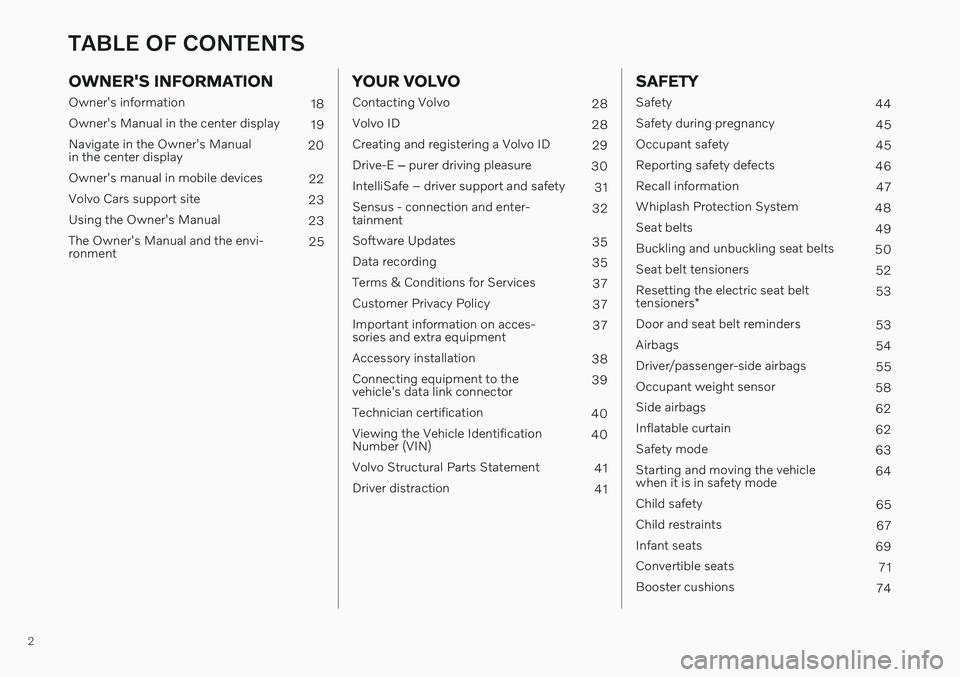
OWNER'S INFORMATION
Owner's information18
Owner's Manual in the center display 19
Navigate in the Owner's Manual in the center display 20
Owner's manual in mobile devices 22
Volvo Cars support site 23
Using the Owner's Manual 23
The Owner's Manual and the envi-ronment 25
YOUR VOLVO
Contacting Volvo
28
Volvo ID 28
Creating and registering a Volvo ID 29
Drive-E ‒ purer driving pleasure
30
IntelliSafe – driver support and safety 31
Sensus - connection and enter- tainment 32
Software Updates 35
Data recording 35
Terms & Conditions for Services 37
Customer Privacy Policy 37
Important information on acces-sories and extra equipment 37
Accessory installation 38
Connecting equipment to thevehicle's data link connector 39
Technician certification 40
Viewing the Vehicle IdentificationNumber (VIN) 40
Volvo Structural Parts Statement 41
Driver distraction 41
SAFETY
Safety44
Safety during pregnancy 45
Occupant safety 45
Reporting safety defects 46
Recall information 47
Whiplash Protection System 48
Seat belts 49
Buckling and unbuckling seat belts 50
Seat belt tensioners 52
Resetting the electric seat belt tensioners * 53
Door and seat belt reminders 53
Airbags 54
Driver/passenger-side airbags 55
Occupant weight sensor 58
Side airbags 62
Inflatable curtain 62
Safety mode 63
Starting and moving the vehicle when it is in safety mode 64
Child safety 65
Child restraints 67
Infant seats 69
Convertible seats 71
Booster cushions 74
TABLE OF CONTENTS
Page 5 of 687
3
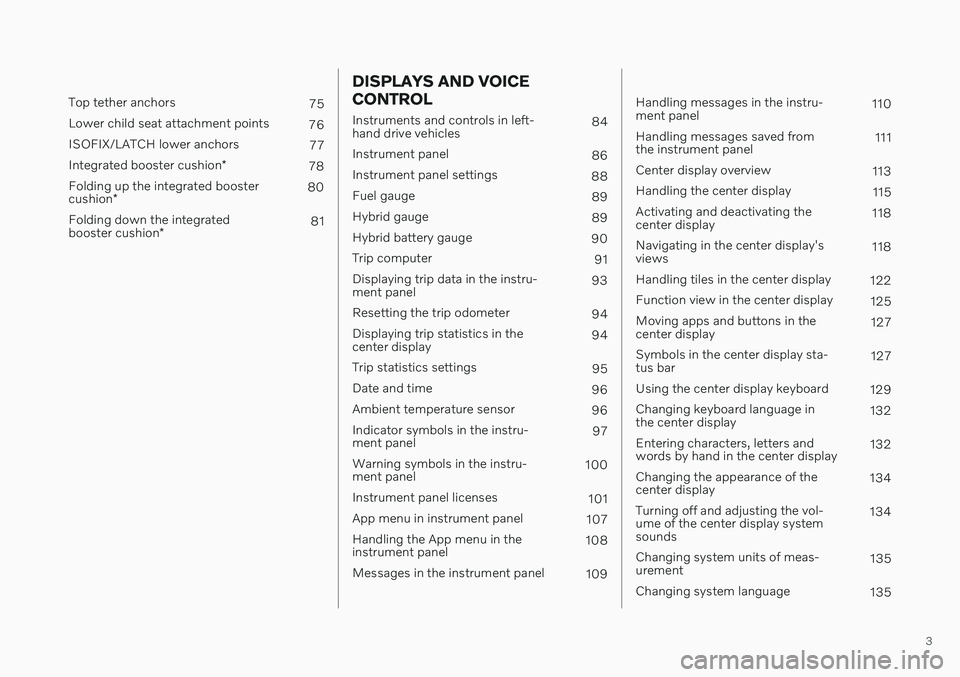
Top tether anchors75
Lower child seat attachment points 76
ISOFIX/LATCH lower anchors 77
Integrated booster cushion *
78
Folding up the integrated booster cushion * 80
Folding down the integratedbooster cushion * 81
DISPLAYS AND VOICE CONTROL
Instruments and controls in left- hand drive vehicles
84
Instrument panel 86
Instrument panel settings 88
Fuel gauge 89
Hybrid gauge 89
Hybrid battery gauge 90
Trip computer 91
Displaying trip data in the instru-ment panel 93
Resetting the trip odometer 94
Displaying trip statistics in thecenter display 94
Trip statistics settings 95
Date and time 96
Ambient temperature sensor 96
Indicator symbols in the instru-ment panel 97
Warning symbols in the instru-ment panel 100
Instrument panel licenses 101
App menu in instrument panel 107
Handling the App menu in theinstrument panel 108
Messages in the instrument panel 109
Handling messages in the instru- ment panel 110
Handling messages saved fromthe instrument panel 111
Center display overview 113
Handling the center display 115
Activating and deactivating thecenter display 118
Navigating in the center display'sviews 118
Handling tiles in the center display 122
Function view in the center display 125
Moving apps and buttons in thecenter display 127
Symbols in the center display sta-tus bar 127
Using the center display keyboard 129
Changing keyboard language inthe center display 132
Entering characters, letters andwords by hand in the center display 132
Changing the appearance of thecenter display 134
Turning off and adjusting the vol-ume of the center display systemsounds 134
Changing system units of meas-urement 135
Changing system language 135
Page 6 of 687
4
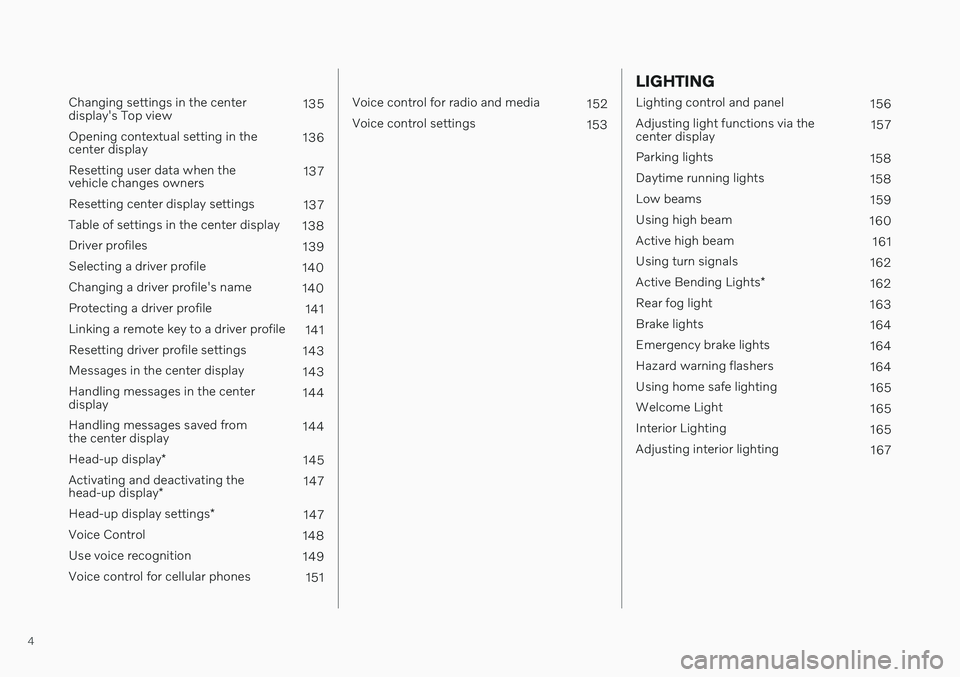
Changing settings in the center display's Top view135
Opening contextual setting in thecenter display 136
Resetting user data when thevehicle changes owners 137
Resetting center display settings 137
Table of settings in the center display 138
Driver profiles 139
Selecting a driver profile 140
Changing a driver profile's name 140
Protecting a driver profile 141
Linking a remote key to a driver profile 141
Resetting driver profile settings 143
Messages in the center display 143
Handling messages in the centerdisplay 144
Handling messages saved fromthe center display 144
Head-up display *
145
Activating and deactivating the head-up display * 147
Head-up display settings *
147
Voice Control 148
Use voice recognition 149
Voice control for cellular phones 151
Voice control for radio and media152
Voice control settings 153
LIGHTING
Lighting control and panel 156
Adjusting light functions via the center display 157
Parking lights 158
Daytime running lights 158
Low beams 159
Using high beam 160
Active high beam 161
Using turn signals 162
Active Bending Lights *
162
Rear fog light 163
Brake lights 164
Emergency brake lights 164
Hazard warning flashers 164
Using home safe lighting 165
Welcome Light 165
Interior Lighting 165
Adjusting interior lighting 167
Page 7 of 687
5
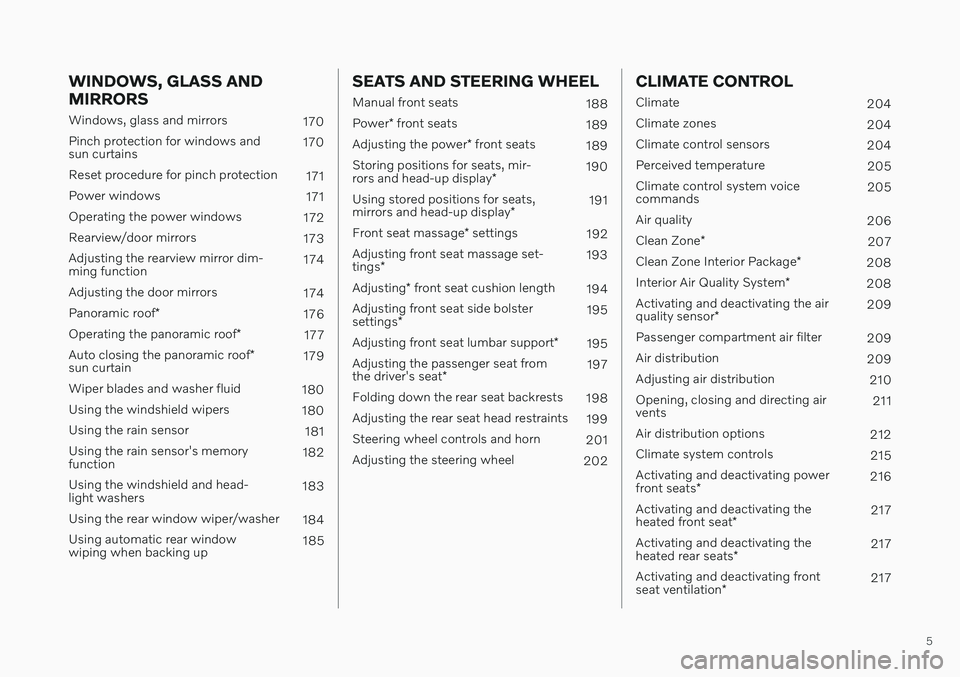
WINDOWS, GLASS AND MIRRORS
Windows, glass and mirrors170
Pinch protection for windows and sun curtains 170
Reset procedure for pinch protection 171
Power windows 171
Operating the power windows 172
Rearview/door mirrors 173
Adjusting the rearview mirror dim-ming function 174
Adjusting the door mirrors 174
Panoramic roof *
176
Operating the panoramic roof *
177
Auto closing the panoramic roof *
sun curtain 179
Wiper blades and washer fluid 180
Using the windshield wipers 180
Using the rain sensor 181
Using the rain sensor's memoryfunction 182
Using the windshield and head-light washers 183
Using the rear window wiper/washer 184
Using automatic rear windowwiping when backing up 185
SEATS AND STEERING WHEEL
Manual front seats
188
Power * front seats
189
Adjusting the power * front seats
189
Storing positions for seats, mir- rors and head-up display *190
Using stored positions for seats,mirrors and head-up display *191
Front seat massage * settings
192
Adjusting front seat massage set-tings * 193
Adjusting * front seat cushion length
194
Adjusting front seat side bolstersettings * 195
Adjusting front seat lumbar support *
195
Adjusting the passenger seat fromthe driver's seat * 197
Folding down the rear seat backrests 198
Adjusting the rear seat head restraints 199
Steering wheel controls and horn 201
Adjusting the steering wheel 202
CLIMATE CONTROL
Climate204
Climate zones 204
Climate control sensors 204
Perceived temperature 205
Climate control system voice commands 205
Air quality 206
Clean Zone *
207
Clean Zone Interior Package *
208
Interior Air Quality System *
208
Activating and deactivating the air quality sensor * 209
Passenger compartment air filter 209
Air distribution 209
Adjusting air distribution 210
Opening, closing and directing air vents 211
Air distribution options 212
Climate system controls 215
Activating and deactivating power front seats * 216
Activating and deactivating theheated front seat * 217
Activating and deactivating theheated rear seats * 217
Activating and deactivating frontseat ventilation * 217
Page 44 of 687
||
YOUR VOLVO
42
WARNING
Never use a hand-held cellular tele- phone while driving. Some jurisdictionsprohibit cellular telephone use by adriver while the vehicle is moving.
If your vehicle is equipped with a navi-gation system, set and make changesto your travel itinerary only with thevehicle parked.
Never program your audio systemwhile the vehicle is moving. Programradio presets with the vehicle parked,and use your programmed presets tomake radio use quicker and simpler.
Never use portable computers or per-sonal digital assistants while the vehi-cle is moving.
Related information
Audio, media and Internet (p. 470)
Page 55 of 687
SAFETY
}}
* Option/accessory.53
and improves the effect of other safety sys- tems such as the airbags. When a critical situation has passed, the seat belt and the electric seat belt tensioner arereset automatically. However, they can also bereset manually.
WARNING
Never attempt to alter or repair the seat belt on your own. Volvo recommends con-tacting an authorized Volvo workshop. If the seat belt has been exposed to extreme forces, e.g. in conjunction with acollision, the entire seat belt must bereplaced. Even if the seat belt appearsundamaged, some of its protective proper-ties may have been lost. Also replace theseat belt if it is worn or damaged. The newseat belt must be type approved andintended for the same seating position asthe replaced seat belt.
Related information
Seat belts (p. 49)
Buckling and unbuckling seat belts (p. 50)
Resetting the electric seat belt tensioners
*
(p. 53)
City Safety
™ (p. 318)
Rear Collision Warning
* (p. 332)
Resetting the electric seat belt tensioners *
The electric seat belt tensioners are designed to be reset automatically, but if the seat beltremains taut it can be reset manually.
1. Stop the vehicle in a safe location.
2. Unbuckle the seat belt and then rebuckle it.
> The seat belt and the electric seat belttensioner will be reset.
WARNING
Never attempt to alter or repair the seat belt on your own. Volvo recommends con-tacting an authorized Volvo workshop. If the seat belt has been exposed to extreme forces, e.g. in conjunction with acollision, the entire seat belt must bereplaced. Even if the seat belt appearsundamaged, some of its protective proper-ties may have been lost. Also replace theseat belt if it is worn or damaged. The newseat belt must be type approved andintended for the same seating position asthe replaced seat belt.
Related information
Seat belt tensioners (p. 52)
Seat belts (p. 49)
Door and seat belt reminders
This system is intended to remind occupants to buckle their seat belts and to alert thedriver if a door, hood or other opening (trunk,sunroof, etc.) is open.
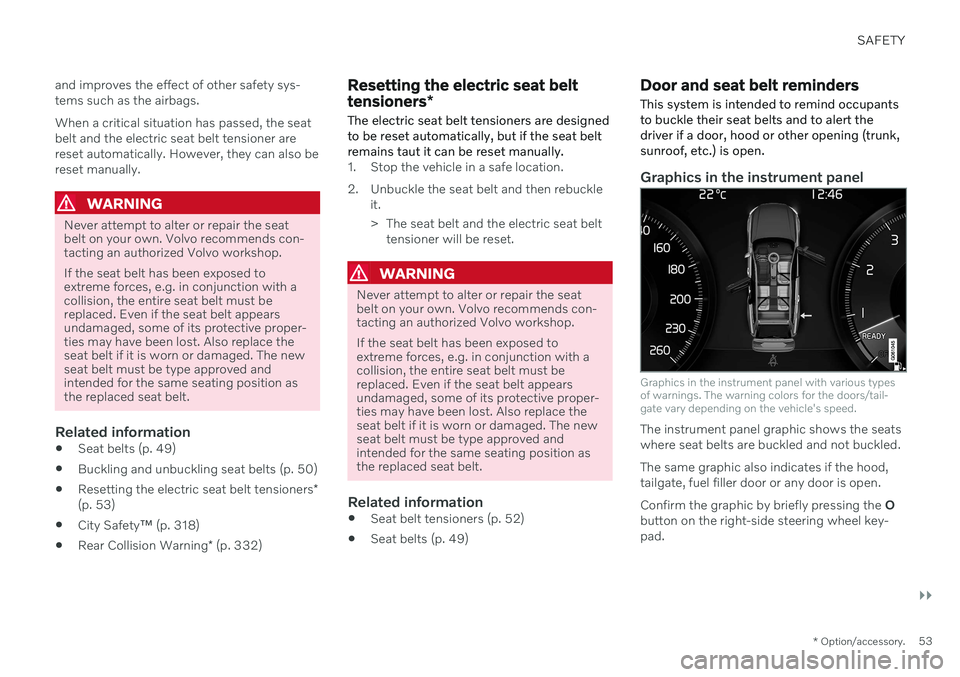
Graphics in the instrument panel
Graphics in the instrument panel with various types of warnings. The warning colors for the doors/tail-gate vary depending on the vehicle's speed.
The instrument panel graphic shows the seats where seat belts are buckled and not buckled. The same graphic also indicates if the hood, tailgate, fuel filler door or any door is open. Confirm the graphic by briefly pressing the O
button on the right-side steering wheel key- pad.
Page 65 of 687
SAFETY
}}
63
WARNING
Volvo recommends contacting an author- ized Volvo workshop for repair. Incorrectlyperformed repairs to the inflatable curtainsystem could impair function and lead toserious injury.
WARNING
Never hang or attach heavy objects in the handle in the ceiling. The hooks are onlyintended for lightweight garments (not forhard objects such as umbrellas). Never screw or mount anything to the vehi- cle's headlining, door pillars or side panels.This could impair the intended protectiveproperties. Volvo recommends only usingVolvo original parts that are approved forplacement in these areas.
WARNING
If objects are loaded higher than the upper edge of the side windows, leave a 10 cm(4 in.) space between the objects and thewindow. Objects placed closer to thiscould impede the function of the inflatablecurtain concealed inside the headlining.
WARNING
The inflatable curtain is a supplement to the seat belt. Always wear your seat belt.
Related information
Airbags (p. 54)
Safety mode Safety mode is a feature that is triggered after a collision if there is potential damage toan important function in the vehicle, such asthe fuel lines, sensors for one of the safetysystems, the brake system, etc.
If the vehicle has been involved in a collision, the text Safety mode See Owner's manualmay appear in the instrument panel along with the warning symbol if the panel is undamagedand the vehicle's electrical system is intact.The message indicates that one or more of thevehicle's functions may be reduced.
WARNING
Never attempt to restart the vehicle if you smell fuel fumes when the message Safety
mode See Owner's manual is displayed
in the instrument panel. Leave the vehicle immediately.
If safety mode has been set, it may be possi- ble to reset the system in order to start andmove the vehicle a short distance, for exam-ple, if it is blocking traffic.
Page 66 of 687

||
SAFETY
64
WARNING
Never attempt to perform repairs or reset electrical components on your own afterthe vehicle has been in safety mode. Thiscould result in injury or prevent the vehiclefrom functioning properly. Volvo recom-mends having the vehicle inspected andreset to normal operating status by an authorized Volvo workshop after
Safety
mode See Owner's manual has been dis-
played.
WARNING
When the vehicle is in safety mode, it should not be towed behind another vehi-cle. It should be towed from the site on atow truck. Volvo recommends towing thevehicle directly to an authorized Volvoworkshop.
Related information
Safety (p. 44)
Starting and moving the vehicle when it is in safety mode (p. 64)
Recovery (p. 462)
Starting and moving the vehicle when it is in safety mode If safety mode has been set, it may be possi- ble to reset the system in order to start andmove the vehicle a short distance, for exam-ple, if it is blocking traffic.
Starting the vehicle when it is in safety mode
1. Check the vehicle for damage, particularly
for fuel leakage. Make sure you do not detect any gasoline fumes. If the damage to the vehicle is minor and there is no fuel leakage/fumes, you mayattempt to start the engine.
WARNING
Never attempt to restart the vehicle if you smell fuel fumes when the message Safety
mode See Owner's manual is displayed
in the instrument panel. Leave the vehicle immediately.
2. Switch off the ignition. 3. Then try to start the vehicle.
> The vehicle's electrical system will per-form a system check and then attempt to reset to normal operating mode. The message
Vehicle start System check,
wait will be displayed on the instru-
ment panel during the check. This may take up to a minute.
4. When
Vehicle start System check, waitis no longer displayed in the instrument panel, try again to start the vehicle.
CAUTION
If the message Safety mode See
Owner's manual is still displayed, the
vehicle should not be driven or towed behind another vehicle. If the vehicle needsto be moved, it must be towed on a towtruck. Even if no damage is apparent, theremay be hidden damage that could makethe vehicle impossible to control.
Page 86 of 687
DISPLAYS AND VOICE CONTROL
* Option/accessory.
84
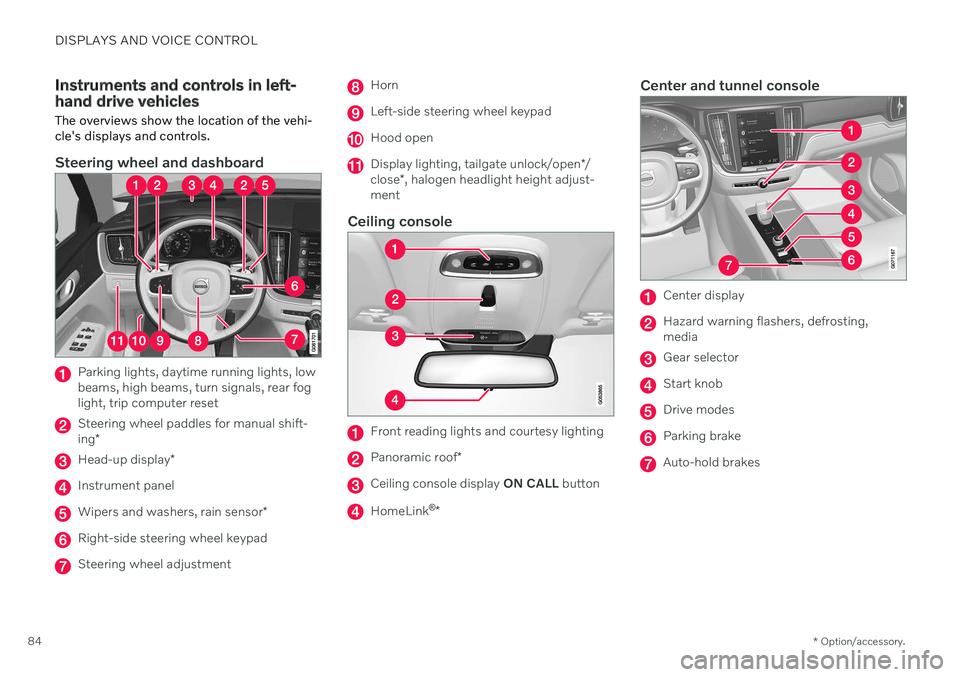
Instruments and controls in left- hand drive vehicles The overviews show the location of the vehi- cle's displays and controls.
Steering wheel and dashboard
Parking lights, daytime running lights, low beams, high beams, turn signals, rear foglight, trip computer reset
Steering wheel paddles for manual shift- ing *
Head-up display *
Instrument panel
Wipers and washers, rain sensor *
Right-side steering wheel keypad
Steering wheel adjustment
Horn
Left-side steering wheel keypad
Hood open
Display lighting, tailgate unlock/open */
close *, halogen headlight height adjust-
ment
Ceiling console
Front reading lights and courtesy lighting
Panoramic roof *
Ceiling console display ON CALL button
HomeLink ®
*
Center and tunnel console
Center display
Hazard warning flashers, defrosting, media
Gear selector
Start knob
Drive modes
Parking brake
Auto-hold brakes
Page 93 of 687
DISPLAYS AND VOICE CONTROL
}}
91
Symbols in the hybrid battery gauge
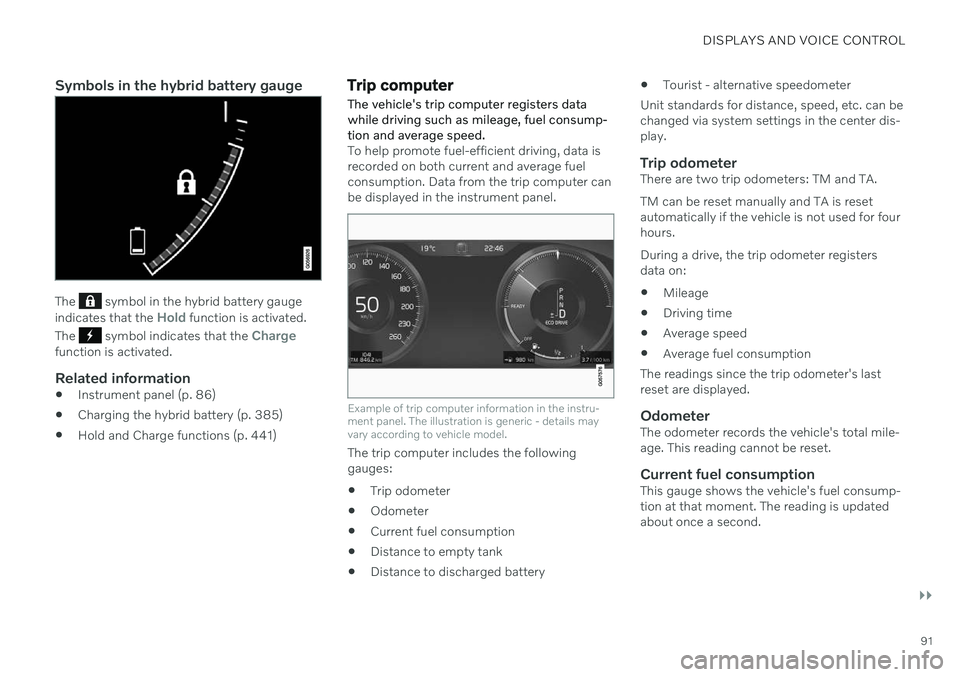
The symbol in the hybrid battery gauge
indicates that the Hold function is activated.
The
symbol indicates that the Chargefunction is activated.
Related information
Instrument panel (p. 86)
Charging the hybrid battery (p. 385)
Hold and Charge functions (p. 441)
Trip computer
The vehicle's trip computer registers data while driving such as mileage, fuel consump-tion and average speed.
To help promote fuel-efficient driving, data is recorded on both current and average fuelconsumption. Data from the trip computer canbe displayed in the instrument panel.
Example of trip computer information in the instru- ment panel. The illustration is generic - details mayvary according to vehicle model.
The trip computer includes the following gauges:
Trip odometer
Odometer
Current fuel consumption
Distance to empty tank
Distance to discharged battery
Tourist - alternative speedometer
Unit standards for distance, speed, etc. can bechanged via system settings in the center dis-play.
Trip odometerThere are two trip odometers: TM and TA. TM can be reset manually and TA is reset automatically if the vehicle is not used for fourhours. During a drive, the trip odometer registers data on:
Mileage
Driving time
Average speed
Average fuel consumption
The readings since the trip odometer's lastreset are displayed.
OdometerThe odometer records the vehicle's total mile-age. This reading cannot be reset.
Current fuel consumptionThis gauge shows the vehicle's fuel consump-tion at that moment. The reading is updatedabout once a second.