radio VOLVO XC70 2003 User Guide
[x] Cancel search | Manufacturer: VOLVO, Model Year: 2003, Model line: XC70, Model: VOLVO XC70 2003Pages: 257, PDF Size: 5.33 MB
Page 224 of 257

2003 VOLVO XC70
pg. 158 Audio systems HU-803 - radio
Program types (HU-803 only)
Program type Text displayed
News News
Information Inform
Sports Sports
Talk Talk
Rock Rock
Classic rock Cls_Rock
Adult hits Adlt_Hit
Soft rock Soft_Rck
Top 40 Top_40
Country Country
Oldies Oldies
Soft Soft
Nostalgia Nostalga
Jazz Jazz
Classical Classicl
Rhythm and Blues R_&_B
Soft Rhythm and
Blues Soft_R&B
Foreign language Language
Religious music Rel_Musc
Religious talk Rel_Talk
Personality Persnlty
Public Public
College College
--
--
-
Weather Weather
file:///K|/ownersdocs/2003/2003_XC70/03xc70_10b.htm (1 of 13)12/30/200\
6 4:18:07 PM
Page 225 of 257
2003 VOLVO XC70
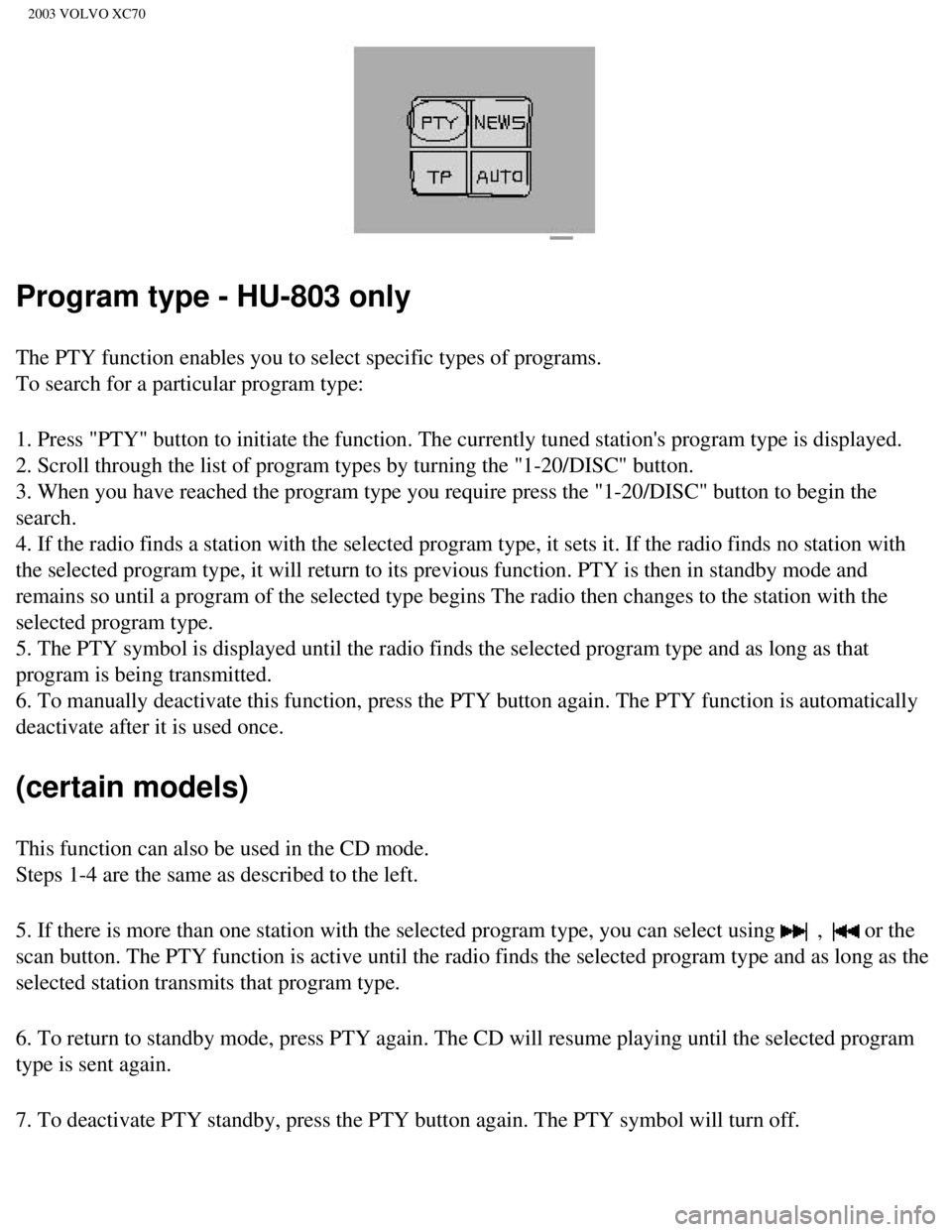
Program type - HU-803 only
The PTY function enables you to select specific types of programs.
To search for a particular program type:
1. Press "PTY" button to initiate the function. The currently tuned stat\
ion's program type is displayed.
2. Scroll through the list of program types by turning the "1-20/DISC" b\
utton.
3. When you have reached the program type you require press the "1-20/DI\
SC" button to begin the
search.
4. If the radio finds a station with the selected program type, it sets \
it. If the radio finds no station with
the selected program type, it will return to its previous function. PTY \
is then in standby mode and
remains so until a program of the selected type begins The radio then ch\
anges to the station with the
selected program type.
5. The PTY symbol is displayed until the radio finds the selected progra\
m type and as long as that
program is being transmitted.
6. To manually deactivate this function, press the PTY button again. The\
PTY function is automatically
deactivate after it is used once.
(certain models)
This function can also be used in the CD mode.
Steps 1-4 are the same as described to the left.
5. If there is more than one station with the selected program type, you\
can select using
, or the
scan button. The PTY function is active until the radio finds the select\
ed program type and as long as the
selected station transmits that program type.
6. To return to standby mode, press PTY again. The CD will resume playin\
g until the selected program
type is sent again.
7. To deactivate PTY standby, press the PTY button again. The PTY symbol\
will turn off.
file:///K|/ownersdocs/2003/2003_XC70/03xc70_10b.htm (2 of 13)12/30/200\
6 4:18:07 PM
Page 226 of 257

2003 VOLVO XC70
Volume of traffic information/news/PTY-HU-803 only
If you change the volume when the TP, PTY or NEWS function is active, th\
e new volume setting will be
stored automatically.
pg. 159 AUM (Advanced User Mode) - certain models
AUM (Advanced User Mode)
l With the radio switched off, press and hold the volume wheel down for at\
least 5 seconds to start the
AUM function.
l Turn the 1-20/DISC knob to choose an AUM function (see function list below).
l When the function has been chosen, the function's current setting flashe\
s. Press the 1-20/DISC knob
to choose an alternative (e.g. ON/OFF, LOW/MID/HIGH, etc., depending on\
the function).
l Continue to choose function/alternative.
To reset all AUM functions to factory settings, turn the 1-20/DISC knob until "SET TO DEFAULT"
is shown in the display, and then press the same knob. All AUM settings \
are reset to default position and
the radio reverts to normal status (music, news, etc.).
To save any changes and revert to normal position, turn the 1-20/DISC knob until "BACK and SAVE"
are shown in the display, and press the same knob.
To revert to normal position without saving the changes, turn the 1-20/DISC knob until "BACK
without SAVE" is shown in the display, and press the same knob.
AUM functions (starting position "default" is underscored)
The following functions are available on all audio systems:
l SET TO DEFAULT (See above).
l ASC (Active Sound Control) ON/OFF - The ASC function automatically mat\
ches the sound volume
to the speed of the car.
l ASC TABLE - Choose level of the ASC function (LOW/MID/HIGH).
l SRC ON/OFF - Use this function to activate/deactivate the function which\
reduces the noise in poor
reception conditions. The function is normally used when the radio is in\
AM mode.
l SRC TABLE - Choose level of SRC function (LOW/MID/HIGH).
l TAPE DOLBY ON/OFF - Activates/deactivates Dolby noise reduction when you\
listen to a cassette
tape (HU 405/605).
l BACK and SAVE (See above).
file:///K|/ownersdocs/2003/2003_XC70/03xc70_10b.htm (3 of 13)12/30/200\
6 4:18:07 PM
Page 227 of 257
.
The following functions are available on the HU-803 only:
l AF SWITCHING ON/OFF (automatic frequency update) - The AF function ens\
ures tha")
2003 VOLVO XC70
l BACK without SAVE (See above).
The following functions are available on the HU-803 only:
l AF SWITCHING ON/OFF (automatic frequency update) - The AF function ens\
ures that the strongest
available transmitter for a program is selected.
l REGIONAL ON/OFF (regional radio program) - This function makes it poss\
ible to continue to listen
to a regional transmitter, even if the signal is weak.
l EON (Enhanced Other Networks) LOCAL/DISTANT - This function determines\
whether the radio
program you are listening to is to be switched off before e.g. a traffic\
report or news broadcast (if these
functions are selected) only if the signal is strong (LOCAL) or wheth\
er the radio must also try to capture
weaker signals (DISTANT).
l NETWORK ALL/TUNED - With this function you can decide whether the radio \
program you are
listening to is to be switched off before e.g. a traffic report or news \
broadcast (if these functions are
selected) only if the report is on the channel you are listening to (T\
UNED), or whether the program is to
be switched off regardless of which radio channel the report/broadcast i\
s on (ALL).
pg. 160 Audio system HU-613/HU-803 - CD player
CD player - on
HU-613: Insert a CD.
HU-803: Insert a CD. If you would like to insert another disc (a maximum of 4 C\
D's can be inserted in
the player), turn the "1-20/DISC" button so that "CD 2 Load Disc" is di\
splayed. Insert the CD. Repeat
this procedure for discs 3 and 4.
Once the disc(s) have been inserted, select the CD function by turning\
the "SOURCE" knob.
Selecting a disc (HU-803 only)
file:///K|/ownersdocs/2003/2003_XC70/03xc70_10b.htm (4 of 13)12/30/200\
6 4:18:07 PM
Page 231 of 257
. The ignition key must be in
position I or II before a cassette can be inserted. \"TAPE A\" or \"TAPE B")
2003 VOLVO XC70
Slide a cassette into the slot with the tape to the right (side 1 or A \
upwards). The ignition key must be in
position I or II before a cassette can be inserted. "TAPE A" or "TAPE B"\
is displayed. When one side
has finished playing the unit will automatically begin playing the other\
side. If a cassette is already
inserted in the cassette deck select cassette play by turning the "SOURC\
E" knob.
Changing tape direction
Press the "REV" button if you wish play the other side of the tape. The \
side being played is displayed.
Tape eject
If you press this button the tape stops and the cassette is ejected. To \
select a new mode (radio, CD) turn
the "SOURCE" button. A cassette can be ejected even if the ignition is s\
witched off.
Dolby B Noise reduction
The function is preset. To switch the function off, hold down the " " button until the Dolby symbol
in the display goes out. Press the same button again to reactivate the f\
unction or use the Advanced User
Mode function.
Fast winding
file:///K|/ownersdocs/2003/2003_XC70/03xc70_10b.htm (8 of 13)12/30/200\
6 4:18:07 PM
Page 234 of 257

2003 VOLVO XC70
Set the power output of the rear channels by pressing the button to exte\
nd the control, pulling it out as
far as possible and turning it left or right. A "detent" indicates "norm\
al" power output.
Press the button back after setting (Dolby Surround Pro Logic only).
* The "Effect" button will work only during CD playback or FM in Surroun\
d Pro Logic mode.
pg. 165 Audio systems - specifications
HU-613/HU-803
Output: 4 x 25 W
(HU-803 optional center speaker) 1 x 25 W plus 4 x 50 W through the su\
pplementary amplifier
Impedance: 4 Ohm.
Voltage required: 12 V, negative ground
Radio
Frequency range:
AM 530 - 1710 kHz
FM 87.7 - 107.9 Mhz
Alarm (HU-803 only)
"Alarm!" is displayed when an alarm message is sent. The function is use\
d to warn the driver of a
serious accident or disaster situation.
Dolby noise reduction is manufactured under license from Dolby Laborator\
ies Licensing Corporation.
"Dolby", "Pro Logic" and the double-D symbol are trademarks of Dolby Lab\
oratories Licensing
Corporation. The Dolby Pro Logic Surround System is manufactured under l\
icence from Dolby
Laboratories Licensing Corporation.
CAUTION:
The optional supplementary amplifier (HU-803) may be mounted under the\
front passenger's seat. If the
floor of the car has become soaked for any reason, do not turn on the ra\
dio. This would cause damage to
the amplifier. Contact a Volvo retailer.
file:///K|/ownersdocs/2003/2003_XC70/03xc70_10b.htm (11 of 13)12/30/20\
06 4:18:07 PM
Page 242 of 257
2003 VOLVO XC70
2 0 0 3
VOLVO XC70
INDEX
pg. 171 - 174 Index
A
ABS
19
ABS - warning light
29
Accessory lights
31
Adjusting the steering wheel
35
Advanced User Mode (AUM) - radio
159
Air conditioning
48 - 51
Air filter - engine
132
Air pump system
131
Air vents
46
Airbag (SIPS)
8
Airbag (SRS)
4
Alarm
80, 81
Alarm - "panic" function
80
All Wheel Drive
- general information
94
- using snow chains
109
ALR/ELR
14
Anti-lock Brake System (ABS)
19
Anti-lock Brake System - warning light
29
Antifreeze
104, 131
Approach lighting
76
file:///K|/ownersdocs/2003/2003_XC70/03xc70_12.htm (1 of 12)12/30/2006\
4:18:08 PM
Page 243 of 257

2003 VOLVO XC70
Armrest (center) - 3-section rear seat 65
Ashtray
39, 59
Audio systems
151
- cassette deck
162
- CD player
160
- HU-613 - overview
152
- HU-803 - overview
153
- specifications
165
AUM (Advanced User Mode) - radio
159
Automatic car washing
128
Automatic Locking Retractor (ALR)
14
Automatic transmission
90, 91, 145
- Geartronic
92, 93
- Kickdown
91, 92
Automatic transmission - cold starts
91
Auxiliary socket
31, 39
AWD
- general information
94
- using snow chains
109
B
Backrest (center) - 3-section rear seat
64
Battery
104, 148
Battery maintenance
138, 139
- Replacing the battery
139
- Ventilation hose
139
Booster cushion
12, 16
Brake failure warning light
28
Brake fluid
137
Brake system
18
Bulbs (list)
148
Bulbs - replacing
120-125
C
file:///K|/ownersdocs/2003/2003_XC70/03xc70_12.htm (2 of 12)12/30/2006\
4:18:08 PM
Page 249 of 257

2003 VOLVO XC70
Mirrors 41
Mirrors, sideview - memory function
41
N
Net - cargo
69
Nylon cargo net
69
O
Occupant safety
17
Octane rating
84
Odometer
27
Oil - engine
104, 135, 136
Oil pressure warning light
28
Opening the hood
134
P
Paint touch-up
126
Panic function (alarm)
80
Parking brake
39
Parking brake reminder light
28
Parking lights
34
Passenger's seat backrest - folding
57
PCV system
132
Pen holder
61
Polishing
128
Power seats
56
Power steering fluid
137
Power windows
40
R
Radio
151
Rain sensor - windshield wipers
37
Reading lights - front/rear
74
Rear fog light
29, 34
Rear reading lights
74
Rear seat backrest
66
file:///K|/ownersdocs/2003/2003_XC70/03xc70_12.htm (8 of 12)12/30/2006\
4:18:09 PM
Page 255 of 257

2003 VOLVO XC70
driving safely. Distraction can lead to a serious accident.
l In addition to this general warning, we offer the following guidance reg\
arding specific newer features
that may be found in your vehicles:
l Never use a hand-held cellular telephone while driving. Some jurisdictio\
ns prohibit cellular telephone
use by a driver while the vehicle is moving.
l If your car is equipped with a navigation system, set and make changes t\
o your travel itinerary only
with the vehicle parked.
l Never program your audio system while the vehicle is moving. Program rad\
io presets with the vehicle
parked, and use your programmed presets to make radio use quicker and si\
mpler.
l Never use portable computers or personal digital assistants while the ve\
hicle is moving.
A driver has a responsibility to do everything possible to ensure his or\
her own safety and the safety of
passengers in the vehicle and others sharing the roadway. Avoiding distr\
actions is part of that
responsibility.
The following should be checked regularly: *
1 Washer fluid reservoir should be filled with water and solvent (wintertime: windshie\
ld washer anti-
freeze). See
page 133.
2 Power steering - When cold, the level must not be above the COLD mark and when hot it \
must not be
above the HOT mark. Top up if the level drops to the ADD mark with ATF f\
luid. See
page 137.
3 Coolant level should be between the expansion tank marks. Mixture: 50% anti-fre\
eze and 50% water.
See
page 131.
file:///K|/ownersdocs/2003/2003_XC70/03xc70_13.htm (2 of 4)12/30/2006 \
4:18:09 PM