fuel VOLVO XC70 2003 Owners Manual
[x] Cancel search | Manufacturer: VOLVO, Model Year: 2003, Model line: XC70, Model: VOLVO XC70 2003Pages: 257, PDF Size: 5.33 MB
Page 3 of 257
2003 VOLVO XC70
Chapter 8 - Maintenance/Servicing
Chapter 9 - Specifications
Chapter 10 - Audio systems
HomeLink® Universal Transceiver (option)
Index
Back Cover
General information
Shiftlock
When your car is parked, the gear selector is locked in the (P)ark pos\
ition. To release the selector from
this position, turn the ignition key to position II (or start the engin\
e), depress the brake pedal, press the
button on the front of the gear selector knob and move the selector from\
(P)ark.
Keylock
This means that when you switch off the ignition, the gear selector must\
be in the (P)ark position before
the key can be removed from the ignition switch.
Anti-lock Brake System (ABS)
The ABS system in your car performs a self-diagnostic test when the vehi\
cle first reaches the speed of
approximately 12 mph (20 km/h). The brake pedal will pulsate several t\
imes and a sound may be audible
from the ABS control module. This is normal.
Fuel filler door
Press the button on the light switch panel (see
page 34) when the car is at a standstill to unlock the fuel
filler door. Please note that the fuel filler door will remain unlocked \
until the car begins to move
forward. An audible click will be heard when the fuel filler door relock\
s.
Fuel filler cap
After refueling, close the fuel filler cap by turning it clockwise until\
it clicks into place. If this cap is not
closed tightly or if the engine is running when the car is refueled, the\
Malfunction Indicator Lamp
file:///K|/ownersdocs/2003/2003_XC70/03xc70_00.htm (3 of 6)12/30/2006 \
4:17:50 PM
Page 5 of 257

2003 VOLVO XC70
Volvo's environmental activities are based on a holistic view, which mea\
ns we consider the overall
environmental impact of a product throughout its complete life cycle. In\
this context, design, production,
product use, and recycling are all important considerations.
In production, Volvo has partly or completely phased out several chemica\
ls including freons, lead
chromates, naphtanates, asbestos, mercury and cadmium; and reduced the a\
mount of chemicals used in
our plants 50% since 1991.
In use, Volvo was the first in the world to introduce into production a \
three-way catalytic converter with
a Lambda sond, now called oxygen sensor, in 1976. The current version of\
this highly efficient system
reduces emissions of harmful substances (CO, HC, NOx) from the exhaust\
pipe by approximately 95%
and the search to eliminate the remaining emissions continues. Volvo is \
the only automobile
manufacturer to offer CFC-free retrofit kits for the air conditioning sy\
stem for all models as far back as
the M/Y 1975 240. Advanced electronic engine controls, refined purificat\
ion systems and cleaner fuels
are bringing us closer to our goal.
After Volvo cars and parts have fulfilled their use, recycling is the ne\
xt critical step in completing the
life cycle. The metal content is about 75% of the total weight of a car,\
which makes the car among the
most recycled industrial products. In order to have efficient and well c\
ontrolled recycling, many Volvo
variants have printed dismantling manuals, indicating the weight and mat\
erial of individual components.
For Volvo, all homogeneous plastic parts weighing more than 1.7 oz. (50\
grams) are marked with
international symbols that indicate how the component is to be sorted fo\
r recycling.
In addition to continuous environmental refinement of conventional gasol\
ine-powered internal
combustion engines, Volvo is actively looking at advanced technology alt\
ernative-fuel vehicles.
When you drive a Volvo, you become our partner in the work to lessen the\
car's impact on the
environment.
To reduce your vehicle's environmental impact, you can:
l Maintain proper air pressure in your tires. Tests have shown decreased f\
uel economy with improperly
inflated tires
l Follow the recommended maintenance schedule
l Drive at a constant speed
l See an authorized Volvo retailer as soon as possible for inspection if t\
he check engine (malfunction
indicator) lamp illuminates, or stays on after the vehicle has started \
l Properly dispose of any vehicle related waste such as used motor oil, us\
ed batteries, brake pads, etc.
l When cleaning your car, use Volvo's own car care products, all of which \
have systematically been
adapted to the environment
PremAir®
file:///K|/ownersdocs/2003/2003_XC70/03xc70_00.htm (5 of 6)12/30/2006 \
4:17:50 PM
Page 42 of 257

2003 VOLVO XC70
information.
If the engine temperature remains high, check coolant level - see
page 131.
4 Trip odometer/reset button
The trip odometer is used for measuring shorter distances. The last digi\
t indicates 1/10 mile/kilometer. Press
the button quickly to toggle between trip odometers 1 and 2. Hold in the\
button for more than 2 seconds to
reset.
5 Odometer
6 Speedometer
7 General warning light (see
page 28).
8 High beam indicator light
9 Tachometer
Indicates engine speed in thousands of rpm. Do not drive for long with t\
he needle in the red section. The
engine has an built-in function preventing too high an engine speed. Whe\
n this function operates, you may
discern some pulsation, which is normal.
10 Gear and driving mode indicator The currently selected driving mode is displayed here. If you use the
Geartronic function on the automatic transmission, the currently selecte\
d gear will be displayed.
11 Ambient temperature indicator
This display indicates the air temperature outside your car. A "snowflak\
e" symbol in the text window is
displayed when the temperature is in the range of 23 - 36° F (-5 - +\
2° C).
Please note that this symbol does not indicate a fault with your car.
At low speeds or when the car is not moving, the temperature readings ma\
y be slightly higher than the actual
ambient temperature.
12 Clock/reset button
Turn the button to adjust the clock.
13 Fuel gauge
The fuel tank holds approximately 18.5 US gals (70 liters) or 19 US ga\
ls (72 liters) on models equipped with
All Wheel Drive.
When the warning light comes on there are approximately 1.8 US gal. (8 \
liters) of fuel remaining.
file:///K|/ownersdocs/2003/2003_XC70/03xc70_02a.htm (5 of 13)12/30/200\
6 4:17:53 PM
Page 45 of 257
2003 VOLVO XC70
Rear fog light
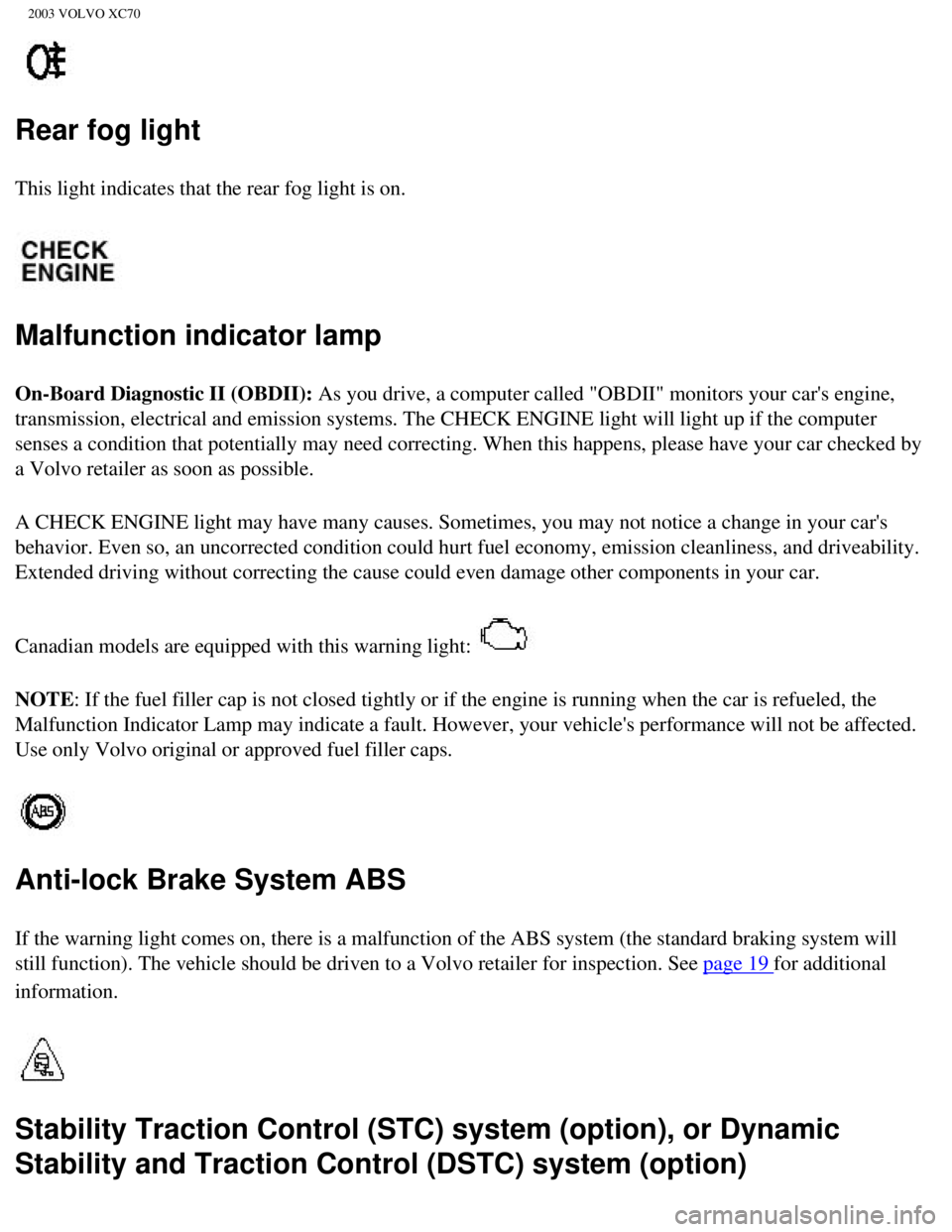
This light indicates that the rear fog light is on.
Malfunction indicator lamp
On-Board Diagnostic II (OBDII): As you drive, a computer called "OBDII" monitors your car's engine,
transmission, electrical and emission systems. The CHECK ENGINE light wi\
ll light up if the computer
senses a condition that potentially may need correcting. When this happe\
ns, please have your car checked by
a Volvo retailer as soon as possible.
A CHECK ENGINE light may have many causes. Sometimes, you may not notice\
a change in your car's
behavior. Even so, an uncorrected condition could hurt fuel economy, emi\
ssion cleanliness, and driveability.
Extended driving without correcting the cause could even damage other co\
mponents in your car.
Canadian models are equipped with this warning light:
NOTE: If the fuel filler cap is not closed tightly or if the engine is runni\
ng when the car is refueled, the
Malfunction Indicator Lamp may indicate a fault. However, your vehicle's\
performance will not be affected.
Use only Volvo original or approved fuel filler caps.
Anti-lock Brake System ABS
If the warning light comes on, there is a malfunction of the ABS system \
(the standard braking system will
still function). The vehicle should be driven to a Volvo retailer for i\
nspection. See
page 19 for additional
information.
Stability Traction Control (STC) system (option), or Dynamic
Stability and Traction Control (DSTC) system (option)
file:///K|/ownersdocs/2003/2003_XC70/03xc70_02a.htm (8 of 13)12/30/200\
6 4:17:53 PM
Page 49 of 257

2003 VOLVO XC70
Trip computer
The trip computer stores information gathered from several systems in yo\
ur car and has four menus that can
be displayed in the text window.
l Driving distance on current fuel reserve
l Average fuel consumption
l Current fuel consumption
l Average speed
l Current speed in mph (Canadian models only)
NOTE: Warning messages from the car's monitoring systems will override the tri\
p computer function. If a
warning message is displayed in the text window while you are using the \
trip computer, you must
acknowledge the message by pressing button A. Press button A again to re\
turn to the trip computer function.
Trip computer controls and functions
The four* trip computer functions can be accessed by twisting control B \
one step at a time in either direction.
Twisting a fifth time** returns you to the original function.
The trip computer can be reset (current data will be erased from system\
memory) by pressing RESET (button
C).
1. Driving distance on current fuel reserve
This function shows the approximate distance that can be driven on the f\
uel remaining in the tank. This
calculation is based on average fuel consumption during the last 12 mile\
s (20 km) of driving and the amount
of fuel remaining in the tank when the reading was taken. When the drivi\
ng distance on current fuel reserve is
less than 12 miles (20 km), "----" will be displayed in the text windo\
w.
2. Average fuel consumption
This value indicates fuel consumption since the last time the trip compu\
ter was reset (by pressing RESET,
button C). When the engine is switched off, information on fuel consump\
tion is stored and remains in system
memory until the RESET (button C) is pressed again.
file:///K|/ownersdocs/2003/2003_XC70/03xc70_02a.htm (12 of 13)12/30/20\
06 4:17:53 PM
Page 50 of 257

2003 VOLVO XC70
3. Current fuel consumption
This value indicates the current fuel consumption, based on readings tak\
en once per second. When the car is
not moving, "----" will be displayed.
4. Average speed
This value indicates average speed since the last time the trip computer\
was reset (by pressing RESET, button
C). When the engine is switched off, information on average speed is st\
ored and remains in system memory
until the RESET (button C) is pressed again.
5. Current speed in miles per hour (Canadian models only)
This function provides the driver with an instantaneous conversion of th\
e car's current speed from km/h to
mph.
*Five functions on Canadian models
**A sixth time on Canadian models
Contents | Top of Page
file:///K|/ownersdocs/2003/2003_XC70/03xc70_02a.htm (13 of 13)12/30/20\
06 4:17:53 PM
Page 53 of 257
2003 VOLVO XC70
ignition key is in position II. If the headlight switch is in position all lights will go out when the
ignition is switched off.
The headlight switch must be in this position before the high beams will\
function.
Switch from high to low beams and vice versa by pulling the turn signal \
switch lever on the left side of
steering column toward you.
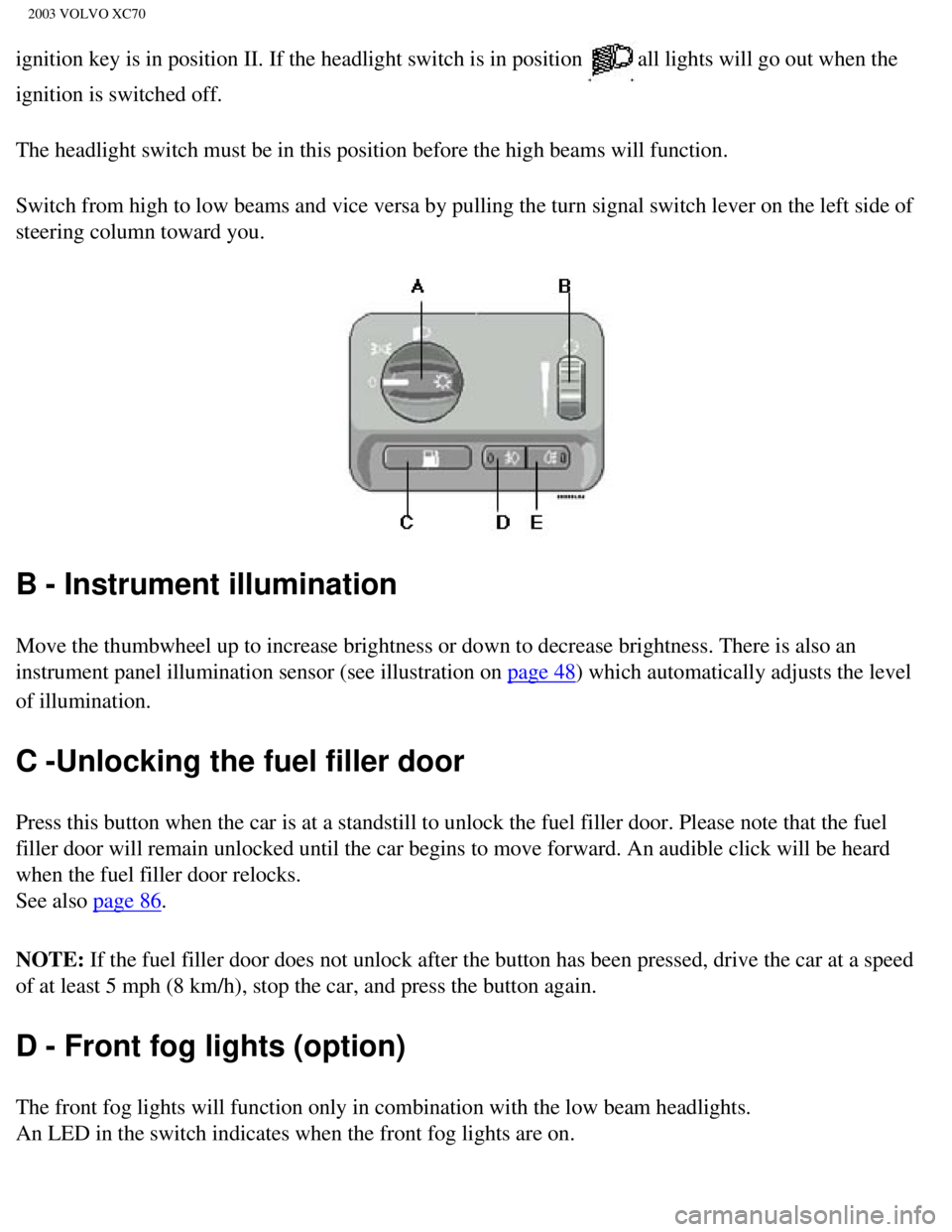
B - Instrument illumination
Move the thumbwheel up to increase brightness or down to decrease bright\
ness. There is also an
instrument panel illumination sensor (see illustration on
page 48) which automatically adjusts the level
of illumination.
C -Unlocking the fuel filler door
Press this button when the car is at a standstill to unlock the fuel fil\
ler door. Please note that the fuel
filler door will remain unlocked until the car begins to move forward. A\
n audible click will be heard
when the fuel filler door relocks.
See also
page 86.
NOTE: If the fuel filler door does not unlock after the button has been press\
ed, drive the car at a speed
of at least 5 mph (8 km/h), stop the car, and press the button again. \
D - Front fog lights (option)
The front fog lights will function only in combination with the low beam\
headlights.
An LED in the switch indicates when the front fog lights are on.
file:///K|/ownersdocs/2003/2003_XC70/03xc70_02b.htm (3 of 18)12/30/200\
6 4:17:54 PM
Page 114 of 257

2003 VOLVO XC70
Two keys are provided with your car; a master key and a service key. The\
master key, the remote
control, and the central locking button may all be used to lock and unlo\
ck all of your car's locks.
The service key will operate only the driver's door and the ignition swi\
tch. It is intended to help deter
unwanted entry into the glove compartment and trunk.
Turn the key once to unlock the driver's door and the fuel filler door.
Turn the key again (within 10 seconds) to unlock all doors and the tailgate. One turn with the key
towards lock in the drivers door locks all doors and tailgate.
Use the switch on the front door armrests to lock/unlock the car from th\
e inside. WARNING!
If the doors are locked while driving, this may hinder rapid access to t\
he occupants of the car in the
event of an accident. (Also see information on "Child safety locks"). \
NOTE: To help prevent accidentally locking the keys in the car, the central lo\
cking system is designed
to unlock the doors immediately if the key is left in the ignition switc\
h, the car is locked using the lock
button on the door and the door is then closed. A sound from the lock will be audible at this time.
Please note that this function will not unlock the doors if the engine i\
s running.
Immobilizer (start inhibitor)
Each of the keys supplied with your car contains a coded transmitter. Th\
e code in the key is transmitted
to an antenna in the ignition switch where it is compared to the code st\
ored in the start inhibitor module.
The car will start only with a properly coded key. If you misplace a key\
, take the other keys to an
authorized Volvo retailer for reprogramming as an antitheft measure.
*This key operates only driver's door and ignition switch/steering wheel\
lock.
This device complies with part 15 of the FCC rules. Operation is subject\
to the following condition: (1)
This device may not cause harmful interference, and (2) this device mu\
st accept any interference
received, including interference that may cause undesired operation.
file:///K|/ownersdocs/2003/2003_XC70/03xc70_05.htm (2 of 11)12/30/2006\
4:17:58 PM
Page 116 of 257
. The car can also be locked/unlocked with the key.
If one of the transmitters is misplaced, contact your nearest authorized\
Volvo retailer for assistance.
Button")
2003 VOLVO XC70
alarm system(s). The car can also be locked/unlocked with the key.
If one of the transmitters is misplaced, contact your nearest authorized\
Volvo retailer for assistance.
Buttons in remote control
1 - Lock, 2 - Unlock, 3 - Open tailgate
4 - "Panic" function *, 5 - Approach lighting
Using the remote control
l Press the LOCK button once to lock all doors, fuel filler door and tailgate.
l Press the UNLOCK button once to unlock the driver's door only. Press this button again (within 10
seconds) to unlock all doors, fuel filler door and tailgate.
l To open the tailgate (without unlocking the other doors), press the ta\
ilgate-unlock button twice.
NOTE:
l If the doors are unlocked with the remote, the locks will automatically \
reengage (re-lock) and the
alarm will reset after 2 minutes unless a door has been opened.
l The lock/unlock and alarm features can also be utilized by using the key\
s.
FCC ID:LQNP2T-APU
This device complies with part 15 of the FCC rules. Operation is subject\
to the following conditions: (1)
This device may not cause harmful interference, and (2) this device mu\
st accept any interference
received, including interference that may cause undesired operation.
Canadian 2306104388
Model 504 2927 by Donnelly Operation is subject to the following conditi\
ons: (1) this device may not
cause interference, and (2) this device must accept any interference, \
including interference that may
cause undesired operation of the device
Canadian 2306104388A
Model 509 977 by Connaught Electronics Operation is subject to the follo\
wing conditions: (1) this
device may not cause interference, and (2) this device must accept any\
interference, including
file:///K|/ownersdocs/2003/2003_XC70/03xc70_05.htm (4 of 11)12/30/2006\
4:17:58 PM
Page 124 of 257
2003 VOLVO XC70
2 0 0 3
VOLVO XC70
Chapter 6 - Starting and driving
pg. 83 Starting and driving
Fuel requirements 84
Fuel Formulations 85
Refueling 86
Starting the engine 87
Manual transmission 89
Automatic transmission (AW5) 90
Automatic transmission
(Geartronic) 92
All Wheel Drive 94
Driving economy 95
Points to remember 96
Roof racks/load carriers 97
Emergency towing 99
Vehicle towing information 100
Towing a trailer 101
Detachable trailer hitch 102
Jump starting 103
file:///K|/ownersdocs/2003/2003_XC70/03xc70_06a.htm (1 of 22)12/30/200\
6 4:17:59 PM