clock VOLVO XC70 2007 User Guide
[x] Cancel search | Manufacturer: VOLVO, Model Year: 2007, Model line: XC70, Model: VOLVO XC70 2007Pages: 283, PDF Size: 9.63 MB
Page 231 of 283

2007 Volvo XC70
- Twist the bulb holder counterclockwise, and withdraw it.
- Fit a new bulb.
- Fit the bulb holder in place and twist it clockwise.
- Refit the speaker and press in the red tab.
- Press the speaker grille back into position.
High level brake light
These bulbs are of a special type. We recommend that you ask your Volvo \
retailer to replace this bulb.
pg. 204 Maintenance and servicing
Replacing bulbs
License plate lights
- Switch off the ignition.
file:///K|/ownersdocs/2007/2007_XC70/07xc70_09.htm (28 of 38)12/30/200\
6 5:51:43 PM
Page 232 of 283
2007 Volvo XC70
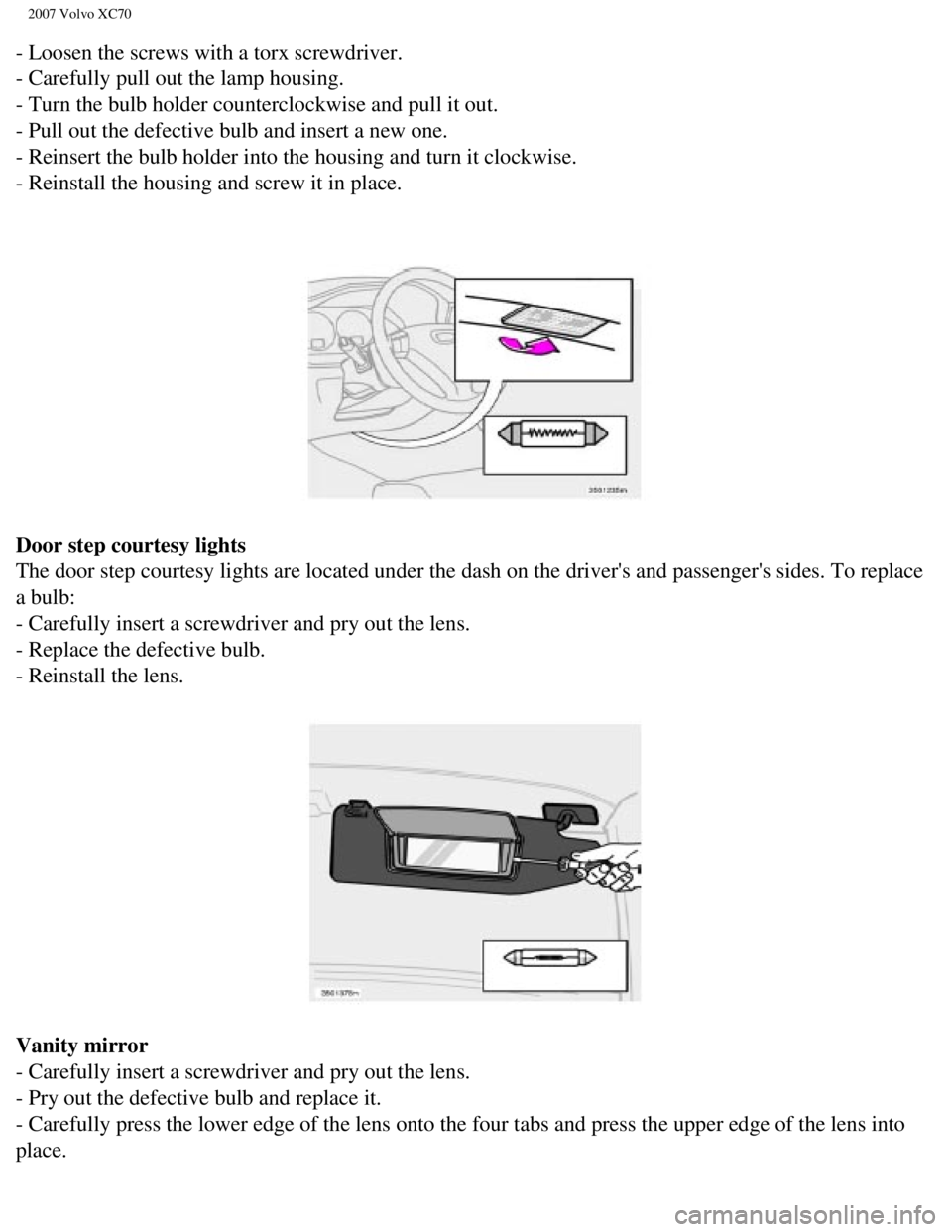
- Loosen the screws with a torx screwdriver.
- Carefully pull out the lamp housing.
- Turn the bulb holder counterclockwise and pull it out.
- Pull out the defective bulb and insert a new one.
- Reinsert the bulb holder into the housing and turn it clockwise.
- Reinstall the housing and screw it in place.
Door step courtesy lights
The door step courtesy lights are located under the dash on the driver's\
and passenger's sides. To replace
a bulb:
- Carefully insert a screwdriver and pry out the lens.
- Replace the defective bulb.
- Reinstall the lens.
Vanity mirror
- Carefully insert a screwdriver and pry out the lens.
- Pry out the defective bulb and replace it.
- Carefully press the lower edge of the lens onto the four tabs and pres\
s the upper edge of the lens into
place.
file:///K|/ownersdocs/2007/2007_XC70/07xc70_09.htm (29 of 38)12/30/200\
6 5:51:43 PM
Page 256 of 283
2007 Volvo XC70
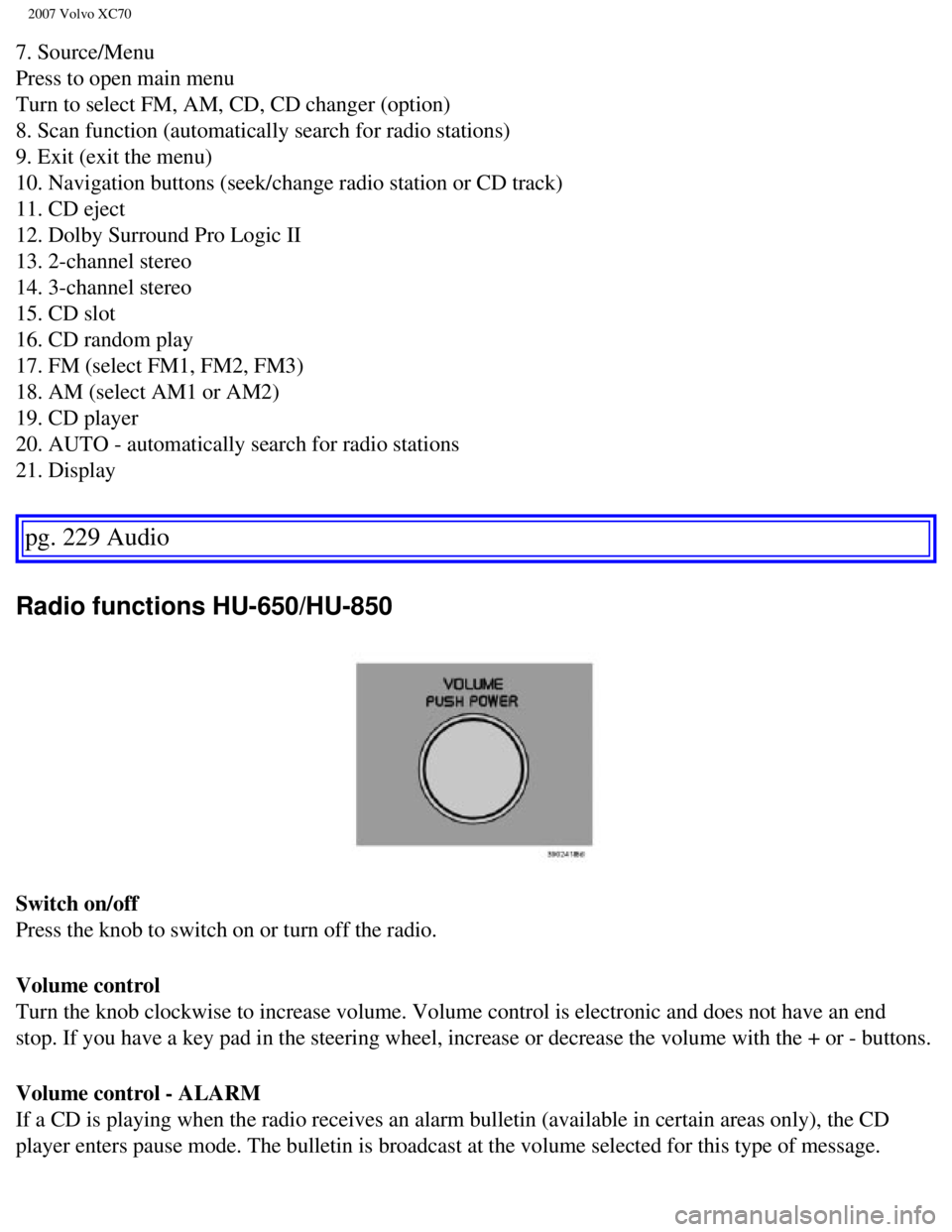
7. Source/Menu
Press to open main menu
Turn to select FM, AM, CD, CD changer (option)
8. Scan function (automatically search for radio stations)
9. Exit (exit the menu)
10. Navigation buttons (seek/change radio station or CD track)
11. CD eject
12. Dolby Surround Pro Logic II
13. 2-channel stereo
14. 3-channel stereo
15. CD slot
16. CD random play
17. FM (select FM1, FM2, FM3)
18. AM (select AM1 or AM2)
19. CD player
20. AUTO - automatically search for radio stations
21. Display
pg. 229 Audio
Radio functions HU-650/HU-850
Switch on/off
Press the knob to switch on or turn off the radio.
Volume control
Turn the knob clockwise to increase volume. Volume control is electronic\
and does not have an end
stop. If you have a key pad in the steering wheel, increase or decrease \
the volume with the + or - buttons.
Volume control - ALARM
If a CD is playing when the radio receives an alarm bulletin (available\
in certain areas only), the CD
player enters pause mode. The bulletin is broadcast at the volume select\
ed for this type of message.
file:///K|/ownersdocs/2007/2007_XC70/07xc70_11.htm (4 of 22)12/30/2006\
5:51:47 PM
Page 257 of 283

Turn the knob clockwise to increase volume.")
2007 Volvo XC70
After the bulletin has been completed, the audio system reverts to the o\
riginally selected sound.
Volume control - Subwoofer (option)
Turn the knob clockwise to increase volume. Turn the knob counterclockwi\
se to lower volume or switch
off the subwoofer. When the knob is in the middle, bass effect is "equal\
ized".
pg. 230 Audio
Radio functions HU-650/HU-850
Sound settings
Bass
Adjust the bass by pressing the button to extend the control and turning\
it to the left (less bass) or to the
right (more bass). A "detent" indicates "equalized" bass. Press the bu\
tton back in when you have made
the adjustment.
Treble
Adjust the treble by pressing the button to extend the control and turni\
ng it to the left (less treble), or to
file:///K|/ownersdocs/2007/2007_XC70/07xc70_11.htm (5 of 22)12/30/2006\
5:51:47 PM
Page 276 of 283

2007 Volvo XC70
Belt check 188
Black Box (Vehicle Event Data)
184
Blower (fan)
77
Booster cushion (integrated)
40
Brake circuit
136
Brake fluid
193
Brake light
203
Brake system
48, 136
Bulbs
198
C
Capacities
216
Capacity weight
167
Carbon monoxide warning
122
Catalytic converter
219
Central locking system - remote control
111
Changing coolant
188
Check Engine warning light
48
Child safety
28
child restraints
31
Child safety lock
115
Climate system
74
Clock
46
Cold weather precautions
151
Coolant
192
changing
188, 192
checking level of
188
Cooling system
218
Courtesy light
88
Cruise control
62
Curb weight
167
Current fuel consumption
61
D
file:///K|/ownersdocs/2007/2007_XC70/07xc70_12.htm (2 of 9)12/30/2006 \
5:51:48 PM