center console VOLVO XC70 2007 Owners Manual
[x] Cancel search | Manufacturer: VOLVO, Model Year: 2007, Model line: XC70, Model: VOLVO XC70 2007Pages: 283, PDF Size: 9.63 MB
Page 22 of 283

2007 Volvo XC70
WARNING!
l No objects that add to the total weight on the seat should be placed on \
the front passenger's seat. If
a child is seated in the front passenger's seat with any additional weig\
ht, this extra weight could cause
the OWS system to enable the airbag, which might cause it to deploy in t\
he event of a collision,
thereby injuring the child.
l The seat belt should never be wrapped around an object on the front pass\
enger's seat. This could
interfere with the OWS system's function.
l The front passenger's seat belt should never be used in a way that exert\
s more pressure on the
passenger than normal. This could increase the pressure exerted on the w\
eight sensor by a child, and
could result in the airbag being enabled, which might cause it to deploy\
in the event of a collision,
thereby injuring the child.
pg. 23 Safety
Occupant Weight Sensor (OWS)
WARNING!
Keep the following points in mind with respect to the OWS system. Failur\
e to follow these
instructions could adversely affect the system's function and result in \
serious injury to the occupant of
the front passenger's seat:
l The full weight of the front seat passenger should always be on the seat\
cushion. The passenger
should never lift him/herself off the seat cushion using the armrest in \
the door or the center console,
by pressing the feet on the floor, by sitting on the edge of the seat cu\
shion, or by pressing against the
backrest in a way that reduces pressure on the seat cushion. This could \
cause OWS to disable the
front passenger's side airbag.
l Do not place any type of object on the front passenger's seat in such a \
way that jamming, pressing,
or squeezing occurs between the object and the front seat, other than as\
a direct result of the correct
use of the ALR/ELR seat belt (see
page 30).
l No objects should be placed under the front passenger's seat. This could\
interfere with the OWS
system's function.
pg. 24 Safety
Side impact (SIPS) airbag
file:///K|/ownersdocs/2007/2007_XC70/07xc70_01.htm (16 of 38)12/30/200\
6 5:51:26 PM
Page 45 of 283

2007 Volvo XC70
2 0 0 7
VOLVO XC70
Instruments and controls
pg. 43 Instruments and controls
Instrument overview
44
Instrument panel
46
Indicator and warning symbols
47
Switches in the center console
52
Steering wheel adjustment
54
Lighting panel
55
Left-side steering wheel lever
57
Right-side steering wheel lever
58
Hazard warning flashers, rear window/sideview mirror
defroster
60
Trip computer
61
Cruise control
62
Parking brake, auxiliary socket/cigarette lighter
64
Power windows
65
Rearview mirror/sideview mirrors
67
Power moonroof (option)
70
pg. 44 Instruments and controls
Instrument overview
file:///K|/ownersdocs/2007/2007_XC70/07xc70_02.htm (1 of 35)12/30/2006\
5:51:30 PM
Page 47 of 283

2007 Volvo XC70
1. Front fog lights56
2. Headlights/Parking lights/switch for unlocking fuel filler door
55
3. Rear fog light
55
4. Turn signals/High/low beams
57
5. Cruise control
62
6. Horn
7. Instrument panel
46
8. Audio controls in steering wheel (option)
232
9. Windshield wipers
58
10. Parking brake (hand brake)
64
11. Center console switches
52
12. Climate control
77
13. Audio system
226
14. 12 V socket
52, 64
15. Hazard warning flashers
60
16. Glove compartment
92
17. Panel vents
75
18. Text window
46, 50
19. Temperature gauge
46
20. Odometer/Trip odometer/ Cruise control indicator
46
21. Speedometer
46
22. Turn signal indicators
46
23. Tachometer
46
24. Ambient temperature/Clock/ Selected gear indicator
46
25. Fuel gauge
46
26. Indicator and warning symbols
47
27. Panel vents
75
28. Instrument lighting
56
29. Not in use
30. Lighting panel
55
31. Reading lights
88
32. Interior lighting
88
file:///K|/ownersdocs/2007/2007_XC70/07xc70_02.htm (3 of 35)12/30/2006\
5:51:30 PM
Page 54 of 283
2007 Volvo XC70
TIME FOR REGULAR SERVICEThis message will be displayed at 7,500 mile (12,000 km)
intervals, after 750 hours of driving or after 12 months,
whichever occurs first, to remind the driver that the service
interval has been exceeded. The message will be displayed
for 2 minutes each time the vehicle is started until reset by
the servicing retailer.
OIL LEVEL LOW - FILL OIL
1 2Check the oil level and top up if necessary. See page 191.
OIL LEVEL LOW - STOP SAFELY
1 3Stop as soon as possible and switch off the engine, check the
oil level and top up if necessary. See
page 191.
OIL LEVEL LOW - STOP ENGINE
1 3Stop as soon as possible and switch off the engine, check the
oil level and top up if necessary. See
page 191.
OIL LEVEL LOW - SEE MANUAL
1 3Stop as soon as possible and switch off the engine, check the
oil level and top up if necessary. See
page 191.
STC/DSTC SPIN CONTROL OFF The stability system's spin control function has been turned
off. See
page 139 for details.
1. These messages apply to R-models only.
2. Yellow warning symbol, see
page 47.
3. Red warning symbol, see
page 47.
pg. 52 Instruments and controls
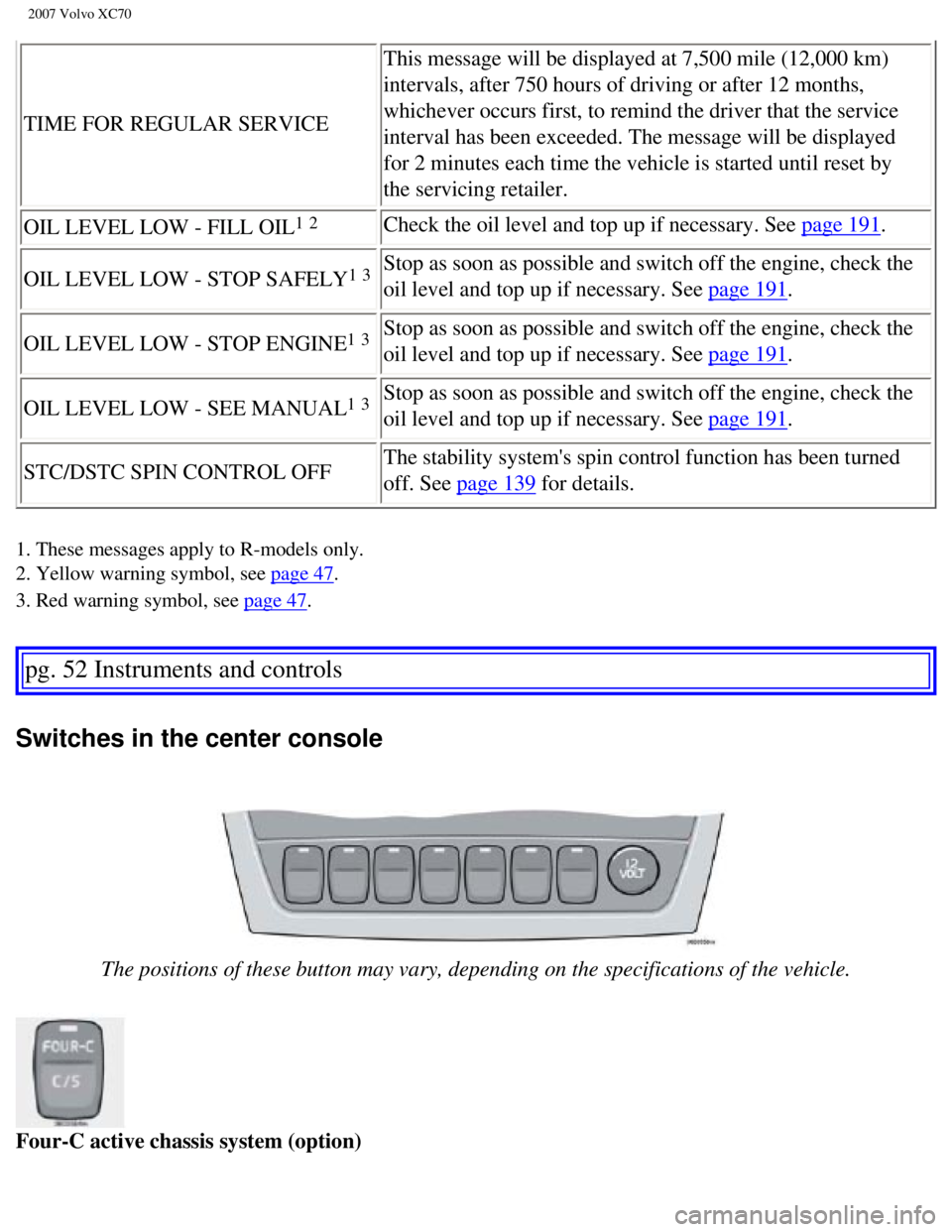
Switches in the center console
The positions of these button may vary, depending on the specifications \
of the vehicle.
Four-C active chassis system (option)
file:///K|/ownersdocs/2007/2007_XC70/07xc70_02.htm (10 of 35)12/30/200\
6 5:51:30 PM
Page 56 of 283

2007 Volvo XC70
Power child safety locks (option)
See
page 115 for more information.
pg. 53 Instruments and controls
Switches in the center console
Active Bi-Xenon headlights (ABL) - option
The beams of ABL headlights adjust laterally to help light up a curve ac\
cording to movements of the
steering wheel when the vehicle is turning. This function is activated a\
utomatically when the engine is
started and can be deactivated/reactivated by pressing the button. The i\
ndicator light in the button is on
when the function is activated. See also
page 55.
pg. 54 Instruments and controls
Steering wheel adjustment
Both the height and the reach of the steering wheel can be adjusted to a\
comfortable position for the
file:///K|/ownersdocs/2007/2007_XC70/07xc70_02.htm (12 of 35)12/30/200\
6 5:51:30 PM
Page 99 of 283

2007 Volvo XC70
1. Storage compartment in door
2. Storage pocket in edge of front seat
3. Ticket clip
4. Glove compartment
5. Storage compartment and cup holders in center console (see the follo\
wing page for more information)
6. Storage space and cup holders in rear seat armrest
7. Storage pocket in rear side of front seats
pg. 91 Interior
Storage compartments
WARNING!
Make sure that no hard, sharp, or heavy objects lie on or in any of the \
storage spaces where they
might cause injury during sudden braking.
Storage compartments in the center console
1. Storage compartment cover
2. Front storage compartment
This storage space is fitted with a sliding cover (not on XC70 models)\
3. 12-volt socket
4. Space for accessory ashtray
pg. 92 Interior
file:///K|/ownersdocs/2007/2007_XC70/07xc70_04.htm (9 of 29)12/30/2006\
5:51:33 PM
Page 101 of 283
, while lifting the rear edge (2).\
- Move the cup holder rearward (3), into")
2007 Volvo XC70
Cup holders in the center console - V70
To remove the cup holders:
- Press the cup holder forward (1), while lifting the rear edge (2).\
- Move the cup holder rearward (3), into the groove under the sliding \
cover.
- Angle the front edge of the cup holder upward (4) and lift it out.
Return the cup holder to the storage space in the reverse order.
Cup holders in the center console - XC70
To remove the cup holders:
- Grasp the rear edge of the cup holder and press in the rear side to re\
lease the rear edge.
- Pull up the cup holder's rear edge and the lift it out.
Return the cup holder to the storage space in the reverse order.
NOTE: Avoid pinching the parking brake gaiter.
file:///K|/ownersdocs/2007/2007_XC70/07xc70_04.htm (11 of 29)12/30/200\
6 5:51:33 PM
Page 130 of 283
 -\
accessory
This button will only be found in vehicles equipped with the accessory i\
nclination and/ or movem")
2007 Volvo XC70
Temporarily turning off the inclination and movement alarm sensor(s) -\
accessory
This button will only be found in vehicles equipped with the accessory i\
nclination and/ or movement
sensors. FCC ID: MAYDA5823
This device complies with part 15 of the FCC rules. Operation is subject\
to the following conditions:
(1) This device may not cause harmful interference, and (2) this dev\
ice must accept any interference
received, including interference that may cause undesired operation.
Canadian IC: 4405A-DA5823
Movement sensor DA5823 by Dynex
Operation is subject to the following conditions: (1) this device may \
not cause interference, and (2)
this device must accept any interference, including interference that ma\
y cause undesired operation of
the device.
In certain situations it may be desirable to turn off the accessory incl\
ination and movement alarm
sensors if, for example, you drive your vehicle onto a ferry where the r\
ocking of the boat could trigger
the alarm or if a pet is left in the vehicle with the doors locked.
To temporarily turn off the inclination and movement alarm sensors from \
the alarm system:
From the time the ignition key is turned from the Drive position (posit\
ion II) until you lock the vehicle,
you can press the button in the center console. The LED in the switch wi\
ll light up and a message will be
displayed in the text window to indicate that the sensors are disconnect\
ed.
The vehicle can then be locked in the usual way to set the alarm.
NOTE:
l This function will not turn off the vehicle's standard alarm.
l The optional sensors are automatically reconnected to the alarm system t\
he next time the vehicle is
unlocked and then locked again.
file:///K|/ownersdocs/2007/2007_XC70/07xc70_05.htm (11 of 12)12/30/200\
6 5:51:34 PM
Page 151 of 283
, tread
pattern, load-, speed-, traction- , temperature-, and treadwear rating. \
Nev")
2007 Volvo XC70
Volvo recommends that you always drive on tires of the same brand, size,\
construction (radial), tread
pattern, load-, speed-, traction- , temperature-, and treadwear rating. \
Never drive on mixed tires, except
for brief periods when the temporary spare tire is in use.
Always use properly inflated tires of correct dimensions. Tire size and \
inflation pressures are shown on
the tire inflation pressure placards, located on the driver's side B-pil\
lar (the structural member at the side
of the vehicle, at the rear of the driver's door opening), or on the in\
side of the fuel filler door on
Canadian models.
Temporary Spare
The temporary spare tire is for temporary, low-speed, short-distance use\
only. Replace it with a full-
sized tire as soon as possible. Do not drive on the temporary spare at s\
peeds above 50 mph (80km/h) or
for distances greater than 50 miles (80 km).
Never install snow chains on a temporary spare.
pg. 135 Starting and driving
Four-C active chassis system
Four-C active chassis
The FOUR-C (Continuously Controlled Chassis Concept) active chassis sy\
stem, consisting of Comfort
and Sport modes, is available as an option.
NOTE: The V70 R has a standard FOUR-C system consisting of Comfort, Sport, an\
d Advanced sport
modes. The buttons for controlling these driving modes are located in ce\
nter instrument panel, above the
ventilation system panel vents, see the illustration in the right column\
. These buttons can be pressed at
any time to change driving modes. An indicator light in the selected but\
ton will come on to indicate the
driving mode that is currently selected.
This system is based on a number of sensors that continuously monitor fa\
ctors such as the vehicle's
lateral and vertical movements, speed, and movements of the wheels. The \
sensors receive data up to 500
times per second, which is used to provide extremely fast and precise ad\
justment of each shock
absorber. The system adjusts the stiffness of the shock absorbers approx\
imately 100 times per second
Use the button in the center console to switch between the driving modes\
Comfort and Sport. This can
be done at any time.
Comfort
The Comfort mode chassis setting offers the greatest amount of shock abs\
orption and the softest ride.
file:///K|/ownersdocs/2007/2007_XC70/07xc70_06.htm (20 of 41)12/30/200\
6 5:51:38 PM
Page 171 of 283

2007 Volvo XC70
l The audio system's volume will be reduced.
l An intermittent signal will be audible from the speakers to indicate tha\
t you are approaching a person,
object, parked vehicle, etc. The signals begin when the distance between\
the bumper and the object is:
Rear: approximately 5 feet (1.5 meters)
Front: approximately 2.5 ft (0.8 meters)
l At a distance of approximately 1 foot (30 cm), the signal will become \
constant. If objects are close to
both the front and rear bumpers, the signal will alternate between the f\
ront and rear speakers.
Deactivating the system(s)
- Press the Park assist button on the center console (see
page 55) to temporarily deactivate the system(s).
- The indicator light in the button will go out when the system(s) hav\
e been deactivated.
- If the vehicle is equipped with front and rear park assist, both syste\
ms will be deactivated by pressing
the button.
Park assist will be automatically reactivated the next time the engine i\
s started.
NOTE: It may be necessary to deactivate one or both of the park assist systems\
in certain cases.
l Rear park assist: towing a trailer, carrying bicycles in a rear-mounted carrier, etc, co\
uld trigger the
rear park assist system's sensors.
l Front park assist: it may not be possible to combine auxiliary headlights and front park \
assist since
these lights could trigger the system's sensors.
pg. 154 Starting and driving
Front/rear park assist (option/accessory)
Faults in the system
If the yellow warning symbol illuminates and a message is shown in the \
information display, the
system is not functioning properly. Consult a Volvo retailer or authoriz\
ed service technician.
Cleaning the sensors
For the system to function properly, the sensors in the front and/or rea\
r bumpers should be kept clean.
They can be cleaned with car washing detergent and a sponge.
WARNING!
These systems are designed to be a supplementary aid when parking the ve\
hicle. They are not,
however, intended to replace the driver's attention and judgement.
file:///K|/ownersdocs/2007/2007_XC70/07xc70_06.htm (40 of 41)12/30/200\
6 5:51:38 PM