buttons VOLVO XC70 2009 Owner´s Manual
[x] Cancel search | Manufacturer: VOLVO, Model Year: 2009, Model line: XC70, Model: VOLVO XC70 2009Pages: 286, PDF Size: 9.21 MB
Page 96 of 286
03 Your driving environmentMirrors
0396
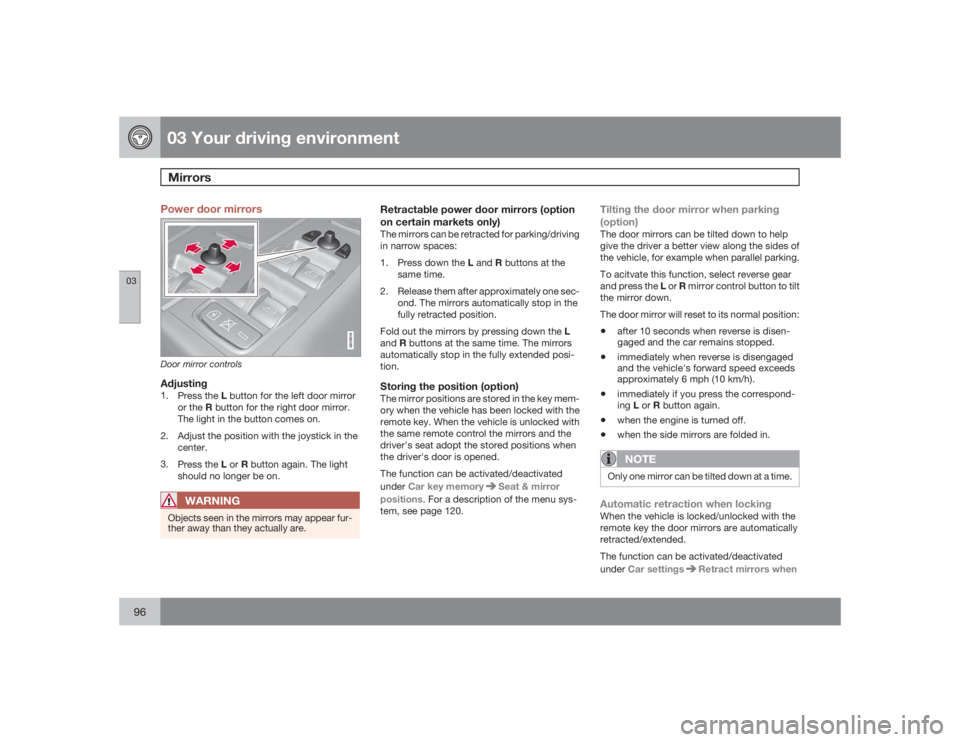
Power door mirrors
G018518
Door mirror controlsAdjusting1.
Press the L button for the left door mirror
or the R button for the right door mirror.
The light in the button comes on.
2. Adjust the position with the joystick in the
center.
3.
Press the L or R button again. The light
should no longer be on.
WARNING
Objects seen in the mirrors may appear fur-
ther away than they actually are.
Retractable power door mirrors (option
on certain markets only)The mirrors can be retracted for parking/driving
in narrow spaces:
1.
Press down the L and R buttons at the
same time.
2. Release them after approximately one sec-
ond. The mirrors automatically stop in the
fully retracted position.
Fold out the mirrors by pressing down the L
andR buttons at the same time. The mirrors
automatically stop in the fully extended posi-
tion.Storing the position (option)The mirror positions are stored in the key mem-
ory when the vehicle has been locked with the
remote key. When the vehicle is unlocked with
the same remote control the mirrors and the
driver's seat adopt the stored positions when
the driver's door is opened.
The function can be activated/deactivated
underCar key memory
Seat & mirror
positions. For a description of the menu sys-
tem, see page 120.
Tilting the door mirror when parking
(option)The door mirrors can be tilted down to help
give the driver a better view along the sides of
the vehicle, for example when parallel parking.
To acitvate this function, select reverse gear
and press the L or R mirror control button to tilt
the mirror down.
The door mirror will reset to its normal position:•
after 10 seconds when reverse is disen-
gaged and the car remains stopped.
•
immediately when reverse is disengaged
and the vehicle's forward speed exceeds
approximately 6 mph (10 km/h).
•
immediately if you press the correspond-
ingL or R button again.
•
when the engine is turned off.
•
when the side mirrors are folded in.NOTE
Only one mirror can be tilted down at a time.Automatic retraction when lockingWhen the vehicle is locked/unlocked with the
remote key the door mirrors are automatically
retracted/extended.
The function can be activated/deactivated
underCar settings
Retract mirrors when
Page 100 of 286
03 Your driving environmentHomeLink® Wireless Control System (option)
03100
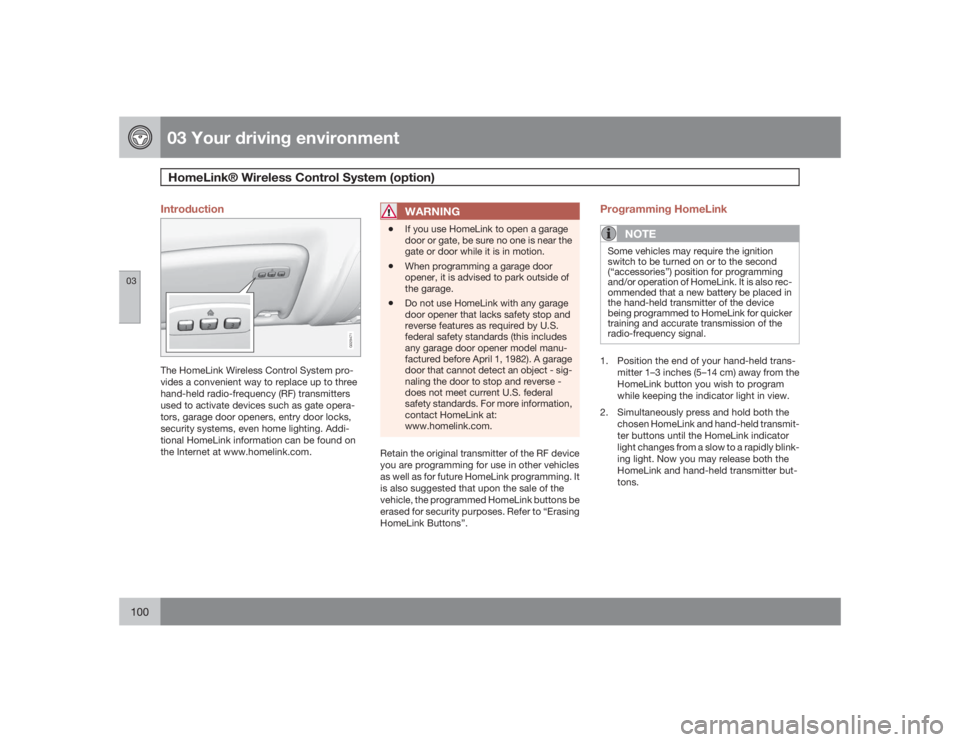
Introduction
G029471
The HomeLink Wireless Control System pro-
vides a convenient way to replace up to three
hand-held radio-frequency (RF) transmitters
used to activate devices such as gate opera-
tors, garage door openers, entry door locks,
security systems, even home lighting. Addi-
tional HomeLink information can be found on
the Internet at www.homelink.com.
WARNING
•
If you use HomeLink to open a garage
door or gate, be sure no one is near the
gate or door while it is in motion.
•
When programming a garage door
opener, it is advised to park outside of
the garage.
•
Do not use HomeLink with any garage
door opener that lacks safety stop and
reverse features as required by U.S.
federal safety standards (this includes
any garage door opener model manu-
factured before April 1, 1982). A garage
door that cannot detect an object - sig-
naling the door to stop and reverse -
does not meet current U.S. federal
safety standards. For more information,
contact HomeLink at:
www.homelink.com.
Retain the original transmitter of the RF device
you are programming for use in other vehicles
as well as for future HomeLink programming. It
is also suggested that upon the sale of the
vehicle, the programmed HomeLink buttons be
erased for security purposes. Refer to “Erasing
HomeLink Buttons”.
Programming HomeLink
NOTE
Some vehicles may require the ignition
switch to be turned on or to the second
(“accessories”) position for programming
and/or operation of HomeLink. It is also rec-
ommended that a new battery be placed in
the hand-held transmitter of the device
being programmed to HomeLink for quicker
training and accurate transmission of the
radio-frequency signal.1. Position the end of your hand-held trans-
mitter 1–3 inches (5–14 cm) away from the
HomeLink button you wish to program
while keeping the indicator light in view.
2. Simultaneously press and hold both the
chosen HomeLink and hand-held transmit-
ter buttons until the HomeLink indicator
light changes from a slow to a rapidly blink-
ing light. Now you may release both the
HomeLink and hand-held transmitter but-
tons.
Page 101 of 286
03 Your driving environment
HomeLink® Wireless Control System (option)
03``101
NOTE
Some devices may require you to replace
this Programming Step 2 with procedures
noted in the “Gate Operator / Canadian Pro-
gramming” section. If the HomeLink indica-
tor light does not change to a rapidly
blinking light after performing these steps,
contact HomeLink at www.homelink.com.3.
Firmlypress, hold for five seconds and
release the programmed HomeLink but-
ton up to two separate times to activate the
door. If the door does not activate, press
and hold the just-trained HomeLink button
and observe the indicator light.
•If the indicator light stays on con-
stantly, programming is complete
and your device should activate when
the HomeLink button is pressed and
released.•If the indicator light blinks rapidly for
two seconds and then turns to a con-
stant light continue with “Program-
ming” steps 4-6 to complete the pro-
gramming of a rolling code equipped
device (most commonly a garage door
opener).
4. At the garage door opener receiver (motor-
head unit) in the garage, locate the “learn”
or “smart” button. This can usually befound where the hanging antenna wire is
attached to the motor-head unit.
5. Firmly press and release the “learn” or
“smart” button. (The name and color of the
button may vary by manufacturer.) There
are 30 seconds to initiate step 6.
6. Return to the vehicle and firmly press, hold
for two seconds and release the pro-
grammed HomeLink button. Repeat the
“press/hold/release” sequence a second
time, and, depending on the brand of the
garage door opener (or other rolling code
equipped device), repeat this sequence a
third time to complete the programming
process.
HomeLink should now activate your rolling
code equipped device.
Gate Operator/Canadian ProgrammingCanadian radio-frequency laws require trans-
mitter signals to “time-out” (or quit) after sev-
eral seconds of transmission – which may not
be long enough for HomeLink to pick up the
signal during programming. Similar to this
Canadian law, some U.S. gate operators are
designed to “time-out” in the same manner.
If you live in Canada or you are having difficul-
ties programming a gate operator or garage
door opener by using the “Programming” pro-cedures,replace “Programming HomeLink”
step 2 with the following:
•
Continue to press and hold the HomeLink
button while you press and release -
every two seconds (“cycle”) your hand-
held transmitter until the HomeLink indica-
tor light changes from a slow to a rapidly
blinking light. Now you may release both
the HomeLink and hand-held transmitter
buttons.
Proceed with “Programming” step 3 to com-
plete.
Using HomeLinkTo operate, simply press and release the pro-
grammed HomeLink button. Activation will
now occur for the trained device (i.e., garage
door opener, gate operator, security system,
entry door lock, home/office lighting, etc.). For
convenience, the hand-held transmitter of the
device may also be used at any time. In the
event that there are still programming difficul-
ties or questions, contact HomeLink at:
www.homelink.com.
Page 102 of 286
03 Your driving environmentHomeLink® Wireless Control System (option)
03102
Erasing HomeLink ButtonsTo erase programming from the three Home-
Link buttons (individual buttons cannot be
erased but can be “reprogrammed” as outlined
below), follow the step noted:•
Press and hold the two outer HomeLink
buttons until the indicator light begins to
flash-after 10 seconds. Release both but-
tons. Do not hold for longer that 20 sec-
onds. HomeLink is now in the train (or
learning) mode and can be programmed at
any time beginning with “Programming” -
step 1.
Reprogramming a Single HomeLink
ButtonTo program a device to HomeLink using a
HomeLink button previously trained, follow
these steps:
1. Press and hold the desired HomeLink but-
ton.DO NOT release the button.
2. The indicator light will begin to flash after
20 seconds. Without releasing the Home-
Link button, proceed with “Programming”
- step 1.
For questions or comments, contact HomeLink
at: www.homelink.com or 1–800–355–3515.This device complies with FCC rules part 15
and Industry Canada (IC) RSS-210. Operation
is subject to the following two conditions: (1)
This device may not cause harmful interfer-
ence, and (2) This device must accept any
interference that may be received including
interference that may cause undesired opera-
tion.
NOTE
The transmitter has been tested and com-
plies with FCC and IC rules. Changes or
modifications not expressly approved by
the party responsible for compliance could
void the user’s authority to operate the
device.
1
HomeLink and the HomeLink house are regis-
tered trademarks of Johnson Controls, Inc.
1The term “IC:” before the certification/registration number only signifies that Industry Canada technical specifications were met.
Page 103 of 286

03 Your driving environment
Starting the engine
03``103 Starting the engine
G024099
Ignition switch with remote key inserted (see
page 77 for more information on ignition modes)
WARNING
Before starting the engine:•
Fasten the seat belt.
•
Check that the seat, steering wheel and
mirrors are adjusted properly.
•
Make sure the brake pedal can be
depressed completely. Adjust the seat
if necessary.
1
G033762
1. Insert the remote key into the ignition slot
with the buttons upward and the metallic
key blade pointing outward (not inserted
into the slot)
1.
G033763
2. Push lightly on the remote key. It will be
automatically drawn into the ignition slot in
the correct position.
3
G033764
3.
Depress the brake pedal
2. Press and
release the START/STOP ENGINE button.
The autostart function will operate the
starter motor until the engine starts.
The starter motor operates for a maximum
of 10 seconds. If the engine has not
started, repeat the procedure.
WARNING
An extra mat on the driver's floor can cause
the accelerator and/or brake pedal to catch.
Check that the movement of these pedals is
not impeded. Not more than one protective
floor covering may be used at one time.
1On vehicles with the optional keyless drive, it is only necessary to have a remote key in the passenger’s compartment.2If the vehicle is moving, it is only necessary to press the START/STOP ENGINE button to start the vehicle.
Page 120 of 286
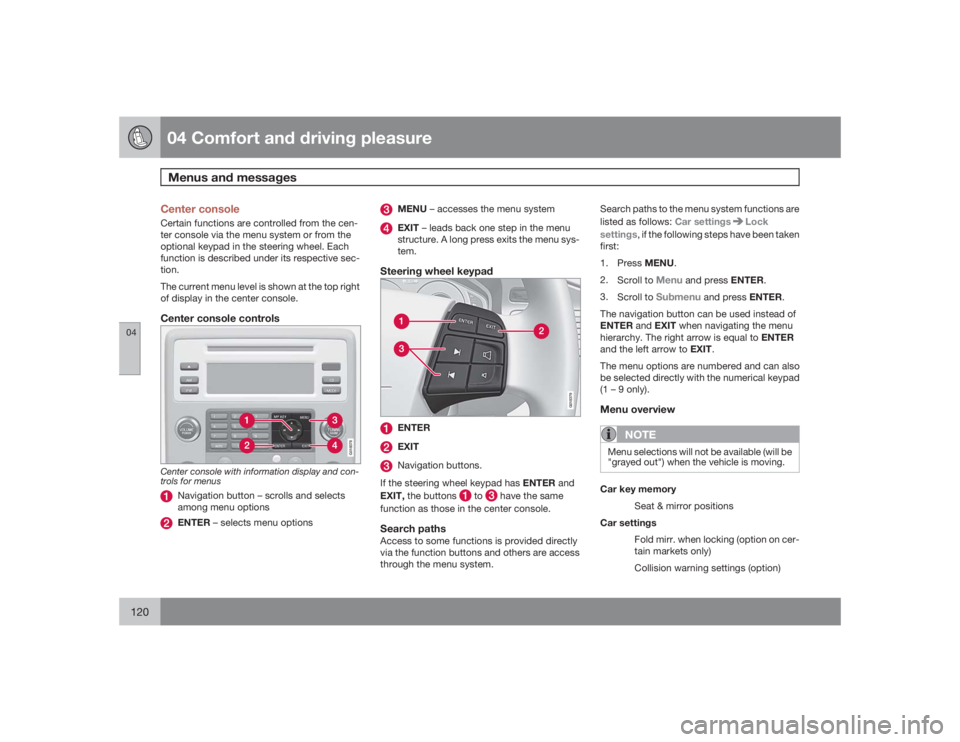
04 Comfort and driving pleasureMenus and messages
04120
Center consoleCertain functions are controlled from the cen-
ter console via the menu system or from the
optional keypad in the steering wheel. Each
function is described under its respective sec-
tion.
The current menu level is shown at the top right
of display in the center console.Center console controls
G018378
Center console with information display and con-
trols for menus
Navigation button – scrolls and selects
among menu optionsENTER – selects menu options
MENU – accesses the menu systemEXIT – leads back one step in the menu
structure. A long press exits the menu sys-
tem.
Steering wheel keypad
G018379
ENTEREXITNavigation buttons.
If the steering wheel keypad has ENTER and
EXIT, the buttons
to
have the same
function as those in the center console.
Search pathsAccess to some functions is provided directly
via the function buttons and others are access
through the menu system.Search paths to the menu system functions are
listed as follows: Car settings
Lock
settings, if the following steps have been taken
first:
1.
PressMENU.
2.
Scroll to
Menu
and press ENTER.
3.
Scroll to
Submenu
and press ENTER.
The navigation button can be used instead of
ENTER and EXIT when navigating the menu
hierarchy. The right arrow is equal to ENTER
and the left arrow to EXIT.
The menu options are numbered and can also
be selected directly with the numerical keypad
(1 – 9 only).
Menu overview
NOTE
Menu selections will not be available (will be
"grayed out") when the vehicle is moving.Car key memory
Seat & mirror positions
Car settings
Fold mirr. when locking (option on cer-
tain markets only)
Collision warning settings (option)
Page 127 of 286

04 Comfort and driving pleasure
Climate system
04``127
•
Level one: press the button three times for
the lowest output – one indicator light
comes on.
•
Press the button a fourth time to switch off
the function – the indicator light will go out.
Blower control
Turn the control clockwise to
increase or counterclockwise
to decrease the blower
speed. Pressing the AUTO
switch will automatically reg-
ulate blower speed and over-
ride manual adjustment.
NOTE
If the blower is turned off completely, the air
conditioning is disengaged, which may
result in fogging on the windows.Heated front seats (option)
Press the button once for the
highest heat level – three indi-
cator lights come on.
Press the button twice for a
lower heat level – two indica-
tor lights come on.
Press the button three times for the lowest heat
level – one indicator light comes on.
Press the button four times to switch off the
heat – no indicator lights come on.Heated rear seats
1
G021376
Heat control for the outboard seating positions
takes place in the same way as for the front
seat.Air distribution
The figure consists of three
buttons. When the buttons
are pressed, an indicator light
in front of the respective part
of the figure illuminates and
shows which air distribution is
selected, see page 130.
Auto
The function automatically
regulates cooling, heating,
blower speed, recirculation,
and air distribution to main-
tain the chosen temperature.
If you select one or more man-
ual functions, the other func-
tions continue to be controlled automatically.
The air quality sensor is engaged and all man-
ual settings are switched off when AUTO is
pressed. The display shows
AUTO
CLIMATE
.
Blower speed in automatic mode can be set
underClimate settings
Automatic blower
adjust. Choose between Low
,Normal
or
High
.NOTE
Selecting the lowest blower speed may
increases the risk of fog forming on the win-
dows.For a description of the menu system, see
page 120.
1Option on Canadian models only.
Page 132 of 286

04 Comfort and driving pleasureAudio system
04132
USB/iPod connector (option)An auxiliary device, such as an iPod, MP3
player or a USB flash drive can be connected
to the audio system via the connector in the
center console storage compartment. A stand-
ard cable from an iPod or MP3 player can be
routed under the cover to the AUX connector
in the storage compartment.
A sound source must be chosen, depending on
the device that has been connected:
1.
UseMODE to select
iPod
or
USB
. The text
CONNECT DEVICE
will be displayed.
2. Connect the device to the connector in the
center console storage compartment (see
the illustration).
The text
LOADING
will be displayed while the
system loads the files (folder structure) on the
device. This may take a short time.
When information about the files (the folder
structure) on the device has been loaded, the
resulting list includes information on the artist,
genre and song title.
To navigate in the folder structure, press
ENTER and scroll up and down the folders
using the arrow buttons (on the audio system
control panel or on the steering wheel keypad).
Press the right arrow button to select a folder.
Press the left arrow button to go up a level inthe folder structure. Press ENTER to go down
a level in the folder structure.
Tracks can be selected in two ways:
•
Turn the Tuning knob clockwise or coun-
terclockwise
•
Use the right or left arrow keys on the nav-
igation control to select the desired track.
The arrow keys on the steering wheel key-
pad can also be used in the same way.NOTE
The system supports playback of files in the
most common versions of formats such as
mp3, wma, and wav. However, there may be
versions of these formats that the system
does not support.USB flash driveTo simplify the use of a USB flash drive, it is
advisable to only store music files on the drive.
It will take considerably longer for the system
to index the files on the drive if it contains any-
thing other than compatible music files.MP3 playerMany mp3 players have a file indexing system
that is not supported by the vehicle's audio
system. In order to use an mp3 player, the sys-
tem must be set to USB Removable device/
Mass Storage Device.
iPodAn iPod receives current and its battery is
charged through the connecting cord. How-
ever, if the iPod's battery is completely
drained, it should be recharged before the iPod
is connected to the audio system.
NOTE
When an iPOD is used as a sound source,
the vehicle's audio system has a menu
structure similar to the one in the iPOD. See
the iPOD's manual for detailed information.For further information, refer to the accessory
manual USB/iPod Music Interface.Rear control panel with headphones
socket (option)Headphones with an impedance of
16 – 32 ohm and sensitivity of 102 dB or higher
are recommended for best sound reproduc-
tion.
Page 136 of 286

04 Comfort and driving pleasureAudio system
04136
Playing a CD (CD player
4)
If a music CD is in the player when CD is
pressed, it will be played automatically. Other-
wise, insert a disc and press CD.Playing a CD (CD changer)If a CD position with a music CD is already
selected when CD is pressed, it will be played
automatically. Otherwise select a disc with the
number buttons 1 – 6 or
/
on the naviga-
tion button.
Insert a CD (CD changer)1. Select an empty position with the number
buttons1 – 6 or
/
on the navigation
button.
> An empty position is marked on the dis-
play. The text
Insert disc
shows that a
new disc can be inserted. The CD
changer can hold up to six CDs.
2. Insert a CD in the CD changer slot.
Disc ejectFor reasons of traffic safety, an ejected CD
must be removed within 12 seconds or it will
be automatically drawn back into the slot and
the CD player will enter pause mode. Press the
CD button to restart the disc.Eject individual discs by pressing the eject but-
ton.
Eject all discs with a long press on the eject
button. The entire magazine is emptied disc by
disc.
NOTE
The Eject all function can only be used while
the vehicle is at a standstill and will be can-
celled if the vehicle begins to move.PauseWhen the audio system volume is turned off
completely, the CD player will pause and will
resume playing when the volume is turned up
again.Sound filesIn addition to playing normal music CDs, the
CD player/changer can also play discs con-
taining files in mp3 or wma format.
NOTE
Some copy protected sound files may not
be read by the player.When a CD containing sound files is inserted
into the player the disc's directory structure isscanned before the CD begins playing. The
length of time that this takes depends on the
quality of the disc.
Navigating the disc and playing tracksIf a disc containing sound files is inside the CD
player, press ENTER to display the disc's
directory structure. The directory structure is
navigated in the same way as the audio sys-
tem's menu structure. Sound files have the
symbol and directories have the
symbol. Press ENTER to play a selected folder
or a file.
When the music file has been played, the
player will continue to play the rest of the files
in the current folder. When all of the files in the
folder have been played, the player will auto-
matically go to the next folder and play the files
in it.Fast-forward/change CD tracks and
sound filesShort presses
/
on the navigation button
are used to scroll between CD tracks/sound
files. Long presses are used to search within
CD tracks/sound files. TUNING (or the steering
wheel keypad) can also be used for this pur-
pose.
4Certain markets only.
Page 137 of 286

04 Comfort and driving pleasure
Audio system
04``137
Scan CDThis function plays the first ten seconds of
each CD track/sound file. Press SCAN to acti-
vate. Interrupt with EXIT or SCAN to continue
playing the current CD track/sound file.RandomThis function plays the tracks in random order
(shuffle). The random CD tracks/sound files
can be scrolled through in the normal way.
NOTE
It is only possible to scroll between random
CD tracks on the current disc.Different messages are displayed depending
on which random function has been selected:•
RANDOM
means that the tracks from only
one music CD are played
•
RND ALL
means that all tracks on all
music CDs in the optional CD changer are
played.
•
RANDOM FOLDER
means that the sound
files in a directory on the current CD are
played.
CD playerIf a normal music CD is being played, activate/
deactivate under
Random
.If a disc with sound files is being played, acti-
vate/deactivate under Random
Folder.
CD changerIf a normal music CD is being played under
Random
Single disc or Random
All
discs. The option
All discs
only applies to the
music CDs in the changer.
If a CD with sound files is being played, acti-
vate/deactivate instead under Random
Folder. If you select another CD the function is
deactivated.Disc textIf title information is stored on a music CD it can
be shown on the display
5. Activate/deactivate
in CD mode under CD settings
Disc text.
Radio functions
G018384
Center console, controls for radio functions
Navigation button for automatic tuningPress to cancel a menu selection or a
selected functionManual tuningScan the current wave bandAuto store the strongest radio stations in
the area in which you are drivingStation preset buttonsSelect wave band AM and FM (FM1 and
FM2)
5Only applies to the CD changer.