warning light VOLVO XC90 2004 User Guide
[x] Cancel search | Manufacturer: VOLVO, Model Year: 2004, Model line: XC90, Model: VOLVO XC90 2004Pages: 245, PDF Size: 7.14 MB
Page 41 of 245

Downloaded from www.Manualslib.com manuals search engine ProCarManuals.com
2004 VOLVO XC90
Fault in the DSTC system
If the yellow indicator light remains on, there is a fault in the system\
. The text ANTI-SKID SERVICE
REQUIRED will be displayed.
l Stop the vehicle in a safe place and switch off the engine. Restart the \
engine.
l If the indicator light goes off, no further action is necessary.
If the indicator light remains on, drive to an authorized Volvo retailer\
to have the system inspected.
pg. 27 Instruments and controls
Indicator and warning symbols (contd)
Supplemental Restraint system (SRS)
If the light comes on (or stays on after the vehicle has started), the\
SRS diagnostic system has detected a
fault. Drive to an authorized Volvo retailer for an inspection of the sy\
stem. See the SRS section for more
information.
Generator warning light
If the light comes on while the engine is running, have the charging sys\
tem checked.
Seat belt reminder This symbol lights up to indicate that the driver has not fastened his/\
her seat
belt.
PARKING BRAKE
This light will be on when the parking brake is applied. The parking bra\
ke lever is situated between the
front seats.
Canadian models are equipped with this symbol.
Rear fog light
This light indicates that the fog light is on.
Turn signal indicator - trailer (certain models)
If you are towing a trailer, this light will flash simultaneously with t\
he turn signals on the trailer. If the
light does not flash when signaling, neither the trailer's turn signals \
nor the vehicle's turn signals are
file:///K|/ownersdocs/2004/2004_XC90/04xc90_02a.htm (6 of 16)12/30/200\
6 4:35:14 PM
Page 42 of 245
Downloaded from www.Manualslib.com manuals search engine ProCarManuals.com
2004 VOLVO XC90
functioning.
Oil pressure warning light
If the light comes on while driving, stop the vehicle and then stop the \
engine immediately and
check the engine oil level See
page 128. If the light stays on after restart, have the vehicle towed to the
nearest authorized Volvo retailer. After hard driving, the light may com\
e on occasionally when the
engine is idling. This is normal, provided it goes off when the engine s\
peed is increased.
CHECK ENGINE Malfunction indicator light
On-Board Diagnostics II (OBDII): As you drive, a computer called "OBDI\
I" monitors your vehicle's
engine, transmission, electrical and emission systems. The CHECK ENGINE \
light will light up if the
computer senses a condition that potentially may need correcting. When t\
his happens, please have your
vehicle checked by a Volvo retailer as soon as possible.
A CHECK ENGINE light may have many causes. Sometimes, you may not notice\
a change in your
vehicle's behavior. Even so, an uncorrected condition could hurt fuel ec\
onomy, emission cleanliness, and
driveability. Extended driving without correcting the cause could even d\
amage other components in
your vehicle.
Canadian models are equipped with this warning light.
pg. 28 Instruments and controls
Indicator and warning symbols (contd)
Messages in the text window
file:///K|/ownersdocs/2004/2004_XC90/04xc90_02a.htm (7 of 16)12/30/200\
6 4:35:14 PM
Page 43 of 245

Downloaded from www.Manualslib.com manuals search engine ProCarManuals.com
2004 VOLVO XC90
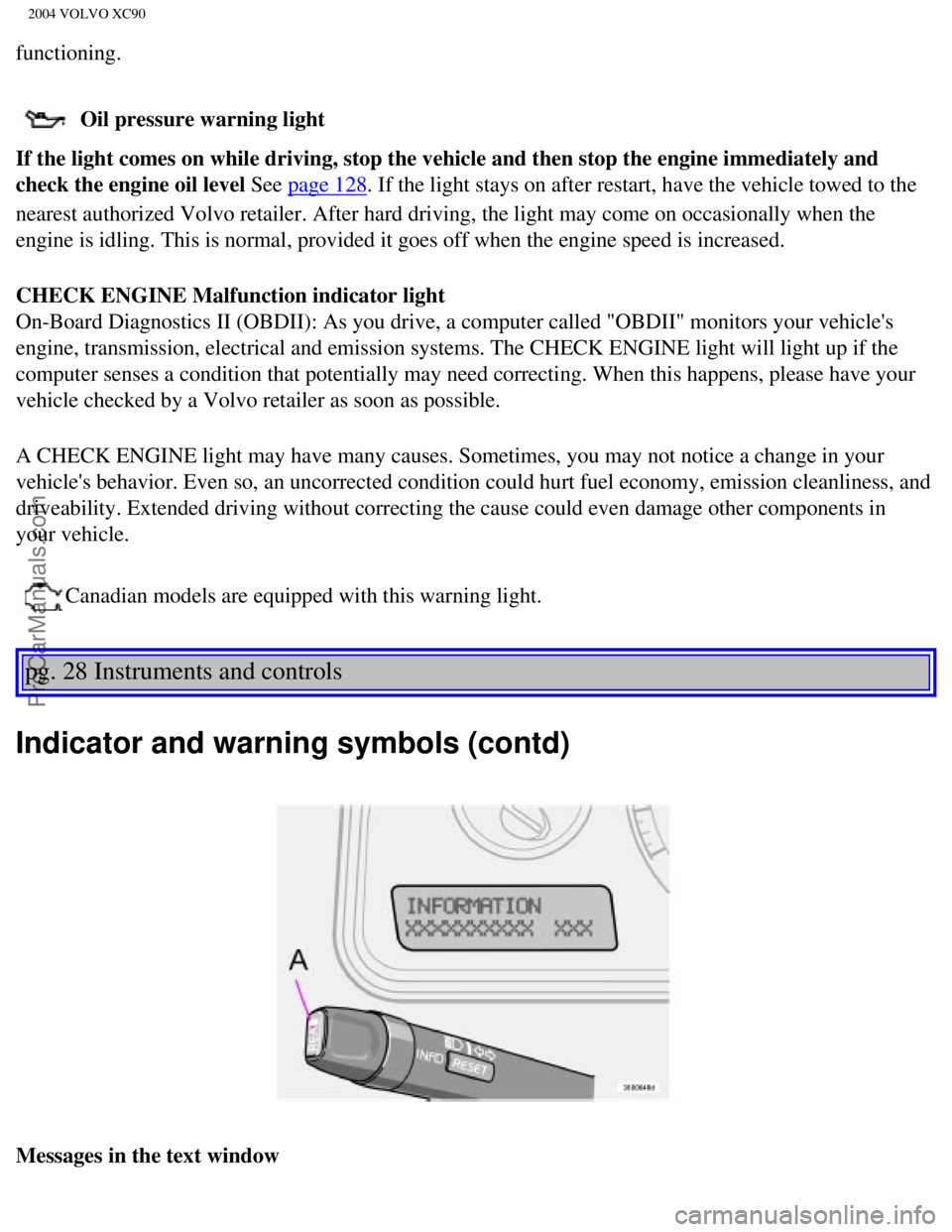
When a warning light in the instrument panel comes on, a message is also\
displayed in the text window.
After you have read the message, you can erase it by pressing button A (\
see illustration).
NOTE: Certain messages cannot be erased until the condition has been correcte\
d.
If a warning message is displayed when e.g. you are using the trip compu\
ter, this message must be
erased before you can access the function of your choice. Press button A\
to erase the warning message.
You can scroll through the stored messages by pressing button A (see il\
lustration). The text window can
be cleared (the message will be returned to memory) by pressing button\
A again. Message Meaning:
STOP SAFELY: Stop and switch off the engine - to help prevent serious risk of
damage.
STOP ENGINE: Stop and switch off the engine - to help prevent serious risk of
damage.
SERVICE URGENT: Take your vehicle to an authorized Volvo retailer for inspection as
soon as possible.
SEE MANUAL: Refer to your owner's manual. For additional information, please
contact your Volvo retailer.
SERVICE REQUIRED: Take your vehicle to an authorized Volvo retailer for inspection at
your convenience (but preferably before the next scheduled
maintenance).
FIX NEXT SERVICE: Have the system affected inspected at the next scheduled
maintenance.
TIME FOR REGULAR
SERVICE This light will come on at 7,500 mile (12,000 km) intervals, after
750 hours of driving or after 12 months, whichever occurs first, to
remind the driver that the maintenance interval has been exceeded.
The light will stay on for 2 minutes after start until reset by the
servicing retailer.
pg. 29 Instruments and controls
Switches in center console
file:///K|/ownersdocs/2004/2004_XC90/04xc90_02a.htm (8 of 16)12/30/200\
6 4:35:14 PM
Page 44 of 245

Downloaded from www.Manualslib.com manuals search engine ProCarManuals.com
2004 VOLVO XC90
The positions of these buttons may vary, depending on the specifications\
of your vehicle
1. Rear Parking Assistants (option)
This system provides an audible warning if you back the vehicle to withi\
n approximately 5 feet (1.5
meters) of an object. See
page 97 for more information.
NOTE: The system activates automatically when the engine is started, and can b\
e deactivated by
pressing this button (e.g. when towing a trailer) or reactivated if ne\
cessary.
2. Folding sideview mirrors (option)
Press the button and release it to fold the sideview mirrors in or out. \
On certain models, when the button
is pressed, there may be a long pause before the mirrors move. Pressing \
the button again during this
pause may erase your first button press. If this happens, wait ten secon\
ds and press the button one more
time. The mirrors cannot be adjusted during the first ten seconds after \
they have been folded out. NOTE:
If the sideview mirrors have been inadvertently pushed out of position (\
in a car wash, parking lot, etc.)
manually return them to normal position. If mirror adjustment does not s\
eem to operate after manual
folding, reset the folding mirrors as follows:
l Turn the ignition key to position II.
l Manually fold the mirror(s) to the normal position.
l Press the button to fold both mirrors in.
l Press the button again to fold the mirrors out to their normal position.\
3. Auxiliary lights
This button is used to switch on auxiliary lights (if installed). An L\
ED in the switch will light up to
indicate that the auxiliary lights are illuminated.
4. Dynamic Stability Traction Control system (DSTC)
This button is used to switch off DSTC's stability Control function. Whe\
n the LED in the button is ON,
all DSTC functions are active. See
pages 95 and 96 for additional information.
WARNING!
The Please be aware that the vehicle's handling characteristics may be a\
ffected if the Stability Control
function is switched off.
file:///K|/ownersdocs/2004/2004_XC90/04xc90_02a.htm (9 of 16)12/30/200\
6 4:35:14 PM
Page 50 of 245
Downloaded from www.Manualslib.com manuals search engine ProCarManuals.com
2004 VOLVO XC90
WARNING!
The Never adjust the steering wheel while
driving.
pg. 33 Instruments and controls
Windshield wipers
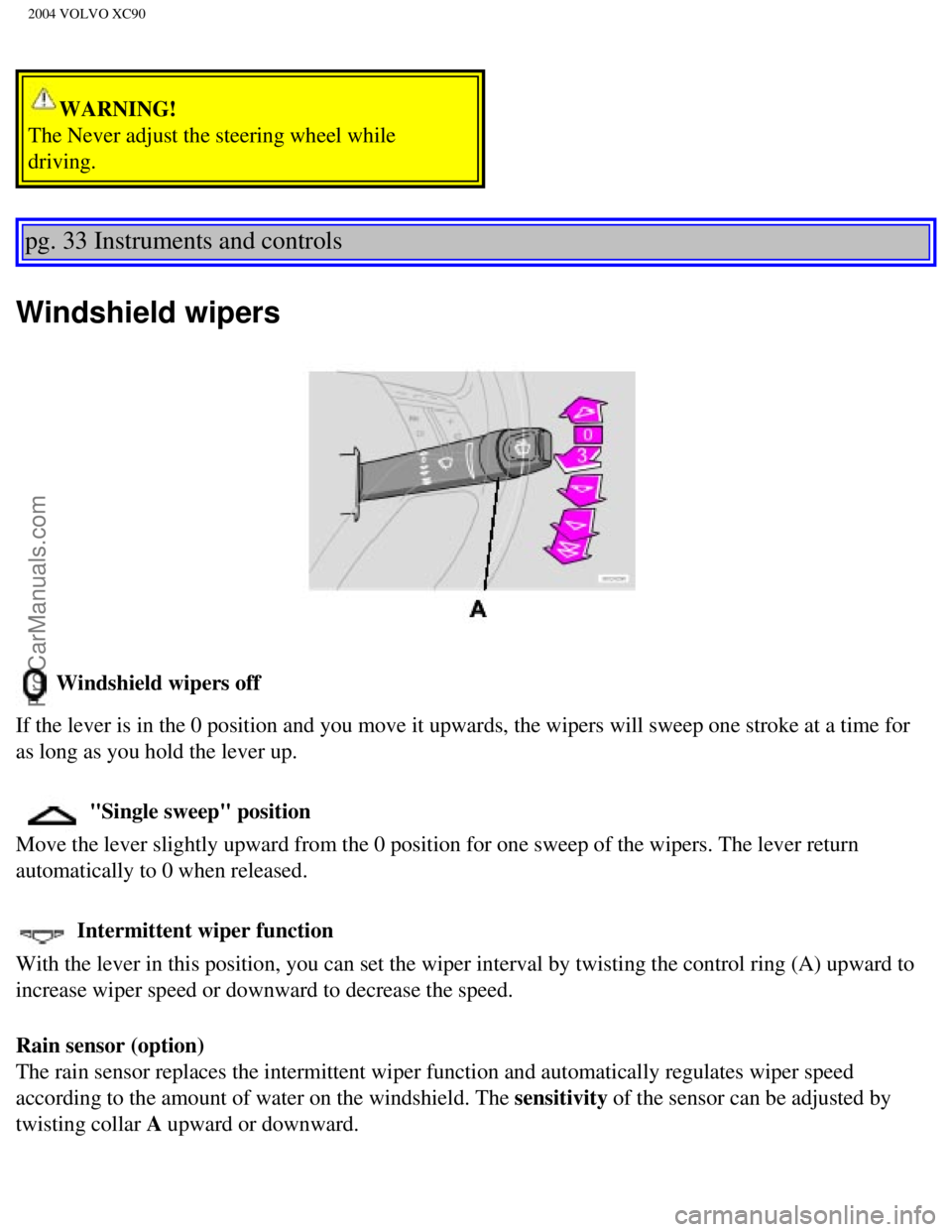
Windshield wipers off
If the lever is in the 0 position and you move it upwards, the wipers wi\
ll sweep one stroke at a time for
as long as you hold the lever up.
"Single sweep" position
Move the lever slightly upward from the 0 position for one sweep of the \
wipers. The lever return
automatically to 0 when released.
Intermittent wiper function
With the lever in this position, you can set the wiper interval by twist\
ing the control ring (A) upward to
increase wiper speed or downward to decrease the speed.
Rain sensor (option)
The rain sensor replaces the intermittent wiper function and automatical\
ly regulates wiper speed
according to the amount of water on the windshield. The sensitivity of the sensor can be adjusted by
twisting collar A upward or downward.
file:///K|/ownersdocs/2004/2004_XC90/04xc90_02a.htm (15 of 16)12/30/20\
06 4:35:14 PM
Page 53 of 245

Downloaded from www.Manualslib.com manuals search engine ProCarManuals.com
2004 VOLVO XC90
Hazard warning flashers
The four-way flasher should be used to indicate that the vehicle has bec\
ome a traffic hazard. To activate
the flashers, press the triangular button in the center dash. Press the \
button again to turn off the flashers.
NOTE: Regulations regarding the use of the hazard warning flasher may vary, de\
pending on where you
live.
Sideview mirror and rear window defroster
Press the switch to start heating the rear window and sideview mirrors t\
o remove ice or condensation.
An LED in the switch will light up.
A timer automatically switches off the heating to the sideview mirrors a\
fter approximately 4 minutes and
to the rear window after approximately 12 minutes. The LED will go out c\
orrespondingly.
Heated front seats (option)
file:///K|/ownersdocs/2004/2004_XC90/04xc90_02b.htm (2 of 16)12/30/200\
6 4:35:15 PM
Page 57 of 245
Downloaded from www.Manualslib.com manuals search engine ProCarManuals.com
2004 VOLVO XC90
start to spin.
Temporarily disengaging cruise control
l Press 0 to temporarily disengage cruise control. Press "resume" to return to the previously set
speed.
l Press the brake pedal. Press "resume" to return to the previously set speed.
WARNING!
The Cruise control should not be used in heavy traffic or when driving o\
n wet or slippery roads, or
when driving on unpaved or uneven road surfaces. Cruise control may not \
maintain set speed on steep
downgrades.
pg. 38 Instruments and controls
Parking brake, Opening/closing the hood
Parking brake
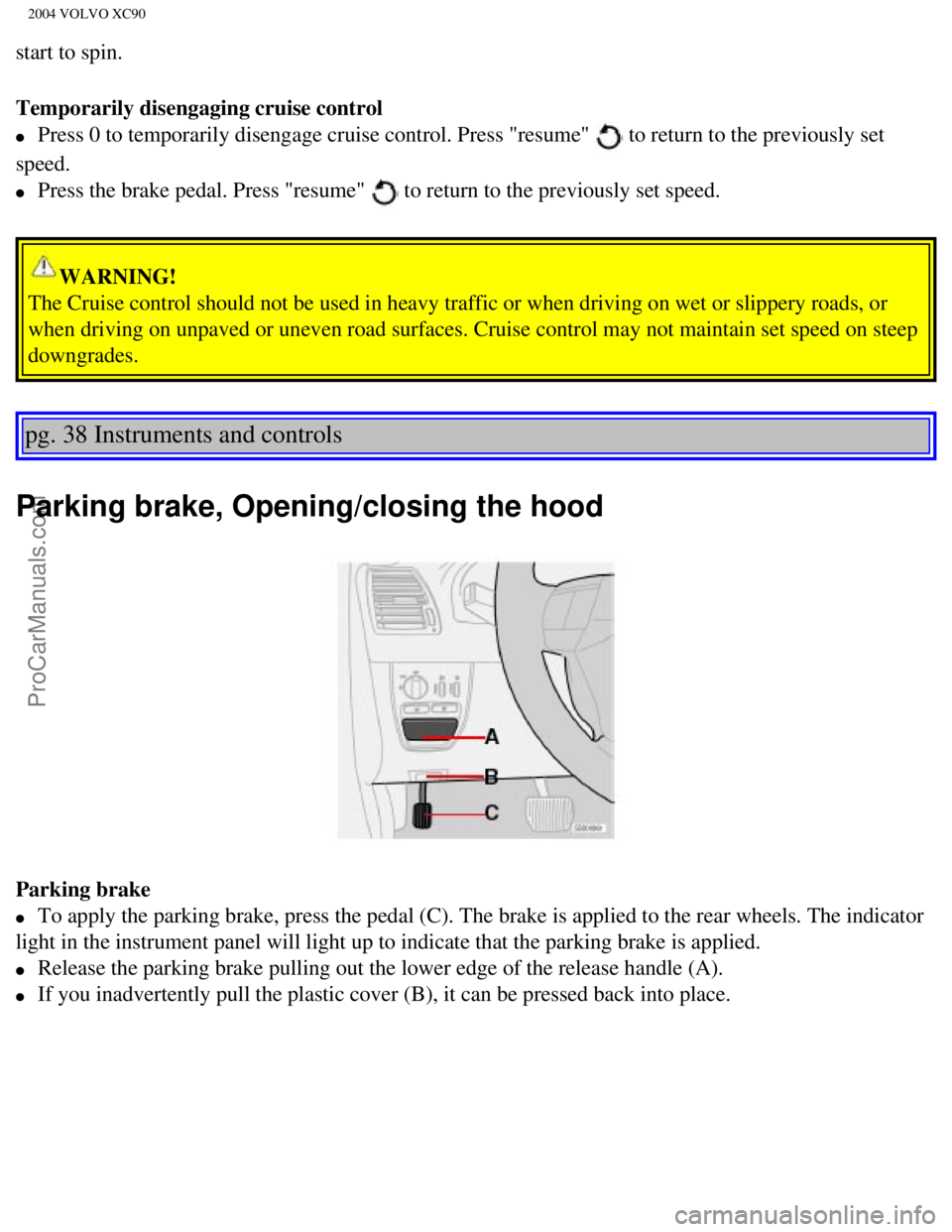
l To apply the parking brake, press the pedal (C). The brake is applied \
to the rear wheels. The indicator
light in the instrument panel will light up to indicate that the parking\
brake is applied.
l Release the parking brake pulling out the lower edge of the release hand\
le (A).
l If you inadvertently pull the plastic cover (B), it can be pressed bac\
k into place.
file:///K|/ownersdocs/2004/2004_XC90/04xc90_02b.htm (6 of 16)12/30/200\
6 4:35:15 PM
Page 58 of 245

Downloaded from www.Manualslib.com manuals search engine ProCarManuals.com
2004 VOLVO XC90
WARNING!
Always use the parking brake when parking. On hills, also turn the front\
wheels toward the curb.The
indicator light in the instrument panel will light up even if the parkin\
g brake is applied only slightly.
Be sure to press down on the pedal sufficiently.
Opening the hood
Opening/closing the hood
1. Pull the lever (1) located under the left side of the dashboard to \
release the hood lock.
2. Lift the hood slightly.
3. Press up the release control (2) located under the front edge of th\
e hood and lift.
To close the hood, place your hand on it and press down until the hood l\
ocks in the closed position.
WARNING!
l Do not grasp the ribs in the grille when closing the hood. If your finge\
rs protrude through the
grille, they could be injured on components in the engine compartment as\
the grille closes. We
recommend pressing down on the hood to close it.
l Check that the hood locks properly when closed!
pg. 39 Instruments and controls
Opening the tailgate, Auxiliary 12-volt sockets
file:///K|/ownersdocs/2004/2004_XC90/04xc90_02b.htm (7 of 16)12/30/200\
6 4:35:15 PM
Page 60 of 245
Downloaded from www.Manualslib.com manuals search engine ProCarManuals.com
2004 VOLVO XC90
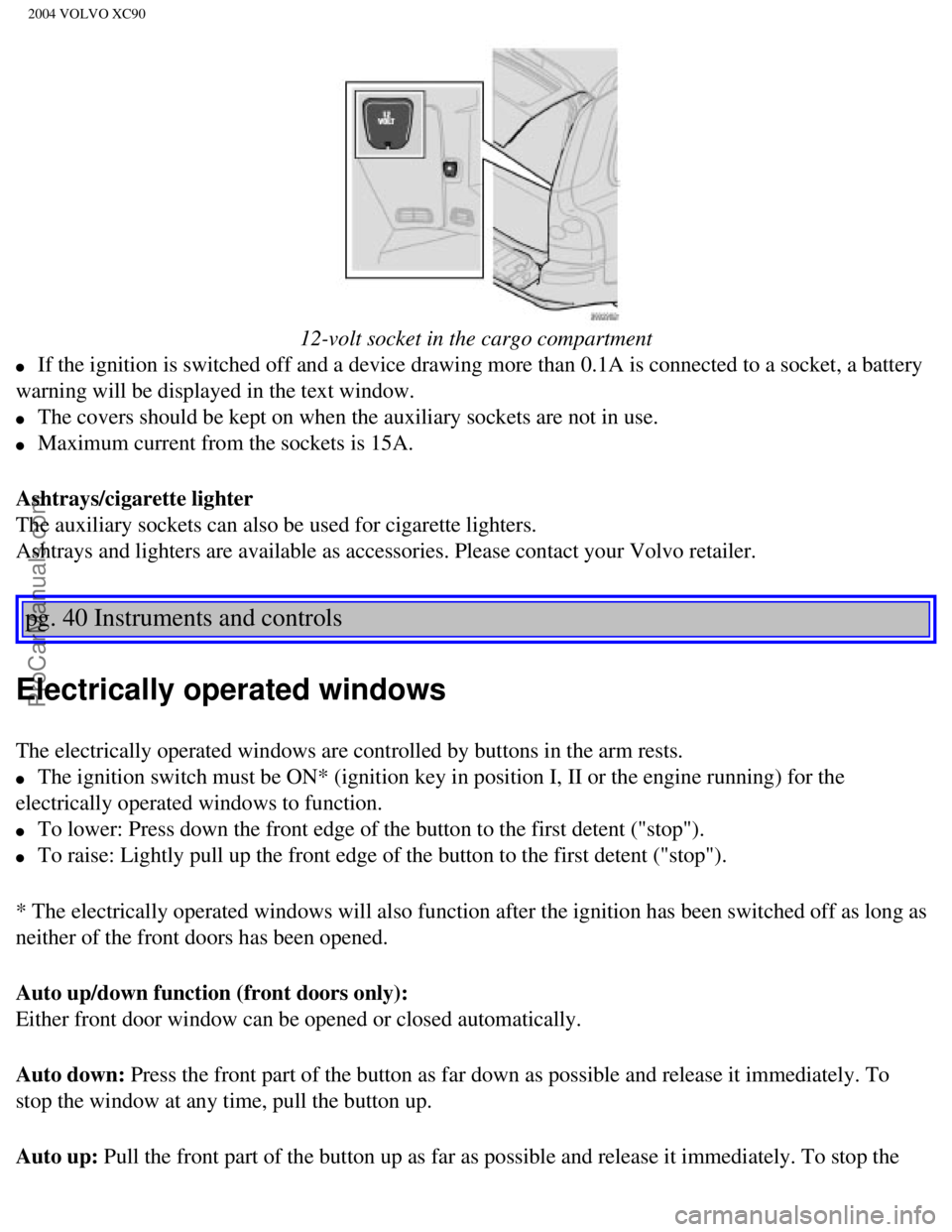
12-volt socket in the cargo compartment
l If the ignition is switched off and a device drawing more than 0.1A is c\
onnected to a socket, a battery
warning will be displayed in the text window.
l The covers should be kept on when the auxiliary sockets are not in use. \
l Maximum current from the sockets is 15A.
Ashtrays/cigarette lighter
The auxiliary sockets can also be used for cigarette lighters.
Ashtrays and lighters are available as accessories. Please contact your \
Volvo retailer.
pg. 40 Instruments and controls
Electrically operated windows
The electrically operated windows are controlled by buttons in the arm r\
ests.
l The ignition switch must be ON* (ignition key in position I, II or the \
engine running) for the
electrically operated windows to function.
l To lower: Press down the front edge of the button to the first detent (\
"stop").
l To raise: Lightly pull up the front edge of the button to the first dete\
nt ("stop").
* The electrically operated windows will also function after the ignitio\
n has been switched off as long as
neither of the front doors has been opened.
Auto up/down function (front doors only):
Either front door window can be opened or closed automatically.
Auto down: Press the front part of the button as far down as possible and release i\
t immediately. To
stop the window at any time, pull the button up.
Auto up: Pull the front part of the button up as far as possible and release it i\
mmediately. To stop the
file:///K|/ownersdocs/2004/2004_XC90/04xc90_02b.htm (9 of 16)12/30/200\
6 4:35:15 PM
Page 64 of 245
Downloaded from www.Manualslib.com manuals search engine ProCarManuals.com
2004 VOLVO XC90
The mirror control switches are located on the driver's door armrest.
Driver's side: Press the L button (a light in the switch will go on) to activate the \
adjustment control. Use
this control to adjust the driver's door mirror.
Passenger's side: Press the R switch (a light in the switch will go on) to activate the \
adjustment control.
Use this control to adjust the passenger's door mirror. After you have a\
djusted the mirror(s), press the L
or R switch again (the LED will go out) to deactivate the adjustment c\
ontrol.
WARNING!
The mirrors should always be adjusted prior to driving. Objects seen in \
the passenger's side wide-
angle sideview mirror are closer than they appear to be.
Mirror memory function (with the central locking system) - option
If you lock the vehicle and later unlock it with the same remote control and open the driver's door, the
sideview mirrors (and the driver's seat) will automatically move to th\
e position they were in when you
left the vehicle. This feature will work in the same way with all of the\
remote control transmitters (up to
3) that you use with your vehicle. This feature will not function if yo\
u lock your vehicle with the key.
pg. 43 Instruments and controls
Power moonroof (option)
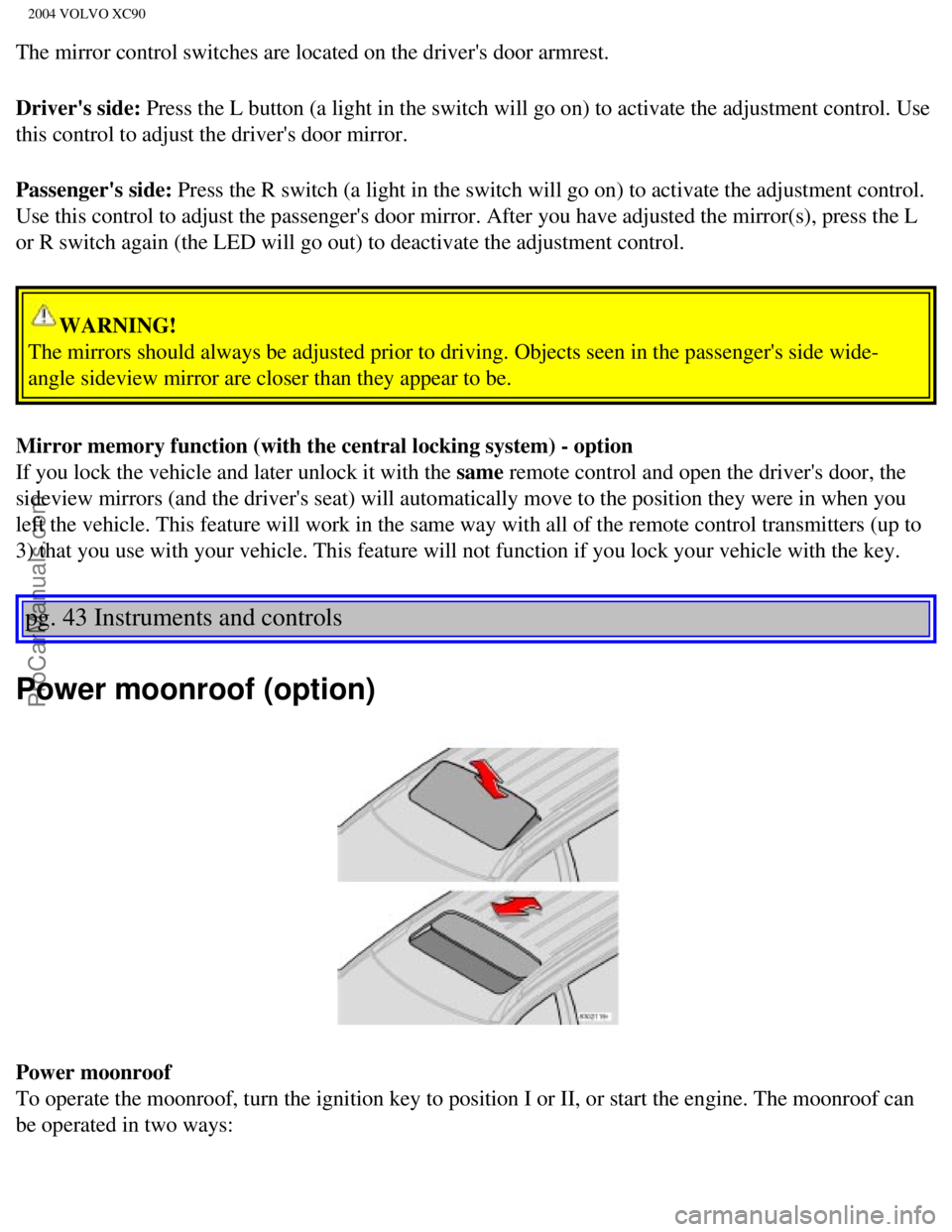
Power moonroof
To operate the moonroof, turn the ignition key to position I or II, or s\
tart the engine. The moonroof can
be operated in two ways:
file:///K|/ownersdocs/2004/2004_XC90/04xc90_02b.htm (13 of 16)12/30/20\
06 4:35:15 PM