display VOLVO XC90 2004 Owner's Guide
[x] Cancel search | Manufacturer: VOLVO, Model Year: 2004, Model line: XC90, Model: VOLVO XC90 2004Pages: 245, PDF Size: 7.14 MB
Page 217 of 245

Downloaded from www.Manualslib.com manuals search engine ProCarManuals.com
2004 VOLVO XC90
NOTE: The MY KEY buttons can only be programmed for one shortcut function at a\
time.
pg. 170 Audio
Radio functions (contd)
Automatically storing stations - AUTOSTORE
This function automatically searches for, and stores up to 10 strong AM \
or FM stations in a separate
memory. If more than 10 stations are found, the 10 strongest ones will b\
e stored. The function is
especially useful in areas in which you are not acquainted with radio st\
ations or their frequencies.
1. Choose radio mode using the SELECTOR control or the AM/FM button.
2. Select AUTOSTORE in the menu and press ENTER.
3. Select AST SEARCH and press ENTER.
4. AUTOSTORING is shown in the display and a number of strong stations (\
max. 10) from the set
frequency band are now automatically stored in the autostore memory. If \
there are no stations with
sufficient signal strength, NO AST FOUND is displayed.
5. The stored stations are available under the buttons 0-9 (1).
6. When the radio is in autostore mode, AUTO is shown in the display. AU\
TO disappears when you
return to the normal radio mode.
7. Return to normal radio mode by pressing the AM/FM button or EXIT/CLEA\
R.
8. To access previously stored stations, carry out steps 1-2 but select \
AST MODE in step 3 and press
ENTER.
file:///K|/ownersdocs/2004/2004_XC90/04xc90_11a.htm (13 of 17)12/30/20\
06 4:35:31 PM
Page 218 of 245

Downloaded from www.Manualslib.com manuals search engine ProCarManuals.com
2004 VOLVO XC90
pg. 171 Audio
Scanning - SCAN
This function automatically searches for the next strongest AM and FM st\
ations.When the radio finds a
station, it will pause for approximately 8 seconds, after which it will \
continue scanning.
1. Choose radio mode using the SELECTOR control (1) or the AM/FM butto\
n (2).
2. Select SCAN to start searching and press ENTER.
3. SCAN will be shown in the display.
4. Press the EXIT/CLEAR button to stop scanning.
pg. 172 Audio
Radio functions (contd)
file:///K|/ownersdocs/2004/2004_XC90/04xc90_11a.htm (14 of 17)12/30/20\
06 4:35:31 PM
Page 219 of 245

Downloaded from www.Manualslib.com manuals search engine ProCarManuals.com
2004 VOLVO XC90
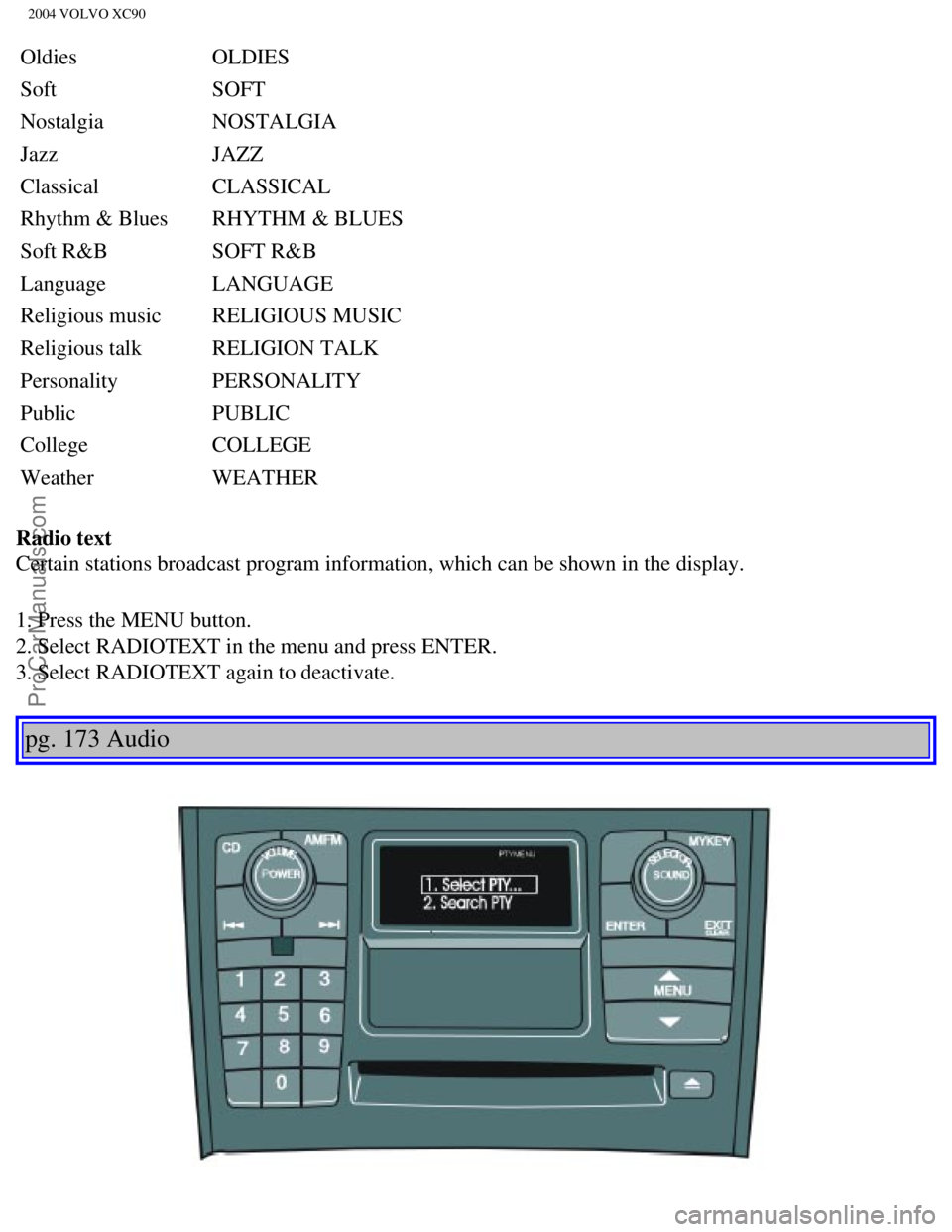
Program type/Format - PTY
The PTY function allows you to find programs that suit your taste. Use t\
he PTY function to select from
among the different program types shown in the list.
Which PTY does the set station have?
1. Select RADIO SETTINGS in the menu and press ENTER.
2. Select PTY in the menu and press ENTER.
3. Select SHOW PTY TEXT and press ENTER. The PTY of the selected station\
is now shown in the
display.
NOTE: Not all radio stations have PTY designations. Program type Text displayed
Switch off/
deactivate CLEAR ALL PTY
News NEWS
Information INFORMATION
Sports SPORT
Talk TALK
Rock ROCK
Classic rock CLASSIC ROCK
Adult hits ADULT HITS
Soft rock SOFT ROCK
Top 40 TOP 40
Country COUNTRY
file:///K|/ownersdocs/2004/2004_XC90/04xc90_11a.htm (15 of 17)12/30/20\
06 4:35:31 PM
Page 220 of 245
Downloaded from www.Manualslib.com manuals search engine ProCarManuals.com
2004 VOLVO XC90
Oldies OLDIES
Soft SOFT
Nostalgia NOSTALGIA
Jazz JAZZ
Classical CLASSICAL
Rhythm & Blues RHYTHM & BLUES
Soft R&B SOFT R&B
Language LANGUAGE
Religious music RELIGIOUS MUSIC
Religious talk RELIGION TALK
Personality PERSONALITY
Public PUBLIC
College COLLEGE
Weather WEATHER
Radio text
Certain stations broadcast program information, which can be shown in th\
e display.
1. Press the MENU button.
2. Select RADIOTEXT in the menu and press ENTER.
3. Select RADIOTEXT again to deactivate.
pg. 173 Audio
file:///K|/ownersdocs/2004/2004_XC90/04xc90_11a.htm (16 of 17)12/30/20\
06 4:35:31 PM
Page 221 of 245
Downloaded from www.Manualslib.com manuals search engine ProCarManuals.com
2004 VOLVO XC90
Search for a specific program type - PTY
This functions enables you to search for a certain type of program by se\
arching through the entire
waveband.
1. Select FM1 or FM2 and press the MENU button.
2. Select RADIO SETTINGS and press ENTER.
3. Select PTY and press ENTER.
4. Choose SELECT PTY and press ENTER.
5. Press ENTER for one or more of the listed program types to select. Th\
e PTY symbol is displayed and
lights up when you make your first selection and the radio goes into PTY\
mode.
6. When you have made all of your selections, press EXIT/CLEAR to exit t\
he PTY list.
7. Select SEARCH PTY and press ENTER. If the radio finds a station with \
the selected program type,
this station will be played.
8. If the radio finds a station that does not match your selections, con\
tinue the search with the
and
buttons.
9. If no station with the selected program type is found, the radio will\
return to the previously tuned
frequency. PTY will remain in standby mode.
10. To deactivate the PTY standby mode, select CLEAR ALL PTY and press E\
NTER. The PTY symbol
then disappears and the radio returns to the normal operating mode.
PTY standby
To set the radio in PTY standby, repeat steps 1-6.
Contents | Top of Page
file:///K|/ownersdocs/2004/2004_XC90/04xc90_11a.htm (17 of 17)12/30/20\
06 4:35:31 PM
Page 224 of 245
 or the CD button \
(2).
2. Insert a CD")
Downloaded from www.Manualslib.com manuals search engine ProCarManuals.com
2004 VOLVO XC90
Starting the CD
1. Select the CD mode using the SELECTOR control (1) or the CD button \
(2).
2. Insert a CD into the player.
NOTE: To pause CD playback, turn the volume all the way down. "CD paused" wil\
l be displayed. This
will not occur if someone in the rear seat is listening to the CD throug\
h the optional headphones.
Play will resume when the volume is turned up again.
Changing tracks
Press
to go to the next track or to go to the previous track. The track number is shown in the
display. If you have a keypad in the steering wheel, you can use the arr\
ow keys in the same way.
Searching within a track
Press and hold down
or to search within a track or the whole disc. The search continues as
long as the buttons are depressed. If you have a keypad in the steering \
wheel, you can use the arrow keys
in the same way.
Random play
This function plays the tracks on a CD in random order (shuffle).
1. Press the MENU button.
2. Select RANDOM and press ENTER.
3. RND is shown in the display as long as the function is activated.
4. Go into the menu and select RANDOM OFF to stop random play, or press \
EXIT.
pg. 176 Audio
file:///K|/ownersdocs/2004/2004_XC90/04xc90_11b.htm (3 of 11)12/30/200\
6 4:35:32 PM
Page 225 of 245
Downloaded from www.Manualslib.com manuals search engine ProCarManuals.com
2004 VOLVO XC90
CD player (contd)
SCAN This function plays the first ten seconds of each track.
1. Press the MENU button.
2. Select SCAN and press ENTER.
3. Press EXIT/CLEAR to listen to an entire track.
Disctext
Certain CDs contain information about the disc, such as the titles of th\
e tracks, etc. This information can
be shown in the display by activating the DISCTEXT function.
1. Press the MENU button.
2. Select DISCTEXT in the menu and press ENTER.
3. Any information that may be stored on the disc will be displayed.
4. To deactivate this function, select DISCTEXT and press ENTER.
NOTE: This function is only available on the CD changer.
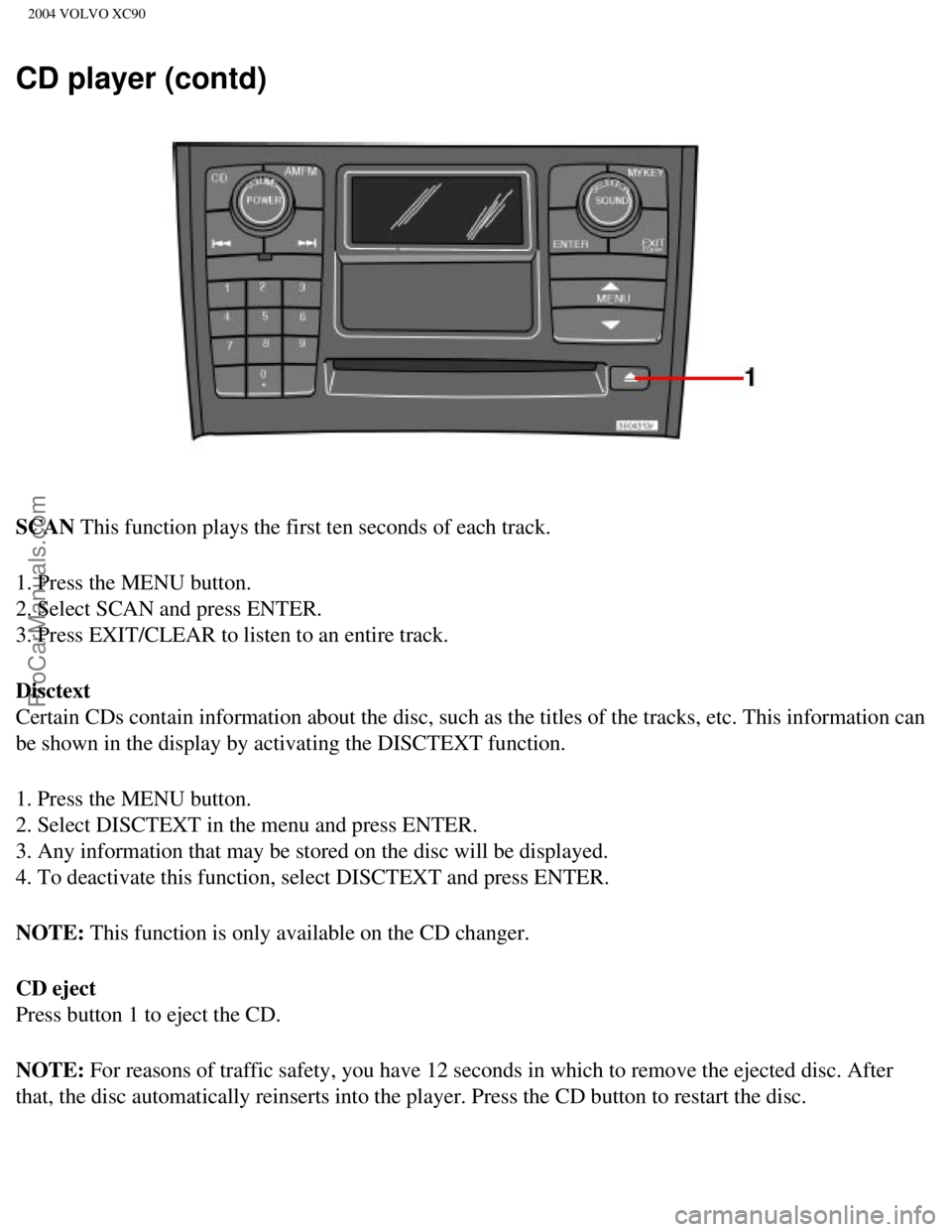
CD eject
Press button 1 to eject the CD.
NOTE: For reasons of traffic safety, you have 12 seconds in which to remove th\
e ejected disc. After
that, the disc automatically reinserts into the player. Press the CD but\
ton to restart the disc.
file:///K|/ownersdocs/2004/2004_XC90/04xc90_11b.htm (4 of 11)12/30/200\
6 4:35:32 PM
Page 226 of 245
Downloaded from www.Manualslib.com manuals search engine ProCarManuals.com
2004 VOLVO XC90
pg. 177 Audio
CD changer (option)
CD changer (option)
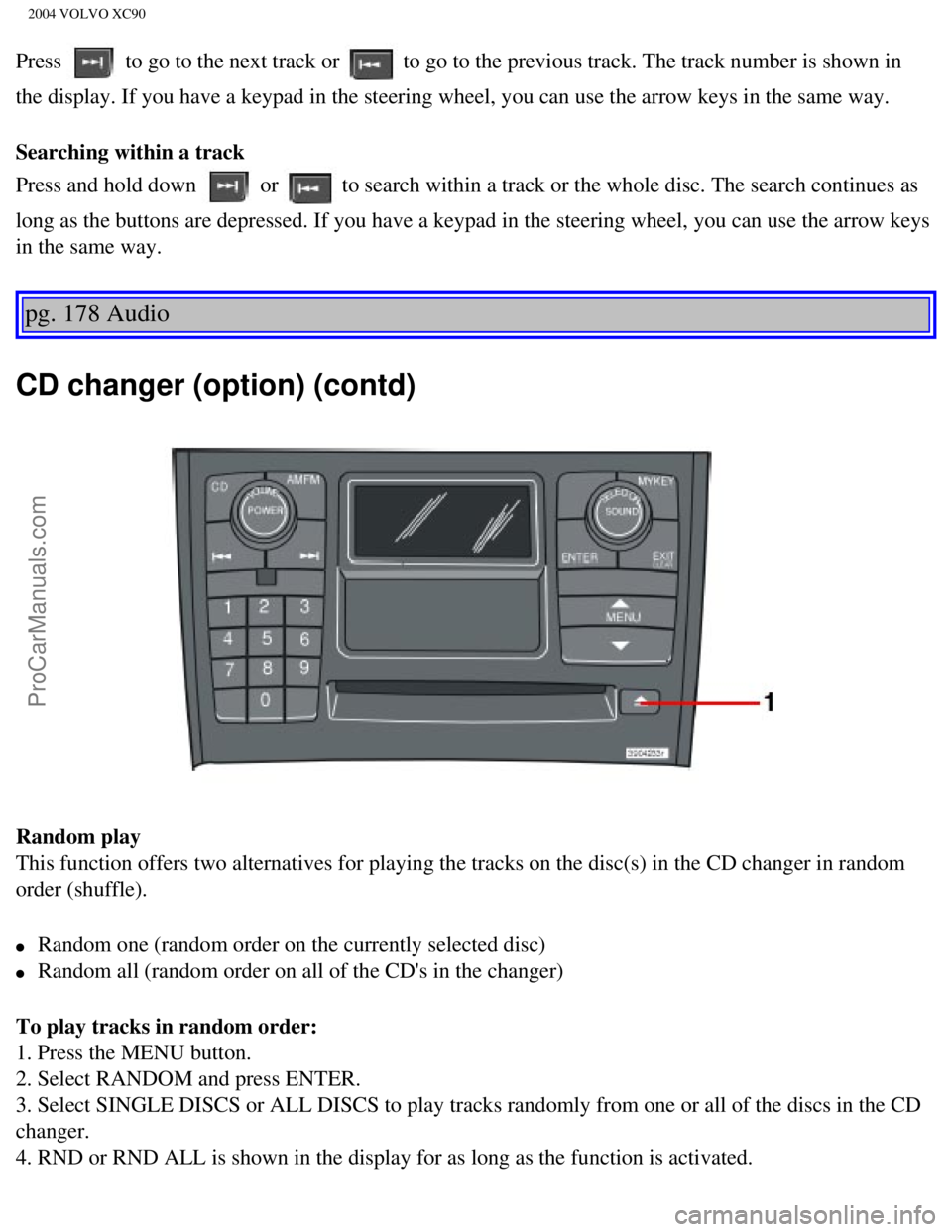
The CD changer can hold up to six discs.
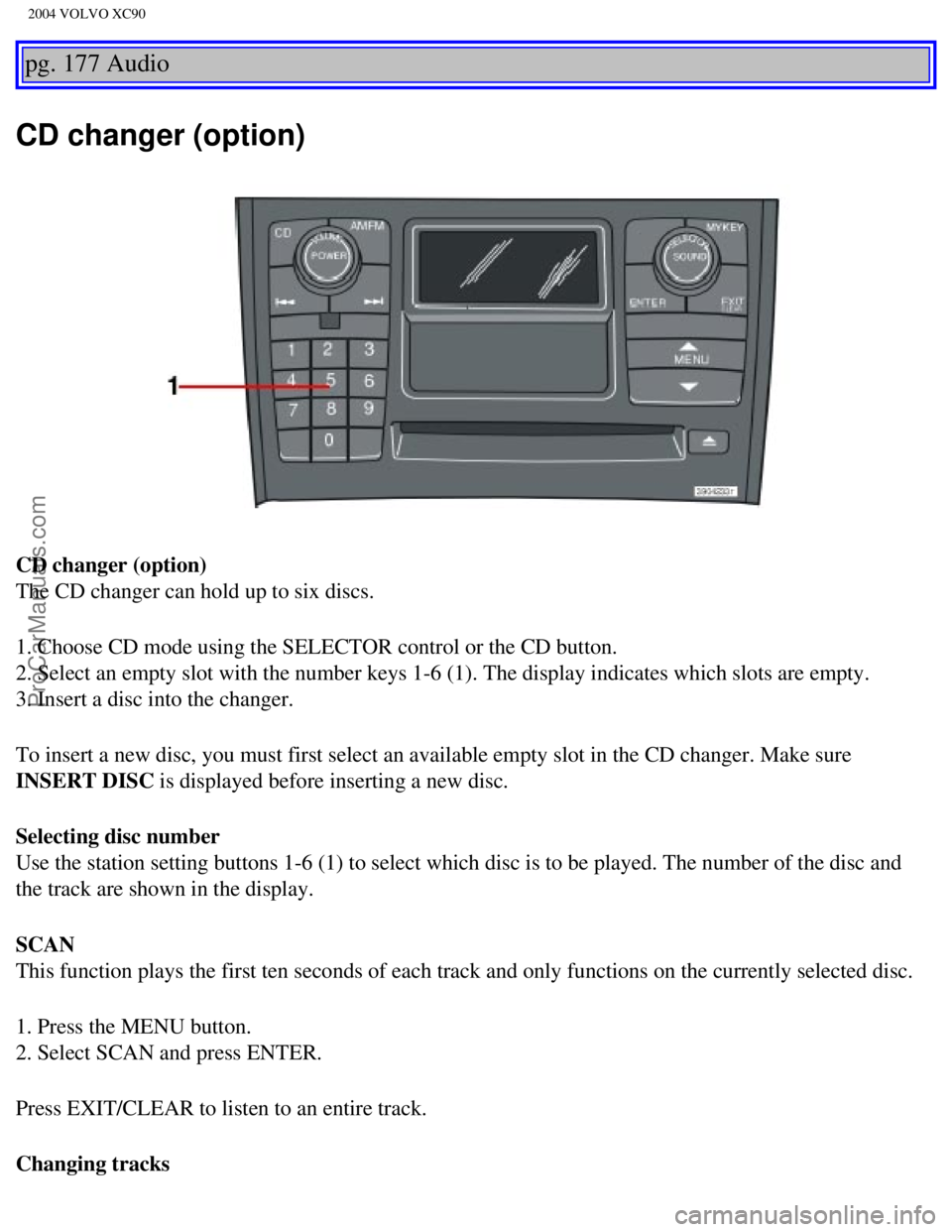
1. Choose CD mode using the SELECTOR control or the CD button.
2. Select an empty slot with the number keys 1-6 (1). The display indi\
cates which slots are empty.
3. Insert a disc into the changer.
To insert a new disc, you must first select an available empty slot in t\
he CD changer. Make sure
INSERT DISC is displayed before inserting a new disc.
Selecting disc number
Use the station setting buttons 1-6 (1) to select which disc is to be \
played. The number of the disc and
the track are shown in the display.
SCAN
This function plays the first ten seconds of each track and only functio\
ns on the currently selected disc.
1. Press the MENU button.
2. Select SCAN and press ENTER.
Press EXIT/CLEAR to listen to an entire track.
Changing tracks
file:///K|/ownersdocs/2004/2004_XC90/04xc90_11b.htm (5 of 11)12/30/200\
6 4:35:32 PM
Page 227 of 245
Downloaded from www.Manualslib.com manuals search engine ProCarManuals.com
2004 VOLVO XC90
Press to go to the next track or to go to the previous track. The track number is shown in
the display. If you have a keypad in the steering wheel, you can use the\
arrow keys in the same way.
Searching within a track
Press and hold down
or to search within a track or the whole disc. The search continues as
long as the buttons are depressed. If you have a keypad in the steering \
wheel, you can use the arrow keys
in the same way.
pg. 178 Audio
CD changer (option) (contd)
Random play
This function offers two alternatives for playing the tracks on the disc\
(s) in the CD changer in random
order (shuffle).
l Random one (random order on the currently selected disc)
l Random all (random order on all of the CD's in the changer)
To play tracks in random order:
1. Press the MENU button.
2. Select RANDOM and press ENTER.
3. Select SINGLE DISCS or ALL DISCS to play tracks randomly from one or \
all of the discs in the CD
changer.
4. RND or RND ALL is shown in the display for as long as the function is\
activated.
file:///K|/ownersdocs/2004/2004_XC90/04xc90_11b.htm (6 of 11)12/30/200\
6 4:35:32 PM
Page 228 of 245

Downloaded from www.Manualslib.com manuals search engine ProCarManuals.com
2004 VOLVO XC90
NOTE: Press to play the next randomly selected track. This can only be done on the \
currently
selected disc.
5. Press EXIT to stop random play.
Ejecting one disc
A short press on the EJECT button (1) will eject the CD that is currently playing. \
NOTE: For reasons of traffic safety, you have 12 seconds in which to remove th\
e ejected disc. After
that, the disc automatically reinserts into the player.
Ejecting all discs
A long press on the EJECT button (1) starts the EJECT ALL function.
The text EJECTING ALL will be displayed and the entire magazine will be \
emptied disc by disc.
NOTE:
- The EJECT ALL function can only be used while the vehicle is at a stan\
dstill and will be cancelled if
the vehicle begins to move.
- For reasons of traffic safety, you have 12 seconds in which to remove \
the ejected disc. After that, the
disc automatically reinserts into the player.
pg. 179 Audio
Audio systems - general information
Compact disc care
l Before using a new CD for the first time, remove any burrs in the center\
/outer edge by running the
stem of a pen or similar object around the hole/edge of the disc.
l Use CD standard EN 60908 discs only. Discs not meeting this standard may\
cause problems with
system (poor sound). CDR discs can cause listening problems due to the\
quality of the disc or recording
equipment used.
l Keep the discs clean. Wipe them with a soft, clean, lint-free cloth, wor\
king from the center outwards.
If necessary, dampen the cloth with a neutral soap solution. Dry thoroug\
hly before using.
l Never use cleaning spray or antistatic liquid. Use only cleaners specifi\
cally made for CD's.
l Use discs of the correct size only (3.5" discs should never be used). \
l Do not put tape or labels on the disc itself. They could become stuck in\
the player.
l Volvo does not recommend the use of plastic outer rings on the disc.
l Condensation may occur on discs/optical components of the changer in col\
d winter weather. The disc
can be dried with a clean, lint-free cloth. Optical components in the CD\
changer may, however, take up
to one hour to dry off.
file:///K|/ownersdocs/2004/2004_XC90/04xc90_11b.htm (7 of 11)12/30/200\
6 4:35:32 PM