light VOLVO XC90 2004 Owner's Manual
[x] Cancel search | Manufacturer: VOLVO, Model Year: 2004, Model line: XC90, Model: VOLVO XC90 2004Pages: 245, PDF Size: 6.36 MB
Page 48 of 245
 in the side panel by pulling the tab (3) upwar\
d/outward.
5. Pull down the insulating material (4) to access the fuel filler doo\
r motor (5).
6. Move the catch")
2004 VOLVO XC90
4. Open the cover (2) in the side panel by pulling the tab (3) upwar\
d/outward.
5. Pull down the insulating material (4) to access the fuel filler doo\
r motor (5).
6. Move the catch (6) rearward to unlock the fuel filler door lock, or\
move it forward to lock the filler
door.
pg. 32 Instruments and controls
Turn signals, Steering wheel adjustment
1. Lane change
In maneuvers such as lane changing, the driver can flash the turn signal\
s by moving the turn signal lever
to the first stop and holding it there. The lever will return to the neu\
tral position when released.
2. Signal lever engaged for normal turns
3. High/low beam switch (headlights on).
file:///K|/ownersdocs/2004/2004_XC90/04xc90_02a.htm (13 of 16)12/30/20\
06 4:35:14 PM
Page 49 of 245
.
Move the lever towards the steering wheel. The headlight high beam will \
be on until the lever is
released.
4. Exterior courtesy lights.
Move")
2004 VOLVO XC90
Headlight flasher (headlights off).
Move the lever towards the steering wheel. The headlight high beam will \
be on until the lever is
released.
4. Exterior courtesy lights.
Move the lever towards the steering wheel and release it.
NOTE: If the turn signal indicator flashes faster than normal, check for a bur\
ned-out turn signal bulb.
Home safe lighting
When you leave your vehicle at night, you can make use of the courtesy l\
ighting function:
l Remove the key from the ignition switch.
l Pull the turn signal lever towards the steering wheel (as when using th\
e headlight flasher function).
l Exit the vehicle and lock the doors.
The headlights, parking lights, license plate lights and the lights in t\
he sideview mirrors will now come
on and remain on for 30, 60 or 90 seconds (the time interval is at your\
discretion and can be changed by
an authorized Volvo retailer).
Approach lighting
When approaching the vehicle at night, press the yellow button in the ce\
ntral locking remote control (see
illustration on
page 73). This lights up the interior courtesy lights, parking lights, license\
plate lights and
the lights in the sideview mirrors.
Steering wheel adjustment
Steering wheel adjustment
Both the height and the reach of the steering wheel can be adjusted to a\
comfortable position for the
driver. Pull down the lever on the left of the steering column. Adjust t\
he steering wheel to a suitable
position and press the lever back into place to lock the steering wheel \
in the new position. Check that the
steering wheel is locked in the new position.
file:///K|/ownersdocs/2004/2004_XC90/04xc90_02a.htm (14 of 16)12/30/20\
06 4:35:14 PM
Page 50 of 245

2004 VOLVO XC90
WARNING!
The Never adjust the steering wheel while
driving.
pg. 33 Instruments and controls
Windshield wipers
Windshield wipers off
If the lever is in the 0 position and you move it upwards, the wipers wi\
ll sweep one stroke at a time for
as long as you hold the lever up.
"Single sweep" position
Move the lever slightly upward from the 0 position for one sweep of the \
wipers. The lever return
automatically to 0 when released.
Intermittent wiper function
With the lever in this position, you can set the wiper interval by twist\
ing the control ring (A) upward to
increase wiper speed or downward to decrease the speed.
Rain sensor (option)
The rain sensor replaces the intermittent wiper function and automatical\
ly regulates wiper speed
according to the amount of water on the windshield. The sensitivity of the sensor can be adjusted by
twisting collar A upward or downward.
file:///K|/ownersdocs/2004/2004_XC90/04xc90_02a.htm (15 of 16)12/30/20\
06 4:35:14 PM
Page 51 of 245
2004 VOLVO XC90
Activating the rain sensor function:
1. Switch on the ignition.
2. Move the windshield wiper lever to the intermittent position.
The rain sensor is deactivated when the ignition is switched completely \
off.
To reactivate the rain sensor function:
1. Switch on the ignition.
2. Move the windshield wiper lever to position 0 and then back to the in\
termittent position. CAUTION
When washing the vehicle in an automatic car wash, move the windshield w\
iper lever to
position 0 to deactivate the rain sensor. If the rain sensor is left on, the wipers will activate in the
car wash and could be damaged.
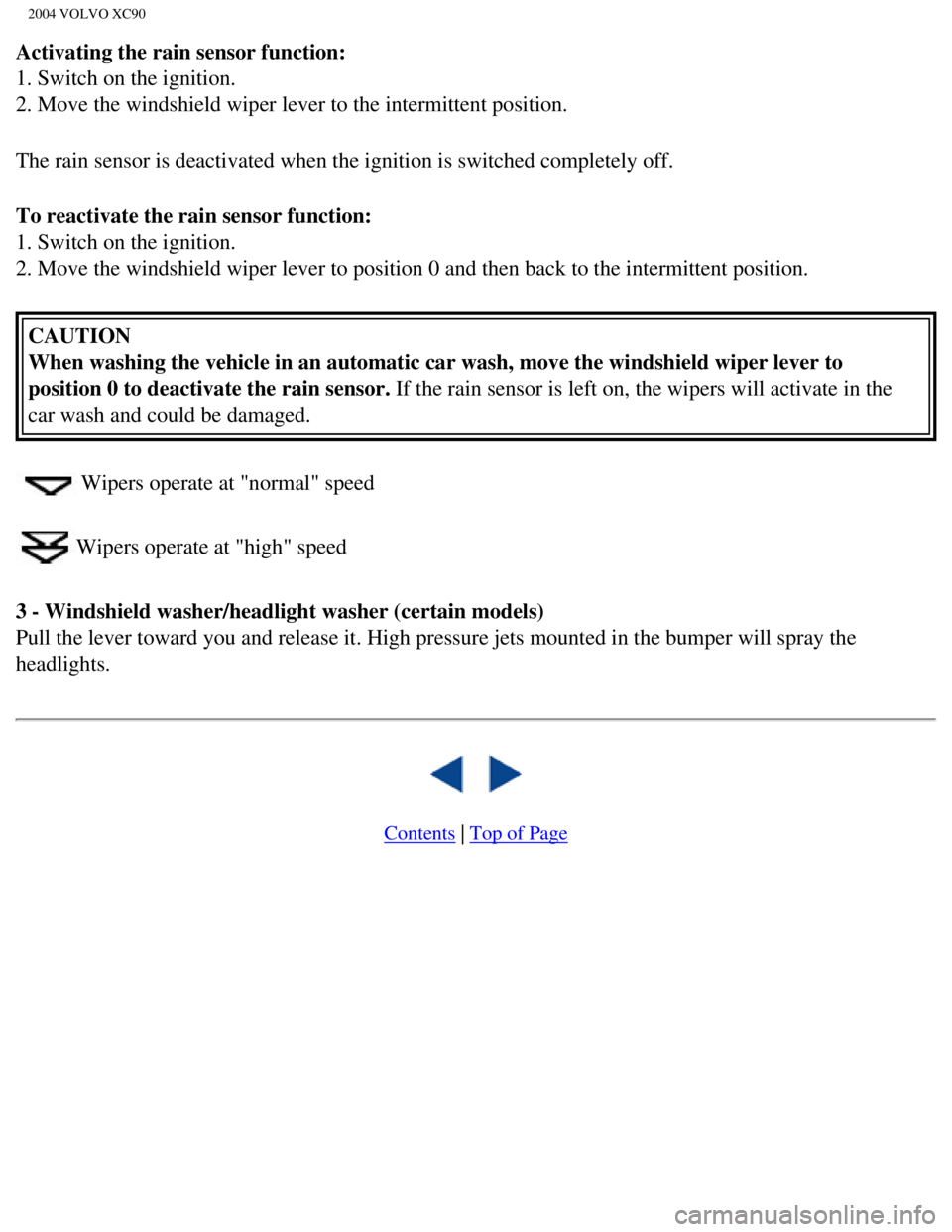
Wipers operate at "normal" speed
Wipers operate at "high" speed
3 - Windshield washer/headlight washer (certain models)
Pull the lever toward you and release it. High pressure jets mounted in \
the bumper will spray the
headlights.
Contents | Top of Page
file:///K|/ownersdocs/2004/2004_XC90/04xc90_02a.htm (16 of 16)12/30/20\
06 4:35:14 PM
Page 53 of 245

2004 VOLVO XC90
Hazard warning flashers
The four-way flasher should be used to indicate that the vehicle has bec\
ome a traffic hazard. To activate
the flashers, press the triangular button in the center dash. Press the \
button again to turn off the flashers.
NOTE: Regulations regarding the use of the hazard warning flasher may vary, de\
pending on where you
live.
Sideview mirror and rear window defroster
Press the switch to start heating the rear window and sideview mirrors t\
o remove ice or condensation.
An LED in the switch will light up.
A timer automatically switches off the heating to the sideview mirrors a\
fter approximately 4 minutes and
to the rear window after approximately 12 minutes. The LED will go out c\
orrespondingly.
Heated front seats (option)
file:///K|/ownersdocs/2004/2004_XC90/04xc90_02b.htm (2 of 16)12/30/200\
6 4:35:15 PM
Page 55 of 245
.
1. Driving distance on current fuel reserve
This function shows the approximate distance that can be driven on the f\
uel remaining in the tank. This
calculation is base")
2004 VOLVO XC90
(button C).
1. Driving distance on current fuel reserve
This function shows the approximate distance that can be driven on the f\
uel remaining in the tank. This
calculation is based on average fuel consumption during the last 12 mile\
s (20 km) of driving and the
amount of fuel remaining in the tank when the reading was taken.
When the driving distance on current fuel reserve is less than 12 miles \
(20 km), "----" will be displayed
in the text window.
2. Average fuel consumption
This value indicates fuel consumption since the last time the trip compu\
ter was reset (by pressing
RESET, button C). When the engine is switched off, information on fuel \
consumption is stored and
remains in system memory until the RESET (button C) is pressed again.
3. Current fuel consumption
This value indicates the current fuel consumption, based on readings tak\
en once per second. When the
vehicle is not moving, "----" will be displayed.
4. Average speed
This value indicates average speed since the last time the trip computer\
was reset (by pressing RESET,
button C). When the engine is switched off, information on average spee\
d is stored and remains in
system memory until the RESET (button C) is pressed again.
5. Current speed in miles per hour (Canadian models only)
This function provides the driver with an instantaneous conversion of th\
e vehicle's current speed from
km/h to mph.
NOTE: Trip computer readings may vary slightly depending on the circumfe\
rence of the tires on the
vehicle.
* Five functions on Canadian models
** A sixth time on Canadian models
pg. 37 Instruments and controls
Cruise control
file:///K|/ownersdocs/2004/2004_XC90/04xc90_02b.htm (4 of 16)12/30/200\
6 4:35:15 PM
Page 57 of 245
2004 VOLVO XC90
start to spin.
Temporarily disengaging cruise control
l Press 0 to temporarily disengage cruise control. Press "resume" to return to the previously set
speed.
l Press the brake pedal. Press "resume" to return to the previously set speed.
WARNING!
The Cruise control should not be used in heavy traffic or when driving o\
n wet or slippery roads, or
when driving on unpaved or uneven road surfaces. Cruise control may not \
maintain set speed on steep
downgrades.
pg. 38 Instruments and controls
Parking brake, Opening/closing the hood
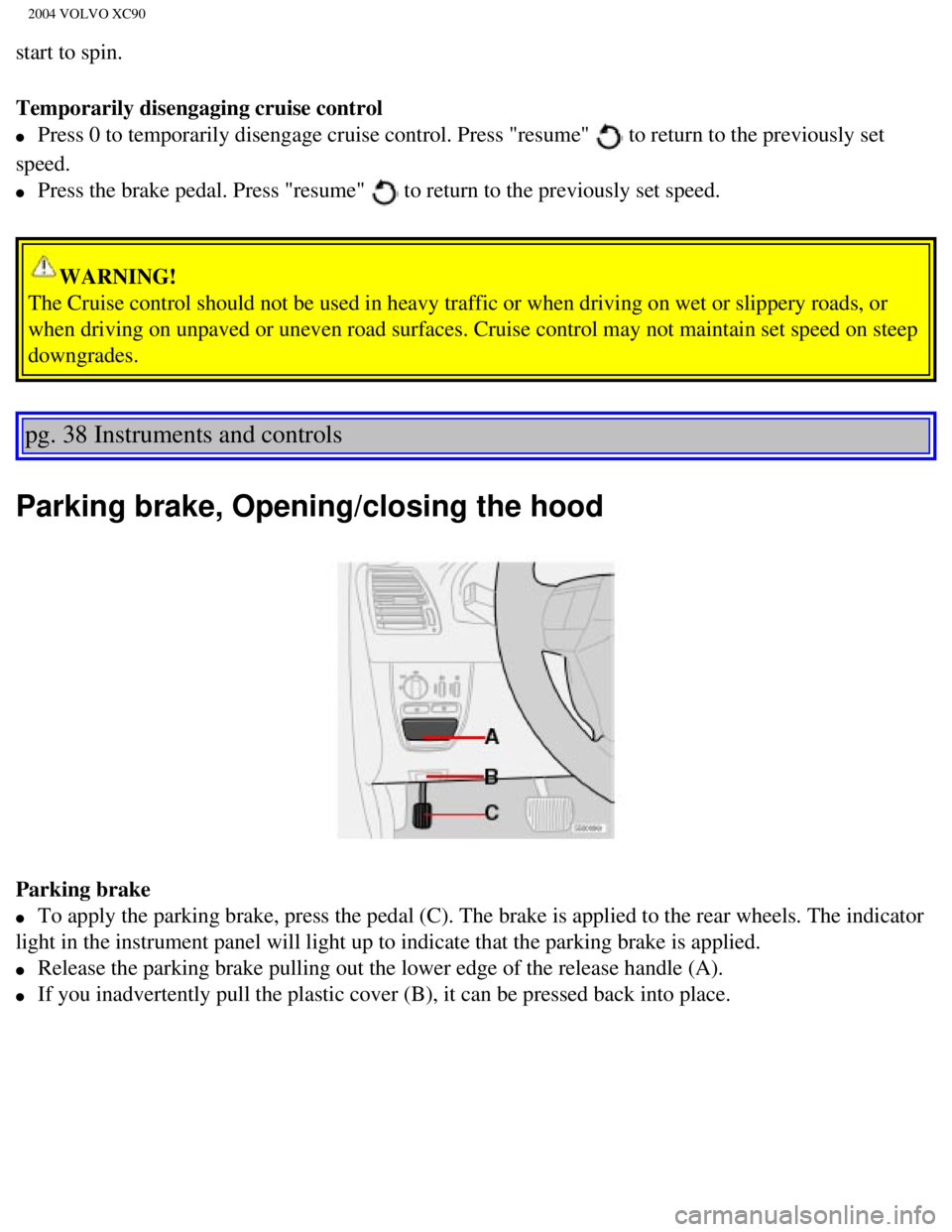
Parking brake
l To apply the parking brake, press the pedal (C). The brake is applied \
to the rear wheels. The indicator
light in the instrument panel will light up to indicate that the parking\
brake is applied.
l Release the parking brake pulling out the lower edge of the release hand\
le (A).
l If you inadvertently pull the plastic cover (B), it can be pressed bac\
k into place.
file:///K|/ownersdocs/2004/2004_XC90/04xc90_02b.htm (6 of 16)12/30/200\
6 4:35:15 PM
Page 58 of 245

2004 VOLVO XC90
WARNING!
Always use the parking brake when parking. On hills, also turn the front\
wheels toward the curb.The
indicator light in the instrument panel will light up even if the parkin\
g brake is applied only slightly.
Be sure to press down on the pedal sufficiently.
Opening the hood
Opening/closing the hood
1. Pull the lever (1) located under the left side of the dashboard to \
release the hood lock.
2. Lift the hood slightly.
3. Press up the release control (2) located under the front edge of th\
e hood and lift.
To close the hood, place your hand on it and press down until the hood l\
ocks in the closed position.
WARNING!
l Do not grasp the ribs in the grille when closing the hood. If your finge\
rs protrude through the
grille, they could be injured on components in the engine compartment as\
the grille closes. We
recommend pressing down on the hood to close it.
l Check that the hood locks properly when closed!
pg. 39 Instruments and controls
Opening the tailgate, Auxiliary 12-volt sockets
file:///K|/ownersdocs/2004/2004_XC90/04xc90_02b.htm (7 of 16)12/30/200\
6 4:35:15 PM
Page 60 of 245

2004 VOLVO XC90
12-volt socket in the cargo compartment
l If the ignition is switched off and a device drawing more than 0.1A is c\
onnected to a socket, a battery
warning will be displayed in the text window.
l The covers should be kept on when the auxiliary sockets are not in use. \
l Maximum current from the sockets is 15A.
Ashtrays/cigarette lighter
The auxiliary sockets can also be used for cigarette lighters.
Ashtrays and lighters are available as accessories. Please contact your \
Volvo retailer.
pg. 40 Instruments and controls
Electrically operated windows
The electrically operated windows are controlled by buttons in the arm r\
ests.
l The ignition switch must be ON* (ignition key in position I, II or the \
engine running) for the
electrically operated windows to function.
l To lower: Press down the front edge of the button to the first detent (\
"stop").
l To raise: Lightly pull up the front edge of the button to the first dete\
nt ("stop").
* The electrically operated windows will also function after the ignitio\
n has been switched off as long as
neither of the front doors has been opened.
Auto up/down function (front doors only):
Either front door window can be opened or closed automatically.
Auto down: Press the front part of the button as far down as possible and release i\
t immediately. To
stop the window at any time, pull the button up.
Auto up: Pull the front part of the button up as far as possible and release it i\
mmediately. To stop the
file:///K|/ownersdocs/2004/2004_XC90/04xc90_02b.htm (9 of 16)12/30/200\
6 4:35:15 PM
Page 62 of 245
.
If the light in the switc")
2004 VOLVO XC90
Lockout switch for rear windows
The electrically operated rear door windows can be disabled by a switch \
located on the driver's door (see
illustration).
If the light in the switch is OFF: The rear door windows can be raised or lowered with the buttons on
the rear door armrests or with the buttons on the driver's door armrest.\
If the light in the switch is ON: The rear door windows can only be raised or lowered with the buttons
on the driver's door armrest.
Electrically operated window in the front passenger's seat
The control for the electrically operated window in the front passenger'\
s seat operates that window only.
Electrically operated windows in the rear doors.
The rear door windows can be operated with the control on each door and \
the switch on the driver's
door. If the light in the switch for blocking electrically operated wind\
ows in the rear doors (located in
the driver's door control panel) is on, the rear door windows can only \
be operated from the driver's door.
file:///K|/ownersdocs/2004/2004_XC90/04xc90_02b.htm (11 of 16)12/30/20\
06 4:35:15 PM