service VOLVO XC90 2013 Owner´s Manual
[x] Cancel search | Manufacturer: VOLVO, Model Year: 2013, Model line: XC90, Model: VOLVO XC90 2013Pages: 310, PDF Size: 8.62 MB
Page 32 of 310
01 Safety
Occupant Weight Sensor 01
30
This condition reflects limitations of the OWS
classification capability. It does not indicate
OWS malfunction.
ModificationsIf you are considering modifying your vehicle in
any way to accommodate a disability, for
example by altering or adapting the driver's or
front passenger's seat(s) and/or airbag sys-
tems, please contact Volvo at:
In the USA
Volvo Cars of North America, LLC
Customer Care Center
1 Volvo Drive
P.O. Box 914 Rockleigh,
New Jersey 07647
1-800-458-1552
In Canada
Volvo Cars of Canada Corp.
National Customer Service
175 Gordon Baker Road
North York, Ontario M2H 2N7
1-800-663-8255
WARNING
•No objects that add to the total weight
on the seat should be placed on the
front passenger's seat. If a child is
seated in the front passenger's seat
with any additional weight, this extra
weight could cause the OWS system to
enable the airbag, which might cause it
to deploy in the event of a collision,
thereby injuring the child.
•The seat belt should never be wrapped
around an object on the front passeng-
er's seat. This could interfere with the
OWS system's function.
•The front passenger's seat belt should
never be used in a way that exerts more
pressure on the passenger than normal.
This could increase the pressure exer-
ted on the weight sensor by a child, and
could result in the airbag being enabled,
which might cause it to deploy in the
event of a collision, thereby injuring the
child.
WARNING
Keep the following points in mind with
respect to the OWS system. Failure to follow
these instructions could adversely affect the
system's function and result in serious injury
to the occupant of the front passenger's
seat:
•The full weight of the front seat passen-
ger should always be on the seat cush-
ion. The passenger should never lift
him/herself off the seat cushion using
the armrest in the door or the center
console, by pressing the feet on the
floor, by sitting on the edge of the seat
cushion, or by pressing against the
backrest in a way that reduces pressure
on the seat cushion. This could cause
OWS to disable the front passenger's
side airbag.
•Do not place any type of object on the
front passenger's seat in such a way
that jamming, pressing, or squeezing
occurs between the object and the front
seat, other than as a direct result of the
correct use of the Automatic Locking
Retractor/Emergency Locking Retrac-
tor (ALR/ELR) seat belt (see page 38).
•No objects should be placed under the
front passenger's seat. This could inter-
fere with the OWS system's function.
Page 34 of 310
01 Safety
Side impact protection airbags 01
32
WARNING
•The SIPS airbag system is a supple-
ment to the structural Side Impact Pro-
tection System and the three-point seat
belt system. It is not designed to deploy
during collisions from the front or rear of
the vehicle or in rollover situations.
•The use of seat covers on the front seats
may impede SIPS airbag deployment.
•No objects, accessory equipment or
stickers may be placed on, attached to
or installed near the SIPS airbag system
or in the area affected by SIPS airbag
deployment.
•Never try to open or repair any compo-
nents of the SIPS airbag system. This
should be done only by a trained and
qualified Volvo service technician.
•In order for the SIPS airbag to provide
its best protection, both front seat
occupants should sit in an upright posi-
tion with the seat belt properly fastened.
•Failure to follow these instructions can
result in injury to the occupants of the
vehicle in the event of an accident.
Page 35 of 310
01 Safety
Inflatable Curtain01
33 The Inflatable Curtain (IC)
G027047
This system consists of inflatable curtains
located along the sides of the roof liners,
stretching from the front side windows to the
rear edge of the rear side windows. It is
designed to help protect the heads of the occu-
pants of the front seats and the occupants of
the outboard rear seating positions, including
the outboard passenger in the third row of
seats in certain side impact collisions.
G027048
The inflatable curtains in the Volvo XC90 are
also designed to help protect the occupants of
the vehicle in a roll-over situation, and to help
prevent them from being thrown from the vehi-
cle if a roll-over occurs.
NOTE
The Inflatable Curtains extend to protect all
three rows of seats.
By design, the IC system deploys only on the
side of the vehicle affected by the impact.
However, in certain side impacts, or in a roll-
over situation, BOTH the Inflatable Curtains
and the Side Impact Airbag System (SIPS-bag)will deploy, whereas, in some cases, ONLY the
Inflatable Curtain will deploy. In cases where
BOTH the Inflatable Curtain and the SIPS-bag
deploy, deployment will occur simultaneously.
NOTE
If the Inflatable Curtain deploys, it remains
inflated for approximately 5 seconds.
WARNING
•The IC system is a supplement to the
Side Impact Protection System. It is not
designed to deploy during collisions
from the front or the rear of the vehicle.
•Never try to open or repair any compo-
nents of the IC system. This should be
done only by a trained and qualified
Volvo service technician.
•Never hang heavy items from the ceiling
handles. This could impede deployment
of the Inflatable curtain.
Page 38 of 310
01 Safety
Whiplash Protection System 01
36
WARNING
•If your vehicle has been involved in a
rear-end collision, the front seat back-
rests must be inspected by a trained
and qualified Volvo service technician,
even if the seats appear to be undam-
aged. Certain components in the
WHIPS system may need to be
replaced.
•Do not attempt to service any compo-
nent in the WHIPS system yourself.
G020125
WARNING
Any contact between the front seat back-
rests and the folded rear seat could impede
the function of the WHIPS system. If the rear
seat is folded down, the occupied front
seats must be adjusted forward so that they
do not touch the folded rear seat.
G020126
WARNING
•Boxes, suitcases, etc. wedged behind
the front seats could impede the func-
tion of the WHIPS system.
•If the rear seat backrests are folded
down, cargo must be secured to pre-
vent it from sliding forward against the
front seat backrests in the event of a
collision from the rear. This could inter-
fere with the action of the WHIPS sys-
tem.
Page 61 of 310
02 Instruments and controls
Instrument panel
02
59
Gear and driving mode indicator – The cur-
rently selected driving mode is displayed
here. If you use the Geartronic function on
the automatic transmission, the currently
selected gear will be displayed.
Ambient temperature gauge – This display
indicates the air temperature outside your
vehicle. A "snowflake" symbol in the text
window is displayed when the temperature
is in the range of 23 – 36 °F (–5 – +2 °C).
Please note that this symbol does not indi-
cate a fault with your vehicle. At low
speeds or when the vehicle is not moving,
the temperature readings may be slightly
higher than the actual ambient tempera-
ture.
Clock/set button – Turn the button to set
the clock.
Fuel gauge – see page 290 for fuel tank
volume. When the warning light in the
gauge comes on, the vehicle should be
refueled as soon as possible. The trip com-
puter section (see page 76) provides
more information on fuel level and con-
sumption.
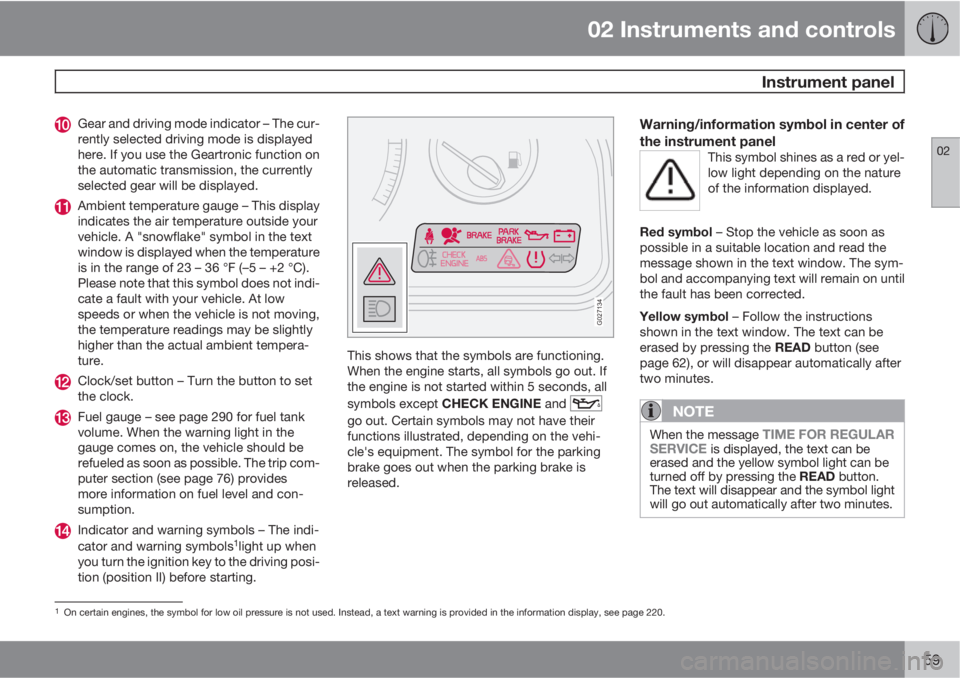
Indicator and warning symbols – The indi-
cator and warning symbols1light up when
you turn the ignition key to the driving posi-
tion (position II) before starting.
G027134
This shows that the symbols are functioning.
When the engine starts, all symbols go out. If
the engine is not started within 5 seconds, all
symbols except CHECK ENGINE and
go out. Certain symbols may not have their
functions illustrated, depending on the vehi-
cle's equipment. The symbol for the parking
brake goes out when the parking brake is
released.
Warning/information symbol in center of
the instrument panel
This symbol shines as a red or yel-
low light depending on the nature
of the information displayed.
Red symbol – Stop the vehicle as soon as
possible in a suitable location and read the
message shown in the text window. The sym-
bol and accompanying text will remain on until
the fault has been corrected.
Yellow symbol – Follow the instructions
shown in the text window. The text can be
erased by pressing the READ button (see
page 62), or will disappear automatically after
two minutes.
NOTE
When the message TIME FOR REGULAR
SERVICE is displayed, the text can be
erased and the yellow symbol light can be
turned off by pressing the READ button.
The text will disappear and the symbol light
will go out automatically after two minutes.
1On certain engines, the symbol for low oil pressure is not used. Instead, a text warning is provided in the information display, see page 220.
Page 62 of 310
02 Instruments and controls
Instrument panel
02
60
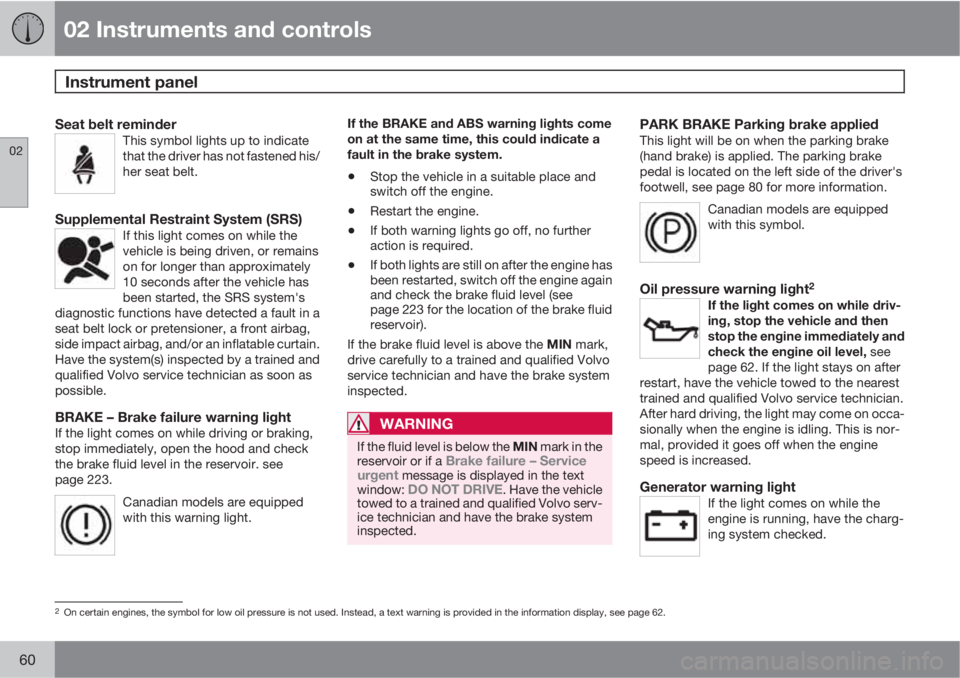
Seat belt reminderThis symbol lights up to indicate
that the driver has not fastened his/
her seat belt.
Supplemental Restraint System (SRS)If this light comes on while the
vehicle is being driven, or remains
on for longer than approximately
10 seconds after the vehicle has
been started, the SRS system's
diagnostic functions have detected a fault in a
seat belt lock or pretensioner, a front airbag,
side impact airbag, and/or an inflatable curtain.
Have the system(s) inspected by a trained and
qualified Volvo service technician as soon as
possible.
BRAKE – Brake failure warning lightIf the light comes on while driving or braking,
stop immediately, open the hood and check
the brake fluid level in the reservoir. see
page 223.
Canadian models are equipped
with this warning light.
If the BRAKE and ABS warning lights come
on at the same time, this could indicate a
fault in the brake system.
•Stop the vehicle in a suitable place and
switch off the engine.
•Restart the engine.
•If both warning lights go off, no further
action is required.
•If both lights are still on after the engine has
been restarted, switch off the engine again
and check the brake fluid level (see
page 223 for the location of the brake fluid
reservoir).
If the brake fluid level is above the MIN mark,
drive carefully to a trained and qualified Volvo
service technician and have the brake system
inspected.
WARNING
If the fluid level is below the MIN mark in the
reservoir or if a Brake failure – Service
urgent message is displayed in the text
window: DO NOT DRIVE. Have the vehicle
towed to a trained and qualified Volvo serv-
ice technician and have the brake system
inspected.
PARK BRAKE Parking brake appliedThis light will be on when the parking brake
(hand brake) is applied. The parking brake
pedal is located on the left side of the driver's
footwell, see page 80 for more information.
Canadian models are equipped
with this symbol.
Oil pressure warning light2
If the light comes on while driv-
ing, stop the vehicle and then
stop the engine immediately and
check the engine oil level, see
page 62. If the light stays on after
restart, have the vehicle towed to the nearest
trained and qualified Volvo service technician.
After hard driving, the light may come on occa-
sionally when the engine is idling. This is nor-
mal, provided it goes off when the engine
speed is increased.
Generator warning lightIf the light comes on while the
engine is running, have the charg-
ing system checked.
2On certain engines, the symbol for low oil pressure is not used. Instead, a text warning is provided in the information display, see page 62.
Page 63 of 310
02 Instruments and controls
Instrument panel
02
61
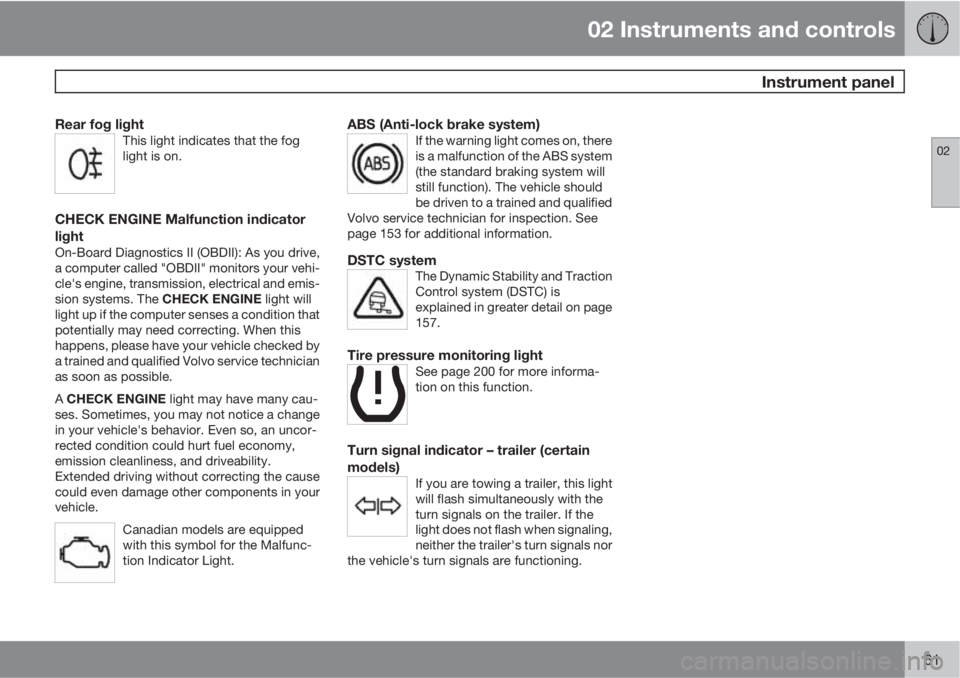
Rear fog lightThis light indicates that the fog
light is on.
CHECK ENGINE Malfunction indicator
light
On-Board Diagnostics II (OBDII): As you drive,
a computer called "OBDII" monitors your vehi-
cle's engine, transmission, electrical and emis-
sion systems. The CHECK ENGINE light will
light up if the computer senses a condition that
potentially may need correcting. When this
happens, please have your vehicle checked by
a trained and qualified Volvo service technician
as soon as possible.
A CHECK ENGINE light may have many cau-
ses. Sometimes, you may not notice a change
in your vehicle's behavior. Even so, an uncor-
rected condition could hurt fuel economy,
emission cleanliness, and driveability.
Extended driving without correcting the cause
could even damage other components in your
vehicle.
Canadian models are equipped
with this symbol for the Malfunc-
tion Indicator Light.
ABS (Anti-lock brake system)If the warning light comes on, there
is a malfunction of the ABS system
(the standard braking system will
still function). The vehicle should
be driven to a trained and qualified
Volvo service technician for inspection. See
page 153 for additional information.
DSTC systemThe Dynamic Stability and Traction
Control system (DSTC) is
explained in greater detail on page
157.
Tire pressure monitoring lightSee page 200 for more informa-
tion on this function.
Turn signal indicator – trailer (certain
models)
If you are towing a trailer, this light
will flash simultaneously with the
turn signals on the trailer. If the
light does not flash when signaling,
neither the trailer's turn signals nor
the vehicle's turn signals are functioning.
Page 64 of 310
02 Instruments and controls
Information display
02
62
Message in the text windows
G026979
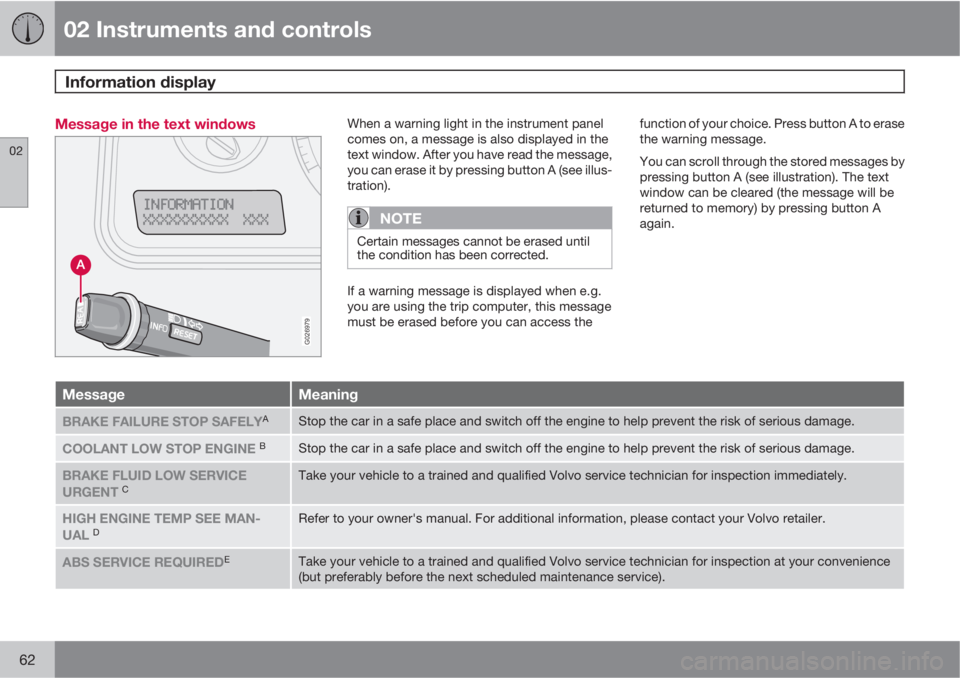
When a warning light in the instrument panel
comes on, a message is also displayed in the
text window. After you have read the message,
you can erase it by pressing button A (see illus-
tration).
NOTE
Certain messages cannot be erased until
the condition has been corrected.
If a warning message is displayed when e.g.
you are using the trip computer, this message
must be erased before you can access thefunction of your choice. Press button A to erase
the warning message.
You can scroll through the stored messages by
pressing button A (see illustration). The text
window can be cleared (the message will be
returned to memory) by pressing button A
again.
MessageMeaning
BRAKE FAILURE STOP SAFELYAStop the car in a safe place and switch off the engine to help prevent the risk of serious damage.
COOLANT LOW STOP ENGINE BStop the car in a safe place and switch off the engine to help prevent the risk of serious damage.
BRAKE FLUID LOW SERVICE
URGENT CTake your vehicle to a trained and qualified Volvo service technician for inspection immediately.
HIGH ENGINE TEMP SEE MAN-
UAL DRefer to your owner's manual. For additional information, please contact your Volvo retailer.
ABS SERVICE REQUIREDETake your vehicle to a trained and qualified Volvo service technician for inspection at your convenience
(but preferably before the next scheduled maintenance service).
Page 65 of 310
02 Instruments and controls
Information display
02
63
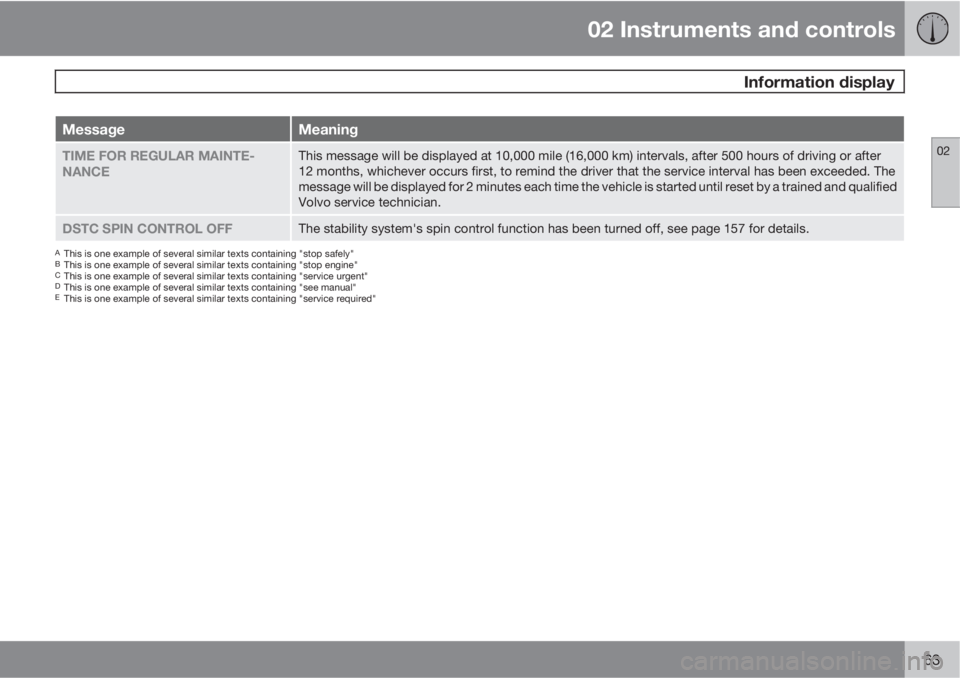
MessageMeaning
TIME FOR REGULAR MAINTE-
NANCEThis message will be displayed at 10,000 mile (16,000 km) intervals, after 500 hours of driving or after
12 months, whichever occurs first, to remind the driver that the service interval has been exceeded. The
message will be displayed for 2 minutes each time the vehicle is started until reset by a trained and qualified
Volvo service technician.
DSTC SPIN CONTROL OFFThe stability system's spin control function has been turned off, see page 157 for details.
AThis is one example of several similar texts containing "stop safely"BThis is one example of several similar texts containing "stop engine"CThis is one example of several similar texts containing "service urgent"DThis is one example of several similar texts containing "see manual"EThis is one example of several similar texts containing "service required"
Page 73 of 310
02 Instruments and controls
Left-side steering wheel lever
02
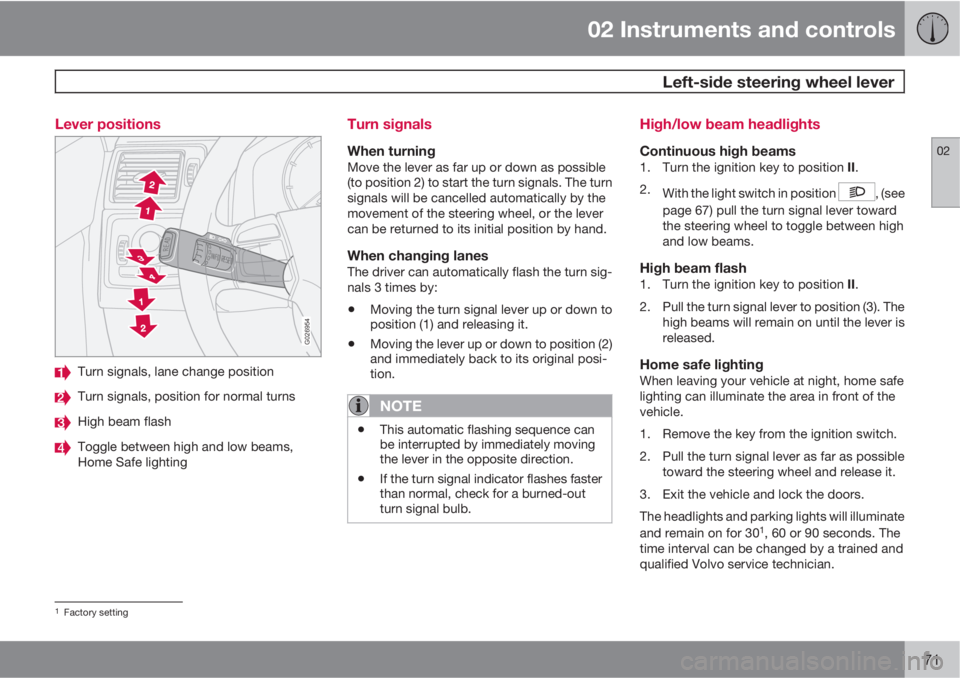
71 Lever positions
G026954
Turn signals, lane change position
Turn signals, position for normal turns
High beam flash
Toggle between high and low beams,
Home Safe lighting
Turn signals
When turningMove the lever as far up or down as possible
(to position 2) to start the turn signals. The turn
signals will be cancelled automatically by the
movement of the steering wheel, or the lever
can be returned to its initial position by hand.
When changing lanesThe driver can automatically flash the turn sig-
nals 3 times by:
•Moving the turn signal lever up or down to
position (1) and releasing it.
•Moving the lever up or down to position (2)
and immediately back to its original posi-
tion.
NOTE
•This automatic flashing sequence can
be interrupted by immediately moving
the lever in the opposite direction.
•If the turn signal indicator flashes faster
than normal, check for a burned-out
turn signal bulb.
High/low beam headlights
Continuous high beams1.
Turn the ignition key to position II.
2.
With the light switch in position
, (see
page 67) pull the turn signal lever toward
the steering wheel to toggle between high
and low beams.
High beam flash1.
Turn the ignition key to position II.
2. Pull the turn signal lever to position (3). The
high beams will remain on until the lever is
released.
Home safe lightingWhen leaving your vehicle at night, home safe
lighting can illuminate the area in front of the
vehicle.
1. Remove the key from the ignition switch.
2. Pull the turn signal lever as far as possible
toward the steering wheel and release it.
3. Exit the vehicle and lock the doors.
The headlights and parking lights will illuminate
and remain on for 30
1, 60 or 90 seconds. The
time interval can be changed by a trained and
qualified Volvo service technician.
1Factory setting