mirror VOLVO XC90 2014 Owner´s Manual
[x] Cancel search | Manufacturer: VOLVO, Model Year: 2014, Model line: XC90, Model: VOLVO XC90 2014Pages: 308, PDF Size: 13.31 MB
Page 77 of 308
02 Instruments and controls
Hazard warning flashers
02
75
Hazard warning flashers
12
3
4 5
6
7 8
9
ABC
DEF
GHI JKL MNO
PQRS TUVWXYZ
0
* #
POWERVOLUMECD AM FM
G027096
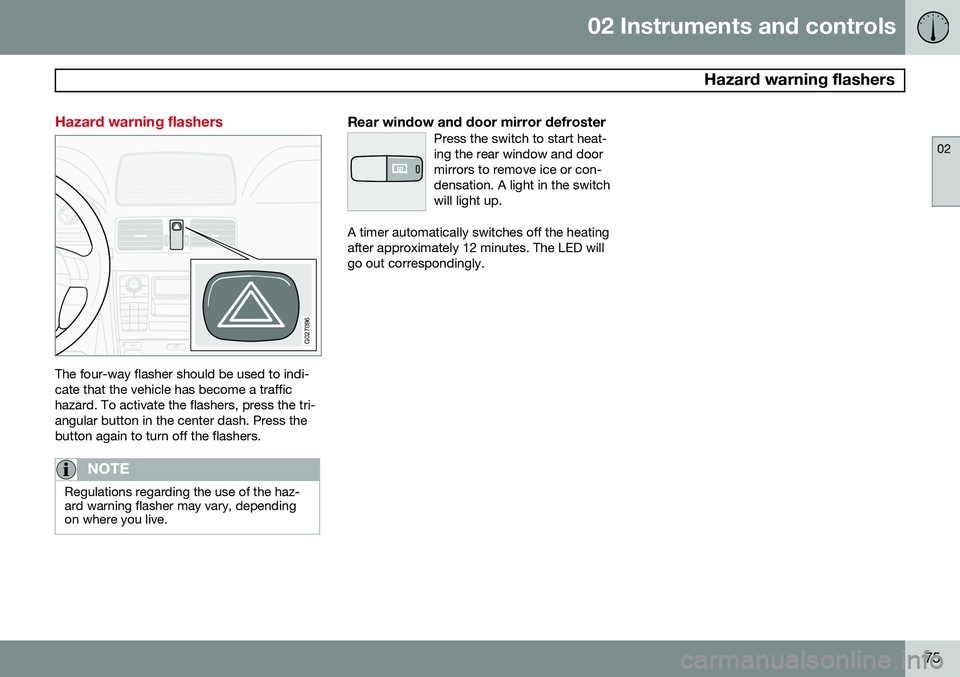
The four-way flasher should be used to indi- cate that the vehicle has become a traffichazard. To activate the flashers, press the tri-angular button in the center dash. Press thebutton again to turn off the flashers.
NOTE
Regulations regarding the use of the haz- ard warning flasher may vary, dependingon where you live.
Rear window and door mirror defrosterPress the switch to start heat- ing the rear window and doormirrors to remove ice or con-densation. A light in the switchwill light up.
A timer automatically switches off the heating after approximately 12 minutes. The LED willgo out correspondingly.
Page 86 of 308
02 Instruments and controls
Mirrors
02
84* Option/accessory, for more information, see Introduction.
Rearview mirror
G026660
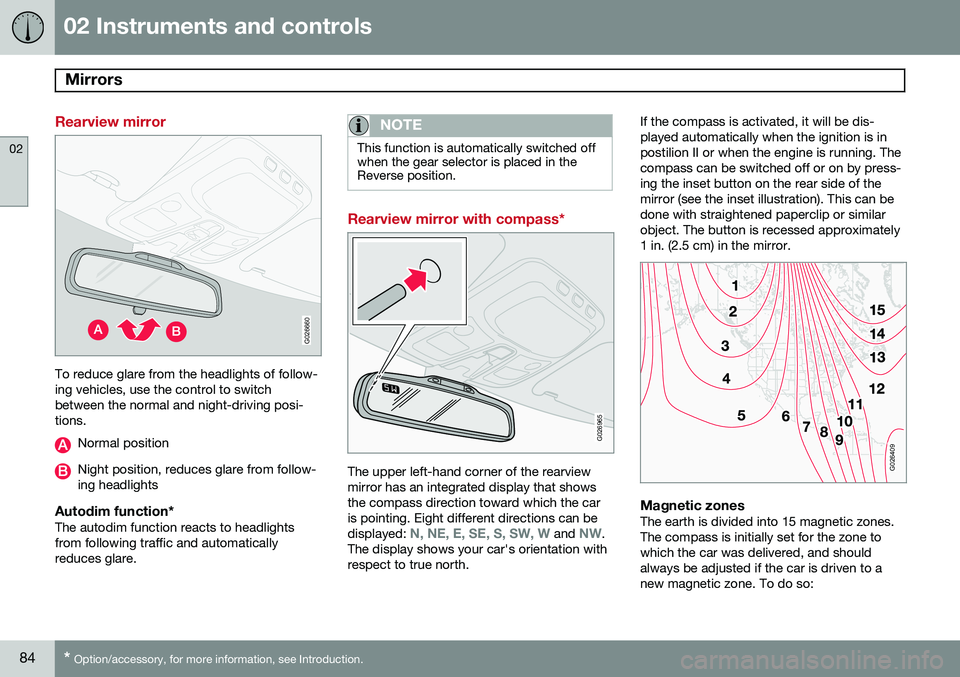
To reduce glare from the headlights of follow- ing vehicles, use the control to switchbetween the normal and night-driving posi-tions.
Normal position
Night position, reduces glare from follow- ing headlights
Autodim function*The autodim function reacts to headlightsfrom following traffic and automaticallyreduces glare.
NOTE
This function is automatically switched off when the gear selector is placed in theReverse position.
Rearview mirror with compass*
G026965
The upper left-hand corner of the rearview mirror has an integrated display that showsthe compass direction toward which the caris pointing. Eight different directions can be displayed:
N, NE, E, SE, S, SW, W and NW.
The display shows your car's orientation with respect to true north. If the compass is activated, it will be dis-played automatically when the ignition is inpostilion II or when the engine is running. Thecompass can be switched off or on by press-ing the inset button on the rear side of themirror (see the inset illustration). This can bedone with straightened paperclip or similarobject. The button is recessed approximately1 in. (2.5 cm) in the mirror.
G026409
Magnetic zonesThe earth is divided into 15 magnetic zones. The compass is initially set for the zone towhich the car was delivered, and shouldalways be adjusted if the car is driven to anew magnetic zone. To do so:
Page 87 of 308
02 Instruments and controls
Mirrors
02
85
1. Switch the ignition to position
II.
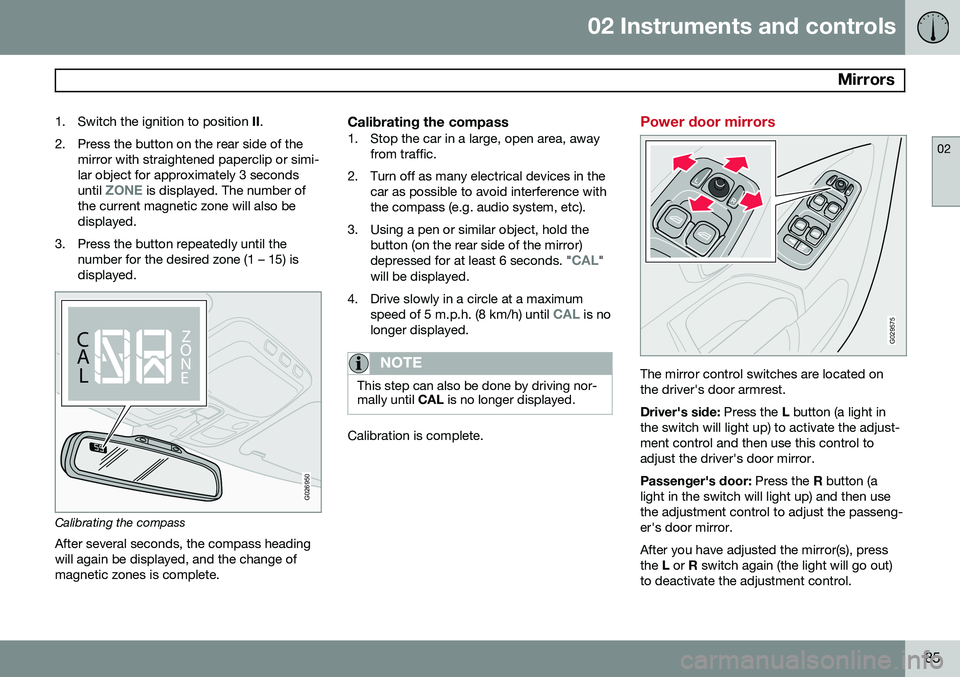
2. Press the button on the rear side of the mirror with straightened paperclip or simi- lar object for approximately 3 seconds until
ZONE is displayed. The number of
the current magnetic zone will also be displayed.
3. Press the button repeatedly until the number for the desired zone (1 – 15) isdisplayed.
CALZ
O NE
C A
LZ
O
N
E
G026950
Calibrating the compass
After several seconds, the compass heading will again be displayed, and the change ofmagnetic zones is complete.
Calibrating the compass1. Stop the car in a large, open area, away from traffic.
2. Turn off as many electrical devices in the car as possible to avoid interference withthe compass (e.g. audio system, etc).
3. Using a pen or similar object, hold the button (on the rear side of the mirror) depressed for at least 6 seconds. "
CAL"
will be displayed.
4. Drive slowly in a circle at a maximum speed of 5 m.p.h. (8 km/h) until
CAL is no
longer displayed.
NOTE
This step can also be done by driving nor- mally until CAL is no longer displayed.
Calibration is complete.
Power door mirrors
G029575
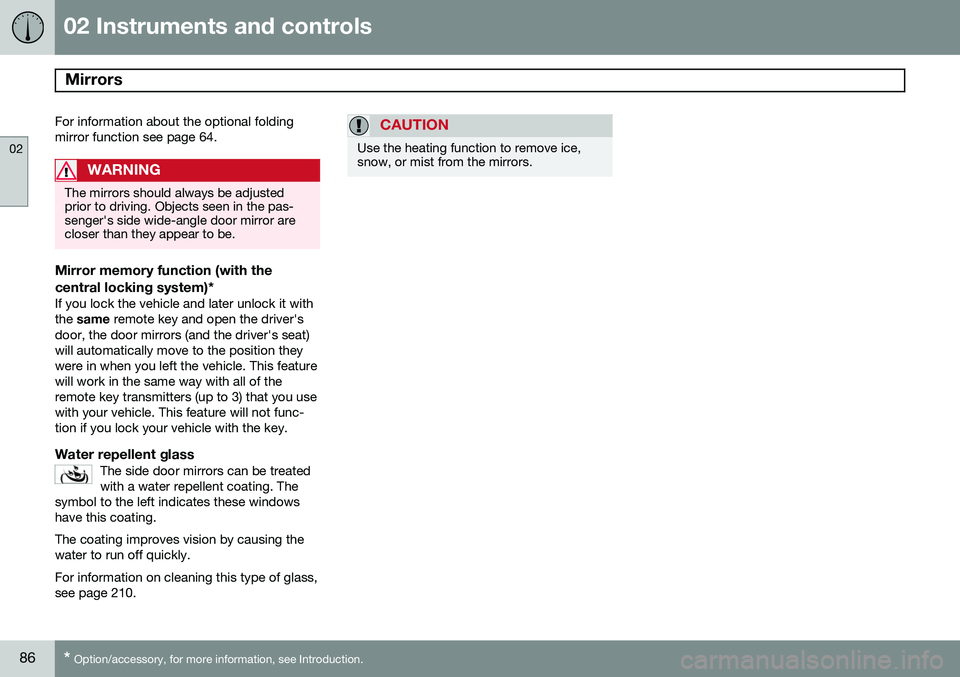
The mirror control switches are located on the driver's door armrest. Driver's side: Press the L button (a light in
the switch will light up) to activate the adjust- ment control and then use this control toadjust the driver's door mirror. Passenger's door: Press the R button (a
light in the switch will light up) and then use the adjustment control to adjust the passeng-er's door mirror. After you have adjusted the mirror(s), press the L or R switch again (the light will go out)
to deactivate the adjustment control.
Page 88 of 308
02 Instruments and controls
Mirrors
02
86* Option/accessory, for more information, see Introduction.
For information about the optional folding mirror function see page 64.
WARNING
The mirrors should always be adjusted prior to driving. Objects seen in the pas-senger's side wide-angle door mirror arecloser than they appear to be.
Mirror memory function (with the
central locking system)*
If you lock the vehicle and later unlock it with the same remote key and open the driver's
door, the door mirrors (and the driver's seat)will automatically move to the position theywere in when you left the vehicle. This featurewill work in the same way with all of theremote key transmitters (up to 3) that you usewith your vehicle. This feature will not func-tion if you lock your vehicle with the key.
Water repellent glassThe side door mirrors can be treatedwith a water repellent coating. The
symbol to the left indicates these windowshave this coating.
The coating improves vision by causing the water to run off quickly. For information on cleaning this type of glass, see page 210.
CAUTION
Use the heating function to remove ice, snow, or mist from the mirrors.
Page 100 of 308
03 Climate
Electronic climate control (ECC)
03
98* Option/accessory, for more information, see Introduction.
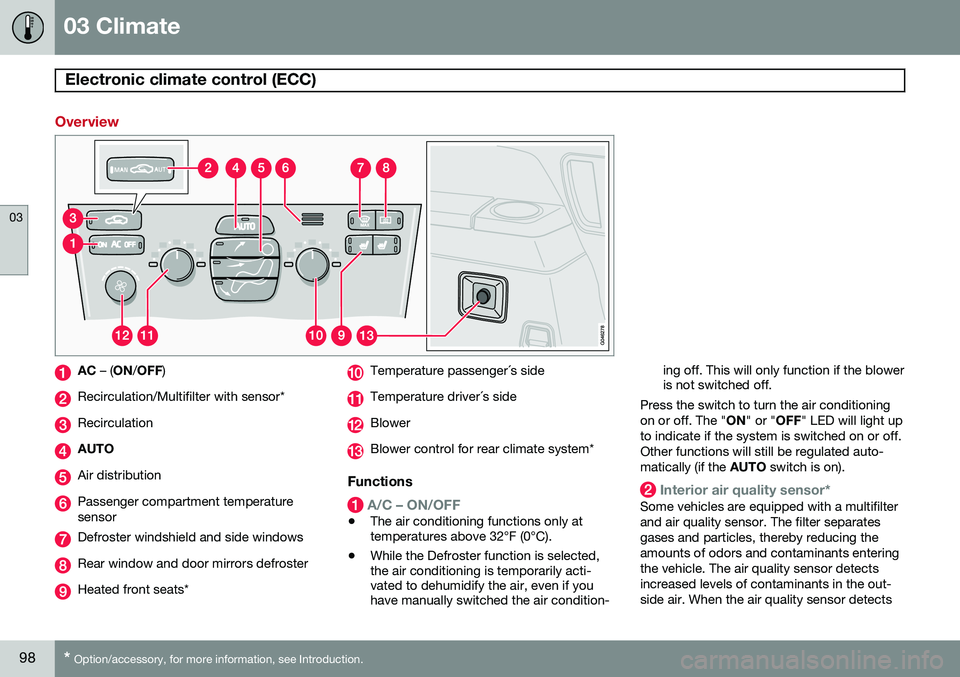
Overview
AC – (ON /OFF )
Recirculation/Multifilter with sensor*
Recirculation
AUTO
Air distribution
Passenger compartment temperature sensor
Defroster windshield and side windows
Rear window and door mirrors defroster
Heated front seats*
Temperature passenger´s side
Temperature driver´s side
Blower
Blower control for rear climate system*
Functions
A/C – ON/OFF
•The air conditioning functions only at temperatures above 32°F (0°C).
• While the Defroster function is selected,the air conditioning is temporarily acti-vated to dehumidify the air, even if youhave manually switched the air condition- ing off. This will only function if the bloweris not switched off.
Press the switch to turn the air conditioning on or off. The " ON" or " OFF" LED will light up
to indicate if the system is switched on or off.Other functions will still be regulated auto-matically (if the AUTO switch is on).
Interior air quality sensor*
Some vehicles are equipped with a multifilter and air quality sensor. The filter separatesgases and particles, thereby reducing theamounts of odors and contaminants enteringthe vehicle. The air quality sensor detectsincreased levels of contaminants in the out-side air. When the air quality sensor detects
Page 102 of 308
03 Climate
Electronic climate control (ECC)
03
100* Option/accessory, for more information, see Introduction.
switch will light up to indicate that the defrost function is engaged.
• Blower speed increases automatically and the air conditioning will switch on (ifnot already on and if the passenger com-partment blower is not turned off) todehumidify the air in the passenger com-partment.
• Recirculation will not function whiledefrost is engaged.
The climate system will return to its previous settings when the defroster function isswitched off.
Rear window and door mirror
defrosters
This function defrosts/deices the rear window and door mirrors. The LED in the switch willlight up to indicate that the heating function isengaged. For additional information on thisfunction see page 75. Never use ice scrapers made of metal as they can easily scratch the mirror surface.
Heated front seats*
1. Press the switch once for maximum seat heating. Both LEDs in the switch will be lit. 2. Press the switch a second time for com-
fort heating. One LED in the switch will belit.
3. Press the switch a third time to turn the heating off completely. The LED will gooff.
The seat heating for the passenger seatshould be switched off when the seat is notoccupied.
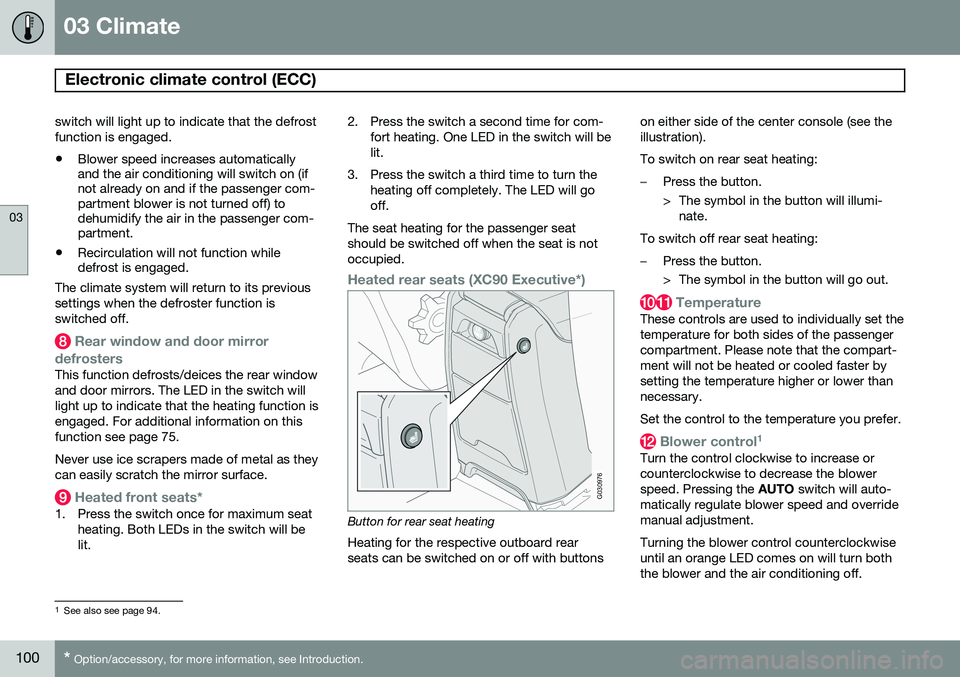
Heated rear seats (XC90 Executive*)
G030976
Button for rear seat heating Heating for the respective outboard rear seats can be switched on or off with buttons on either side of the center console (see theillustration). To switch on rear seat heating:
–Press the button.
> The symbol in the button will illumi-
nate.
To switch off rear seat heating:
–Press the button.
> The symbol in the button will go out.
Temperature
These controls are used to individually set the temperature for both sides of the passengercompartment. Please note that the compart-ment will not be heated or cooled faster bysetting the temperature higher or lower thannecessary. Set the control to the temperature you prefer.
Blower control 1
Turn the control clockwise to increase or counterclockwise to decrease the blowerspeed. Pressing the
AUTO switch will auto-
matically regulate blower speed and overridemanual adjustment. Turning the blower control counterclockwise until an orange LED comes on will turn boththe blower and the air conditioning off.
1 See also see page 94.
Page 108 of 308
04 Interior
Front seats
04
106* Option/accessory, for more information, see Introduction.
Automatic seat adjustmentTo move the seat to the position in which you left it:
1. Unlock the driver's door with the same
remote key (the one used to lock the doors)
2. Open the driver's door within 2 minutes. The driver's seat will automatically move to the position in which you left it.
NOTE
• The seat will move to this position even if someone else has moved it to adifferent seating position and lockedthe vehicle with a different remote key.
• This feature will work in the same waywith all of the remote key transmitters(up to 3 ) that you use with your vehi-cle.
• This feature will not function if you lockyour vehicle with the key.
WARNING
•Because the driver's seat can be adjusted with the ignition off, childrenshould never be left unattended in thevehicle.
• Movement of the seat can be STOP-PED at any time by pressing any but-ton on the power seat control panel.
• Do not adjust the seat while driving.
• The seat should be adjusted so thatthe brake pedal can be depressedfully. In addition, position the seat asfar rearward as comfort and controlallow.
• The seat rails on the floor must not beobstructed in any way when the seat isin motion.
G027037
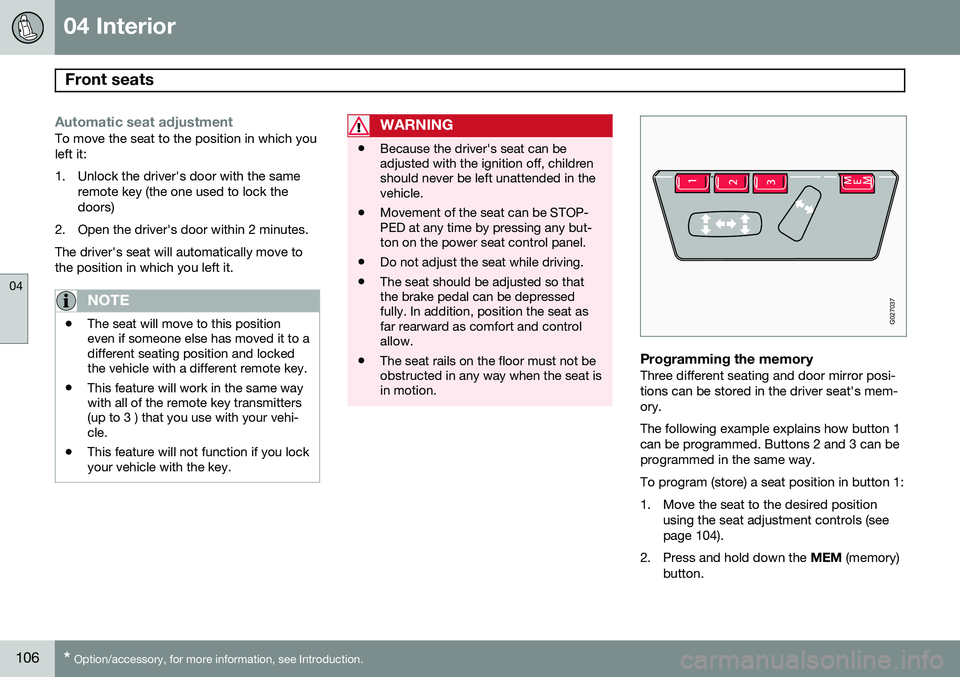
Programming the memoryThree different seating and door mirror posi- tions can be stored in the driver seat's mem-ory. The following example explains how button 1 can be programmed. Buttons 2 and 3 can beprogrammed in the same way. To program (store) a seat position in button 1:
1. Move the seat to the desired position
using the seat adjustment controls (see page 104).
2. Press and hold down the MEM (memory)
button.
Page 114 of 308
04 Interior
Interior lighting
04
112
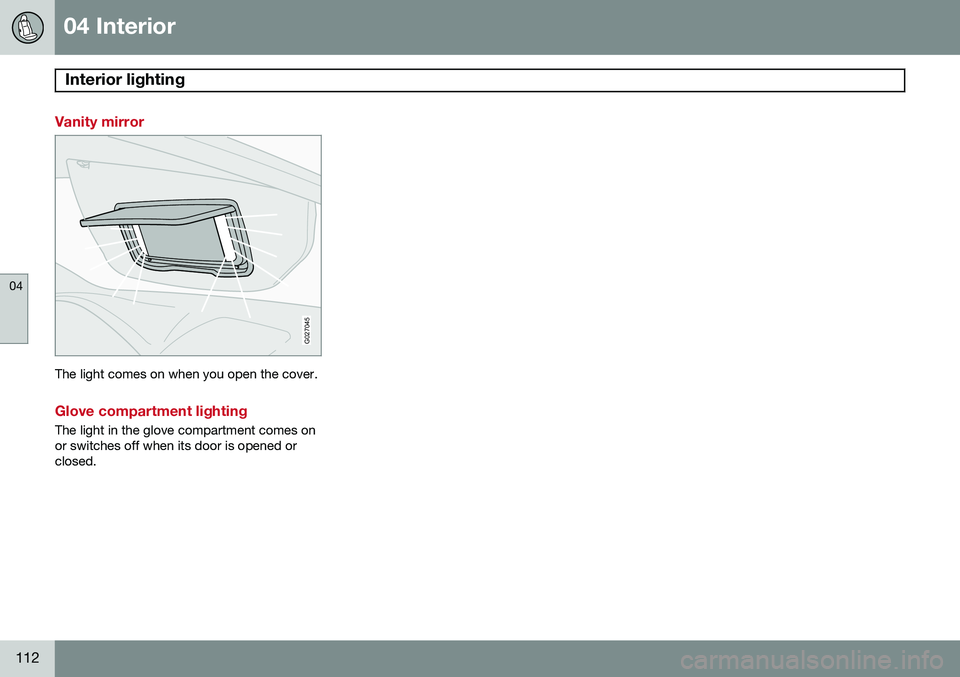
Vanity mirror
G027045
The light comes on when you open the cover.
Glove compartment lighting
The light in the glove compartment comes on or switches off when its door is opened orclosed.
Page 130 of 308

05 Locks and alarm
Remote keys and key blades
05
128
press the button again (within 10 seconds) to unlock all doors, and the tailgate.
Tailgate unlock
Press this button to unlock the tailgate (with- out unlocking the other doors). This functionwill not open the tailgate.
Panic function
For more information on this function, see page 133.
Approach lighting
Press this button when approaching the vehi- cle at night to light up the interior courtesylight, parking lights, license plate lights andthe lights in the door mirrors.
Lock
Press once to lock all doors, and the tailgate.
Fold key blade in/out
Press to extend the key blade. This button must also be pressed when the key blade isfolded back into the slot in the side of theremote key unit.
NOTE
• If an airbag deploys, your vehicle's SRS control module will attempt toautomatically unlock all doors.
• The key blade may also be used tolock and unlock the doors, and to acti-vate and deactivate the alarm system.
• To avoid leaving your keys in the vehi-cle, make a habit of always locking thevehicle with the remote key.
• If the key blade section of the remoteis not fully folded out when starting thevehicle, the immobilizer function maymake it impossible to start the engine.
• The vehicle can be locked even if adoor is open. When the door(s) areclosed, they will be locked. Please beaware that the keys could be locked inthe car when this is done.
Automatic re-lockingIf the doors are unlocked, the locks will auto- matically reengage (re-lock) and the alarm willrearm after 2 minutes unless a door or thetailgate has been opened. This helps preventthe car from inadvertently being left unlocked. FCC ID: LQNP2T-APU This device complies with part 15 of the FCC rules. Operation is subject to the following conditions: (1) This device may not causeharmful interference, and (2) this device mustaccept any interference received, includinginterference that may cause undesired opera-tion. Canadian 2306104388 Model 504 2927 by Donnelly Operation is subject to the following condi- tions: (1) this device may not cause interfer-ence, and (2) this device must accept anyinterference, including interference that maycause undesired operation of the device. Canadian 2306104388A Model 509 977 by Connaught Electronics Operation is subject to the following condi- tions: (1) this device may not cause interfer-ence, and (2) this device must accept anyinterference, including interference that maycause undesired operation of the device.
Page 145 of 308

06 Starting and driving
Starting the vehicle
06
143
Starting the engine
WARNING
Before starting, check that the seat, steer- ing wheel and mirrors are adjusted prop-erly. Make sure the brake pedal can bedepressed completely. Adjust the seat ifnecessary, see page 104.
1. Fasten the seat belt.
2. Apply the parking brake (hand brake) ifnot already set. The gear selector is locked in the P position (SHIFTLOCK).
3. Without touching the accelerator pedal, turn the ignition key 1
to the starting posi-
tion. Allow the starter to operate for up to10 seconds. Release the key as soon as the engine starts 2
. If the engine fails to
start, repeat this step.
CAUTION
If the engine does not start after the third try, wait for approximately 3 minutesbefore trying to start it again to give thebattery time to recover its startingcapacity.
WARNING
• Never use more than one floor mat at a time on the driver's floor. An extramat on the driver's floor can cause theaccelerator and/or brake pedal tocatch. Check that the movement ofthese pedals is not impeded.
• Volvo's floor mats are specially manu-factured for your car. They must befirmly secured in the clips on the floorso that they cannot slide and becometrapped under the pedals on the driv-er's side.
NOTE
•If the key blade section of the remote is not fully folded out when starting thevehicle, the immobilizer function maymake it impossible to start the engine.
• After a cold start, idle speed may benoticeably higher than normal for ashort period. This is done to help bringcomponents in the emission controlsystem to their normal operating tem-perature as quickly as possible, whichenables them to control emissions andhelp reduce the vehicle's impact onthe environment.
• To release the gear selector from the
P
(Park) position, the engine must berunning (or the ignition key must be inposition II) and the brake pedal must
be depressed.
• Select the desired gear. The gearengages after a very slight delay whichis especially noticeable when selecting R.
1
If two of the keys to your vehicle are close together, e.g. on the same key ring when you try to start the vehicle, this could cause interference in the immobilizer system and result in the vehicle not starting. If this should occur, remove one of the keys from the key ring before trying to start the vehicle again.
2 On vehicles equipped with the autostart feature, release the key immediately. See also page 145.