reset VOLVO XC90 2014 Owner´s Manual
[x] Cancel search | Manufacturer: VOLVO, Model Year: 2014, Model line: XC90, Model: VOLVO XC90 2014Pages: 308, PDF Size: 13.31 MB
Page 176 of 308
06 Starting and driving
Blind Spot Information System*
06
174* Option/accessory, for more information, see Introduction.
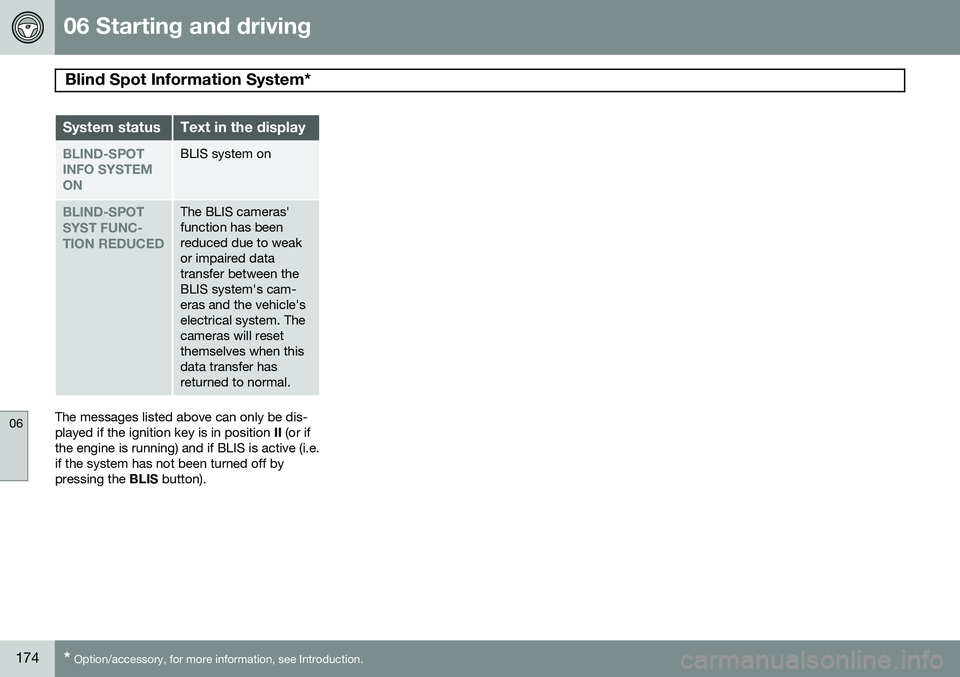
System statusText in the display
BLIND-SPOT INFO SYSTEMONBLIS system on
BLIND-SPOT SYST FUNC-TION REDUCEDThe BLIS cameras' function has beenreduced due to weakor impaired datatransfer between theBLIS system's cam-eras and the vehicle'selectrical system. Thecameras will resetthemselves when thisdata transfer hasreturned to normal.
The messages listed above can only be dis- played if the ignition key is in position II (or if
the engine is running) and if BLIS is active (i.e.if the system has not been turned off bypressing the BLIS button).
Page 207 of 308
07 Wheels and tires
Tire Pressure Monitoring System (TPMS)
07
* Option/accessory, for more information, see Introduction.205
4. Press and hold the
Reset button on the
left-side steering wheel lever until
TIRE
PRESSURE CALIBRATED is displayed.
Activating/deactivating TPMS (Canadian models only)
1. Switch off the engine.
2. Turn the ignition key to position I or II.
3. Press and hold the Reset button on the
left-side steering wheel lever until
TIRE
PRESS SYST OFF is displayed.
Repeat steps 1-3 to turn TPMS on again.
Self-supporting run flat tires (SST)*
Self-supporting run flat tires are available as optional equipment. The vehicle must beequipped with the Tire Pressure MonitoringSystem (TPMS) if tires of this type are instal-led. Tires of this type have specially reinforced sidewalls that make it possible to continuedriving to a limited extent even though the tirehas lost some or all of its inflation pressure.These tires are mounted on special rims (nor-mal tires can also be mounted on these rims). If an SST tire loses inflation pressure, the yel- low TPMS symbol illuminates in the instru-ment panel and a text message is also dis-played. If this happens, reduce speed to not more than 50 mph (80 km/h). The tire shouldbe replaced as soon as possible. Drive carefully; it may be difficult to determine which tire is damaged. To find the damagedtire, check the inflation pressure in all fourtires.
WARNING
•
SST tires should only be mounted by service technicians who are familiarwith tires of this type.
• SST tires may only be mounted onvehicles equipped with TPMS.
• Do not drive faster than 50 mph(80 km/h) if TPMS indicates that a tirehas lost inflation pressure.
• Do not drive farther than 50 miles(80 km) before replacing a damagedSST tire.
• Drive carefully and avoid e.g., hardbraking or fast turns.
• SST tires must be replaced if they aredamaged. A tire of this type cannot berepaired.
Page 254 of 308
10 Audio
Audio system overview
10
252* Option/accessory, for more information, see Introduction.
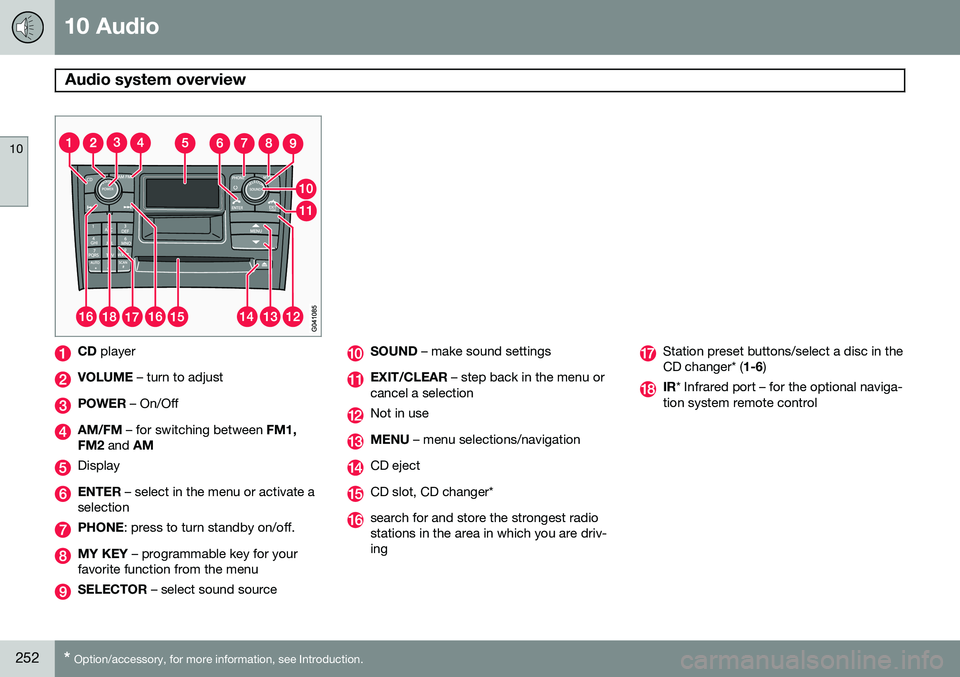
CD player
VOLUME – turn to adjust
POWER – On/Off
AM/FM – for switching between FM1,
FM2 and AM
Display
ENTER – select in the menu or activate a
selection
PHONE : press to turn standby on/off.
MY KEY – programmable key for your
favorite function from the menu
SELECTOR – select sound source
SOUND – make sound settings
EXIT/CLEAR – step back in the menu or
cancel a selection
Not in use
MENU – menu selections/navigation
CD eject
CD slot, CD changer*
search for and store the strongest radio stations in the area in which you are driv-ing
Station preset buttons/select a disc in the CD changer* ( 1-6)
IR* Infrared port – for the optional naviga-
tion system remote control
Page 255 of 308
10 Audio
Audio system controls
10
}}
253
Steering wheel keypad
G027135
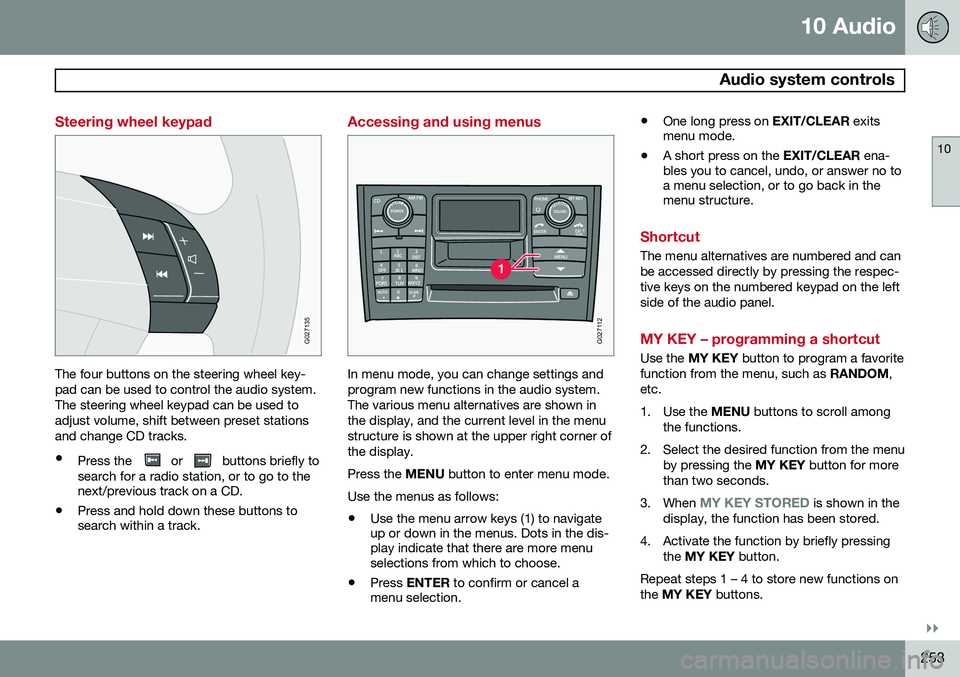
The four buttons on the steering wheel key- pad can be used to control the audio system.The steering wheel keypad can be used toadjust volume, shift between preset stationsand change CD tracks.
• Press the
or buttons briefly to
search for a radio station, or to go to the next/previous track on a CD.
• Press and hold down these buttons tosearch within a track.
Accessing and using menus
G027112
In menu mode, you can change settings and program new functions in the audio system.The various menu alternatives are shown inthe display, and the current level in the menustructure is shown at the upper right corner ofthe display. Press the
MENU button to enter menu mode.
Use the menus as follows:
• Use the menu arrow keys (1) to navigate up or down in the menus. Dots in the dis-play indicate that there are more menuselections from which to choose.
• Press
ENTER to confirm or cancel a
menu selection. •
One long press on
EXIT/CLEAR exits
menu mode.
• A short press on the
EXIT/CLEAR ena-
bles you to cancel, undo, or answer no toa menu selection, or to go back in themenu structure.
Shortcut
The menu alternatives are numbered and can be accessed directly by pressing the respec-tive keys on the numbered keypad on the leftside of the audio panel.
MY KEY – programming a shortcut
Use the MY KEY button to program a favorite
function from the menu, such as RANDOM,
etc.
1. Use the MENU buttons to scroll among
the functions.
2. Select the desired function from the menu by pressing the MY KEY button for more
than two seconds.
3. When
MY KEY STORED is shown in the
display, the function has been stored.
4. Activate the function by briefly pressing the MY KEY button.
Repeat steps 1 – 4 to store new functions on the MY KEY buttons.
Page 256 of 308
10 Audio
Audio system controls
10
254* Option/accessory, for more information, see Introduction.
NOTE
The MY KEY buttons can only be pro-
grammed for one shortcut function at a time.
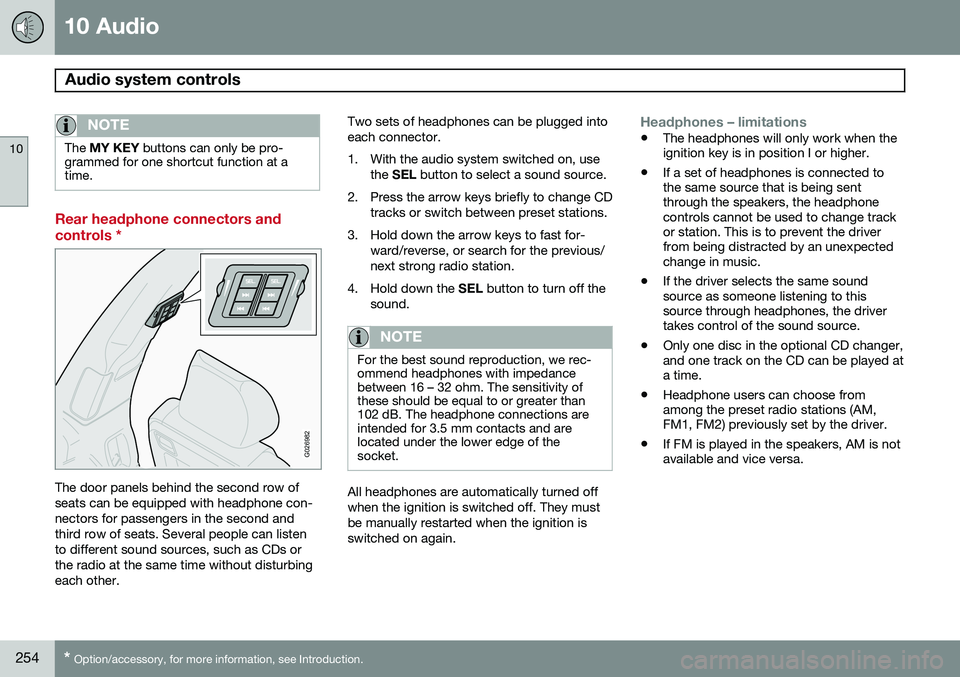
Rear headphone connectors and controls *
G026982
The door panels behind the second row of seats can be equipped with headphone con-nectors for passengers in the second andthird row of seats. Several people can listento different sound sources, such as CDs orthe radio at the same time without disturbingeach other. Two sets of headphones can be plugged intoeach connector.
1. With the audio system switched on, use
the SEL button to select a sound source.
2. Press the arrow keys briefly to change CD tracks or switch between preset stations.
3. Hold down the arrow keys to fast for- ward/reverse, or search for the previous/ next strong radio station.
4. Hold down the SEL button to turn off the
sound.
NOTE
For the best sound reproduction, we rec- ommend headphones with impedancebetween 16 – 32 ohm. The sensitivity ofthese should be equal to or greater than102 dB. The headphone connections areintended for 3.5 mm contacts and arelocated under the lower edge of thesocket.
All headphones are automatically turned off when the ignition is switched off. They mustbe manually restarted when the ignition isswitched on again.
Headphones – limitations
• The headphones will only work when the ignition key is in position I or higher.
• If a set of headphones is connected tothe same source that is being sentthrough the speakers, the headphonecontrols cannot be used to change trackor station. This is to prevent the driverfrom being distracted by an unexpectedchange in music.
• If the driver selects the same soundsource as someone listening to thissource through headphones, the drivertakes control of the sound source.
• Only one disc in the optional CD changer,and one track on the CD can be played ata time.
• Headphone users can choose fromamong the preset radio stations (AM,FM1, FM2) previously set by the driver.
• If FM is played in the speakers, AM is notavailable and vice versa.
Page 261 of 308
10 Audio
Radio functions
10
}}
259
areas in which you are not acquainted with radio stations or their frequencies.
Starting autostore1. Choose a frequency band with the
AM/FM button.
2. Press and hold down the AUTO button
(1) until
AUTOSTORING is shown in the
display.
When
AUTOSTORING is no longer dis-
played, the autostore process is complete. The automatically stored stations can beselected withe the preset (number) keys Ifthere are no stations with sufficient signal strength,
NO AST FOUND is displayed.
Stopping autostorePress EXIT.
Selecting an autostored station1. Press AUTO (1) briefly. AUTO will be dis-
played.
2. Press one of the preset buttons (0 – 9). The radio will remain in Autostore mode until AUTO, EXIT , or AM/FM is pressed.
SCAN
This function automatically searches the cur- rently selected waveband (AM, FM1, or FM2)for strong stations. When the radio finds astation, it will pause for approximately 8 sec-onds, after which it will continue scanning.
Activating/deactivating Scan1. Choose a waveband by pressing the
AM/FM button.
2. Press SCAN (2). SCAN will be shown in
the display.
3. Press EXIT to stop scanning.
Storing a station found by SCANStations can be stored on the preset buttons while the SCAN function is activated.
• Press a preset button and hold it down until Station stored is displayed.
This deactivates SCAN and the stored station
can be selected by pressing the preset but- ton.
Radio text
Certain stations broadcast program informa- tion, which can be shown in the display.
1. Press the MENU button.
2. Select
RADIOTEXT in the menu and
press ENTER .
Select
RADIOTEXT again to deactivate.
Page 263 of 308
10 Audio
Radio functions
10
261
channels will be displayed as 93.9 – 2 WNYC, 93.9 - 3 WNYC, etc.
• Reception coverage area
: Due to cur-
rent IBOC transmitter power limitations,the reception coverage area in digitalmode is somewhat more limited than thestation's analogue coverage area. Pleasebe aware that as with any radio broadcasttechnology, terrain, time of day, foliagelevel and building location can have posi-tive or negative effects on radio recep-tion.
• Analogue to digital/digital to analogue blending
: Analogue to digital blending
will occur as the signal strength reaches a preset threshold in the receiver. This willbe noticeable in fringe areas (areas withweak reception) and is normal.
NOTE
There may be a noticeable difference in sound quality when a change from ana-logue to digital or digital to analogueoccurs, such as:
• Volume increase or decrease
• Equalizer settings, i.e., Bass/ Mid- range/Treble cut or boost
• Time alignment (Digital program mate-rial in extreme cases can be as muchas 8 seconds behind the analogue).This will noticeable as a "stuttering"effect.
The above items are dependant on the broadcaster's equipment settings and do not indicate a fault in the vehicle's radio receiver or antenna systems .
Switching HD on or offThe factory setting for HD radio is on. How-
ever, when driving through areas with weak HD signals (fringe areas), you may experiencethat the radio repeatedly switches betweenanalogue/digital and digital/analogue recep-tion. If this happens, it may be desirable toswitch HD off. To do so:
1. Be sure the audio system is switched on and in AM or FM mode.
2. Press MENU in the center console con-
trol panel. 3. Press
ENTER to turn HD off (the X will
disappear from the box on the display screen).
This will disable the radio's capability to receive digital broadcasts but it will continueto function as a conventional (analogue)AM/FM receiver. Please note that when HD isswitched off, it will not be possible to tune tosub-channels (see the following section for amore detailed explanation of sub-channels). Repeat steps 2 and 3 above to reactivate HD (an X will appear in the box on the displayscreen).
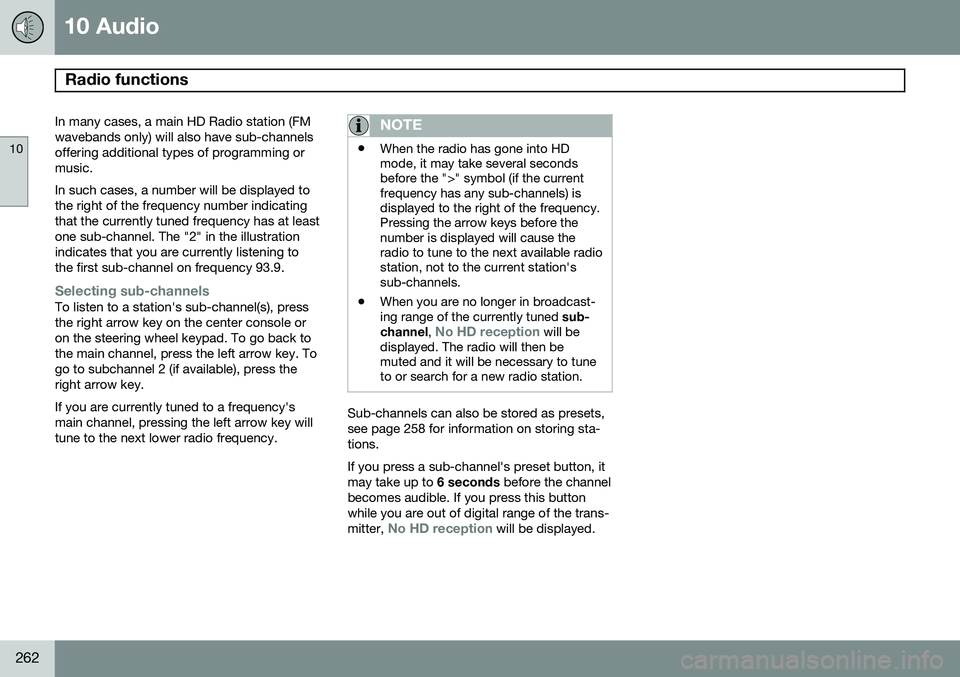
Sub-channels
Example of an HD Radio station with sub-chan- nels
Page 264 of 308
10 Audio
Radio functions
10
262
In many cases, a main HD Radio station (FM wavebands only) will also have sub-channelsoffering additional types of programming ormusic. In such cases, a number will be displayed to the right of the frequency number indicatingthat the currently tuned frequency has at leastone sub-channel. The "2" in the illustrationindicates that you are currently listening tothe first sub-channel on frequency 93.9.
Selecting sub-channelsTo listen to a station's sub-channel(s), press the right arrow key on the center console oron the steering wheel keypad. To go back tothe main channel, press the left arrow key. Togo to subchannel 2 (if available), press theright arrow key. If you are currently tuned to a frequency's main channel, pressing the left arrow key willtune to the next lower radio frequency.
NOTE
•When the radio has gone into HD mode, it may take several secondsbefore the ">" symbol (if the currentfrequency has any sub-channels) isdisplayed to the right of the frequency.Pressing the arrow keys before thenumber is displayed will cause theradio to tune to the next available radiostation, not to the current station'ssub-channels.
• When you are no longer in broadcast-ing range of the currently tuned
sub-
channel ,
No HD reception will be
displayed. The radio will then be muted and it will be necessary to tuneto or search for a new radio station.
Sub-channels can also be stored as presets, see page 258 for information on storing sta-tions. If you press a sub-channel's preset button, it may take up to 6 seconds before the channel
becomes audible. If you press this buttonwhile you are out of digital range of the trans- mitter,
No HD reception will be displayed.
Page 266 of 308
10 Audio
SiriusXM™ satellite radio
10
264
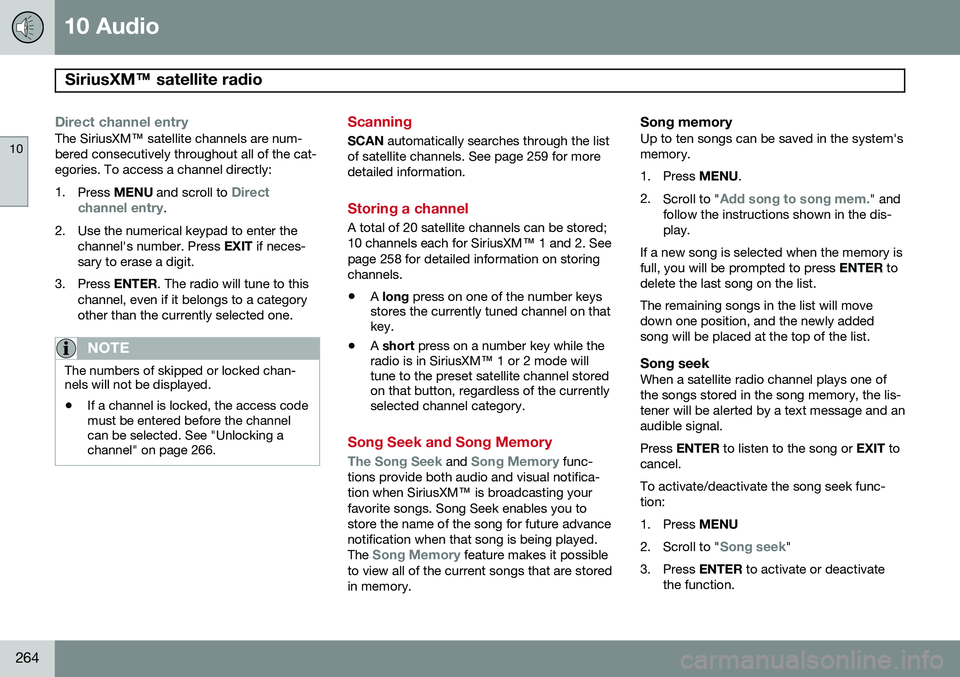
Direct channel entryThe SiriusXM ™ satellite channels are num-
bered consecutively throughout all of the cat- egories. To access a channel directly: 1. Press MENU and scroll to
Direct
channel entry.
2. Use the numerical keypad to enter the channel's number. Press EXIT if neces-
sary to erase a digit.
3. Press ENTER. The radio will tune to this
channel, even if it belongs to a category other than the currently selected one.
NOTE
The numbers of skipped or locked chan- nels will not be displayed.
• If a channel is locked, the access code must be entered before the channelcan be selected. See "Unlocking achannel" on page 266.
Scanning
SCAN
automatically searches through the list
of satellite channels. See page 259 for more detailed information.
Storing a channel
A total of 20 satellite channels can be stored; 10 channels each for SiriusXM ™ 1 and 2. See
page 258 for detailed information on storingchannels.
• A
long press on one of the number keys
stores the currently tuned channel on that key.
• A
short press on a number key while the
radio is in SiriusXM ™ 1 or 2 mode will
tune to the preset satellite channel storedon that button, regardless of the currentlyselected channel category.
Song Seek and Song Memory
The Song Seek and Song Memory func-
tions provide both audio and visual notifica- tion when SiriusXM ™ is broadcasting your
favorite songs. Song Seek enables you tostore the name of the song for future advancenotification when that song is being played. The
Song Memory feature makes it possible
to view all of the current songs that are stored in memory.
Song memoryUp to ten songs can be saved in the system'smemory.
1. Press MENU.
2. Scroll to "
Add song to song mem." and
follow the instructions shown in the dis- play.
If a new song is selected when the memory isfull, you will be prompted to press ENTER to
delete the last song on the list. The remaining songs in the list will move down one position, and the newly addedsong will be placed at the top of the list.
Song seekWhen a satellite radio channel plays one ofthe songs stored in the song memory, the lis-tener will be alerted by a text message and anaudible signal. Press ENTER to listen to the song or EXIT to
cancel.To activate/deactivate the song seek func- tion:
1. Press MENU
2. Scroll to "
Song seek"
3. Press ENTER to activate or deactivate
the function.
Page 275 of 308
10 Audio
Menu structure
10
273
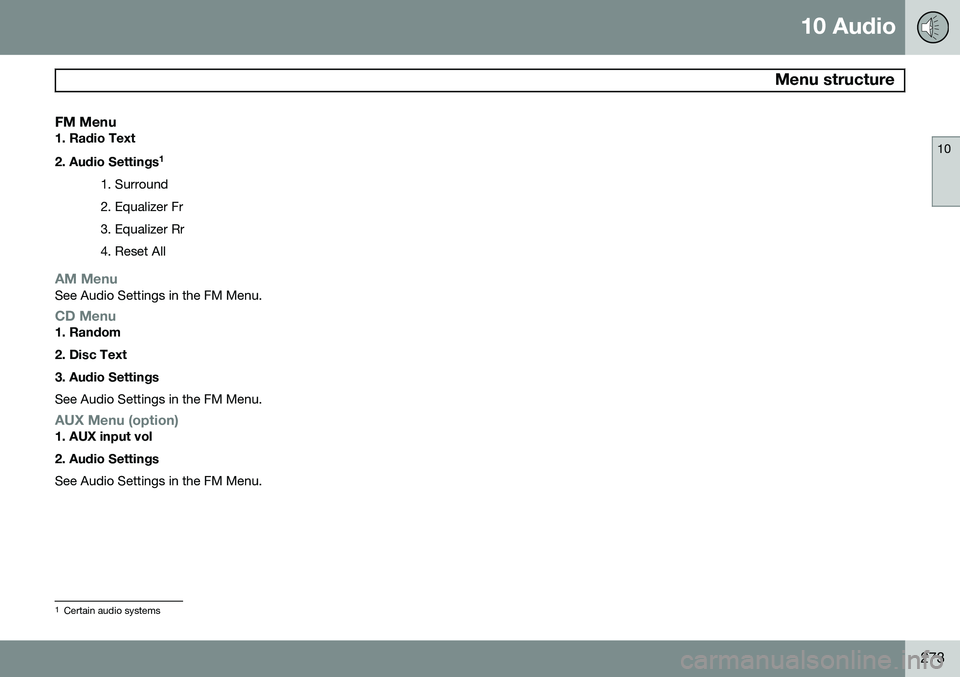
FM Menu1. Radio Text 2. Audio Settings1
1. Surround 2. Equalizer Fr3. Equalizer Rr4. Reset All
AM MenuSee Audio Settings in the FM Menu.
CD Menu1. Random 2. Disc Text3. Audio Settings See Audio Settings in the FM Menu.
AUX Menu (option)1. AUX input vol 2. Audio Settings See Audio Settings in the FM Menu.
1 Certain audio systems