warning lights VOLVO XC90 2014 Owner´s Manual
[x] Cancel search | Manufacturer: VOLVO, Model Year: 2014, Model line: XC90, Model: VOLVO XC90 2014Pages: 308, PDF Size: 13.31 MB
Page 31 of 308
01 Safety
Occupant Weight Sensor01
29
WARNING
•If a fault in the system is detected and indicated as explained, be aware thatthe passenger's side front airbag willnot deploy in the event of a collision.
• In this case, the safety systems andOccupant Weight Sensor should beinspected by a trained and qualifiedVolvo service technician as soon aspossible.
WARNING
•Never try to open, remove, or repair any components in the OWS system.This could result in system malfunc-tion. Maintenance or repairs shouldonly be carried out by a trained andqualified Volvo service technician.
• The front passenger's seat should notbe modified in any way. This couldreduce pressure on the seat cushion,which might interfere with the OWSsystem's function.
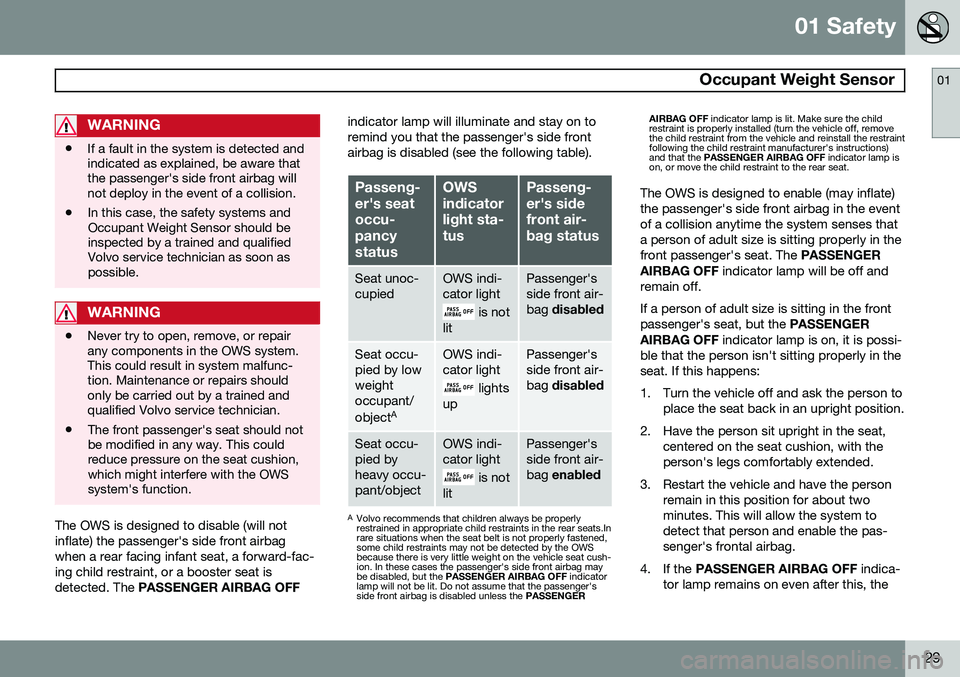
The OWS is designed to disable (will not inflate) the passenger's side front airbagwhen a rear facing infant seat, a forward-fac-ing child restraint, or a booster seat isdetected. The
PASSENGER AIRBAG OFF indicator lamp will illuminate and stay on toremind you that the passenger's side frontairbag is disabled (see the following table).
Passeng- er's seatoccu-pancystatusOWS indicatorlight sta-tusPasseng- er's sidefront air-bag status
Seat unoc- cupiedOWS indi- cator light
is not
lit
Passenger's side front air-bag disabled
Seat occu- pied by lowweightoccupant/ object AOWS indi- cator light
lights
up
Passenger's side front air-bag disabled
Seat occu- pied byheavy occu-pant/objectOWS indi- cator light
is not
lit
Passenger's side front air-bag enabled
A
Volvo recommends that children always be properly restrained in appropriate child restraints in the rear seats.Inrare situations when the seat belt is not properly fastened,some child restraints may not be detected by the OWSbecause there is very little weight on the vehicle seat cush-ion. In these cases the passenger's side front airbag maybe disabled, but the PASSENGER AIRBAG OFF indicator
lamp will not be lit. Do not assume that the passenger'sside front airbag is disabled unless the PASSENGERAIRBAG OFF
indicator lamp is lit. Make sure the child
restraint is properly installed (turn the vehicle off, removethe child restraint from the vehicle and reinstall the restraintfollowing the child restraint manufacturer's instructions)and that the PASSENGER AIRBAG OFF indicator lamp is
on, or move the child restraint to the rear seat.
The OWS is designed to enable (may inflate) the passenger's side front airbag in the eventof a collision anytime the system senses thata person of adult size is sitting properly in thefront passenger's seat. The PASSENGER
AIRBAG OFF indicator lamp will be off and
remain off. If a person of adult size is sitting in the front passenger's seat, but the PASSENGER
AIRBAG OFF indicator lamp is on, it is possi-
ble that the person isn't sitting properly in theseat. If this happens:
1. Turn the vehicle off and ask the person to place the seat back in an upright position.
2. Have the person sit upright in the seat, centered on the seat cushion, with the person's legs comfortably extended.
3. Restart the vehicle and have the person remain in this position for about twominutes. This will allow the system todetect that person and enable the pas-senger's frontal airbag.
4. If the PASSENGER AIRBAG OFF indica-
tor lamp remains on even after this, the
Page 59 of 308
02 Instruments and controls
Instrument overview
02
* Option/accessory, for more information, see Introduction.57
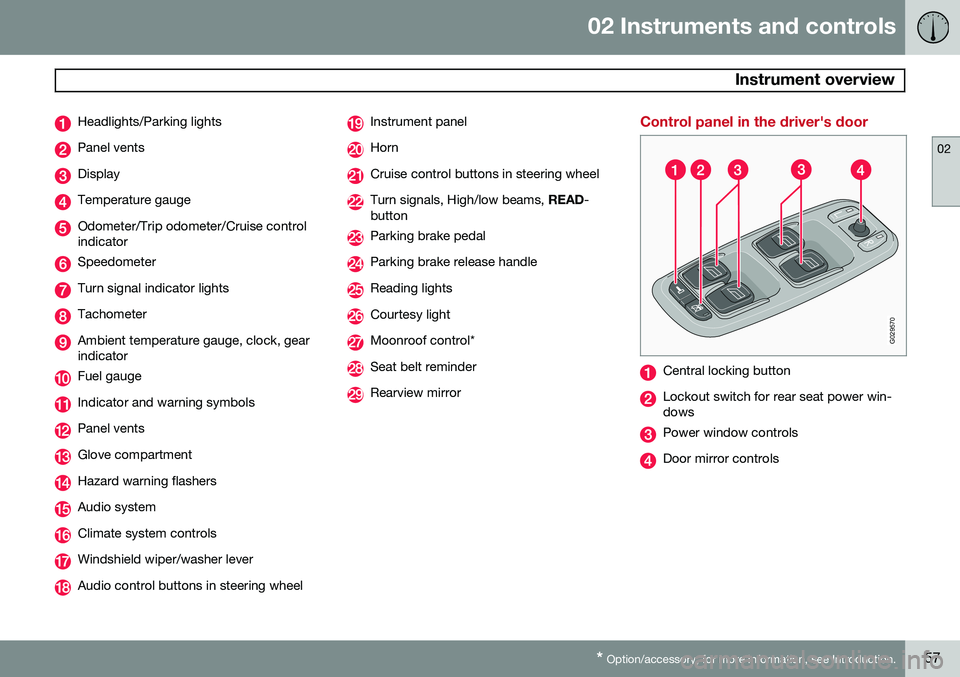
Headlights/Parking lights
Panel vents
Display
Temperature gauge
Odometer/Trip odometer/Cruise control indicator
Speedometer
Turn signal indicator lights
Tachometer
Ambient temperature gauge, clock, gear indicator
Fuel gauge
Indicator and warning symbols
Panel vents
Glove compartment
Hazard warning flashers
Audio system
Climate system controls
Windshield wiper/washer lever
Audio control buttons in steering wheel
Instrument panel
Horn
Cruise control buttons in steering wheel
Turn signals, High/low beams, READ-
button
Parking brake pedal
Parking brake release handle
Reading lights
Courtesy light
Moonroof control*
Seat belt reminder
Rearview mirror
Control panel in the driver's door
G029570
Central locking button
Lockout switch for rear seat power win- dows
Power window controls
Door mirror controls
Page 62 of 308
02 Instruments and controls
Instrument panel
02
60
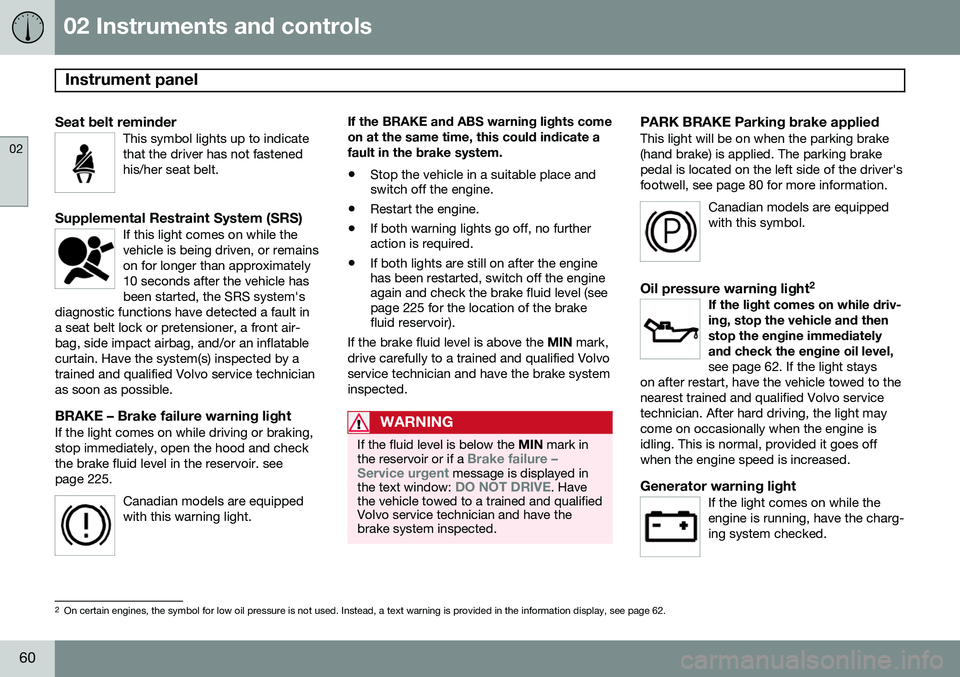
Seat belt reminderThis symbol lights up to indicate that the driver has not fastenedhis/her seat belt.
Supplemental Restraint System (SRS)If this light comes on while the vehicle is being driven, or remainson for longer than approximately10 seconds after the vehicle hasbeen started, the SRS system's
diagnostic functions have detected a fault ina seat belt lock or pretensioner, a front air-bag, side impact airbag, and/or an inflatablecurtain. Have the system(s) inspected by atrained and qualified Volvo service technicianas soon as possible.
BRAKE – Brake failure warning lightIf the light comes on while driving or braking, stop immediately, open the hood and checkthe brake fluid level in the reservoir. seepage 225.
Canadian models are equippedwith this warning light.
If the BRAKE and ABS warning lights come on at the same time, this could indicate afault in the brake system.
• Stop the vehicle in a suitable place and switch off the engine.
• Restart the engine.
• If both warning lights go off, no furtheraction is required.
• If both lights are still on after the enginehas been restarted, switch off the engineagain and check the brake fluid level (seepage 225 for the location of the brakefluid reservoir).
If the brake fluid level is above the MIN mark,
drive carefully to a trained and qualified Volvo service technician and have the brake systeminspected.
WARNING
If the fluid level is below the MIN mark in
the reservoir or if a Brake failure –
Service urgent message is displayed in
the text window: DO NOT DRIVE. Have
the vehicle towed to a trained and qualified Volvo service technician and have thebrake system inspected.
PARK BRAKE Parking brake appliedThis light will be on when the parking brake (hand brake) is applied. The parking brakepedal is located on the left side of the driver'sfootwell, see page 80 for more information.
Canadian models are equippedwith this symbol.
Oil pressure warning light 2If the light comes on while driv- ing, stop the vehicle and thenstop the engine immediatelyand check the engine oil level, see page 62. If the light stays
on after restart, have the vehicle towed to the nearest trained and qualified Volvo servicetechnician. After hard driving, the light maycome on occasionally when the engine isidling. This is normal, provided it goes offwhen the engine speed is increased.
Generator warning lightIf the light comes on while the engine is running, have the charg-ing system checked.
2 On certain engines, the symbol for low oil pressure is not used. Instead, a text warning is provided in the information display, see page 62.
Page 63 of 308
02 Instruments and controls
Instrument panel
02
61
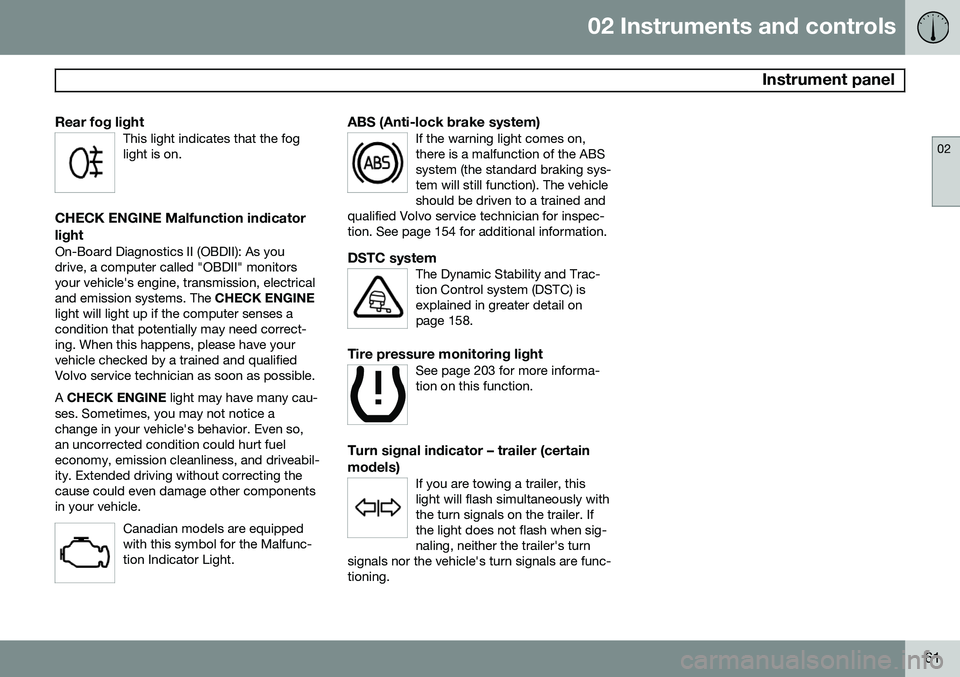
Rear fog lightThis light indicates that the fog light is on.
CHECK ENGINE Malfunction indicator light
On-Board Diagnostics II (OBDII): As you drive, a computer called "OBDII" monitorsyour vehicle's engine, transmission, electricaland emission systems. The CHECK ENGINE
light will light up if the computer senses acondition that potentially may need correct-ing. When this happens, please have yourvehicle checked by a trained and qualifiedVolvo service technician as soon as possible. A CHECK ENGINE light may have many cau-
ses. Sometimes, you may not notice a change in your vehicle's behavior. Even so,an uncorrected condition could hurt fueleconomy, emission cleanliness, and driveabil-ity. Extended driving without correcting thecause could even damage other componentsin your vehicle.
Canadian models are equippedwith this symbol for the Malfunc-tion Indicator Light.
ABS (Anti-lock brake system)If the warning light comes on, there is a malfunction of the ABSsystem (the standard braking sys-tem will still function). The vehicleshould be driven to a trained and
qualified Volvo service technician for inspec-tion. See page 154 for additional information.
DSTC systemThe Dynamic Stability and Trac- tion Control system (DSTC) isexplained in greater detail onpage 158.
Tire pressure monitoring lightSee page 203 for more informa- tion on this function.
Turn signal indicator – trailer (certain models)
If you are towing a trailer, this light will flash simultaneously withthe turn signals on the trailer. Ifthe light does not flash when sig-naling, neither the trailer's turn
signals nor the vehicle's turn signals are func-tioning.
Page 67 of 308
02 Instruments and controls
Center console buttons
02
* Option/accessory, for more information, see Introduction.65
NOTE
If the door mirrors have been inadvertently pushed out of position (in a car wash,parking lot, etc.) manually return them tonormal position. If mirror adjustment doesnot seem to operate after manual folding,reset the folding mirrors as follows:
• Turn the ignition key to position
II.
• Manually fold the mirror(s) to the nor- mal position.
• Press the button to fold both mirrorsin.
• Press the button again to fold the mir-rors out to their normal position.
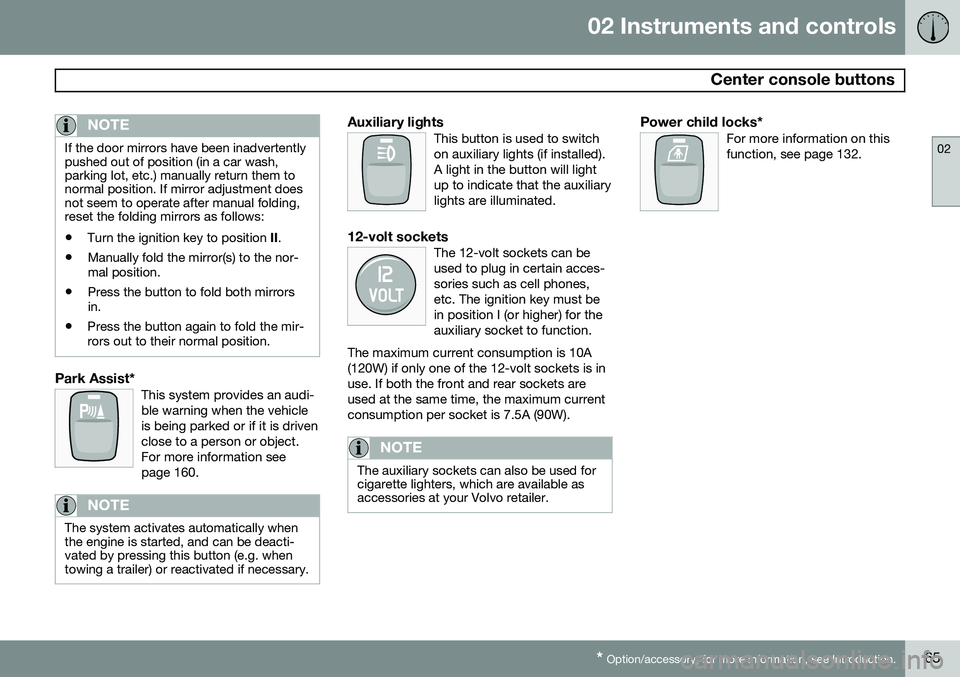
Park Assist*This system provides an audi- ble warning when the vehicleis being parked or if it is drivenclose to a person or object.For more information seepage 160.
NOTE
The system activates automatically when the engine is started, and can be deacti-vated by pressing this button (e.g. whentowing a trailer) or reactivated if necessary.
Auxiliary lightsThis button is used to switch on auxiliary lights (if installed).A light in the button will lightup to indicate that the auxiliarylights are illuminated.
12-volt socketsThe 12-volt sockets can be used to plug in certain acces-sories such as cell phones,etc. The ignition key must bein position I (or higher) for theauxiliary socket to function.
The maximum current consumption is 10A(120W) if only one of the 12-volt sockets is inuse. If both the front and rear sockets areused at the same time, the maximum currentconsumption per socket is 7.5A (90W).
NOTE
The auxiliary sockets can also be used for cigarette lighters, which are available asaccessories at your Volvo retailer.
Power child locks*For more information on this function, see page 132.
Page 70 of 308
02 Instruments and controls
Lighting panel
02
68
wheel (see the right-pointing beam in the illustration).
NOTE
When driving in daylight conditions, the headlights will switch off and the daytimerunning lights will come on. In darkness,the daytime running lights will switch offand the Active Bending Lights will switchon.
The ABL function is activated automatically when the engine is started and the headlight switch is in the
position and can be
deactivated/reactivated by pressing the but- ton in the center console (see page 64.
LED Daytime Running Lights (DRL)
To help conserve fuel by reducing the use of electrical current in the vehicle, DRL can beused in daylight conditions instead of the lowbeam headlights, which consume more elec-trical current. The daytime running lights aremounted in the front spoiler and use bright,electricity-saving LEDs (light emitting diodes).
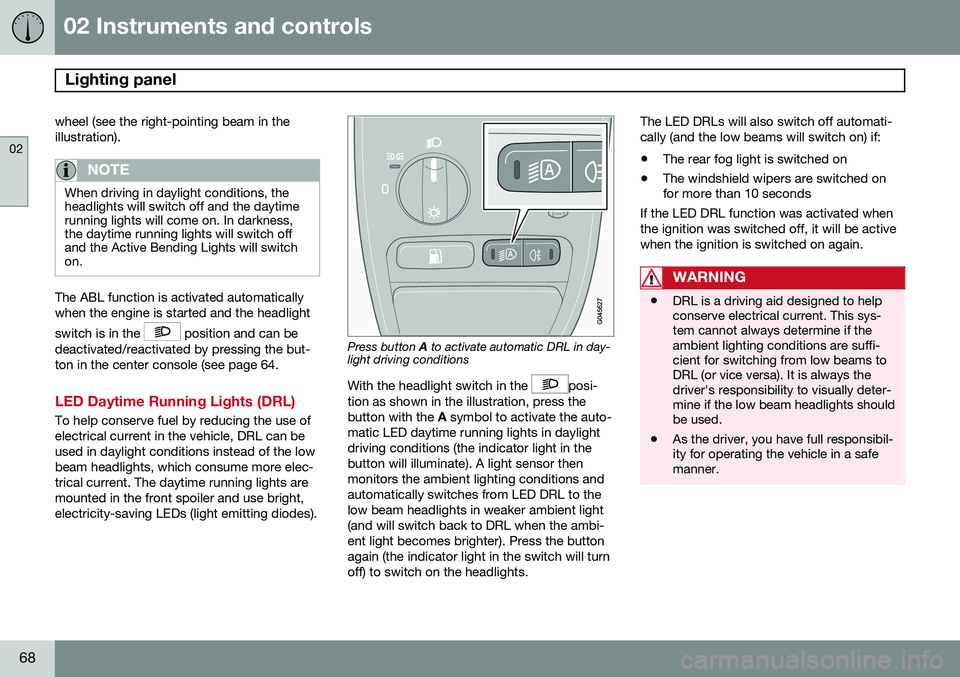
Press button A to activate automatic DRL in day-
light driving conditions
With the headlight switch in the
posi-
tion as shown in the illustration, press the button with the A symbol to activate the auto-
matic LED daytime running lights in daylightdriving conditions (the indicator light in thebutton will illuminate). A light sensor thenmonitors the ambient lighting conditions andautomatically switches from LED DRL to thelow beam headlights in weaker ambient light(and will switch back to DRL when the ambi-ent light becomes brighter). Press the buttonagain (the indicator light in the switch will turnoff) to switch on the headlights. The LED DRLs will also switch off automati-cally (and the low beams will switch on) if:
• The rear fog light is switched on
• The windshield wipers are switched on for more than 10 seconds
If the LED DRL function was activated when the ignition was switched off, it will be activewhen the ignition is switched on again.
WARNING
• DRL is a driving aid designed to help conserve electrical current. This sys-tem cannot always determine if theambient lighting conditions are suffi-cient for switching from low beams toDRL (or vice versa). It is always thedriver's responsibility to visually deter-mine if the low beam headlights shouldbe used.
• As the driver, you have full responsibil-ity for operating the vehicle in a safemanner.
Page 147 of 308
06 Starting and driving
Ignition switch and steering wheel lock
06
145
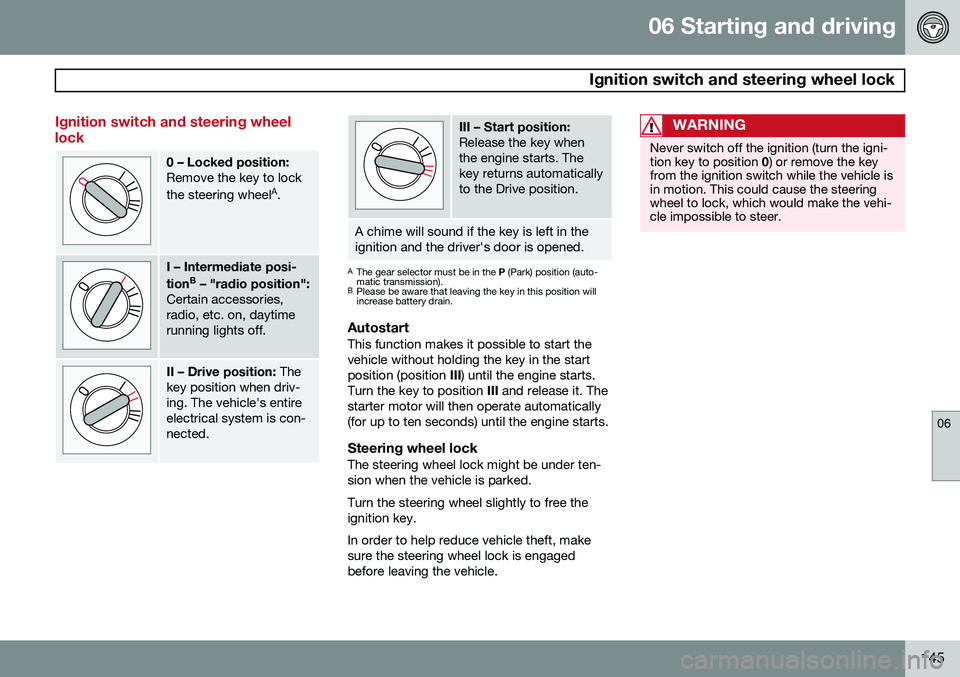
Ignition switch and steering wheel lock
0 – Locked position: Remove the key to lock the steering wheelA
.
I – Intermediate posi- tion B
– "radio position":
Certain accessories, radio, etc. on, daytimerunning lights off.
II – Drive position: The
key position when driv- ing. The vehicle's entireelectrical system is con-nected.
III – Start position: Release the key when the engine starts. Thekey returns automaticallyto the Drive position.
A chime will sound if the key is left in the ignition and the driver's door is opened.
A The gear selector must be in the P (Park) position (auto-
matic transmission).
B Please be aware that leaving the key in this position will increase battery drain.
AutostartThis function makes it possible to start the vehicle without holding the key in the startposition (position III) until the engine starts.
Turn the key to position III and release it. The
starter motor will then operate automatically(for up to ten seconds) until the engine starts.
Steering wheel lockThe steering wheel lock might be under ten-sion when the vehicle is parked. Turn the steering wheel slightly to free the ignition key. In order to help reduce vehicle theft, make sure the steering wheel lock is engagedbefore leaving the vehicle.
WARNING
Never switch off the ignition (turn the igni- tion key to position 0) or remove the key
from the ignition switch while the vehicle isin motion. This could cause the steeringwheel to lock, which would make the vehi-cle impossible to steer.
Page 157 of 308
06 Starting and driving
Brake system
06
155
WARNING
•Use the jack intended for the vehicle when changing a tire. For any otherjob, use stands to support the vehicle.
• The jack should be kept well-greasedand clean, and should not be dam-aged.
• Be sure the jack is on a firm, level,non-slippery surface.
• No objects should be placed betweenthe base of jack and the ground, orbetween the jack and the attachmentbar on the vehicle.
• The jack must correctly engage thejack attachment.
• Never allow any part of your body tobe extended under a vehicle suppor-ted by a jack.
Power brakes function only when the engine is running
The power brakes utilize vacuum pressure which is only created when the engine is run-ning. Never let the vehicle roll to a stop withthe engine switched off. If the power brakes are not working, consid- erably higher pressure will be required on thebrake pedal to compensate for the lack ofpower assistance. This can happen for exam- ple when towing your vehicle or if the engineis switched off when the vehicle is rolling. Thebrake pedal feels harder than usual.
Water on brake discs and brake pads
affects braking
Driving in rain and slush or passing throughan automatic car wash can cause water tocollect on the brake discs and pads. This willcause a delay in braking effect when thepedal is depressed. To avoid such a delaywhen the brakes are needed, depress thepedal occasionally when driving through rain,slush etc. This will remove the water from thebrakes. Check that brake application feelsnormal. This should also be done after wash-ing or starting in very damp or cold weather.
Severe strain on the brake systemThe brakes will be subject to severe strainwhen driving in mountains or hilly areas, orwhen towing a trailer. Vehicle speed is usuallyslower, which means that the cooling of thebrakes is less efficient than when driving onlevel roads. To reduce the strain on thebrakes, shift into a lower gear and let theengine help with the braking. Do not forgetthat, if you are towing a trailer, the brakes willbe subjected to a greater than normal load.
Anti-lock brakes (ABS)If the ABS warning lamp lights up there is a
malfunction in the ABS system (the standardbraking system will however function) and thevehicle should be driven cautiously to atrained and qualified Volvo service technicianfor inspection. The Anti-lock Braking System(ABS) helps to improve vehicle control (stop-ping and steering) during severe braking con-ditions by limiting brake lockup. When thesystem "senses" impending lockup, brakingpressure is automatically modulated in orderto help prevent lockup, which could lead to askid. The system performs a self-diagnostic test when the engine is started and when thevehicle first reaches a speed of approxi- mately 12 mph (20 km/h). The brake pedal
will pulsate several times and a sound may be audible from the ABS control module. This isnormal. To obtain optimal effect from the ABS sys- tem, constant pressure should be kept on thebrake pedal. Do not pump the brake pedal. The switching of the ABS modulator will be audible and the brake pedal will pulsate dur-ing braking. Please be aware that ABS doesnot increase the absolute braking potential ofthe vehicle. While control will be enhanced,ABS will not shorten stopping distances onslippery surfaces.
Page 158 of 308
06 Starting and driving
Brake system
06
156
ABS with EBD (Electronic Brake Force
Distribution)
EBD is an integrated part of the ABS system. EBD regulates the hydraulic pressure to therear brakes to help provide optimal brakingcapacity. The brake pedal will pulsate duringbraking, which is normal. If the BRAKE and ABS warning lights come on at the same time, this could indicate afault in the brake system.
1. Stop the vehicle in a suitable place and switch off the engine.
2. Restart the engine.
• If both warning lights go off, no further action is required.
• If both lights are still on after the enginehas been restarted, switch off the engineagain and check the brake fluid level (seepage 225 for the location of the brakefluid reservoir).
WARNING
If the fluid level is below the
MIN mark in
the reservoir or if a Brake failure –
Service urgent message is displayed in
the text window: DO NOT DRIVE. Have the vehicle towed to a trained and qualifiedVolvo service technician and have thebrake system inspected.
• If the brake fluid level is above the
MIN
mark, drive carefully to a trained and qualified Volvo service technician andhave the brake system inspected.
Emergency Brake Assistance (EBA)The EBA function is designed to provide full brake effect immediately in the event of sud-den, hard braking. The system is activated bythe speed with which you depress the brakepedal.
NOTE
• When the EBA system is activated, the brake pedal will go down and pressurein the brake system immediatelyincreases to the maximum level. Youmust maintain full pressure on thebrake pedal in order to utilize the sys-tem completely. There will be no brak-ing effect if the pedal is released. EBAis automatically deactivated when thebrake pedal is released.
• When the vehicle has been parked forsome time, the brake pedal may sinkmore than usual when the engine isstarted. This is normal and the pedalwill return to its usual position when itis released.
Page 162 of 308
06 Starting and driving
Front/rear park assist*
06
160* Option/accessory, for more information, see Introduction.
Front/rear park assist
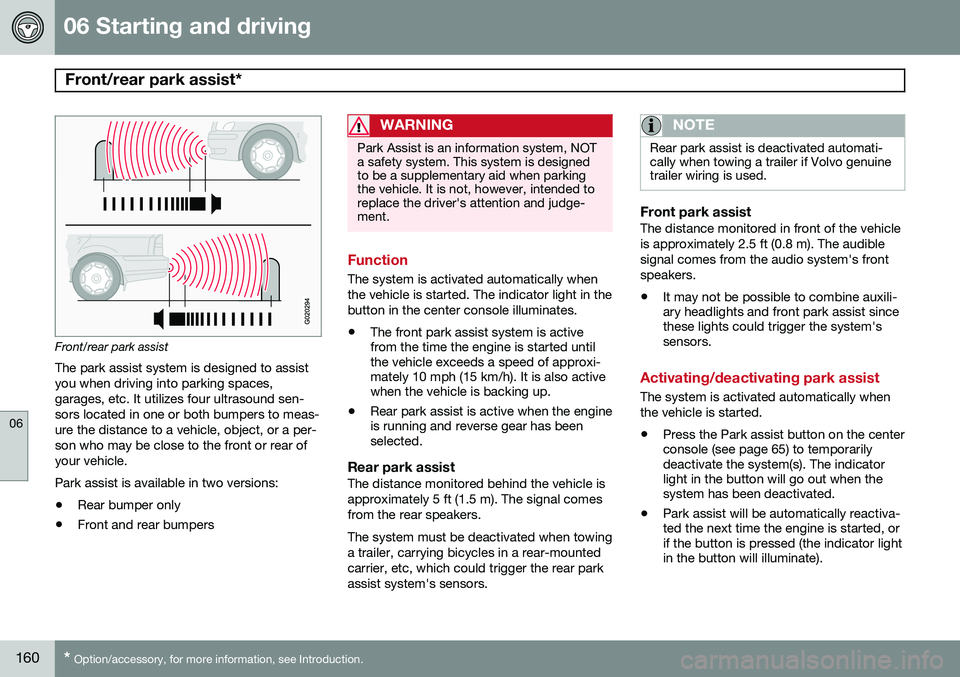
The park assist system is designed to assist you when driving into parking spaces,garages, etc. It utilizes four ultrasound sen-sors located in one or both bumpers to meas-ure the distance to a vehicle, object, or a per-son who may be close to the front or rear ofyour vehicle. Park assist is available in two versions:
• Rear bumper only
• Front and rear bumpers
WARNING
Park Assist is an information system, NOT a safety system. This system is designedto be a supplementary aid when parkingthe vehicle. It is not, however, intended toreplace the driver's attention and judge-ment.
Function
The system is activated automatically when the vehicle is started. The indicator light in thebutton in the center console illuminates. • The front park assist system is active from the time the engine is started untilthe vehicle exceeds a speed of approxi-mately 10 mph (15 km/h). It is also activewhen the vehicle is backing up.
• Rear park assist is active when the engineis running and reverse gear has beenselected.
Rear park assistThe distance monitored behind the vehicle is approximately 5 ft (1.5 m). The signal comesfrom the rear speakers. The system must be deactivated when towing a trailer, carrying bicycles in a rear-mountedcarrier, etc, which could trigger the rear parkassist system's sensors.
NOTE
Rear park assist is deactivated automati- cally when towing a trailer if Volvo genuinetrailer wiring is used.
Front park assistThe distance monitored in front of the vehicle is approximately 2.5 ft (0.8 m). The audiblesignal comes from the audio system's frontspeakers.
• It may not be possible to combine auxili- ary headlights and front park assist sincethese lights could trigger the system'ssensors.
Activating/deactivating park assist
The system is activated automatically when the vehicle is started.
• Press the Park assist button on the center console (see page 65) to temporarilydeactivate the system(s). The indicatorlight in the button will go out when thesystem has been deactivated.
• Park assist will be automatically reactiva-ted the next time the engine is started, orif the button is pressed (the indicator lightin the button will illuminate).