air condition VOLVO XC90 2015 User Guide
[x] Cancel search | Manufacturer: VOLVO, Model Year: 2015, Model line: XC90, Model: VOLVO XC90 2015Pages: 570, PDF Size: 12.44 MB
Page 178 of 570

CLIMATE
* Option/accessory, for more information, see Introduction.
176
Climate control system
The vehicle is equipped with Electronic Climate Control (ECC) that cools, heats, dehumidifiesand filters the air in the passenger compartment.
2-zone climate system
2-zone system climate zones
The 2-zone climate system makes it possible to set the left- and right-side temperatures sepa-rately. All climate system settings are made from the center display and the buttons in the center con-sole.
4-zone climate system *
4-zone system climate zones
The 4-zone climate system makes it possible to set the left- and right-side temperatures sepa-rately for the front and rears seats. All climate system settings are made from the center display and the buttons in the center con-sole. Settings for the rear seats can also bemade from the climate system panel on the rearside of the tunnel console.
Related information
•Climate system sensors (p. 177)
• Perceived temperature (p. 176)
• Climate system controls (p. 180)
• Air quality (p. 177)
• Air distribution (p. 194)
• Air conditioning refrigerant (p. 541)
Perceived temperature
The climate system regulates passenger com- partment temperature based on the perceivedtemperature, not on the actual one.
The selected passenger compartment tempera- ture is based on a physical perception relating tothe current ambient temperature, air flow, humid-ity, sunlight in the passenger compartment, etc. The system's sunlight sensor monitors the side of the car where sunlight is entering the passengercompartment. This means that the actual tem-perature may differ between the right and leftsides of the compartment, even if the tempera-ture setting is the same for both sides.
Related information
• Climate system sensors (p. 177)
• Climate control system (p. 176)
Page 181 of 570
CLIMATE
* Option/accessory, for more information, see Introduction.179
Passenger compartment air filter
All air entering the passenger compartment through the climate system air intake is filtered.
Filter replacementThe filter must be replaced according to the serv- ice schedule for your vehicle. When driving in e.g.,dusty or industrial areas, the filer may need to bereplaced more often. Consult your Volvo retailer.
Related information
• Air quality (p. 177)
• Clean Zone Interior Package (CZIP)
*
(p. 178)
• Interior Air Quality System (IAQS)
* (p. 178)
• Volvo's service program (p. 488)
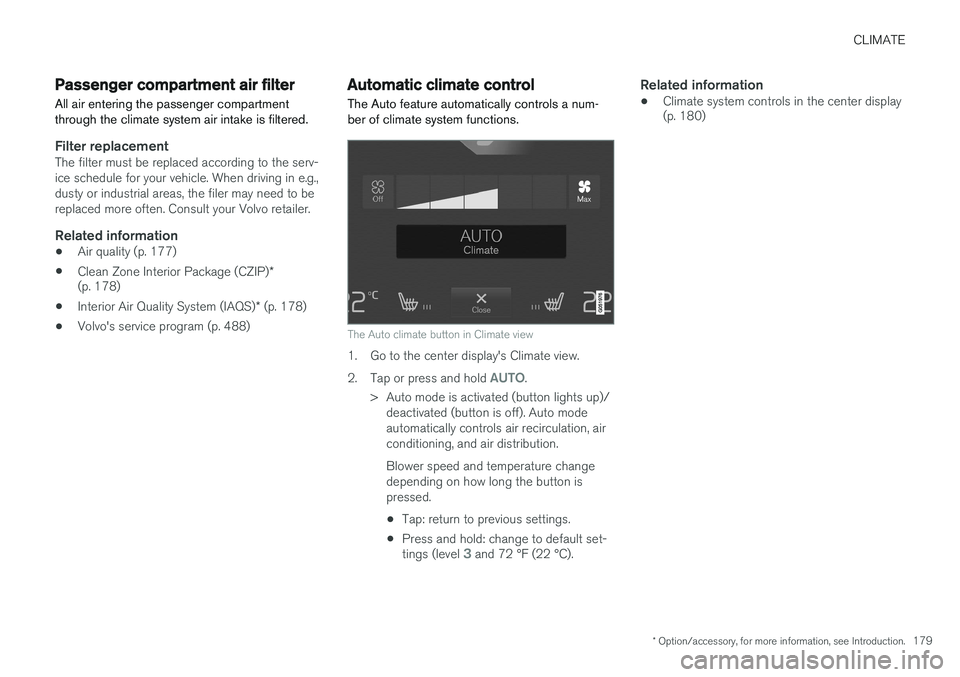
Automatic climate control The Auto feature automatically controls a num- ber of climate system functions.
The Auto climate button in Climate view
1. Go to the center display's Climate view. 2.
Tap or press and hold
AUTO.
> Auto mode is activated (button lights up)/ deactivated (button is off). Auto mode automatically controls air recirculation, airconditioning, and air distribution. Blower speed and temperature change depending on how long the button ispressed.
• Tap: return to previous settings.
• Press and hold: change to default set- tings (level
3 and 72 °F (22 °C).
Related information
• Climate system controls in the center display (p. 180)
Page 183 of 570
CLIMATE
* Option/accessory, for more information, see Introduction.181
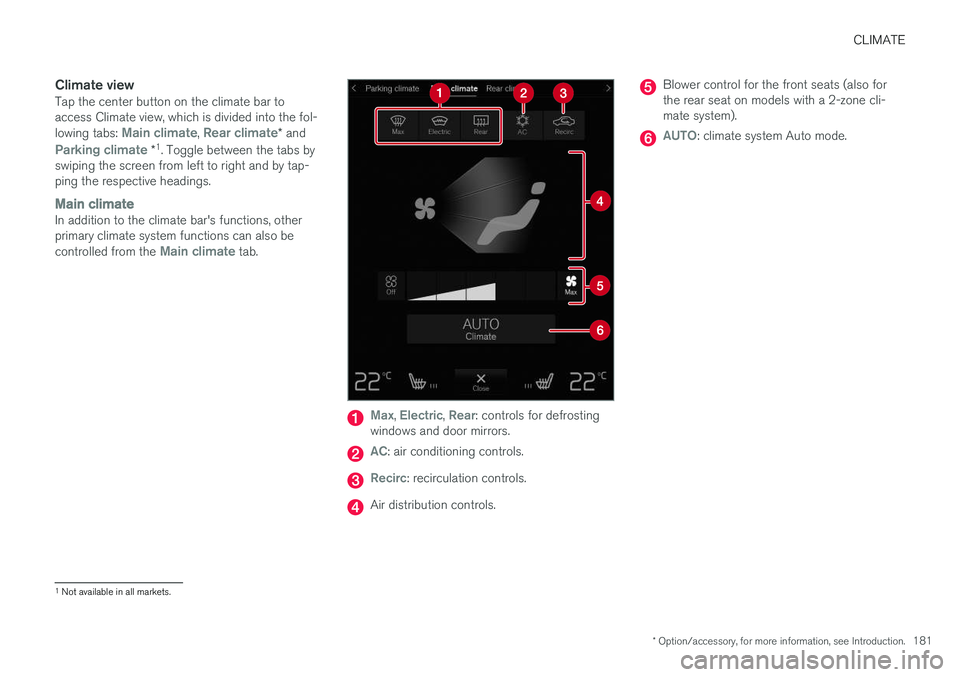
Climate viewTap the center button on the climate bar to access Climate view, which is divided into the fol- lowing tabs:
Main climate, Rear climate* and
Parking climate *1
. Toggle between the tabs by
swiping the screen from left to right and by tap- ping the respective headings.
Main climateIn addition to the climate bar's functions, other primary climate system functions can also be controlled from the
Main climate tab.
Max, Electric, Rear: controls for defrosting
windows and door mirrors.
AC: air conditioning controls.
Recirc: recirculation controls.
Air distribution controls.
Blower control for the front seats (also for the rear seat on models with a 2-zone cli-mate system).
AUTO: climate system Auto mode.
1 Not available in all markets.
Page 185 of 570
CLIMATE
* Option/accessory, for more information, see Introduction.183
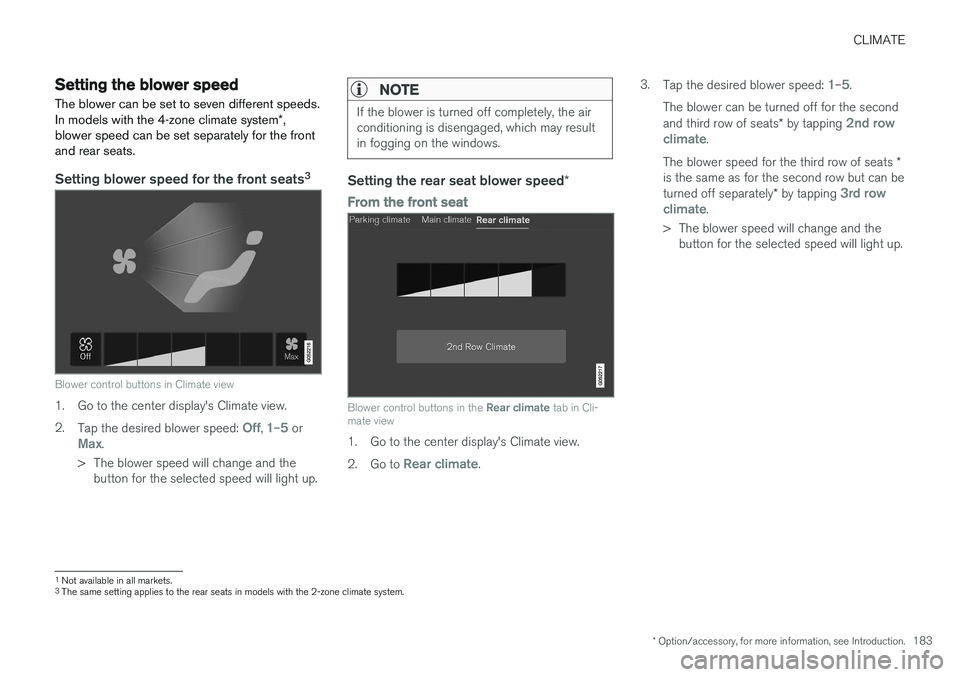
Setting the blower speed The blower can be set to seven different speeds. In models with the 4-zone climate system*,
blower speed can be set separately for the front and rear seats.
Setting blower speed for the front seats 3
Blower control buttons in Climate view
1. Go to the center display's Climate view. 2.
Tap the desired blower speed:
Off, 1–5 orMax.
> The blower speed will change and the button for the selected speed will light up.
NOTE
If the blower is turned off completely, the air conditioning is disengaged, which may resultin fogging on the windows.
Setting the rear seat blower speed *
From the front seat
Blower control buttons in the Rear climate tab in Cli-
mate view
1. Go to the center display's Climate view. 2. Go to
Rear climate. 3.
Tap the desired blower speed:
1–5.
The blower can be turned off for the second and third row of seats * by tapping
2nd row
climate.
The blower speed for the third row of seats *
is the same as for the second row but can be turned off separately * by tapping
3rd row
climate.
> The blower speed will change and the button for the selected speed will light up.
1Not available in all markets.
3 The same setting applies to the rear seats in models with the 2-zone climate system.
Page 190 of 570
CLIMATE
* Option/accessory, for more information, see Introduction.
188
From the center display's Climate view
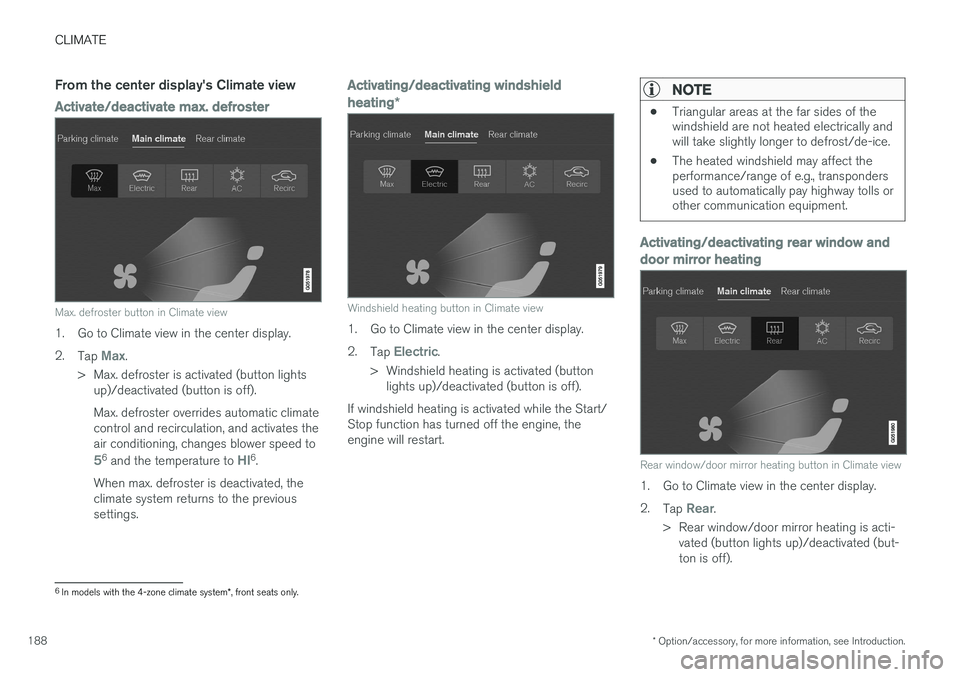
Activate/deactivate max. defroster
Max. defroster button in Climate view
1. Go to Climate view in the center display. 2.
Tap
Max.
> Max. defroster is activated (button lights up)/deactivated (button is off). Max. defroster overrides automatic climate control and recirculation, and activates theair conditioning, changes blower speed to
56 and the temperature to HI6.
When max. defroster is deactivated, the climate system returns to the previoussettings.
Activating/deactivating windshield heating *
Windshield heating button in Climate view
1. Go to Climate view in the center display. 2.
Tap
Electric.
> Windshield heating is activated (button lights up)/deactivated (button is off).
If windshield heating is activated while the Start/ Stop function has turned off the engine, theengine will restart.
NOTE
• Triangular areas at the far sides of the windshield are not heated electrically andwill take slightly longer to defrost/de-ice.
• The heated windshield may affect theperformance/range of e.g., transpondersused to automatically pay highway tolls orother communication equipment.
Activating/deactivating rear window and door mirror heating
Rear window/door mirror heating button in Climate view
1. Go to Climate view in the center display. 2.
Tap
Rear.
> Rear window/door mirror heating is acti- vated (button lights up)/deactivated (but- ton is off).
6In models with the 4-zone climate system *, front seats only.
Page 191 of 570
CLIMATE
* Option/accessory, for more information, see Introduction.189
Automatically activating/deactivating the defrosting function when the engine isstarted
The rear window/door mirror/windshield heating*
can be set to start automatically when the engine is started. 1. Tap
Settings in the center display's Top
view and select Climate.
2. Activate/deactivate the respective defroster functions when the engine is started by selecting/deselecting the boxes for
Auto
Electric Front Defroster and Auto Electric
Rear Defroster.
The heating function will switch off automatically
when the window/mirror is sufficiently warm and the ice/condensation has disappeared.
Related information
• Climate system controls (p. 180)
• Climate system controls in the center display (p. 180)
• Defrosting windows and mirrors (p. 187)
• Air conditioning (p. 190)
• Turning recirculation on and off (p. 186)
• Adjusting air distribution (p. 195)
• Setting the blower speed (p. 183)
• Automatic climate control (p. 179)
• Turning front seat ventilation
* on and off
(p. 193) •
Turning steering wheel heating
* on and off
(p. 189)
Turning steering wheel heating * on
and off
The steering wheel can be heated electrically for added comfort.
Activating/deactivating steering wheel
heating
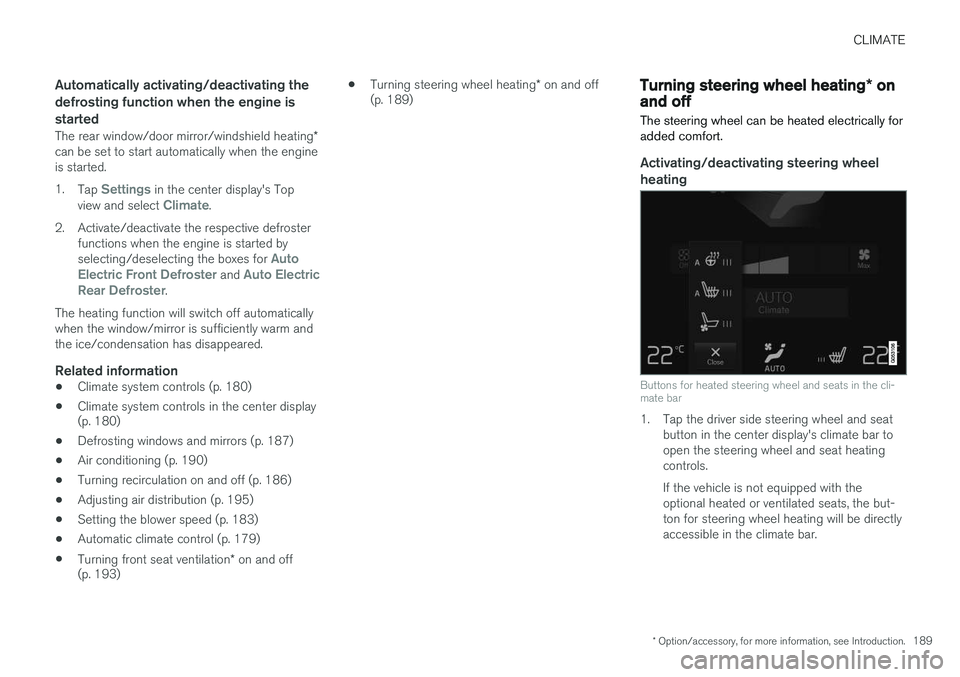
Buttons for heated steering wheel and seats in the cli- mate bar
1. Tap the driver side steering wheel and seat button in the center display's climate bar to open the steering wheel and seat heatingcontrols. If the vehicle is not equipped with the optional heated or ventilated seats, the but-ton for steering wheel heating will be directlyaccessible in the climate bar.
Page 192 of 570
CLIMATE
* Option/accessory, for more information, see Introduction.
190 2. Tap the steering wheel heating button
repeatedly to select one of four levels:
Off,High, Middle or Low.
> The level changes and is displayed in the button.
Automatic steering wheel heatingThe automatic function starts heating the steer- ing wheel when the temperature is sufficientlycold and turns it off automatically when the wheelis sufficiently warm. 1. Tap
Settings in the center display's Top
view.
2. Tap
Climate.
3. Under
Auto Steering Wheel Heating
Level, select Off, Low, Middle or High to
activate/deactivate the automatic function.
Related information
• Climate system controls (p. 180)
• Climate system controls in the center display (p. 180)
• Steering wheel (p. 157)
Air conditioning
The air conditioning cools and dehumidifies the air in the passenger compartment.
Activating/deactivating the main air conditioning unit
1. For the air conditioning to function optimally, close the side windows and laminated panor- amic roof *.
Air conditioning button in Climate view
2. Go to Climate view in the center display. 3.
Tap
AC.
> The air conditioning is activated (button lights up)/deactivated (button is off).
NOTE
• For the air conditioning to function opti- mally, close the side windows and lamina- ted panoramic roof
*
• The air conditioning cannot be activated if the blower is set to
Off.
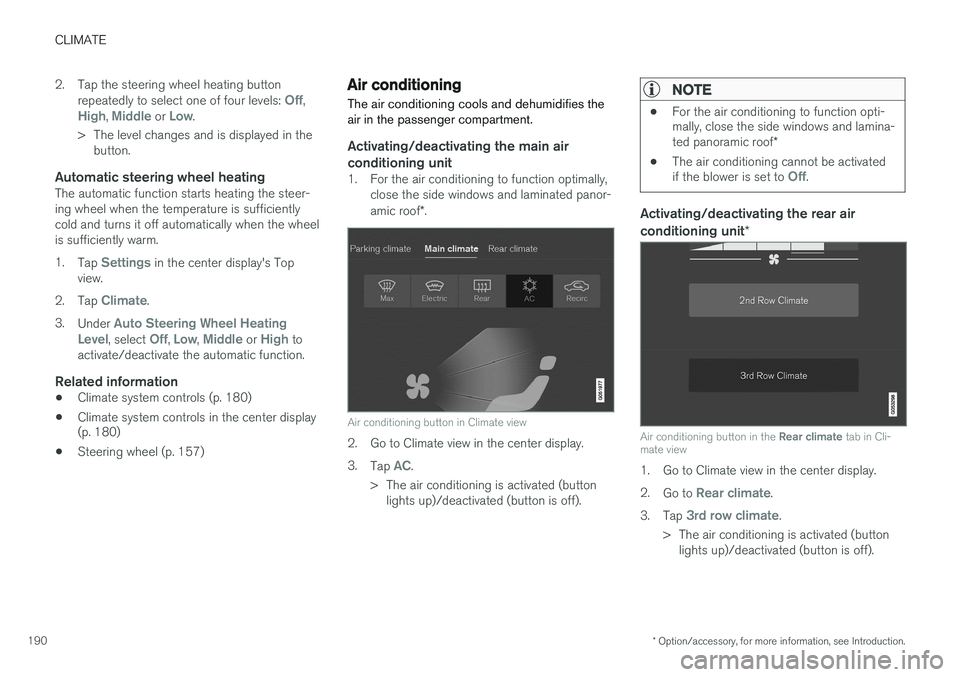
Activating/deactivating the rear air conditioning unit
*
Air conditioning button in the Rear climate tab in Cli-
mate view
1. Go to Climate view in the center display. 2. Go to
Rear climate.
3. Tap
3rd row climate.
> The air conditioning is activated (button lights up)/deactivated (button is off).
Page 193 of 570
CLIMATE
* Option/accessory, for more information, see Introduction.191
NOTE
Air conditioning for the third row of seats*
cannot be activated if the main air condition- ing unit or the air conditioning for the second row of seats * is/are deactivated.
Activating/deactivating the third row air conditioning when the engine is started
The air conditioning for the optional third row of seats 7
can be set to start automatically when the
engine is started. 1. Tap
Settings in the center display's Top
view.
2. Tap
Climate.
3. Select
Third Row Climate On At Engine
Start to activate/deactivate the air condition-
ing for the third row of seats when the engine is started.
Related information
• Climate system controls in the center display (p. 180)
Turning seat heating
* on and off
The seats can be heated for added comfort in cold weather.
Activating/deactivating front seat heating
Steering wheel and seat buttons in the climate bar
1. Tap the left or right side steering wheel and seat button in the center display's climate bar to open the steering wheel and seatheating controls. If the vehicle is not equipped with the optional heated steering wheel or ventilatedseats, the button for seat heating will bedirectly accessible in the climate bar. 2. Tap the seat heating button repeatedly to
select one of four levels:
Off, High, Middleor Low.
> The level changes and is displayed in the button.
Activating/deactivating rear seat heating
From the front seat *
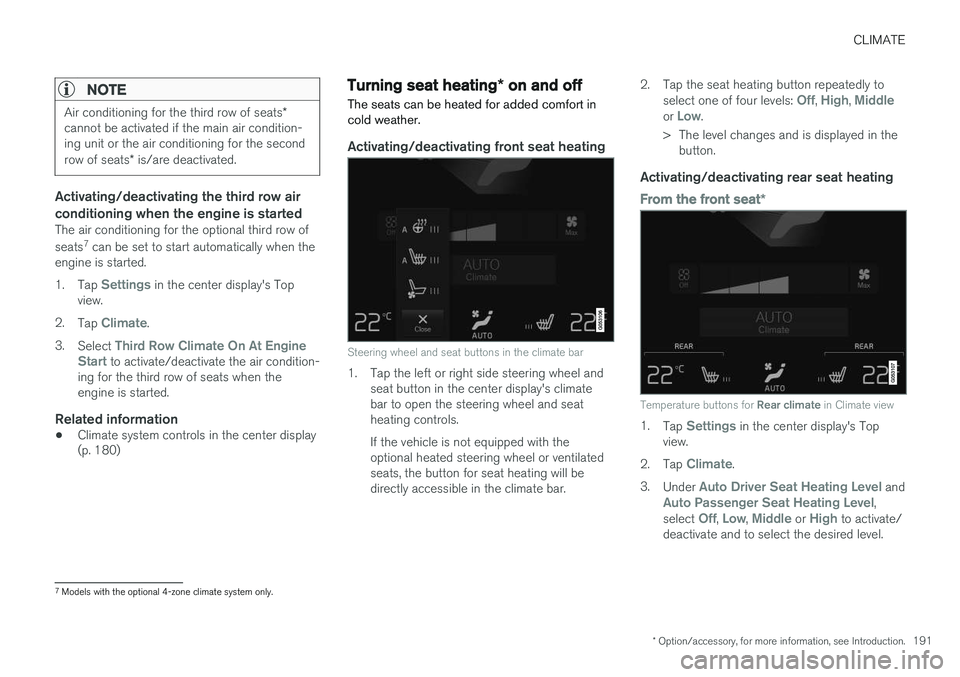
Temperature buttons for Rear climate in Climate view
1.
Tap Settings in the center display's Top
view.
2. Tap
Climate.
3. Under
Auto Driver Seat Heating Level andAuto Passenger Seat Heating Level,
select Off, Low, Middle or High to activate/
deactivate and to select the desired level.
7 Models with the optional 4-zone climate system only.
Page 218 of 570

LOCKS AND ALARM
* Option/accessory, for more information, see Introduction.
216
Locks and remote keys
The vehicle can be locked and unlocked in vari- ous ways and there are several types of remotekeys that can be used. These keys can also belinked to a driver profile, which contains vehicle-related settings that have been stored.
Locking/unlocking/opening/closingThe vehicle can be locked/unlocked from the passenger compartment, using the buttons onthe remote key or by using the optional PassiveEntry system where it is only necessary to have akey in your possession to lock or unlock thedoors. On models equipped with a power tailgate *, the
tailgate can be opened/closed by moving your foot under a sensor * beneath the rear bumper.
If for any reason a remote key does not function properly, it may be necessary to replace its bat-teries but the vehicle can always be locked orunlocked manually using the remote key'sdetachable key blade.
Remote keyThe remote key does not have to be physicallyhandled in order to start the engine because thevehicle is equipped with the standard PassiveStart system (the key only needs to be in thefront part of the passenger compartment). If thevehicle is equipped with the optional PassiveEntry system that enables keyless entry and start, the key can be anywhere in the vehicle when theengine is started. Models with Passive Entry
* also have an extra,
smaller key without buttons called a Key Tag. A special restricted Red Key makes it possible to limit some of the vehicle's functionality, such asby setting a maximum speed or limiting the maxi-mum volume from the infotainment system'sspeakers. The various keys can also be linked to driver pro- files, which make it possible to store differentpersonal preferences (settings) in the vehicle. Additional keys can be ordered from a Volvo retailer.
Related information
• Immobilizer (p. 221)
• Alarm (p. 216)
• Child safety locks (p. 218)
• Remote key (p. 224)
• Restricted key
* (p. 226)
• Foot movement tailgate operation
* (p. 228)
• Locking/unlocking from inside the vehicle (p. 231)
• Locking/unlocking from outside the vehicle(p. 232)
• Locking/unlocking the tailgate (p. 233)
• Starting the engine (p. 356)
Alarm
The alarm system provides a warning if an attempt is made to break into the vehicle.
The following conditions will trigger the alarm:
• a door/hood/tailgate are opened
• the battery is disconnected
• the alarm siren is disconnected
If a problem is detected in the alarm system, a message will be displayed in the instrumentpanel. Do not attempt to repair any of the components in the alarm system yourself; this could affect theinsurance policy on the vehicle. Contact a trainedand qualified Volvo service technician.
NOTE
One of the alarm sensors, which is sensitive to metallic objects, is located under the tunnelconsole cup holders. Avoid leaving coins,keys, etc., in the cup holders because theymay inadvertently trigger the alarm.
Page 244 of 570

DRIVER SUPPORT
242
CauseAction
Water or snow on the surface of the road swirl up and block radar signals or the camera's view.No action. The driver should be extra alert in conditions of this type.
There is dirt between the inside of the windshield and the camera/radar sensor.Have the area of the windshield cleaned by a trained and quali- fied Volvo service technician.
High temperaturesIf the temperature in the passenger compartment is very high, the camera and radar sensor may betemporarily turned off for approx. 15 minutesafter the engine has been started to protect theirelectronic components. When the temperaturehas cooled sufficiently, the camera and radarsensor will restart automatically.Damaged windshield
CAUTION
•Service and maintenance on City Safety may only be carried out by a trained andqualified Volvo service technician.
• If a crack, scratch or stone chip shouldoccur in the section of the windshield infront the camera/radar sensor, contact atrained and qualified Volvo service techni-cian to repair or replace the windshield.Failing to do so may result in reducedCity Safety functionality.
To help prevent limited or reduced functional- ity, please also observe the following:
• Volvo recommends that cracks, scratches or stone chips on the windshield in front of the camera/radar sensor should
not
be repaired; in such cases, the entire windshield should be replaced.
• Before the windshield is replaced, con-tact a Volvo retailer to ensure that thecorrect windshield is ordered and instal-led. If the wrong type of windshield is
used, this may cause City Safety to func- tion improperly or not at all.
• Volvo recommends the use of only Genu-ine Volvo Replacement Windshields.
• When replacing windshield wipers, usethe same type or ones approved by Volvo.
After the windshield has been replaced, the camera/radar sensor will have to be recalibra-ted by a trained and qualified Volvo servicetechnician to help ensure proper function ofall of the vehicle's camera-/radar-based sys-tems.
MaintenanceIn order for camera and radar sensor to function properly, the area of the windshield must be keptfree of dirt, ice, snow, etc. and should be washedregularly with a suitable car washing detergent.
Related information
• City Safety
™ (p. 273)
• Radar sensor limitations (p. 245)
• Driver support systems (p. 240)