headlights VOLVO XC90 2015 User Guide
[x] Cancel search | Manufacturer: VOLVO, Model Year: 2015, Model line: XC90, Model: VOLVO XC90 2015Pages: 570, PDF Size: 12.44 MB
Page 158 of 570
INSTRUMENTS AND CONTROLS
* Option/accessory, for more information, see Introduction.
156
Windshield and headlight washers
Use the windshield/headlight washers to help improve visibility.
Starting the windshield and headlight washers
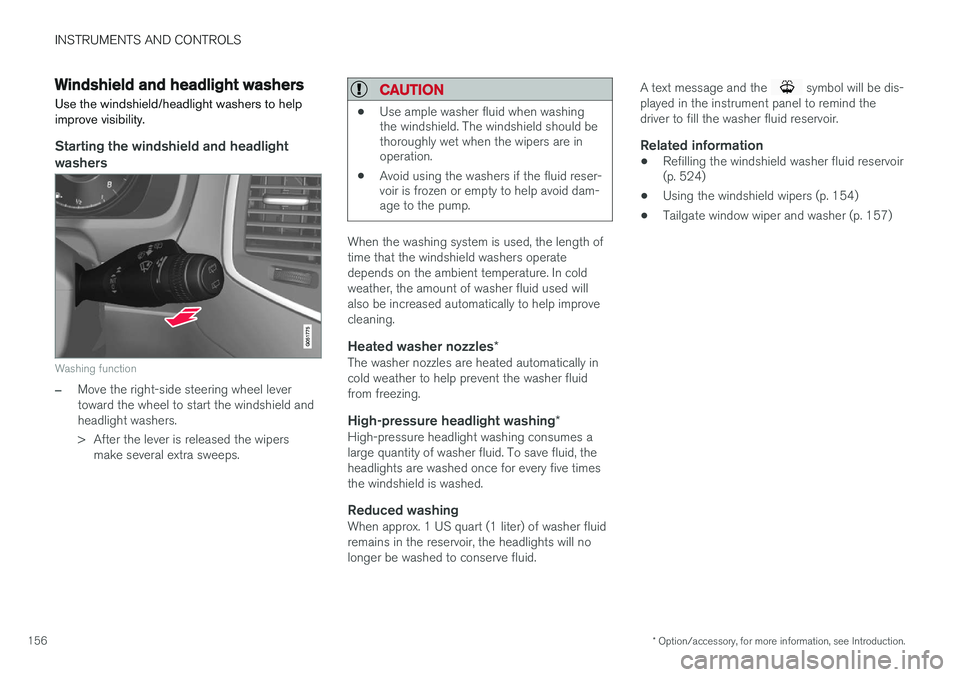
Washing function
–Move the right-side steering wheel lever toward the wheel to start the windshield andheadlight washers.
> After the lever is released the wipers make several extra sweeps.
CAUTION
• Use ample washer fluid when washing the windshield. The windshield should bethoroughly wet when the wipers are inoperation.
• Avoid using the washers if the fluid reser-voir is frozen or empty to help avoid dam-age to the pump.
When the washing system is used, the length of time that the windshield washers operatedepends on the ambient temperature. In coldweather, the amount of washer fluid used willalso be increased automatically to help improvecleaning.
Heated washer nozzles
*The washer nozzles are heated automatically incold weather to help prevent the washer fluidfrom freezing.
High-pressure headlight washing *High-pressure headlight washing consumes alarge quantity of washer fluid. To save fluid, theheadlights are washed once for every five timesthe windshield is washed.
Reduced washingWhen approx. 1 US quart (1 liter) of washer fluidremains in the reservoir, the headlights will nolonger be washed to conserve fluid. A text message and the
symbol will be dis-
played in the instrument panel to remind the driver to fill the washer fluid reservoir.
Related information
• Refilling the windshield washer fluid reservoir (p. 524)
• Using the windshield wipers (p. 154)
• Tailgate window wiper and washer (p. 157)
Page 242 of 570
DRIVER SUPPORT
* Option/accessory, for more information, see Introduction.
240
Driver support systems
The vehicle is equipped with a number of driver support systems that help provide the driver withactive/passive support.
Some of these systems are standard while others are optional and they are designed to e.g., helpthe driver maintain a set speed or a set distanceto a vehicle ahead, or warn the driver of a poten-tial collision situation and in certain cases applythe brakes if necessary. Certain optional systemscan also assist in various parking situations.
Related information
• Adjustable steering force
* (p. 308)
• Electronic Stability Control (ESC) (p. 308)
• Speed limiter (SL)
* (p. 283)
• Cruise Control (CC) (p. 248)
• Adaptive Cruise Control (ACC)
* (p. 252)
• Pilot Assist
* (p. 259)
• Distance Alert
* (p. 314)
• City Safety
™ (p. 273)
• Blind Spot Information (BLIS)
* (p. 315)
• Cross Traffic Alert (CTA)
* (p. 318)
• Driver Alert Control (DAC) (p. 312)
• Driving lane assistance (p. 323)
• Road Sign Information (RSI)
* (p. 290)
• Park Assist
* (p. 292)
• Park Assist Pilot (PAP)
* (p. 301) •
Park Assist Camera (PAC)
* (p. 296)
Driver support system camera
The camera is used by a number of driver sup- port systems to e.g., detect a driving lane's sidemarker lines or traffic signs.
The camera is used by the following driver sup- port systems:
• Lane Departure Warning/Lane Keeping Aid
*
• Driver Alert Control
*
• Pilot Assist
*
• City Safety
• Road sign information
*
• Active high beams
*
Related information
•High and low beam headlights (p. 140)
• Driving lane assistance (p. 323)
• Pilot Assist
* (p. 259)
• Road Sign Information (RSI)
* (p. 290)
• City Safety
™ (p. 273)
• Driver Alert Control (DAC) (p. 312)
Page 277 of 570
DRIVER SUPPORT
275
City Safety warning level settingsCity Safety is always activated but the function's warning distance can be adjusted.
NOTE
City Safety cannot be turned off and activates automatically each time the engine is started.
Setting a warning level (distance)The distance set for warnings determines the system's responsiveness and sets the distance atwhich visual, audible and tangible (haptic) warn-ings will be triggered. If the driver feels that warnings are given too often, the warning level can be lowered. Thismeans that warnings will be provided later, result-ing in fewer warnings being given. To do so:1. Tap
Settings in the center display's Top
view.
2. Tap
My CarIntelliSafeCity Safety.
3. Choose among
Earlier, Normal or Later.
Begin by choosing
Earlier. If too many warnings
are given, change to Normal.
The setting
Later should only used in exceptional
circumstances, e.g., for a more dynamic driving style.
WARNING
• No automatic system can be guaranteed to function 100% correctly in all situa-tions. For that reason, never test CitySafety by driving toward a person orobject. This could result in serious injuryor death.
• Even if the setting
Earlier has been
selected, warnings may be perceived as being given late, e.g., if the difference inspeed is great or if the vehicle aheadbrakes suddenly.
• City Safety can provide a warning for apotential collision but it can never shortenthe driver's reaction time.
• To help make City Safety as effective as possible, always using the setting
Earlieris recommended.
Related information
•City Safety limitations (p. 278)
• City Safety
™ (p. 273)
• Rear Collision Warning (RCW) (p. 277)
Detecting cyclists and pedestrians with City Safety
City Safety can detect vehicles, cyclists and pedestrians.
VehiclesCity Safety detects most types of vehicles that are either stationary, moving in the same direc-tion as your vehicle or approaching when you areabout to turn left. In order for City Safety to detect a vehicle in darkness, its headlights and taillights must be onand clearly visible.
Cyclists
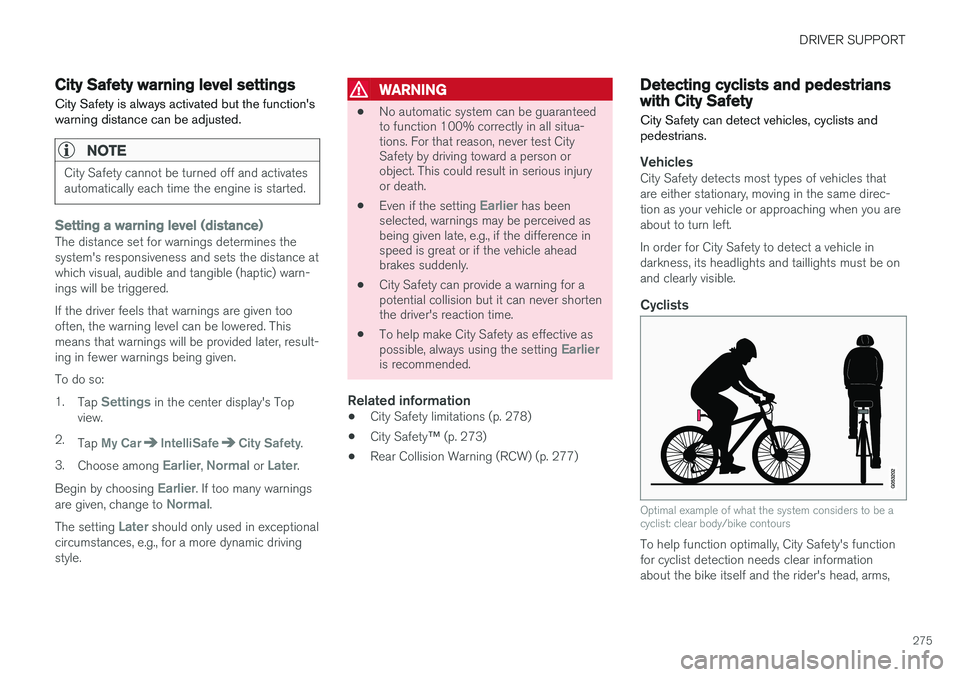
Optimal example of what the system considers to be a cyclist: clear body/bike contours
To help function optimally, City Safety's function for cyclist detection needs clear informationabout the bike itself and the rider's head, arms,
Page 278 of 570
DRIVER SUPPORT
276shoulders, legs, the upper and lower parts of the body and a cyclist's normal pattern of movement.
• If major parts of the cyclist's body are not visible to the camera, the system cannotdetect the cyclist.
• The cyclist must be an adult riding an "adult-size" bike.
WARNING
City Safety is designed to be a supplementary driving aid. It cannot detect:
• all cyclists in all situations, e.g., a partially obscured cyclist will not be detected.
• a cyclist whose clothing prevents a clearview of the person's body contours.
• a cyclist transporting a large object.
The driver is always responsible for operating the vehicle in a safe manner.
Pedestrians
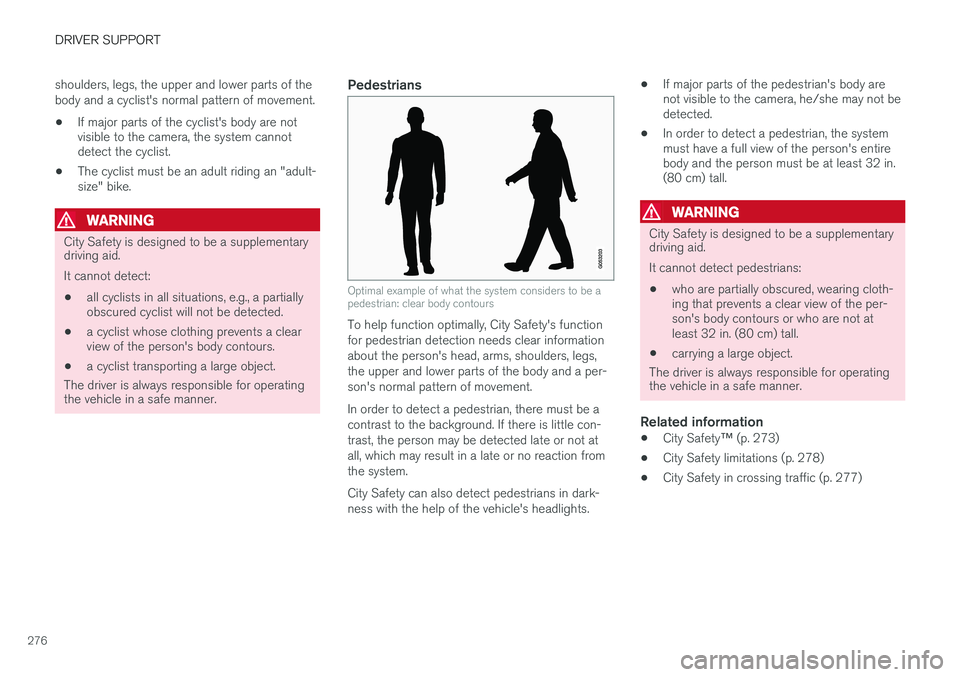
Optimal example of what the system considers to be a pedestrian: clear body contours
To help function optimally, City Safety's function for pedestrian detection needs clear informationabout the person's head, arms, shoulders, legs,the upper and lower parts of the body and a per-son's normal pattern of movement. In order to detect a pedestrian, there must be a contrast to the background. If there is little con-trast, the person may be detected late or not atall, which may result in a late or no reaction fromthe system. City Safety can also detect pedestrians in dark- ness with the help of the vehicle's headlights. •
If major parts of the pedestrian's body are not visible to the camera, he/she may not bedetected.
• In order to detect a pedestrian, the systemmust have a full view of the person's entirebody and the person must be at least 32 in.(80 cm) tall.
WARNING
City Safety is designed to be a supplementary driving aid. It cannot detect pedestrians:
• who are partially obscured, wearing cloth- ing that prevents a clear view of the per-son's body contours or who are not atleast 32 in. (80 cm) tall.
• carrying a large object.
The driver is always responsible for operating the vehicle in a safe manner.
Related information
• City Safety
™ (p. 273)
• City Safety limitations (p. 278)
• City Safety in crossing traffic (p. 277)
Page 279 of 570
DRIVER SUPPORT
277
City Safety in crossing traffic
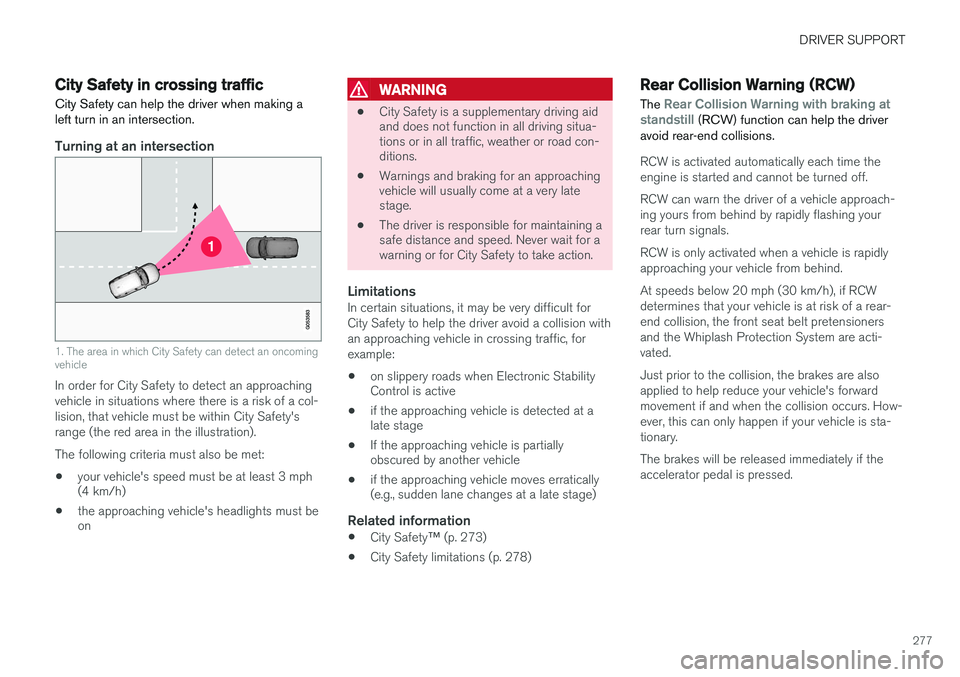
City Safety can help the driver when making a left turn in an intersection.
Turning at an intersection
1. The area in which City Safety can detect an oncoming vehicle
In order for City Safety to detect an approaching vehicle in situations where there is a risk of a col-lision, that vehicle must be within City Safety'srange (the red area in the illustration). The following criteria must also be met:
• your vehicle's speed must be at least 3 mph (4 km/h)
• the approaching vehicle's headlights must beon
WARNING
•
City Safety is a supplementary driving aid and does not function in all driving situa-tions or in all traffic, weather or road con-ditions.
• Warnings and braking for an approachingvehicle will usually come at a very latestage.
• The driver is responsible for maintaining asafe distance and speed. Never wait for awarning or for City Safety to take action.
LimitationsIn certain situations, it may be very difficult for City Safety to help the driver avoid a collision withan approaching vehicle in crossing traffic, forexample:
• on slippery roads when Electronic Stability Control is active
• if the approaching vehicle is detected at alate stage
• If the approaching vehicle is partiallyobscured by another vehicle
• if the approaching vehicle moves erratically(e.g., sudden lane changes at a late stage)
Related information
•
City Safety
™ (p. 273)
• City Safety limitations (p. 278)
Rear Collision Warning (RCW)
The
Rear Collision Warning with braking at
standstill (RCW) function can help the driver
avoid rear-end collisions.
RCW is activated automatically each time the engine is started and cannot be turned off. RCW can warn the driver of a vehicle approach- ing yours from behind by rapidly flashing yourrear turn signals. RCW is only activated when a vehicle is rapidly approaching your vehicle from behind. At speeds below 20 mph (30 km/h), if RCW determines that your vehicle is at risk of a rear-end collision, the front seat belt pretensionersand the Whiplash Protection System are acti-vated. Just prior to the collision, the brakes are also applied to help reduce your vehicle's forwardmovement if and when the collision occurs. How-ever, this can only happen if your vehicle is sta-tionary. The brakes will be released immediately if the accelerator pedal is pressed.
Page 281 of 570

DRIVER SUPPORT
279
HeatIf the temperature in the passenger compartment is very high, the camera and radar sensor may betemporarily turned off for approx. 15 minutesafter the engine has been started to protect theirelectronic components. When the temperaturehas cooled sufficiently, the camera and radarsensor will restart automatically. The visual warning signal may also be temporarily disabled due to high passenger compartmenttemperatures caused by strong sunlight. Warnings may not be given if the distance to the vehicle ahead is short and the driver is activelyoperating the vehicle (clearly depressing a pedalor turning the steering wheel).
Reduced visibilityCity Safety's functions may be greatly impeded or deactivated by e.g., intense snowfall or rain, indense fog, in very dusty conditions or if there isblowing snow in front of the vehicle. Condensa-tion, ice, snow or dirt on the windshield may alsoreduce the system's functionality.
NOTE
•Keep the windshield in front of the radar sensor free of ice, snow, dirt, etc.
• Snow or ice on the hood deeper than2 inches (5 cm) may obstruct the sensor.Keep the hood free of ice and snow.
• Do not mount or in any way attach any-thing on the windshield that couldobstruct the radar sensor.
Camera and radar sensor's field of visionThe camera and radar sensor have limited fields of vision. In some situations they may detect avehicle, pedestrian or cyclist later than expectedor not detect them at all. Other vehicles that are dirty may be detected later than others and in dark conditions, motorcy-cles may be detected late or not at all. If a text message is displayed in the instrument panel indicates that the camera or radar sensorare blocked, it may be difficult for City Safety todetect a vehicle, pedestrian or cyclist and thesystem's functionality may be reduced. Camera and radar sensor components should only be serviced or replaced by a trained andqualified Volvo service technician.
Other limitations
WARNING
• Warnings and braking may be delayed or not occur at all if traffic, weather or otherconditions prevent the camera and/orradar sensor from detecting pedestrians,cyclists or other vehicles correctly.
• Other vehicles can only be detected indarkness if their headlights and taillightsare clearly visible.
• The sensors have a limited range forpedestrians and cyclists. The systemfunctions best at speeds up to 30 mph(50 km/h). For stationary or slow-movingvehicles, the system functions best atspeeds up to approx. 43 mph (70 km/h).
• Warnings for stationary or slow-movingvehicles may be impeded by darkness orpoor visibility.
• Warnings and braking for pedestrians andcyclists will not be provided at speedsabove approx. 50 mph (80 km/h).
• Do not place, attach or mount any objectson the inside or outside of the windshieldnear or over the sensor. This could affectthe camera-based functions.
Page 295 of 570

DRIVER SUPPORT
* Option/accessory, for more information, see Introduction.293
The distance monitored along the sides of the vehicle is approximately 1 ft (0.3 m). The audiblesignal comes from the side speakers.
Front park assist
The system's front sensors are activated auto- matically when the engine is started and areactive at speeds below approximately 6 mph(10 km/h). The distance monitored in front of the vehicle is approximately 2.5 ft (0.8 m). The audible signalcomes from the front speakers. Front Park Assist is deactivated if the driver presses the brake pedal or if the gear selector is put in
P.
When installing auxiliary headlights, be sure that they do not obstruct the front sensors. Otherwise,these lights could trigger a Park Assist warning.
Related information
• Activating/deactivating Park Assist (p. 293)
• Park Assist limitations (p. 294)
• Park assist symbols and messages (p. 295)
Activating/deactivating Park Assist
The Park Assist system can be turned on or off.
On/OffPark Assist's front and side sensors are activated automatically when the engine is started. Therear sensors activate if the vehicle rolls rearward in N or if P is selected.
This function can be activated/ deactivated in the center dis-play's Function view.
–Tap the Park Assist button.
> Green indicator: the function is active. Gray indicator: the function is deactivated.
Related information
• Park Assist
* (p. 292)
• Park Assist limitations (p. 294)
• Park assist symbols and messages (p. 295)
Page 357 of 570
STARTING AND DRIVING
* Option/accessory, for more information, see Introduction.355
Ignition modes
The vehicle's ignition can be put in various modes (levels) to make different functions availa-ble.
The vehicle's ignition has 3 modes: 0, I, and II
that can be used to operate various functions without starting the engine. The following tableshows examples of which functions are availablein the respective modes.
ModeFunctions available
0• The odometer, clock and tem- perature gauge are illuminated
• Power seats
* can be adjusted
• The power windows can be oper-ated
• The 12-volt socket in the cargocompartment can be used
• The center display is activatedand can be used
• The infotainment system can beused for a limited time
In this mode, certain functions can only be used for a limited time to helpminimize battery drain
I• The laminated panoramic roof
*,
power seats */windows,12-volt
sockets in the passenger com- partment, Bluetooth, navigation system *, climate system blower,
windshield wipers can be oper- ated
• The infotainment system will start(if it was started when the ignitionwas switched off)
ModeFunctions available
II• The headlights illuminate
• Warning/indicator lights illumi- nate for 5 seconds
• A number of other functions willalso be activated. However, the heated seats
* and heated rear
window functions can only be activated when the engine is run-ning.
This mode should only be used for very short periods to help avoiddraining the battery.
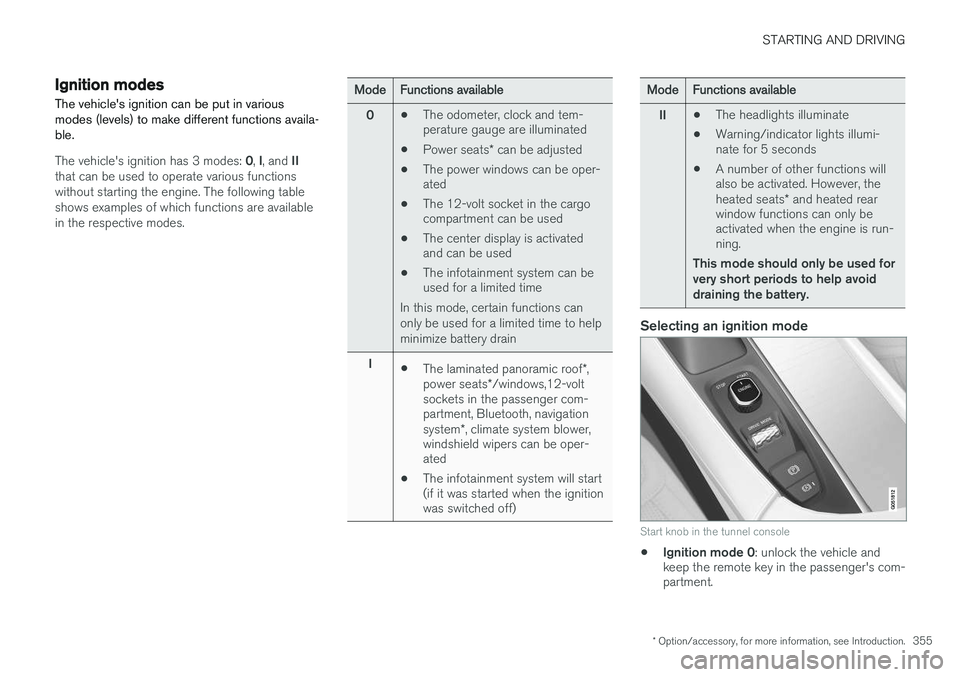
Selecting an ignition mode
Start knob in the tunnel console
• Ignition mode 0
: unlock the vehicle and
keep the remote key in the passenger's com- partment.
Page 358 of 570
STARTING AND DRIVING
356
NOTE
To access ignition modes I or II without star-
ting the engine, the brake pedal must not be
depressed when these modes are selected.
• Ignition mode I
: Turn the start knob to
START and release it. The knob will return
automatically to its original position.
• Ignition mode II
: Turn the start knob to
START and hold it there for approx.
4 seconds. Release the knob.
• Returning to ignition mode 0
: To return to
mode 0 from mode II or I, turn the start knob
to STOP and release it.
Related information
•Starting the engine (p. 356)
• Turning the engine off (p. 359)
Battery drain Your vehicle's electrical functions drain the bat- tery to varying extents.
Avoid using ignition mode
II as much as posssi-
ble, or electrical functions that require a great deal of electrical current when the engine is notrunning. Using ignition mode I whenever possible con-
sumes less electrical current. Functions that require a great deal of electrical current include:
• the climate system blower
• headlights
• wipers
• infotainment system (especially at high vol- ume).
If the battery's charge level is low, a text message will appear in the instrument panel. The vehicle'senergy-saving function will then turn off orreduce certain functions that are currently con-suming electrical current. If the battery needs to be recharged, start the engine and let it idle for at least 15 minutes ordrive the vehicle (driving charges the batteryfaster than letting the engine idle).
Related information
• Ignition modes (p. 355)
Starting the engine
The engine can be started using the start knob on the tunnel console if there is a remote key inthe passenger compartment.
Page 491 of 570
MAINTENANCE AND SERVICING
489
Emission inspection readiness
How do states use OBD II for emission
inspections?
Many states connect a computer directly to a vehicle's OBD II system. The inspector can thenread "faults." In some states, this type of inspec-tion has replaced the tailpipe emission test.
How can my vehicle fail OBD II emission
inspection?
Your vehicle can fail OBD II emission inspection for any of the following reasons.
• If your Check Engine (MIL) light is lit, your vehicle may fail inspection.
• If your vehicle's Check Engine light was lit,but went out without any action on your part,OBD II will still have a recorded fault. Yourvehicle may pass or fail, depending on theinspection practices in your area.
• If you had recent service that required dis-connecting the battery, OBD II diagnosticinformation may be incomplete and "notready" for inspection. A vehicle that is notready may fail inspection.
How can I prepare for my next
OBD II
emission inspection?
• If your Check Engine (MIL) light is lit – or was lit but went out without service, have yourvehicle diagnosed and, if necessary, servicedby a qualified Volvo technician.
• If you recently had service for a lit CheckEngine light, or if you had service that required disconnecting the battery, a periodof driving is necessary to bring the OBD IIsystem to "ready" for inspection. Two half-hour trips of mixed stop-and-go/highwaydriving are typically needed to allow OBD II toreach readiness. Your Volvo retailer can pro-vide you with more information on planning atrip.
• Maintain your vehicle in accordance with yourvehicle's maintenance schedule.
Owner maintenancePeriodic maintenance requirements and intervals are described in your vehicle's Warranty andService Records Information booklet. The following points can be carried out between the normally scheduled maintenance services.
Each time the car is refueled:
•Check the engine oil level.
• Clean the windshield, windshield wipers, headlights, and taillights.
Monthly:
•
Check cold tire pressure in all tires. Inspect the tires for wear.
• Check that engine coolant and other fluidlevels are between the indicated "min" and"max" markings.
• Clean interior glass surfaces with a glasscleaner and soft paper towels.
• Wipe driver information displays with a softcloth. •
Visually inspect battery terminals for corro-sion. Corrosion may indicate a loose terminalconnector, or a battery near the end of itsuseful service life. Consult your Volvo retailerfor additional information.
As needed:Wash the car, including the undercarriage, to reduce wear that can be caused by a buildup ofdirt, and corrosion that can be caused by salt res-idues. Clean leaves and twigs from air intake vents at the base of the windshield, and from other placeswhere they may collect.
NOTE
Complete service information for qualified technicians is available online for purchase orsubscription at www.volvotechinfo.com.
Related information
•
Climate system service (p. 495)