remote control VOLVO XC90 2015 User Guide
[x] Cancel search | Manufacturer: VOLVO, Model Year: 2015, Model line: XC90, Model: VOLVO XC90 2015Pages: 570, PDF Size: 12.44 MB
Page 149 of 570
INSTRUMENTS AND CONTROLS
* Option/accessory, for more information, see Introduction.147
Courtesy lighting switchActivate the automatic function by briefly press- ing the AUTO button in the ceiling console. The
indicator light in the button will illuminate. WithAUTO activated, the courtesy lighting will switch
on and off as follows: The courtesy lighting will illuminate and remain on for 30 seconds if:
• the vehicle is unlocked with the remote key or key blade
• the ignition is turned off completely (ignition mode
0)
The courtesy lighting switches off when:
• the engine is started
• the vehicle is locked
The courtesy lighting comes on or off when a
side door is opened or closed. The lighting remains on for two minutes if one of the doors isopen. If the lighting is switched on manually and the vehicle is locked, the courtesy lighting will switchoff automatically after two minutes.Rear interior lighting
Rear reading lights
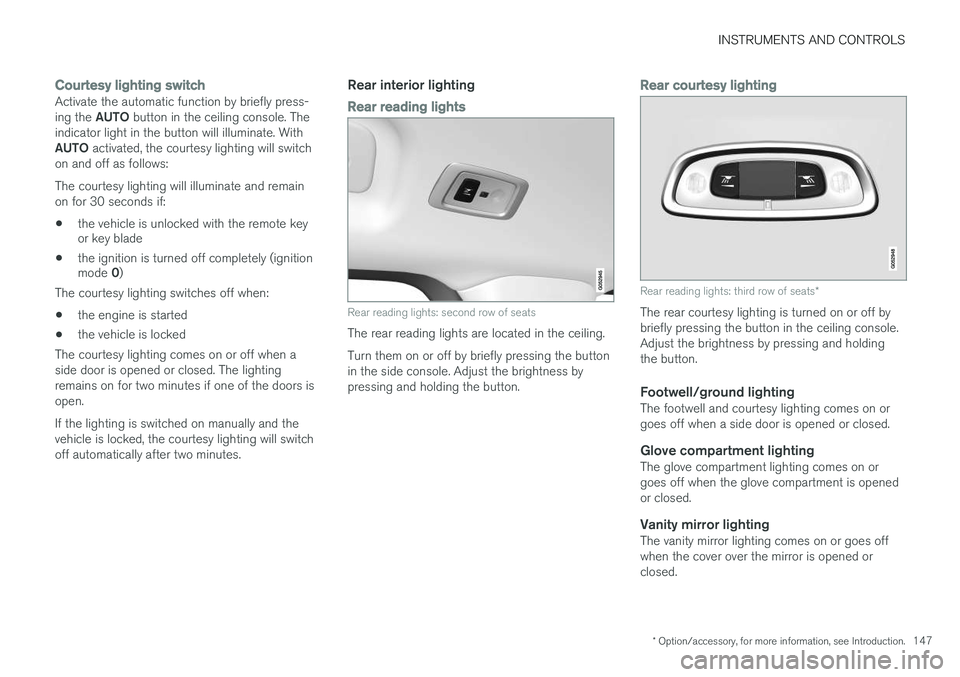
Rear reading lights: second row of seats
The rear reading lights are located in the ceiling. Turn them on or off by briefly pressing the button in the side console. Adjust the brightness bypressing and holding the button.
Rear courtesy lighting
Rear reading lights: third row of seats *
The rear courtesy lighting is turned on or off by briefly pressing the button in the ceiling console.Adjust the brightness by pressing and holdingthe button.
Footwell/ground lightingThe footwell and courtesy lighting comes on orgoes off when a side door is opened or closed.
Glove compartment lightingThe glove compartment lighting comes on orgoes off when the glove compartment is openedor closed.
Vanity mirror lightingThe vanity mirror lighting comes on or goes offwhen the cover over the mirror is opened orclosed.
Page 163 of 570
INSTRUMENTS AND CONTROLS
* Option/accessory, for more information, see Introduction.161
Power front seats*
The power front seats offer a number of adjust- ment possibilities to help maximize comfort andergonomics.
The power seats have an overload protector that
activates if a seat is blocked by any object. If this occurs, put the ignition in mode I or 0 and wait
for a short period before operating the seat again. The power seat(s) can be adjusted for a short period after unlocking the door with the remotekey without switching the ignition on. Seat adjust-ment can always be made when the engine isrunning.
Related information
• Multifunctional front seats
* (p. 163)
• Adjusting power front seats
* (p. 161)
• Using the power seat memory function
*
(p. 162)
• Manually operated front seats (p. 160)
• Turning seat heating
* on and off (p. 191)
• Turning front seat ventilation
* on and off
(p. 193)
• Easy access to and from the driver seat (p. 167)
Adjusting power front seats
*
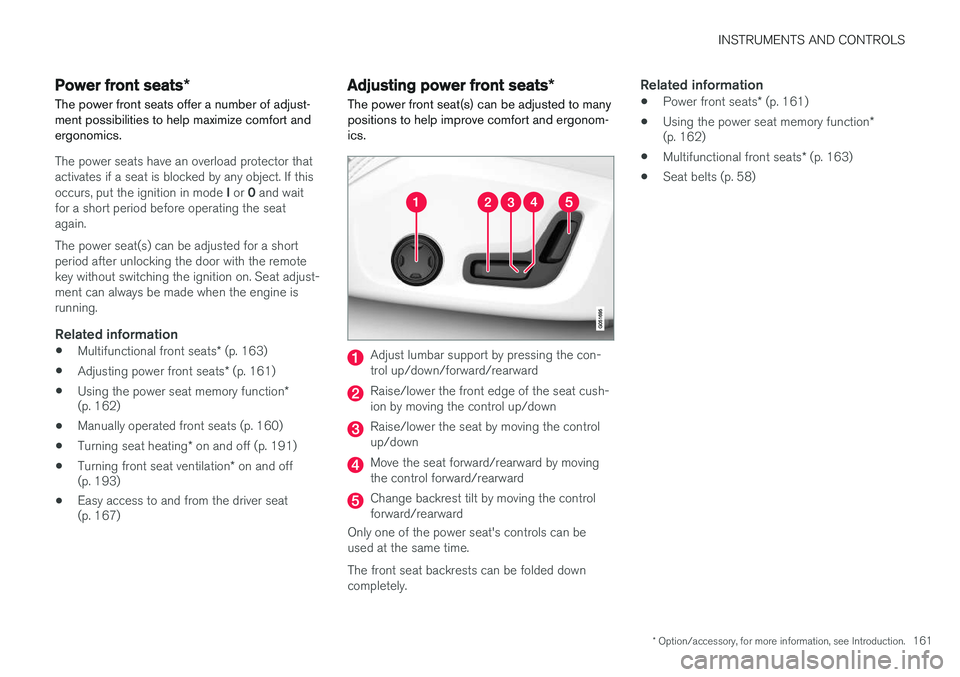
The power front seat(s) can be adjusted to many positions to help improve comfort and ergonom-ics.
Adjust lumbar support by pressing the con- trol up/down/forward/rearward
Raise/lower the front edge of the seat cush- ion by moving the control up/down
Raise/lower the seat by moving the control up/down
Move the seat forward/rearward by moving the control forward/rearward
Change backrest tilt by moving the control forward/rearward
Only one of the power seat's controls can beused at the same time. The front seat backrests can be folded down completely.
Related information
• Power front seats
* (p. 161)
• Using the power seat memory function
*
(p. 162)
• Multifunctional front seats
* (p. 163)
• Seat belts (p. 58)
Page 203 of 570
LOADING AND STORAGE
* Option/accessory, for more information, see Introduction.201
Third row of seats*
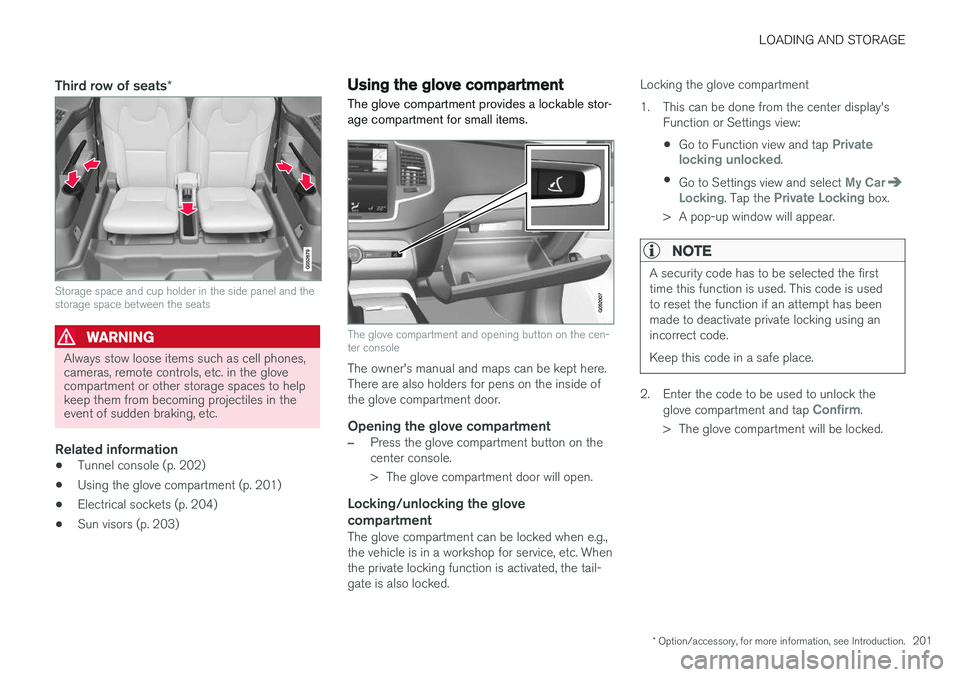
Storage space and cup holder in the side panel and the storage space between the seats
WARNING
Always stow loose items such as cell phones, cameras, remote controls, etc. in the glovecompartment or other storage spaces to helpkeep them from becoming projectiles in theevent of sudden braking, etc.
Related information
•Tunnel console (p. 202)
• Using the glove compartment (p. 201)
• Electrical sockets (p. 204)
• Sun visors (p. 203)
Using the glove compartment
The glove compartment provides a lockable stor- age compartment for small items.
The glove compartment and opening button on the cen- ter console
The owner's manual and maps can be kept here. There are also holders for pens on the inside ofthe glove compartment door.
Opening the glove compartment
–Press the glove compartment button on the center console.
> The glove compartment door will open.
Locking/unlocking the glove compartment
The glove compartment can be locked when e.g., the vehicle is in a workshop for service, etc. Whenthe private locking function is activated, the tail-gate is also locked. Locking the glove compartment
1. This can be done from the center display's
Function or Settings view:
• Go to Function view and tap
Private
locking unlocked.
• Go to Settings view and select
My CarLocking. Tap the Private Locking box.
> A pop-up window will appear.
NOTE
A security code has to be selected the first time this function is used. This code is usedto reset the function if an attempt has beenmade to deactivate private locking using anincorrect code. Keep this code in a safe place.
2. Enter the code to be used to unlock the glove compartment and tap Confirm.
> The glove compartment will be locked.
Page 220 of 570
LOCKS AND ALARM
* Option/accessory, for more information, see Introduction.
218
Automatically arming/disarming the alarm
Automatically arming the alarm helps prevent inadvertently leaving the vehicle without alarmprotection.
If the vehicle has been unlocked with the remote key (and the alarm has been disarmed) but nodoor or the tailgate has been opened within2 minutes, the vehicle will automatically relockand the alarm will re-arm. In certain markets, the alarm will be re-armed automatically after a slight delay after the driver'sdoor has been opened and closed without beinglocked.
Related information
• Alarm (p. 216)
• Deactivating the alarm without a functioning remote key (p. 218)
Deactivating the alarm without a functioning remote key
If the remote key is not functioning properly, the alarm can be turned off and the vehicle can bestarted as follows:
1. Unlock and open the driver's door with the detachable key blade.
> This will trigger the alarm.
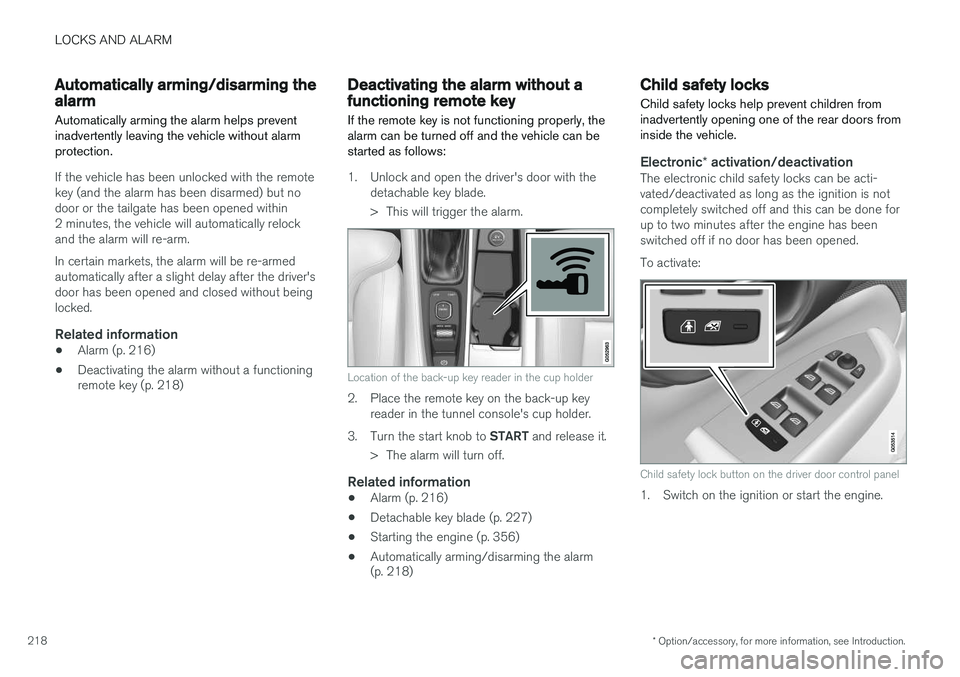
Location of the back-up key reader in the cup holder
2. Place the remote key on the back-up keyreader in the tunnel console's cup holder.
3. Turn the start knob to START and release it.
> The alarm will turn off.
Related information
• Alarm (p. 216)
• Detachable key blade (p. 227)
• Starting the engine (p. 356)
• Automatically arming/disarming the alarm (p. 218)
Child safety locks
Child safety locks help prevent children from inadvertently opening one of the rear doors frominside the vehicle.
Electronic * activation/deactivationThe electronic child safety locks can be acti- vated/deactivated as long as the ignition is notcompletely switched off and this can be done forup to two minutes after the engine has beenswitched off if no door has been opened. To activate:
Child safety lock button on the driver door control panel
1. Switch on the ignition or start the engine.
Page 221 of 570
LOCKS AND ALARM
219
2. Press the button on the driver's door control
panel. >
Rear child lock Activated will be dis-
played in the instrument panel and the indicator light in the button will illuminateto show that the child safety locking func-tion is activated.
While the child safety locks are activated:
• the rear door windows can only be opened from the driver door control panel
• the rear doors cannot be opened from theinside
To deactivate:
–Press the button in the driver door control panel. >
Rear child lock Deactivated will be dis-
played in the instrument panel and the indicator light in the button will go out toshow that the child safety locking functionis deactivated.
When the ignition is switched off, the current set-ting for the child safety locks will be stored. If thelocks were activated at that time, they will con-tinue to be activated when the ignition isswitched on again.
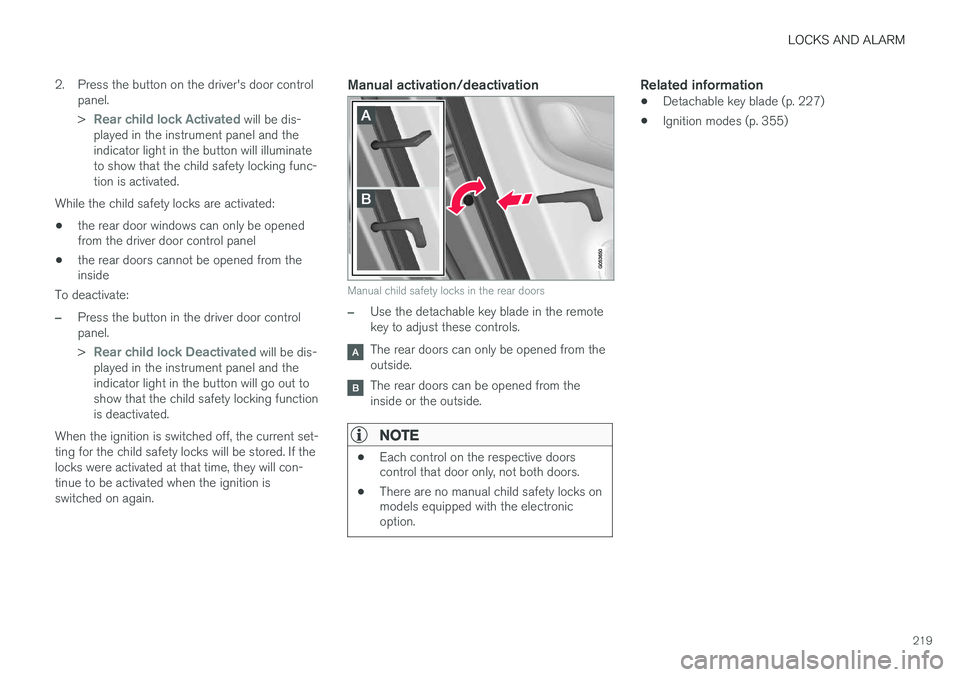
Manual activation/deactivation
Manual child safety locks in the rear doors
–Use the detachable key blade in the remote key to adjust these controls.
The rear doors can only be opened from the outside.
The rear doors can be opened from the inside or the outside.
NOTE
• Each control on the respective doors control that door only, not both doors.
• There are no manual child safety locks onmodels equipped with the electronicoption.
Related information
• Detachable key blade (p. 227)
• Ignition modes (p. 355)
Page 225 of 570
LOCKS AND ALARM
223
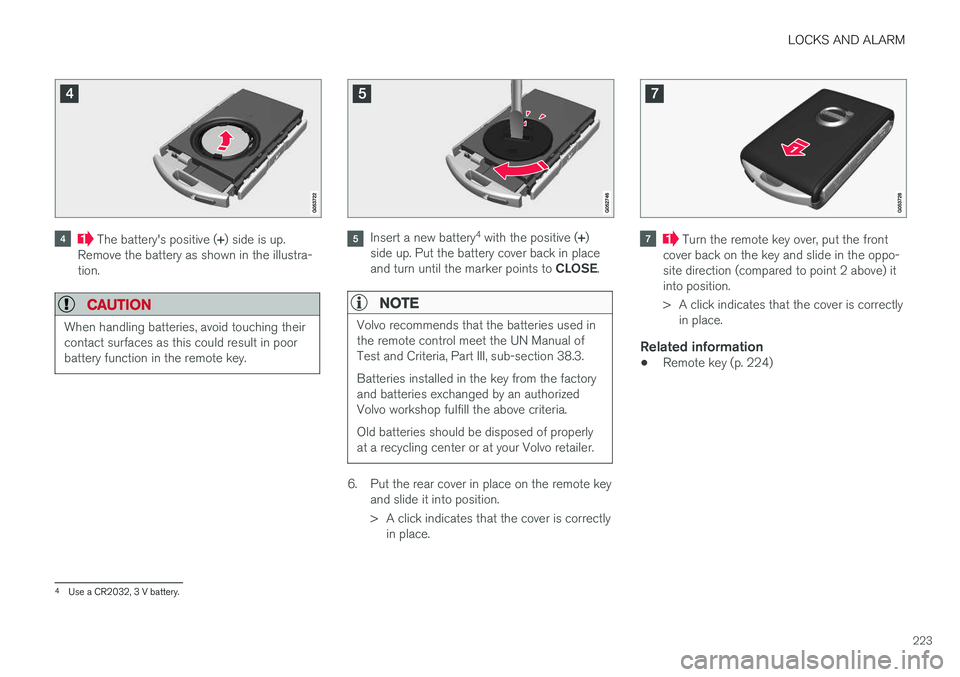
The battery's positive (+) side is up.
Remove the battery as shown in the illustra- tion.
CAUTION
When handling batteries, avoid touching their contact surfaces as this could result in poorbattery function in the remote key.
Insert a new battery 4
with the positive ( +)
side up. Put the battery cover back in place and turn until the marker points to CLOSE.
NOTE
Volvo recommends that the batteries used in the remote control meet the UN Manual ofTest and Criteria, Part III, sub-section 38.3. Batteries installed in the key from the factory and batteries exchanged by an authorizedVolvo workshop fulfill the above criteria. Old batteries should be disposed of properly at a recycling center or at your Volvo retailer.
6. Put the rear cover in place on the remote key
and slide it into position.
> A click indicates that the cover is correctlyin place.
Turn the remote key over, put the front
cover back on the key and slide in the oppo- site direction (compared to point 2 above) itinto position.
> A click indicates that the cover is correctly in place.
Related information
• Remote key (p. 224)
4
Use a CR2032, 3 V battery.
Page 227 of 570
LOCKS AND ALARM
* Option/accessory, for more information, see Introduction.225
Avoid keeping the remote key closer than approx. 4-6 in. (10-15 cm) from a cell phone or metallicobject. If interference persists, unlock the vehicle with the detachable key blade and place the remotekey in the backup key reader in the tunnel con-sole cup holder to disarm the alarm.
WARNING
Always remove the remote key from the pas- senger compartment when leaving the vehicle and ensure that the ignition in mode
0, espe-
cially if there are children in the vehicle.
Ordering new keysTwo remote keys are provided with the vehicle (a Key Tag is also included for vehicles equippedwith the optional Passive Entry system). Addi-tional keys (a total of 12) can be ordered andused with the vehicle. A new driver profile will beadded to each new key (including the Key Tag).
Loss of a remote keyIf a remote key is lost, the others should be takenwith the vehicle to a Volvo retailer. As an anti-theft measure, the code of the lost remote keymust be erased from the system. The number ofregistered keys for the vehicle can be found inthe center display's Top view.
NOTE
Additional or duplicate remote control keys can be obtained from any authorized Volvoretailer. You can also obtain additional or duplicate remote control keys from certain independentrepair facilities and locksmiths that are quali-fied to make remote control keys. Each keymust be programmed to work with your vehi-cle. A list of independent repair facilities and/or locksmiths known to Volvo that can cut andcode replacement keys can be found: • on the Volvo website, www.volvocars.com/us
• by calling Volvo Customer Care at1-800-458-1552.
Key TagIn addition to the two remote keys provided, a smaller third key, called a Key Tag, is also provi-ded for vehicles equipped with the optionalPassive Entry system. This key functions in the same way as a standard remote key but does not have a detachable keyblade and its battery cannot be replaced; a newKey Tag has to be ordered.
The remote key's buttons
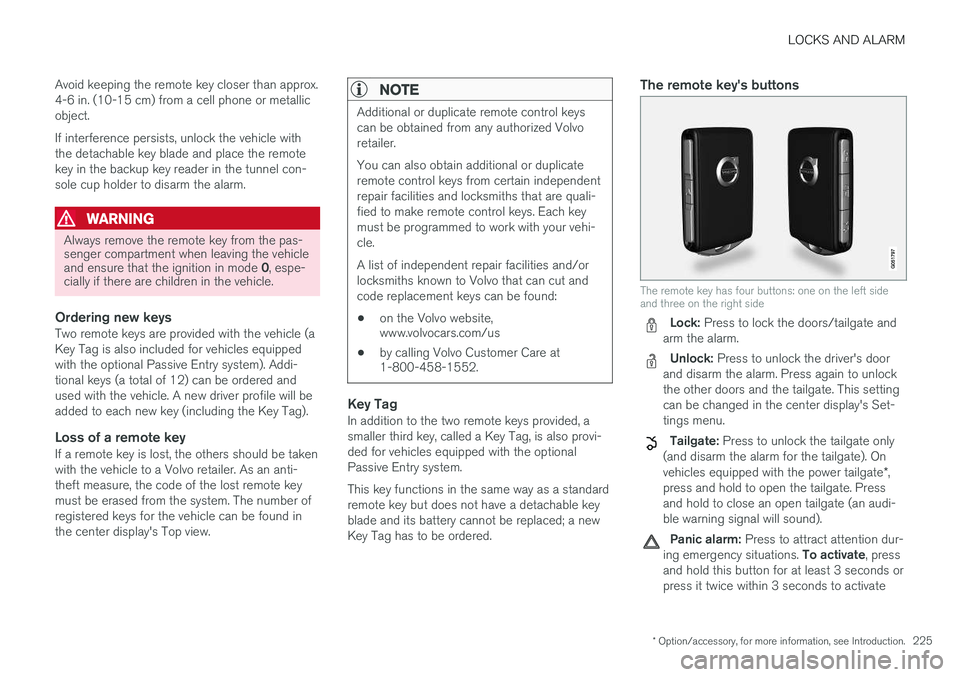
The remote key has four buttons: one on the left side and three on the right side
Lock: Press to lock the doors/tailgate and
arm the alarm.
Unlock: Press to unlock the driver's door
and disarm the alarm. Press again to unlock the other doors and the tailgate. This settingcan be changed in the center display's Set-tings menu.
Tailgate: Press to unlock the tailgate only
(and disarm the alarm for the tailgate). On vehicles equipped with the power tailgate *,
press and hold to open the tailgate. Press and hold to close an open tailgate (an audi-ble warning signal will sound).
Panic alarm: Press to attract attention dur-
ing emergency situations. To activate, press
and hold this button for at least 3 seconds or press it twice within 3 seconds to activate
Page 228 of 570
LOCKS AND ALARM
* Option/accessory, for more information, see Introduction.
226 the turn signals and horn.
To deactivate,
wait approximately 5 seconds and press the button again (the panic alarm will also deac-tivate automatically after several minutes).
InterferenceMetallic objects or electromagnetic fields mayinterfere with the remote key's function. Avoidplacing the remote key within 4-6 in. (10-15 cm)of a cell phone or a metallic object. If interference persists, use the remote key's detachable key blade to unlock the vehicle andplace the remote key in the backup key reader inthe tunnel console cup holder.
Loss of a remote keyIf a remote keys is lost, a new one can beordered. The other keys should be taken with thevehicle to a Volvo retailer or authorized independ-ent locksmith. As an anti-theft measure, the codeof the lost remote key must be erased from thesystem. The number of registered keys for thevehicle can be found in the center display's Topview.
NOTE
Additional or duplicate remote control keys can be obtained from any authorized Volvoretailer. You can also obtain additional or duplicate remote control keys from certain independentrepair facilities and locksmiths that are quali-fied to make remote control keys. Each keymust be programmed to work with your vehi-cle. A list of independent repair facilities and/or locksmiths known to Volvo that can cut andcode replacement keys can be found: • on the Volvo website, www.volvocars.com/us
• by calling Volvo Customer Care at1-800-458-1552.
Related information
•
Driver profiles (p. 112)
• Remote key's range (p. 224)
• Restricted key
* (p. 226)
• Detachable key blade (p. 227)
• Changing the remote key's battery (p. 222)
Restricted key
*
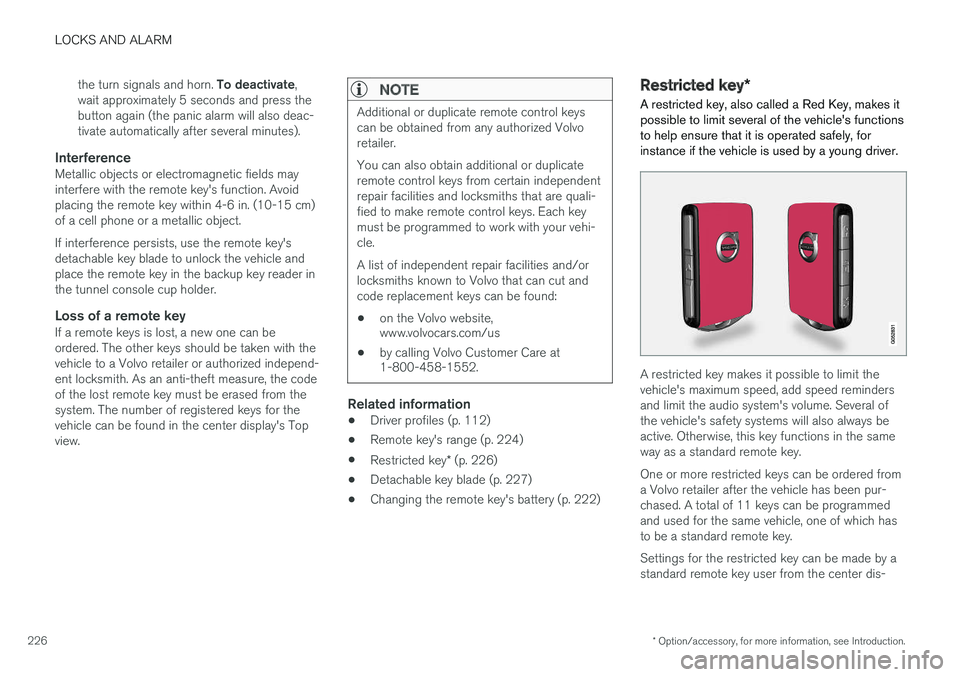
A restricted key, also called a Red Key, makes it possible to limit several of the vehicle's functionsto help ensure that it is operated safely, forinstance if the vehicle is used by a young driver.
A restricted key makes it possible to limit the vehicle's maximum speed, add speed remindersand limit the audio system's volume. Several ofthe vehicle's safety systems will also always beactive. Otherwise, this key functions in the sameway as a standard remote key. One or more restricted keys can be ordered from a Volvo retailer after the vehicle has been pur-chased. A total of 11 keys can be programmedand used for the same vehicle, one of which hasto be a standard remote key. Settings for the restricted key can be made by a standard remote key user from the center dis-
Page 229 of 570
LOCKS AND ALARM
* Option/accessory, for more information, see Introduction.227
play's Top view:
SettingsSystemDriver
Profile
Red key.
Several of the vehicle's safety function cannot be turned off the by a restricted key user. The restrictions are designed to help reduce the risk of an accident and they cannot be changedby a restricted key user. These settings cannotbe changed by the Red Key's user.
Possible settingsThe following settings can be made for a restric-ted key:
Speed Limiter * (On/Off)
• Setting interval: 30-160 mph (50-250 km/h)
• Default setting: 75 mph (120 km/h)
• Increments: 5 mph (10 km/h)
• See the article "Speed limiter" for additional information.
Speed reminder (On/Off):
•Setting interval: 0-160 mph (0-250 km/h
• Default settings: 30, 45 and 55 mph (50, 70 and 90 km/h.)
• Increments: 1 mph (1 km/h)
• Max. number of reminders: 6
Reduced max. volume (on/off)
•Default settings: On
Adaptive cruise control
* (On/Off)
• Initial setting: On at the longest interval
• See the article "Adaptive cruise control" for additional information
Safety functionsThe following safety functions will always be active for a restricted key user:
• Blind Spot Information (BLIS)
*
• Lane Departure Warning/Lane Keeping Aid (LDW/LKA)
*
• Distance Alert
*
• City Safety
*
• Driver Alert Control (DAC)
*
• Road Sign Information
*
Related information
•Remote key (p. 224)
• Driver profiles (p. 112)
• Adaptive Cruise Control (ACC)
* (p. 252)
• Speed limiter (SL)
* (p. 283)
• Blind Spot Information (BLIS)
* (p. 315)
• Driving lane assistance (p. 323)
• Distance Alert
* (p. 314)
• City Safety
™ (p. 273)
• Driver Alert Control (DAC) (p. 312)
• Road Sign Information (RSI)
* (p. 290)
Detachable key blade Your vehicle's remote key contains a detachable key blade that can be used to unlock the driver'sdoor, etc. A Volvo retailer can provide you with the key blade's unique code.
Using the detachable key bladeThe remote key's detachable key blade can be used to:
• Unlock the driver's door if the central locking system cannot be activated using the remotekey
• Lock all doors
• Activate/deactivate the mechanical childsafety locks in the rear doors
The Key Tag 6
does not have a detachable key
blade.
6 Models with the optional Passive Entry system only.
Page 235 of 570
LOCKS AND ALARM
233
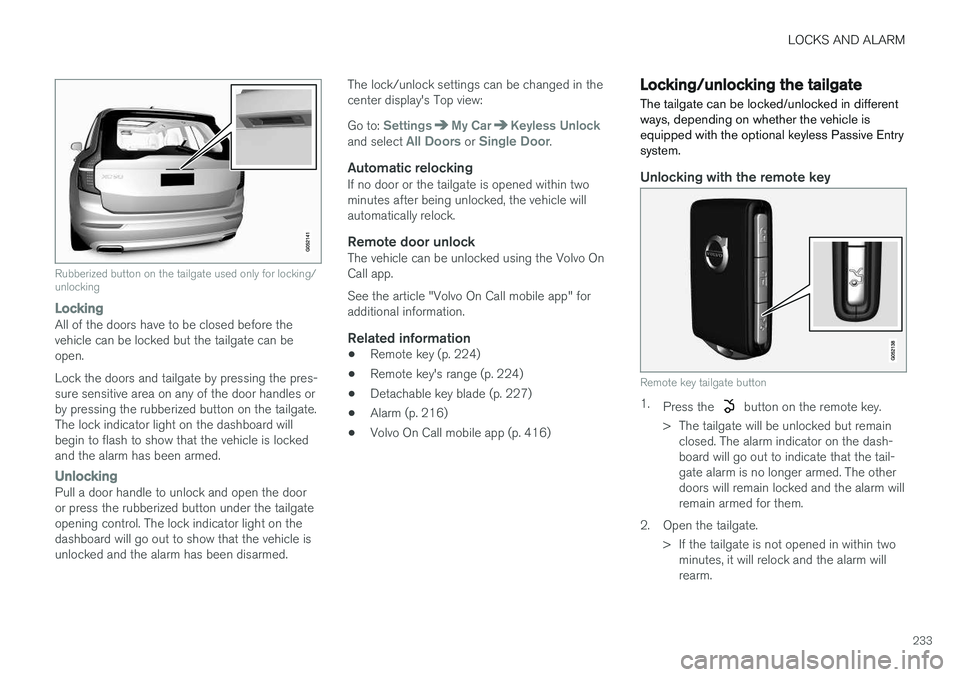
Rubberized button on the tailgate used only for locking/ unlocking
LockingAll of the doors have to be closed before the vehicle can be locked but the tailgate can beopen. Lock the doors and tailgate by pressing the pres- sure sensitive area on any of the door handles orby pressing the rubberized button on the tailgate.The lock indicator light on the dashboard willbegin to flash to show that the vehicle is lockedand the alarm has been armed.
UnlockingPull a door handle to unlock and open the door or press the rubberized button under the tailgateopening control. The lock indicator light on thedashboard will go out to show that the vehicle isunlocked and the alarm has been disarmed.The lock/unlock settings can be changed in thecenter display's Top view: Go to:
SettingsMy CarKeyless Unlockand select All Doors or Single Door.
Automatic relockingIf no door or the tailgate is opened within two minutes after being unlocked, the vehicle willautomatically relock.
Remote door unlockThe vehicle can be unlocked using the Volvo OnCall app. See the article "Volvo On Call mobile app" for additional information.
Related information
•
Remote key (p. 224)
• Remote key's range (p. 224)
• Detachable key blade (p. 227)
• Alarm (p. 216)
• Volvo On Call mobile app (p. 416)
Locking/unlocking the tailgate The tailgate can be locked/unlocked in different ways, depending on whether the vehicle isequipped with the optional keyless Passive Entrysystem.
Unlocking with the remote key
Remote key tailgate button
1.
Press the button on the remote key.
> The tailgate will be unlocked but remain closed. The alarm indicator on the dash- board will go out to indicate that the tail-gate alarm is no longer armed. The otherdoors will remain locked and the alarm willremain armed for them.
2. Open the tailgate. > If the tailgate is not opened in within twominutes, it will relock and the alarm willrearm.