climate settings VOLVO XC90 2015 Owner's Manual
[x] Cancel search | Manufacturer: VOLVO, Model Year: 2015, Model line: XC90, Model: VOLVO XC90 2015Pages: 570, PDF Size: 12.44 MB
Page 193 of 570
CLIMATE
* Option/accessory, for more information, see Introduction.191
NOTE
Air conditioning for the third row of seats*
cannot be activated if the main air condition- ing unit or the air conditioning for the second row of seats * is/are deactivated.
Activating/deactivating the third row air conditioning when the engine is started
The air conditioning for the optional third row of seats 7
can be set to start automatically when the
engine is started. 1. Tap
Settings in the center display's Top
view.
2. Tap
Climate.
3. Select
Third Row Climate On At Engine
Start to activate/deactivate the air condition-
ing for the third row of seats when the engine is started.
Related information
• Climate system controls in the center display (p. 180)
Turning seat heating
* on and off
The seats can be heated for added comfort in cold weather.
Activating/deactivating front seat heating
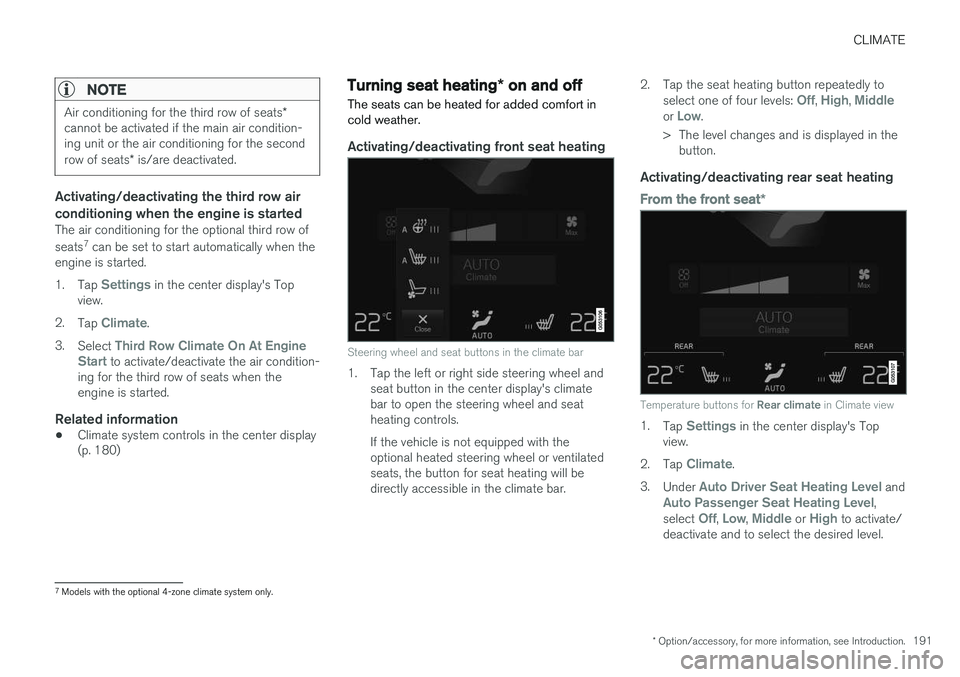
Steering wheel and seat buttons in the climate bar
1. Tap the left or right side steering wheel and seat button in the center display's climate bar to open the steering wheel and seatheating controls. If the vehicle is not equipped with the optional heated steering wheel or ventilatedseats, the button for seat heating will bedirectly accessible in the climate bar. 2. Tap the seat heating button repeatedly to
select one of four levels:
Off, High, Middleor Low.
> The level changes and is displayed in the button.
Activating/deactivating rear seat heating
From the front seat *
Temperature buttons for Rear climate in Climate view
1.
Tap Settings in the center display's Top
view.
2. Tap
Climate.
3. Under
Auto Driver Seat Heating Level andAuto Passenger Seat Heating Level,
select Off, Low, Middle or High to activate/
deactivate and to select the desired level.
7 Models with the optional 4-zone climate system only.
Page 194 of 570
CLIMATE
* Option/accessory, for more information, see Introduction.
192
From the rear seatWith the 2-zone climate system
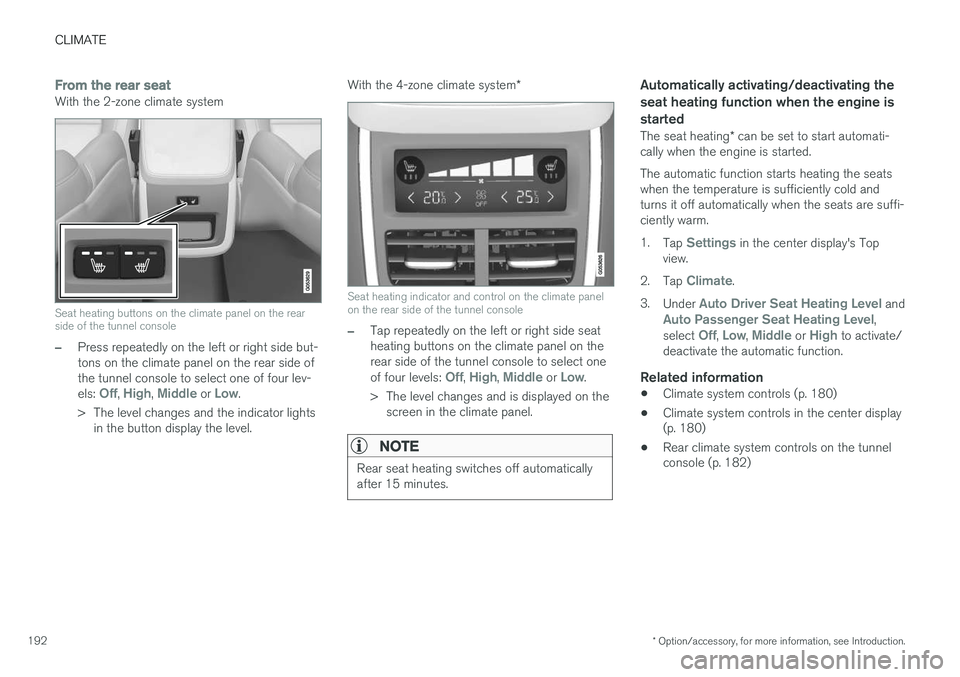
Seat heating buttons on the climate panel on the rear side of the tunnel console
–Press repeatedly on the left or right side but- tons on the climate panel on the rear side ofthe tunnel console to select one of four lev- els:
Off, High, Middle or Low.
> The level changes and the indicator lights in the button display the level. With the 4-zone climate system
*
Seat heating indicator and control on the climate panel on the rear side of the tunnel console
–Tap repeatedly on the left or right side seat heating buttons on the climate panel on therear side of the tunnel console to select one of four levels:
Off, High, Middle or Low.
> The level changes and is displayed on the screen in the climate panel.
NOTE
Rear seat heating switches off automatically after 15 minutes.
Automatically activating/deactivating the seat heating function when the engine isstarted
The seat heating * can be set to start automati-
cally when the engine is started. The automatic function starts heating the seats when the temperature is sufficiently cold andturns it off automatically when the seats are suffi-ciently warm. 1. Tap
Settings in the center display's Top
view.
2. Tap
Climate.
3. Under
Auto Driver Seat Heating Level andAuto Passenger Seat Heating Level,
select Off, Low, Middle or High to activate/
deactivate the automatic function.
Related information
• Climate system controls (p. 180)
• Climate system controls in the center display (p. 180)
• Rear climate system controls on the tunnelconsole (p. 182)
Page 204 of 570

LOADING AND STORAGE
* Option/accessory, for more information, see Introduction.
202 Unlocking the glove compartment
1. This function can be deactivated from the
center display's Function or Settings view:
• Go to Function view and tap
Private
locking locked.
• Go to settings and select
My CarLocking. Deselect the Private Lockingbox.
> A pop-up window will appear.
2. Specify the code to be used to lock the glove compartment and tap
Confirm.
> The glove compartment will be unlocked.
Using the glove compartment as a cooler *The glove compartment can be used to cool drinks or food and the cooling feature functionswhen the climate system is active (i.e., when the ignition is in mode II or when the engine is run-
ning).
Cooling activated
Cooling deactivated
–Activate/deactivate cooling by moving the control as far as possible toward the passen-ger compartment/glove compartment.
Related information
• Passenger compartment storage spaces (p. 200)
• Locking/unlocking the tailgate (p. 233)
Tunnel console The tunnel console, located between the front seats, contains a 12-volt electrical socket, cupholders and storage spaces, etc.
Storage space
Storage space with cup holders for the driver and passenger and a 12-volt socket
Storage space and USB/AUX sockets under the armrest
Climate control panel for the rear seats
*
NOTE
One of the alarm sensors, which is sensitive to metallic objects, is located under the tunnelconsole cup holders. Avoid leaving coins,keys, etc., in the cup holders because theymay inadvertently trigger the alarm.
Page 361 of 570
STARTING AND DRIVING
* Option/accessory, for more information, see Introduction.359
Turning the engine off
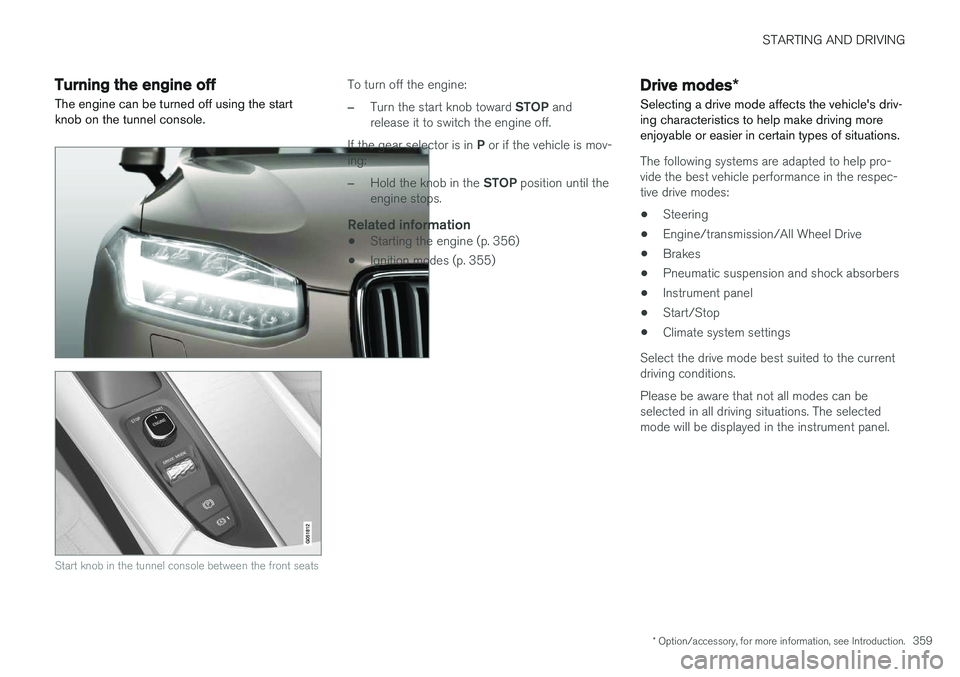
The engine can be turned off using the start knob on the tunnel console.
Start knob in the tunnel console between the front seats
To turn off the engine:
–Turn the start knob toward STOP and
release it to switch the engine off.
If the gear selector is in P or if the vehicle is mov-
ing:
–Hold the knob in the STOP position until the
engine stops.
Related information
• Starting the engine (p. 356)
• Ignition modes (p. 355)
Drive modes
*
Selecting a drive mode affects the vehicle's driv- ing characteristics to help make driving moreenjoyable or easier in certain types of situations.
The following systems are adapted to help pro- vide the best vehicle performance in the respec-tive drive modes: • Steering
• Engine/transmission/All Wheel Drive
• Brakes
• Pneumatic suspension and shock absorbers
• Instrument panel
• Start/Stop
• Climate system settings
Select the drive mode best suited to the current driving conditions. Please be aware that not all modes can be selected in all driving situations. The selectedmode will be displayed in the instrument panel.
Page 364 of 570
STARTING AND DRIVING
* Option/accessory, for more information, see Introduction.
362
ECO drive mode
The Eco drive mode is a function designed to give the driver the opportunity to drive more eco-nomically and to help reduce fuel consumption.
When this mode is activated, the following cha- racteristics are modified:
• The automatic transmission's shifting points
• The engine management system and accel- erator pedal response
• Eco Coast functionality is activated: enginebraking is disabled at speeds betweenapprox. 40 and 85 mph (65 and 140 km/h)
• Climate system settings: certain functionswill be temporarily reduced or deactivated
• The suspension's self-leveling function
* low-
ers ground clearance to help reduce windresistance
• Information is shown in an ECO gauge in theinstrument panel to help promote more eco-nomical driving
NOTE
When Eco is activated, several climate system parameters are changed and the function ofcertain current-consuming systems will bereduced. Some of these functions can be restarted manually but full functionality will not berestored until Eco is deactivated.
Selecting ECO modeWhen the engine is switched off, ECO mode is deactivated and must be reactivated each time the engine is started.
ECO will appear in the
instrument panel when the function is activated.
Via Function view
Select Driving mode ECO in
the center display's Function view. A green indicator light inthe button shows that the func-tion is activated.
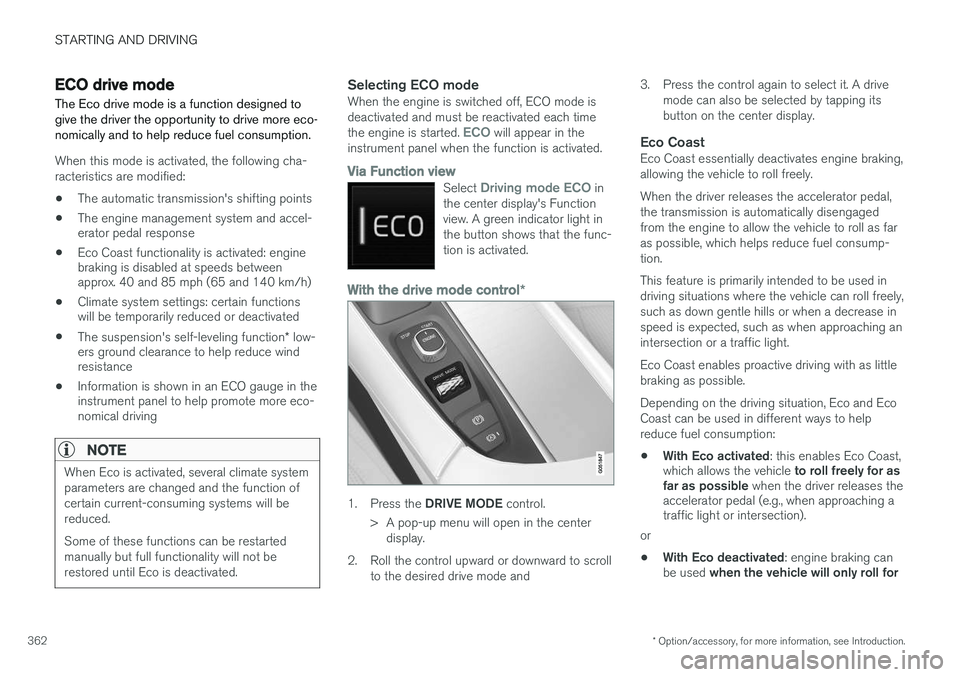
With the drive mode control *
1.
Press the DRIVE MODE control.
> A pop-up menu will open in the center display.
2. Roll the control upward or downward to scroll to the desired drive mode and 3. Press the control again to select it. A drive
mode can also be selected by tapping its button on the center display.
Eco CoastEco Coast essentially deactivates engine braking,allowing the vehicle to roll freely. When the driver releases the accelerator pedal, the transmission is automatically disengagedfrom the engine to allow the vehicle to roll as faras possible, which helps reduce fuel consump-tion. This feature is primarily intended to be used in driving situations where the vehicle can roll freely,such as down gentle hills or when a decrease inspeed is expected, such as when approaching anintersection or a traffic light. Eco Coast enables proactive driving with as little braking as possible. Depending on the driving situation, Eco and Eco Coast can be used in different ways to helpreduce fuel consumption: • With Eco activated
: this enables Eco Coast,
which allows the vehicle to roll freely for as
far as possible when the driver releases the
accelerator pedal (e.g., when approaching a traffic light or intersection).
or
• With Eco deactivated
: engine braking can
be used when the vehicle will only roll for
Page 367 of 570
STARTING AND DRIVING
* Option/accessory, for more information, see Introduction.365
Symbols in the instrument panel
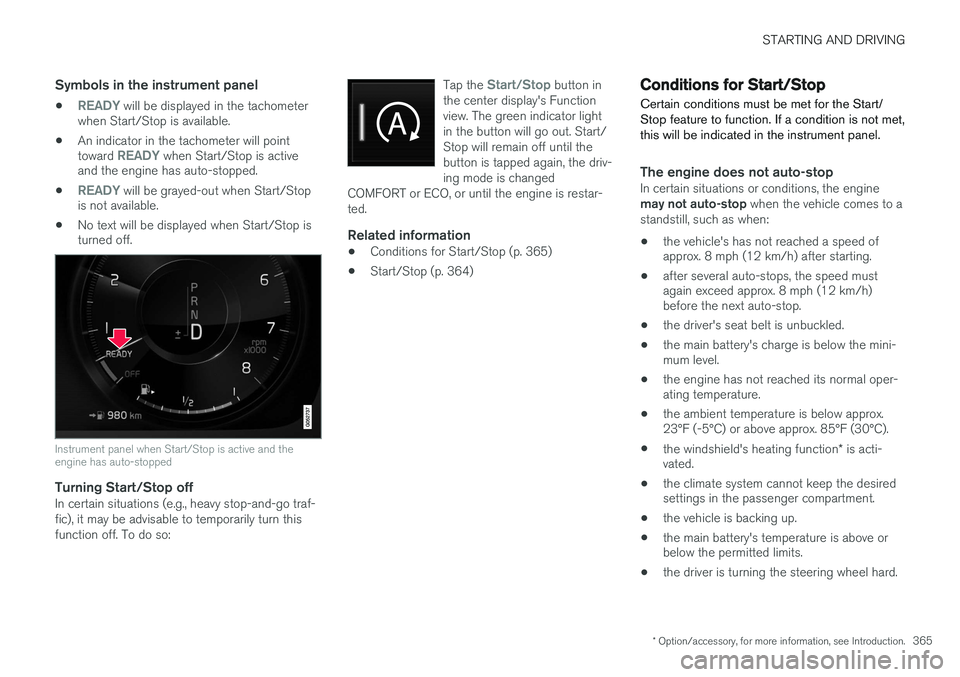
•READY will be displayed in the tachometer
when Start/Stop is available.
• An indicator in the tachometer will point toward
READY when Start/Stop is active
and the engine has auto-stopped.
•
READY will be grayed-out when Start/Stop
is not available.
• No text will be displayed when Start/Stop is turned off.
Instrument panel when Start/Stop is active and the engine has auto-stopped
Turning Start/Stop offIn certain situations (e.g., heavy stop-and-go traf- fic), it may be advisable to temporarily turn thisfunction off. To do so: Tap the
Start/Stop button in
the center display's Function view. The green indicator lightin the button will go out. Start/Stop will remain off until thebutton is tapped again, the driv-ing mode is changed
COMFORT or ECO, or until the engine is restar-ted.
Related information
• Conditions for Start/Stop (p. 365)
• Start/Stop (p. 364)
Conditions for Start/Stop
Certain conditions must be met for the Start/ Stop feature to function. If a condition is not met,this will be indicated in the instrument panel.
The engine does not auto-stopIn certain situations or conditions, the engine may not auto-stop when the vehicle comes to a
standstill, such as when:
• the vehicle's has not reached a speed of approx. 8 mph (12 km/h) after starting.
• after several auto-stops, the speed mustagain exceed approx. 8 mph (12 km/h)before the next auto-stop.
• the driver's seat belt is unbuckled.
• the main battery's charge is below the mini-mum level.
• the engine has not reached its normal oper-ating temperature.
• the ambient temperature is below approx.23°F (-5°C) or above approx. 85°F (30°C).
• the windshield's heating function
* is acti-
vated.
• the climate system cannot keep the desiredsettings in the passenger compartment.
• the vehicle is backing up.
• the main battery's temperature is above orbelow the permitted limits.
• the driver is turning the steering wheel hard.
Page 368 of 570
STARTING AND DRIVING
366•
the road's incline is very steep.
• the hood is opened.
• the transmission has not reached its normal operating temperature.
• driving at high altitude and the engine hasnot reached its normal operating tempera-ture.
• the gear selector is in the manual shiftingposition.
• the ABS brakes have activated.
• hard braking (even if the ABS brakes havenot activated).
• many starts during a short time period havetriggered the starter motor's overheating pro-tection.
• a trailer's electrical system is connected tothe vehicle's electrical system.
The engine does not auto-startIn certain situations or conditions, the engine may not auto-start
after an auto-stop, such as:
• if the driver is not wearing a seat belt
• the gear selector is in the
P position and the
driver's door is open. The engine must be started normally.
The engine auto-starts while the brake
pedal is depressed
In the following situations, the engine will auto-
start even though the brake pedal is depressed: •
condensation forms on the inside of the win-dows.
• the climate system cannot keep the desiredsettings in the passenger compartment.
• electrical current consumption is temporarilyhigh or the main battery's charge is belowthe minimum level.
• the brake pedal is pumped repeatedly.
• the hood is opened.
• the vehicle begins to move or increasesspeed slightly (if the engine auto-stoppedbefore the vehicle was at a standstill).
• the driver's seat belt is unbuckled while the gear selector is in the
D or N positions.
• the gear selector is moved from
D to R or ±.
• the driver's door is opened with the gearselector in
D: an audible signal and a text
message will inform the driver that the igni- tion is on.
WARNING
Do not open the hood if the engine has auto- stopped. The engine could suddenly auto-start. Before opening the hood:
• Switch off the ignition by turning the start knob in the tunnel console toward
STOP.
• Be aware that if the engine has been run- ning, components in the engine compart-ment will be very hot.
Related information
• Using the Start/Stop function (p. 364)
Page 419 of 570
VOLVO ON CALL WITH SENSUS CONNECT *
* Option/accessory, for more information, see Introduction.
417
Locating the vehicleThe vehicle's location is shown on a map and directions to the vehicle can be provided. There isalso a digital compass to help show the ownerthe right direction. When you are within approx.100 yards/meters of the vehicle, you can activateits horn and turn signals to help locate it.
The vehicle's instrument panelThis function provides information such as: thefuel level, range on the remaining fuel, averagefuel consumption, average speed and odometer/trip odometer readings.
Vehicle "checkup"The mobile app monitors the vehicle's conditionand provides information about bulbs and the lev-els of brake fluid, coolant and engine oil.
Driving logbookDetailed information about each trip made duringthe past 40 days can be saved and downloaded.All or part of this information can be exportedfrom the mobile app to a spreadsheet format andsent to an email address. This is very useful fore.g., keeping track of business-related driving. This function can be deactivated, in which case the vehicle will not transmit logbook informationat the end of each trip.
Vehicle informationBasic information such as model, license platenumber and VIN number are readily accessible.
Theft notificationIf the vehicle's alarm is triggered, the owner willbe informed via his/her cell phone.
Remote door unlockThe status of all doors and windows is provided.The owner can lock/unlock the vehicle fromanother location but for security reasons, theapp's password is always required before thevehicle can be unlocked.
Engine remote start (ERS)*1ERS makes it possible to remotely start theengine using the remote key to enable the cli-mate system to cool or heat the passenger com-partment before driving. When the engine starts, the climate and infotain- ment systems will restart using the same settingsas when the engine was switched off. You can choose to let the engine run for between 1 and 15 minutes before it automati-cally switches off again. After 2 ERS starts, theengine must be started in the normal way beforeERS can be used again.
WARNING
Keep the following in mind before using ERS:
• The vehicle should be in view.
• The vehicle should be unoccupied.
• The vehicle must not be parked indoors or in an enclosed area. Exhaust fumes areharmful to the health.
NOTE
Always observe applicable state, province and/or local laws regarding engine idlingwhen using ERS.
Related information
•Volvo On Call convenience services (p. 416)
• Volvo On Call (VOC)
* (p. 414)
• Volvo ID (p. 27)
• Starting the engine (p. 356)
• Volvo On Call (VOC) functions (p. 415)
1
Certain models only.
Page 558 of 570
556Brake assist system 333
Brake lights 143, 334Brakes
auto-hold 332
Brake system Brake pad inspection 331
fluid 541
general information 330, 332, 333
Bulbs 514 replacing 510
specifications 515
C
Cameradriver support systems 240
limitations 241
Camera, Park Assist 296, 298, 300
Capacity weight 471, 539
Cargo area, steel grid 211
Cargo area cover 213Cargo compartment fuses 508
raising/lowering the level 207
Cargo net 209
Cargo space 200
Car wash 525
Catalytic converter 349CD, USB, iPod, AUX, Bluetooth, Recents, Library, Shuffle, Similar, Change device, Pri-mary Audio Default Language, Subtitle, Pri-mary Subtitle Default Language, Video, DivX ® VOD 395
CD player 394 Cell phone hands-free 387
Pairing 387
Cell phone voice control 121 Center display changing settings 31
cleaning 529
keyboard 32
navigating in 39
overview 29
screen in the center console 46
symbols in the status bar 44
Chains 473
Changing a wheel 475Child restraints recalls and registration 65
Child restraint systems 65 booster cushions 71
convertible seats 69
infant seats 67ISOFIX/LATCH anchors 72
top tether anchors 74
Child safety 63 booster cushions 71
child restraint systems 65, 73
convertible seats 69
infant seats 67
Child safety locks 218 Child seats lower attachment points 73
City safety 273, 278City Safety crossing traffic 277
detecting objects 275
limitations 278
rear collision warning 277
symbols and messages 282
troubleshooting 280
City Safety, On/Off 275 Cleaning exterior 525
interior 527
Clean Zone Interior Package 178
Climate system 180 air distribution 194, 195, 196
air filter 179
air vents 194
auto mode 179
Page 564 of 570
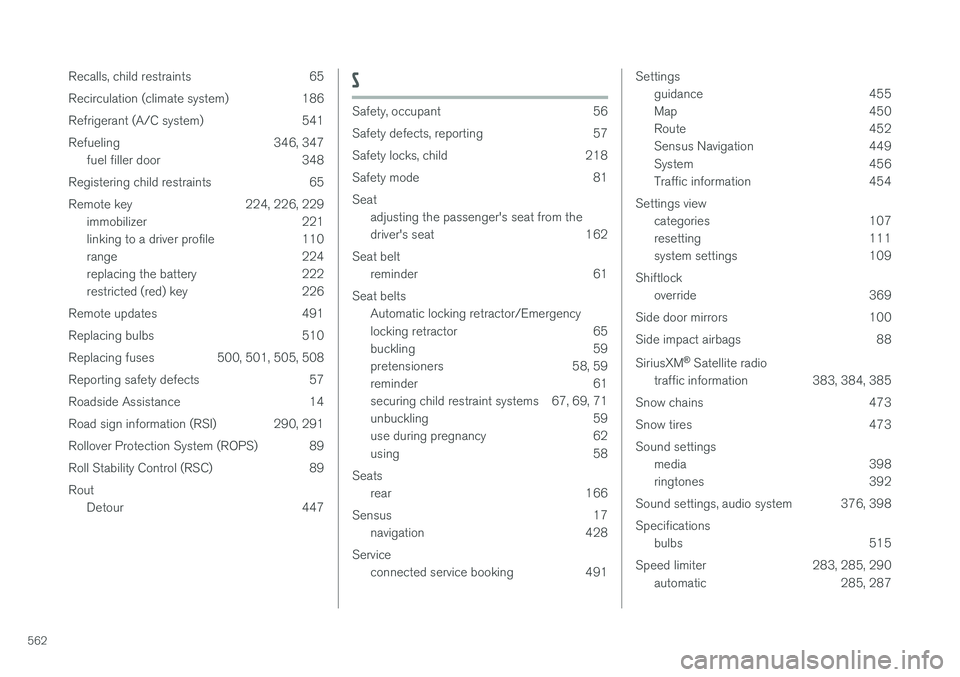
562Recalls, child restraints 65
Recirculation (climate system) 186
Refrigerant (A/C system) 541
Refueling 346, 347
fuel filler door 348
Registering child restraints 65
Remote key 224, 226, 229 immobilizer 221
linking to a driver profile 110
range 224
replacing the battery 222
restricted (red) key 226
Remote updates 491
Replacing bulbs 510
Replacing fuses 500, 501, 505, 508
Reporting safety defects 57
Roadside Assistance 14
Road sign information (RSI) 290, 291
Rollover Protection System (ROPS) 89
Roll Stability Control (RSC) 89Rout Detour 447
S
Safety, occupant 56
Safety defects, reporting 57
Safety locks, child 218
Safety mode 81Seatadjusting the passenger's seat from the
driver's seat 162
Seat belt reminder 61
Seat belts Automatic locking retractor/Emergency
locking retractor 65
buckling 59
pretensioners 58, 59
reminder 61
securing child restraint systems 67, 69, 71
unbuckling 59
use during pregnancy 62
using 58
Seats rear 166
Sensus 17 navigation 428
Service connected service booking 491
Settingsguidance 455
Map 450
Route 452
Sensus Navigation 449
System 456
Traffic information 454
Settings view categories 107
resetting 111
system settings 109
Shiftlock override 369
Side door mirrors 100
Side impact airbags 88 SiriusXM ®
Satellite radio
traffic information 383, 384, 385
Snow chains 473
Snow tires 473Sound settings media 398
ringtones 392
Sound settings, audio system 376, 398 Specifications bulbs 515
Speed limiter 283, 285, 290 automatic 285, 287