key VOLVO XC90 2015 Owner's Manual
[x] Cancel search | Manufacturer: VOLVO, Model Year: 2015, Model line: XC90, Model: VOLVO XC90 2015Pages: 570, PDF Size: 12.44 MB
Page 110 of 570
INSTRUMENTS AND CONTROLS
* Option/accessory, for more information, see Introduction.
108
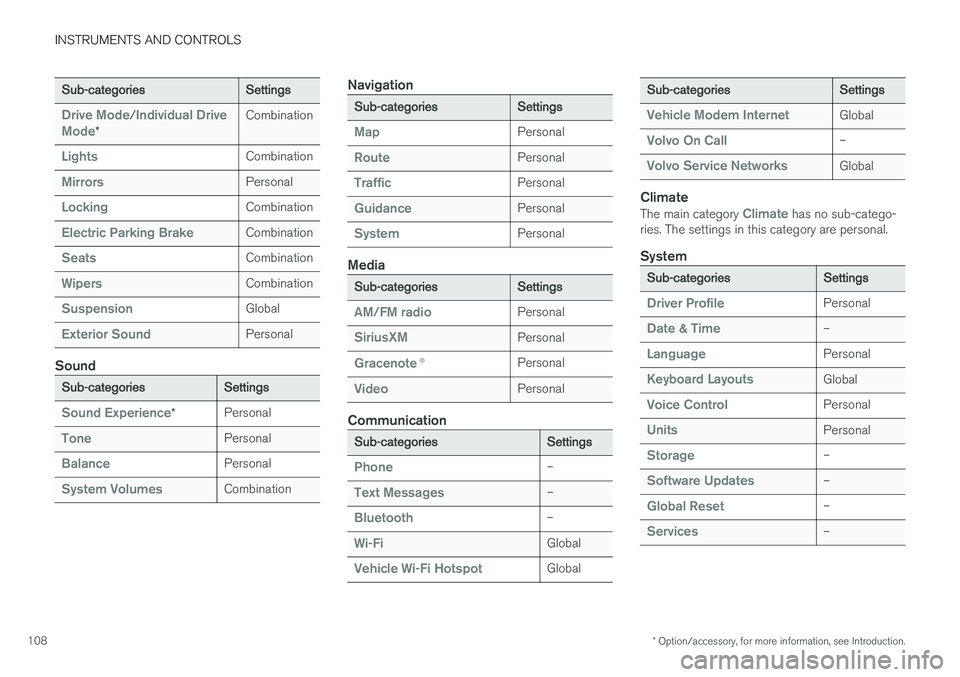
Sub-categoriesSettings
Drive Mode/Individual Drive
Mode*
Combination
LightsCombination
MirrorsPersonal
LockingCombination
Electric Parking BrakeCombination
SeatsCombination
WipersCombination
SuspensionGlobal
Exterior SoundPersonal
Sound
Sub-categoriesSettings
Sound Experience*Personal
TonePersonal
BalancePersonal
System VolumesCombination
Navigation
Sub-categoriesSettings
MapPersonal
RoutePersonal
TrafficPersonal
GuidancePersonal
SystemPersonal
Media
Sub-categoriesSettings
AM/FM radioPersonal
SiriusXMPersonal
Gracenote ®Personal
VideoPersonal
Communication
Sub-categoriesSettings
Phone–
Text Messages–
Bluetooth–
Wi-FiGlobal
Vehicle Wi-Fi HotspotGlobal
Sub-categoriesSettings
Vehicle Modem InternetGlobal
Volvo On Call–
Volvo Service NetworksGlobal
Climate
The main category Climate has no sub-catego-
ries. The settings in this category are personal.
System
Sub-categoriesSettings
Driver ProfilePersonal
Date & Time–
LanguagePersonal
Keyboard LayoutsGlobal
Voice ControlPersonal
UnitsPersonal
Storage–
Software Updates–
Global Reset–
Services–
Page 111 of 570
INSTRUMENTS AND CONTROLS
* Option/accessory, for more information, see Introduction.109
Related information
•Driver profiles (p. 112)
• Settings view (p. 106)
• Changing system settings in Settings view (p. 109)
Changing system settings in Settings view
Settings view's main category
System contains
general settings and information, such as lan- guage, units of measure, etc.
The system settings under Driver Profile, Date
& Time, Keyboard Layouts, Voice Control,Software Updates, Global Reset andServices are described in their respective arti-
cles in the owner's manual.
Changing system languages1. Pull down the center display's Top view and
tap Settings.
2. Tap
SystemLanguage.
3. Select a new system language. Languages that can be used for voice commands are indicated by a voice control symbol.
> This change affects the language used inthe instrument panel, center display and the head-up display *.
Changing units of measure
Changing length and volume units1. Pull down the center display's Top view and
tap Settings.
2. Tap
SystemUnitsUnits. 3. Select one of the following measurement
standards:
•
Metric: kilometers, liters and degrees Cel-
sius.
•
Imperial: miles, gallons and degrees Cel-
sius.
•
US: miles, gallons and degrees Fahren-
heit.
> This change affects the units of measure used in the instrument panel, center dis- play and the head-up display *
Changing tire inflation pressure units1. Pull down the center display's Top view and
tap Settings.
2. Tap
SystemUnitsTire Pressure.
3. Select a unit of measure for tire pressure. > This changes the tire inflation pressureunits used in the
Car status app in the
center display.
Viewing storage information1. Pull down the center display's Top view and
tap Settings.
2. Tap
SystemStorage.
> Storage information for the vehicle's hard drive will be displayed, including total capacity, available capacity and theamount of storage space used by theapps that have been installed.
Page 112 of 570
INSTRUMENTS AND CONTROLS
110
Viewing the VIN (Vehicle Identification Number)
1. Pull down the center display's Top view andtap Settings.
2. Tap
SystemVehicle Identification
Number.
> The vehicle's VIN will be displayed.
Linking a remote key to a driver profile A remote key can be linked to a driver profile, which means that all of the settings stored in thedriver profile will apply each time that particularremote key is used with the vehicle.
A remote key is not initially linked to a specific driver profile. When the key is used to unlock thevehicle/start the engine for the first time, the
Guest profile will be used.
A driver profile can be selected manually each time the vehicle is unlocked/started without aremote key being linked to that profile. If the keyhas previously been linked to a driver profile, it isnot necessary to manually select a profile whenthat particular key is used.
Linking a remote key to a driver profile for the first time
1. Pull down the center display's Top view and tap Settings.
2. Tap
SystemDriver Profile.
3. Tap the profile to be linked to the remote key. The
Guest profile cannot be linked to a
remote key.
4. Tap
Edit Profile. 5.
Select
Connect key to link the selected pro-
file to the key currently being used. A profile can only be linked to the remote key that iscurrently being used. If there are several keys in the vehicle at the same time,
More than
one key is found, put the key you want to connect on backup reader
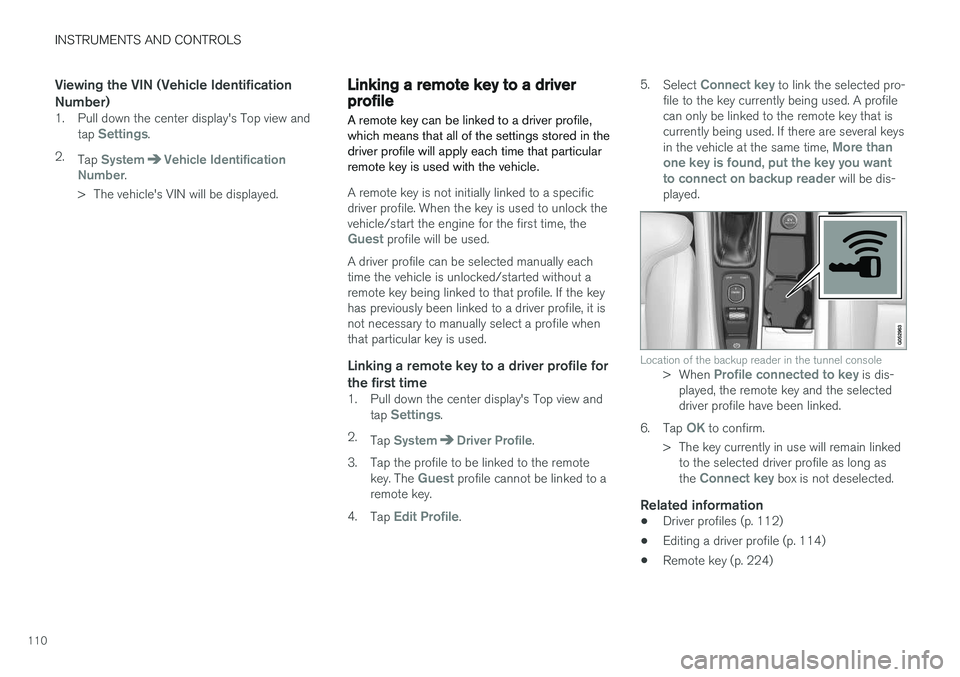
will be dis-
played.
Location of the backup reader in the tunnel console> When Profile connected to key is dis-
played, the remote key and the selected driver profile have been linked.
6. Tap
OK to confirm.
> The key currently in use will remain linked to the selected driver profile as long as the
Connect key box is not deselected.
Related information
• Driver profiles (p. 112)
• Editing a driver profile (p. 114)
• Remote key (p. 224)
Page 114 of 570
INSTRUMENTS AND CONTROLS
112
Related information
•Settings view (p. 106)
• Driver profiles (p. 112)
• Resetting user data when the vehicle changes owners (p. 112)
Resetting user data when the vehicle changes owners
When the vehicle changes owners, all user set- tings should be reset to the factory defaults.
When the vehicle changes owners, it is essential to reset all user data and system settings to theirfactory defaults, including Volvo On Call.
Related information
• Resetting the settings view (p. 111)
• Volvo ID (p. 27)
• Changing ownership of a vehicle with Volvo On Call (p. 424)
Driver profiles
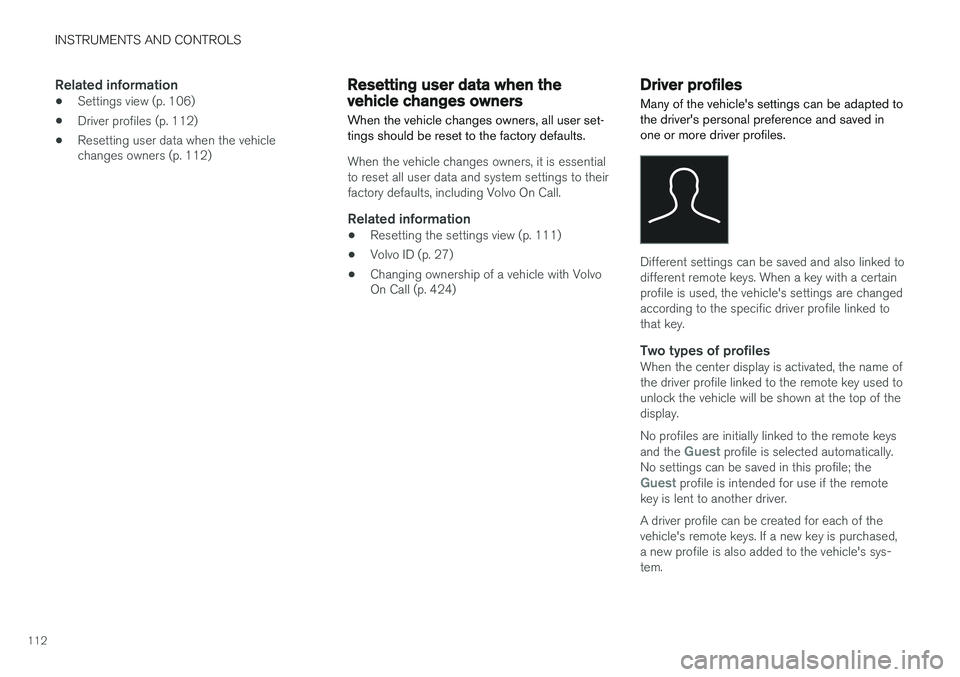
Many of the vehicle's settings can be adapted to the driver's personal preference and saved inone or more driver profiles.
Different settings can be saved and also linked to different remote keys. When a key with a certainprofile is used, the vehicle's settings are changedaccording to the specific driver profile linked tothat key.
Two types of profilesWhen the center display is activated, the name ofthe driver profile linked to the remote key used tounlock the vehicle will be shown at the top of thedisplay. No profiles are initially linked to the remote keys and the
Guest profile is selected automatically.
No settings can be saved in this profile; the
Guest profile is intended for use if the remote
key is lent to another driver. A driver profile can be created for each of the vehicle's remote keys. If a new key is purchased,a new profile is also added to the vehicle's sys-tem.
Page 115 of 570
INSTRUMENTS AND CONTROLS
113
Changing a driver profileThe driver profile to be used can be changed as soon as the center display is activated or at alater time using the display's Top view. A profilecan also be changed even if the current remotekey is linked to a different profile.
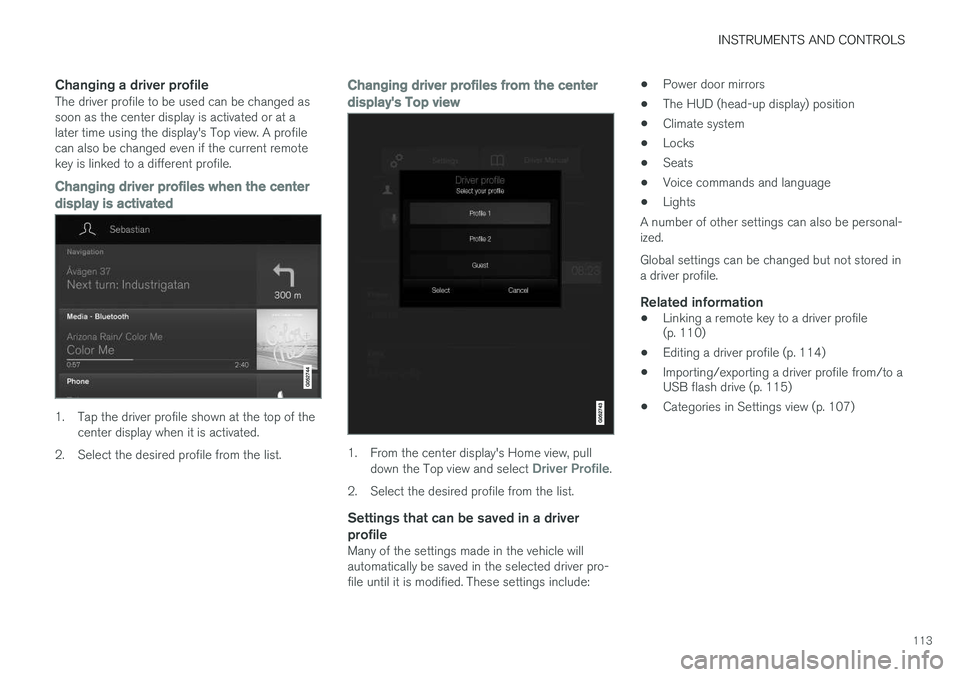
Changing driver profiles when the center
display is activated
1. Tap the driver profile shown at the top of the center display when it is activated.
2. Select the desired profile from the list.
Changing driver profiles from the center display's Top view
1. From the center display's Home view, pull down the Top view and select Driver Profile.
2. Select the desired profile from the list.
Settings that can be saved in a driver profile
Many of the settings made in the vehicle will automatically be saved in the selected driver pro-file until it is modified. These settings include: •
Power door mirrors
• The HUD (head-up display) position
• Climate system
• Locks
• Seats
• Voice commands and language
• Lights
A number of other settings can also be personal-ized. Global settings can be changed but not stored in a driver profile.
Related information
• Linking a remote key to a driver profile (p. 110)
• Editing a driver profile (p. 114)
• Importing/exporting a driver profile from/to aUSB flash drive (p. 115)
• Categories in Settings view (p. 107)
Page 116 of 570
INSTRUMENTS AND CONTROLS
114
Editing a driver profile
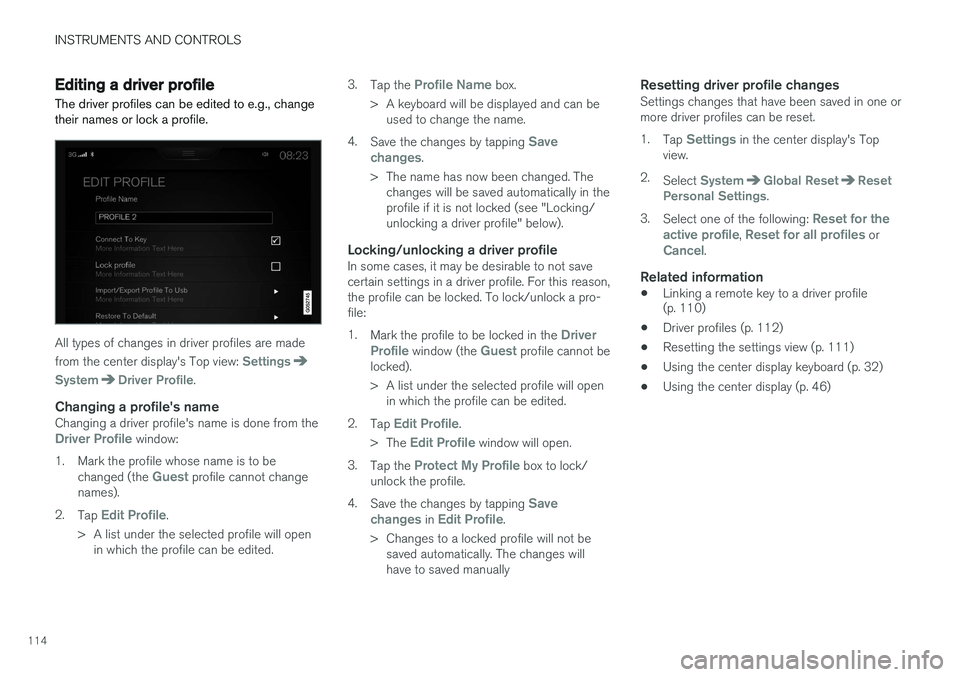
The driver profiles can be edited to e.g., change their names or lock a profile.
All types of changes in driver profiles are made from the center display's Top view:
Settings
SystemDriver Profile.
Changing a profile's nameChanging a driver profile's name is done from theDriver Profile window:
1. Mark the profile whose name is to be changed (the
Guest profile cannot change
names).
2. Tap
Edit Profile.
> A list under the selected profile will open in which the profile can be edited. 3.
Tap the
Profile Name box.
> A keyboard will be displayed and can be used to change the name.
4. Save the changes by tapping
Save
changes.
> The name has now been changed. The changes will be saved automatically in the profile if it is not locked (see "Locking/unlocking a driver profile" below).
Locking/unlocking a driver profileIn some cases, it may be desirable to not savecertain settings in a driver profile. For this reason,the profile can be locked. To lock/unlock a pro-file: 1. Mark the profile to be locked in the
Driver
Profile window (the Guest profile cannot be
locked).
> A list under the selected profile will open in which the profile can be edited.
2. Tap
Edit Profile.
> The
Edit Profile window will open.
3. Tap the
Protect My Profile box to lock/
unlock the profile.
4. Save the changes by tapping
Save
changes in Edit Profile.
> Changes to a locked profile will not be saved automatically. The changes will have to saved manually
Resetting driver profile changesSettings changes that have been saved in one ormore driver profiles can be reset. 1. Tap
Settings in the center display's Top
view.
2. Select
SystemGlobal ResetReset
Personal Settings.
3. Select one of the following:
Reset for the
active profile, Reset for all profiles orCancel.
Related information
• Linking a remote key to a driver profile (p. 110)
• Driver profiles (p. 112)
• Resetting the settings view (p. 111)
• Using the center display keyboard (p. 32)
• Using the center display (p. 46)
Page 121 of 570

INSTRUMENTS AND CONTROLS
* Option/accessory, for more information, see Introduction.119
1.
Tap Head-up display adjustments in the
center display's Function view.
2. Use the right-side steering wheel keypad to adjust the HUD's brightness and height posi- tion on the windshield in the driver's field ofvision.
Reduce brightness
Increase brightness
Higher position
Lower position
Confirm
This selection can be saved as a personal setting in a driver profile.
Adapting brightnessThe brightness of the graphics displayed in the HUD are also automatically adjusted according toambient lighting conditions. HUD brightness isalso affected by adjustments to the brightness ofthe other displays in the vehicle.
Power front seat * memory functionThe position of the HUD can be stored in the power seat's memory function.
Replacing the windshieldVehicles with a head-up display have a specialtype of windshield meeting the requirements fordisplaying projected information. If the windshield has to be replaced, contact a trained and qualified Volvo service technician orauthorized workshop. The correct type of replace-ment windshield must be used for a head-up dis-play.
Calibrating the horizontal positionIf the windshield has been replaced, it may benecessary to calibrate the HUD's horizontal posi-tion. This means that the projected image willhave to be rotated clockwise or counterclockwise.To do so: 1. Pull down the center display's Top view and
tap
Settings.
2. Select
My CarDisplaysHead-Up
Display Calibration.
3. Use the buttons on the right-side steering wheel keypad to calibrate the horizontal posi- tion.
Rotate counterclockwise
Rotate clockwise
Confirm
CleaningWipe the glass covering the HUD projection unit carefully with a clean and dry (or very slightlydamp if necessary) microfiber cloth.
Page 122 of 570
INSTRUMENTS AND CONTROLS
* Option/accessory, for more information, see Introduction.
120 Never use strong stain removers. For difficult cleaning conditions, a special cleaning agent canbe purchased at a Volvo retailer.
Related information
•
Driver profiles (p. 112)
• Center display overview (p. 29)
• Navigating in the center display's views (p. 39)
Voice control
Voice commands make it possible for the driver to voice-control certain functions in the mediaplayer, a Bluetooth-connected cell phone, cli- mate system and the Volvo navigation system *.
Voice control offers convenience and enables the driver to keep his/her hands on the steeringwheel and concentrate on driving and the trafficsituation around the vehicle.
WARNING
As the driver, you have full responsibility for operating the vehicle safely and adhering toall applicable traffic regulations.
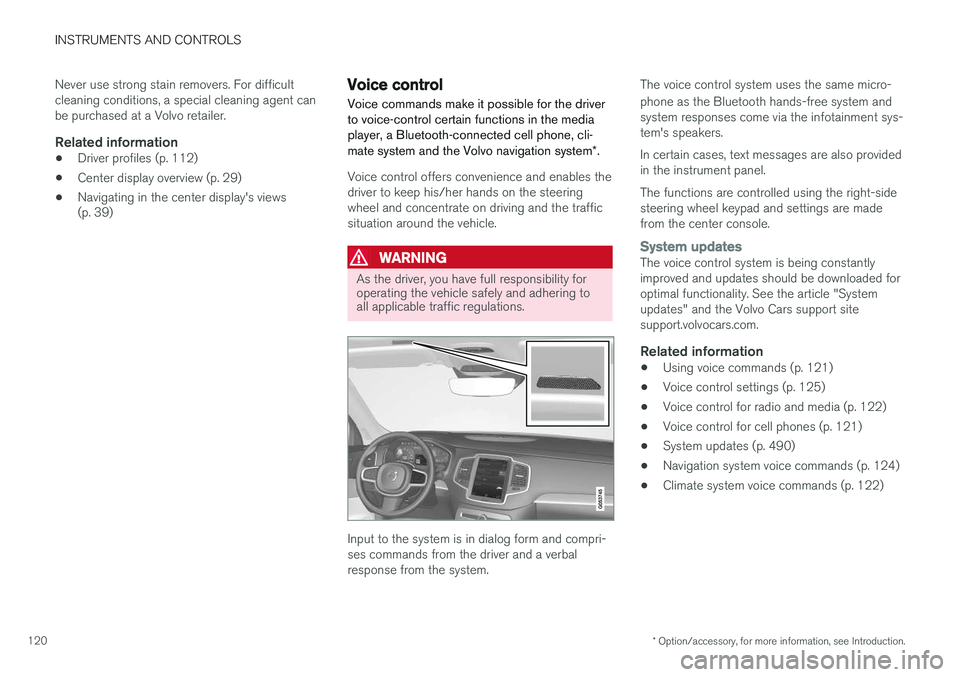
Input to the system is in dialog form and compri- ses commands from the driver and a verbalresponse from the system. The voice control system uses the same micro- phone as the Bluetooth hands-free system and system responses come via the infotainment sys-tem's speakers. In certain cases, text messages are also provided in the instrument panel. The functions are controlled using the right-side steering wheel keypad and settings are madefrom the center console.
System updatesThe voice control system is being constantly improved and updates should be downloaded foroptimal functionality. See the article "Systemupdates" and the Volvo Cars support sitesupport.volvocars.com.
Related information
•
Using voice commands (p. 121)
• Voice control settings (p. 125)
• Voice control for radio and media (p. 122)
• Voice control for cell phones (p. 121)
• System updates (p. 490)
• Navigation system voice commands (p. 124)
• Climate system voice commands (p. 122)
Page 123 of 570
INSTRUMENTS AND CONTROLS
121
Using voice commands
The following is an introduction for using voice commands.
Press the button on the right- side steering wheel keypad toactivate the system and initiatea voice command dialog.
Keep the following points in mind when using voice commands:
• When giving a command, speak at your usual speed and in a normal tone of voice
after
the tone .
• Avoid speaking while the system is respond- ing. Commands cannot be processed duringa response.
• Avoid background noises in the cabin whenusing the system by closing the vehicle's doors, windows and panoramic roof
* when
giving voice commands..
Voice command dialogs can be cancelled by:
• Saying "
Cancel".
• By pressing and holding the
button on
the right-side steering wheel keypad.
To speed up a command dialog or to skip system responses, press the
button on the right-
side steering wheel keypad when the system is responding.
Voice command examples
Press , say " Call"-"[First-name] "-"[Last-
name] "-"[number category] " to call a contact
in your phonebook if the person has more than one phone number listed (i.e., home, mobile, work,etc.). For example, press
and say
" Call "-"Robin "-"Smith "-"mobile ".
Commands/phrasesThe following commands can always be used: •
Repeat: the system will repeat the most
recent voice instruction.
•
Cancel: cancel the dialog.
•
Help: Initiates a help dialog. The system will
provide several alternative commands that can be used in a given situation.
The commands for specific situations are descri- bed in the respective articles such as "Cell phonecommands", etc.
NumbersNumbers can be spoken individually, in groups or the entire phone number can be given at onetime.
Related information
• Voice control (p. 120)
Voice control for cell phones Voice commands can be used to control many of the most common functions in a Bluetooth ®
-
connected cell phone.
Cell phone voice commands:
• "
Phone ": initiates a phone dialog and dis-
plays possible commands.
• "
Call "-"[First-name] "-"[Last-name] ": calls
the selected contact from the phonebook.
• "
Call "-"[First-name] "-"[Last-
name] "-"[number category] ": calls a con-
tact in your phonebook if the person has more than one phone number listed (i.e.,home, mobile, work, etc.).
• "
Call "-"[phone number] ": calls the phone
number.
• "
Call list ": displays a list of calls.
Command for having a text message read aloud:
• "
Read message ": the message will be read
aloud.
Related information
• Using voice commands (p. 121)
Page 126 of 570
INSTRUMENTS AND CONTROLS
124
Navigation system voice commands
Many of the navigation system's functions can be activated using voice commands.
The procedure for using voice control is descri- bed in greater detail in the articles "Voice con-trol," "Using voice control" and "Voice controlsettings."
Voice commandsThe following list contains examples of com-mands that are unique to navigation system.
–To use the voice control system, press the
on the right-side steering wheel keypad and say one of the following commands after the tone:
• "
Navigation: Starts a navigation voice
command dialog and displays available commands.
• "
Take me home: Guidance will be given
to the location set as Home. The location
for Home is set using the Set home
address function in Favorites in the Top
view in the center display.
• "
Go to [City]: Enter a city as a destina-
tion, e.g., "Go to New York."
• "
Go to [Address]: Enter an address as a
destination, e.g., Go to 125 43 St, New York."
• "
Go to [Zip code]: Enter a zip code as a
destination, e.g., "Go to 07405."
• "
Go to [Name]: Enter a name from a list
of contacts e.g., "Go to Robyn Smith."
• "
Search [POI]: Search for a POI 7
, which
is always sorted according to POIs "around the vehicle." To search along the route, say "
Along the route" when the
list of results is displayed.
• "
Search [POI] in [a city]: Search for a
POI 7
in city/location.
• "
Search [POI category]: Search for a
POI 7
category, which is always sorted
"Around the vehicle."
7 You can opt to call the POI or set it as a destination.