lights VOLVO XC90 2015 Owner's Manual
[x] Cancel search | Manufacturer: VOLVO, Model Year: 2015, Model line: XC90, Model: VOLVO XC90 2015Pages: 570, PDF Size: 12.44 MB
Page 147 of 570
INSTRUMENTS AND CONTROLS
* Option/accessory, for more information, see Introduction.145
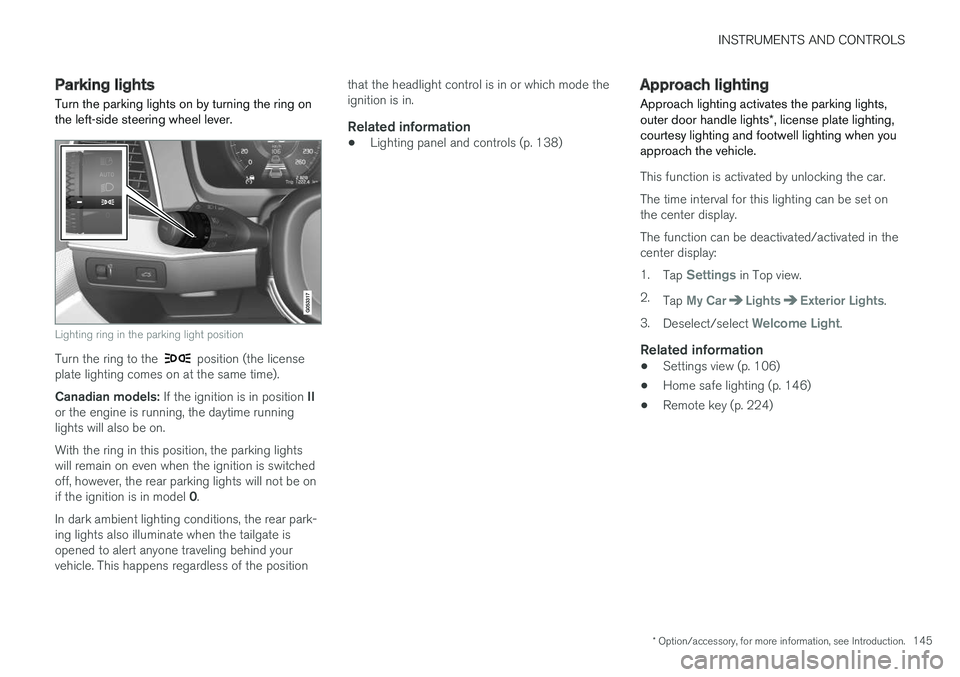
Parking lights Turn the parking lights on by turning the ring on the left-side steering wheel lever.
Lighting ring in the parking light position
Turn the ring to the position (the license
plate lighting comes on at the same time). Canadian models: If the ignition is in position II
or the engine is running, the daytime running lights will also be on. With the ring in this position, the parking lights will remain on even when the ignition is switchedoff, however, the rear parking lights will not be on if the ignition is in model 0.
In dark ambient lighting conditions, the rear park- ing lights also illuminate when the tailgate isopened to alert anyone traveling behind yourvehicle. This happens regardless of the position that the headlight control is in or which mode theignition is in.
Related information
•
Lighting panel and controls (p. 138)
Approach lighting
Approach lighting activates the parking lights, outer door handle lights *, license plate lighting,
courtesy lighting and footwell lighting when you approach the vehicle.
This function is activated by unlocking the car. The time interval for this lighting can be set on the center display. The function can be deactivated/activated in the center display: 1. Tap
Settings in Top view.
2. Tap
My CarLightsExterior Lights.
3. Deselect/select
Welcome Light.
Related information
• Settings view (p. 106)
• Home safe lighting (p. 146)
• Remote key (p. 224)
Page 148 of 570
INSTRUMENTS AND CONTROLS
* Option/accessory, for more information, see Introduction.
146
Home safe lighting
The home safe lighting function illuminates the area in front of the vehicle in dark conditions.
This function turns on the headlights, parking lights, outer door handle lights *, license plate
lights, front ceiling lighting and footwell lighting for a set amount of time. The length of time that these lights remain illumi- nated can be set in the center display: 1. Tap
Settings in Top view.
2. Tap
My CarLightsExterior LightsHome Safety Lights.
3. Select
Off, 30 sec, 60 sec or 90 sec.
To activate home safe lighting: 1. Switch off the ignition (mode 0).
2. Push the turn signal lever as far as possible towards the dashboard and release it.
3. Exit the vehicle and lock the doors.
Related information
• Using the center display (p. 46)
• Settings view (p. 106)
Passenger compartment lighting
The passenger compartment lighting is con- trolled using the buttons in the ceiling above thefront and rear seats.
All passenger compartment lighting can be turned on and off manually within 30 minutesafter:
• the vehicle is unlocked but the engine has not been started
• the engine is switched off and the ignition is in mode
0.
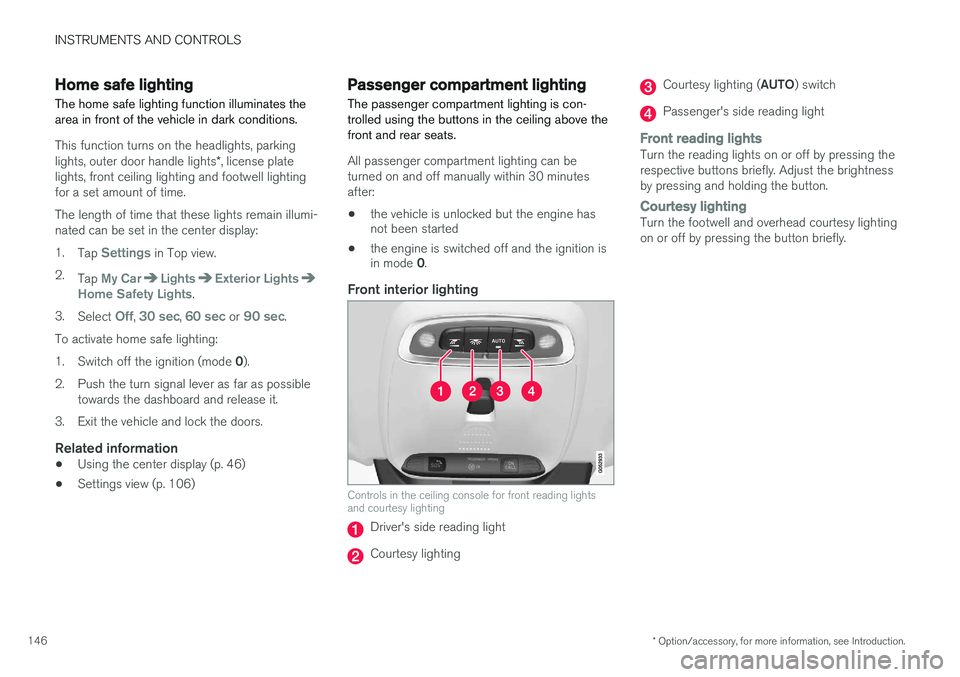
Front interior lighting
Controls in the ceiling console for front reading lights and courtesy lighting
Driver's side reading light
Courtesy lighting
Courtesy lighting ( AUTO) switch
Passenger's side reading light
Front reading lightsTurn the reading lights on or off by pressing the respective buttons briefly. Adjust the brightnessby pressing and holding the button.
Courtesy lightingTurn the footwell and overhead courtesy lighting on or off by pressing the button briefly.
Page 149 of 570
INSTRUMENTS AND CONTROLS
* Option/accessory, for more information, see Introduction.147
Courtesy lighting switchActivate the automatic function by briefly press- ing the AUTO button in the ceiling console. The
indicator light in the button will illuminate. WithAUTO activated, the courtesy lighting will switch
on and off as follows: The courtesy lighting will illuminate and remain on for 30 seconds if:
• the vehicle is unlocked with the remote key or key blade
• the ignition is turned off completely (ignition mode
0)
The courtesy lighting switches off when:
• the engine is started
• the vehicle is locked
The courtesy lighting comes on or off when a
side door is opened or closed. The lighting remains on for two minutes if one of the doors isopen. If the lighting is switched on manually and the vehicle is locked, the courtesy lighting will switchoff automatically after two minutes.Rear interior lighting
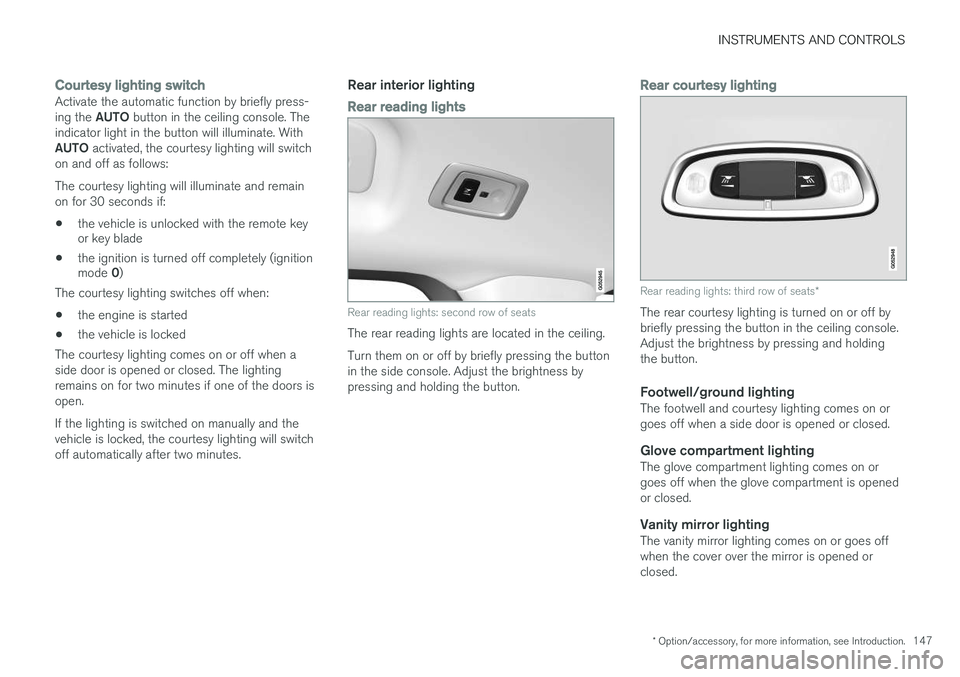
Rear reading lights
Rear reading lights: second row of seats
The rear reading lights are located in the ceiling. Turn them on or off by briefly pressing the button in the side console. Adjust the brightness bypressing and holding the button.
Rear courtesy lighting
Rear reading lights: third row of seats *
The rear courtesy lighting is turned on or off by briefly pressing the button in the ceiling console.Adjust the brightness by pressing and holdingthe button.
Footwell/ground lightingThe footwell and courtesy lighting comes on orgoes off when a side door is opened or closed.
Glove compartment lightingThe glove compartment lighting comes on orgoes off when the glove compartment is openedor closed.
Vanity mirror lightingThe vanity mirror lighting comes on or goes offwhen the cover over the mirror is opened orclosed.
Page 150 of 570
INSTRUMENTS AND CONTROLS
* Option/accessory, for more information, see Introduction.
148
Cargo area lightingThe cargo area lighting comes on or goes off when the tailgate is opened or closed.
Ambience lighting1. In the center display's Top view, select
SettingsMy CarLightsAmbient
Lighting
2. Choose among the following settings:
•
Ambient Light Intensity: Off, Low orHigh.
•
Ambient Light Level: Reduced or Full.
Mood lighting *When the overhead courtesy lighting has gone out and the engine is running, several LEDslocated near the roof console illuminate to pro-vide faint lighting to help e.g., see objects in stor-age compartments. This lighting goes out justafter the overhead courtesy lighting when thevehicle is locked. The following settings can be made for the mood lighting in the center display:
Brightness1. In the center display's Top view, select
SettingsMy CarLightsInterior
Mood Lighting.
2. Press
Interior Mood Light Intensity and
choose Off, Low or High.
Change the color of the light1. In the center display's Top view, select
SettingsMy CarLightsInterior
Mood Lighting.
2. Choose
By Temperature, By Theme orTheme Colors.
Related information
• Lighting panel and controls (p. 138)
Using turn signals
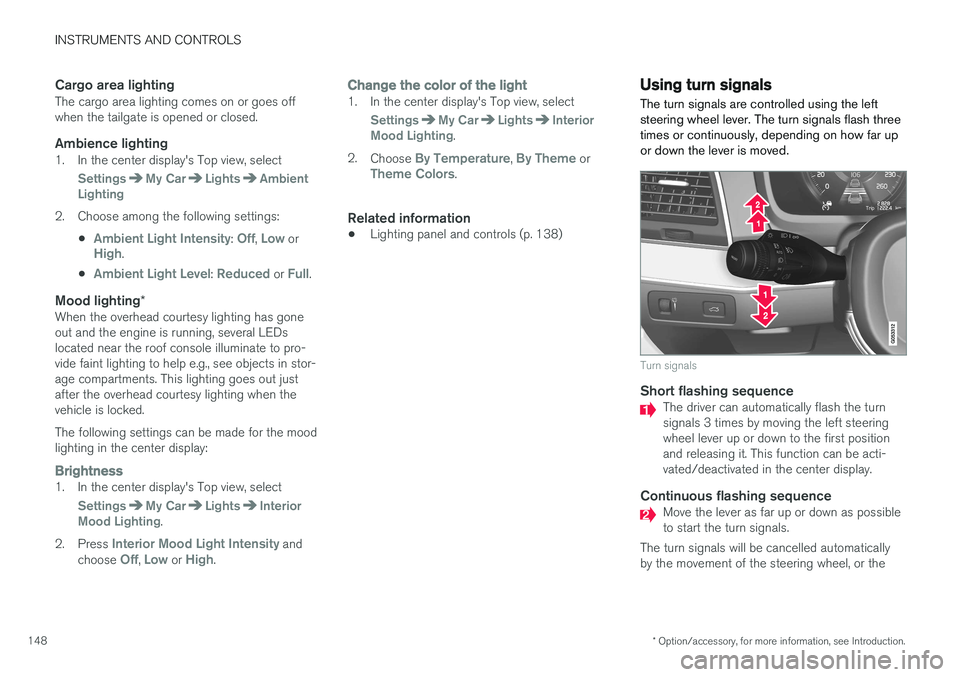
The turn signals are controlled using the left steering wheel lever. The turn signals flash threetimes or continuously, depending on how far upor down the lever is moved.
Turn signals
Short flashing sequenceThe driver can automatically flash the turn signals 3 times by moving the left steeringwheel lever up or down to the first positionand releasing it. This function can be acti-vated/deactivated in the center display.
Continuous flashing sequenceMove the lever as far up or down as possible to start the turn signals.
The turn signals will be cancelled automaticallyby the movement of the steering wheel, or the
Page 158 of 570
INSTRUMENTS AND CONTROLS
* Option/accessory, for more information, see Introduction.
156
Windshield and headlight washers
Use the windshield/headlight washers to help improve visibility.
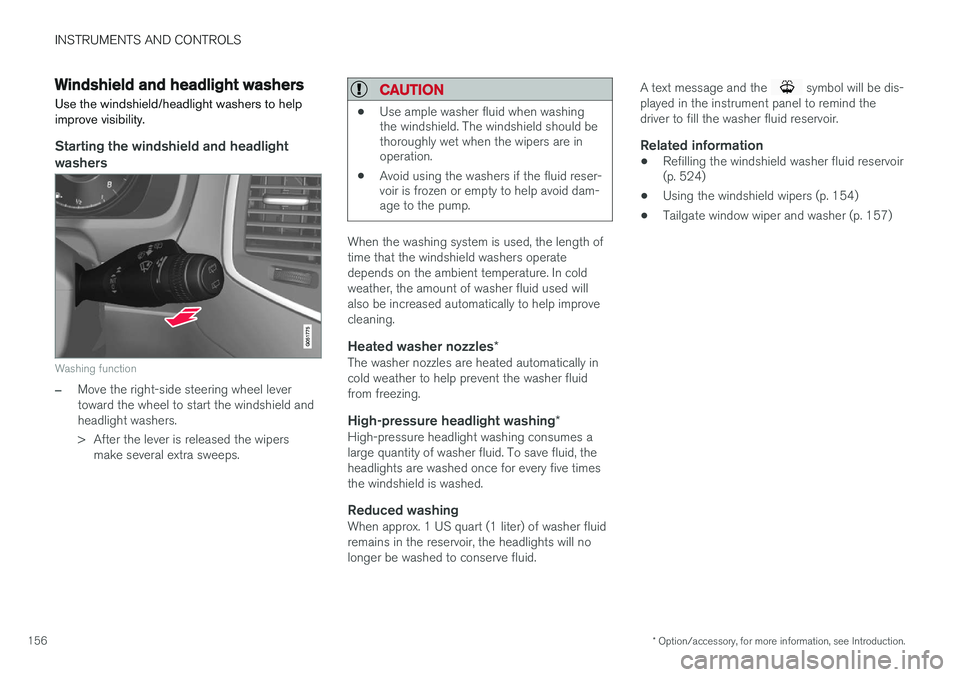
Starting the windshield and headlight washers
Washing function
–Move the right-side steering wheel lever toward the wheel to start the windshield andheadlight washers.
> After the lever is released the wipers make several extra sweeps.
CAUTION
• Use ample washer fluid when washing the windshield. The windshield should bethoroughly wet when the wipers are inoperation.
• Avoid using the washers if the fluid reser-voir is frozen or empty to help avoid dam-age to the pump.
When the washing system is used, the length of time that the windshield washers operatedepends on the ambient temperature. In coldweather, the amount of washer fluid used willalso be increased automatically to help improvecleaning.
Heated washer nozzles
*The washer nozzles are heated automatically incold weather to help prevent the washer fluidfrom freezing.
High-pressure headlight washing *High-pressure headlight washing consumes alarge quantity of washer fluid. To save fluid, theheadlights are washed once for every five timesthe windshield is washed.
Reduced washingWhen approx. 1 US quart (1 liter) of washer fluidremains in the reservoir, the headlights will nolonger be washed to conserve fluid. A text message and the
symbol will be dis-
played in the instrument panel to remind the driver to fill the washer fluid reservoir.
Related information
• Refilling the windshield washer fluid reservoir (p. 524)
• Using the windshield wipers (p. 154)
• Tailgate window wiper and washer (p. 157)
Page 181 of 570
CLIMATE
* Option/accessory, for more information, see Introduction.179
Passenger compartment air filter
All air entering the passenger compartment through the climate system air intake is filtered.
Filter replacementThe filter must be replaced according to the serv- ice schedule for your vehicle. When driving in e.g.,dusty or industrial areas, the filer may need to bereplaced more often. Consult your Volvo retailer.
Related information
• Air quality (p. 177)
• Clean Zone Interior Package (CZIP)
*
(p. 178)
• Interior Air Quality System (IAQS)
* (p. 178)
• Volvo's service program (p. 488)
Automatic climate control The Auto feature automatically controls a num- ber of climate system functions.
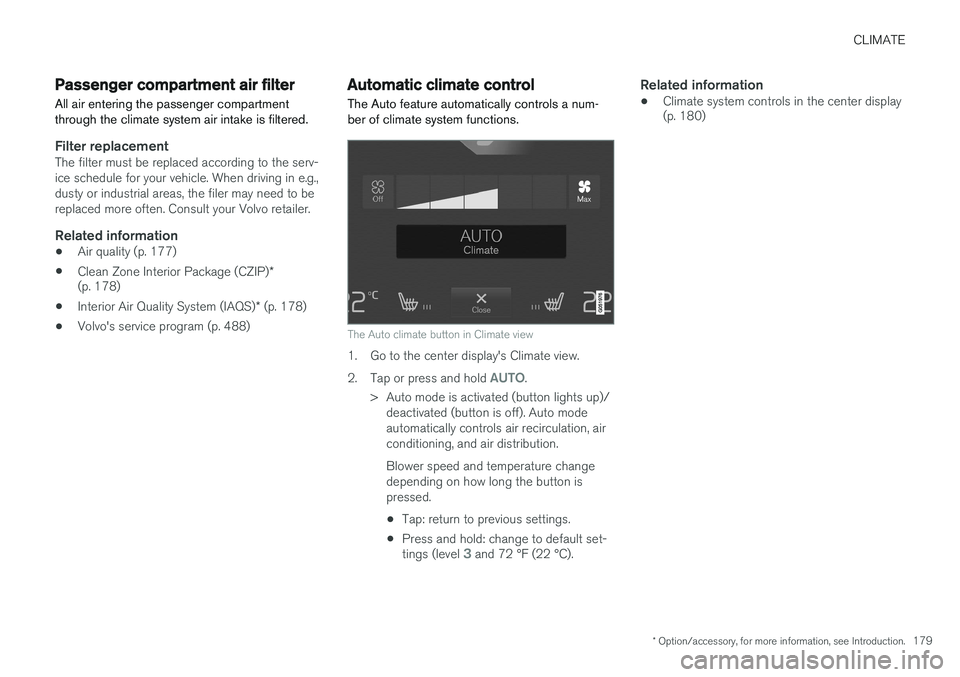
The Auto climate button in Climate view
1. Go to the center display's Climate view. 2.
Tap or press and hold
AUTO.
> Auto mode is activated (button lights up)/ deactivated (button is off). Auto mode automatically controls air recirculation, airconditioning, and air distribution. Blower speed and temperature change depending on how long the button ispressed.
• Tap: return to previous settings.
• Press and hold: change to default set- tings (level
3 and 72 °F (22 °C).
Related information
• Climate system controls in the center display (p. 180)
Page 188 of 570
CLIMATE
186
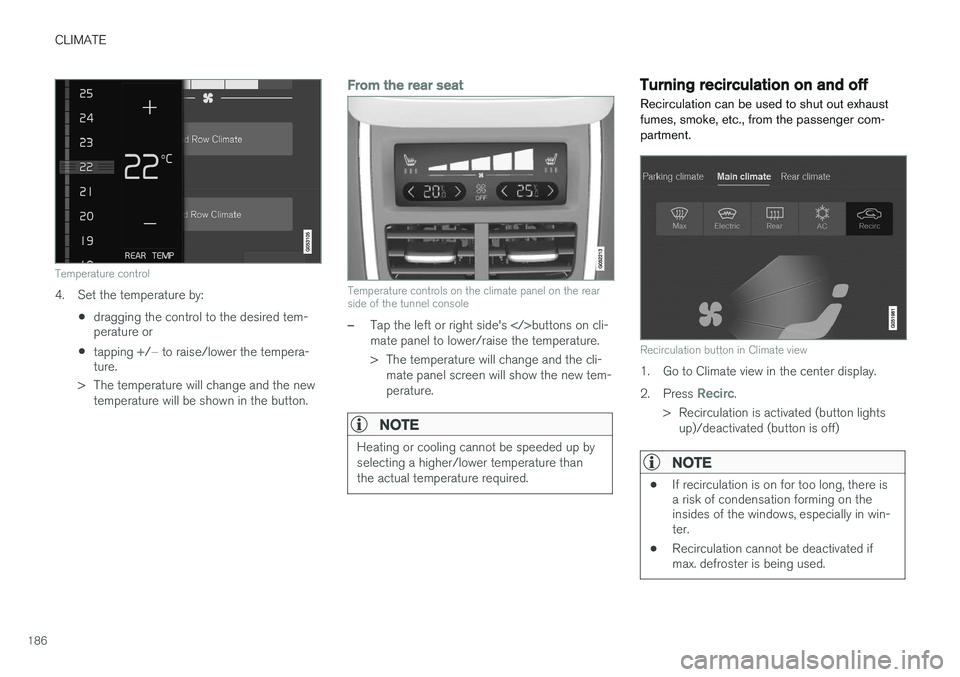
Temperature control
4. Set the temperature by:•dragging the control to the desired tem- perature or
• tapping
+/− to raise/lower the tempera-
ture.
> The temperature will change and the new temperature will be shown in the button.
From the rear seat
Temperature controls on the climate panel on the rear side of the tunnel console
–Tap the left or right side's buttons on cli-
mate panel to lower/raise the temperature.
> The temperature will change and the cli- mate panel screen will show the new tem- perature.
NOTE
Heating or cooling cannot be speeded up by selecting a higher/lower temperature thanthe actual temperature required.
Turning recirculation on and off
Recirculation can be used to shut out exhaust fumes, smoke, etc., from the passenger com-partment.
Recirculation button in Climate view
1. Go to Climate view in the center display. 2. Press
Recirc.
> Recirculation is activated (button lights up)/deactivated (button is off)
NOTE
• If recirculation is on for too long, there is a risk of condensation forming on theinsides of the windows, especially in win-ter.
• Recirculation cannot be deactivated ifmax. defroster is being used.
Page 190 of 570
CLIMATE
* Option/accessory, for more information, see Introduction.
188
From the center display's Climate view
Activate/deactivate max. defroster
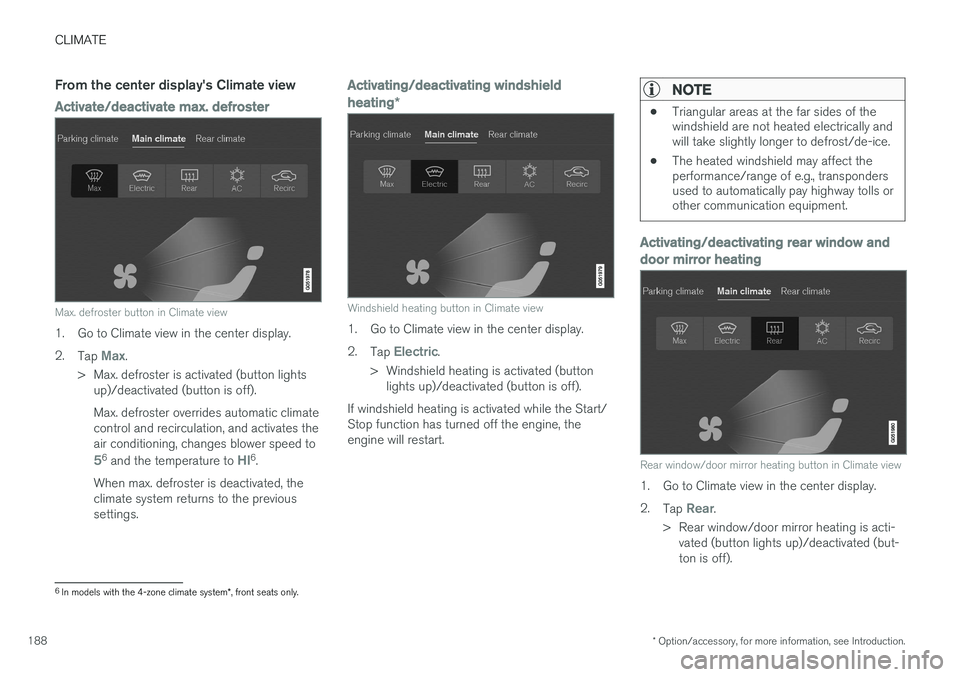
Max. defroster button in Climate view
1. Go to Climate view in the center display. 2.
Tap
Max.
> Max. defroster is activated (button lights up)/deactivated (button is off). Max. defroster overrides automatic climate control and recirculation, and activates theair conditioning, changes blower speed to
56 and the temperature to HI6.
When max. defroster is deactivated, the climate system returns to the previoussettings.
Activating/deactivating windshield heating *
Windshield heating button in Climate view
1. Go to Climate view in the center display. 2.
Tap
Electric.
> Windshield heating is activated (button lights up)/deactivated (button is off).
If windshield heating is activated while the Start/ Stop function has turned off the engine, theengine will restart.
NOTE
• Triangular areas at the far sides of the windshield are not heated electrically andwill take slightly longer to defrost/de-ice.
• The heated windshield may affect theperformance/range of e.g., transpondersused to automatically pay highway tolls orother communication equipment.
Activating/deactivating rear window and door mirror heating
Rear window/door mirror heating button in Climate view
1. Go to Climate view in the center display. 2.
Tap
Rear.
> Rear window/door mirror heating is acti- vated (button lights up)/deactivated (but- ton is off).
6In models with the 4-zone climate system *, front seats only.
Page 192 of 570
CLIMATE
* Option/accessory, for more information, see Introduction.
190 2. Tap the steering wheel heating button
repeatedly to select one of four levels:
Off,High, Middle or Low.
> The level changes and is displayed in the button.
Automatic steering wheel heatingThe automatic function starts heating the steer- ing wheel when the temperature is sufficientlycold and turns it off automatically when the wheelis sufficiently warm. 1. Tap
Settings in the center display's Top
view.
2. Tap
Climate.
3. Under
Auto Steering Wheel Heating
Level, select Off, Low, Middle or High to
activate/deactivate the automatic function.
Related information
• Climate system controls (p. 180)
• Climate system controls in the center display (p. 180)
• Steering wheel (p. 157)
Air conditioning
The air conditioning cools and dehumidifies the air in the passenger compartment.
Activating/deactivating the main air conditioning unit
1. For the air conditioning to function optimally, close the side windows and laminated panor- amic roof *.
Air conditioning button in Climate view
2. Go to Climate view in the center display. 3.
Tap
AC.
> The air conditioning is activated (button lights up)/deactivated (button is off).
NOTE
• For the air conditioning to function opti- mally, close the side windows and lamina- ted panoramic roof
*
• The air conditioning cannot be activated if the blower is set to
Off.
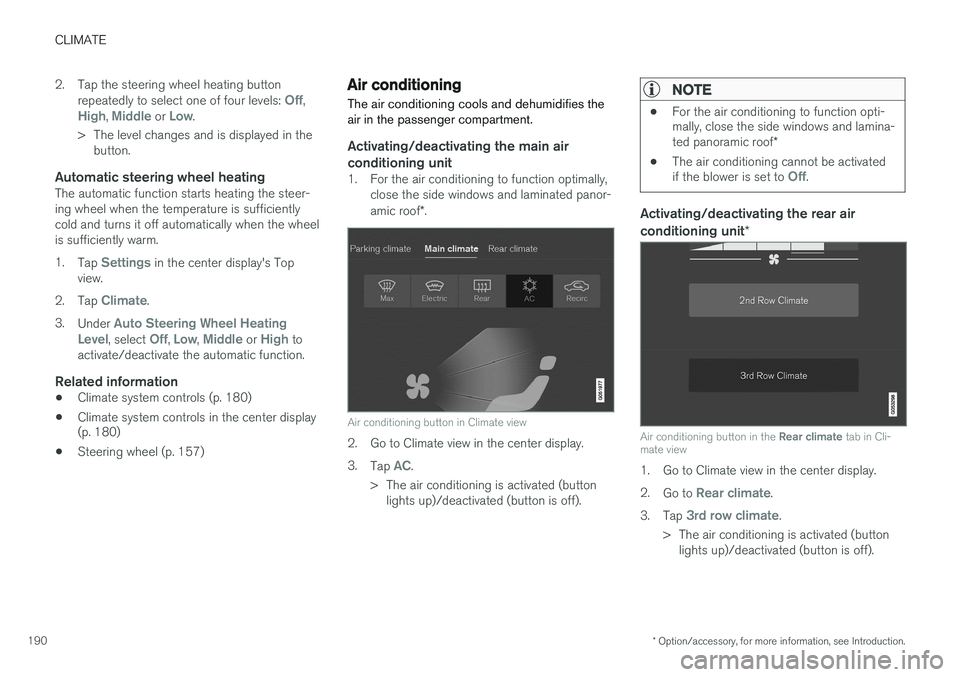
Activating/deactivating the rear air conditioning unit
*
Air conditioning button in the Rear climate tab in Cli-
mate view
1. Go to Climate view in the center display. 2. Go to
Rear climate.
3. Tap
3rd row climate.
> The air conditioning is activated (button lights up)/deactivated (button is off).
Page 194 of 570
CLIMATE
* Option/accessory, for more information, see Introduction.
192
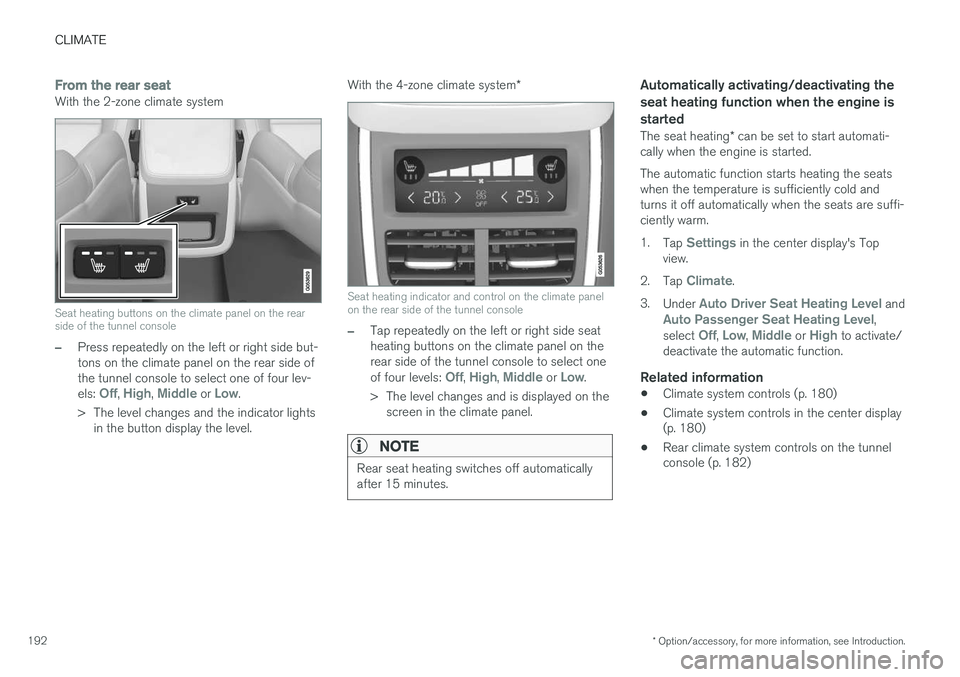
From the rear seatWith the 2-zone climate system
Seat heating buttons on the climate panel on the rear side of the tunnel console
–Press repeatedly on the left or right side but- tons on the climate panel on the rear side ofthe tunnel console to select one of four lev- els:
Off, High, Middle or Low.
> The level changes and the indicator lights in the button display the level. With the 4-zone climate system
*
Seat heating indicator and control on the climate panel on the rear side of the tunnel console
–Tap repeatedly on the left or right side seat heating buttons on the climate panel on therear side of the tunnel console to select one of four levels:
Off, High, Middle or Low.
> The level changes and is displayed on the screen in the climate panel.
NOTE
Rear seat heating switches off automatically after 15 minutes.
Automatically activating/deactivating the seat heating function when the engine isstarted
The seat heating * can be set to start automati-
cally when the engine is started. The automatic function starts heating the seats when the temperature is sufficiently cold andturns it off automatically when the seats are suffi-ciently warm. 1. Tap
Settings in the center display's Top
view.
2. Tap
Climate.
3. Under
Auto Driver Seat Heating Level andAuto Passenger Seat Heating Level,
select Off, Low, Middle or High to activate/
deactivate the automatic function.
Related information
• Climate system controls (p. 180)
• Climate system controls in the center display (p. 180)
• Rear climate system controls on the tunnelconsole (p. 182)