cruise control VOLVO XC90 2015 Owner's Guide
[x] Cancel search | Manufacturer: VOLVO, Model Year: 2015, Model line: XC90, Model: VOLVO XC90 2015Pages: 570, PDF Size: 12.44 MB
Page 293 of 570
DRIVER SUPPORT
* Option/accessory, for more information, see Introduction.291
Road Sign Assistance (RSI)*
operation
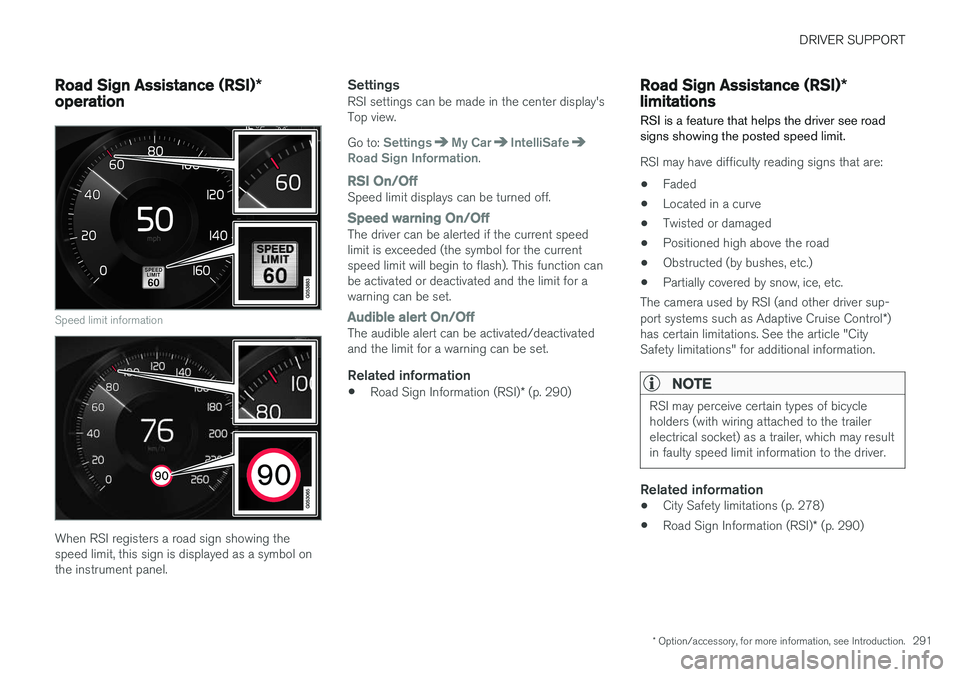
Speed limit information
When RSI registers a road sign showing the speed limit, this sign is displayed as a symbol onthe instrument panel.
SettingsRSI settings can be made in the center display'sTop view. Go to:
SettingsMy CarIntelliSafeRoad Sign Information.
RSI On/OffSpeed limit displays can be turned off.
Speed warning On/OffThe driver can be alerted if the current speed limit is exceeded (the symbol for the currentspeed limit will begin to flash). This function canbe activated or deactivated and the limit for awarning can be set.
Audible alert On/OffThe audible alert can be activated/deactivated and the limit for a warning can be set.
Related information
• Road Sign Information (RSI)
* (p. 290)
Road Sign Assistance (RSI) *
limitations
RSI is a feature that helps the driver see road signs showing the posted speed limit.
RSI may have difficulty reading signs that are:
• Faded
• Located in a curve
• Twisted or damaged
• Positioned high above the road
• Obstructed (by bushes, etc.)
• Partially covered by snow, ice, etc.
The camera used by RSI (and other driver sup- port systems such as Adaptive Cruise Control *)
has certain limitations. See the article "City Safety limitations" for additional information.
NOTE
RSI may perceive certain types of bicycle holders (with wiring attached to the trailerelectrical socket) as a trailer, which may resultin faulty speed limit information to the driver.
Related information
• City Safety limitations (p. 278)
• Road Sign Information (RSI)
* (p. 290)
Page 315 of 570
DRIVER SUPPORT
* Option/accessory, for more information, see Introduction.313
Driver Alert Control limitations
The camera used by DAC (and other driver sup- port systems such as Adaptive Cruise Control *)
has certain limitations.
In certain situations, DAC may provide warnings even if the driver
Page 316 of 570
DRIVER SUPPORT
* Option/accessory, for more information, see Introduction.
314
Distance Alert *
Distance Alert is a function that alerts the driver if the time interval to the vehicle ahead is too short.
Distance Alert is active at speeds above approxi- mately 18 mph (30 km/h) and only reacts to avehicle ahead that is driving in the same direc-tion. No information is provided for vehicles driv-ing toward you, moving very slowly, or at a stand-still.
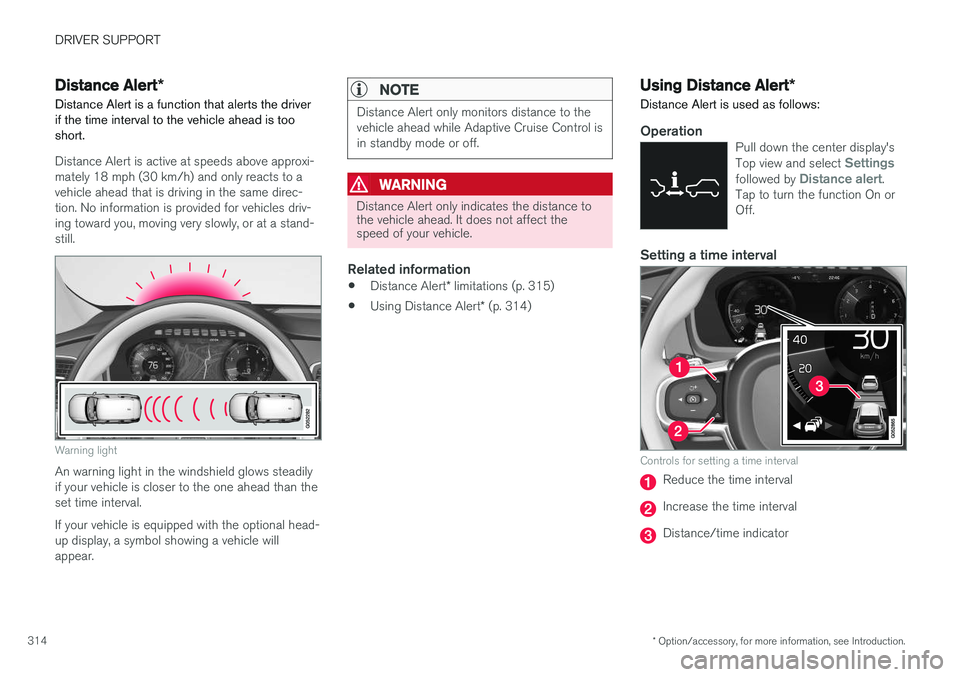
Warning light
An warning light in the windshield glows steadily if your vehicle is closer to the one ahead than theset time interval. If your vehicle is equipped with the optional head- up display, a symbol showing a vehicle willappear.
NOTE
Distance Alert only monitors distance to the vehicle ahead while Adaptive Cruise Control isin standby mode or off.
WARNING
Distance Alert only indicates the distance to the vehicle ahead. It does not affect thespeed of your vehicle.
Related information
• Distance Alert
* limitations (p. 315)
• Using Distance Alert
* (p. 314)
Using Distance Alert *
Distance Alert is used as follows:
OperationPull down the center display's Top view and select Settingsfollowed by Distance alert.
Tap to turn the function On or Off.
Setting a time interval
Controls for setting a time interval
Reduce the time interval
Increase the time interval
Distance/time indicator
Page 317 of 570

DRIVER SUPPORT
* Option/accessory, for more information, see Introduction.315
Different time intervals to the vehicle ahead can be selectedand are shown in the instru-ment panel as 1–5 horizontalbars. The greater the number ofbars, the longer the time inter-val.
One bar between the vehicles represents a timeinterval of approximately 1 second; 5 bars isapproximately 3 seconds. The same symbol appears if Adaptive Cruise Control is activated.
NOTE
• The greater the vehicles' speed, the greater the
distance between them for a
set time interval.
• The set time interval is also used by Adaptive Cruise Control
*.
• Only use time intervals permitted by local traffic regulations.
Related information
•
Distance Alert
* (p. 314)
Distance Alert * limitations
Distance Alert uses the same radar sensor as Adaptive Cruise Control * and has several limita-
tions.
WARNING
• The radar sensor has a limited field of vision. In some situations it may detect avehicle later than expected or not detectother vehicles at all.
• The radar sensor cannot cover all drivingsituations and traffic, weather and roadconditions.
• The driver is responsible for maintaining asafe distance and speed and must inter-vene if the various driver support systemsdo not maintain a suitable speed or suita-ble distance to the vehicle ahead.
• Maintenance of radar sensor componentsmay only be performed by a trained andqualified Volvo technician.
• Strong sunlight, reflections from the roadsurface, strong lighting contrasts or usingsunglasses may make the warning light inthe windshield difficult to see.
For additional information, see also the article "Radar sensor limitations."
Related information
• Radar sensor limitations (p. 245)
• Distance Alert
* (p. 314)
Blind Spot Information (BLIS) *
Blind Spot Information is a system designed to alert the driver to the presence of other vehiclesmoving in the same direction as your vehicle onroads with several lanes.
Blind Spot Information is a driving aid intended to:
• detect other vehicles in your door mirrors' "blind area"
• detect vehicles that are about to pass yourvehicle or are approaching your vehiclequickly from behind in the left and/or rightlanes
WARNING
•
Blind Spot Information is an information system, NOT a warning or safety systemand does not function in all situations.
• Blind Spot Information does not eliminatethe need for you to visually confirm theconditions around you, and the need foryou to turn your head and shoulders tomake sure that you can safely changelanes or back up.
• As the driver, you have full responsibilityfor changing lanes/backing up in a safemanner.
Page 365 of 570
STARTING AND DRIVING
* Option/accessory, for more information, see Introduction.363
a short distance
(in heavy traffic, etc.) or
when driving down hills .
To help keep fuel consumption as low as possi- ble, Eco Coast should not be used in traffic situa-tions where the brakes have to be used fre-quently.
Activating Eco CoastEco Coast is activated when the accelerator pedal is released completely if:
• Eco is activated
• The gear selector is in
D
• The vehicle's speed is between approxi- mately 25–85 mph (40–140 km/h). Alwaysobserve posted speed limits
• The gradient of a down-slope is less thanapproximately 6%
COASTING will appear in the instrument panel
when Eco Coast is being used.
LimitationsEco Coast is not available if:
• The engine and/or transmission have not reached their normal operating temperature
• Cruise control is activated
• The gear selector is moved from
D to " +/-"
for manual shifting
• The vehicle's speed is not within the25–85 mph (40–140 km/h) range
• The gradient of a down-slope is more thanapproximately 6% •
The steering wheel paddles
* are used for
manual shifting
Deactivating and turning off Eco CoastIn certain situations, it may be advisable to switch off the Eco Coast function, such as:
• When driving down steep hills, in order to uti- lize engine braking
• Prior to passing another vehicle, in order todo so as safely as possible
Deactivating Eco Coast (and reactivating engine braking) can be done in the following ways: • Move the gear selector to the manual "
+/
Page 557 of 570
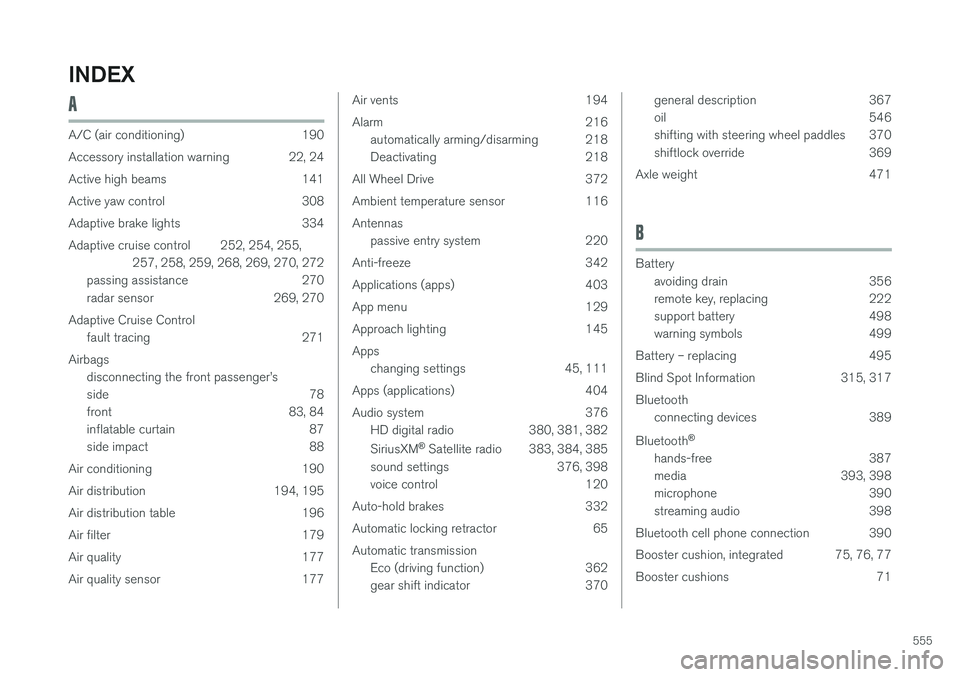
555
INDEX
A
A/C (air conditioning) 190
Accessory installation warning 22, 24
Active high beams 141
Active yaw control 308
Adaptive brake lights 334
Adaptive cruise control 252, 254, 255,257, 258, 259, 268, 269, 270, 272
passing assistance 270
radar sensor 269, 270
Adaptive Cruise Control fault tracing 271
Airbags disconnecting the front passenger
Page 559 of 570

557
blower 183
center display controls 180
Electronic Climate Control 180
introduction 176, 180
passenger compartment filter 178
rear controls 180, 182
recirculation 186
refrigerant 541
service 495
setting the temperature 184
voice commands 122
Clock 116
Cold weather driving 342
Collision warning system 274
Compass in rearview mirror 136 calibrate 137
Connected service booking 491
Convertible seats 69
Coolant 542
copyright 462
Corrosion protection 529
Courtesy lighting 146
Crash event data 26
Crash mode 81, 82
Cross Traffic Alert 318, 319, 320, 322
Cruise control 248, 249, 250, 251 adaptive 252, 254, 255, 257, 258, 259 , 268 , 269 , 270 , 271 , 272
Curb weight 471, 539
D
Daytime running lights 138, 140 Defroster rear window and mirrors 187
Destination save 441
Detachable key blade 227, 237
Digital owner's manual 52, 53
Dimensions 537
Disconnecting the front passenger