pairing phone VOLVO XC90 2015 Owners Manual
[x] Cancel search | Manufacturer: VOLVO, Model Year: 2015, Model line: XC90, Model: VOLVO XC90 2015Pages: 570, PDF Size: 12.44 MB
Page 10 of 570

8
INFOTAINMENT
The infotainment system376
Sound settings 376
Radio 377
Radio settings 377
RBDS radio 378
Changing and searching for radio stations 378
HD Radio ™reception
380
Switching HD Radio on and off 381
HD Radio sub-channels 382
HD Radio limitations 382
SiriusXM ®
Satellite radio * 383
Using SiriusXM ®
Satellite radio radio *384
SiriusXM ®
Satellite radio * settings 385
Phone 387
Pairing a cell phone 387
Connecting/disconnecting a cell phone 389
Handling phone calls 390
Handling text messages 391
Phone settings 392
Text message settings 392
Connecting a Bluetooth ®
device 393
Connecting a device via theAUX/USB socket 393
Media player 393
CD (media) player*
394
Playing media 395
Media searches 397
Playing media through the AUX/USB sockets 397
Streaming media through a Blue-tooth connection 398
Media sound settings 398
Gracenote 399
Video 399
Media player technical data 400
Internet connected vehicle 401
Connecting to the Internet 402
Apps (applications) 403
Bluetooth settings 404
Downloading, updating and uninstal-ling apps 404
Internet connection troubleshooting 405
Tethering (Wi-Fi sharing) 406
Deleting Wi-Fi networks 406
Wi-Fi technology and security 407
Vehicle modem settings 407
Infotainment system license information 408
Terms, conditions and confidentiality 412
VOLVO ON CALL WITH SENSUS
CONNECT *
Volvo On Call (VOC) *
414
Using Volvo On Call 414
Volvo On Call (VOC) functions 415
Volvo On Call convenience services 416
Volvo On Call mobile app 416
Volvo On Call PIN code 418
Service center phone number 419
Personal information 420
Volvo On Call availability 422
Changing ownership of a vehicle with Volvo On Call 424
Volvo On Call manual safety service 424
Volvo On Call safety services 424
Volvo On Call roadside assistance 425
Volvo On Call security services 425
Unlocking the vehicle from the cus-tomer service center 426
Page 389 of 570
INFOTAINMENT
387
Phone
A Bluetooth-enabled cell phone can be paired and connected to the vehicle's integrated hands-free system.
The infotainment system offers hands-free func- tionality for remote-controlling a number of a cellphone's features. The phone's integrated controlscan also be used, even when it is connected tothe vehicle. When the phone has been paired and connected to the infotainment system, it can be used tomake or receive calls, send or receive text mes-sages, to stream music, etc., or as an Internetconnection.
The phone is controlled fromthe center display but the Appmenu (accessed using theright-side steering wheel key-pad) and voice commands canalso be used to control certainfunctions.
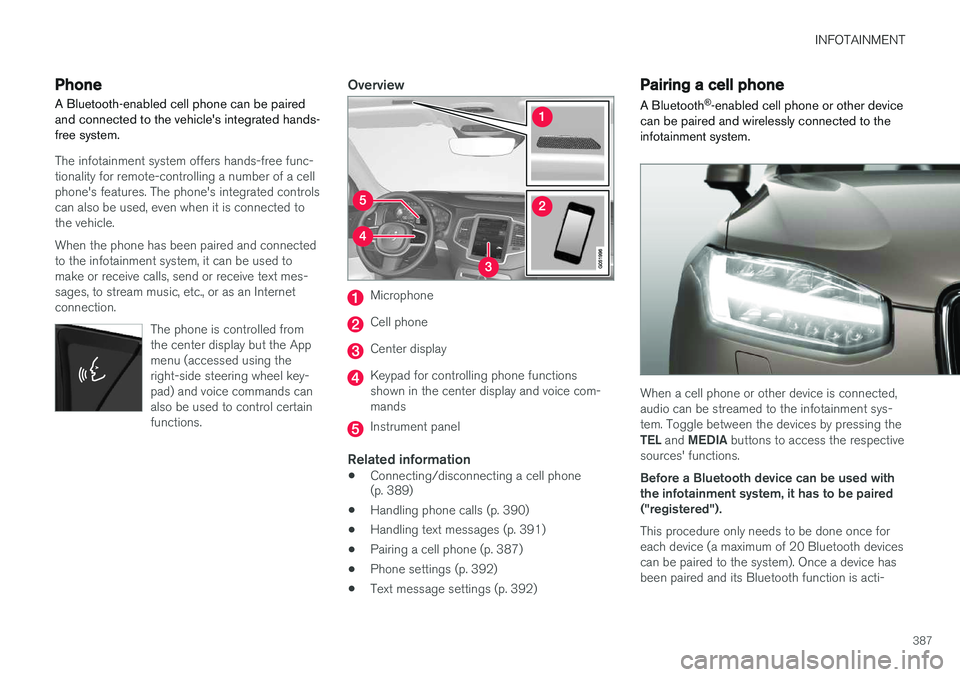
Overview
Microphone
Cell phone
Center display
Keypad for controlling phone functions shown in the center display and voice com-mands
Instrument panel
Related information
•Connecting/disconnecting a cell phone (p. 389)
• Handling phone calls (p. 390)
• Handling text messages (p. 391)
• Pairing a cell phone (p. 387)
• Phone settings (p. 392)
• Text message settings (p. 392)
Pairing a cell phone
A Bluetooth ®
-enabled cell phone or other device
can be paired and wirelessly connected to the infotainment system.
When a cell phone or other device is connected, audio can be streamed to the infotainment sys-tem. Toggle between the devices by pressing the TEL and MEDIA buttons to access the respective
sources' functions. Before a Bluetooth device can be used with the infotainment system, it has to be paired("registered"). This procedure only needs to be done once for each device (a maximum of 20 Bluetooth devicescan be paired to the system). Once a device hasbeen paired and its Bluetooth function is acti-
Page 390 of 570
INFOTAINMENT
388vated, it can then be selected for use (wirelessly connected) to the vehicle's infotainment system. Two Bluetooth devices can be connected at the same time. However, if two cell phones are con-nected, only the most recently connected onecan be used as a phone. The other one can beused to e.g., to stream audio or video. To changewhat the phone will be used for, see the article"Bluetooth settings." A paired and connected cell phone can also be used to connect the vehicle to the Internet. To doso, its tethering/personal hotspot function mustbe activated. There are two ways of pairing a Bluetooth device to the infotainment system:
• Searching for the phone (or other device) from the vehicle
• Searching for the vehicle from the phone (orother device)
The following instructions assume that a cell phone is to be paired to the infotainment systembut the procedure is the same for any Bluetoothdevice.
Alternative 1: searching for the phone
from the vehicle
1. Make the phone discoverable/visible using its Bluetooth function. Refer to the phone'suser guide if necessary. 2. Open the Phone view on the center display.
>•If no phones have been paired to the vehicle, tap
Add phone.
• If a list of phones is displayed, tap
Change and tap Add phone in
the pop-up window.
3. Tap the name of the phone to be connected.
4. Check that the code displayed in the vehicle is the same as the one in the phone. Confirm in both places.
5. For the phone selected, accept or cancel the alternatives for the phone book (list of con-tacts), text messages, etc. Full functionalitymay not be available in all cell phones.
6. To connect the vehicle to the Internet via the phone's Bluetooth function, activate thephone's function for tethering/personal hot-spot, etc.
Alternative 2: searching for the vehicle from the phone
1. Open the center display's Phone view.
•If no phones have been paired to the vehi- cle, tap
Add phoneMake vehicle
discoverable.
• If a phone has previously been paired to the vehicle, tap
Change and tap Add
phone
Make vehicle discoverable in
the pop-up window. 2. Activate the phone's Bluetooth function.
3. Search in the phone for Bluetooth devices.
> A list of Bluetooth devices will be dis-played.
4. Select the vehicle's name in the list.
5. Check that the code displayed in the phone is the same as the one in the vehicle. Con- firm in both places.
6. For the phone selected, accept or cancel the alternatives for the phone book (list of con-tacts), text messages, etc. Full functionalitymay not be available in all cell phones.
7. To connect the vehicle to the Internet via the phone's Bluetooth function, activate thephone's function for tethering/personal hot-spot, etc.
NOTE
If your cell phone's operating system is upda- ted, this may break the connection betweenthe phone and the vehicle. If this happens,delete the phone from the list of pairedphones and repeat the pairing proceduredescribed in this article.
Compatible cell phonesMany of the cell phones available today have Bluetooth functionality but not all of them arefully compatible with the vehicle. Go to
Page 392 of 570
INFOTAINMENT
3904.
Tap
Remove device and confirm.
> The phone or other device is no longer paired to the vehicle. Before this device can be used again, the pairing procedurewill have to be repeated.
Related information
• Pairing a cell phone (p. 387)
Handling phone calls Calls can be made to one or more parties.
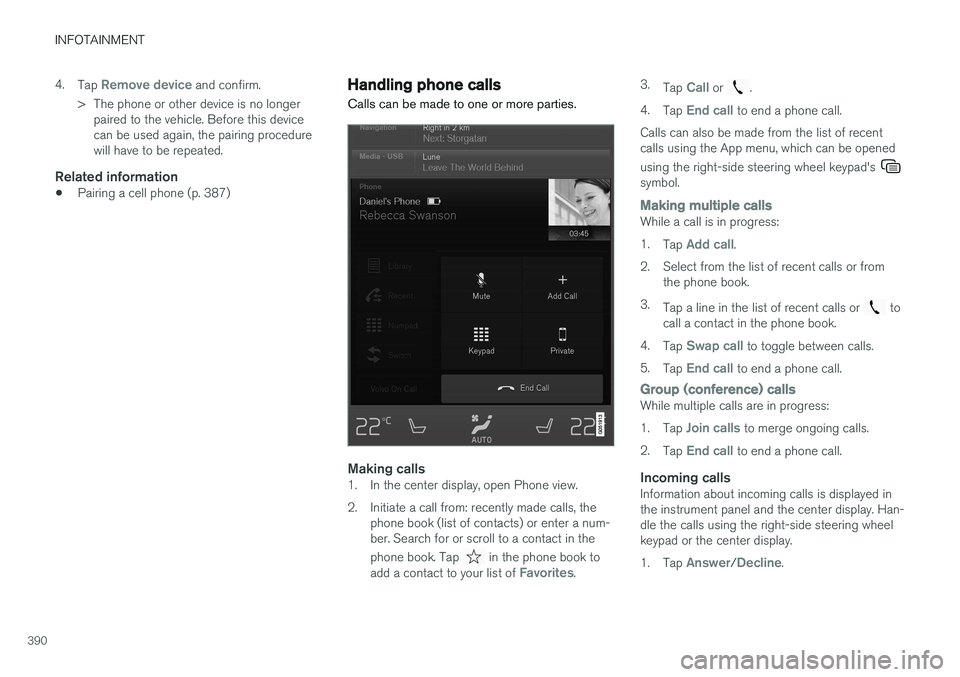
Making calls1. In the center display, open Phone view.
2. Initiate a call from: recently made calls, the
phone book (list of contacts) or enter a num- ber. Search for or scroll to a contact in the phone book. Tap
in the phone book to
add a contact to your list of Favorites. 3.
Tap
Call or .
4. Tap
End call to end a phone call.
Calls can also be made from the list of recent calls using the App menu, which can be opened using the right-side steering wheel keypad's
symbol.
Making multiple callsWhile a call is in progress: 1. Tap
Add call.
2. Select from the list of recent calls or from the phone book.
3. Tap a line in the list of recent calls or
to
call a contact in the phone book.
4. Tap
Swap call to toggle between calls.
5. Tap
End call to end a phone call.
Group (conference) callsWhile multiple calls are in progress: 1.Tap
Join calls to merge ongoing calls.
2. Tap
End call to end a phone call.
Incoming callsInformation about incoming calls is displayed in the instrument panel and the center display. Han-dle the calls using the right-side steering wheelkeypad or the center display. 1.Tap
Answer/Decline.
Page 394 of 570
INFOTAINMENT
* Option/accessory, for more information, see Introduction.
392
Sending text messages
1.
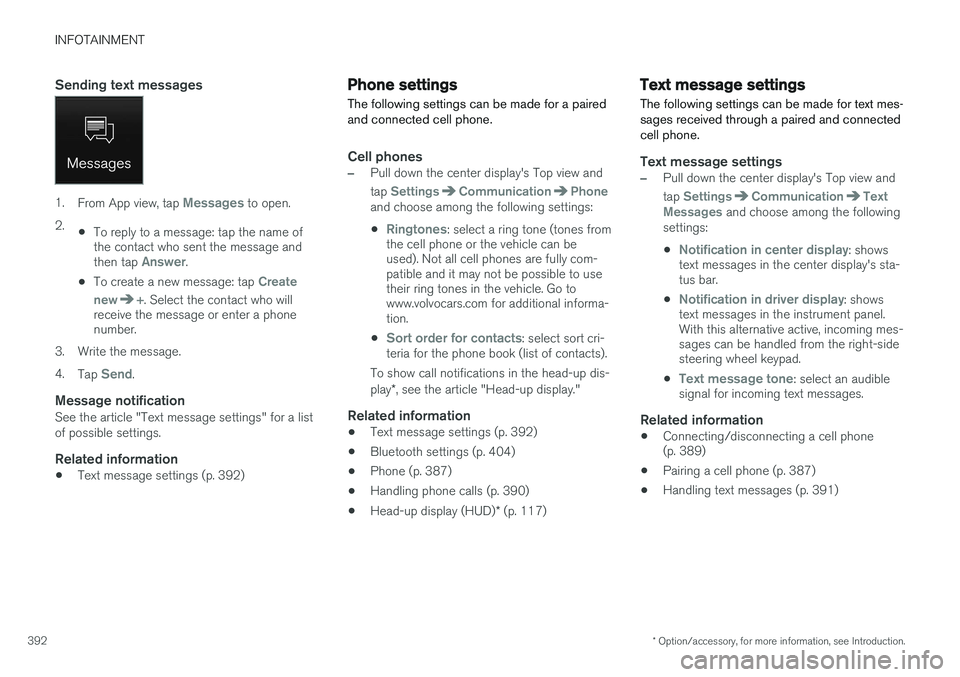
From App view, tap Messages to open.
2. •To reply to a message: tap the name of the contact who sent the message and then tap
Answer.
• To create a new message: tap
Create
new
+. Select the contact who will
receive the message or enter a phone number.
3. Write the message. 4. Tap
Send.
Message notificationSee the article "Text message settings" for a list of possible settings.
Related information
• Text message settings (p. 392)
Phone settings
The following settings can be made for a paired and connected cell phone.
Cell phones
–Pull down the center display's Top view and tap
SettingsCommunicationPhoneand choose among the following settings: •
Ringtones: select a ring tone (tones from
the cell phone or the vehicle can be used). Not all cell phones are fully com-patible and it may not be possible to usetheir ring tones in the vehicle. Go towww.volvocars.com for additional informa-tion.
•
Sort order for contacts: select sort cri-
teria for the phone book (list of contacts).
To show call notifications in the head-up dis- play *, see the article "Head-up display."
Related information
• Text message settings (p. 392)
• Bluetooth settings (p. 404)
• Phone (p. 387)
• Handling phone calls (p. 390)
• Head-up display (HUD)
* (p. 117)
Text message settings
The following settings can be made for text mes- sages received through a paired and connectedcell phone.
Text message settings
–Pull down the center display's Top view and tap
SettingsCommunicationText
Messages and choose among the following
settings:
•
Notification in center display: shows
text messages in the center display's sta- tus bar.
•
Notification in driver display: shows
text messages in the instrument panel. With this alternative active, incoming mes-sages can be handled from the right-sidesteering wheel keypad.
•
Text message tone: select an audible
signal for incoming text messages.
Related information
• Connecting/disconnecting a cell phone (p. 389)
• Pairing a cell phone (p. 387)
• Handling text messages (p. 391)
Page 395 of 570
INFOTAINMENT
* Option/accessory, for more information, see Introduction.393
Connecting a Bluetooth®
device
Bluetooth ®
-enabled devices can be paired and
connected to the infotainment system to stream media and in some cases connect to the Inter-net.
Many cell phones and other devices currently on the market offer wireless Bluetooth ®
technology.
Consult your Volvo retailer or go to support.volvocars.com for any questions regar-ding a device's compatibility with the vehicle'sinfotainment system. The procedure for pairing and connecting a Bluetooth ®
-enabled device is the same as for a
cell phone. See the articles "Pairing a cell phone" and "Connecting/disconnecting a cell phone" fordetails.
Related information
• Pairing a cell phone (p. 387)
• Connecting/disconnecting a cell phone (p. 389)
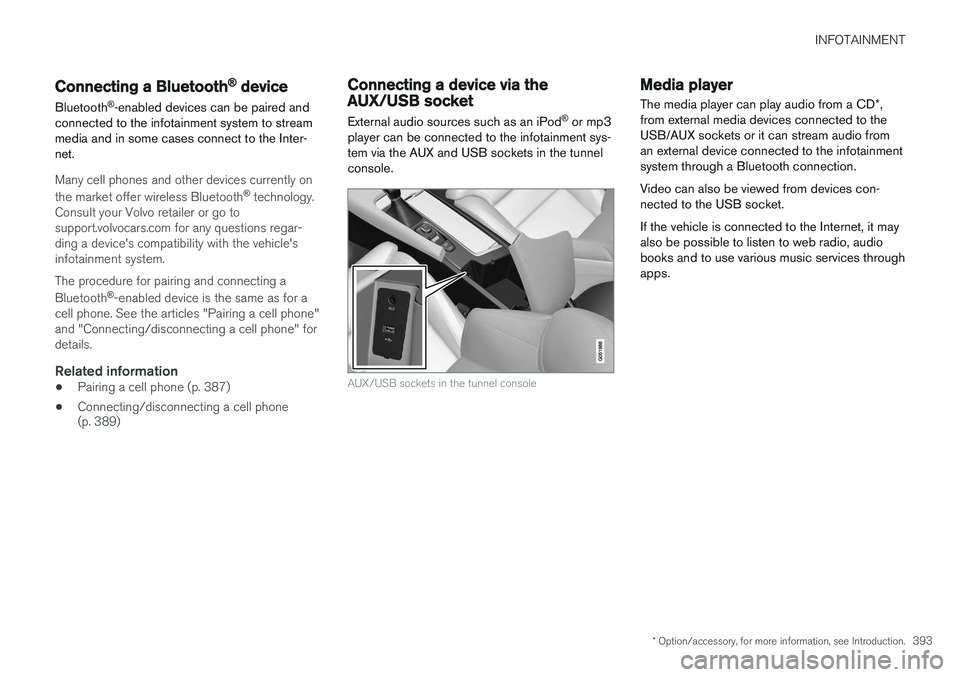
Connecting a device via the AUX/USB socket
External audio sources such as an iPod ®
or mp3
player can be connected to the infotainment sys- tem via the AUX and USB sockets in the tunnelconsole.
AUX/USB sockets in the tunnel console
Media player
The media player can play audio from a CD *,
from external media devices connected to the USB/AUX sockets or it can stream audio froman external device connected to the infotainmentsystem through a Bluetooth connection. Video can also be viewed from devices con- nected to the USB socket. If the vehicle is connected to the Internet, it may also be possible to listen to web radio, audiobooks and to use various music services throughapps.
Page 404 of 570
INFOTAINMENT
402
Connecting to the Internet
Connect the vehicle to the Internet using
Bluetooth, Wi-Fi, by connecting a phone through a cable to the USB socket or via the vehicle'sintegrated modem.
The cell phone and the network service provider must support Internet sharing (tethering) and thesubscription must included data transfer.
Connect using BluetoothSee the article "Pairing a cell phone."
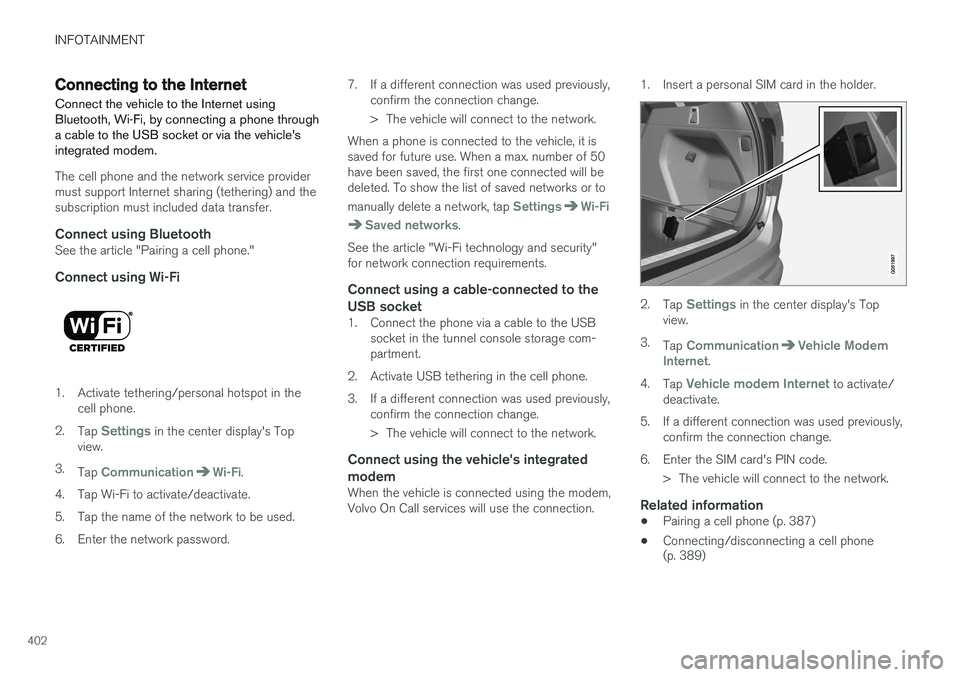
Connect using Wi-Fi
1. Activate tethering/personal hotspot in the cell phone.
2. Tap
Settings in the center display's Top
view.
3. Tap
CommunicationWi-Fi.
4. Tap Wi-Fi to activate/deactivate.
5. Tap the name of the network to be used.
6. Enter the network password. 7. If a different connection was used previously,
confirm the connection change.
> The vehicle will connect to the network.
When a phone is connected to the vehicle, it is saved for future use. When a max. number of 50have been saved, the first one connected will bedeleted. To show the list of saved networks or to manually delete a network, tap
SettingsWi-Fi
Saved networks.
See the article "Wi-Fi technology and security" for network connection requirements.
Connect using a cable-connected to the
USB socket
1. Connect the phone via a cable to the USB socket in the tunnel console storage com-partment.
2. Activate USB tethering in the cell phone.
3. If a different connection was used previously, confirm the connection change.
> The vehicle will connect to the network.
Connect using the vehicle's integrated modem
When the vehicle is connected using the modem, Volvo On Call services will use the connection. 1. Insert a personal SIM card in the holder.
2.
Tap Settings in the center display's Top
view.
3. Tap
CommunicationVehicle Modem
Internet.
4. Tap
Vehicle modem Internet to activate/
deactivate.
5. If a different connection was used previously, confirm the connection change.
6. Enter the SIM card's PIN code. > The vehicle will connect to the network.
Related information
• Pairing a cell phone (p. 387)
• Connecting/disconnecting a cell phone (p. 389)
Page 406 of 570
INFOTAINMENT
404
Bluetooth settingsThe following settings apply to a Bluetooth-con- nected cell phone.
Bluetooth1. Tap Settings in the center display's Top
view.
2. Tap
CommunicationBluetooth and
select among the following settings:
•
Previously paired devices: lists the
devices that are paired and connected to the vehicle.
•
Internet connection: select to connect
to the Internet using the device's Bluetooth connection.
•
Add device: begin the procedure to pair
a new device.
•
Remove device: remove a paired device.
•
Allowed services for this device: select
the services that the device will be used for.
Bluetooth complianceUnited States FCC CAUTION Changes or modifications not expressly approved by the party responsible for compliance couldvoid the user's authority to operate the equip-ment. This transmitter must not be co-located or operated in conjunction with any other antennaor transmitter. Canada This device complies with Industry Canada licence-exempt RSS standard(s). Operation issubject to the following two conditions: (1) this device may not cause interference, and(2) this device must accept any interference, including interference that may cause undesiredoperation of the device.
Related information
•
Internet connected vehicle (p. 401)
• Pairing a cell phone (p. 387)
• Phone (p. 387)
• Media player (p. 393)
• Connecting/disconnecting a cell phone (p. 389)
Downloading, updating and uninstalling apps
Apps can be added (downloaded), kept up-to- date or deleted.
NOTE
Downloading data may affect other services that transfer data such as web radio, stream-ing music, etc. If this occurs, a download inprogress can be cancelled or the other serv-ice can be temporarily turned off.
Apps are managed via theRemote update service in
the center display's App view. To download, update or delete apps, the vehicle must be con-nected to the Internet.
Downloading an app
1. Open the Remote update service app.
2. Select
Explore to open a list of apps that
are available but which are not installed in the vehicle. Tap anywhere in a line for an appto expand the list for additional information.
Page 558 of 570
556Brake assist system 333
Brake lights 143, 334Brakes
auto-hold 332
Brake system Brake pad inspection 331
fluid 541
general information 330, 332, 333
Bulbs 514 replacing 510
specifications 515
C
Cameradriver support systems 240
limitations 241
Camera, Park Assist 296, 298, 300
Capacity weight 471, 539
Cargo area, steel grid 211
Cargo area cover 213Cargo compartment fuses 508
raising/lowering the level 207
Cargo net 209
Cargo space 200
Car wash 525
Catalytic converter 349CD, USB, iPod, AUX, Bluetooth, Recents, Library, Shuffle, Similar, Change device, Pri-mary Audio Default Language, Subtitle, Pri-mary Subtitle Default Language, Video, DivX ® VOD 395
CD player 394 Cell phone hands-free 387
Pairing 387
Cell phone voice control 121 Center display changing settings 31
cleaning 529
keyboard 32
navigating in 39
overview 29
screen in the center console 46
symbols in the status bar 44
Chains 473
Changing a wheel 475Child restraints recalls and registration 65
Child restraint systems 65 booster cushions 71
convertible seats 69
infant seats 67ISOFIX/LATCH anchors 72
top tether anchors 74
Child safety 63 booster cushions 71
child restraint systems 65, 73
convertible seats 69
infant seats 67
Child safety locks 218 Child seats lower attachment points 73
City safety 273, 278City Safety crossing traffic 277
detecting objects 275
limitations 278
rear collision warning 277
symbols and messages 282
troubleshooting 280
City Safety, On/Off 275 Cleaning exterior 525
interior 527
Clean Zone Interior Package 178
Climate system 180 air distribution 194, 195, 196
air filter 179
air vents 194
auto mode 179