air condition VOLVO XC90 2017 Owner´s Manual
[x] Cancel search | Manufacturer: VOLVO, Model Year: 2017, Model line: XC90, Model: VOLVO XC90 2017Pages: 560, PDF Size: 9.97 MB
Page 186 of 560
||
CLIMATE
* Option/accessory.
184
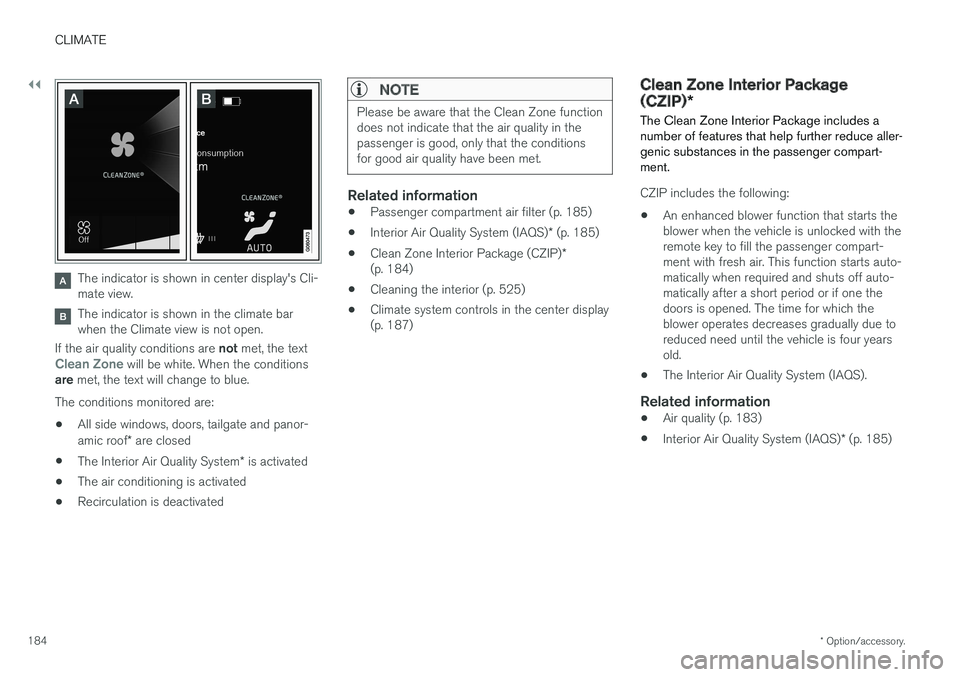
The indicator is shown in center display's Cli- mate view.
The indicator is shown in the climate bar when the Climate view is not open.
If the air quality conditions are not met, the text
Clean Zone will be white. When the conditions
are met, the text will change to blue.
The conditions monitored are:
• All side windows, doors, tailgate and panor- amic roof
* are closed
• The Interior Air Quality System
* is activated
• The air conditioning is activated
• Recirculation is deactivated
NOTE
Please be aware that the Clean Zone function does not indicate that the air quality in thepassenger is good, only that the conditionsfor good air quality have been met.
Related information
•
Passenger compartment air filter (p. 185)
• Interior Air Quality System (IAQS)
* (p. 185)
• Clean Zone Interior Package (CZIP)
*
(p. 184)
• Cleaning the interior (p. 525)
• Climate system controls in the center display (p. 187)
Clean Zone Interior Package (CZIP)
*
The Clean Zone Interior Package includes a number of features that help further reduce aller-genic substances in the passenger compart-ment.
CZIP includes the following:
• An enhanced blower function that starts the blower when the vehicle is unlocked with theremote key to fill the passenger compart-ment with fresh air. This function starts auto-matically when required and shuts off auto-matically after a short period or if one thedoors is opened. The time for which theblower operates decreases gradually due toreduced need until the vehicle is four yearsold.
• The Interior Air Quality System (IAQS).
Related information
•
Air quality (p. 183)
• Interior Air Quality System (IAQS)
* (p. 185)
Page 188 of 560
CLIMATE
* Option/accessory.
186
Automatic climate control The Auto feature automatically controls a num- ber of climate system functions.
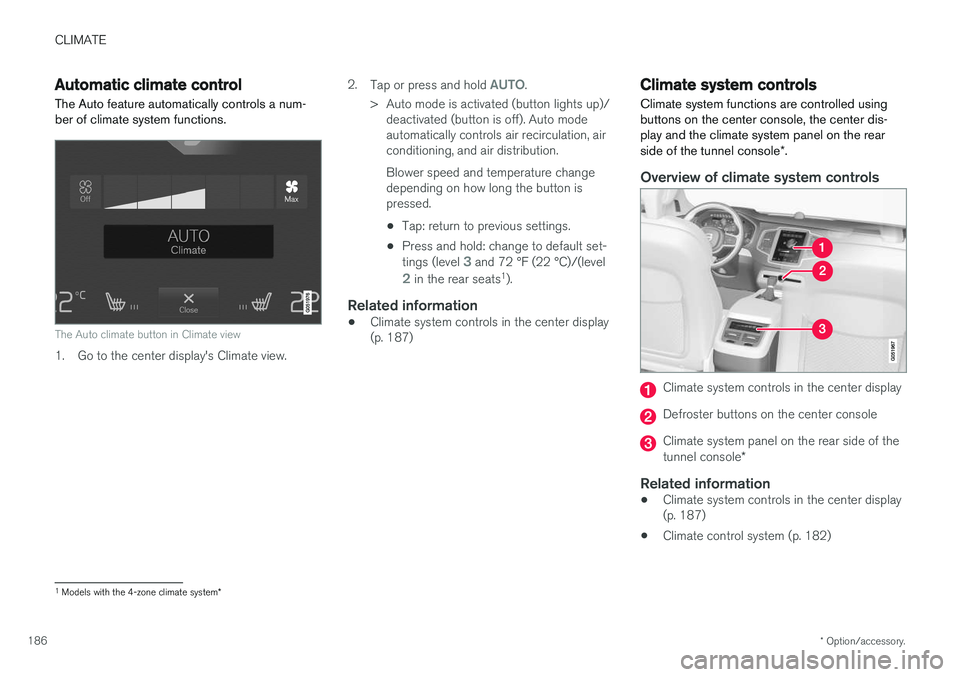
The Auto climate button in Climate view
1. Go to the center display's Climate view. 2.
Tap or press and hold
AUTO.
> Auto mode is activated (button lights up)/ deactivated (button is off). Auto mode automatically controls air recirculation, airconditioning, and air distribution. Blower speed and temperature change depending on how long the button ispressed.
• Tap: return to previous settings.
• Press and hold: change to default set- tings (level
3 and 72 °F (22 °C)/(level
2 in the rear seats 1
).
Related information
• Climate system controls in the center display (p. 187)
Climate system controls
Climate system functions are controlled using buttons on the center console, the center dis-play and the climate system panel on the rear side of the tunnel console *.
Overview of climate system controls
Climate system controls in the center display
Defroster buttons on the center console
Climate system panel on the rear side of the tunnel console *
Related information
•Climate system controls in the center display (p. 187)
• Climate control system (p. 182)
1
Models with the 4-zone climate system *
Page 190 of 560
||
CLIMATE
* Option/accessory.
188
Main climate settings
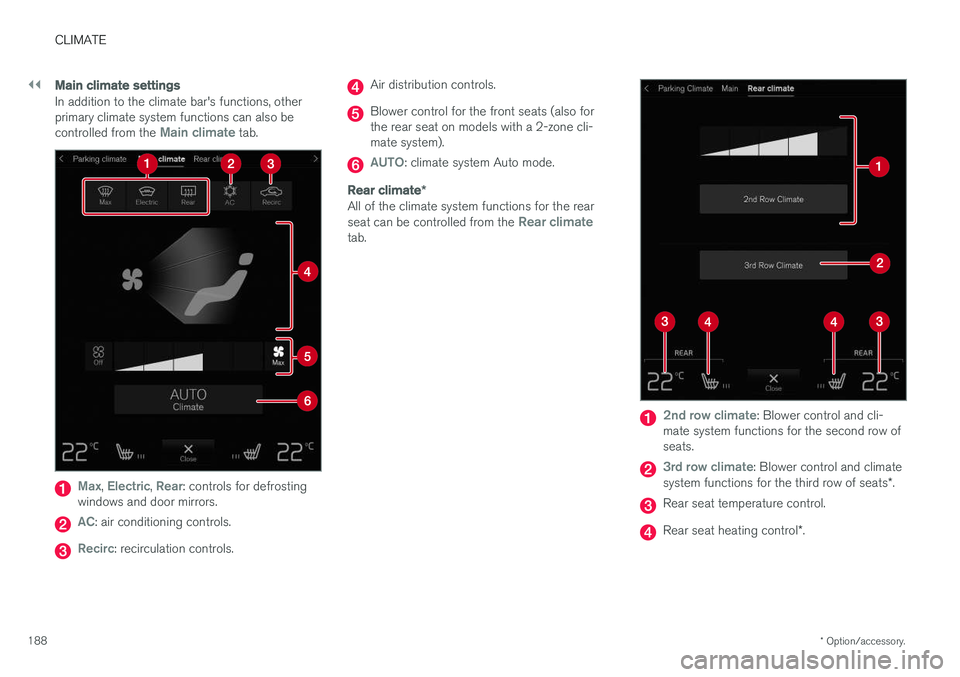
In addition to the climate bar's functions, other primary climate system functions can also be controlled from the
Main climate tab.
Max, Electric, Rear: controls for defrosting
windows and door mirrors.
AC: air conditioning controls.
Recirc: recirculation controls.
Air distribution controls.
Blower control for the front seats (also for the rear seat on models with a 2-zone cli-mate system).
AUTO: climate system Auto mode.
Rear climate *
All of the climate system functions for the rear seat can be controlled from the Rear climatetab.
2nd row climate: Blower control and cli-
mate system functions for the second row of seats.
3rd row climate: Blower control and climate
system functions for the third row of seats *.
Rear seat temperature control.
Rear seat heating control *.
Page 191 of 560
CLIMATE
* Option/accessory.189
Parking climate2
All of the parking climate functions can be con- trolled from the Parking climate tab.
Related information
•
Climate system controls (p. 186)
• Defrosting windows and mirrors (p. 194)
• Air conditioning (p. 197)
• Adjusting air distribution (p. 202)
• Setting the temperature (p. 191)
• Setting the blower speed (p. 190)
• Automatic climate control (p. 186)
• Turning steering wheel heating
* on and off
(p. 197)
• Turning seat heating
* on and off (p. 198)
Rear climate system controls on the tunnel console *
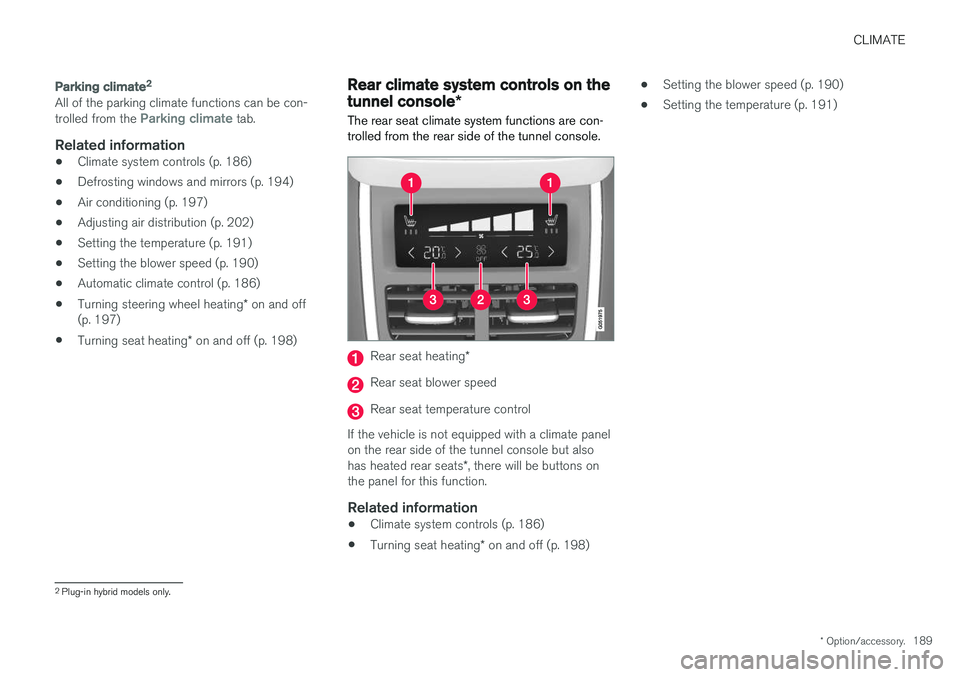
The rear seat climate system functions are con- trolled from the rear side of the tunnel console.
Rear seat heating *
Rear seat blower speed
Rear seat temperature control
If the vehicle is not equipped with a climate panel on the rear side of the tunnel console but also has heated rear seats *, there will be buttons on
the panel for this function.
Related information
• Climate system controls (p. 186)
• Turning seat heating
* on and off (p. 198) •
Setting the blower speed (p. 190)
• Setting the temperature (p. 191)
2
Plug-in hybrid models only.
Page 192 of 560
CLIMATE
* Option/accessory.
190
Setting the blower speed The blower can be set to five different automatic speeds plus
Off and Max. In models with the 4-
zone climate system *, blower speed can be set
separately for the front and rear seats.
Setting blower speed for the front
seats 3
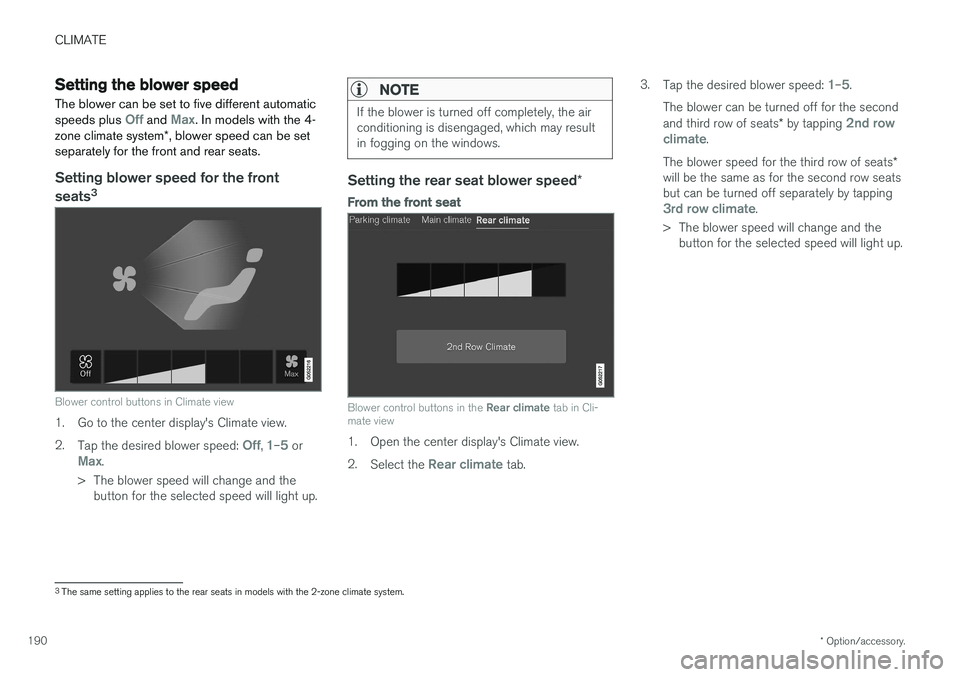
Blower control buttons in Climate view
1. Go to the center display's Climate view. 2.
Tap the desired blower speed:
Off, 1–5 orMax.
> The blower speed will change and the button for the selected speed will light up.
NOTE
If the blower is turned off completely, the air conditioning is disengaged, which may resultin fogging on the windows.
Setting the rear seat blower speed *
From the front seat
Blower control buttons in the Rear climate tab in Cli-
mate view
1. Open the center display's Climate view. 2. Select the
Rear climate tab. 3.
Tap the desired blower speed:
1–5.
The blower can be turned off for the second and third row of seats * by tapping
2nd row
climate.
The blower speed for the third row of seats *
will be the same as for the second row seats but can be turned off separately by tapping
3rd row climate.
> The blower speed will change and the button for the selected speed will light up.
3The same setting applies to the rear seats in models with the 2-zone climate system.
Page 197 of 560
CLIMATE
}}
* Option/accessory.195
Models
without a heated windshield.
–Press button (1).
> Max. defroster is activated (button indica-
tor light on)/deactivated (button indicator light off).
Models with a heated windshield *.
–Press button (1) repeatedly to access the function's three levels:
• Activate windshield heating
• Activate windshield heating and max.defroster
• Deactivated
> The windshield heating is activated (but- ton indicator light on)/deactivated (buttonindicator light off).
NOTE
Max. defroster starts after a slight delay to avoid a brief increase in blower speed if theheated windshield function has been deacti-vated by pressing the button twice in quicksuccession.
Heated rear window and door mirrors
–Press button (2).
> Heating for the rear window/door mirrors is activated (button indicator light on)/ deactivated (button indicator light off).
From the center display's Climate view
Activate/deactivate max. defroster
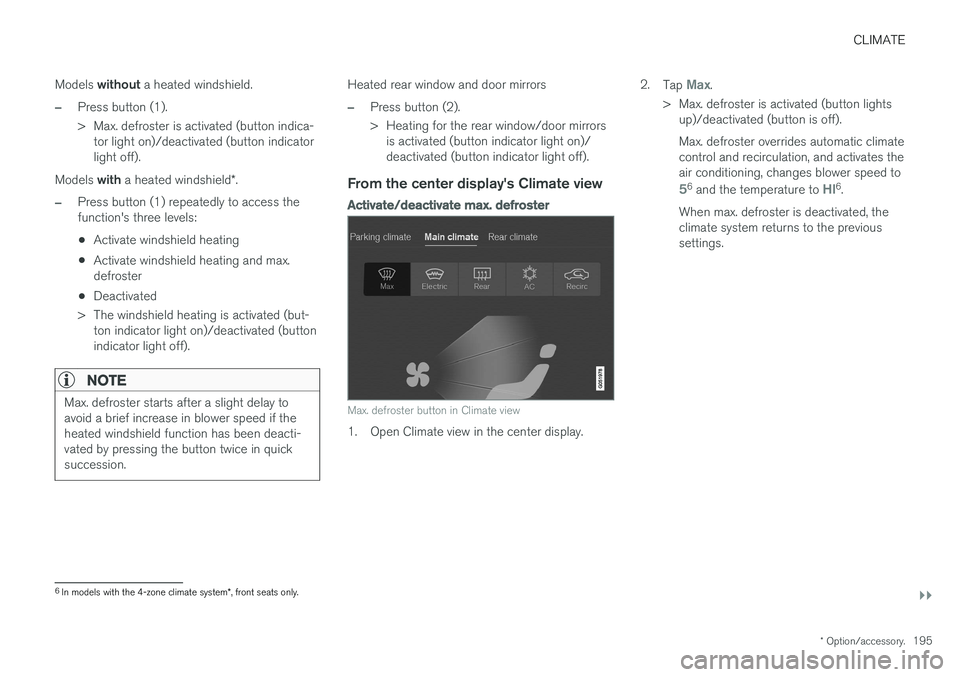
Max. defroster button in Climate view
1. Open Climate view in the center display. 2.
Tap
Max.
> Max. defroster is activated (button lights up)/deactivated (button is off). Max. defroster overrides automatic climate control and recirculation, and activates theair conditioning, changes blower speed to
56 and the temperature to HI6.
When max. defroster is deactivated, the climate system returns to the previoussettings.
6 In models with the 4-zone climate system *, front seats only.
Page 198 of 560
||
CLIMATE
* Option/accessory.
196
Activating/deactivating windshield heating *
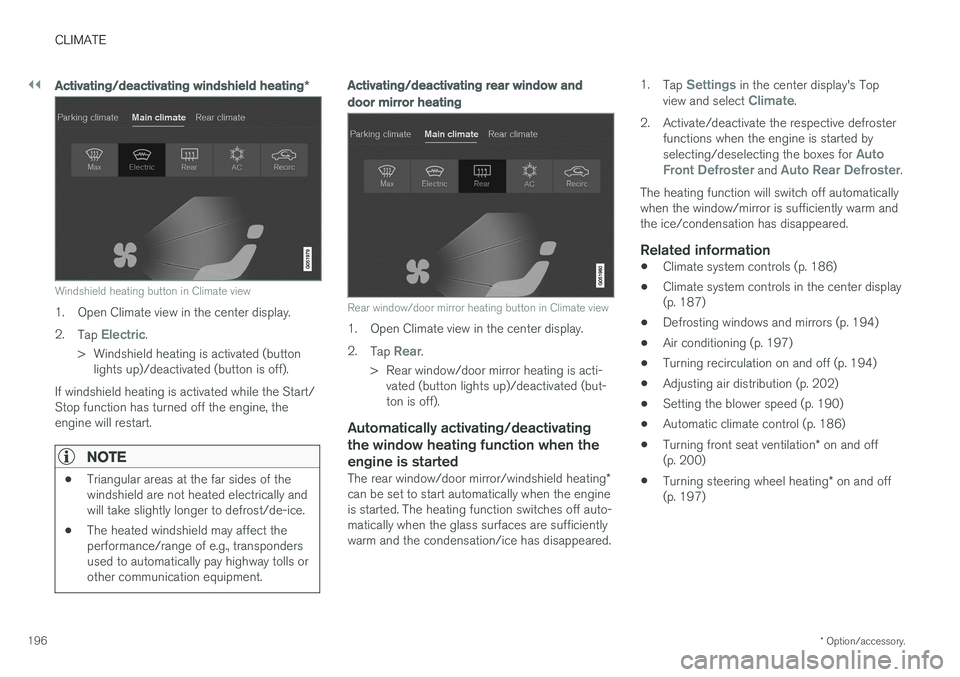
Windshield heating button in Climate view
1. Open Climate view in the center display. 2.
Tap
Electric.
> Windshield heating is activated (button lights up)/deactivated (button is off).
If windshield heating is activated while the Start/ Stop function has turned off the engine, theengine will restart.
NOTE
• Triangular areas at the far sides of the windshield are not heated electrically andwill take slightly longer to defrost/de-ice.
• The heated windshield may affect theperformance/range of e.g., transpondersused to automatically pay highway tolls orother communication equipment.
Activating/deactivating rear window and door mirror heating
Rear window/door mirror heating button in Climate view
1. Open Climate view in the center display. 2.
Tap
Rear.
> Rear window/door mirror heating is acti- vated (button lights up)/deactivated (but- ton is off).
Automatically activating/deactivating the window heating function when theengine is started
The rear window/door mirror/windshield heating *
can be set to start automatically when the engine is started. The heating function switches off auto-matically when the glass surfaces are sufficientlywarm and the condensation/ice has disappeared. 1.
Tap
Settings in the center display's Top
view and select Climate.
2. Activate/deactivate the respective defroster functions when the engine is started by selecting/deselecting the boxes for
Auto
Front Defroster and Auto Rear Defroster.
The heating function will switch off automatically when the window/mirror is sufficiently warm andthe ice/condensation has disappeared.
Related information
• Climate system controls (p. 186)
• Climate system controls in the center display(p. 187)
• Defrosting windows and mirrors (p. 194)
• Air conditioning (p. 197)
• Turning recirculation on and off (p. 194)
• Adjusting air distribution (p. 202)
• Setting the blower speed (p. 190)
• Automatic climate control (p. 186)
• Turning front seat ventilation
* on and off
(p. 200)
• Turning steering wheel heating
* on and off
(p. 197)
Page 199 of 560
CLIMATE
}}
* Option/accessory.197
Turning steering wheel heating * on
and off
The steering wheel can be heated electrically for added comfort in cold weather.
Activating/deactivating steering wheel
heating
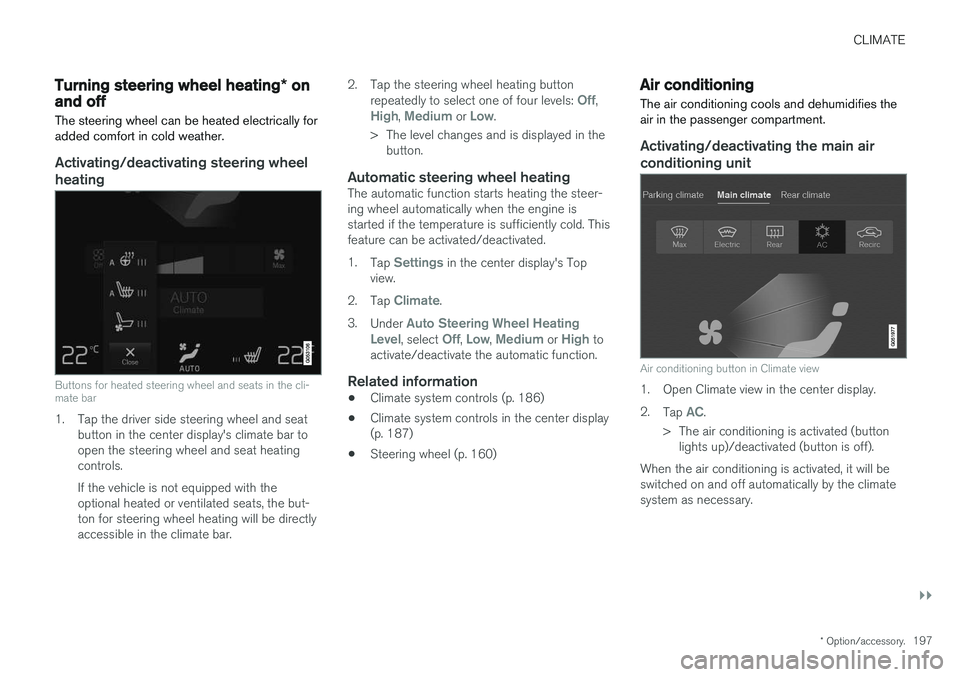
Buttons for heated steering wheel and seats in the cli- mate bar
1. Tap the driver side steering wheel and seat button in the center display's climate bar to open the steering wheel and seat heatingcontrols. If the vehicle is not equipped with the optional heated or ventilated seats, the but-ton for steering wheel heating will be directlyaccessible in the climate bar. 2. Tap the steering wheel heating button
repeatedly to select one of four levels:
Off,High, Medium or Low.
> The level changes and is displayed in the button.
Automatic steering wheel heatingThe automatic function starts heating the steer- ing wheel automatically when the engine isstarted if the temperature is sufficiently cold. Thisfeature can be activated/deactivated. 1. Tap
Settings in the center display's Top
view.
2. Tap
Climate.
3. Under
Auto Steering Wheel Heating
Level, select Off, Low, Medium or High to
activate/deactivate the automatic function.
Related information
• Climate system controls (p. 186)
• Climate system controls in the center display (p. 187)
• Steering wheel (p. 160)
Air conditioning
The air conditioning cools and dehumidifies the air in the passenger compartment.
Activating/deactivating the main air conditioning unit
Air conditioning button in Climate view
1. Open Climate view in the center display. 2. Tap
AC.
> The air conditioning is activated (button lights up)/deactivated (button is off).
When the air conditioning is activated, it will be switched on and off automatically by the climatesystem as necessary.
Page 200 of 560
||
CLIMATE
* Option/accessory.
198
NOTE
• For the air conditioning to function opti- mally, close the side windows and lamina- ted panoramic roof
*
• The air conditioning cannot be activated if the blower is set to
Off
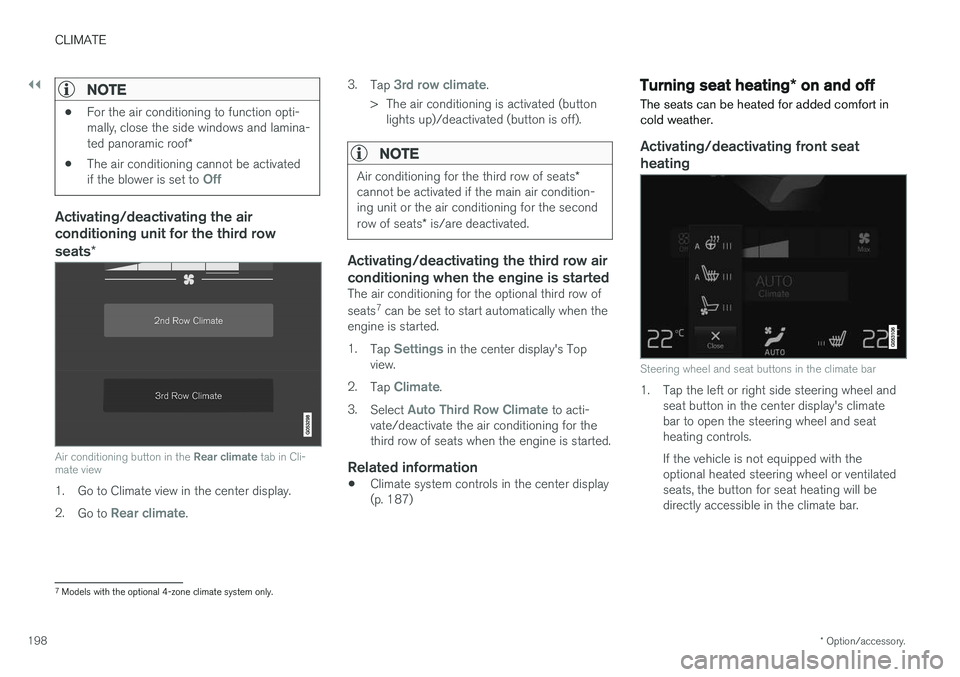
Activating/deactivating the air conditioning unit for the third row seats
*
Air conditioning button in the Rear climate tab in Cli-
mate view
1. Go to Climate view in the center display. 2. Go to
Rear climate. 3.
Tap
3rd row climate.
> The air conditioning is activated (button lights up)/deactivated (button is off).
NOTE
Air conditioning for the third row of seats *
cannot be activated if the main air condition- ing unit or the air conditioning for the second row of seats * is/are deactivated.
Activating/deactivating the third row air conditioning when the engine is started
The air conditioning for the optional third row of seats 7
can be set to start automatically when the
engine is started. 1. Tap
Settings in the center display's Top
view.
2. Tap
Climate.
3. Select
Auto Third Row Climate to acti-
vate/deactivate the air conditioning for the third row of seats when the engine is started.
Related information
• Climate system controls in the center display(p. 187)
Turning seat heating
* on and off
The seats can be heated for added comfort in cold weather.
Activating/deactivating front seat heating
Steering wheel and seat buttons in the climate bar
1. Tap the left or right side steering wheel and seat button in the center display's climate bar to open the steering wheel and seatheating controls. If the vehicle is not equipped with the optional heated steering wheel or ventilatedseats, the button for seat heating will bedirectly accessible in the climate bar.
7Models with the optional 4-zone climate system only.
Page 247 of 560
LOCKS AND ALARM
}}
* Option/accessory.245
Alarm
The alarm system provides a warning if an attempt is made to break into the vehicle.
The following conditions will trigger the alarm:
• a door/hood/tailgate are opened
• the battery is disconnected
• the alarm siren is disconnected
If a problem is detected in the alarm system, this symbol and
Alarm
system failure Service required will
be displayed in the instrument panel.
Do not attempt to repair any of the components in the alarm system yourself; this could affect theinsurance policy on the vehicle. Contact a trainedand qualified Volvo service technician.
NOTE
One of the alarm sensors, which is sensitive to metallic objects, is located under the tunnelconsole cup holders. Avoid leaving coins,keys, etc., in the cup holders because theymay inadvertently trigger the alarm.
Arming the alarm
–Lock the vehicle by pressing the remote key's lock button. On models with theoptional Passive Entry system, the vehiclecan also be locked by pressing the outerindentation for locking on one of the doorhandles or by pressing the tailgate's rubber-ized pressure plate. If the vehicle is equipped with a power tail- gate *, the button on the lower edge of the
tailgate can also be used to lock the vehicle and arm the alarm.
Disarming the alarmThe alarm can be disarmed by: • Unlock the vehicle by pressing the remote key's unlock button
• Pressing the pressure-sensitive area on theinside of one of the door handles on modelswith the optional Passive Entry system.
• Pressing the tailgate's rubberized pressureplate on models with the optional PassiveEntry system.
Turning off a triggered (sounding)
alarm
–Press the remote key's unlock button or put the ignition in mode I by turning the start
knob to START and releasing it.
Alarm signalsThe following occurs if the alarm has been trig- gered:
• A siren will sound for 30 seconds or until thealarm is turned off
• All turn signals flash for 5 minutes or untilthe alarm is turned off
If the door that triggered the alarm is left open,
the alarm cycle will be repeated 10 times.
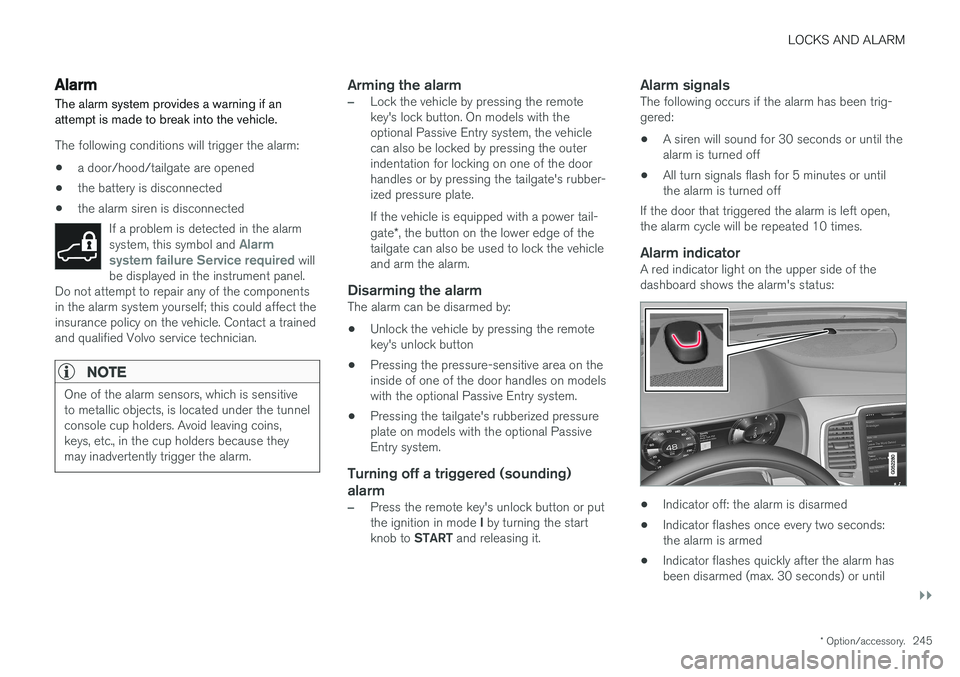
Alarm indicatorA red indicator light on the upper side of thedashboard shows the alarm's status:
• Indicator off: the alarm is disarmed
• Indicator flashes once every two seconds: the alarm is armed
• Indicator flashes quickly after the alarm hasbeen disarmed (max. 30 seconds) or until