airbag off VOLVO XC90 2017 Owner´s Manual
[x] Cancel search | Manufacturer: VOLVO, Model Year: 2017, Model line: XC90, Model: VOLVO XC90 2017Pages: 560, PDF Size: 9.97 MB
Page 126 of 560
INSTRUMENTS AND CONTROLS
* Option/accessory.
124
Voice control settings
There are a number of settings that can be made for the voice control system.
Open the center display's Top view and tap
SettingsSystemVoice Control and
select settings. •
Repeat Voice Command
•Gender
•Speech Rate
Sound settings
Open Top view and tap SettingsSound
System VolumesVoice Control.
Changing languages
The voice control system only understands the languages marked by the
symbol in the list
of possible system languages. Changing the language for this system also affects menus, messages and help texts. Open Top view and tap
SettingsSystemSystem Language.
Related information
• Voice control (p. 119)
• Using voice commands (p. 119)
• Navigation system voice commands (p. 123)
Instrument panel
The instrument panel displays vehicle- and driv- ing-related information.
The gauges, indicators, symbols and functions displayed in the instrument panel depend on theequipment/systems installed in the vehicle andwhich functions are currently activated. The instrument panel is available in two versions: 12" and 8". Some of the functions listed below are optional.
WARNING
• If the instrument panel is not functioning properly, information about e.g., brakes,airbags or other safety-related messagescannot be displayed and the driver cannotbe alerted to possible problems.
• If the instrument panel turns off, does notactivate when the ignition is switched onor is completely/partially not possible toread, do not drive the vehicle. Contact atrained and qualified Volvo service techni-cian.
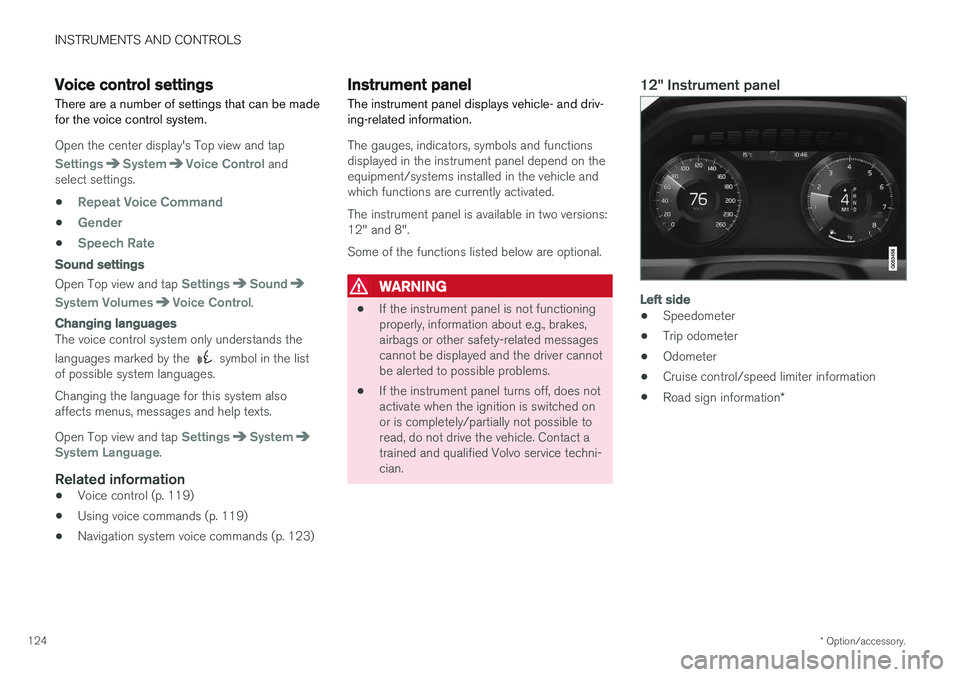
12" Instrument panel
Left side
• Speedometer
• Trip odometer
• Odometer
• Cruise control/speed limiter information
• Road sign information
*
Page 359 of 560
STARTING AND DRIVING
357
Turn Auto-hold on or off by pressing the control in the tunnel console. The indicator light illumi-nates when the function is on. When Auto-hold is off, Hill Start Assist (HSA) will be activated to help prevent the vehicle from roll-ing backwards when starting up a hill.
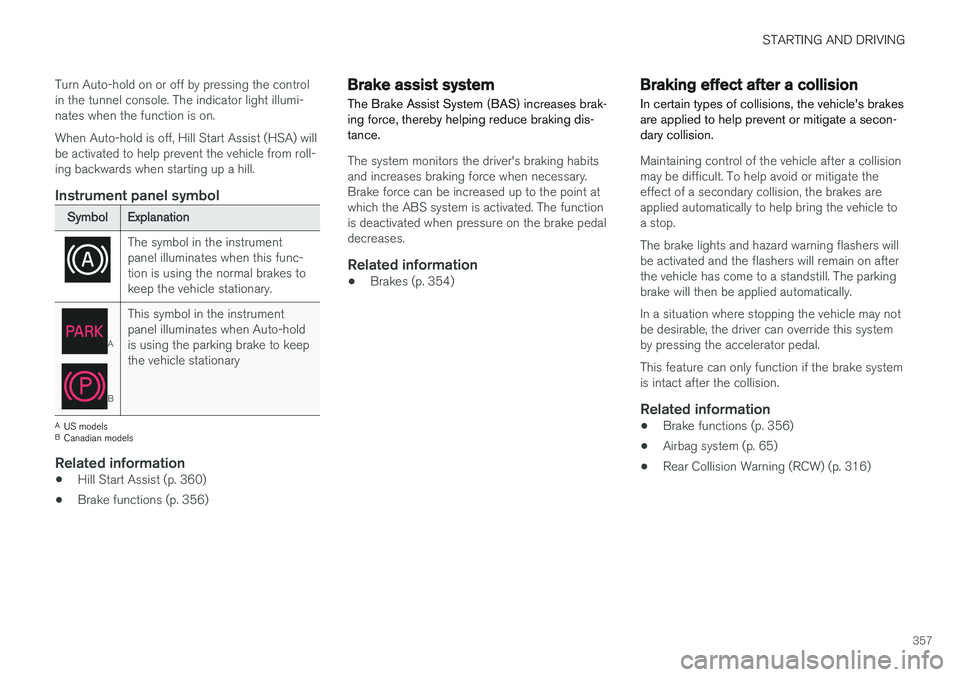
Instrument panel symbol
Symbol
Explanation
The symbol in the instrument panel illuminates when this func-tion is using the normal brakes tokeep the vehicle stationary.
A
BThis symbol in the instrument panel illuminates when Auto-holdis using the parking brake to keepthe vehicle stationary
A
US models
B Canadian models
Related information
• Hill Start Assist (p. 360)
• Brake functions (p. 356)
Brake assist system The Brake Assist System (BAS) increases brak- ing force, thereby helping reduce braking dis-tance.
The system monitors the driver's braking habits and increases braking force when necessary.Brake force can be increased up to the point atwhich the ABS system is activated. The functionis deactivated when pressure on the brake pedaldecreases.
Related information
•Brakes (p. 354)
Braking effect after a collision
In certain types of collisions, the vehicle's brakes are applied to help prevent or mitigate a secon-dary collision.
Maintaining control of the vehicle after a collision may be difficult. To help avoid or mitigate theeffect of a secondary collision, the brakes areapplied automatically to help bring the vehicle toa stop. The brake lights and hazard warning flashers will be activated and the flashers will remain on afterthe vehicle has come to a standstill. The parkingbrake will then be applied automatically. In a situation where stopping the vehicle may not be desirable, the driver can override this systemby pressing the accelerator pedal. This feature can only function if the brake system is intact after the collision.
Related information
• Brake functions (p. 356)
• Airbag system (p. 65)
• Rear Collision Warning (RCW) (p. 316)
Page 552 of 560
INDEX
550Engine
overheating 366
Start/Stop 389, 391
starting 382
turning off 384
Engine compartment fuses 494
Engine compartment overview 515
Engine oil 544 checking 516, 517
Engine specifications 542
Environment 15Eyelet towing 367
Eyelets for anchoring loads 216
F
Federal Clean Air Act 480 Flat tires repairing with tire sealing system 471, 473 , 477
Floor mats placing correctly 382
Fluid specifications 540, 541, 546
Fog lights front 144
rear 145
Front airbags 65, 66 disconnecting passenger
Page 556 of 560
INDEX
554Rollover Protection System (ROPS) 255
Roll Stability Control (RSC) 255
Run-off mitigation 333, 335
S
Safety, occupant 56
Safety defects, reporting 57
Safety locks, child 246
Safety mode 74Seat
adjusting the passenger's seat from the
driver's seat 164
Seat belt reminder 64
Seat belts Automatic locking retractor/Emergency
locking retractor 77
buckling 62
pretensioners 60, 61
reminder 64
securing child restraint systems 79, 81, 83
unbuckling 62
use during pregnancy 58
using 60
Seats rear 169
Sensus 17 Service connected service booking 484
Settings view categories 110
resetting 113
system settings 112
Shiftlock override 393
Side door mirrors 102
Side impact airbags 72Sirius Satellite radio Travel link 413
SiriusXM ®
Satellite radio
traffic information 410, 411, 412
Snow chains 459
Snow tires 459Sound settings media 436
ringtones 425
Sound settings, audio system 403, 436 Specifications bulbs 511
Speed camera alert 324
Speed limiter 255, 257, 261 automatic 257, 259deactivating/reactivating 260
starting/activating 256
Spin control 251
Stability system 251 sport mode 252
Start/Stop (engine function) 389, 391Start and lock system type designations 248
Starting and driving 354
Starting the engine 382Starting the vehicle after a crash (crash mode) 74
Start inhibitor (immobilizer) 224
Steel grid in cargo area 215
Steering wheel 160 adjusting 161
heated 197
horn 160
keypad 160
Steering wheel paddles 160
Stone chips, touching up 528, 529
Storage compartments 210
Studded tires 459Sunroof laminated panoramic roof 103, 104
Sun shade 107, 109