service indicator VOLVO XC90 2017 Owner´s Manual
[x] Cancel search | Manufacturer: VOLVO, Model Year: 2017, Model line: XC90, Model: VOLVO XC90 2017Pages: 560, PDF Size: 9.97 MB
Page 373 of 560
STARTING AND DRIVING
371
Fuel Volvo recommends the use of detergent gaso- line to control engine deposits.
Deposit control gasoline (detergentadditives)
Detergent gasoline is effective in keeping injec- tors and intake valves clean. Consistent use ofdeposit control gasolines will help ensure gooddrivability and fuel economy. If you are not surewhether the gasoline contains deposit controladditives, check with the service station operator.
NOTE
Volvo does not recommend the use of exter- nal fuel injector cleaning systems.
Unleaded fuelEach Volvo has a three-way catalytic converter and must use only unleaded gasoline. U.S. andCanadian regulations require that pumps deliver-ing unleaded gasoline be labeled "UNLEADED".Only these pumps have nozzles which fit yourvehicle's filler inlet. It is unlawful to dispense lea-ded fuel into a vehicle labeled "unleaded gaso-line only". Leaded gasoline damages the three-way catalytic converter and the heated oxygensensor system. Repeated use of leaded gasolinewill lessen the effectiveness of the emission con-trol system and could result in loss of emissionwarranty coverage. State and local vehicle inspection programs will make detection of mis-fueling easier, possibly resulting in emission testfailure for misfueled vehicles.
NOTE
Some U.S. and Canadian gasolines contain an octane enhancing additive called methyl-cyclopentadienyl manganese tricarbonyl(MMT). If such fuels are used, your EmissionControl System performance may be affected,and the Check Engine Light (malfunctionindicator light) located on your instrumentpanel may light. If this occurs, please returnyour vehicle to a trained and qualified Volvoservice technician for service.
Gasoline containing alcohol and ethers, "Oxygenated fuels"
Some fuel suppliers sell gasoline containing "oxygenates" which are usually alcohols orethers. In some areas, state or local laws requirethat the service pump be marked indicating useof alcohols or ethers. However, there are areas inwhich the pumps are unmarked. If you are notsure whether there is alcohol or ethers in thegasoline you buy, check with the service stationoperator. To meet seasonal air quality standards,some areas require the use of "oxygenated" fuel. Volvo allows the use of the following "oxygen- ated" fuels; however, the octane ratings listedmust still be met.
Alcohol – Ethanol
Fuels containing up to 10% ethanol by volume may be used. Ethanol may also be referred to asEthyl alcohol, or "Gasohol". Ethers – MTBE: Fuels containing up to 15% MTBE may be used.
MethanolDo not use gasolines containing methanol(methyl alcohol, wood alcohol). This practice canresult in vehicle performance deterioration andcan damage critical parts in the fuel system. Suchdamage may not be covered under the NewVehicle Limited Warranty.
Related information
•
Octane rating (p. 372)
• Opening/closing the fuel filler door (p. 373)
Page 375 of 560
STARTING AND DRIVING
373
Opening/closing the fuel filler door The fuel tank has a filling system that does not have a cover.
Opening/closing the fuel filler doorThe vehicle must be unlocked before the fuel filler door can be opened.An arrow next to the fuel pumpsymbol in the instrument panelindicates the side of the vehiclewhere the fuel filler door islocated.
1. Open the fuel filler door by pressing lightlyon its rear edge.
2. After refueling, close the fuel filler door by pressing lightly.
Refueling from a service station pump
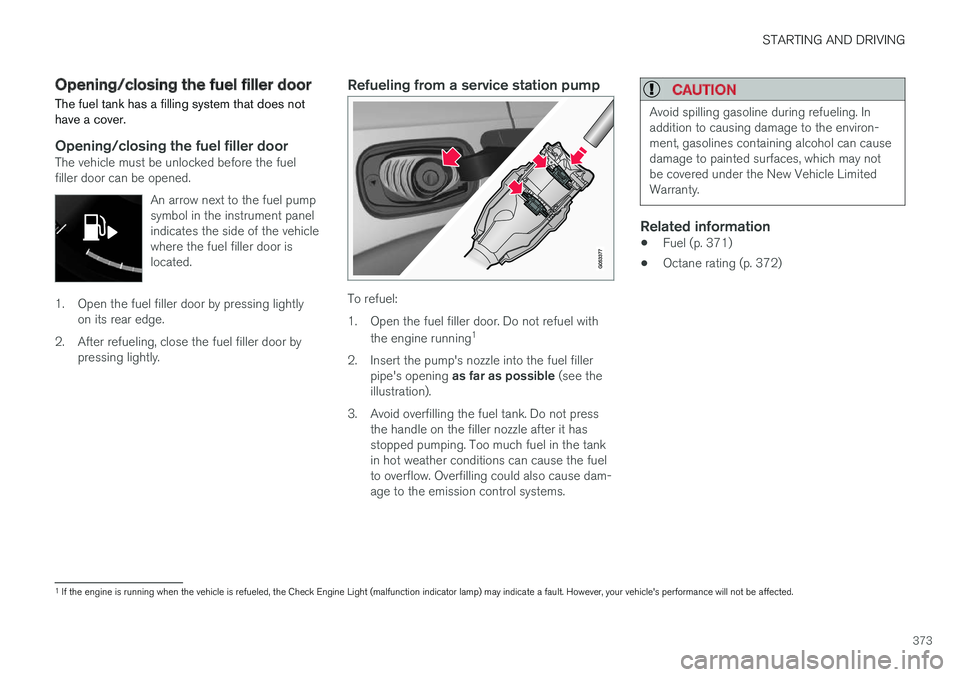
To refuel:
1. Open the fuel filler door. Do not refuel with
the engine running 1
2. Insert the pump's nozzle into the fuel filler pipe's opening as far as possible (see the
illustration).
3. Avoid overfilling the fuel tank. Do not press the handle on the filler nozzle after it has stopped pumping. Too much fuel in the tankin hot weather conditions can cause the fuelto overflow. Overfilling could also cause dam-age to the emission control systems.
CAUTION
Avoid spilling gasoline during refueling. In addition to causing damage to the environ-ment, gasolines containing alcohol can causedamage to painted surfaces, which may notbe covered under the New Vehicle LimitedWarranty.
Related information
• Fuel (p. 371)
• Octane rating (p. 372)
1
If the engine is running when the vehicle is refueled, the Check Engine Light (malfunction indicator lamp) may indicate a fault. However, your vehicle's performance will not be affected.
Page 459 of 560
WHEELS AND TIRES
457
Tire direction of rotation
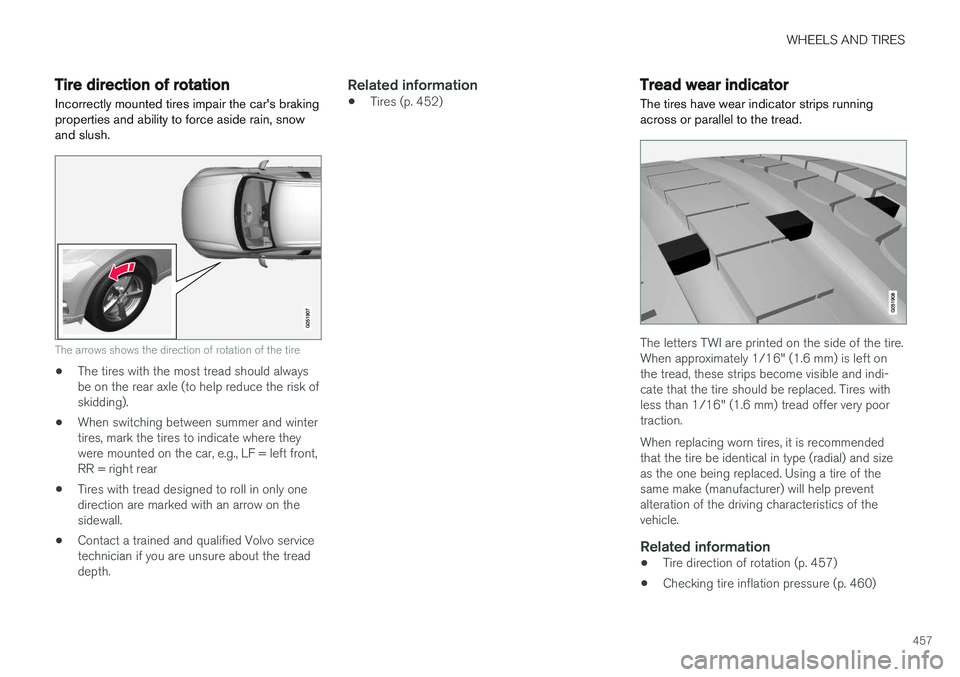
Incorrectly mounted tires impair the car's braking properties and ability to force aside rain, snowand slush.
The arrows shows the direction of rotation of the tire
• The tires with the most tread should always be on the rear axle (to help reduce the risk ofskidding).
• When switching between summer and wintertires, mark the tires to indicate where theywere mounted on the car, e.g., LF = left front,RR = right rear
• Tires with tread designed to roll in only onedirection are marked with an arrow on thesidewall.
• Contact a trained and qualified Volvo servicetechnician if you are unsure about the treaddepth.
Related information
•Tires (p. 452)
Tread wear indicator
The tires have wear indicator strips running across or parallel to the tread.
The letters TWI are printed on the side of the tire. When approximately 1/16" (1.6 mm) is left onthe tread, these strips become visible and indi-cate that the tire should be replaced. Tires withless than 1/16" (1.6 mm) tread offer very poortraction. When replacing worn tires, it is recommended that the tire be identical in type (radial) and sizeas the one being replaced. Using a tire of thesame make (manufacturer) will help preventalteration of the driving characteristics of thevehicle.
Related information
• Tire direction of rotation (p. 457)
• Checking tire inflation pressure (p. 460)
Page 470 of 560
||
WHEELS AND TIRES
468When the system detects a malfunction, the tell- tale will flash for approximately one minute andthen remain continuously illuminated. Thissequence will continue upon subsequent vehiclestart-ups as long as the malfunction exists. Whenthe malfunction indicator is illuminated, the sys-tem may not be able to detect or signal low tirepressure as intended. TPMS malfunctions may occur for a variety of reasons, including the installation of replacementor alternate tires or wheels on the vehicle thatprevent the TPMS from functioning properly.Always check the TPMS malfunction telltale afterreplacing one or more tires or wheels on yourvehicle to ensure that the replacement or alter-nate tires and wheels allow the TPMS to con-tinue to function properly.
Messages in the instrument panel
When the TPMS symbol illuminates, the following text messages may also be displayed:
•
Tire pressure low
•Tire pressure system Temporarily
unavailable
•Tire pressure system Service required
If TPMS cannot determine which tire(s) have low inflation pressure:
• All four tires will be shown as affected in thecenter display After changing wheels, always calibrate the sys-tem to avoid false warnings. TPMS does not replace the need for regular tire inspection and maintenance.
NOTE
If you change to tires with a different dimen- sion than the factory-installed ones, theTPMS system must be calibrated for thesetires. TPMS cannot be turned off.
WARNING
Incorrect inflation pressure could lead to tire failure, resulting in a loss of control of thevehicle.
Related information
•
Checking tire inflation pressure (p. 468)
• Reinflating tires equipped with the Tire Pressure Monitoring System (TPMS)(p. 469)
• Ignition modes (p. 380)
Checking tire inflation pressure
The Tire Pressure Monitoring System (TPMS) makes it possible to view the current inflationpressure status of all four tires.
Checking inflation pressureOpen the Car status app in
the center display's Application view. Tap
Status to see the
current inflation pressure sta- tus of all four tires.
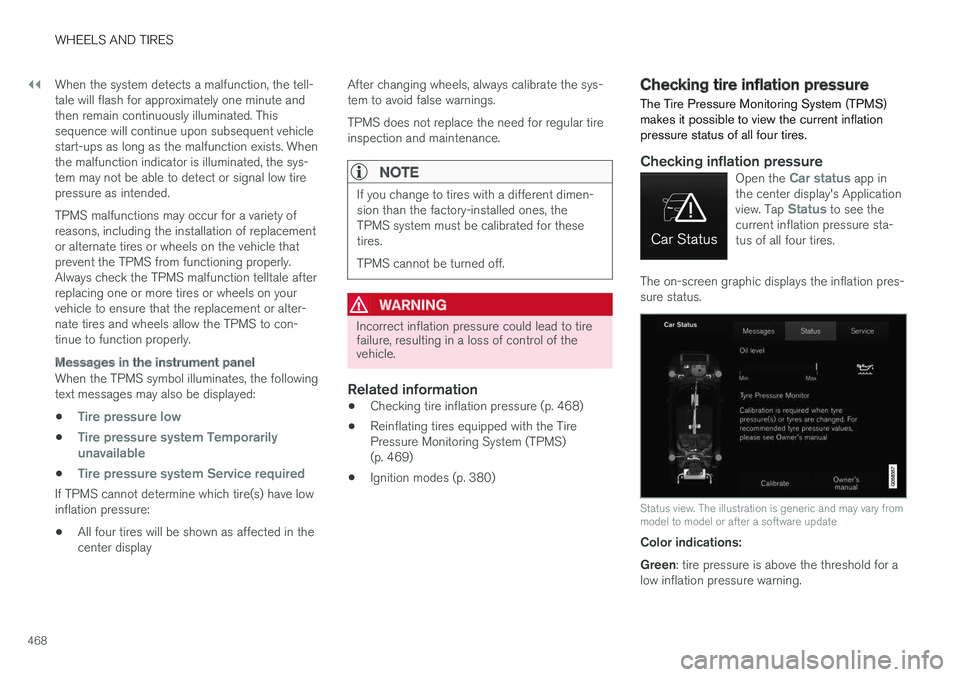
The on-screen graphic displays the inflation pres- sure status.
Status view. The illustration is generic and may vary from model to model or after a software update
Color indications: Green : tire pressure is above the threshold for a
low inflation pressure warning.
Page 484 of 560
||
MAINTENANCE AND SERVICING
482
Related information
•Climate system service (p. 487)
System updates
Updates are available for infotainment-related services and Internet connections. If system soft-ware updates are available, they can be to bedownloaded all at once or separately.
System (software) updates are handled through the
Download Center app in the
center display's App view. Tap once to start a download app inHome view's lower sub-view. Ifno search for updates has
been performed since the last time the infotain-ment system was started, a search will be initi-ated. No search will begin if a software download is underway. An icon in the
System updates button indicates
the number of updates that are currently availa- ble. Tap the button to display a list of updatesthat can be installed in the vehicle. For additional information and answers to com- monly asked questions pertaining to the functionand downloading system updates, go to sup-port.volvocars.com. Background searches for software updates is activated by default when the vehicle isdelivered from the factory.
NOTE
Downloading data may affect other system features that share the Internet connection. Adownload can be cancelled at any time or theother features can be temporarily turned offwhile the software download is underway.
NOTE
An update may be interrupted when the igni- tion is switched off. However, an update does not have to be completed when the ignition is switched off; itwill resume automatically when the ignition isswitched on again.
Updating all system software
–Select Install all at the bottom of the list.
To avoid displaying a list, select
Install all by theSystem updates button.
Updating individual programs
–Select Install to choose the software to be
downloaded.
Cancelling a download
–Tap the activity indicator that replaced theInstall button on the screen when the down-
load began.
Page 487 of 560
MAINTENANCE AND SERVICING
}}
485
Sending an appointment request
1.Open the Car status app in the center dis-
play's App view.
2. Tap
Appointments.
3. Under
Appointments, tap Request
appoint..
4. Check that your
Volvo ID is correct.
5. Check that the correct preferred retailer is listed. If you prefer, simply tap the button to initiate a call to the retailer.
6. Tap
Send appointment request. Your
request and vehicle data will be sent to your retailer through the vehicle's Internet con-nection.
> Volvo will send a booking invitation to your email address with a link to your preferred workshop's On-Line Service Scheduler.
7. Open the email and click the link to book your workshop appointment at a convenienttime with your preferred service advisor. Addany additional preferences and free text toyour booking. 8. When you have submitted your workshop
booking, your appointment will be confirmedonline directly by email. The booking informa- tion will also appear in the
Car status app in
the center display after a period of time as well as in your My Volvo personal website,where you can make changes to yourappointment at any time.
9. Several days prior to your appointment, you will receive a reminder via email from yourretailer. A notification will also appear on thecenter display one day prior to the appoint-ment. You can set the interval for otherreminders (e.g., two days, three days) at yourMy Volvo personal website.
10. On the day of your appointment, a reminder will appear again on the center display andthe retailer's address can be set in your navi-gation system if you require directions to theworkshop.
Sending vehicle-related information
Information about the vehicle can be sent at any time using its Internet connection. Using this function does not send a workshop
appointment request to your retailer ; only
vehicle data will be transmitted to Volvo. This vehicle data can be accessed by any retailer ifyou call the retailer and provide your VehicleIdentification Number (VIN).
1. Open the Car status app in the center dis-
play's App view.
2. Tap
Appointments.
3. Under
Appointments, tap Send vehicle
data.
> A message confirming that vehicle infor- mation has been sent via the Internet connection will appear on the center dis-play. Transmission of the vehicle informa-tion can be cancelled at any time by tap-ping the X in the activity indicator.
Page 502 of 560
||
MAINTENANCE AND SERVICING
* Option/accessory.
500
Positions
• Fuses 1, 3–21, 23–36, 39–53 and 55–59 are called "Micro".
• Fuses 2, 22, 37–38 and 54 are called"MCase" and should only be replaced by atrained and qualified Volvo service technician.
Function
A
– –
120-volt socket on the rear side of the tunnel console* 30
– –
Alarm system movement sensor
A
5
Media player 5
Instrument panel 5
Center console buttons 5
Sun sensor 5
– –
– –
Steering wheel module 5
Module for start knob and parking brake 5
Function
A
Heated steering wheel* module 15
– –
– –
– –
– –
Climate system control module 10
– –
On-board diagnostics (OBDII) 10
Center display 5
Climate system blower module (front) 40
– –
Instrument lighting; Courtesy light- ing; Auto-dim rearview mirror; Rainand light sensor; Rear tunnel con- sole keypad
*; Power front seats *;
Rear door control panels 7.5
Control module for driver support functions
5
Panorama roof and sun shade
*20
Function
A
Head-up display* 5
Courtesy lighting 5
– –
Ceiling console display (seat belt reminder, front passenger side air-bag indicator) 5
– –
Humidity sensor 5
Rear passenger-side door module 20
Fuses in the cargo compartment 10
Internet connection control module; Volvo On Call control module
5
Rear driver-side door module 20
Infotainment control module (amplifier)40
Climate system blower module (rear)
* 40
Multi-band antenna module 5
Front seat massage function 5
– –
Page 520 of 560
MAINTENANCE AND SERVICING
518
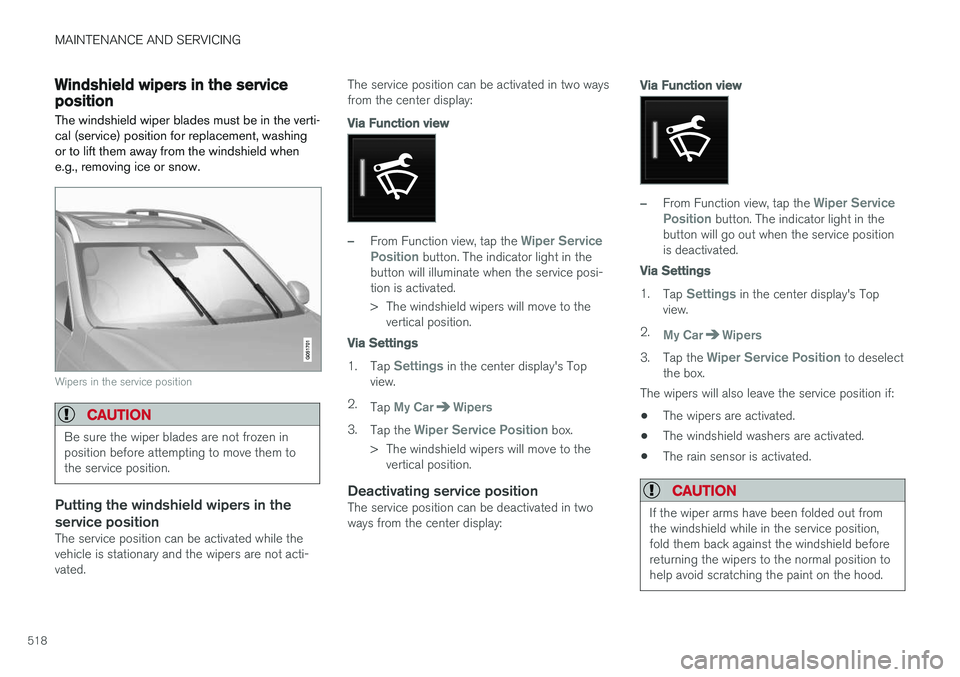
Windshield wipers in the service positionThe windshield wiper blades must be in the verti- cal (service) position for replacement, washingor to lift them away from the windshield whene.g., removing ice or snow.
Wipers in the service position
CAUTION
Be sure the wiper blades are not frozen in position before attempting to move them tothe service position.
Putting the windshield wipers in the service position
The service position can be activated while the vehicle is stationary and the wipers are not acti-vated. The service position can be activated in two waysfrom the center display:
Via Function view
–From Function view, tap the Wiper Service
Position button. The indicator light in the
button will illuminate when the service posi- tion is activated.
> The windshield wipers will move to the vertical position.
Via Settings
1. Tap Settings in the center display's Top
view.
2. Tap
My CarWipers
3.Tap the Wiper Service Position box.
> The windshield wipers will move to the vertical position.
Deactivating service positionThe service position can be deactivated in two ways from the center display:
Via Function view
–From Function view, tap the Wiper Service
Position button. The indicator light in the
button will go out when the service position is deactivated.
Via Settings
1. Tap Settings in the center display's Top
view.
2.
My CarWipers
3. Tap the Wiper Service Position to deselect
the box.
The wipers will also leave the service position if:
• The wipers are activated.
• The windshield washers are activated.
• The rain sensor is activated.
CAUTION
If the wiper arms have been folded out from the windshield while in the service position,fold them back against the windshield beforereturning the wipers to the normal position tohelp avoid scratching the paint on the hood.
Page 553 of 560
INDEX
551
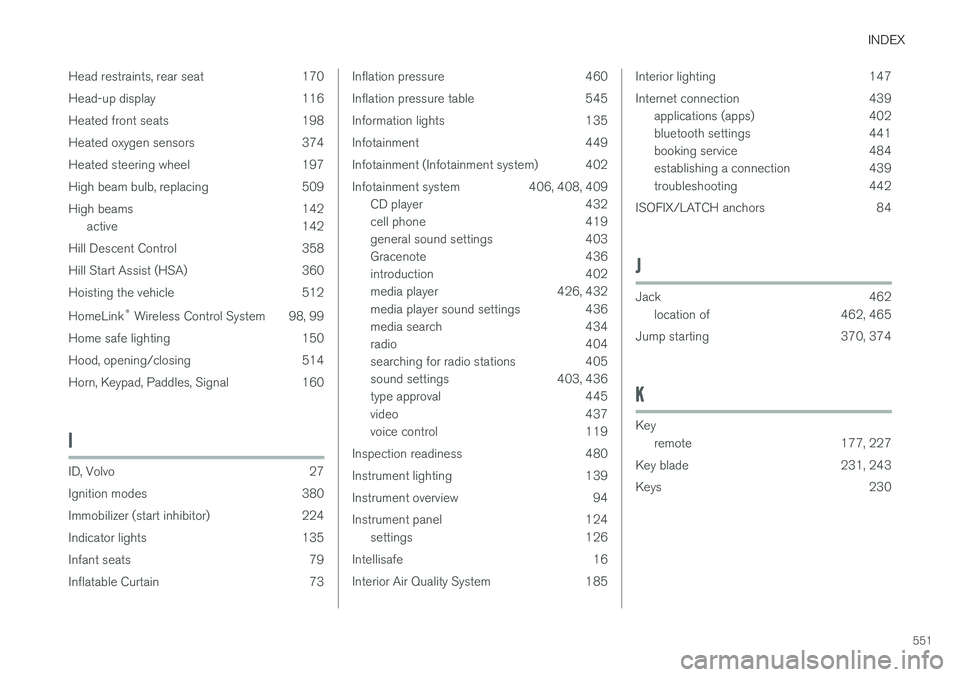
Head restraints, rear seat 170
Head-up display 116
Heated front seats 198
Heated oxygen sensors 374
Heated steering wheel 197
High beam bulb, replacing 509
High beams 142
active 142
Hill Descent Control 358
Hill Start Assist (HSA) 360
Hoisting the vehicle 512 HomeLink ®
Wireless Control System 98, 99
Home safe lighting 150
Hood, opening/closing 514
Horn, Keypad, Paddles, Signal 160
I
ID, Volvo 27
Ignition modes 380
Immobilizer (start inhibitor) 224
Indicator lights 135
Infant seats 79
Inflatable Curtain 73
Inflation pressure 460
Inflation pressure table 545
Information lights 135
Infotainment 449
Infotainment (Infotainment system) 402
Infotainment system 406, 408, 409 CD player 432
cell phone 419
general sound settings 403
Gracenote 436
introduction 402
media player 426, 432
media player sound settings 436
media search 434
radio 404
searching for radio stations 405
sound settings 403, 436
type approval 445
video 437
voice control 119
Inspection readiness 480
Instrument lighting 139
Instrument overview 94
Instrument panel 124 settings 126
Intellisafe 16
Interior Air Quality System 185Interior lighting 147
Internet connection 439 applications (apps) 402
bluetooth settings 441
booking service 484
establishing a connection 439
troubleshooting 442
ISOFIX/LATCH anchors 84
J
Jack 462 location of 462, 465
Jump starting 370, 374
K
Key remote 177, 227
Key blade 231, 243
Keys 230