sport mode VOLVO XC90 2017 Owner´s Manual
[x] Cancel search | Manufacturer: VOLVO, Model Year: 2017, Model line: XC90, Model: VOLVO XC90 2017Pages: 560, PDF Size: 9.97 MB
Page 401 of 560
STARTING AND DRIVING
* Option/accessory.399
Parking the vehicleWhen parking, be sure that there is adequate space above and below the vehicle since itsground clearance may vary, e.g., depending onthe ambient temperature, how the vehicle is loa-ded, if loading mode is being used or the drivemode selected after the engine is started. The level may also be adjusted for a certain time after the vehicle has been parked to compensatefor possible height adjustments due to tempera-ture changes in the pneumatic suspension whenthe vehicle has cooled.
TransportWhen transporting the vehicle on a ferry, train ora tow truck, it may only be secured (lashed)around the tires, not using any other chassiscomponents. Changes in the pneumatic suspen-sion may occur during transport that could nega-tively affect the lashing and result in damage.
Related information
•Drive modes
* (p. 384)
• Driving with a trailer (p. 376)
• Loading (p. 208)
Page 412 of 560
INFOTAINMENT
* Option/accessory.
410
SiriusXM ®
Satellite radio *
The SiriusXM ®
Satellite system broadcasts from
of a number of high elevation satellites in geo- synchronous orbit.
Listening to satellite radioThe digital signals from the satellites are line-of- sight, which means that physical obstructionssuch as bridges, tunnels, etc, may temporarilyinterfere with signal reception. Avoid any obstructions, such as metallic objects transported on roof racks or in a ski box, or otherantennas that may impede signals from the SiriusXM ®
satellites.
Selecting SiriusXM ®
Satellite radio
mode
1. From the center display's Home view, swipe from right to left to come to App view.
2.Tap the SiriusXM ®
Satellite radio icon.
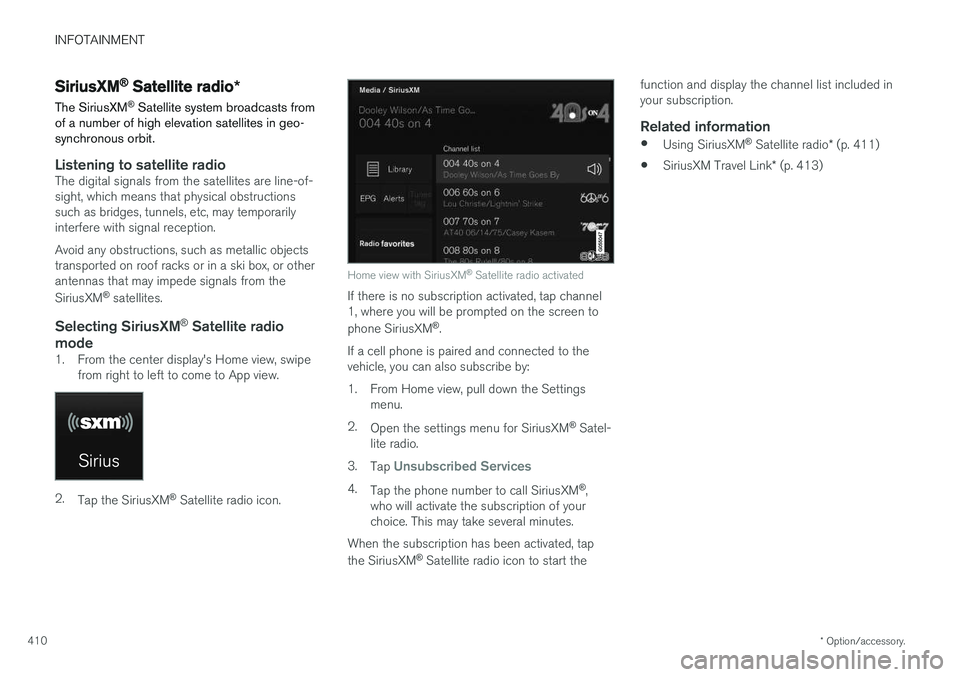
Home view with SiriusXM ®
Satellite radio activated
If there is no subscription activated, tap channel 1, where you will be prompted on the screen to phone SiriusXM ®
.
If a cell phone is paired and connected to the vehicle, you can also subscribe by:
1. From Home view, pull down the Settings menu.
2. Open the settings menu for SiriusXM ®
Satel-
lite radio.
3. Tap
Unsubscribed Services
4.
Tap the phone number to call SiriusXM ®
,
who will activate the subscription of your choice. This may take several minutes.
When the subscription has been activated, tap the SiriusXM ®
Satellite radio icon to start the function and display the channel list included in your subscription.
Related information
•
Using SiriusXM ®
Satellite radio * (p. 411)
• SiriusXM Travel Link
* (p. 413)
Page 536 of 560
||
SPECIFICATIONS
534
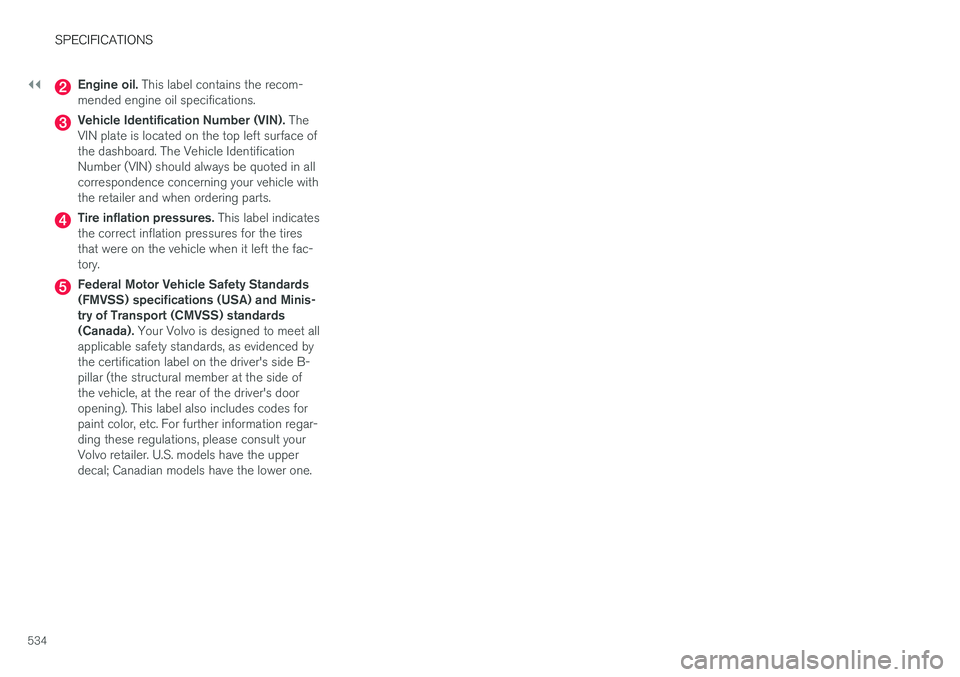
Engine oil. This label contains the recom-
mended engine oil specifications.
Vehicle Identification Number (VIN). The
VIN plate is located on the top left surface of the dashboard. The Vehicle IdentificationNumber (VIN) should always be quoted in allcorrespondence concerning your vehicle withthe retailer and when ordering parts.
Tire inflation pressures. This label indicates
the correct inflation pressures for the tires that were on the vehicle when it left the fac-tory.
Federal Motor Vehicle Safety Standards (FMVSS) specifications (USA) and Minis-try of Transport (CMVSS) standards(Canada). Your Volvo is designed to meet all
applicable safety standards, as evidenced bythe certification label on the driver's side B-pillar (the structural member at the side ofthe vehicle, at the rear of the driver's dooropening). This label also includes codes forpaint color, etc. For further information regar-ding these regulations, please consult yourVolvo retailer. U.S. models have the upperdecal; Canadian models have the lower one.
Page 556 of 560
INDEX
554Rollover Protection System (ROPS) 255
Roll Stability Control (RSC) 255
Run-off mitigation 333, 335
S
Safety, occupant 56
Safety defects, reporting 57
Safety locks, child 246
Safety mode 74Seat
adjusting the passenger's seat from the
driver's seat 164
Seat belt reminder 64
Seat belts Automatic locking retractor/Emergency
locking retractor 77
buckling 62
pretensioners 60, 61
reminder 64
securing child restraint systems 79, 81, 83
unbuckling 62
use during pregnancy 58
using 60
Seats rear 169
Sensus 17 Service connected service booking 484
Settings view categories 110
resetting 113
system settings 112
Shiftlock override 393
Side door mirrors 102
Side impact airbags 72Sirius Satellite radio Travel link 413
SiriusXM ®
Satellite radio
traffic information 410, 411, 412
Snow chains 459
Snow tires 459Sound settings media 436
ringtones 425
Sound settings, audio system 403, 436 Specifications bulbs 511
Speed camera alert 324
Speed limiter 255, 257, 261 automatic 257, 259deactivating/reactivating 260
starting/activating 256
Spin control 251
Stability system 251 sport mode 252
Start/Stop (engine function) 389, 391Start and lock system type designations 248
Starting and driving 354
Starting the engine 382Starting the vehicle after a crash (crash mode) 74
Start inhibitor (immobilizer) 224
Steel grid in cargo area 215
Steering wheel 160 adjusting 161
heated 197
horn 160
keypad 160
Steering wheel paddles 160
Stone chips, touching up 528, 529
Storage compartments 210
Studded tires 459Sunroof laminated panoramic roof 103, 104
Sun shade 107, 109