stop start VOLVO XC90 2017 Owner´s Manual
[x] Cancel search | Manufacturer: VOLVO, Model Year: 2017, Model line: XC90, Model: VOLVO XC90 2017Pages: 560, PDF Size: 9.97 MB
Page 363 of 560
STARTING AND DRIVING
}}
361
ted. If it is applied while the vehicle is moving, the normal brakes are used on all four wheels. Thebrakes will only be applied on the rear wheelsonce the vehicle has stopped.
Related information
•
Brake functions (p. 356)
• Using the parking brake (p. 361)
• Parking brake malfunctions (p. 363)
Using the parking brake
The electric parking brake helps to keep the vehicle stationary when it is parked.
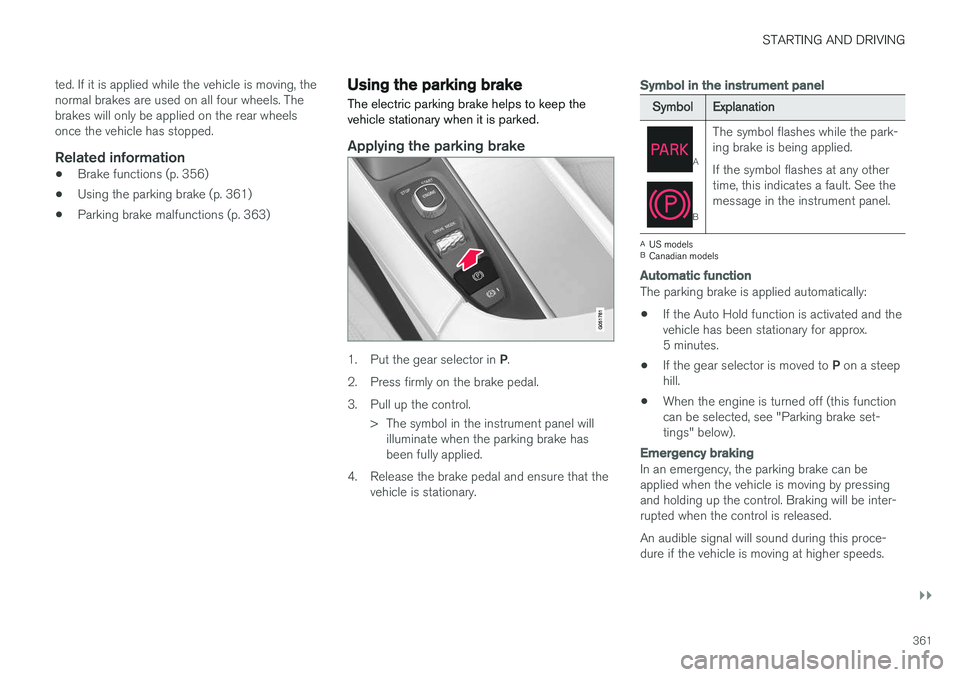
Applying the parking brake
1. Put the gear selector in P.
2. Press firmly on the brake pedal.
3. Pull up the control. > The symbol in the instrument panel willilluminate when the parking brake has been fully applied.
4. Release the brake pedal and ensure that the vehicle is stationary.
Symbol in the instrument panel
Symbol Explanation
A
BThe symbol flashes while the park- ing brake is being applied. If the symbol flashes at any other time, this indicates a fault. See themessage in the instrument panel.
A
US models
B Canadian models
Automatic function
The parking brake is applied automatically:
• If the Auto Hold function is activated and the vehicle has been stationary for approx.5 minutes.
• If the gear selector is moved to
P on a steep
hill.
• When the engine is turned off (this functioncan be selected, see "Parking brake set-tings" below).
Emergency braking
In an emergency, the parking brake can be applied when the vehicle is moving by pressing and holding up the control. Braking will be inter-rupted when the control is released. An audible signal will sound during this proce- dure if the vehicle is moving at higher speeds.
Page 366 of 560
STARTING AND DRIVING
364in countries where it may be difficult to obtain the correct fuel.
• Consider your destination. If you will be driv-ing through an area where snow or ice arelikely to occur, consider using snow tires.
Driving economically
Better driving economy can be obtained by thinking ahead, avoiding rapid starts and stopsand adjusting the speed of your vehicle to imme-diate traffic conditions.
Economical driving conserves natural resources
Observe the following rules: • Bring the engine to normal operating tem- perature as soon as possible by driving witha light foot on the accelerator pedal for thefirst few minutes of operation. A cold engineuses more fuel and is subject to increasedwear.
• Whenever possible, avoid using the vehiclefor driving short distances. This does notallow the engine to reach normal operatingtemperature.
• Drive carefully and avoid rapid accelerationand hard braking.
• Use the transmission's Drive (
D) position as
often as possible and avoid using kick-down.
• Using the engine's Eco function can helpimprove fuel economy.
• Do not exceed posted speed limits.
• Avoid carrying unnecessary items (extra load)in the vehicle.
• Maintain correct tire pressure. Check tirepressure regularly (when the tires are cold). •
Use tires recommended by Volvo for yourvehicle.
• Remove snow tires when threat of snow orice has ended.
• Note that roof racks, ski racks, etc, increaseair resistance and also fuel consumption.
• At highway driving speeds, fuel consumptionwill be lower with the air conditioning on andthe windows closed than with the air condi-tioning off and the windows open.
• Using the onboard trip computer's fuel con-sumption modes can help you learn how todrive more economically.
Other factors that decrease gas mileage are:
• Dirty air cleaner
• Dirty engine oil and clogged oil filter
• Dragging brakes
• Incorrect front end alignment
Some of the above mentioned items and othersare checked at the standard maintenance inter-vals.
Handling and roadholding
• Vehicle load, tire design and inflation pres-sure all affect vehicle handling. Therefore,check that the tires are inflated to the rec-ommended pressure according to the vehicleload. Loads should be distributed so that
Page 367 of 560
STARTING AND DRIVING
}}
365
capacity weight or maximum permissible axle loads are not exceeded.
• At the specified curb weight your vehicle hasa tendency to understeer, which means thatthe steering wheel has to be turned morethan might seem appropriate for the curva-ture of a bend. This ensures good stabilityand reduces the risk of rear wheel skid.Remember that these properties can alterwith the vehicle load. The heavier the load inthe cargo compartment, the less the ten-dency to understeer.
Related information
•ECO drive mode (p. 387)
• Tire inflation pressure table (p. 545)
• Volvo and the environment (p. 15)
Driving through standing water
The vehicle should be driven with extreme cau- tion if it is necessary to drive through standingwater.
The vehicle can be driven through water up to a depth of approximately 17.7 in. (45 cm) at walk-ing speed. Be particularly careful when drivingthrough flowing water. • Take particular care when driving through flowing water.
• After driving through water, apply the brakesand check that they are functioning correctly.
• Clean the electrical connections for trailerwiring after driving in mud or water.
• When driving through water, maintain lowspeed and do not stop in the water.
• Avoid driving through salt water if at all pos-sible to help avoid the risk of corrosion.
CAUTION
• Engine damage will occur if water is drawn into the air cleaner.
• Damage to any components, the engine,transmission, turbo-charger, differential orits internal components caused by flood-ing, vapor lock or insufficient oil is notcovered under warranty.
• Do not allow the vehicle to stand in waterup to the door sills longer than absolutelynecessary. This could result in electricalmalfunctions.
• If the engine has been stopped while thevehicle is in water, do not attempt torestart it. Have the vehicle towed out ofthe water.
WARNING
•
Avoid driving through standing or rushing water. Doing so can be dangerous and itmay also be difficult to determine theactual depth of the water.
• If water cannot be avoided, after drivingthrough the water, press lightly on thebrake pedal to ensure that the brakes arefunctioning normally. Water or mud canmake the brake linings slippery, resultingin delayed braking effect.
Page 368 of 560
||
STARTING AND DRIVING
366
Related information
•Towing recommendations (p. 369)
Overheating the engine and transmission
In demanding driving conditions, such as when transporting heavy loads, driving in mountainousareas or in very hot weather there is a risk ofoverheating the engine or transmission.
• The engine's output may be slightly limited if there is a risk of overheating.
• Remove e.g., auxiliary lights mounted in frontof the grille in hot weather.
• If the temperature of the engine coolantbecomes too high, the warning symbol will illuminate and the message
Engine
temperature/Stop safely will be displayed.
Stop the vehicle as soon as possible in a safe place and let the engine idle for severalminutes.
• If the message
Engine temperature/High
temperature Turn off engine or Engine
coolant/Stop safely is displayed, stop
safely and turn off the engine.
• If the transmission begins to overheat, an alternative gear shifting program will beselected. An integrated protective functionwill also by activated, the warning symbol will illuminate and the message
Transmission
warmHigh temperature Reduce speed
or Transmission warmStop safely, wait
for cooling will be displayed in the instru-
ment panel. •
The air conditioning may be switched off temporarily.
• After a prolonged period of driving, do notturn off the engine immediately after stop-ping.
• The engine cooling fan commonly continuesto run for several minutes after the enginehas been turned off.
WARNING
The cooling fan (located at the front of the engine compartment, behind the radiator) maystart or continue to operate (for up to6 minutes) after the engine has beenswitched off.
Related information
•
Driving with a trailer (p. 376)
• Before a long distance trip (p. 363)
Page 371 of 560
STARTING AND DRIVING
}}
369
Towing recommendations
Always check with state and local authorities before attempting to tow another vehiclebecause this type of towing is subject to regula-tions regarding maximum towing speed, lengthand type of towing device, lighting, etc.
Towing your vehicle behind another vehicle
1. After securely attaching the towing line to both vehicles, put the gear selector in posi- tion N and release the parking brake.
2. Put the ignition in mode II by turning the
start knob to START (without depressing
the brake pedal) and hold it in this position
for approx. 4 seconds. Release the knob.
3. Put the gear selector in position N and
release the parking brake.
4. The towing vehicle can now begin driving.
5. Keep the tow rope taut when the towing vehicle slows down by applying light pressure on the brake pedal. This will help prevent jar-ring movements of the vehicle being towed.
6. Be prepared to apply the brakes to stop the vehicle being towed.
CAUTION
General towing precautions:
• If the vehicle's battery is dead, an auxiliary battery will be necessary to provide cur-rent for releasing the electric parkingbrake and to move the gear selector from the
P position to N. If this is not possible,
use the shiftlock override procedure tomanually release the gear selector from P
and move it to N.
• Maximum speed: 50 mph (80 km/h). Do not exceed the maximum allowable tow-ing speed.
• Maximum distance with front wheels onground: 50 miles (80 km).
• The vehicle should only be towed in theforward direction.
WARNING
• When the vehicle is being towed, the igni- tion should be in mode
II (in mode I, all of
the vehicle's airbags are deactivated).
• The remote key must remain inside the vehicle.
• The power brakes and power steering willnot function when the engine is not run-ning. Approximately 5 times more pres-sure will be required on the brake pedaland the steering wheel will be considera-bly harder to turn.
• The towing eyelets must not be used forpulling the vehicle out of a ditch or forany similar purpose involving severestrain.
Page 375 of 560
STARTING AND DRIVING
373
Opening/closing the fuel filler door The fuel tank has a filling system that does not have a cover.
Opening/closing the fuel filler doorThe vehicle must be unlocked before the fuel filler door can be opened.An arrow next to the fuel pumpsymbol in the instrument panelindicates the side of the vehiclewhere the fuel filler door islocated.
1. Open the fuel filler door by pressing lightlyon its rear edge.
2. After refueling, close the fuel filler door by pressing lightly.
Refueling from a service station pump
To refuel:
1. Open the fuel filler door. Do not refuel with
the engine running 1
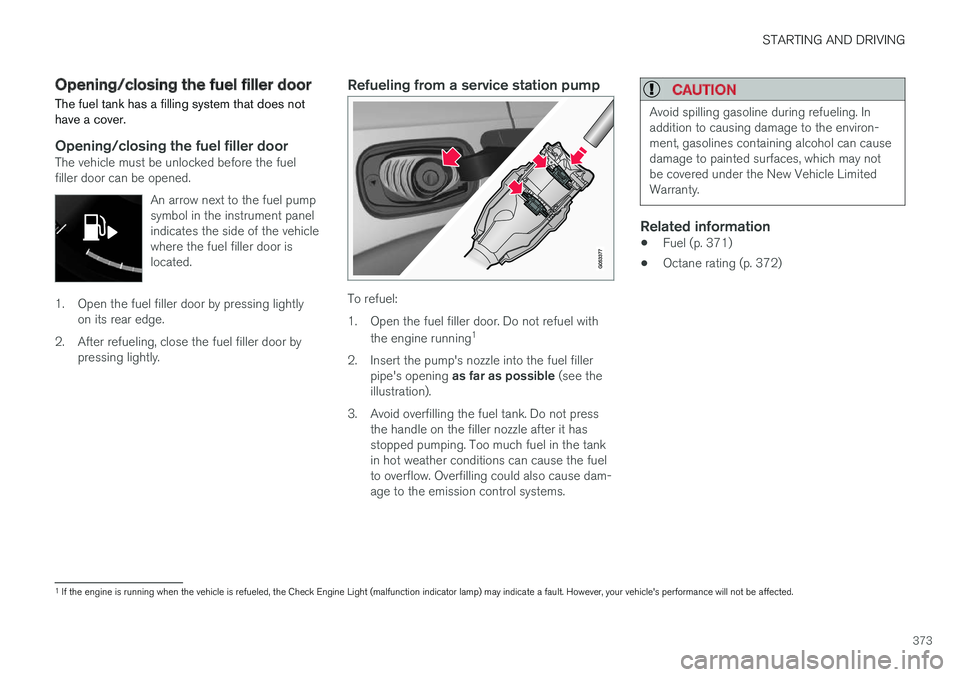
2. Insert the pump's nozzle into the fuel filler pipe's opening as far as possible (see the
illustration).
3. Avoid overfilling the fuel tank. Do not press the handle on the filler nozzle after it has stopped pumping. Too much fuel in the tankin hot weather conditions can cause the fuelto overflow. Overfilling could also cause dam-age to the emission control systems.
CAUTION
Avoid spilling gasoline during refueling. In addition to causing damage to the environ-ment, gasolines containing alcohol can causedamage to painted surfaces, which may notbe covered under the New Vehicle LimitedWarranty.
Related information
• Fuel (p. 371)
• Octane rating (p. 372)
1
If the engine is running when the vehicle is refueled, the Check Engine Light (malfunction indicator lamp) may indicate a fault. However, your vehicle's performance will not be affected.
Page 378 of 560
STARTING AND DRIVING
376
Driving with a trailer
When towing a trailer, always observe the legal requirements of the state/province.
• All Volvo models are equipped with energy- absorbing shock-mounted bumpers. Trailerhitch installation should not interfere with theproper operation of this bumper system.
Trailer towing does not normally present any par-ticular problems, but take into consideration:
• Increase tire pressure to recommended fullpressure.
• When your vehicle is new, avoid towing heavytrailers during the first 620 miles (1,000 km).
• Maximum speed when towing a trailer:50 mph (80 km/h).
• Engine and transmission are subject toincreased loads. Therefore, engine coolanttemperature should be closely watched whendriving in hot climates or hilly terrain. Use alower gear and turn off the air conditioner ifthe temperature gauge needle enters the redrange.
• If the automatic transmission begins to over-heat, a message will be displayed in the textwindow.
• Avoid overload and other abusive operation.
• Hauling a trailer affects handling, durability,and economy. •
It is necessary to balance trailer brakes withthe towing vehicle brakes to provide a safestop (check and observe state/local regula-tions).
• Do not connect the trailer's brake systemdirectly to the vehicle's brake system.
• More frequent vehicle maintenance isrequired.
• Remove the ball holder when the hitch is notbeing used.
NOTE
•
When parking the vehicle with a trailer on a hill, apply the parking brake before put- ting the gear selector in
P. Always follow
the trailer manufacturer's recommenda- tions for wheel chocking.
• When starting on a hill, put the gear selector in
D before releasing the parking
brake.
• If you use the manual (Geartronic) shift positions while towing a trailer, make surethe gear you select does not put toomuch strain on the engine (using toohigh a gear).
• The drawbar assembly/trailer hitch maybe rated for trailers heavier than the vehi-cle is designed to tow. Please adhere toVolvo's recommended trailer weights.
• Avoid driving with a trailer on inclines ofmore than 15%.
Page 382 of 560
||
STARTING AND DRIVING
* Option/accessory.
380
How TSA worksOnce swaying has begun, it can be very difficult to stop, which makes it difficult to control thevehicle and trailer. The TSA system continuously monitors the vehi- cle's movements, particularly lateral movement. Ifthe system detects a tendency to sway, thebrakes are applied individually on the frontwheels, which has a stabilizing effect on the vehi-cle and trailer. This is often enough to enable thedriver to regain control of the vehicle. If this is not adequate to stop the swaying motion, the brakes are applied to all of the wheels on thevehicle and on the trailer if it is equipped withbrakes, and engine power is temporarily reduced.As the swaying motion begins to decrease andthe vehicle-trailer have once again become sta-ble, TSA will now stop regulating the brakes/engine power and the driver regains control ofthe vehicle. TSA is deactivated if the driver deactivates
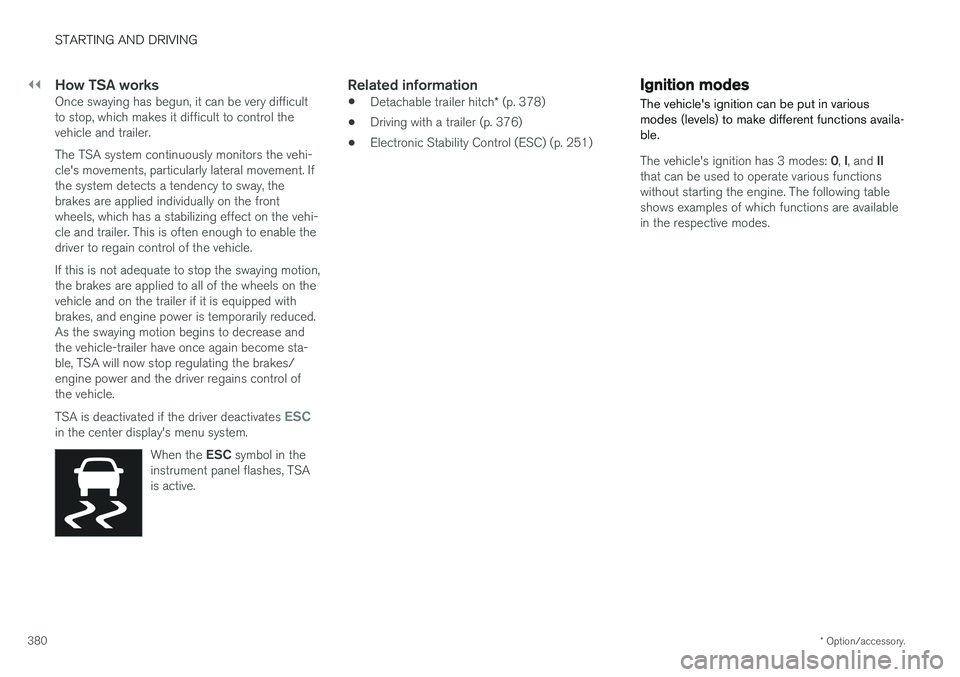
ESCin the center display's menu system.
When the ESC symbol in the
instrument panel flashes, TSA is active.
Related information
• Detachable trailer hitch
* (p. 378)
• Driving with a trailer (p. 376)
• Electronic Stability Control (ESC) (p. 251)
Ignition modes
The vehicle's ignition can be put in various modes (levels) to make different functions availa-ble.
The vehicle's ignition has 3 modes: 0, I, and II
that can be used to operate various functions without starting the engine. The following tableshows examples of which functions are availablein the respective modes.
Page 383 of 560
STARTING AND DRIVING
* Option/accessory.381
ModeFunctions available
0 •The odometer, clock and tem- perature gauge are illuminated
• Power seats
* can be adjusted
• The power windows can be oper-ated
• The 12-volt socket in the cargocompartment can be used
• The center display is activatedand can be used
• The infotainment system can beused for a limited time
In this mode, certain functions canonly be used for a limited time to helpminimize battery drain
I •The laminated panoramic roof
*,
power seats */windows,12-volt
sockets in the passenger com-partment, Bluetooth, navigation system *, climate system blower,
windshield wipers can be oper- ated
• The infotainment system will start(if it was started when the ignitionwas switched off)Mode
Functions available
II •The headlights illuminate
• Warning/indicator lights illumi- nate for 5 seconds
• A number of other functions willalso be activated. However, the heated seats
* and heated rear
window functions can only be activated when the engine is run-ning.
This mode should only be used forvery short periods to help avoiddraining the battery.
Selecting an ignition mode
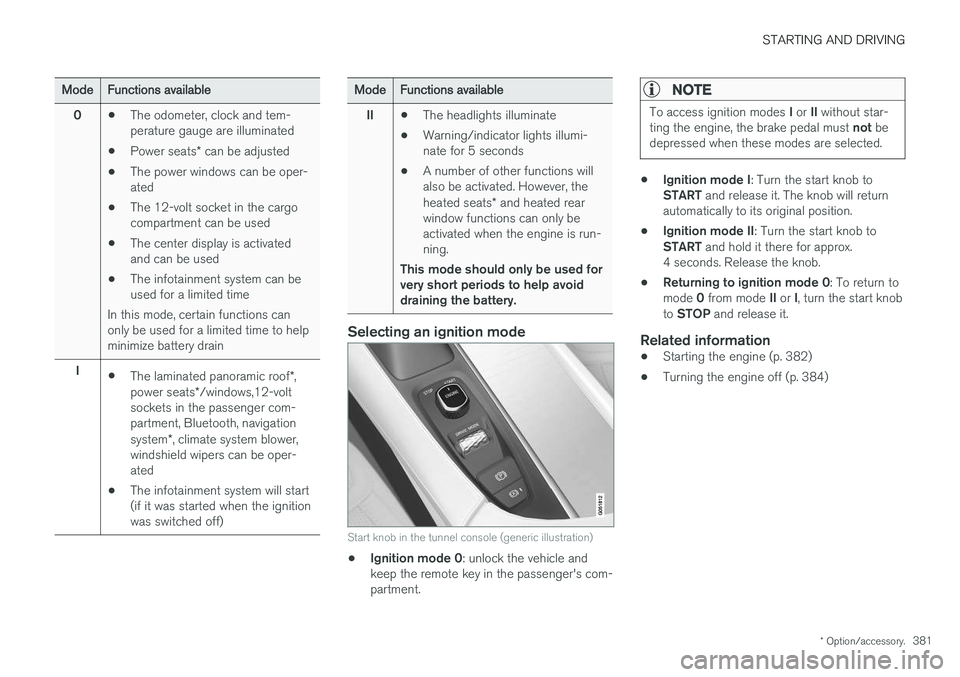
Start knob in the tunnel console (generic illustration)
• Ignition mode 0
: unlock the vehicle and
keep the remote key in the passenger's com- partment.
NOTE
To access ignition modes I or II without star-
ting the engine, the brake pedal must not be
depressed when these modes are selected.
• Ignition mode I
: Turn the start knob to
START and release it. The knob will return
automatically to its original position.
• Ignition mode II
: Turn the start knob to
START and hold it there for approx.
4 seconds. Release the knob.
• Returning to ignition mode 0
: To return to
mode 0 from mode II or I, turn the start knob
to STOP and release it.
Related information
•Starting the engine (p. 382)
• Turning the engine off (p. 384)
Page 386 of 560
||
STARTING AND DRIVING
* Option/accessory.
384
CAUTION
• When starting in cold weather, the auto- matic transmission may shift up at slightlyhigher engine speeds than normal untilthe automatic transmission fluid reachesnormal operating temperature.
• Do not race a cold engine immediatelyafter starting. Oil flow may not reachsome lubrication points fast enough toprevent engine damage.
• The engine should be idling when youmove the gear selector. Never accelerateuntil after you feel the transmissionengage. Accelerating immediately afterselecting a gear will cause harsh engage-ment and premature transmission wear.
• Selecting
P or N when idling at a stand-
still for prolonged periods of time will helpprevent overheating of the automatictransmission fluid.
Related information
• Ignition modes (p. 380)
• Turning the engine off (p. 384)
• Changing the remote key's battery (p. 225)
• Jump starting (p. 374)
Turning the engine off
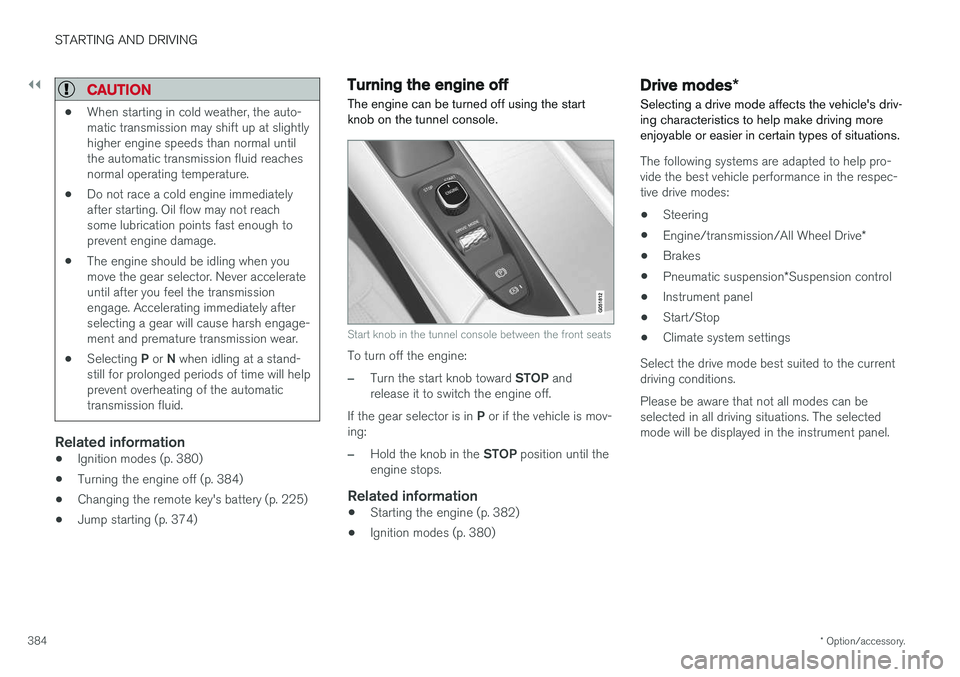
The engine can be turned off using the start knob on the tunnel console.
Start knob in the tunnel console between the front seats
To turn off the engine:
–Turn the start knob toward STOP and
release it to switch the engine off.
If the gear selector is in P or if the vehicle is mov-
ing:
–Hold the knob in the STOP position until the
engine stops.
Related information
• Starting the engine (p. 382)
• Ignition modes (p. 380)
Drive modes
*
Selecting a drive mode affects the vehicle's driv- ing characteristics to help make driving moreenjoyable or easier in certain types of situations.
The following systems are adapted to help pro- vide the best vehicle performance in the respec-tive drive modes: • Steering
• Engine/transmission/All Wheel Drive
*
• Brakes
• Pneumatic suspension
*Suspension control
• Instrument panel
• Start/Stop
• Climate system settings
Select the drive mode best suited to the current driving conditions. Please be aware that not all modes can be selected in all driving situations. The selectedmode will be displayed in the instrument panel.