trailer VOLVO XC90 2017 Owner´s Manual
[x] Cancel search | Manufacturer: VOLVO, Model Year: 2017, Model line: XC90, Model: VOLVO XC90 2017Pages: 560, PDF Size: 9.97 MB
Page 361 of 560
STARTING AND DRIVING
}}
* Option/accessory.359
From the center display's Function view
Models without the drive mode control have a button for Hill
Descent Control in the center
display's Function view.
• Tap the button to activate. A light in the but- ton illuminates when the function is acti-vated.
NOTE
HDC can be used:
• Automatic gear shifting:
in Drive or
R everse.
• Manual gear shifting:
in gears 1 or 2. It
is not possible to manually shift to a higher gear when HDC is active.
NOTE
The function is deactivated when driving at higher speeds and must be reactivated atlower speeds if so desired.
Related information
• Brake functions (p. 356)
• Low Speed Control (LSC)
* (p. 359)
• Drive modes
* (p. 384)
Low Speed Control (LSC) *
Low Speed Control (LSC) helps make off-road driving easier on slippery surfaces when towinga trailer on grass, etc. This feature is part of the
Off Road drive mode.
When driving at low speeds, LSC prioritizes low gears and all wheel drive to help avoid wheelspin and to improve traction on slippery surfa-ces. The accelerator pedal and engine react dif-ferently to make low-speed driving easier.
In models equipped with the drive mode control *,
LSC is part of the Off Road drive mode.
It is activated along with Hill Descent Control (HDC), which increases engine braking to helpkeep vehicle speed low and smooth, even drivingdown steep hills.
Activating LSCThis function can be activated in different ways,depending on how the vehicle is equipped.
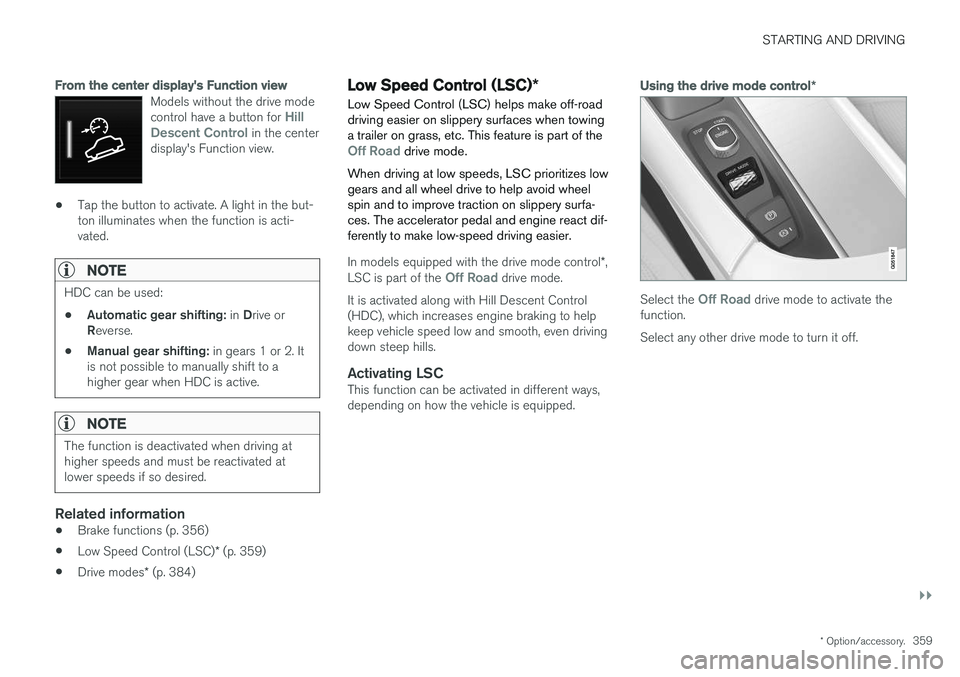
Using the drive mode control *
Select the Off Road drive mode to activate the
function. Select any other drive mode to turn it off.
Page 364 of 560
||
STARTING AND DRIVING
362
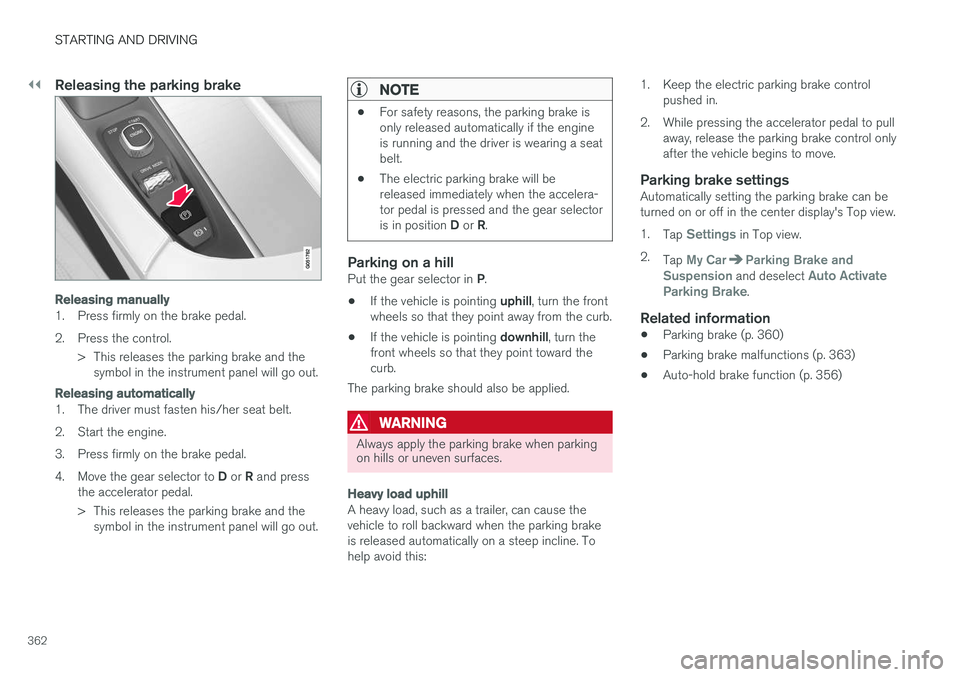
Releasing the parking brake
Releasing manually
1. Press firmly on the brake pedal.
2. Press the control.> This releases the parking brake and thesymbol in the instrument panel will go out.
Releasing automatically
1. The driver must fasten his/her seat belt.
2. Start the engine.
3. Press firmly on the brake pedal.4. Move the gear selector to D or R and press
the accelerator pedal.
> This releases the parking brake and the symbol in the instrument panel will go out.
NOTE
• For safety reasons, the parking brake is only released automatically if the engineis running and the driver is wearing a seatbelt.
• The electric parking brake will bereleased immediately when the accelera-tor pedal is pressed and the gear selector is in position
D or R.
Parking on a hillPut the gear selector in P.
• If the vehicle is pointing
uphill, turn the front
wheels so that they point away from the curb.
• If the vehicle is pointing
downhill, turn the
front wheels so that they point toward the curb.
The parking brake should also be applied.
WARNING
Always apply the parking brake when parking on hills or uneven surfaces.
Heavy load uphill
A heavy load, such as a trailer, can cause the vehicle to roll backward when the parking brakeis released automatically on a steep incline. Tohelp avoid this: 1. Keep the electric parking brake control
pushed in.
2. While pressing the accelerator pedal to pull away, release the parking brake control onlyafter the vehicle begins to move.
Parking brake settingsAutomatically setting the parking brake can beturned on or off in the center display's Top view. 1.Tap
Settings in Top view.
2. Tap
My CarParking Brake and
Suspension and deselect Auto Activate
Parking Brake.
Related information
• Parking brake (p. 360)
• Parking brake malfunctions (p. 363)
• Auto-hold brake function (p. 356)
Page 367 of 560
STARTING AND DRIVING
}}
365
capacity weight or maximum permissible axle loads are not exceeded.
• At the specified curb weight your vehicle hasa tendency to understeer, which means thatthe steering wheel has to be turned morethan might seem appropriate for the curva-ture of a bend. This ensures good stabilityand reduces the risk of rear wheel skid.Remember that these properties can alterwith the vehicle load. The heavier the load inthe cargo compartment, the less the ten-dency to understeer.
Related information
•ECO drive mode (p. 387)
• Tire inflation pressure table (p. 545)
• Volvo and the environment (p. 15)
Driving through standing water
The vehicle should be driven with extreme cau- tion if it is necessary to drive through standingwater.
The vehicle can be driven through water up to a depth of approximately 17.7 in. (45 cm) at walk-ing speed. Be particularly careful when drivingthrough flowing water. • Take particular care when driving through flowing water.
• After driving through water, apply the brakesand check that they are functioning correctly.
• Clean the electrical connections for trailerwiring after driving in mud or water.
• When driving through water, maintain lowspeed and do not stop in the water.
• Avoid driving through salt water if at all pos-sible to help avoid the risk of corrosion.
CAUTION
• Engine damage will occur if water is drawn into the air cleaner.
• Damage to any components, the engine,transmission, turbo-charger, differential orits internal components caused by flood-ing, vapor lock or insufficient oil is notcovered under warranty.
• Do not allow the vehicle to stand in waterup to the door sills longer than absolutelynecessary. This could result in electricalmalfunctions.
• If the engine has been stopped while thevehicle is in water, do not attempt torestart it. Have the vehicle towed out ofthe water.
WARNING
•
Avoid driving through standing or rushing water. Doing so can be dangerous and itmay also be difficult to determine theactual depth of the water.
• If water cannot be avoided, after drivingthrough the water, press lightly on thebrake pedal to ensure that the brakes arefunctioning normally. Water or mud canmake the brake linings slippery, resultingin delayed braking effect.
Page 368 of 560
||
STARTING AND DRIVING
366
Related information
•Towing recommendations (p. 369)
Overheating the engine and transmission
In demanding driving conditions, such as when transporting heavy loads, driving in mountainousareas or in very hot weather there is a risk ofoverheating the engine or transmission.
• The engine's output may be slightly limited if there is a risk of overheating.
• Remove e.g., auxiliary lights mounted in frontof the grille in hot weather.
• If the temperature of the engine coolantbecomes too high, the warning symbol will illuminate and the message
Engine
temperature/Stop safely will be displayed.
Stop the vehicle as soon as possible in a safe place and let the engine idle for severalminutes.
• If the message
Engine temperature/High
temperature Turn off engine or Engine
coolant/Stop safely is displayed, stop
safely and turn off the engine.
• If the transmission begins to overheat, an alternative gear shifting program will beselected. An integrated protective functionwill also by activated, the warning symbol will illuminate and the message
Transmission
warmHigh temperature Reduce speed
or Transmission warmStop safely, wait
for cooling will be displayed in the instru-
ment panel. •
The air conditioning may be switched off temporarily.
• After a prolonged period of driving, do notturn off the engine immediately after stop-ping.
• The engine cooling fan commonly continuesto run for several minutes after the enginehas been turned off.
WARNING
The cooling fan (located at the front of the engine compartment, behind the radiator) maystart or continue to operate (for up to6 minutes) after the engine has beenswitched off.
Related information
•
Driving with a trailer (p. 376)
• Before a long distance trip (p. 363)
Page 378 of 560
STARTING AND DRIVING
376
Driving with a trailer
When towing a trailer, always observe the legal requirements of the state/province.
• All Volvo models are equipped with energy- absorbing shock-mounted bumpers. Trailerhitch installation should not interfere with theproper operation of this bumper system.
Trailer towing does not normally present any par-ticular problems, but take into consideration:
• Increase tire pressure to recommended fullpressure.
• When your vehicle is new, avoid towing heavytrailers during the first 620 miles (1,000 km).
• Maximum speed when towing a trailer:50 mph (80 km/h).
• Engine and transmission are subject toincreased loads. Therefore, engine coolanttemperature should be closely watched whendriving in hot climates or hilly terrain. Use alower gear and turn off the air conditioner ifthe temperature gauge needle enters the redrange.
• If the automatic transmission begins to over-heat, a message will be displayed in the textwindow.
• Avoid overload and other abusive operation.
• Hauling a trailer affects handling, durability,and economy. •
It is necessary to balance trailer brakes withthe towing vehicle brakes to provide a safestop (check and observe state/local regula-tions).
• Do not connect the trailer's brake systemdirectly to the vehicle's brake system.
• More frequent vehicle maintenance isrequired.
• Remove the ball holder when the hitch is notbeing used.
NOTE
•
When parking the vehicle with a trailer on a hill, apply the parking brake before put- ting the gear selector in
P. Always follow
the trailer manufacturer's recommenda- tions for wheel chocking.
• When starting on a hill, put the gear selector in
D before releasing the parking
brake.
• If you use the manual (Geartronic) shift positions while towing a trailer, make surethe gear you select does not put toomuch strain on the engine (using toohigh a gear).
• The drawbar assembly/trailer hitch maybe rated for trailers heavier than the vehi-cle is designed to tow. Please adhere toVolvo's recommended trailer weights.
• Avoid driving with a trailer on inclines ofmore than 15%.
Page 379 of 560
STARTING AND DRIVING
}}
377
CAUTION
The maximum trailer weights listed are only applicable for altitudes up to 3,280 ft(1000 m) above sea level. With increasingaltitude the engine power and therefore thecar's climbing ability are impaired because ofthe reduced air density, so the maximumtrailer weight has to be reduced accordingly.The weight of the vehicle and trailer must bereduced by 10% for every further 3,280 ft(1,000 m) (or part thereof). When towing5,000 lbs (2,250 kg) hill inclination is restric-ted to 14%.
WARNING
•Bumper-attached trailer hitches must not be used on Volvos, nor should safetychains be attached to the bumper.
• Trailer hitches attaching to the vehiclerear axle must not be used.
• Never connect a trailer's hydraulic brakesystem directly to the vehicle brake sys-tem, nor a trailer's lighting system directlyto the vehicle lighting system. Consultyour nearest authorized Volvo retailer forcorrect installation.
• When towing a trailer, the trailer's safetychains or wire must be correctly fastenedto the attachment points provided in thetrailer hitch on the vehicle. The safetychain or wire must never be fastened toor wound around the towing ball.
Trailer turn signals and brake lightsIf one (or more) of the bulbs on a trailer is defec-tive, a symbol and a message will be displayed inthe instrument panel. The other lights on the trailer must be checked manually by the driver before the vehicle is driven.See the subsection "Manual check" in the follow-ing section "Trailer lamp check".
Symbol
Message
•Trailer turn indicator Right
turn indicator malfunction
•Trailer turn indicator Left
turn indicator malfunction
•Trailer brake light Malfunc-
tion
If one of the trailer's turn signal bulbs is defective, the turn signal symbol in the instrument panel forthe respective sides of the vehicle will also flashfaster than normal.
Page 380 of 560
||
STARTING AND DRIVING
* Option/accessory.
378
Trailer lamp check *
Automatic check
When the trailer has been connected to the vehi- cle's electrical system, its lamps can be checkedby automatically activating them. This helps thedriver to ensure that the trailer's lamps are func-tioning correctly before starting to drive. In order to perform this check, the engine must not be running.
1. When a trailer is connected to a trailer hitch
or towbar,
Automatic Trailer Lamp Checkwill appear in the instrument panel.
2. Confirm this message by pressing the O but-
ton on the right-side steering wheel keypad.
> The lamp check will begin.
3. Leave the vehicle to perform the trailer lamp check.
> All of the trailer's lamps will begin to flashand then each lamp will illuminate one at a time.
4. Visually check that all of the trailer's lamps are functioning correctly.
5. After a short time, all of the trailer's lamps will begin to flash again.
> The lamp check is completed.
Disabling the automatic check
The automatic lamp check function can be disa- bled in the center display. 1.
Tap
Settings in Top view.
2. Tap
My CarLights and Lighting.
3. Deselect
Automatic Trailer Lamp Check.
Manual check
If the automatic lamp check has been disabled, the function can be started manually. 1.Tap
Settings in Top view.
2. Tap
My CarLights and Lighting.
3. Select
Manual Trailer Lamp Check.
> The lamp check will begin. Leave the vehi- cle to perform the trailer lamp check as described in the section "Automaticcheck" above.
Self-leveling suspension *The self-leveling system attempts to keep thevehicle at a constant level, regardless of the load(up to the max. permissible load). When theengine is not running, the rear of the vehiclesinks down slightly, which is normal.
Related information
•Detachable trailer hitch
* (p. 378)
• Trailer Stability Assist (TSA) (p. 379)
• Weights (p. 537)
Detachable trailer hitch
*
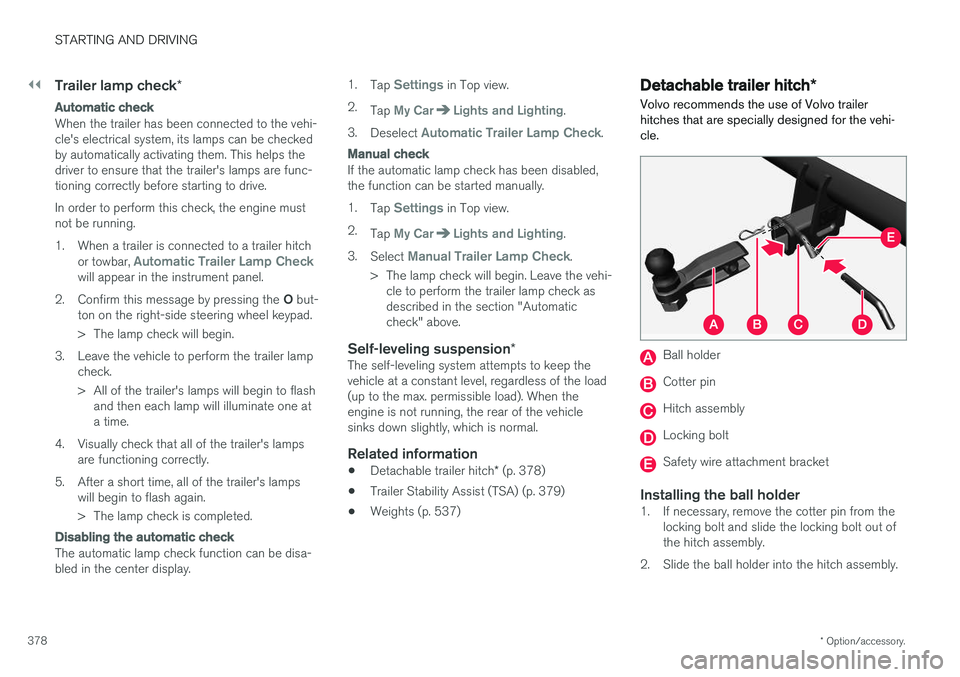
Volvo recommends the use of Volvo trailer hitches that are specially designed for the vehi-cle.
Ball holder
Cotter pin
Hitch assembly
Locking bolt
Safety wire attachment bracket
Installing the ball holder1. If necessary, remove the cotter pin from the locking bolt and slide the locking bolt out of the hitch assembly.
2. Slide the ball holder into the hitch assembly.
Page 381 of 560
STARTING AND DRIVING
}}
379
3. Align the hole in the ball holder with the one
in the hitch assembly.
4. Slide the locking bolt through the hitch assembly/ball holder.
5. Insert the cotter pin in the hole at the end of the locking bolt.
WARNING
• Be sure the towbar is securely locked in position before attaching anything to it.
• Always attach the trailer's safety wiresecurely to the towbar's safety wireattachment bracket.
Removing the ball holder1. Remove the cotter pin from the locking bolt
and slide the locking bolt out of the ballholder/hitch assembly.
2. Pull the ball holder out of the hitch assembly.
NOTE
A cover for the hitch assembly is also included in the kit.
Stowing the ball holder
WARNING
When not in use, the detachable trailer hitch should always be properly stowed under thecargo compartment floor.
Related information
• Driving with a trailer (p. 376)
• Trailer Stability Assist (TSA) (p. 379)
Trailer Stability Assist (TSA)
Trailer Stability Assist is a system designed to help stabilize a vehicle that is towing a trailerwhen the vehicle and trailer have begun to swayand is part of the Electronic Stability Control sys-tem.
FunctionA vehicle towing a trailer may begin to sway for various reasons. Normally this only occurs at highspeeds but, for example, if the trailer is overloa-ded or if the load is unevenly distributed in thetrailer, there is risk of swaying. Swaying may be caused by factors such as:
• The vehicle and trailer are hit by a sudden, strong crosswind
• The vehicle and trailer are traveling on anuneven road surface or drive over a bump
• Sudden movements of the steering wheel
Facts about TSA
• The stability system symbol in the instrumentpanel will flash when TSA is working
• If the driver switches off the stability system'sSpin Control function, TSA will also beswitched off (but will be on again the nexttime the engine is started)
• TSA may not intervene when the vehicle andtrailer begin to sway if the driver tries to com-pensate for the swaying motion by movingthe steering wheel rapidly
Page 382 of 560
||
STARTING AND DRIVING
* Option/accessory.
380
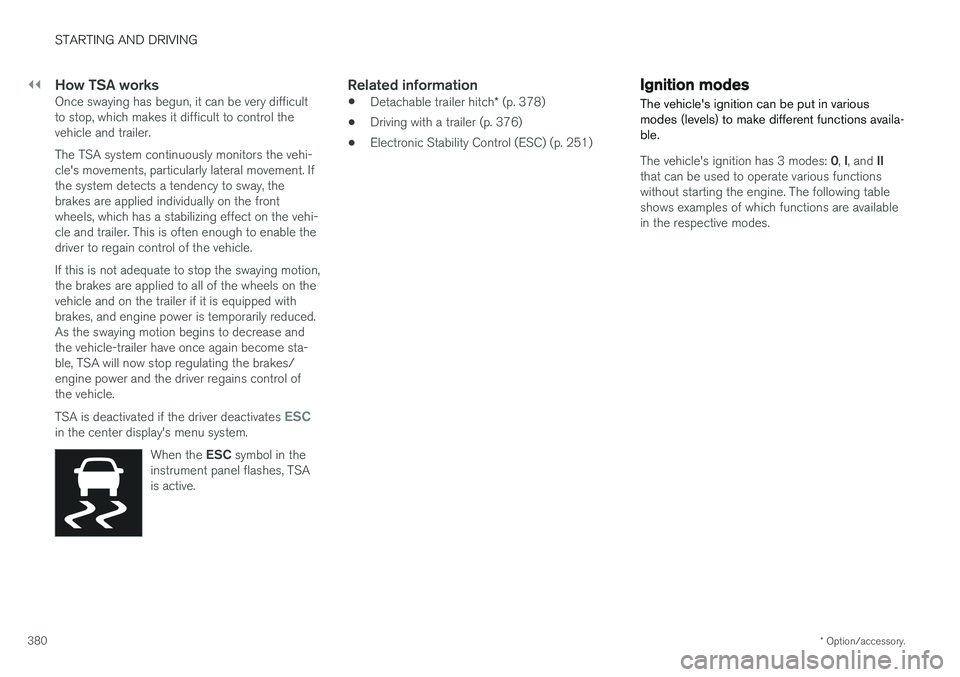
How TSA worksOnce swaying has begun, it can be very difficult to stop, which makes it difficult to control thevehicle and trailer. The TSA system continuously monitors the vehi- cle's movements, particularly lateral movement. Ifthe system detects a tendency to sway, thebrakes are applied individually on the frontwheels, which has a stabilizing effect on the vehi-cle and trailer. This is often enough to enable thedriver to regain control of the vehicle. If this is not adequate to stop the swaying motion, the brakes are applied to all of the wheels on thevehicle and on the trailer if it is equipped withbrakes, and engine power is temporarily reduced.As the swaying motion begins to decrease andthe vehicle-trailer have once again become sta-ble, TSA will now stop regulating the brakes/engine power and the driver regains control ofthe vehicle. TSA is deactivated if the driver deactivates
ESCin the center display's menu system.
When the ESC symbol in the
instrument panel flashes, TSA is active.
Related information
• Detachable trailer hitch
* (p. 378)
• Driving with a trailer (p. 376)
• Electronic Stability Control (ESC) (p. 251)
Ignition modes
The vehicle's ignition can be put in various modes (levels) to make different functions availa-ble.
The vehicle's ignition has 3 modes: 0, I, and II
that can be used to operate various functions without starting the engine. The following tableshows examples of which functions are availablein the respective modes.
Page 387 of 560
STARTING AND DRIVING
}}
385
Selecting a drive mode
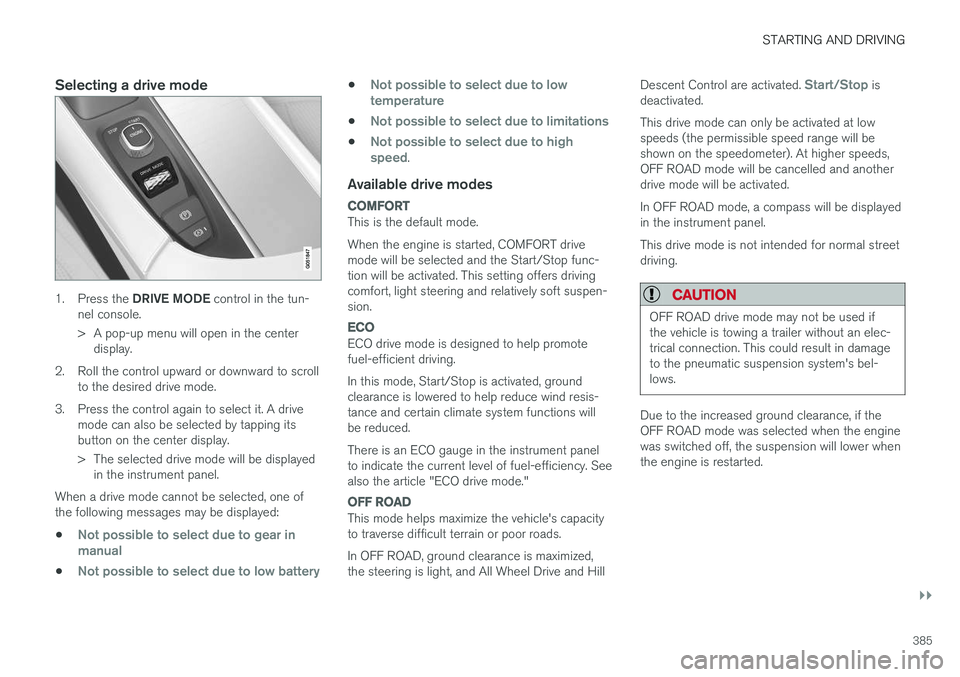
1.Press the DRIVE MODE control in the tun-
nel console.
> A pop-up menu will open in the center display.
2. Roll the control upward or downward to scroll to the desired drive mode.
3. Press the control again to select it. A drive mode can also be selected by tapping its button on the center display.
> The selected drive mode will be displayedin the instrument panel.
When a drive mode cannot be selected, one of the following messages may be displayed:
•
Not possible to select due to gear in manual
•Not possible to select due to low battery
•Not possible to select due to low temperature
•Not possible to select due to limitations
•Not possible to select due to high speed.
Available drive modes
COMFORT
This is the default mode. When the engine is started, COMFORT drive mode will be selected and the Start/Stop func-tion will be activated. This setting offers drivingcomfort, light steering and relatively soft suspen-sion.
ECO
ECO drive mode is designed to help promote fuel-efficient driving. In this mode, Start/Stop is activated, ground clearance is lowered to help reduce wind resis-tance and certain climate system functions willbe reduced. There is an ECO gauge in the instrument panel to indicate the current level of fuel-efficiency. Seealso the article "ECO drive mode."
OFF ROAD
This mode helps maximize the vehicle's capacity to traverse difficult terrain or poor roads. In OFF ROAD, ground clearance is maximized, the steering is light, and All Wheel Drive and Hill Descent Control are activated.
Start/Stop is
deactivated. This drive mode can only be activated at low speeds (the permissible speed range will beshown on the speedometer). At higher speeds,OFF ROAD mode will be cancelled and anotherdrive mode will be activated. In OFF ROAD mode, a compass will be displayed in the instrument panel. This drive mode is not intended for normal street driving.
CAUTION
OFF ROAD drive mode may not be used if the vehicle is towing a trailer without an elec-trical connection. This could result in damageto the pneumatic suspension system's bel-lows.
Due to the increased ground clearance, if the OFF ROAD mode was selected when the enginewas switched off, the suspension will lower whenthe engine is restarted.