mirror VOLVO XC90 2017 Owner´s Manual
[x] Cancel search | Manufacturer: VOLVO, Model Year: 2017, Model line: XC90, Model: VOLVO XC90 2017Pages: 560, PDF Size: 9.97 MB
Page 319 of 560
DRIVER SUPPORT
}}
* Option/accessory.317
Blind Spot Information (BLIS) *
Blind Spot Information is a system designed to alert the driver to the presence of other vehiclesmoving in the same direction as your vehicle onroads with several lanes.
Blind Spot Information is a driving aid intended to:
• detect other vehicles in your door mirrors'"blind area"
• detect vehicles that are about to pass yourvehicle or are approaching your vehiclequickly from behind in the left and/or rightlanes
WARNING
•
Blind Spot Information is an information system, NOT a warning or safety systemand does not function in all situations.
• Blind Spot Information does not eliminatethe need for you to visually confirm theconditions around you, and the need foryou to turn your head and shoulders tomake sure that you can safely changelanes or back up.
• As the driver, you have full responsibilityfor changing lanes/backing up in a safemanner.
Overview
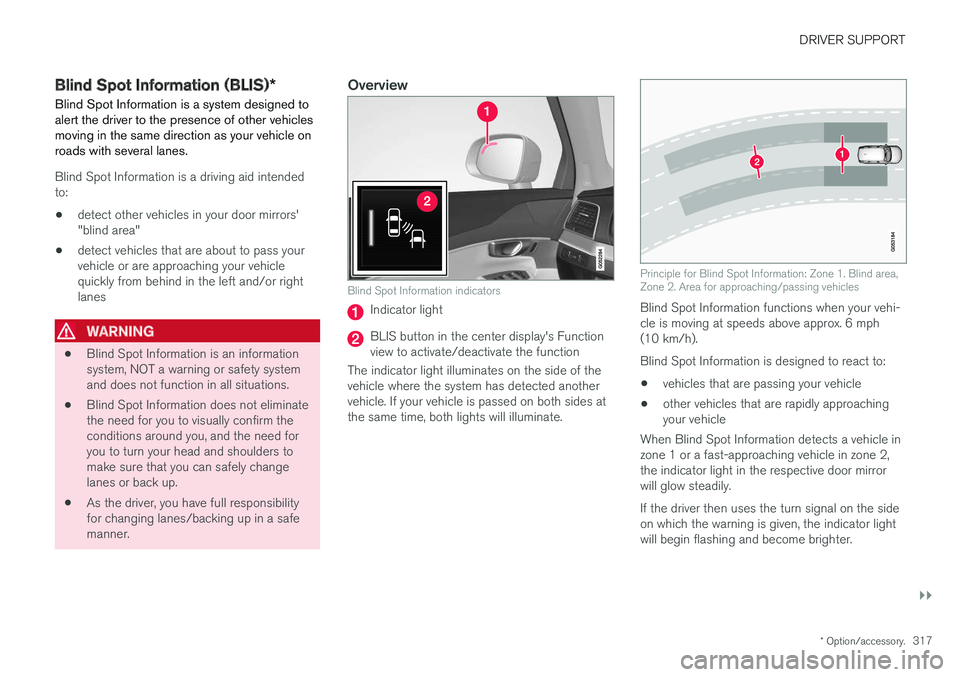
Blind Spot Information indicators
Indicator light
BLIS button in the center display's Function view to activate/deactivate the function
The indicator light illuminates on the side of thevehicle where the system has detected anothervehicle. If your vehicle is passed on both sides atthe same time, both lights will illuminate.
Principle for Blind Spot Information: Zone 1. Blind area, Zone 2. Area for approaching/passing vehicles
Blind Spot Information functions when your vehi- cle is moving at speeds above approx. 6 mph(10 km/h). Blind Spot Information is designed to react to:
• vehicles that are passing your vehicle
• other vehicles that are rapidly approaching your vehicle
When Blind Spot Information detects a vehicle inzone 1 or a fast-approaching vehicle in zone 2,the indicator light in the respective door mirrorwill glow steadily. If the driver then uses the turn signal on the side on which the warning is given, the indicator lightwill begin flashing and become brighter.
Page 320 of 560
||
DRIVER SUPPORT
* Option/accessory.
318
WARNING
• Blind Spot Information does not function in sharp curves.
• Blind Spot Information does not functionwhen your vehicle is backing up.
Related information
•
Blind Spot Information (BLIS)
* On/Off
(p. 318)
• Blind Spot Information (BLIS)
* limitations
(p. 319)
• Cross Traffic Alert (CTA)
* (p. 319)
Blind Spot Information (BLIS) *
On/Off The Blind Spot Information function can be acti- vated/deactivated.
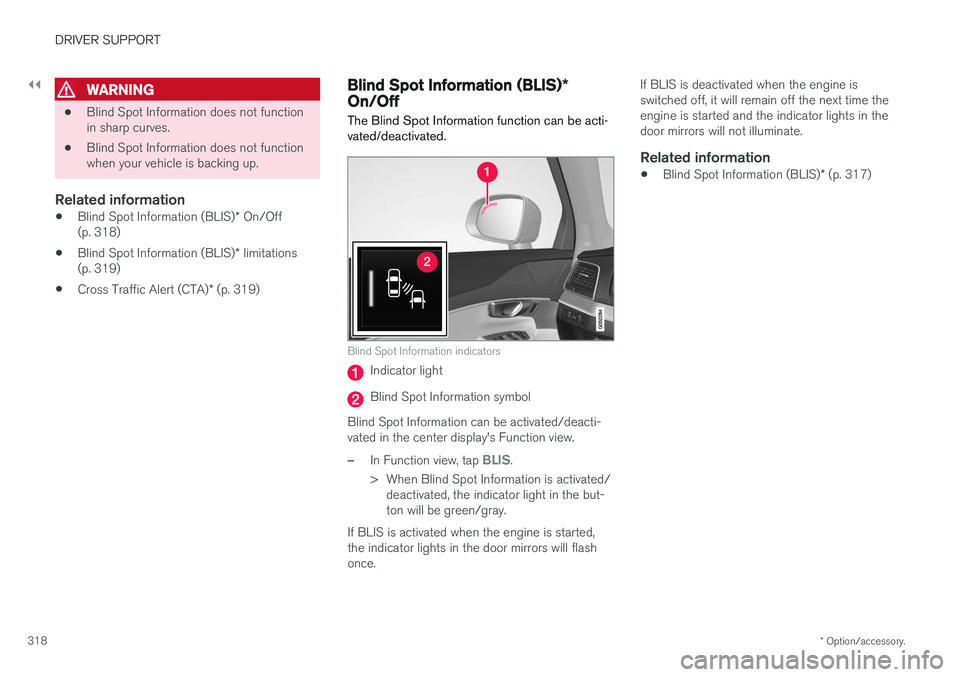
Blind Spot Information indicators
Indicator light
Blind Spot Information symbol
Blind Spot Information can be activated/deacti- vated in the center display's Function view.
–In Function view, tap BLIS.
> When Blind Spot Information is activated/ deactivated, the indicator light in the but- ton will be green/gray.
If BLIS is activated when the engine is started,the indicator lights in the door mirrors will flashonce. If BLIS is deactivated when the engine isswitched off, it will remain off the next time theengine is started and the indicator lights in thedoor mirrors will not illuminate.
Related information
•
Blind Spot Information (BLIS)
* (p. 317)
Page 343 of 560
DRIVER SUPPORT
}}
* Option/accessory.341
Backing up
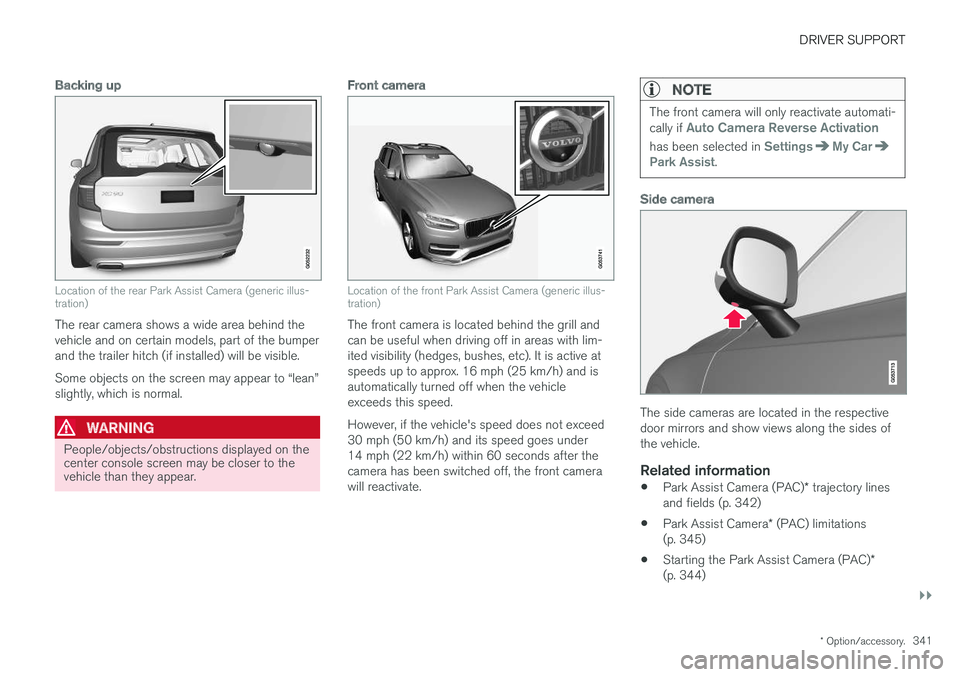
Location of the rear Park Assist Camera (generic illus- tration)
The rear camera shows a wide area behind the vehicle and on certain models, part of the bumperand the trailer hitch (if installed) will be visible. Some objects on the screen may appear to “lean” slightly, which is normal.
WARNING
People/objects/obstructions displayed on the center console screen may be closer to thevehicle than they appear.
Front camera
Location of the front Park Assist Camera (generic illus- tration)
The front camera is located behind the grill and can be useful when driving off in areas with lim-ited visibility (hedges, bushes, etc). It is active atspeeds up to approx. 16 mph (25 km/h) and isautomatically turned off when the vehicleexceeds this speed. However, if the vehicle's speed does not exceed 30 mph (50 km/h) and its speed goes under14 mph (22 km/h) within 60 seconds after thecamera has been switched off, the front camerawill reactivate.
NOTE
The front camera will only reactivate automati- cally if Auto Camera Reverse Activation
has been selected in SettingsMy CarPark Assist.
Side camera
The side cameras are located in the respective door mirrors and show views along the sides ofthe vehicle.
Related information
•Park Assist Camera (PAC)
* trajectory lines
and fields (p. 342)
• Park Assist Camera
* (PAC) limitations
(p. 345)
• Starting the Park Assist Camera (PAC)
*
(p. 344)
Page 344 of 560
DRIVER SUPPORT
* Option/accessory.
342 •
Park Assist
* (p. 336)
• Cross Traffic Alert (CTA)
* (p. 319)
• Park Assist Pilot (PAP)
* (p. 346)
Park Assist Camera (PAC) *
trajectory lines and fields
The Park Assist Camera system uses trajectory lines and fields to indicate the vehicle's positionin relation to its immediate surroundings.
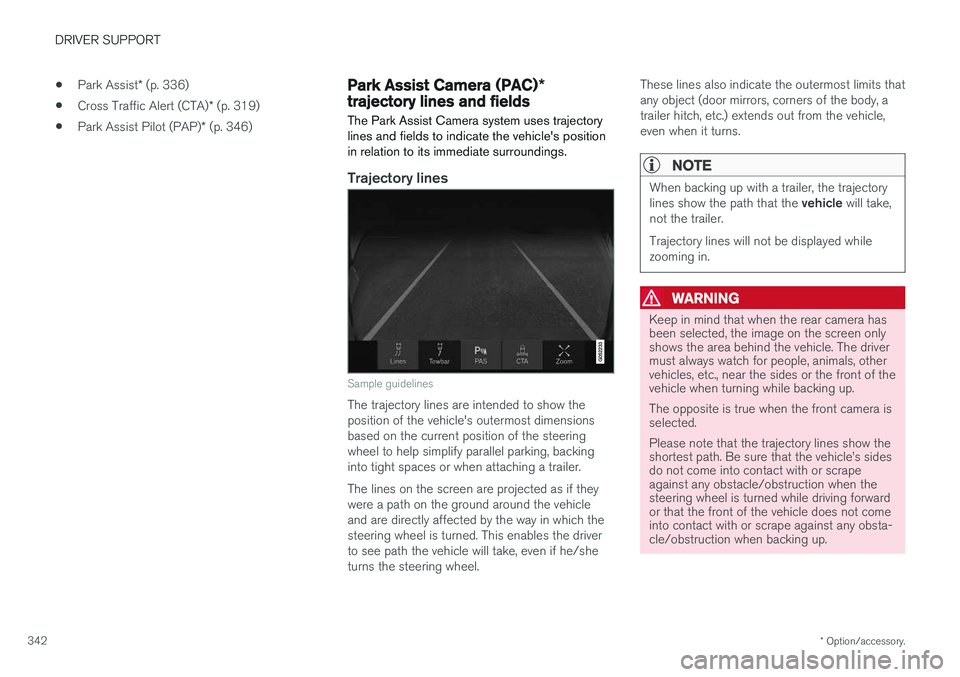
Trajectory lines
Sample guidelines
The trajectory lines are intended to show the position of the vehicle's outermost dimensionsbased on the current position of the steeringwheel to help simplify parallel parking, backinginto tight spaces or when attaching a trailer. The lines on the screen are projected as if they were a path on the ground around the vehicleand are directly affected by the way in which thesteering wheel is turned. This enables the driverto see path the vehicle will take, even if he/sheturns the steering wheel. These lines also indicate the outermost limits thatany object (door mirrors, corners of the body, atrailer hitch, etc.) extends out from the vehicle,even when it turns.
NOTE
When backing up with a trailer, the trajectory lines show the path that the
vehicle will take,
not the trailer. Trajectory lines will not be displayed while zooming in.
WARNING
Keep in mind that when the rear camera has been selected, the image on the screen onlyshows the area behind the vehicle. The drivermust always watch for people, animals, othervehicles, etc., near the sides or the front of thevehicle when turning while backing up. The opposite is true when the front camera is selected. Please note that the trajectory lines show the shortest path. Be sure that the vehicle
Page 348 of 560
||
DRIVER SUPPORT
* Option/accessory.
346
Dark camera sectors
A dark camera sector may also be displayed in the following situations but without the defective
camera symbol. A sector may be dark because: • the door mirror is folded in
• the door is open
• the tailgate is open
Ambient lightingThe camera images are adjusted automatically to the ambient light, which means the image mayvary slightly in terms of light and quality. Poorambient lighting may reduce the quality of theimage.
Maintenance
•Keep the camera's lens free of dirt, ice andsnow. This is particularly important in poorambient lighting conditions.
• Remove dirt, ice and snow carefully to avoidscratching the lenses.
• Clean the lens regularly with warm water anda suitable car washing detergent.
Related information
•
Park Assist Camera (PAC)
* (p. 340)
Park Assist Pilot (PAP) *
Park Assist Pilot (PAP) helps the driver drive into parallel or perpendicular parking spaces andleave parallel parking spaces.
Park Assist Pilot provides assistance when park- ing by measuring the parking space and turningthe steering wheel to guide the vehicle into thespace. Information about the actions required by the driver is provided in the center display in the formof symbols, images and text.
NOTE
While PAP is active, the driver's task is to:
• carefully monitor the area around the vehicle
• follow the instructions provided in thecenter display
• select a gear (
D or R) when prompted
• regulate the vehicle's speed
• apply the brakes when necessary andstop the vehicle
Types of parking
Parallel parking
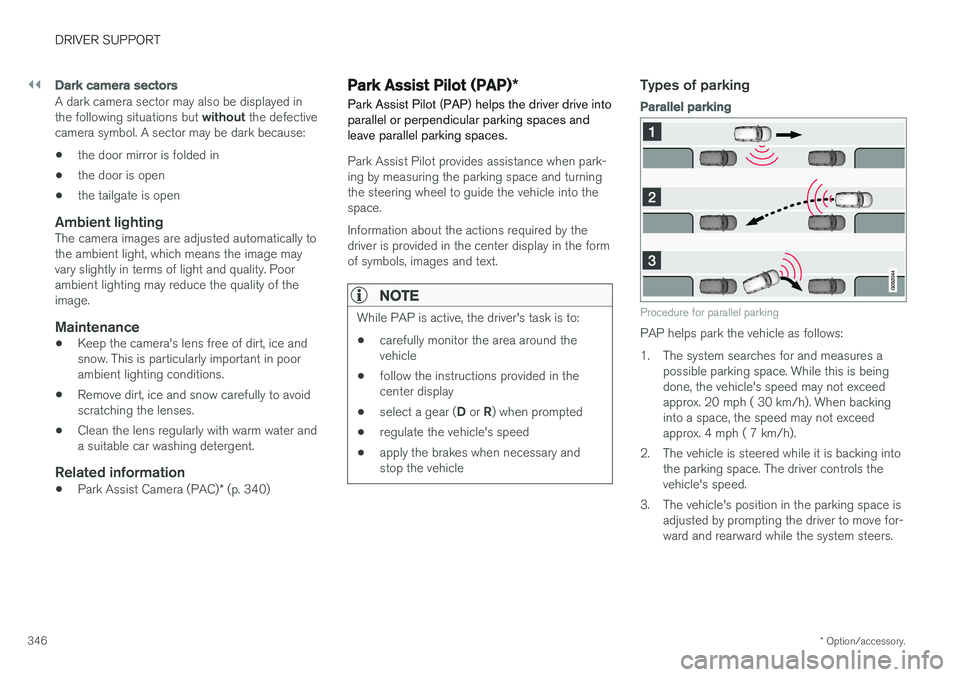
Procedure for parallel parking
PAP helps park the vehicle as follows:
1. The system searches for and measures a
possible parking space. While this is being done, the vehicle's speed may not exceedapprox. 20 mph ( 30 km/h). When backinginto a space, the speed may not exceedapprox. 4 mph ( 7 km/h).
2. The vehicle is steered while it is backing into the parking space. The driver controls thevehicle's speed.
3. The vehicle's position in the parking space is adjusted by prompting the driver to move for-ward and rearward while the system steers.
Page 384 of 560
STARTING AND DRIVING
382
Battery drain Your vehicle's electrical functions drain the bat- tery to varying extents.
Avoid using ignition mode II as much as posssi-
ble, or electrical functions that require a great deal of electrical current when the engine is notrunning. Using ignition mode I whenever possible con-
sumes less electrical current. Functions that require a great deal of electrical current include:
• the climate system blower
• headlights
• wipers
• infotainment system (especially at high vol-ume).
If the battery's charge level is low, a text messagewill appear in the instrument panel. The vehicle'senergy-saving function will then turn off orreduce certain functions that are currently con-suming electrical current. If the battery needs to be recharged, start the engine and let it idle for at least 15 minutes ordrive the vehicle (driving charges the batteryfaster than letting the engine idle).
Related information
• Ignition modes (p. 380)
Starting the engine
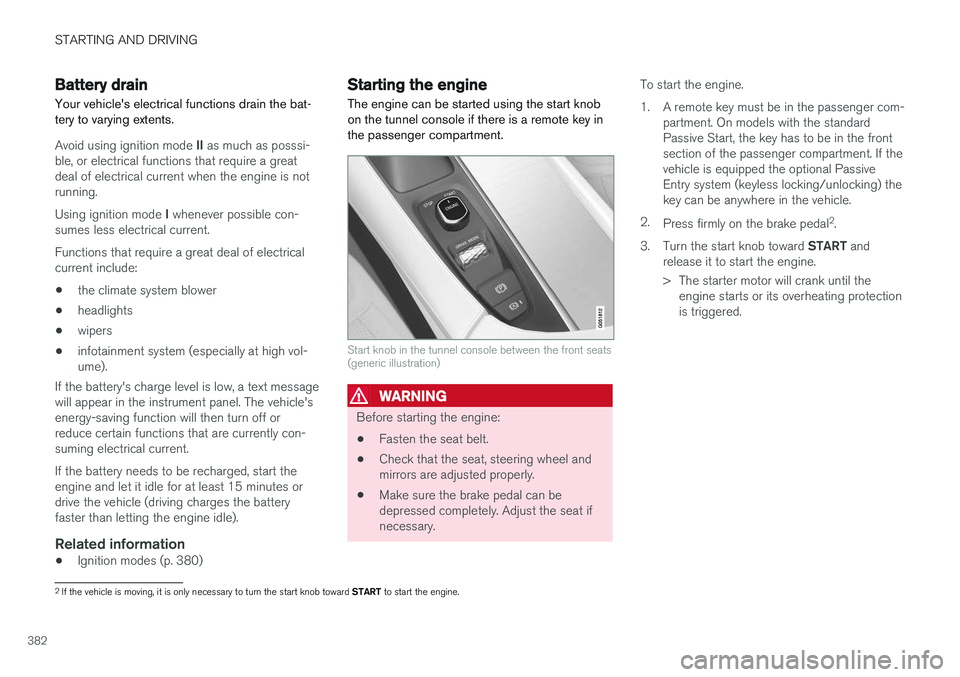
The engine can be started using the start knob on the tunnel console if there is a remote key inthe passenger compartment.
Start knob in the tunnel console between the front seats (generic illustration)
WARNING
Before starting the engine:
• Fasten the seat belt.
• Check that the seat, steering wheel and mirrors are adjusted properly.
• Make sure the brake pedal can bedepressed completely. Adjust the seat ifnecessary. To start the engine.
1. A remote key must be in the passenger com-
partment. On models with the standard Passive Start, the key has to be in the frontsection of the passenger compartment. If thevehicle is equipped the optional PassiveEntry system (keyless locking/unlocking) thekey can be anywhere in the vehicle.
2. Press firmly on the brake pedal 2
.
3. Turn the start knob toward START and
release it to start the engine.
> The starter motor will crank until the engine starts or its overheating protection is triggered.
2If the vehicle is moving, it is only necessary to turn the start knob toward START to start the engine.
Page 502 of 560
||
MAINTENANCE AND SERVICING
* Option/accessory.
500
Positions
• Fuses 1, 3–21, 23–36, 39–53 and 55–59 are called "Micro".
• Fuses 2, 22, 37–38 and 54 are called"MCase" and should only be replaced by atrained and qualified Volvo service technician.
Function
A
– –
120-volt socket on the rear side of the tunnel console* 30
– –
Alarm system movement sensor
A
5
Media player 5
Instrument panel 5
Center console buttons 5
Sun sensor 5
– –
– –
Steering wheel module 5
Module for start knob and parking brake 5
Function
A
Heated steering wheel* module 15
– –
– –
– –
– –
Climate system control module 10
– –
On-board diagnostics (OBDII) 10
Center display 5
Climate system blower module (front) 40
– –
Instrument lighting; Courtesy light- ing; Auto-dim rearview mirror; Rainand light sensor; Rear tunnel con- sole keypad
*; Power front seats *;
Rear door control panels 7.5
Control module for driver support functions
5
Panorama roof and sun shade
*20
Function
A
Head-up display* 5
Courtesy lighting 5
– –
Ceiling console display (seat belt reminder, front passenger side air-bag indicator) 5
– –
Humidity sensor 5
Rear passenger-side door module 20
Fuses in the cargo compartment 10
Internet connection control module; Volvo On Call control module
5
Rear driver-side door module 20
Infotainment control module (amplifier)40
Climate system blower module (rear)
* 40
Multi-band antenna module 5
Front seat massage function 5
– –
Page 526 of 560
||
MAINTENANCE AND SERVICING
* Option/accessory.
524
CAUTION
• Before driving into an automatic car wash, turn off the optional rain sensor toavoid damaging the windshield wipers.
• Make sure that side view mirrors, auxiliarylamps, etc, are secure, and that anyantenna(s) are retracted or removed. Oth-erwise there is risk of the machine dis-lodging them.
• Chromed wheels:
Clean chrome-plated
wheels using the same detergents usedfor the body of the vehicle. Aggressivewheel-cleaning agents can permanentlystain chrome-plated wheels.
WARNING
• When the vehicle is driven immediately after being washed, apply the brakes,including the parking brake, several timesin order to remove any moisture from thebrake linings.
• Engine cleaning agents should not beused when the engine is warm. This con-stitutes a fire risk.
Exterior componentsVolvo recommends the use of special cleaningproducts, available at your Volvo retailer, forcleaning colored plastic, rubber, or ornamental components such as chromed strips on the exte-rior of your vehicle. The instructions for usingthese products should be followed carefully. Sol-vents or stain removers should not be used. The frames around the side windows, roof rails and door frames near the windows
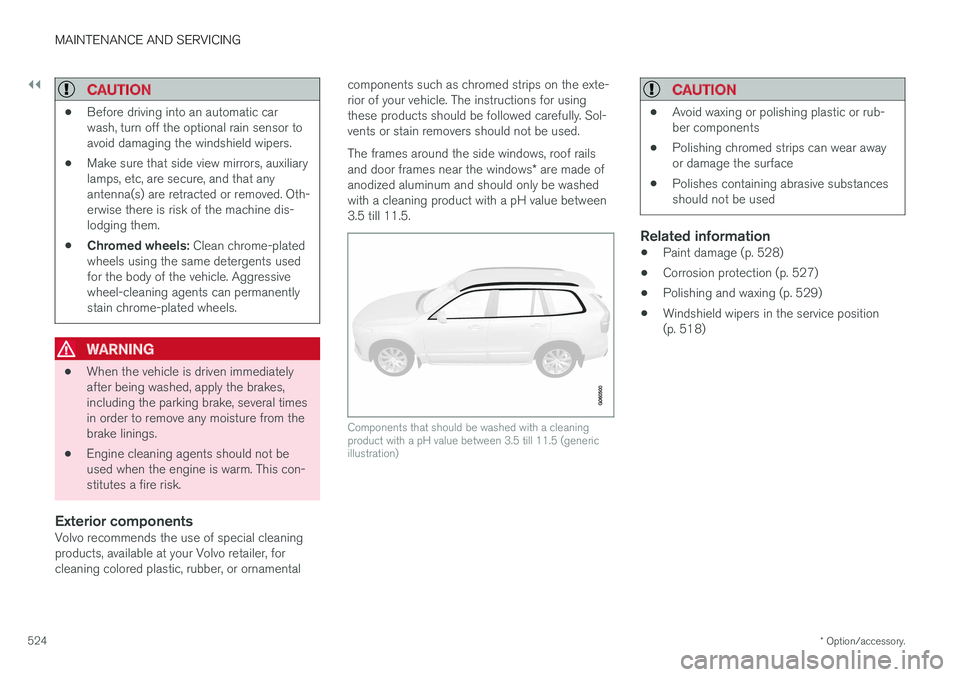
* are made of
anodized aluminum and should only be washed with a cleaning product with a pH value between3.5 till 11.5.
Components that should be washed with a cleaning product with a pH value between 3.5 till 11.5 (genericillustration)
CAUTION
• Avoid waxing or polishing plastic or rub- ber components
• Polishing chromed strips can wear awayor damage the surface
• Polishes containing abrasive substancesshould not be used
Related information
•Paint damage (p. 528)
• Corrosion protection (p. 527)
• Polishing and waxing (p. 529)
• Windshield wipers in the service position (p. 518)
Page 538 of 560
||
SPECIFICATIONS
536
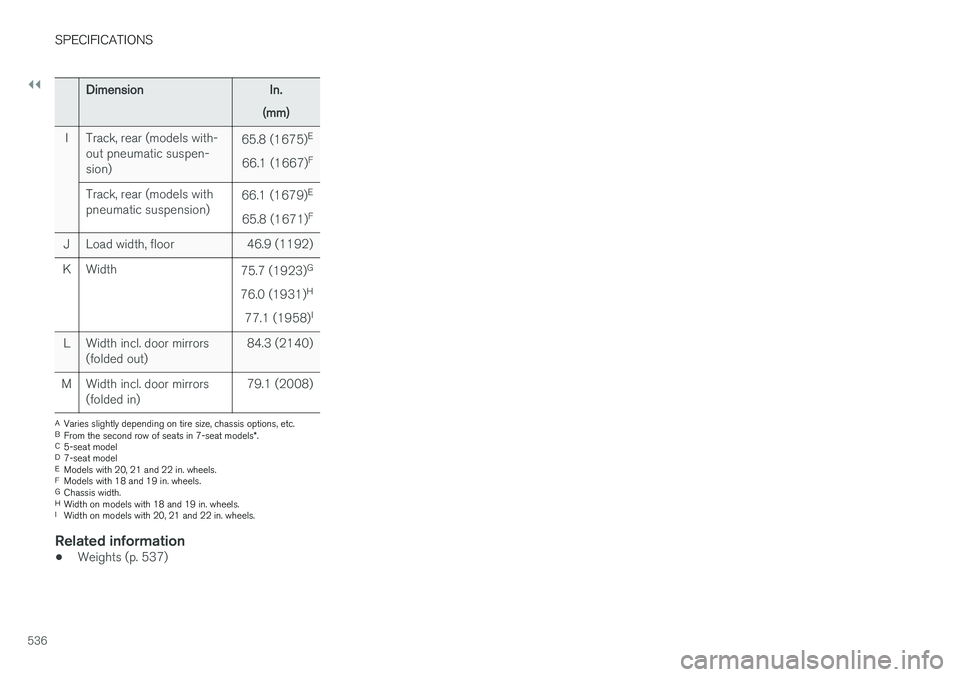
DimensionIn.
(mm)
I Track, rear (models with- out pneumatic suspen- sion) 65.8 (1675)
E
66.1 (1667) F
Track, rear (models withpneumatic suspension) 66.1 (1679)
E
65.8 (1671) F
J Load width, floor 46.9 (1192)
K Width 75.7 (1923)G
76.0 (1931) H
77.1 (1958) I
L Width incl. door mirrors (folded out) 84.3 (2140)
M Width incl. door mirrors (folded in) 79.1 (2008)
A
Varies slightly depending on tire size, chassis options, etc.
B From the second row of seats in 7-seat models *.
C 5-seat model
D 7-seat model
E Models with 20, 21 and 22 in. wheels.
F Models with 18 and 19 in. wheels.
G Chassis width.
H Width on models with 18 and 19 in. wheels.
I Width on models with 20, 21 and 22 in. wheels.
Related information
• Weights (p. 537)
Page 551 of 560
INDEX
549
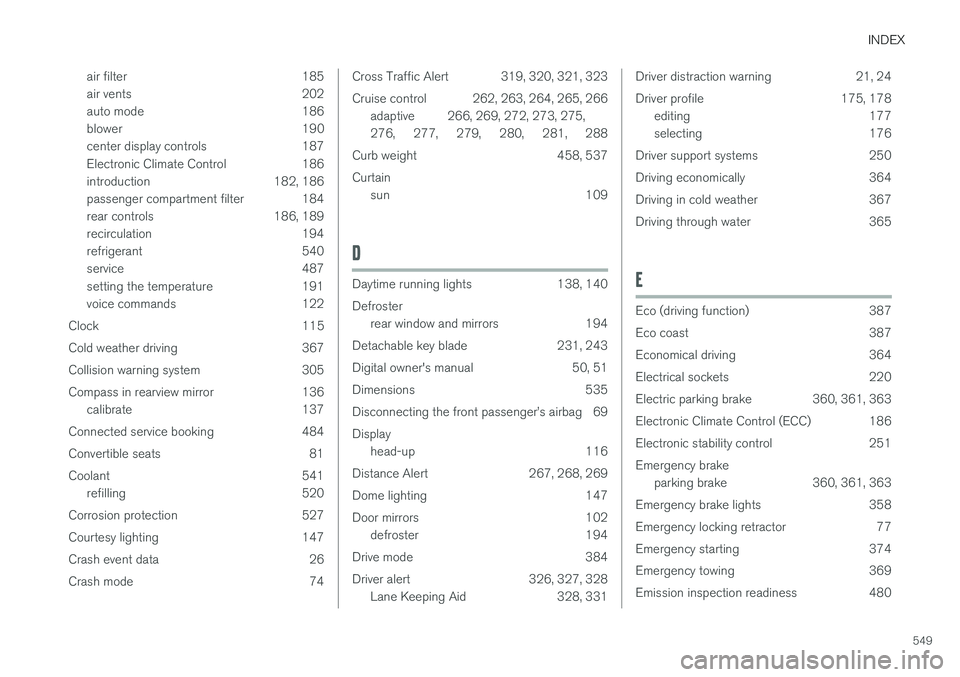
air filter 185
air vents 202
auto mode 186
blower 190
center display controls 187
Electronic Climate Control 186
introduction 182, 186
passenger compartment filter 184
rear controls 186, 189
recirculation 194
refrigerant 540
service 487
setting the temperature 191
voice commands 122
Clock 115
Cold weather driving 367
Collision warning system 305
Compass in rearview mirror 136 calibrate 137
Connected service booking 484
Convertible seats 81
Coolant 541 refilling 520
Corrosion protection 527
Courtesy lighting 147
Crash event data 26
Crash mode 74
Cross Traffic Alert 319, 320, 321, 323
Cruise control 262, 263, 264, 265, 266 adaptive 266, 269, 272, 273, 275, 276 , 277 , 279 , 280 , 281 , 288
Curb weight 458, 537 Curtain sun 109
D
Daytime running lights 138, 140 Defrosterrear window and mirrors 194
Detachable key blade 231, 243
Digital owner's manual 50, 51
Dimensions 535
Disconnecting the front passenger