change wheel VOLVO XC90 2017 Owner´s Manual
[x] Cancel search | Manufacturer: VOLVO, Model Year: 2017, Model line: XC90, Model: VOLVO XC90 2017Pages: 560, PDF Size: 9.97 MB
Page 473 of 560
WHEELS AND TIRES
}}
471
6. Tap the calibration button. 7.
Tap
OK after the tire pressure in all four tires
has been checked and adjusted.
8. Drive the vehicle. > The calibration process will be completedwhile driving and will be interrupted if the vehicle is parked and the engine isswitched off. Calibration continues auto-matically when driving resumes.
When enough data has been collected to detecta low tire pressure situation, the tires' color in thecenter display will change to green. The systemwill not give any text confirmation when calibra-tion is finished although it will state if calibrationfails. When driving with heavy loads or at sus-tained highway speeds, the tire pressure shouldbe adjusted to the recommended inflation pres-sures. After adjusting inflation pressure, repeat steps 1-8.
NOTE
Always remember to calibrate the Tire Pres- sure Monitoring System when the wheelshave been changed or the tire inflation pres-sure has been corrected according to the tirepressure decal or tire inflation pressure table. If correct reference values have not been set, the system cannot issue low tire pressurealerts correctly. The vehicle must be parked with the engine running to access the calibration button andto start the calibration process.
WARNING
The exhaust gases contain carbon monoxide, which is invisible and odorless but very poi-sonous. For this reason, always perform thecalibration procedure outdoors or in a work-shop with exhaust gas evacuation equipment.
Related information
• Tire Pressure Monitoring System (TPMS) (p. 467)
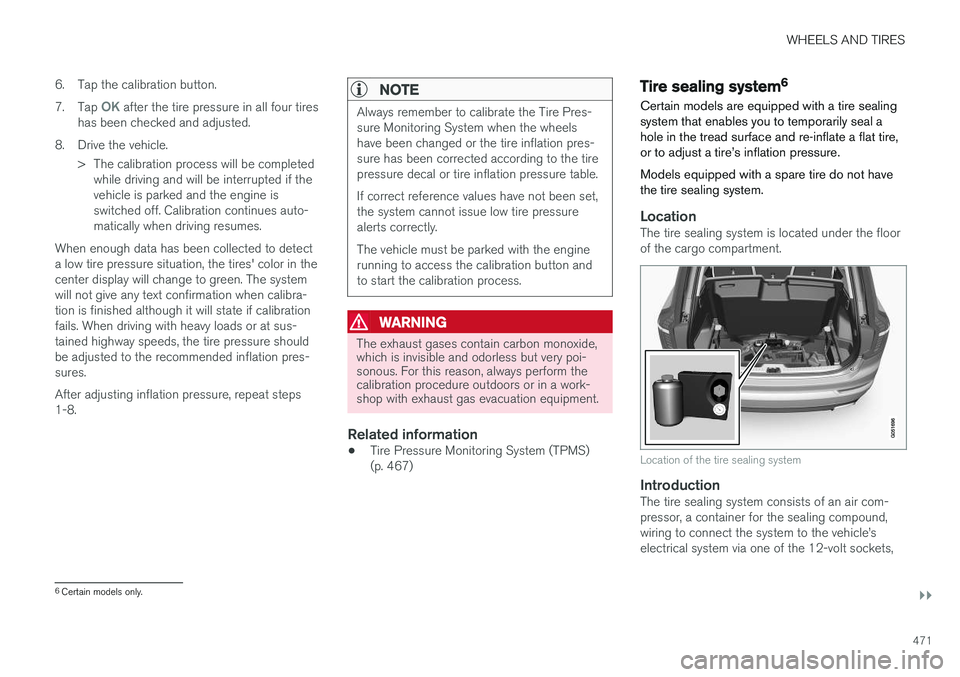
Tire sealing system 6
Certain models are equipped with a tire sealing system that enables you to temporarily seal ahole in the tread surface and re-inflate a flat tire,or to adjust a tire
Page 550 of 560
INDEX
548Booster cushions 83
Brake assist system 357
Brake lights 146, 358Brakes
auto-hold 356
Brake system Brake pad inspection 355
fluid 540
general information 354, 356, 357
Bulbs 510 replacing 505
specifications 511
C
Cameradriver support systems 300
limitations 301
Camera, Park Assist 340, 342, 344, 345
Capacity weight 458, 537
Cargo area, steel grid 215
Cargo area cover 217Cargo compartment fuses 502
raising/lowering the level 208
Cargo net 213
Cargo space 208
Car wash 522
Catalytic converter 374CD, USB, iPod, AUX, Bluetooth, Recents, Library, Shuffle, Similar, Change device,Audio Language, Off, Subtitle Language, Video, DivX ® VOD 432
CD player 432 Cell phone hands-free 419
Pairing 420
Cell phone voice control 120 Center display changing settings 30
cleaning 527
keyboard 31
navigating in 38
overview 28
screen in the center console 44
symbols in the status bar 43
Chains 459
Changing a wheel 462Child restraints recalls and registration 77
Child restraint systems 77 booster cushions 83
convertible seats 81infant seats 79
ISOFIX/LATCH anchors 84
top tether anchors 86
Child safety 75 booster cushions 83
child restraint systems 77, 85
convertible seats 81
infant seats 79
Child safety locks 246 Child seats lower attachment points 85
City safety 304, 312City Safety crossing traffic 309
detecting objects 307
limitations 312
rear collision warning 316
symbols and messages 315
troubleshooting 310
City Safety, On/Off 306 City Safety ™
Multi Target 310
Cleaning exterior 522
interior 525
Clean Zone Interior Package 184
Climate system 186 air distribution 201, 202, 204