suspension VOLVO XC90 2017 Owner´s Manual
[x] Cancel search | Manufacturer: VOLVO, Model Year: 2017, Model line: XC90, Model: VOLVO XC90 2017Pages: 560, PDF Size: 9.97 MB
Page 10 of 560
8
STARTING AND DRIVING
Starting and driving354
Brakes 354
Brake functions 356
Auto-hold brake function 356
Brake assist system 357
Braking effect after a collision 357
Emergency brake lights 358
Hill Descent Control (HDC) 358
Low Speed Control (LSC) *
359
Hill Start Assist 360
Parking brake 360
Using the parking brake 361
Parking brake malfunctions 363
Before a long distance trip 363
Driving economically 364
Driving through standing water 365
Overheating the engine and transmission 366
Winter driving 367
Towing eyelet 367
Towing recommendations 369
Fuel 371
Octane rating 372
Opening/closing the fuel filler door 373
Emission controls 374
Jump starting374
Driving with a trailer 376
Detachable trailer hitch *
378
Trailer Stability Assist (TSA) 379
Ignition modes 380
Battery drain 382
Starting the engine 382
Turning the engine off 384
Drive modes *
384
ECO drive mode 387
Start/Stop 389
Using the Start/Stop function 389
Conditions for Start/Stop 391
Automatic transmission 392
Shiftlock 393
Gear shift indicator 394
Gear selector positions 394
Steering wheel paddles *
396
All Wheel Drive (AWD) 397
Leveling control * and suspension
398
INFOTAINMENT
The infotainment system
402
Apps (applications) 402
Sound settings 403
Radio 404
Radio settings 404
RBDS radio 405
Changing and searching for radio stations 405
HD Radio ™reception
406
Switching HD Radio on and off 408
HD Radio sub-channels 408
HD Radio limitations 409
SiriusXM ®
Satellite radio * 410
Using SiriusXM ®
Satellite radio *411
SiriusXM ®
Satellite radio * settings 412
SiriusXM Travel Link *
413
SiriusXM Travel Link - Weather 415
SiriusXM Travel Link - Alerts 416
SiriusXM Travel Link - Fuel 417
SiriusXM Travel Link - Sports 418
Phone 419
Pairing a cell phone 420
Connecting/disconnecting a cell phone 421
Handling phone calls 422
Page 113 of 560
INSTRUMENTS AND CONTROLS
* Option/accessory.111
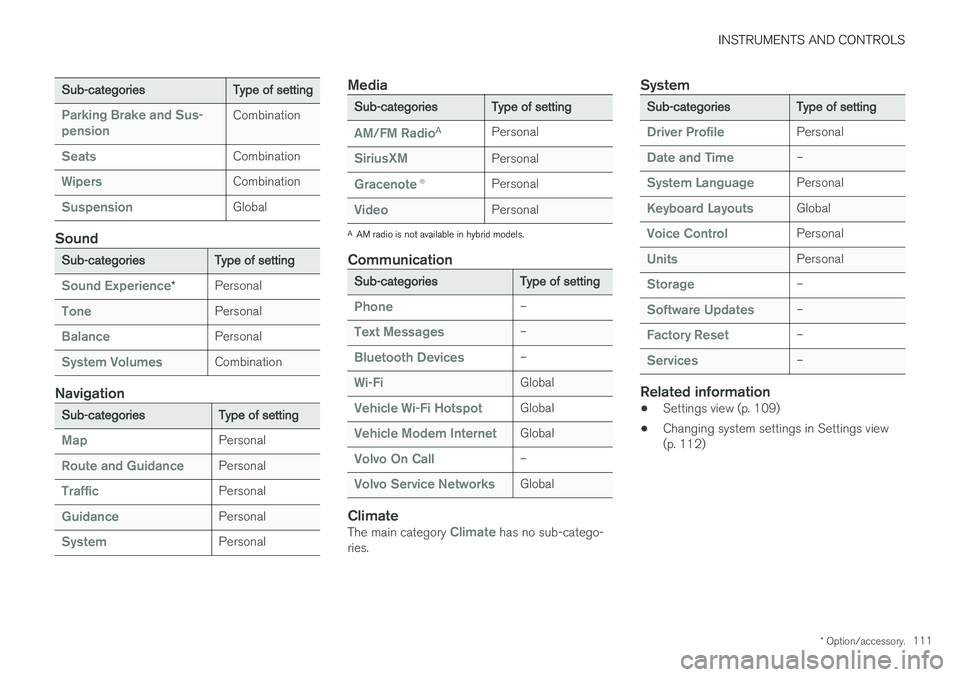
Sub-categories Type of setting
Parking Brake and Sus- pensionCombination
SeatsCombination
WipersCombination
SuspensionGlobal
Sound
Sub-categoriesType of setting
Sound Experience*Personal
TonePersonal
BalancePersonal
System VolumesCombination
Navigation
Sub-categories
Type of setting
MapPersonal
Route and GuidancePersonal
TrafficPersonal
GuidancePersonal
SystemPersonal
Media
Sub-categoriesType of setting
AM/FM RadioA
Personal
SiriusXMPersonal
Gracenote ®Personal
VideoPersonal
A
AM radio is not available in hybrid models.
Communication
Sub-categories Type of setting
Phone–
Text Messages–
Bluetooth Devices–
Wi-FiGlobal
Vehicle Wi-Fi HotspotGlobal
Vehicle Modem InternetGlobal
Volvo On Call–
Volvo Service NetworksGlobal
ClimateThe main category Climate has no sub-catego-
ries.
System
Sub-categories Type of setting
Driver ProfilePersonal
Date and Time–
System LanguagePersonal
Keyboard LayoutsGlobal
Voice ControlPersonal
UnitsPersonal
Storage–
Software Updates–
Factory Reset–
Services–
Related information
•Settings view (p. 109)
• Changing system settings in Settings view (p. 112)
Page 210 of 560
LOADING AND STORAGE
* Option/accessory.
208
Cargo space
The vehicle has flexible cargo capacity that makes it possible to load and secure largeobjects.
By folding down the backrests in the second and third rows * of seats, the cargo capacity of the
vehicle increases considerably. To make loading easier, the rear section of the vehicle can beraised and lowered using the pneumatic suspen- sion *. Use the load anchoring eyelets or the gro-
cery bag holder to secure objects and the cargo compartment cover to help conceal the load. The spare tire, jack and tools can be found under the cargo compartment's floor.
Related information
• Loading (p. 208)
• Cargo compartment cover
* (p. 217)
• Cargo net (p. 213)
• Grocery bag holder (p. 213)
• Load anchoring eyelets (p. 216)
• Steel cargo grid
* (p. 215)
• Folding the second row backrests (p. 173)
• Folding the third row
* backrests (p. 175)
• Leveling control
* and suspension (p. 398)
Loading
The load carrying capacity of your vehicle is determined by factors such as the number ofpassengers, the amount of cargo, the weight ofany accessories that may be installed, etc.
Loading recommendations
• Load objects in the cargo compartment against the backrest whenever possible.
• If the backrests of the second row seats arefolded down, they should not be in contactwith the front seat backrests. This couldimpede the function of the WhiplashProtection System (WHIPS).
• Unstable loads can be secured to the loadanchoring eyelets with straps or web lash-ings to help keep them from shifting.
• Stop the engine and apply the parking brakewhen loading or unloading long objects. Thegear selector can be knocked out of positionby long loads, which could set the vehicle inmotion.
WARNING
•
Stop the engine, put the gear selector in P
, and apply the parking brake when
loading or unloading long objects.
• The vehicle's driving characteristics may change depending on the weight and dis-tribution of the load.
• A 44-pound (20 kg) object produces aforce of 2,200 pounds (1,000 kg) in ahead-on collision at 30 mph (50 km/h).
• The cargo area and rear seat should notbe loaded to a level higher than 2 in.(5 cm) below the upper edge of the rearside windows. Objects placed higher thanthis level could impede the function ofthe Inflatable Curtain.
WARNING
• Cover sharp edges on long loads to help prevent injury to occupants. Secure theload to help prevent shifting during sud-den stops.
• Always secure large and heavy objectswith a seat belt or cargo retaining straps.
• Always secure the load to help prevent itfrom moving in the event of sudden stops.
• Switch off the engine, apply the parking brake and put the gear selector in
P
when loading and unloading the vehicle.
Page 364 of 560
||
STARTING AND DRIVING
362
Releasing the parking brake
Releasing manually
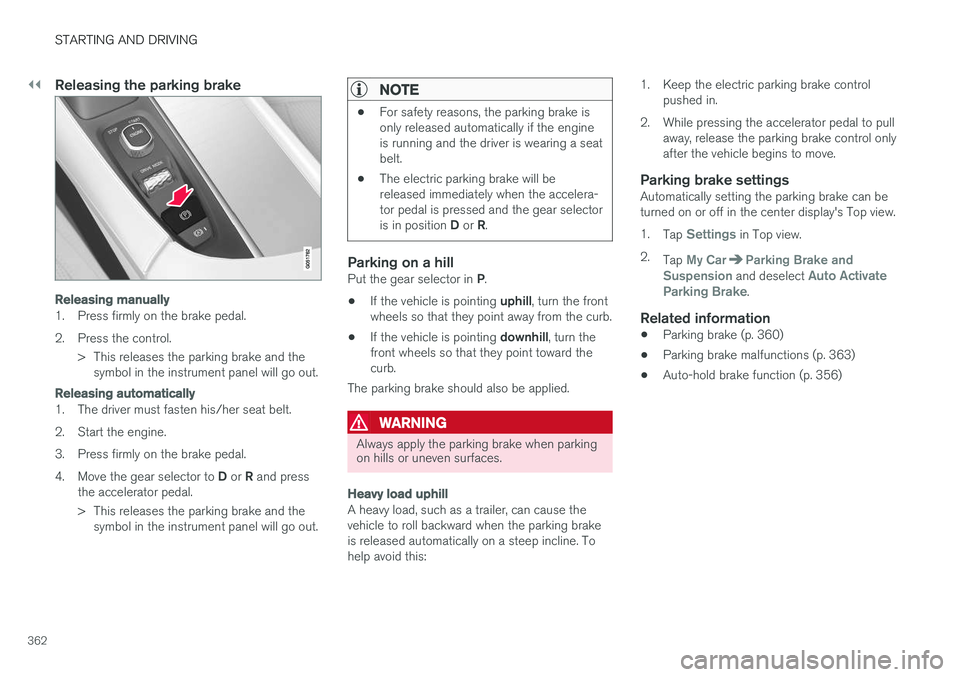
1. Press firmly on the brake pedal.
2. Press the control.> This releases the parking brake and thesymbol in the instrument panel will go out.
Releasing automatically
1. The driver must fasten his/her seat belt.
2. Start the engine.
3. Press firmly on the brake pedal.4. Move the gear selector to D or R and press
the accelerator pedal.
> This releases the parking brake and the symbol in the instrument panel will go out.
NOTE
• For safety reasons, the parking brake is only released automatically if the engineis running and the driver is wearing a seatbelt.
• The electric parking brake will bereleased immediately when the accelera-tor pedal is pressed and the gear selector is in position
D or R.
Parking on a hillPut the gear selector in P.
• If the vehicle is pointing
uphill, turn the front
wheels so that they point away from the curb.
• If the vehicle is pointing
downhill, turn the
front wheels so that they point toward the curb.
The parking brake should also be applied.
WARNING
Always apply the parking brake when parking on hills or uneven surfaces.
Heavy load uphill
A heavy load, such as a trailer, can cause the vehicle to roll backward when the parking brakeis released automatically on a steep incline. Tohelp avoid this: 1. Keep the electric parking brake control
pushed in.
2. While pressing the accelerator pedal to pull away, release the parking brake control onlyafter the vehicle begins to move.
Parking brake settingsAutomatically setting the parking brake can beturned on or off in the center display's Top view. 1.Tap
Settings in Top view.
2. Tap
My CarParking Brake and
Suspension and deselect Auto Activate
Parking Brake.
Related information
• Parking brake (p. 360)
• Parking brake malfunctions (p. 363)
• Auto-hold brake function (p. 356)
Page 380 of 560
||
STARTING AND DRIVING
* Option/accessory.
378
Trailer lamp check *
Automatic check
When the trailer has been connected to the vehi- cle's electrical system, its lamps can be checkedby automatically activating them. This helps thedriver to ensure that the trailer's lamps are func-tioning correctly before starting to drive. In order to perform this check, the engine must not be running.
1. When a trailer is connected to a trailer hitch
or towbar,
Automatic Trailer Lamp Checkwill appear in the instrument panel.
2. Confirm this message by pressing the O but-
ton on the right-side steering wheel keypad.
> The lamp check will begin.
3. Leave the vehicle to perform the trailer lamp check.
> All of the trailer's lamps will begin to flashand then each lamp will illuminate one at a time.
4. Visually check that all of the trailer's lamps are functioning correctly.
5. After a short time, all of the trailer's lamps will begin to flash again.
> The lamp check is completed.
Disabling the automatic check
The automatic lamp check function can be disa- bled in the center display. 1.
Tap
Settings in Top view.
2. Tap
My CarLights and Lighting.
3. Deselect
Automatic Trailer Lamp Check.
Manual check
If the automatic lamp check has been disabled, the function can be started manually. 1.Tap
Settings in Top view.
2. Tap
My CarLights and Lighting.
3. Select
Manual Trailer Lamp Check.
> The lamp check will begin. Leave the vehi- cle to perform the trailer lamp check as described in the section "Automaticcheck" above.
Self-leveling suspension *The self-leveling system attempts to keep thevehicle at a constant level, regardless of the load(up to the max. permissible load). When theengine is not running, the rear of the vehiclesinks down slightly, which is normal.
Related information
•Detachable trailer hitch
* (p. 378)
• Trailer Stability Assist (TSA) (p. 379)
• Weights (p. 537)
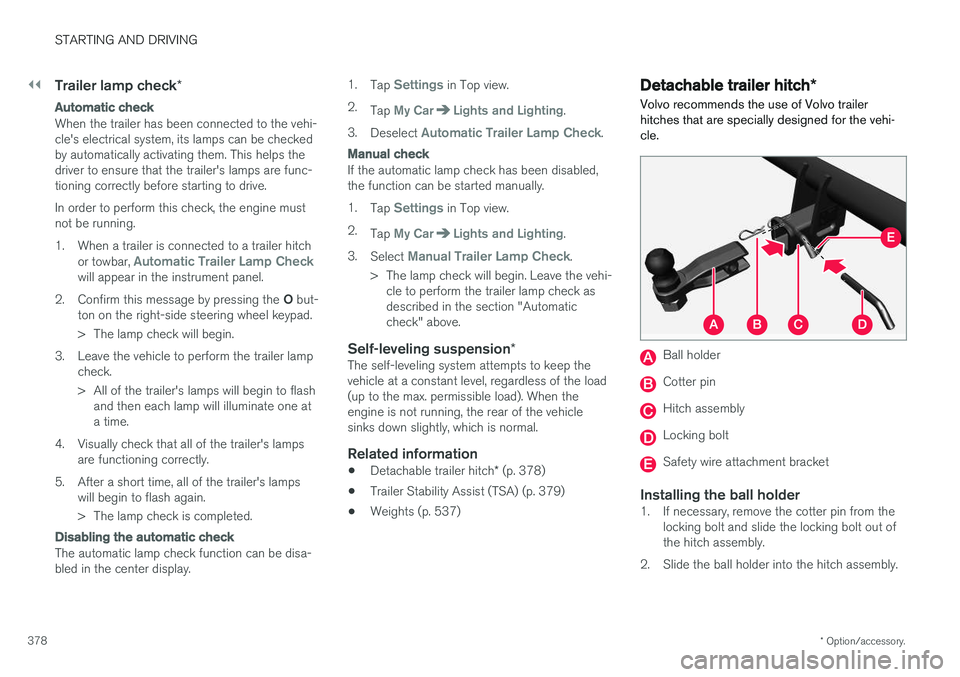
Detachable trailer hitch
*
Volvo recommends the use of Volvo trailer hitches that are specially designed for the vehi-cle.
Ball holder
Cotter pin
Hitch assembly
Locking bolt
Safety wire attachment bracket
Installing the ball holder1. If necessary, remove the cotter pin from the locking bolt and slide the locking bolt out of the hitch assembly.
2. Slide the ball holder into the hitch assembly.
Page 386 of 560
||
STARTING AND DRIVING
* Option/accessory.
384
CAUTION
• When starting in cold weather, the auto- matic transmission may shift up at slightlyhigher engine speeds than normal untilthe automatic transmission fluid reachesnormal operating temperature.
• Do not race a cold engine immediatelyafter starting. Oil flow may not reachsome lubrication points fast enough toprevent engine damage.
• The engine should be idling when youmove the gear selector. Never accelerateuntil after you feel the transmissionengage. Accelerating immediately afterselecting a gear will cause harsh engage-ment and premature transmission wear.
• Selecting
P or N when idling at a stand-
still for prolonged periods of time will helpprevent overheating of the automatictransmission fluid.
Related information
• Ignition modes (p. 380)
• Turning the engine off (p. 384)
• Changing the remote key's battery (p. 225)
• Jump starting (p. 374)
Turning the engine off
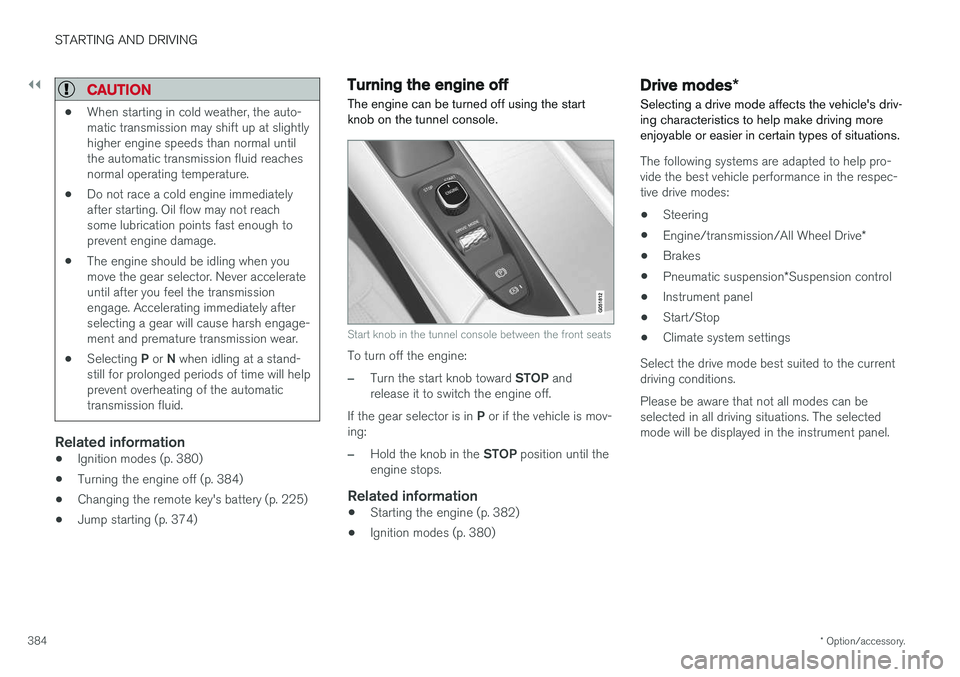
The engine can be turned off using the start knob on the tunnel console.
Start knob in the tunnel console between the front seats
To turn off the engine:
–Turn the start knob toward STOP and
release it to switch the engine off.
If the gear selector is in P or if the vehicle is mov-
ing:
–Hold the knob in the STOP position until the
engine stops.
Related information
• Starting the engine (p. 382)
• Ignition modes (p. 380)
Drive modes
*
Selecting a drive mode affects the vehicle's driv- ing characteristics to help make driving moreenjoyable or easier in certain types of situations.
The following systems are adapted to help pro- vide the best vehicle performance in the respec-tive drive modes: • Steering
• Engine/transmission/All Wheel Drive
*
• Brakes
• Pneumatic suspension
*Suspension control
• Instrument panel
• Start/Stop
• Climate system settings
Select the drive mode best suited to the current driving conditions. Please be aware that not all modes can be selected in all driving situations. The selectedmode will be displayed in the instrument panel.
Page 387 of 560
STARTING AND DRIVING
}}
385
Selecting a drive mode
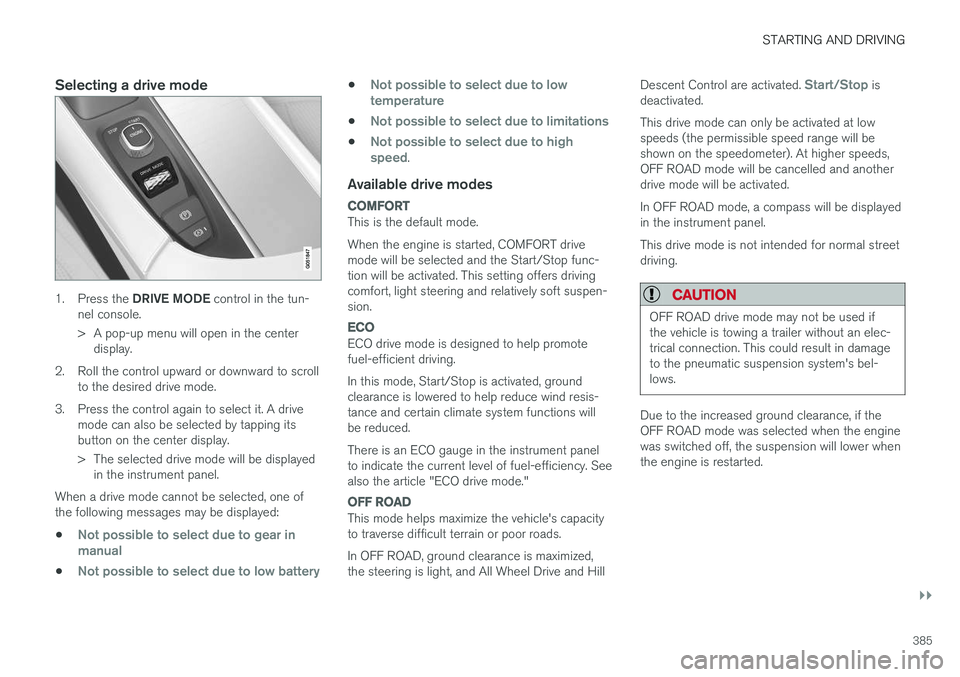
1.Press the DRIVE MODE control in the tun-
nel console.
> A pop-up menu will open in the center display.
2. Roll the control upward or downward to scroll to the desired drive mode.
3. Press the control again to select it. A drive mode can also be selected by tapping its button on the center display.
> The selected drive mode will be displayedin the instrument panel.
When a drive mode cannot be selected, one of the following messages may be displayed:
•
Not possible to select due to gear in manual
•Not possible to select due to low battery
•Not possible to select due to low temperature
•Not possible to select due to limitations
•Not possible to select due to high speed.
Available drive modes
COMFORT
This is the default mode. When the engine is started, COMFORT drive mode will be selected and the Start/Stop func-tion will be activated. This setting offers drivingcomfort, light steering and relatively soft suspen-sion.
ECO
ECO drive mode is designed to help promote fuel-efficient driving. In this mode, Start/Stop is activated, ground clearance is lowered to help reduce wind resis-tance and certain climate system functions willbe reduced. There is an ECO gauge in the instrument panel to indicate the current level of fuel-efficiency. Seealso the article "ECO drive mode."
OFF ROAD
This mode helps maximize the vehicle's capacity to traverse difficult terrain or poor roads. In OFF ROAD, ground clearance is maximized, the steering is light, and All Wheel Drive and Hill Descent Control are activated.
Start/Stop is
deactivated. This drive mode can only be activated at low speeds (the permissible speed range will beshown on the speedometer). At higher speeds,OFF ROAD mode will be cancelled and anotherdrive mode will be activated. In OFF ROAD mode, a compass will be displayed in the instrument panel. This drive mode is not intended for normal street driving.
CAUTION
OFF ROAD drive mode may not be used if the vehicle is towing a trailer without an elec-trical connection. This could result in damageto the pneumatic suspension system's bel-lows.
Due to the increased ground clearance, if the OFF ROAD mode was selected when the enginewas switched off, the suspension will lower whenthe engine is restarted.
Page 388 of 560
||
STARTING AND DRIVING
* Option/accessory.
386
DYNAMIC
Dynamic drive mode is designed to provide
sportier driving characteristics. Gear shifting will be faster and more distinct and will occur athigher rpm. Steering response will be more immediate, the suspension will be stiffer and low ground clear-ance will help reduce body roll when cornering.
Start/Stop will be deactivated.
INDIVIDUAL
This setting allows you to adapt a drive mode to your personal preferences. Select one of the other drive modes as a basis and change the settings to provide the drivingcharacteristics that you prefer. These settings willbe stored in a driver profile. INDIVIDUAL is only available if it has been acti- vated in the center display.
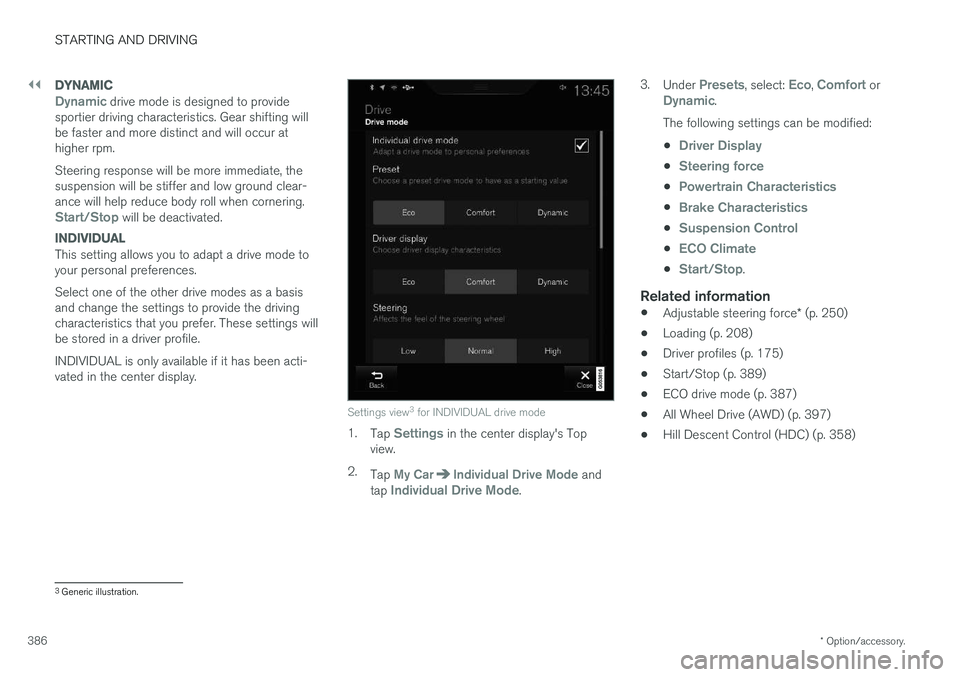
Settings view 3
for INDIVIDUAL drive mode
1. Tap Settings in the center display's Top
view.
2. Tap
My CarIndividual Drive Mode and
tap Individual Drive Mode. 3.
Under
Presets, select: Eco, Comfort orDynamic.
The following settings can be modified: •
Driver Display
•Steering force
•Powertrain Characteristics
•Brake Characteristics
•Suspension Control
•ECO Climate
•Start/Stop.
Related information
• Adjustable steering force
* (p. 250)
• Loading (p. 208)
• Driver profiles (p. 175)
• Start/Stop (p. 389)
• ECO drive mode (p. 387)
• All Wheel Drive (AWD) (p. 397)
• Hill Descent Control (HDC) (p. 358)
3
Generic illustration.
Page 389 of 560
STARTING AND DRIVING
}}
* Option/accessory.387
ECO drive mode
The Eco drive mode is a function designed to give the driver the opportunity to drive more eco-nomically and to help reduce fuel consumption.
When this mode is activated, the following cha- racteristics are modified:
• The automatic transmission's shifting points
• The engine management system and accel-erator pedal response
• Eco Coast functionality is activated: enginebraking is disabled at speeds betweenapprox. 40 and 87 mph(65 and 140 km/h)
• Climate system settings: certain functionswill be temporarily reduced or deactivated
• The suspension's self-leveling function
* low-
ers ground clearance to help reduce windresistance
• Information is shown in an ECO gauge in theinstrument panel to help promote more eco-nomical driving
NOTE
When Eco is activated, several climate system parameters are changed and the function ofcertain current-consuming systems will bereduced. Some of these functions can be restarted manually but full functionality will not berestored until Eco is deactivated.
Selecting ECO modeWhen the engine is switched off, ECO mode is deactivated and must be reactivated each time the engine is started.
ECO will appear in the
instrument panel when the function is activated.
Via Function view
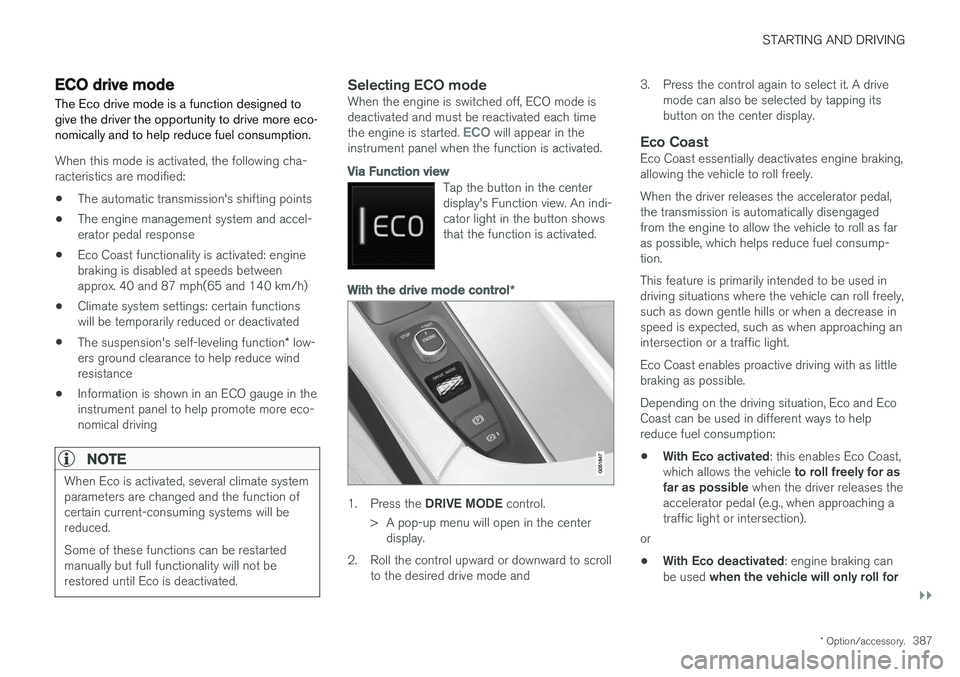
Tap the button in the center display's Function view. An indi-cator light in the button showsthat the function is activated.
With the drive mode control *
1.
Press the DRIVE MODE control.
> A pop-up menu will open in the center display.
2. Roll the control upward or downward to scroll to the desired drive mode and 3. Press the control again to select it. A drive
mode can also be selected by tapping its button on the center display.
Eco CoastEco Coast essentially deactivates engine braking,allowing the vehicle to roll freely. When the driver releases the accelerator pedal, the transmission is automatically disengagedfrom the engine to allow the vehicle to roll as faras possible, which helps reduce fuel consump-tion. This feature is primarily intended to be used in driving situations where the vehicle can roll freely,such as down gentle hills or when a decrease inspeed is expected, such as when approaching anintersection or a traffic light. Eco Coast enables proactive driving with as little braking as possible. Depending on the driving situation, Eco and Eco Coast can be used in different ways to helpreduce fuel consumption: • With Eco activated
: this enables Eco Coast,
which allows the vehicle to roll freely for as
far as possible when the driver releases the
accelerator pedal (e.g., when approaching a traffic light or intersection).
or
• With Eco deactivated
: engine braking can
be used when the vehicle will only roll for
Page 400 of 560
STARTING AND DRIVING
* Option/accessory.
398
Leveling control * and suspension
The leveling control system adjusts the suspen- sion and shock absorbers automatically to helpprovide good comfort and control while driving.Leveling can also be controlled manually tomake loading or getting in and out of the vehicleeasier.
Pneumatic suspension and shock absorbers
This system is linked to the selected drive mode and is adapted to the vehicle's speed. The pneu-matic suspension reduces the vehicle's groundclearance at higher speeds to reduce wind resis-tance and increase stability. The shock absorbersare normally set to provide the best possiblecomfort and are adjusted continuously accordingto the road surface, acceleration, braking andcornering.
The instrument panel will indicate when the sus- pension level is being adjusted. The level cannot be adjusted if one of the side doors or the hood is open.
Suspension settings
Easy entry
The vehicle can be lowered to entering and exit- ing easier. In the center display's Top view:1. Tap
Settings.
2. Tap
My CarSuspension .
3. Select
Easy Entry and Exit Suspension
Control.
> When the vehicle is parked and the engine is turned off, the level is lowered. Level adjustment will stop if a side door isopened and will resume after a slightdelay when the door has been closed.When the engine is started and the vehi-cle begins to move, the level will be raisedto the height set by the selected drivemode.
If a door has been opened and closed, there maybe a slight delay before the leveling function willresume.
Deactivating suspension and leveling control
In certain situations, this function has to be turned off, for example when lifting the vehicle ona jack to help avoid problems created by the dif-ference in levels in the pneumatic suspensionwhen the vehicle is raised. 1.
Tap
Settings in the center display's Top
view.
2. Tap
My CarSuspension .
3. Select
Disable Leveling Control.
Changing the suspension control level 7
Models equipped with the Four-C active chassis system but without the drive mode control
*, sus-
pension control is adjusted from the center dis- play. 1. Tap
Settings in Top view.
2. Tap
My CarDrive ModeSuspension
Control and select the desired level.
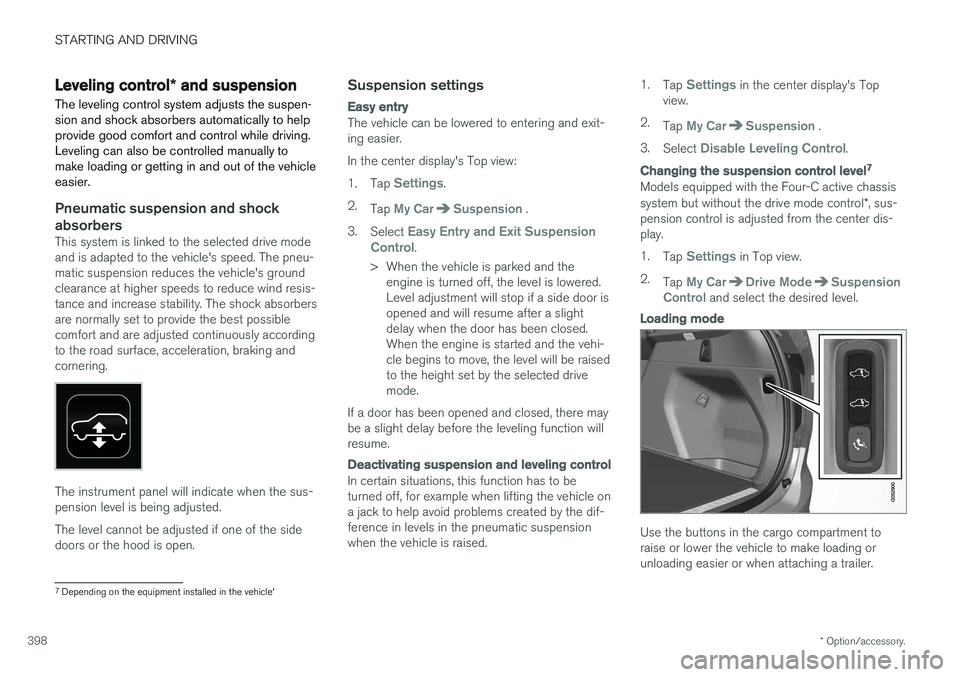
Loading mode
Use the buttons in the cargo compartment to raise or lower the vehicle to make loading orunloading easier or when attaching a trailer.
7 Depending on the equipment installed in the vehicle'