steering VOLVO XC90 2018 Owner´s Manual
[x] Cancel search | Manufacturer: VOLVO, Model Year: 2018, Model line: XC90, Model: VOLVO XC90 2018Pages: 666, PDF Size: 11.32 MB
Page 411 of 666
STARTING AND DRIVING
}}
* Option/accessory.409
Brakes The brake pedal is used to apply the vehicle's regular brakes, which are part of the brake sys-tem.
The vehicle is equipped with two brake circuits. If one brake circuit is damaged, the brake pedal willgo down further when depressed. More pressurewill then be required from the driver for normalbraking effect. The driver's pressure on the brake pedal is enhanced by a power braking function.
WARNING
Power braking only functions if the engine is running.
If the brake pedal is used when the engine is turned off, the pedal will feel stiffer than usualand greater pressure must be applied to brakethe vehicle. In very hilly areas or when driving with a heavy load, engine braking in manual gear should beused to augment the brakes. Engine braking ismost effective if the same gear is used both uphill and downhill. Use the Off Road * drive mode
to increase the engine braking effect when driv- ing on steep downgrades at low speeds.
Anti-lock brakesThe vehicle is equipped with an Anti-lock BrakingSystem (ABS), which can help prevent the wheels from locking and help maintain steeringcontrol when braking. Vibrations may be felt fromthe brake pedal when ABS is operating, which isnormal. After the vehicle is started, a brief test of the ABS system is automatically performed when thedriver releases the brake pedal. An additionalautomatic test of the system may be performedwhen the vehicle is traveling at a low speed. Dur-ing the test, the brake pedal may feel as though itis pulsating.
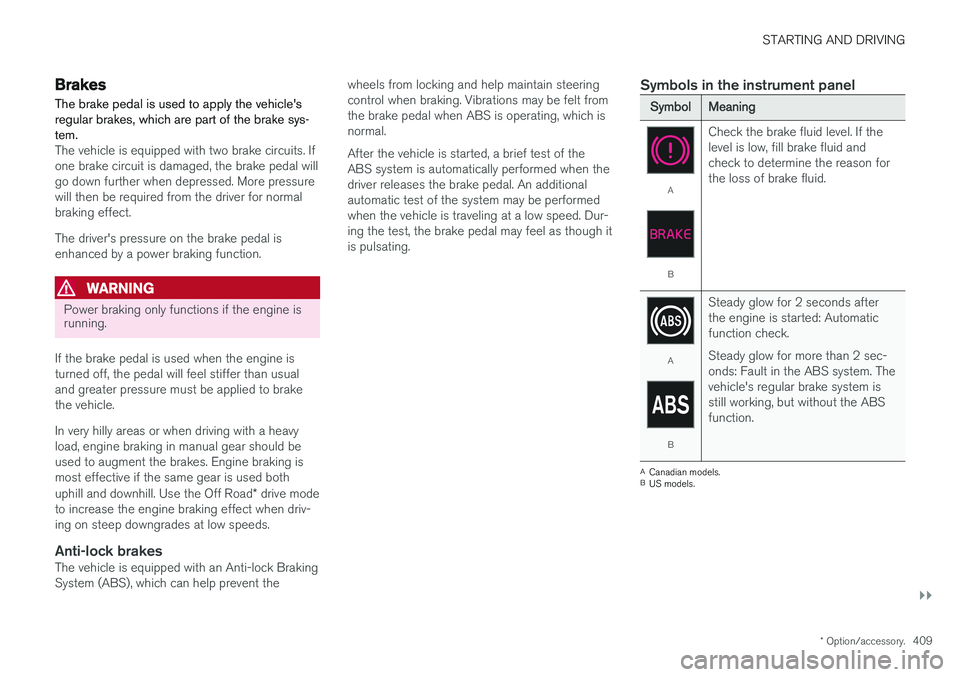
Symbols in the instrument panel
SymbolMeaning
A
B
Check the brake fluid level. If the level is low, fill brake fluid andcheck to determine the reason forthe loss of brake fluid.
A
B
Steady glow for 2 seconds after the engine is started: Automaticfunction check. Steady glow for more than 2 sec- onds: Fault in the ABS system. Thevehicle's regular brake system isstill working, but without the ABSfunction.
A
Canadian models.
B US models.
Page 421 of 666
STARTING AND DRIVING
}}
* Option/accessory.419
Neutral - N
No gear is selected and the engine can be started. Apply the parking brake if the vehicle is stationary with the gear selector in N.
To move the gear selector from Neutral to another gear, the brake pedal must be depressed and the ignition in mode II.
D drive mode
D is the normal driving gear position. The trans-
mission shifts up or down automatically depend- ing on acceleration and speed. The vehicle mustbe stationary when the gear selector is moved from R to D.
Manual shifting mode - M
Manual shifting mode can be selected at any time during a drive. Engine braking will occurwhen the accelerator pedal is released. Select manual shifting mode by moving the gear selector sideways from D to ±
. The current gear
will be displayed in the instrument panel.
• Push the gear selector forward toward
+
(plus) and release to shift up one gear.
• Pull the gear selector backward toward
–
(minus) and release to shift down one gear.
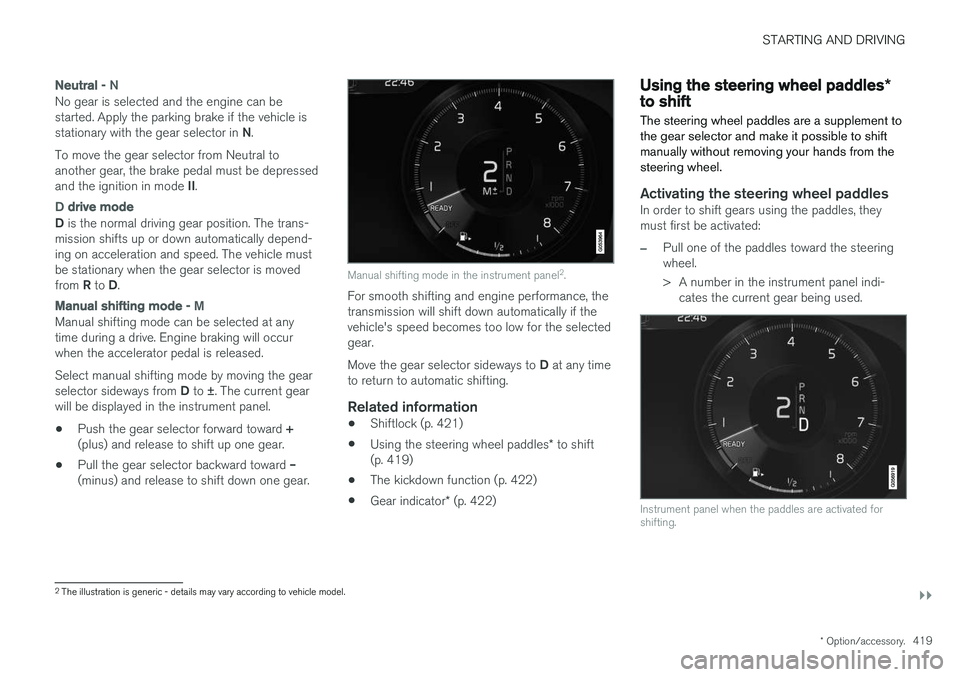
Manual shifting mode in the instrument panel 2
.
For smooth shifting and engine performance, the transmission will shift down automatically if thevehicle's speed becomes too low for the selectedgear. Move the gear selector sideways to D at any time
to return to automatic shifting.
Related information
• Shiftlock (p. 421)
• Using the steering wheel paddles
* to shift
(p. 419)
• The kickdown function (p. 422)
• Gear indicator
* (p. 422)
Using the steering wheel paddles *to shift
The steering wheel paddles are a supplement to the gear selector and make it possible to shiftmanually without removing your hands from thesteering wheel.
Activating the steering wheel paddlesIn order to shift gears using the paddles, they must first be activated:
–Pull one of the paddles toward the steering wheel.
> A number in the instrument panel indi- cates the current gear being used.
Instrument panel when the paddles are activated for shifting.
2The illustration is generic - details may vary according to vehicle model.
Page 422 of 666
||
STARTING AND DRIVING
* Option/accessory.
420 In shift mode
M, the paddles are automatically
activated.
Instrument panel when the paddles are activated for shifting in manual mode.
ChangeTo shift one gear:
–Pull one of the paddles toward the steering wheel and then release.
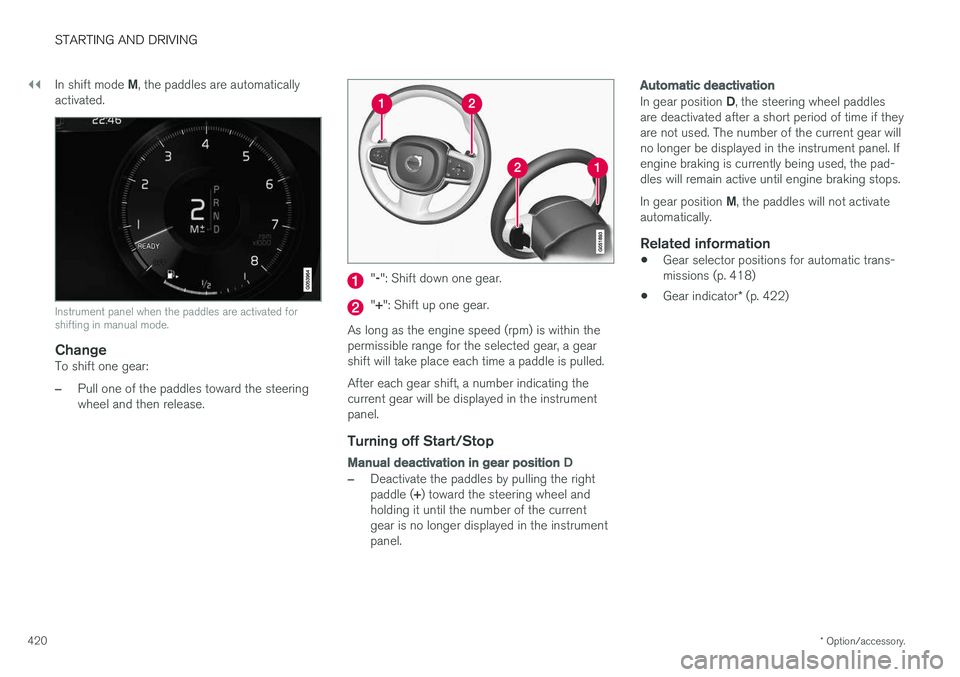
" -": Shift down one gear.
" + ": Shift up one gear.
As long as the engine speed (rpm) is within the permissible range for the selected gear, a gear shift will take place each time a paddle is pulled. After each gear shift, a number indicating the current gear will be displayed in the instrumentpanel.
Turning off Start/Stop
Manual deactivation in gear position D
–Deactivate the paddles by pulling the right paddle (+) toward the steering wheel and
holding it until the number of the current gear is no longer displayed in the instrumentpanel.
Automatic deactivation
In gear position D, the steering wheel paddles
are deactivated after a short period of time if they are not used. The number of the current gear willno longer be displayed in the instrument panel. Ifengine braking is currently being used, the pad-dles will remain active until engine braking stops. In gear position M, the paddles will not activate
automatically.
Related information
• Gear selector positions for automatic trans- missions (p. 418)
• Gear indicator
* (p. 422)
Page 425 of 666
STARTING AND DRIVING
}}
* Option/accessory.423
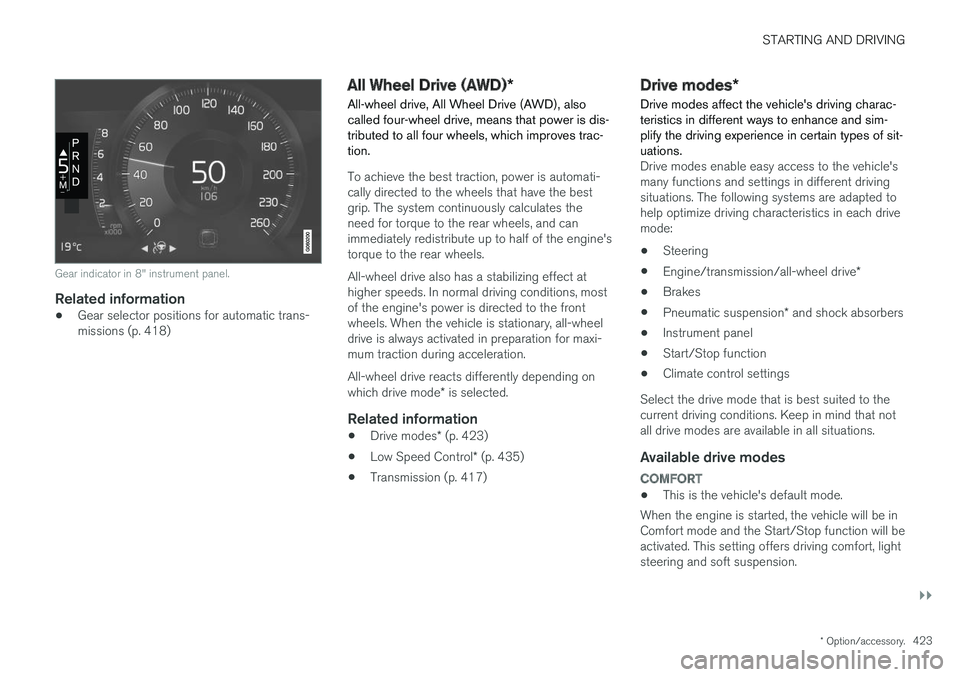
Gear indicator in 8" instrument panel.
Related information
•Gear selector positions for automatic trans- missions (p. 418)
All Wheel Drive (AWD)
*
All-wheel drive, All Wheel Drive (AWD), also called four-wheel drive, means that power is dis-tributed to all four wheels, which improves trac-tion.
To achieve the best traction, power is automati- cally directed to the wheels that have the bestgrip. The system continuously calculates theneed for torque to the rear wheels, and canimmediately redistribute up to half of the engine'storque to the rear wheels. All-wheel drive also has a stabilizing effect at higher speeds. In normal driving conditions, mostof the engine's power is directed to the frontwheels. When the vehicle is stationary, all-wheeldrive is always activated in preparation for maxi-mum traction during acceleration. All-wheel drive reacts differently depending on which drive mode * is selected.
Related information
• Drive modes
* (p. 423)
• Low Speed Control
* (p. 435)
• Transmission (p. 417)
Drive modes
*
Drive modes affect the vehicle's driving charac- teristics in different ways to enhance and sim-plify the driving experience in certain types of sit-uations.
Drive modes enable easy access to the vehicle's many functions and settings in different drivingsituations. The following systems are adapted tohelp optimize driving characteristics in each drivemode: • Steering
• Engine/transmission/all-wheel drive
*
• Brakes
• Pneumatic suspension
* and shock absorbers
• Instrument panel
• Start/Stop function
• Climate control settings
Select the drive mode that is best suited to the current driving conditions. Keep in mind that notall drive modes are available in all situations.
Available drive modes
COMFORT
• This is the vehicle's default mode.
When the engine is started, the vehicle will be in Comfort mode and the Start/Stop function will beactivated. This setting offers driving comfort, lightsteering and soft suspension.
Page 426 of 666
||
STARTING AND DRIVING
424
ECO
•Adapt the vehicle for more fuel-efficient and eco-friendly driving with Eco mode.
In this mode, the Start/Stop function is activated,the ground clearance is lower to reduce air resis-tance and certain climate settings are reduced. The instrument panel has an ECO gauge to facili- tate fuel-efficient driving.
OFF ROAD
• Maximizes the vehicle's ability to traverse dif- ficult terrain or poor roads.
In this mode, ground clearance is high, steering islight, and all-wheel drive and Hill Descent Controlare activated. The Start/Stop function is deacti-vated. This mode can only be activated at low speeds. The permitted speed range will be shown in thespeedometer. If this speed is exceeded, Off roadmode will be deactivated and another drive modeactivated. In Off road mode, a compass will be displayed between the speedometer and the tachometer inthe instrument panel.
NOTE
This drive mode is not designed to be used for normal street driving.
NOTE
Due to the increased ground clearance, if the OFF ROAD mode was selected when theengine was switched off, the suspension willlower when the engine is restarted.
CAUTION
Do not use the OFF ROAD drive mode when towing a trailer without an electrical connec-tion. This could result in damage to the pneu-matic suspension system's bellows.
DYNAMIC
• Dynamic mode is designed to provide sport- ier driving characteristics and a faster accel-eration response.
Gear shifting will be faster and more distinct andthe transmission will prioritize gears with a highertraction force. Steering response is faster, suspension is stiffer and ground clearance is lower to help reducebody roll when cornering. The Start/Stop function is deactivated.
INDIVIDUAL
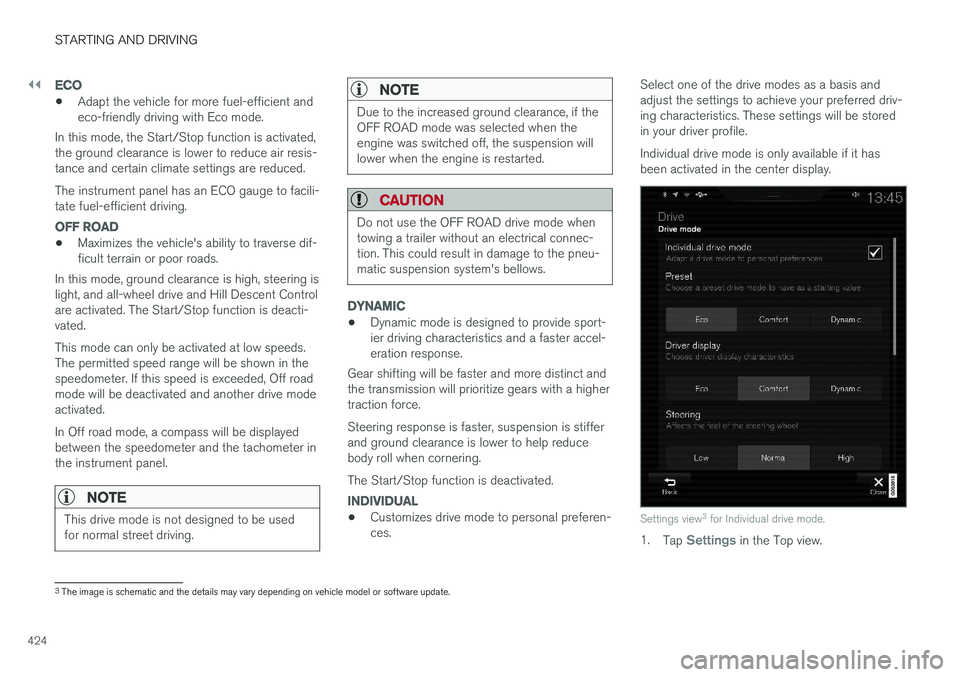
• Customizes drive mode to personal preferen- ces. Select one of the drive modes as a basis andadjust the settings to achieve your preferred driv-ing characteristics. These settings will be storedin your driver profile. Individual drive mode is only available if it has been activated in the center display.Settings view
3
for Individual drive mode.
1. Tap Settings in the Top view.
3
The image is schematic and the details may vary depending on vehicle model or software update.
Page 427 of 666
STARTING AND DRIVING
* Option/accessory.425
2. Tap
My CarIndividual Drive Mode and
select Individual Drive Mode.
3. Under
Presets, select one of the following
drive modes as a basis: Eco, Comfort orDynamic.
The following settings can be modified: •
Driver Display
•Steering force
•Powertrain Characteristics
•Brake Characteristics
•Suspension Control
•ECO Climate
•Start/Stop.
Related information
• Changing drive mode
* (p. 425)
• ECO drive mode (p. 426)
• Economical driving (p. 438)
• Start/Stop function (p. 428)
• Low Speed Control
* (p. 435)
• Hill Descent Control
* (p. 437)
• All Wheel Drive (AWD)
* (p. 423)
Changing drive mode *
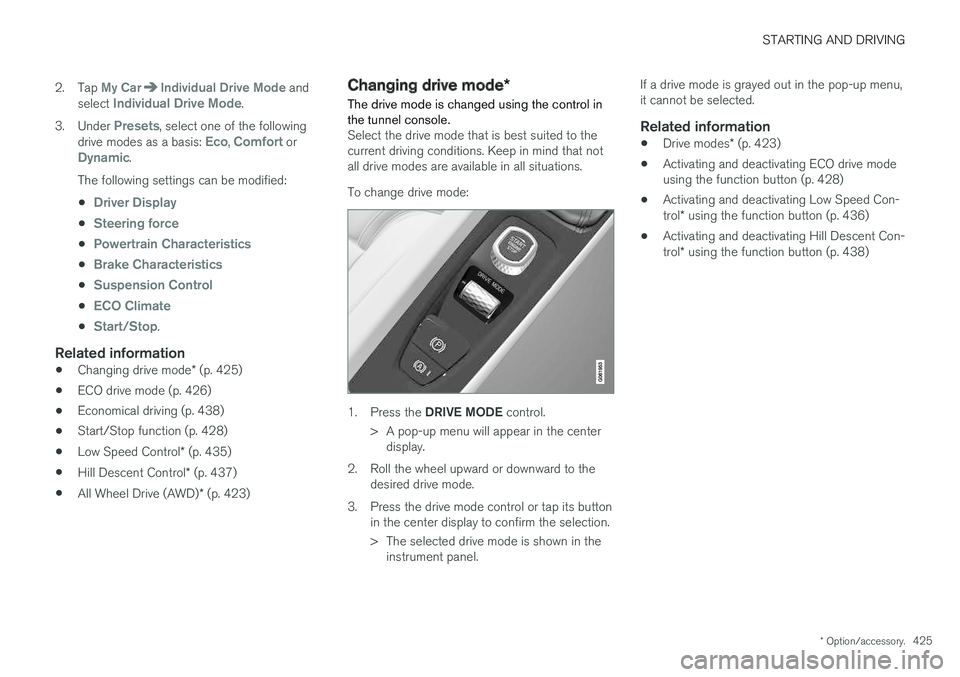
The drive mode is changed using the control in the tunnel console.
Select the drive mode that is best suited to the current driving conditions. Keep in mind that notall drive modes are available in all situations. To change drive mode:
1. Press the DRIVE MODE control.
> A pop-up menu will appear in the center display.
2. Roll the wheel upward or downward to the desired drive mode.
3. Press the drive mode control or tap its button in the center display to confirm the selection.
> The selected drive mode is shown in theinstrument panel. If a drive mode is grayed out in the pop-up menu, it cannot be selected.
Related information
•
Drive modes
* (p. 423)
• Activating and deactivating ECO drive modeusing the function button (p. 428)
• Activating and deactivating Low Speed Con- trol
* using the function button (p. 436)
• Activating and deactivating Hill Descent Con-trol
* using the function button (p. 438)
Page 428 of 666
STARTING AND DRIVING
* Option/accessory.
426
ECO drive mode
The Eco drive mode optimizes the vehicle's driv- ing characteristics for more fuel-efficient andeco-friendly driving.
Use this mode to save fuel and promote eco- friendly driving. When ECO mode is activated, the following cha- racteristics are modified:
• The automatic transmission's shifting points.
• Engine control and accelerator pedalresponse.
• Eco Coast functionality is activated andengine braking is disabled when the acceler-ator pedal is released at speeds between65 and 140 km/h (40 and 87 mph).
• Some of the climate system settings will bereduced or switched off.
• The suspension's self-leveling function
* will
lower ground clearance to help reduce windresistance.
• Information will be shown in the ECO gaugein the instrument panel to help promotemore eco-friendly and economical driving.
Coast function Eco CoastEco Coast essentially deactivates engine braking,allowing the vehicle's kinetic energy to be usedto roll greater distances. When the driver releasesthe accelerator pedal, the transmission is auto-matically disengaged from the engine. Engine speed is reduced to idling speed to reduce fuelconsumption. This function is most effective in driving situa- tions where the vehicle can roll freely for a longdistance, e.g. on roads with slight downgrades orwhen a decrease in speed is anticipated, such aswhen approaching an area with a lower speedlimit.
Activating Eco Coast
The function is activated when the accelerator pedal is fully released and the following condi-tions are met:
• Eco drive mode is activated.
• The gear selector is in
D.
• The vehicle's speed is approximately65-140 km/h (40-87 mph).
• The gradient of the downgrade is less thanapproximately 6%.
COASTING will be displayed in the instrument
panel when Eco Coast is being used.
Limitations
Eco Coast is not available if:
• The engine and/or transmission are not at normal working temperatures.
• The gear selector is moved from
D to manual
shifting mode.
• The vehicle's speed is not within the65-140 km/h (40-87 mph) range. •
The gradient of the downgrade is more thanapproximately 6%.
• The steering wheel paddles
* are being used
for manual shifting.
Deactivating and turning off Eco Coast
In certain situations, it may be advisable to deac- tivate or turn off Eco Coast so that engine brak-ing can be used. These situations might includedriving down steep hills or before passinganother vehicle to help ensure this can be doneas safely as possible. Deactivate Eco Coast by:
• Pressing the accelerator or brake pedal.
• Moving the gear selector to manual mode.
• Using the steering wheel paddles
* to shift.
Turn off Eco Coast by:
• Switching drive mode
* or switching off drive
mode Eco in Function view.
It is possible to roll short distances even without Eco Coast in order to help conserve fuel. How-ever, for the best fuel economy, Eco Coast shouldbe activated and used to roll longer distances.
Cruise control Eco CruiseWhen cruise control is activated in the Eco drivemode, the vehicle's acceleration and decelerationwill be slower than in other drive modes to helpfurther conserve fuel. Because of this, the vehi-cle's actual speed may be slightly above or belowthe set speed.
Page 431 of 666
STARTING AND DRIVING
* Option/accessory.429
Auto-startThe following conditions must be met for the engine to auto-start. •Release the brake pedal. The engine will auto-start and the vehicle can be driven. Onan uphill gradient, Hill Start Assist (HSA) willactivate to help prevent the vehicle from roll-ing backward.
• When Auto-hold is activated, auto-start willbe delayed until the accelerator is pressed.
• When Adaptive Cruise Control or Pilot Assistare activated, the engine will auto-start whenthe accelerator pedal is depressed or the
button on the left-side steering wheel
keypad is pressed.
• Maintain pressure on the brake pedal and press the accelerator pedal. The engine willauto-start.
• On a downhill gradient: Release the brakepedal slightly so that the vehicle begins toroll. The engine will auto-start after a slightincrease in speed.
Symbols in the instrument panel
12" instrument panel
*
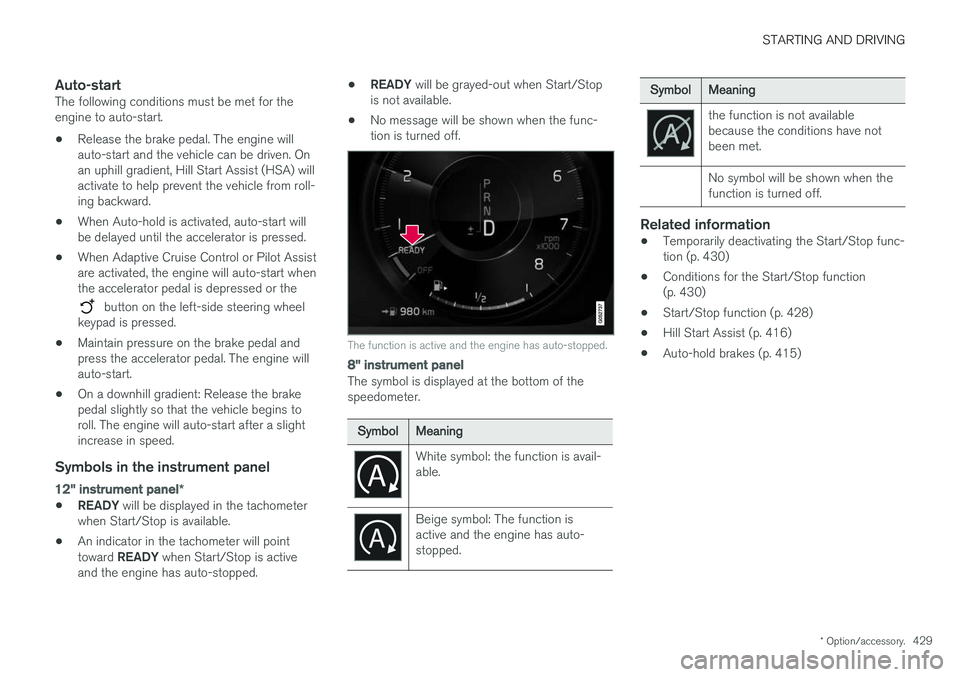
•READY
will be displayed in the tachometer
when Start/Stop is available.
• An indicator in the tachometer will point toward
READY when Start/Stop is active
and the engine has auto-stopped. •
READY
will be grayed-out when Start/Stop
is not available.
• No message will be shown when the func- tion is turned off.
The function is active and the engine has auto-stopped.
8" instrument panel
The symbol is displayed at the bottom of the speedometer.
SymbolMeaning
White symbol: the function is avail- able.
Beige symbol: The function is active and the engine has auto-stopped.
SymbolMeaning
the function is not available because the conditions have notbeen met. No symbol will be shown when the function is turned off.
Related information
•Temporarily deactivating the Start/Stop func- tion (p. 430)
• Conditions for the Start/Stop function(p. 430)
• Start/Stop function (p. 428)
• Hill Start Assist (p. 416)
• Auto-hold brakes (p. 415)
Page 432 of 666
STARTING AND DRIVING
430
Temporarily deactivating the Start/Stop function
In certain situations, it may be advisable to tem- porarily turn the Start/Stop function off.
To turn off Start/Stop, tap theStart/Stop function button in
the center display's Function view. The indicator light in thebutton will go out when thefunction has been turned off.
The function will remain turned off until:
• it is reactivated
• the drive mode is changed to Eco or Comfort
• the engine is restarted.
Related information
•
Driving with the Start/Stop function (p. 428)
• Conditions for the Start/Stop function (p. 430)
Conditions for the Start/Stopfunction Certain conditions must be met for Start/Stop to function.
If any condition is not met, this will be indicated in the instrument panel.
The engine does not auto-stopThe engine will not auto-stop if: •
the vehicle has not reached a speed of ca 10 km/h (6 mph) after starting.
• after several auto-stops, the speed mustagain exceed approximately ca 10 km/h(6 mph) before the next auto-stop.
• the driver's seat belt is unbuckled.
• the start battery's charge is below the mini-mum level.
• the engine is not running at its normal oper-ating temperature.
• the ambient temperature is under approxi-mately -5 °C (23 °F) or over approximately30 °C (86 °F).
• windshield heating is activated.
• the climate system settings and the actualclimate in the passenger compartment differ.
• the vehicle is backing up.
• the start battery's temperature is above orbelow the permitted limits.
• the driver is turning the steering wheel hard. •
the road gradient is very steep.
• the hood is open.
• driving at high altitude and the engine hasnot reached its normal operating tempera-ture.
• ABS has been activated.
• hard braking (even if the ABS system hasnot been activated).
• many starts during a short period of timehave triggered the starter motor's overheat-ing protection.
• a trailer's electrical system is connected tothe vehicle's electrical system.
• the transmission is not running at its normaloperating temperature.
• The gear selector is in mode
M (±).
The engine does not auto-startThe engine will not auto-start after an auto-stopif: • the driver is not wearing a seat belt, the gear selector is in the
P position and the driver's
door is open. The engine must be started normally.
The engine auto-starts while the brake
pedal is depressed
In the following situations, the engine will auto-start even if the brake pedal is depressed:
Page 439 of 666
STARTING AND DRIVING
* Option/accessory.437
Hill Descent Control *
The function for assisting when driving downhill, Hill Descent Control (HDC), is a low-speedfunction with increased engine braking. Thefunction makes it possible to increase ordecrease the vehicle's speed on steep downhillgradients by only using the accelerator pedal,without applying the brakes. In vehicles equipped with drive mode control *,
the function is included in the Off Road drive mode.
HDC is designed for driving on rough roads at low speeds and downhill gradients with slipperyor otherwise difficult road surfaces. The driverdoes not need to use the brake pedal but caninstead focus on steering.
WARNING
HDC is only intended to be a supplementary braking aid and it does not function in all sit-uations. The driver is always ultimately responsible for operating the vehicle in a safe manner.
FunctionHill Descent Control allows the vehicle to move forward or backward at very low speeds assistedby the brake system. The driver can increase thespeed by pressing the accelerator pedal. Whenthe accelerator pedal is released, the vehicle will return to very low speed regardless of how steepthe hill is and without the brakes needing to beapplied. The brake lights will illuminate when thefunction is activated. The driver can brake to stop or slow the vehicle at any time by depressing the brake pedal. HDC is activated along with Low Speed Control (LSC), which facilitates and improves traction andcontrol on rough and slippery surfaces. The sys-tem is intended to be used at low speeds, up toapproximately 40 km/h (25 mph).
To keep in mind when using HDC
•
If the function is switched off while driving ona steep downhill gradient, braking effect willbe gradually reduced.
• HDC can be used in gear positions
D and R,
and in manual gears 1 or 2.
• It is not possible to manually shift to thirdgear or higher when HDC is active.
NOTE
When LSC with HDC is activated, the feel of the accelerator pedal and engine responsewill change.
NOTE
This drive mode is not designed to be used for normal street driving.
NOTE
The function is deactivated when driving at high speeds and must be reactivated at lowerspeeds if so desired.
Related information
• Activating and deactivating Hill Descent Con- trol
* using the function button (p. 438)
• Changing drive mode
* (p. 425)
• Low Speed Control
* (p. 435)
• All Wheel Drive (AWD)
* (p. 423)