display VOLVO XC90 2018 Owner´s Manual
[x] Cancel search | Manufacturer: VOLVO, Model Year: 2018, Model line: XC90, Model: VOLVO XC90 2018Pages: 666, PDF Size: 11.32 MB
Page 287 of 666
DRIVER SUPPORT
285
•
Reactivating Cruise Control from standby mode (p. 288)
• Switching off Cruise Control (p. 288)
Activating and starting CruiseControl
The Cruise Control (CC 28
) function must be
selected and activated in order to regulate speed.
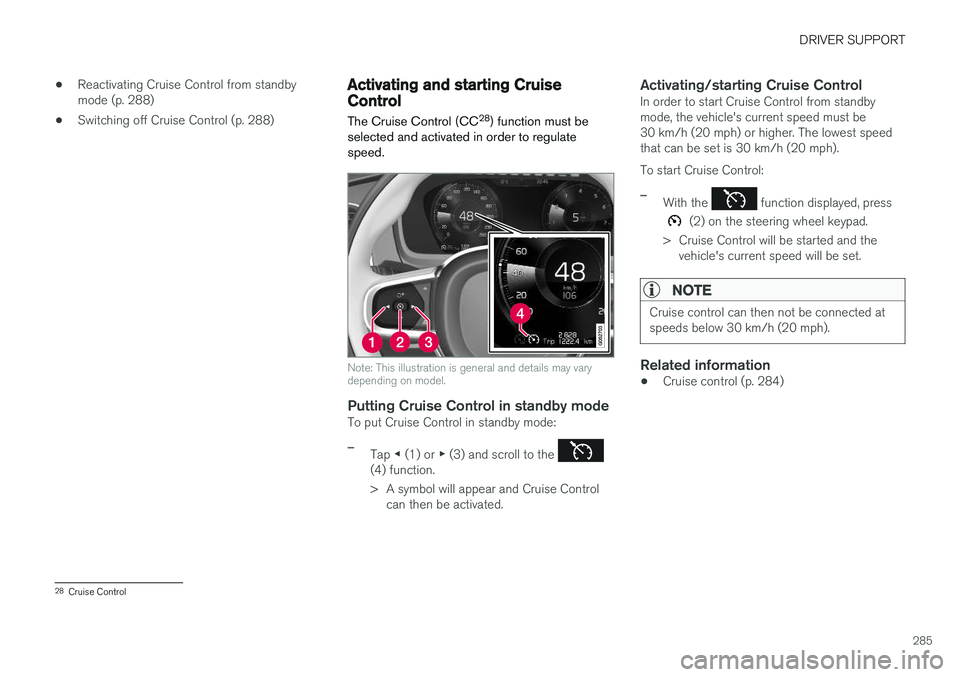
Note: This illustration is general and details may vary depending on model.
Putting Cruise Control in standby modeTo put Cruise Control in standby mode:
–Tap ◀ (1) or ▶ (3) and scroll to the (4) function.
> A symbol will appear and Cruise Control
can then be activated.
Activating/starting Cruise ControlIn order to start Cruise Control from standby mode, the vehicle's current speed must be30 km/h (20 mph) or higher. The lowest speedthat can be set is 30 km/h (20 mph). To start Cruise Control:
–With the function displayed, press
(2) on the steering wheel keypad.
> Cruise Control will be started and the vehicle's current speed will be set.
NOTE
Cruise control can then not be connected at speeds below 30 km/h (20 mph).
Related information
• Cruise control (p. 284)
28
Cruise Control
Page 291 of 666
DRIVER SUPPORT
}}
* Option/accessory.289
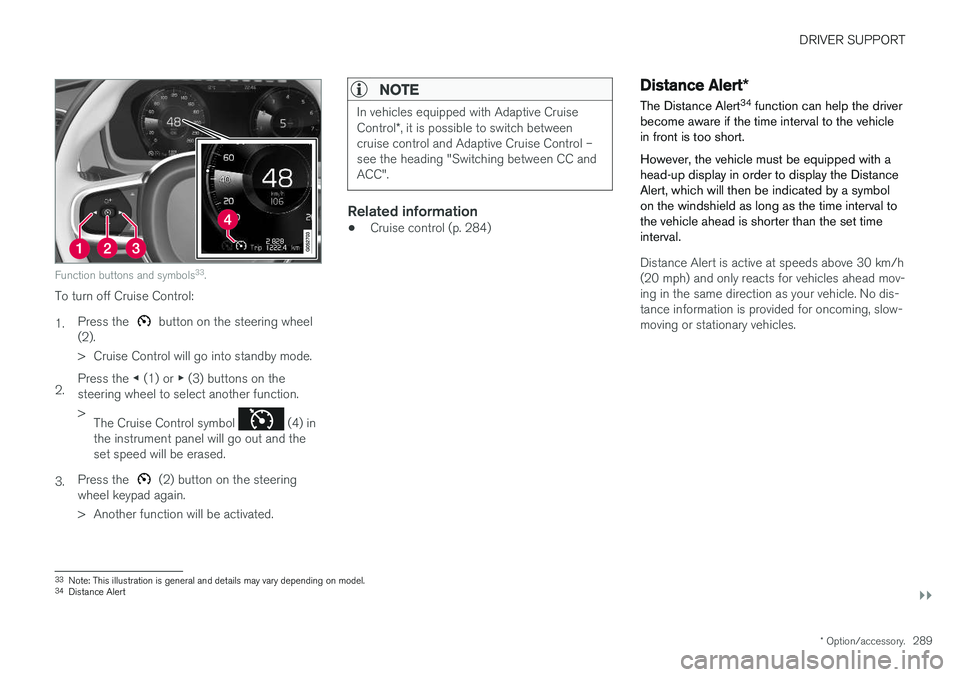
Function buttons and symbols 33
.
To turn off Cruise Control: 1. Press the
button on the steering wheel
(2).
> Cruise Control will go into standby mode.
2. Press the
◀ (1) or ▶ (3) buttons on the
steering wheel to select another function.> The Cruise Control symbol
(4) in
the instrument panel will go out and the set speed will be erased.
3. Press the
(2) button on the steering
wheel keypad again.
> Another function will be activated.
NOTE
In vehicles equipped with Adaptive Cruise Control *, it is possible to switch between
cruise control and Adaptive Cruise Control – see the heading "Switching between CC andACC".
Related information
• Cruise control (p. 284)
Distance Alert
*
The Distance Alert 34
function can help the driver
become aware if the time interval to the vehicle in front is too short. However, the vehicle must be equipped with a head-up display in order to display the DistanceAlert, which will then be indicated by a symbolon the windshield as long as the time interval tothe vehicle ahead is shorter than the set timeinterval.
Distance Alert is active at speeds above 30 km/h (20 mph) and only reacts for vehicles ahead mov-ing in the same direction as your vehicle. No dis-tance information is provided for oncoming, slow-moving or stationary vehicles.
33 Note: This illustration is general and details may vary depending on model.
34 Distance Alert
Page 292 of 666
||
DRIVER SUPPORT
* Option/accessory.
290
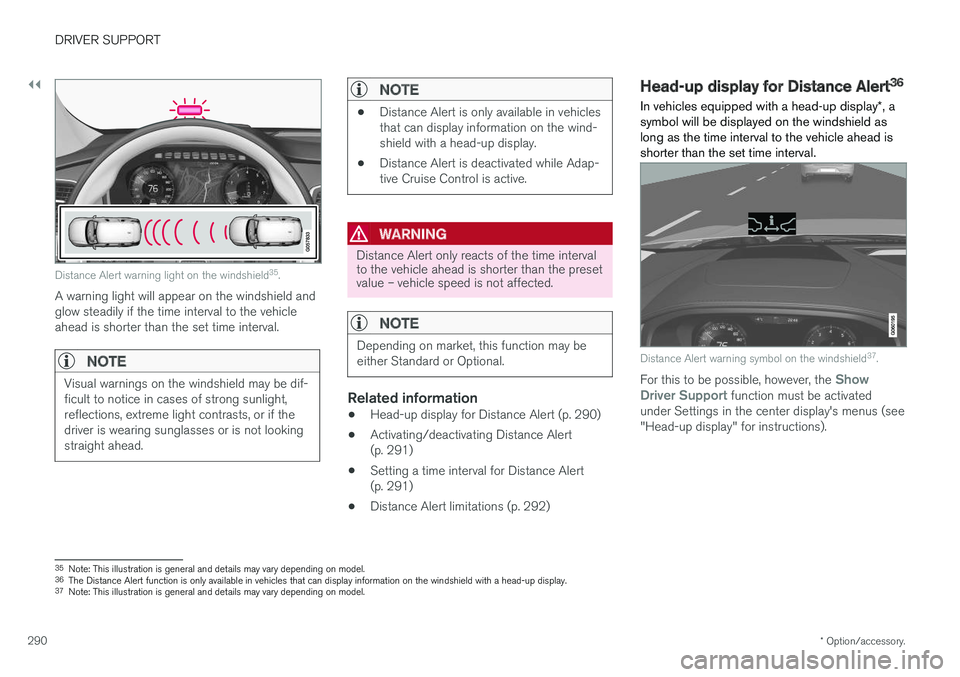
Distance Alert warning light on the windshield 35
.
A warning light will appear on the windshield and glow steadily if the time interval to the vehicleahead is shorter than the set time interval.
NOTE
Visual warnings on the windshield may be dif- ficult to notice in cases of strong sunlight,reflections, extreme light contrasts, or if thedriver is wearing sunglasses or is not lookingstraight ahead.
NOTE
• Distance Alert is only available in vehicles that can display information on the wind-shield with a head-up display.
• Distance Alert is deactivated while Adap-tive Cruise Control is active.
WARNING
Distance Alert only reacts of the time interval to the vehicle ahead is shorter than the presetvalue – vehicle speed is not affected.
NOTE
Depending on market, this function may be either Standard or Optional.
Related information
•Head-up display for Distance Alert (p. 290)
• Activating/deactivating Distance Alert (p. 291)
• Setting a time interval for Distance Alert(p. 291)
• Distance Alert limitations (p. 292)
Head-up display for Distance Alert36
In vehicles equipped with a head-up display *, a
symbol will be displayed on the windshield as long as the time interval to the vehicle ahead isshorter than the set time interval.
Distance Alert warning symbol on the windshield 37
.
For this to be possible, however, the Show
Driver Support function must be activated
under Settings in the center display's menus (see "Head-up display" for instructions).
35 Note: This illustration is general and details may vary depending on model.
36 The Distance Alert function is only available in vehicles that can display information on the windshield with a head-up display.
37 Note: This illustration is general and details may vary depending on model.
Page 293 of 666
DRIVER SUPPORT
}}
* Option/accessory.291
NOTE
Visual warnings on the windshield may be dif- ficult to notice in cases of strong sunlight,reflections, extreme light contrasts, or if thedriver is wearing sunglasses or is not lookingstraight ahead.
Related information
•Distance Alert
* (p. 289)
• Head-up display
* (p. 144)
Activating/deactivating Distance
Alert38
It is possible to set time intervals for Distance Alert or to turn the function off.
On/OffPress the Distance Alert but-
ton in the center display's Function view.
• GREEN button indicator light - Distance Alert is on.
• GRAY button indicator light - Distance Alertis off.
Distance Alert is automatically activated eachtime the engine is started.
Related information
• Distance Alert
* (p. 289)
Setting a time interval for Distance
Alert39
The Distance Alert function can be set to differ- ent time intervals.
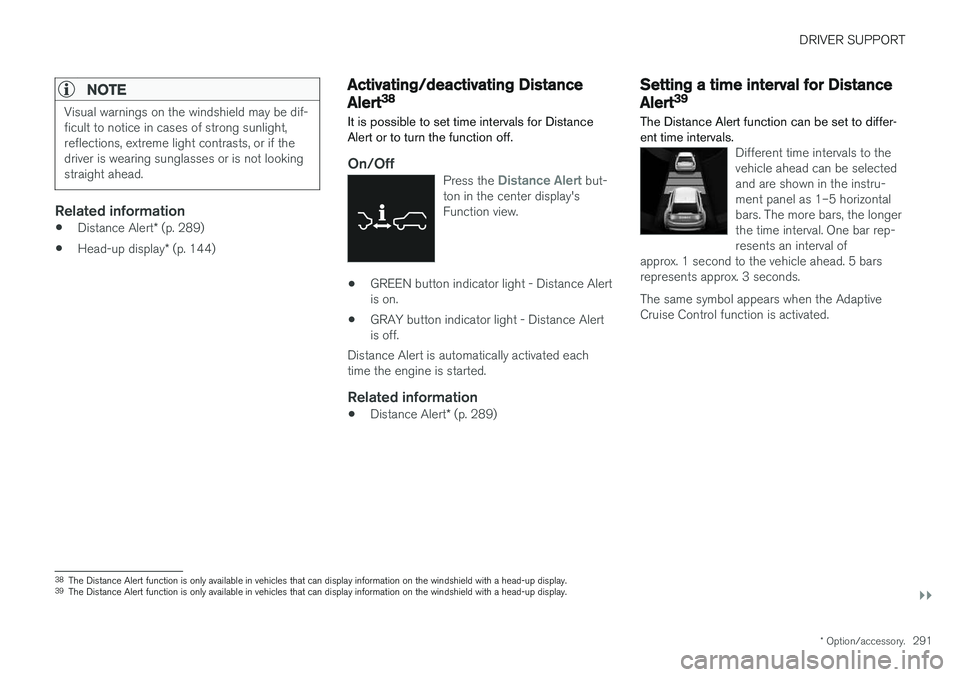
Different time intervals to the vehicle ahead can be selectedand are shown in the instru-ment panel as 1–5 horizontalbars. The more bars, the longerthe time interval. One bar rep-resents an interval of
approx. 1 second to the vehicle ahead. 5 barsrepresents approx. 3 seconds.
The same symbol appears when the Adaptive Cruise Control function is activated.
38 The Distance Alert function is only available in vehicles that can display information on the windshield with a head-up display.
39 The Distance Alert function is only available in vehicles that can display information on the windshield with a head-up display.
Page 294 of 666
||
DRIVER SUPPORT
* Option/accessory.
292
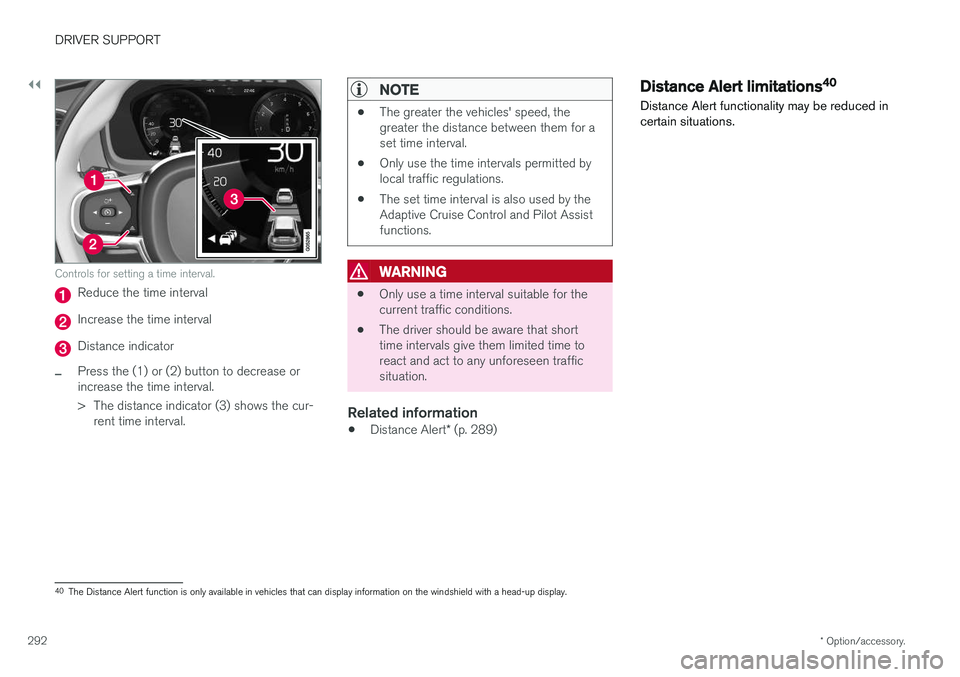
Controls for setting a time interval.
Reduce the time interval
Increase the time interval
Distance indicator
–Press the (1) or (2) button to decrease or increase the time interval.
> The distance indicator (3) shows the cur-
rent time interval.
NOTE
• The greater the vehicles' speed, the greater the distance between them for aset time interval.
• Only use the time intervals permitted bylocal traffic regulations.
• The set time interval is also used by theAdaptive Cruise Control and Pilot Assistfunctions.
WARNING
•Only use a time interval suitable for the current traffic conditions.
• The driver should be aware that shorttime intervals give them limited time toreact and act to any unforeseen trafficsituation.
Related information
•
Distance Alert
* (p. 289)
Distance Alert limitations40
Distance Alert functionality may be reduced in certain situations.
40 The Distance Alert function is only available in vehicles that can display information on the windshield with a head-up display.
Page 297 of 666
DRIVER SUPPORT
}}
* Option/accessory.295
Overview
Controls
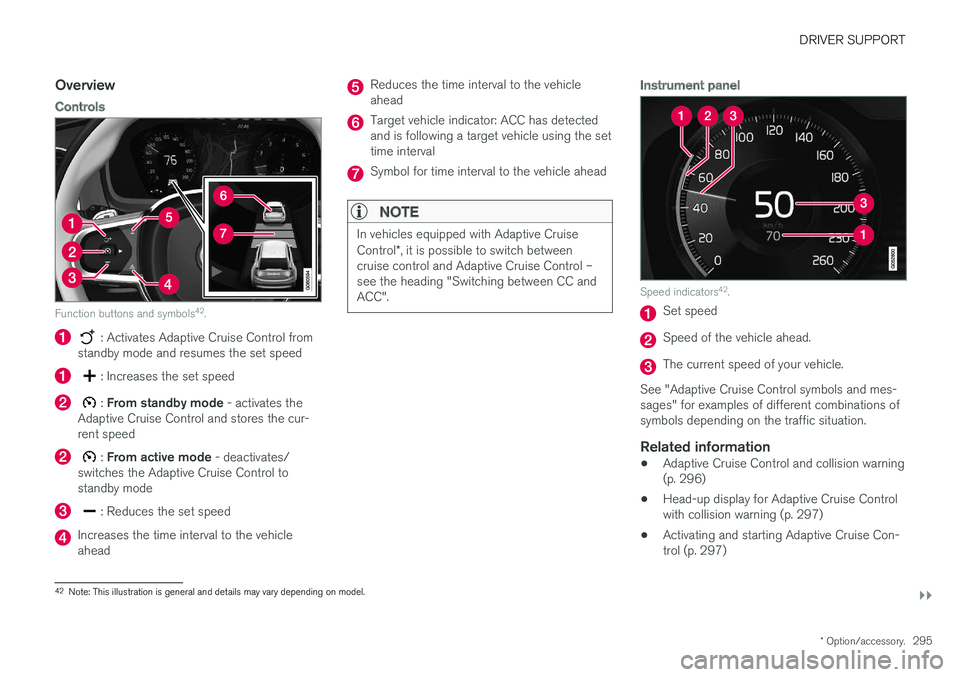
Function buttons and symbols 42
.
: Activates Adaptive Cruise Control from
standby mode and resumes the set speed
: Increases the set speed
: From standby mode - activates the
Adaptive Cruise Control and stores the cur- rent speed
: From active mode - deactivates/
switches the Adaptive Cruise Control to standby mode
: Reduces the set speed
Increases the time interval to the vehicle ahead
Reduces the time interval to the vehicle ahead
Target vehicle indicator: ACC has detected and is following a target vehicle using the settime interval
Symbol for time interval to the vehicle ahead
NOTE
In vehicles equipped with Adaptive Cruise Control *, it is possible to switch between
cruise control and Adaptive Cruise Control – see the heading "Switching between CC andACC".
Instrument panel
Speed indicators 42
.
Set speed
Speed of the vehicle ahead.
The current speed of your vehicle.
See "Adaptive Cruise Control symbols and mes- sages" for examples of different combinations ofsymbols depending on the traffic situation.
Related information
• Adaptive Cruise Control and collision warning(p. 296)
• Head-up display for Adaptive Cruise Controlwith collision warning (p. 297)
• Activating and starting Adaptive Cruise Con-trol (p. 297)
42
Note: This illustration is general and details may vary depending on model.
Page 299 of 666
DRIVER SUPPORT
}}
* Option/accessory.297
Head-up display for Adaptive CruiseControl with collision warning
In vehicles equipped with a head-up display *, a
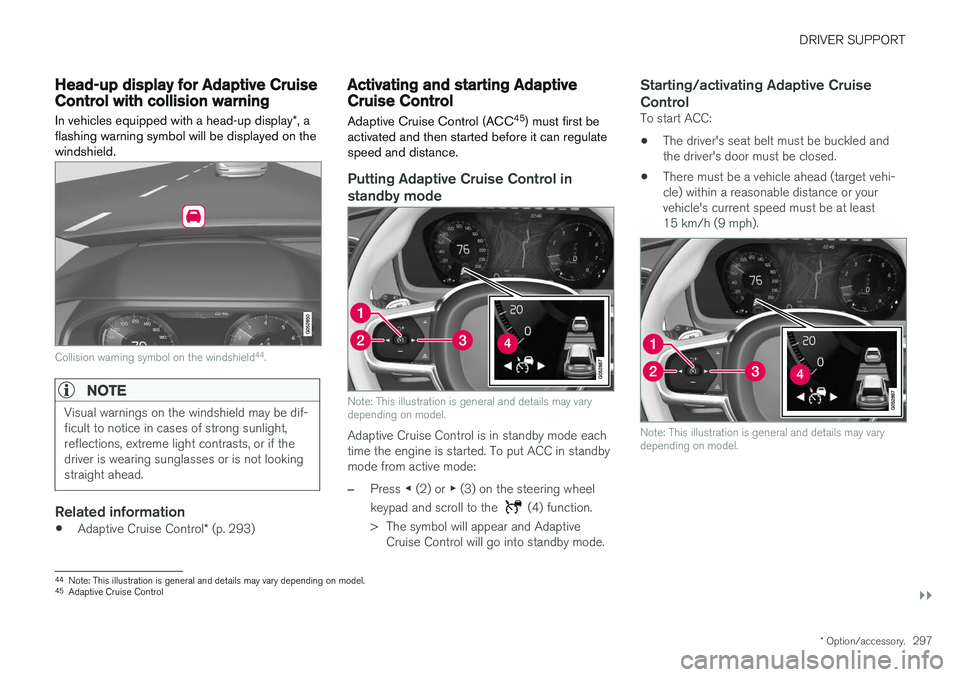
flashing warning symbol will be displayed on the windshield.
Collision warning symbol on the windshield 44
.
NOTE
Visual warnings on the windshield may be dif- ficult to notice in cases of strong sunlight,reflections, extreme light contrasts, or if thedriver is wearing sunglasses or is not lookingstraight ahead.
Related information
• Adaptive Cruise Control
* (p. 293)
Activating and starting AdaptiveCruise Control Adaptive Cruise Control (ACC 45
) must first be
activated and then started before it can regulate speed and distance.
Putting Adaptive Cruise Control in standby mode
Note: This illustration is general and details may vary depending on model.
Adaptive Cruise Control is in standby mode each time the engine is started. To put ACC in standbymode from active mode:
–Press ◀ (2) or ▶ (3) on the steering wheel
keypad and scroll to the
(4) function.
> The symbol will appear and Adaptive Cruise Control will go into standby mode.
Starting/activating Adaptive Cruise Control
To start ACC:
• The driver's seat belt must be buckled and the driver's door must be closed.
• There must be a vehicle ahead (target vehi-cle) within a reasonable distance or yourvehicle's current speed must be at least15 km/h (9 mph).
Note: This illustration is general and details may vary depending on model.
44
Note: This illustration is general and details may vary depending on model.
45 Adaptive Cruise Control
Page 300 of 666
||
DRIVER SUPPORT
* Option/accessory.
298
–With the (4) function displayed, press
(1) on the steering wheel keypad.
> Adaptive Cruise Control will start and the current speed will be stored, which will be shown by numbers in the center of thespeedometer.
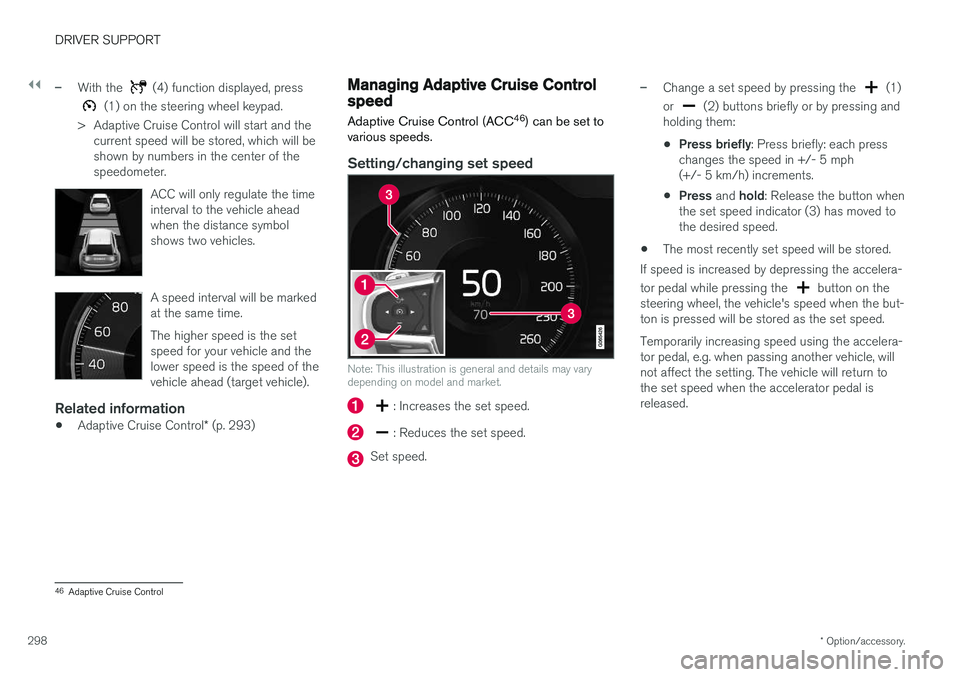
ACC will only regulate the timeinterval to the vehicle aheadwhen the distance symbolshows two vehicles.
A speed interval will be marked at the same time. The higher speed is the set speed for your vehicle and thelower speed is the speed of thevehicle ahead (target vehicle).
Related information
•Adaptive Cruise Control
* (p. 293)
Managing Adaptive Cruise Controlspeed
Adaptive Cruise Control (ACC 46
) can be set to
various speeds.
Setting/changing set speed
Note: This illustration is general and details may vary depending on model and market.
: Increases the set speed.
: Reduces the set speed.
Set speed.
–Change a set speed by pressing the (1)
or
(2) buttons briefly or by pressing and
holding them:
• Press briefly
: Press briefly: each press
changes the speed in +/- 5 mph (+/- 5 km/h) increments.
• Press
and hold: Release the button when
the set speed indicator (3) has moved tothe desired speed.
• The most recently set speed will be stored.
If speed is increased by depressing the accelera- tor pedal while pressing the
button on the
steering wheel, the vehicle's speed when the but- ton is pressed will be stored as the set speed. Temporarily increasing speed using the accelera- tor pedal, e.g. when passing another vehicle, willnot affect the setting. The vehicle will return tothe set speed when the accelerator pedal isreleased.
46 Adaptive Cruise Control
Page 308 of 666
||
DRIVER SUPPORT
* Option/accessory.
306 2.
Tap the
Cruise Control button in the center
display's Function view. The button's indica- tor will change from GRAY to GREEN.
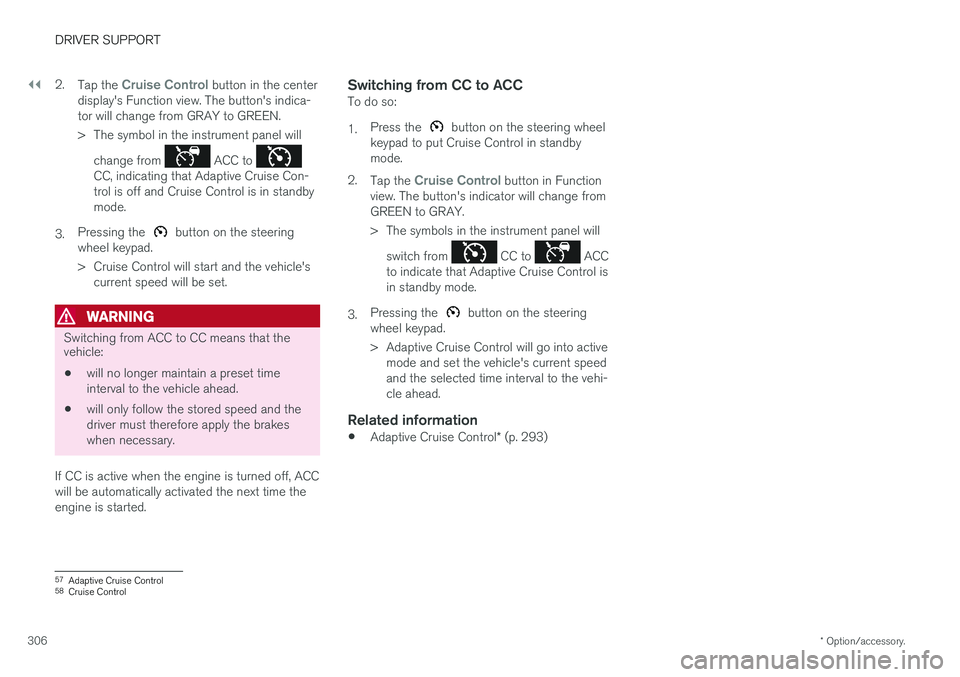
> The symbol in the instrument panel will
change from
ACC to CC, indicating that Adaptive Cruise Con- trol is off and Cruise Control is in standbymode.
3. Pressing the
button on the steering
wheel keypad.
> Cruise Control will start and the vehicle's current speed will be set.
WARNING
Switching from ACC to CC means that the vehicle:
• will no longer maintain a preset time interval to the vehicle ahead.
• will only follow the stored speed and thedriver must therefore apply the brakeswhen necessary.
If CC is active when the engine is turned off, ACC
will be automatically activated the next time theengine is started.
Switching from CC to ACCTo do so: 1. Press the
button on the steering wheel
keypad to put Cruise Control in standby mode.
2. Tap the
Cruise Control button in Function
view. The button's indicator will change from GREEN to GRAY.
> The symbols in the instrument panel will
switch from
CC to ACC
to indicate that Adaptive Cruise Control is in standby mode.
3. Pressing the
button on the steering
wheel keypad.
> Adaptive Cruise Control will go into active mode and set the vehicle's current speed and the selected time interval to the vehi-cle ahead.
Related information
• Adaptive Cruise Control
* (p. 293)
57
Adaptive Cruise Control
58 Cruise Control
Page 309 of 666
DRIVER SUPPORT
}}
* Option/accessory.307
Symbols and messages forAdaptive Cruise Control
A number of symbols and messages relating to Adaptive Cruise Control (ACC 59
) may be dis-
played in the instrument panel and/or the head- up display *.
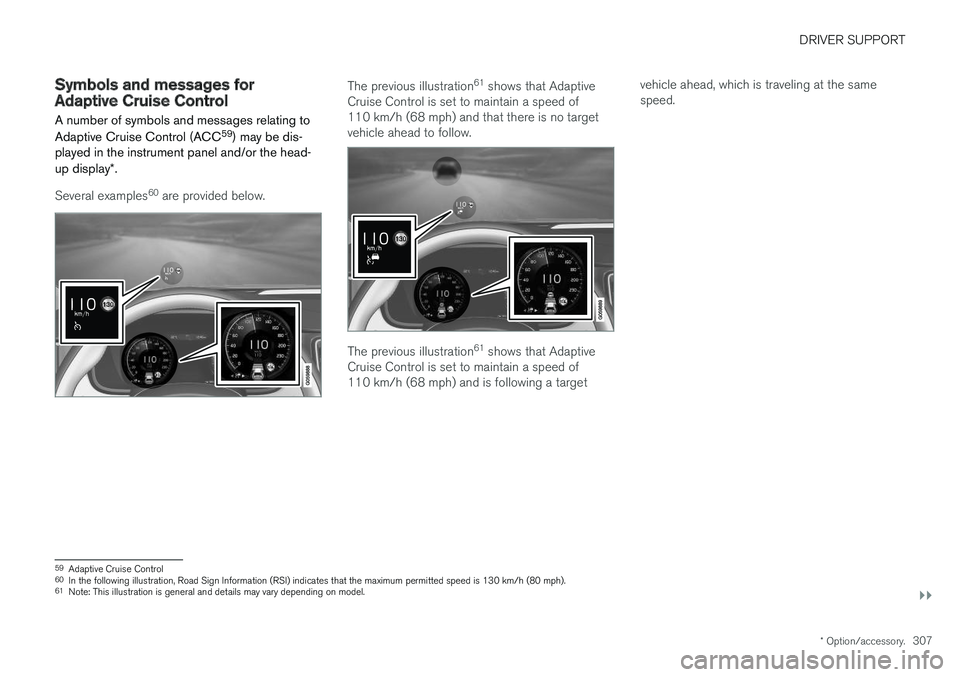
Several examples 60
are provided below.
The previous illustration 61
shows that Adaptive
Cruise Control is set to maintain a speed of 110 km/h (68 mph) and that there is no targetvehicle ahead to follow.
The previous illustration 61
shows that Adaptive
Cruise Control is set to maintain a speed of 110 km/h (68 mph) and is following a target vehicle ahead, which is traveling at the samespeed.
59
Adaptive Cruise Control
60 In the following illustration, Road Sign Information (RSI) indicates that the maximum permitted speed is 130 km/h (80 mph).
61 Note: This illustration is general and details may vary depending on model.