child lock VOLVO XC90 2018 Owner´s Manual
[x] Cancel search | Manufacturer: VOLVO, Model Year: 2018, Model line: XC90, Model: VOLVO XC90 2018Pages: 666, PDF Size: 11.32 MB
Page 251 of 666
KEY, LOCKS AND ALARM
}}
249
Locking and unlocking withdetachable key blade
The detachable key blade can be used to unlock the vehicle from the outside, e.g. if the battery inthe remote key is discharged.
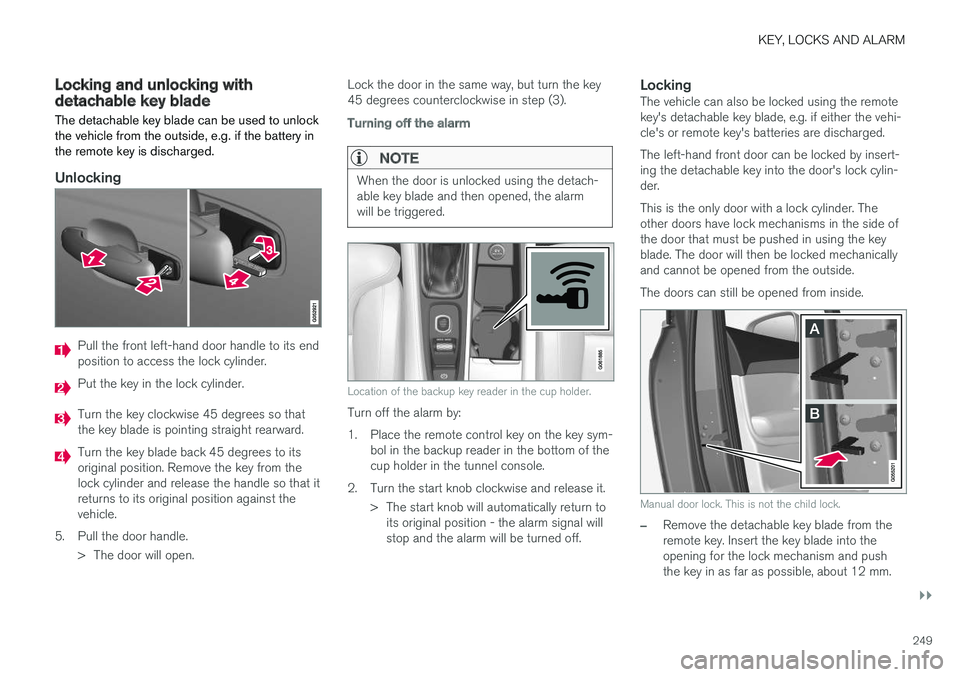
Unlocking
Pull the front left-hand door handle to its end position to access the lock cylinder.
Put the key in the lock cylinder.
Turn the key clockwise 45 degrees so that the key blade is pointing straight rearward.
Turn the key blade back 45 degrees to its original position. Remove the key from thelock cylinder and release the handle so that itreturns to its original position against thevehicle.
5. Pull the door handle. > The door will open. Lock the door in the same way, but turn the key45 degrees counterclockwise in step (3).
Turning off the alarm
NOTE
When the door is unlocked using the detach- able key blade and then opened, the alarmwill be triggered.
Location of the backup key reader in the cup holder.
Turn off the alarm by:
1. Place the remote control key on the key sym-
bol in the backup reader in the bottom of the cup holder in the tunnel console.
2. Turn the start knob clockwise and release it. > The start knob will automatically return toits original position - the alarm signal willstop and the alarm will be turned off.
LockingThe vehicle can also be locked using the remotekey's detachable key blade, e.g. if either the vehi-cle's or remote key's batteries are discharged. The left-hand front door can be locked by insert- ing the detachable key into the door's lock cylin-der. This is the only door with a lock cylinder. The other doors have lock mechanisms in the side ofthe door that must be pushed in using the keyblade. The door will then be locked mechanicallyand cannot be opened from the outside. The doors can still be opened from inside.
Manual door lock. This is not the child lock.
–Remove the detachable key blade from the remote key. Insert the key blade into theopening for the lock mechanism and pushthe key in as far as possible, about 12 mm.
Page 252 of 666
||
KEY, LOCKS AND ALARM
* Option/accessory.
250
The door can be opened from both the out- side and the inside.
The door cannot be opened from the outside. To return to position A, open the door usingthe inside door handle.
The doors can also be unlocked by pressing theunlock button on the remote key or the centrallock button in the driver's door.
NOTE
• The door's lock controls only lock that specific door, not all doors simultane-ously.
• A manually locked rear door with an acti-vated manual or electric child safety lockcannot be opened from either the outsideor inside of the vehicle. A rear doorlocked in this way can only be unlockedusing the remote key or the centralunlocking button.
Related information
• Detachable key blade (p. 248)
• Arming and disarming the alarm (p. 267)
• Replacing the remote key's battery (p. 242)
• Remote key (p. 237)
Electronic immobilizer
The electronic immobilizer is a start inhibitor that helps prevent the vehicle from being started byan unauthorized person.
The vehicle can only be started with the right remote key. The following instrument panel error messages are related to the electronic immobilizer:
SymbolMessageMeaning
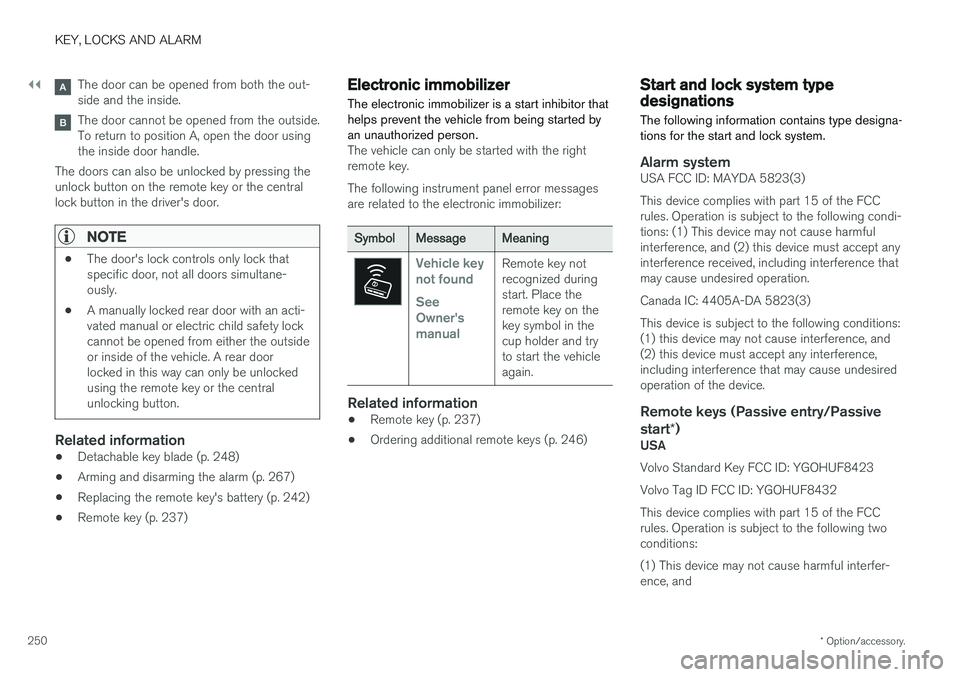
Vehicle key not found See Owner'smanualRemote key not recognized duringstart. Place theremote key on thekey symbol in thecup holder and tryto start the vehicleagain.
Related information
• Remote key (p. 237)
• Ordering additional remote keys (p. 246)
Start and lock system typedesignations
The following information contains type designa- tions for the start and lock system.
Alarm systemUSA FCC ID: MAYDA 5823(3) This device complies with part 15 of the FCC rules. Operation is subject to the following condi-tions: (1) This device may not cause harmfulinterference, and (2) this device must accept anyinterference received, including interference thatmay cause undesired operation. Canada IC: 4405A-DA 5823(3)This device is subject to the following conditions: (1) this device may not cause interference, and(2) this device must accept any interference,including interference that may cause undesiredoperation of the device.
Remote keys (Passive entry/Passive start *)
USA Volvo Standard Key FCC ID: YGOHUF8423 Volvo Tag ID FCC ID: YGOHUF8432This device complies with part 15 of the FCC rules. Operation is subject to the following two conditions: (1) This device may not cause harmful interfer- ence, and
Page 258 of 666
||
KEY, LOCKS AND ALARM
* Option/accessory.
256
Alternative unlocking method
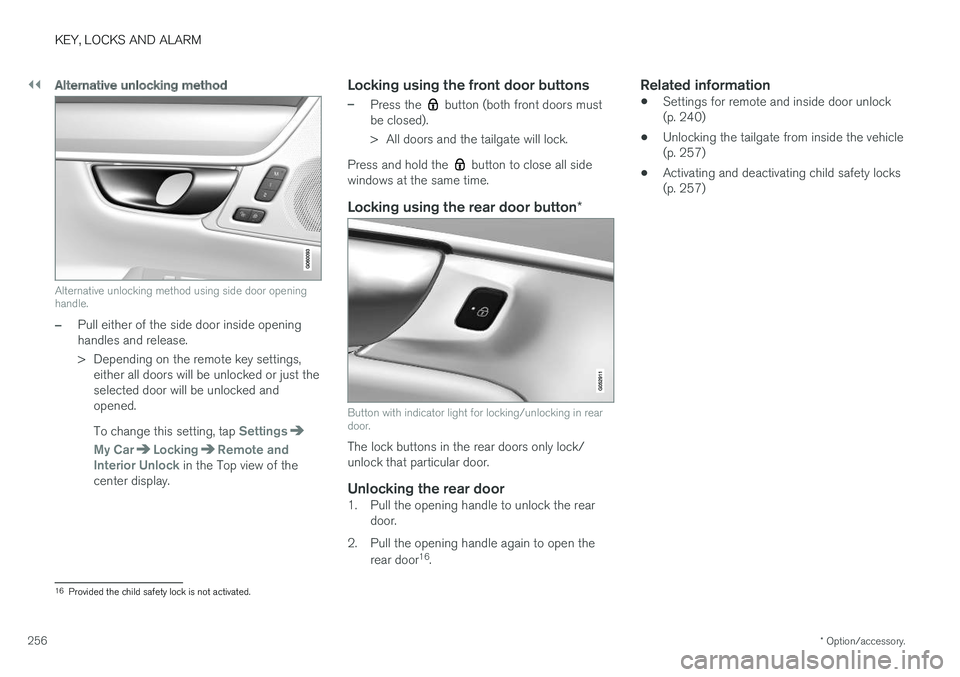
Alternative unlocking method using side door opening handle.
–Pull either of the side door inside opening handles and release.
> Depending on the remote key settings,
either all doors will be unlocked or just the selected door will be unlocked andopened. To change this setting, tap
Settings
My CarLockingRemote and
Interior Unlock in the Top view of the
center display.
Locking using the front door buttons
–Press the button (both front doors must
be closed).
> All doors and the tailgate will lock.
Press and hold the
button to close all side
windows at the same time.
Locking using the rear door button *
Button with indicator light for locking/unlocking in rear door.
The lock buttons in the rear doors only lock/ unlock that particular door.
Unlocking the rear door1. Pull the opening handle to unlock the rear
door.
2. Pull the opening handle again to open the rear door 16
.
Related information
• Settings for remote and inside door unlock(p. 240)
• Unlocking the tailgate from inside the vehicle(p. 257)
• Activating and deactivating child safety locks(p. 257)
16
Provided the child safety lock is not activated.
Page 259 of 666
KEY, LOCKS AND ALARM
}}
* Option/accessory.257
Unlocking the tailgate from insidethe vehicle
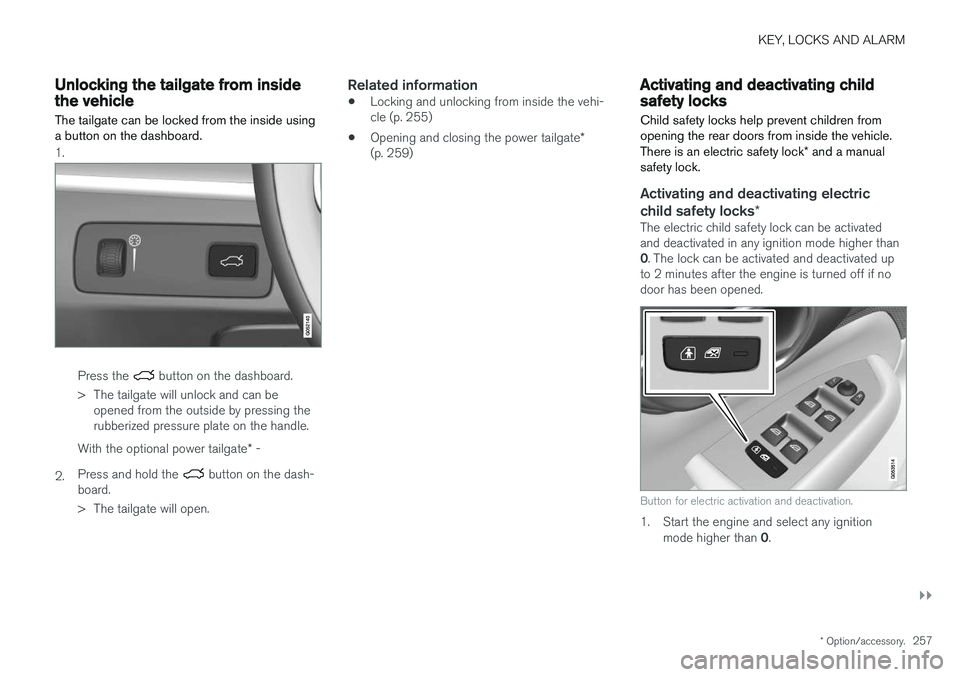
The tailgate can be locked from the inside using a button on the dashboard.
1.
Press the button on the dashboard.
> The tailgate will unlock and can be opened from the outside by pressing the rubberized pressure plate on the handle.
2. With the optional power tailgate
* -
Press and hold the
button on the dash-
board.
> The tailgate will open.
Related information
• Locking and unlocking from inside the vehi- cle (p. 255)
• Opening and closing the power tailgate
*
(p. 259)
Activating and deactivating childsafety locks
Child safety locks help prevent children from opening the rear doors from inside the vehicle. There is an electric safety lock * and a manual
safety lock.
Activating and deactivating electric child safety locks *
The electric child safety lock can be activated and deactivated in any ignition mode higher than 0. The lock can be activated and deactivated up
to 2 minutes after the engine is turned off if no door has been opened.
Button for electric activation and deactivation.
1. Start the engine and select any ignition
mode higher than 0.
Page 260 of 666
||
KEY, LOCKS AND ALARM
2582. Press the button on the driver's door control
panel. >The message
Rear child lock Activatedwill be shown in the instrument panel and the indicator light will illuminate to showthat the child safety locks are activated.
When the electric child safety locks are activated:
• the rear windows can only be opened usingthe driver's door control panel
• the rear doors cannot be opened from theinside.
To deactivate the child safety locks:
–Press the button on the driver's door control panel. > The message
Rear child lock
Deactivated will be shown in the instru-
ment panel and the indicator light will go out to show that the child safety locks aredeactivated.
When the engine is turned off, the current settingwill be saved. If the locks were activated whenthe engine was turned off, they will remain acti-vated the next time the engine is started.
SymbolMessageMeaning
Rear child lock Acti-
vatedThe child safety locks are acti-vated.
Rear child lock Deacti-
vatedThe child safety locks are deacti-vated.
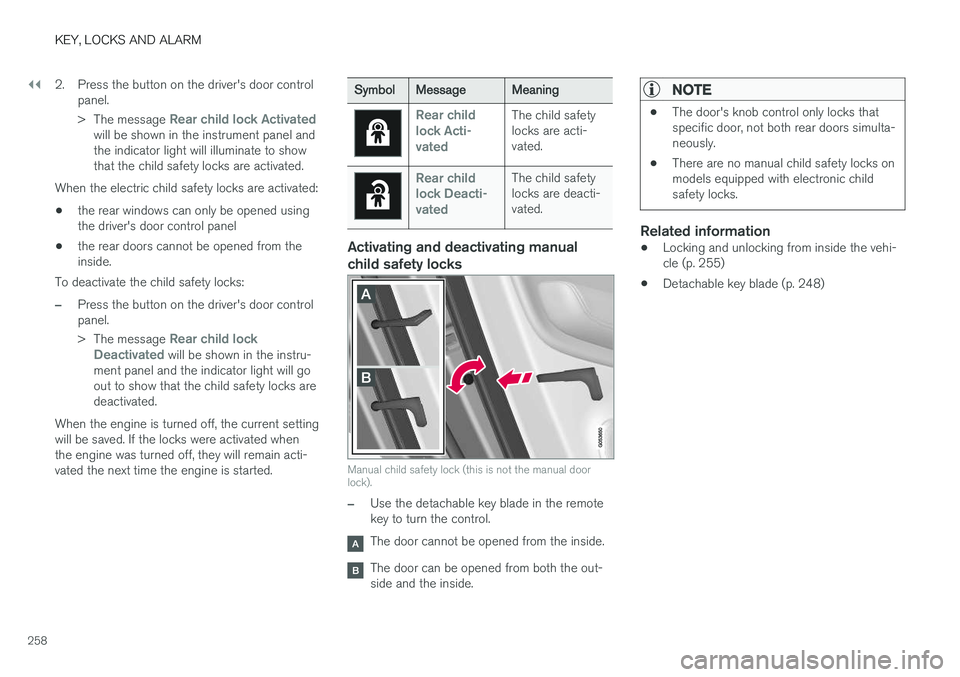
Activating and deactivating manual child safety locks
Manual child safety lock (this is not the manual door lock).
–Use the detachable key blade in the remote key to turn the control.
The door cannot be opened from the inside.
The door can be opened from both the out- side and the inside.
NOTE
• The door's knob control only locks that specific door, not both rear doors simulta-neously.
• There are no manual child safety locks onmodels equipped with electronic childsafety locks.
Related information
•Locking and unlocking from inside the vehi- cle (p. 255)
• Detachable key blade (p. 248)
Page 565 of 666
LOADING, STORAGE AND PASSENGER COMPARTMENT
* Option/accessory.563
WARNING
•Only use accessories that are not dam- aged or malfunctioning. The accessoriesmust be designed for 120 V and 60 Hz,with plugs intended for the outlet. Theaccessories must be CE marked, ULmarked or have an equivalent safetymarking.
• New let outlets, plugs or accessoriescome into contact with water or anotherfluid. Do not touch or use the outlet if itappears damaged or has been in contactwith water or another fluid.
• Do not connect power strips, adapters orextension cords to the outlet has thiscould cause the outlet's safety functionsto malfunction.
• The outlet is equipped with a pet guard.Make sure that no one picks at or dam-ages the outlet in such a way that theguard is disabled. Children should not beleft unsupervised in the vehicle when theoutlet is active.
Failure to follow the above could lead to severe or fatal electrical shocks.
Related information
• Electrical outlets (p. 560)
• Passenger compartment interior (p. 558)
Using the glove compartment
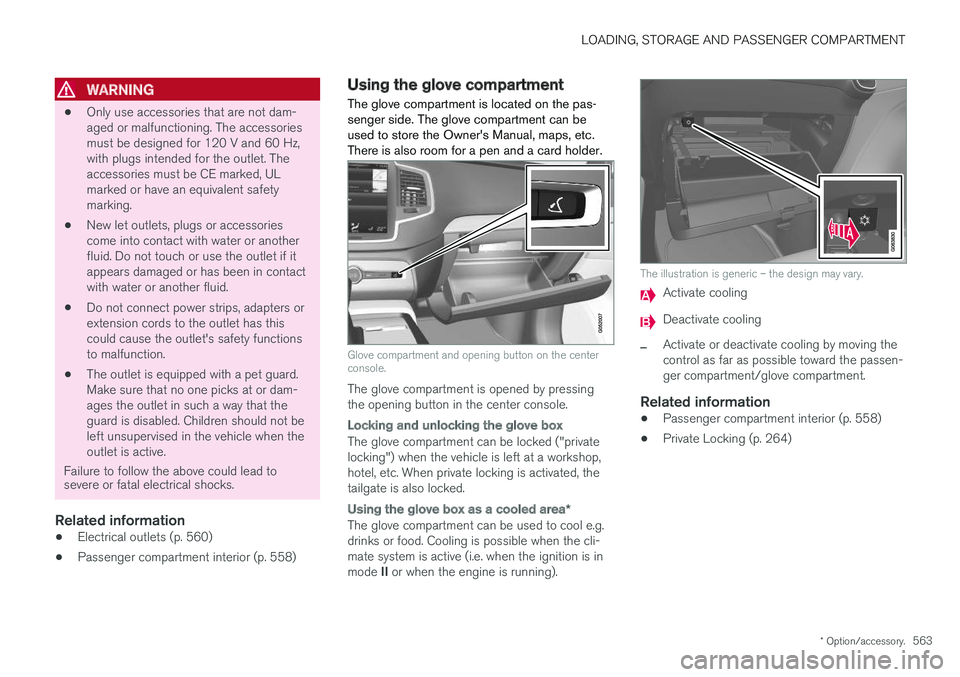
The glove compartment is located on the pas- senger side. The glove compartment can beused to store the Owner's Manual, maps, etc.There is also room for a pen and a card holder.
Glove compartment and opening button on the center console.
The glove compartment is opened by pressing the opening button in the center console.
Locking and unlocking the glove box
The glove compartment can be locked ("private locking") when the vehicle is left at a workshop,hotel, etc. When private locking is activated, thetailgate is also locked.
Using the glove box as a cooled area *
The glove compartment can be used to cool e.g. drinks or food. Cooling is possible when the cli- mate system is active (i.e. when the ignition is in mode II or when the engine is running).
The illustration is generic – the design may vary.
Activate cooling
Deactivate cooling
–Activate or deactivate cooling by moving the control as far as possible toward the passen-ger compartment/glove compartment.
Related information
• Passenger compartment interior (p. 558)
• Private Locking (p. 264)
Page 653 of 666
INDEX
651
Child restraints 63, 65
booster cushions 71
convertible seats 69
infant seats 67
integrated booster cushion 76
ISOFIX/LATCH anchors 74
lower attachment points 74
recalls and registration 65
top tether anchors 72
Child safety 63
Child safety locks 257
City Safety 333, 334, 336, 337, 342, 344
City Safety in crossing traffic 339, 340 City Safety when evasive maneuver preven- ted 341
Cleaning 617, 619, 620 automatic car wash 623
car wash 620, 621, 623, 624, 625, 626
center display 615
Seat belts 617
textile upholstery 615, 617, 618
upholstery 615, 617, 618, 619, 620
wheels 626
Cleaning wheels 626
Cleaning wiper blades 624
Clean Zone 209
Clean Zone Interior Package 210
Climate 206 auto-regulation 223
blower control 228, 229
perceived temperature 207
Sensors 207
temperature control 230, 231, 232
voice control 208
zones 206
Climate controls 217 center display 217
rear seat 217
Climate system 206, 217 Refrigerant 646
repairs 586
Clock, setting 94
Collision 42, 47, 52, 61 Collision warner detection of pedestrians 337
radar sensor 324
Collision warning 333, 345
Color code, paintwork 628
Color codes 628
Compass 459, 460 calibration 460
Condensation in headlights 621, 623, 624, 625Connecting vehicle to InternetNo connection or poor connection 512
via a mobile device (WiFi) 509
via mobile device (Bluetooth) 509
via vehicle's modem 510
Connect phone 499
Contact information 26
Convertible seats 69
coolant 645
Coolant, filling 590 Cooling system overheating 446
Cornering illumination 162
Corner Traction Control 272
Corrosion protection 626Covering cargo compartment 568
Crash, see Collision 42
Crash event data 33
Cross Traffic Alert – CTA 351, 352, 353, 354
Cruise control 284, 285 manage speed 285, 286
temporary deactivation 287, 288
turn off 288
CTA – Cross Traffic Alert 351, 352, 353, 354
Curb weight 641
Page 661 of 666
INDEX
659
S
Safety 42pregnancy 43
Safety belt, see Seat belt 47
Safety defects, reporting 44
Safety mode 61 starting/moving 62
Sealing compound 550
Seat, see Seats 188
Seat belt reminder 51
Seat belts 47 Automatic locking retractor/Emergency
locking retractor 65
buckling/unbuckling 48
pregnancy 43
seat belt reminder 51
seat belt tensioner 50
securing child restraint systems 67, 69, 71
Seat belt tensioner 50 resetting 51
Seats heating 219, 220
manual front seat 188
memory function front seat 190, 191
power front seats 189
ventilation 221
whiplash protection 46
Sensors
air quality 211
climate 207
Sensus connection and entertainment 30
Sensus Navigation 357
Service position 631
Service program 576
Set time interval 291
settings 137 Categories 138
contextual 135
resetting 137
settings menu 137
Shiftlock 421 deactivate 421
Side airbag 60
Side Impact Protection System 60
SIM card 511
SIPS (Side Impact Protection System) 60 Sirius Satellite radio Travel link 480
SiriusXM ® Satellite radio
traffic information 476, 477, 478
Slippery conditions 440
Slippery road conditions 440Software updates 33
Sound settings 464, 505 phone 506
playing media 486, 487
text message 505
Spare tire 547, 548
Speed camera 359
Speed Limiter 276, 279, 280, 283 getting started 277
shut down 279
temporary deactivation 278
Speed symbols, tires 532
Spin control 272
Stability and traction control system 272, 275 operation 273, 274
Stability system 272
Stains 615, 617, 618, 619, 620
Start/Stop 428 deactivate 430
Driving 428
limitations 430
Start and lock system type designations 250
Start battery 447, 598 overload 447
Start engine 404
Page 663 of 666
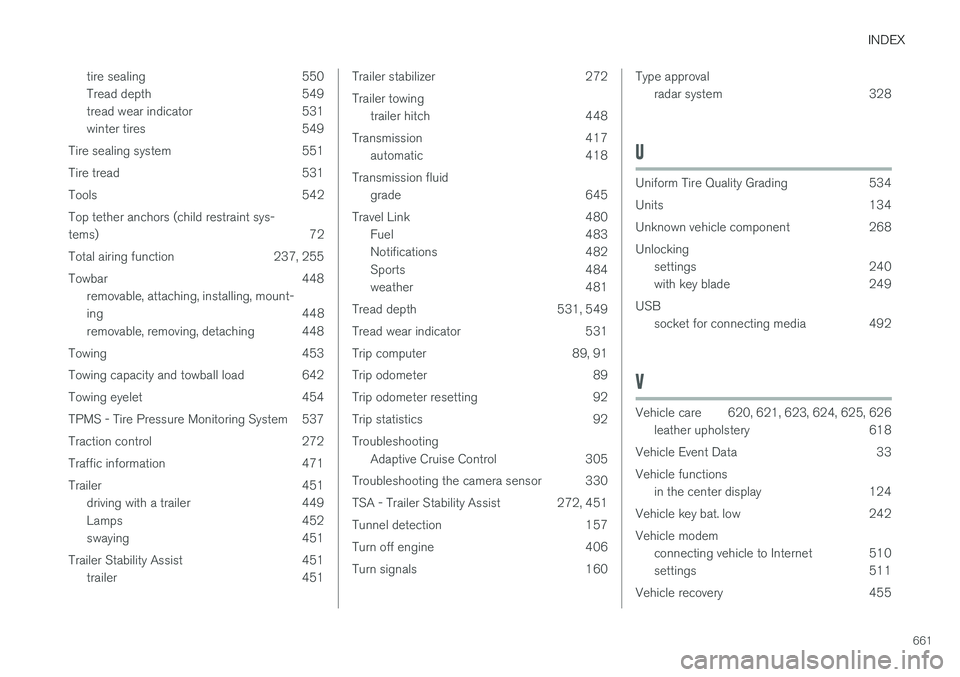
INDEX
661
tire sealing 550
Tread depth 549
tread wear indicator 531
winter tires 549
Tire sealing system 551
Tire tread 531
Tools 542Top tether anchors (child restraint sys- tems) 72
Total airing function 237, 255
Towbar 448 removable, attaching, installing, mount-
ing 448
removable, removing, detaching 448
Towing 453
Towing capacity and towball load 642
Towing eyelet 454
TPMS - Tire Pressure Monitoring System 537
Traction control 272
Traffic information 471
Trailer 451 driving with a trailer 449
Lamps 452
swaying 451
Trailer Stability Assist 451 trailer 451
Trailer stabilizer 272 Trailer towingtrailer hitch 448
Transmission 417 automatic 418
Transmission fluid grade 645
Travel Link 480 Fuel 483
Notifications 482
Sports 484
weather 481
Tread depth 531, 549
Tread wear indicator 531
Trip computer 89, 91
Trip odometer 89
Trip odometer resetting 92
Trip statistics 92 Troubleshooting Adaptive Cruise Control 305
Troubleshooting the camera sensor 330
TSA - Trailer Stability Assist 272, 451
Tunnel detection 157
Turn off engine 406
Turn signals 160Type approval radar system 328
U
Uniform Tire Quality Grading 534
Units 134
Unknown vehicle component 268Unlockingsettings 240
with key blade 249
USB socket for connecting media 492
V
Vehicle care 620, 621, 623, 624, 625, 626
leather upholstery 618
Vehicle Event Data 33 Vehicle functions in the center display 124
Vehicle key bat. low 242 Vehicle modem connecting vehicle to Internet 510
settings 511
Vehicle recovery 455