seats VOLVO XC90 2018 Owner´s Manual
[x] Cancel search | Manufacturer: VOLVO, Model Year: 2018, Model line: XC90, Model: VOLVO XC90 2018Pages: 666, PDF Size: 11.32 MB
Page 235 of 666
CLIMATE CONTROL
}}
* Option/accessory.233
Activating and deactivating airconditioning
The air conditioning cools and dehumidifies incoming air as needed.
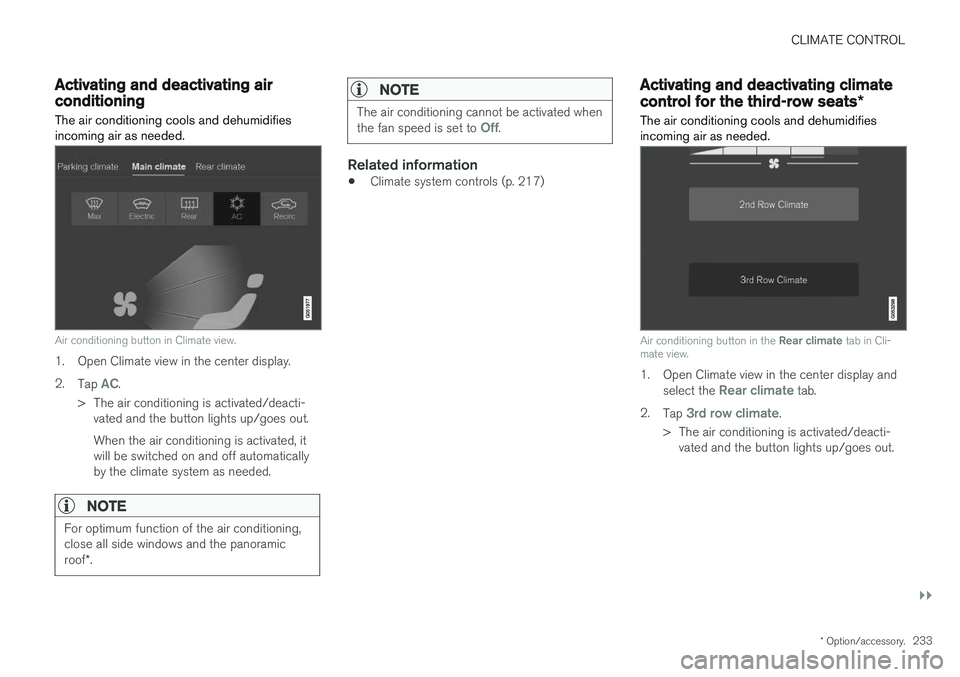
Air conditioning button in Climate view.
1. Open Climate view in the center display. 2. Tap
AC.
> The air conditioning is activated/deacti- vated and the button lights up/goes out. When the air conditioning is activated, it will be switched on and off automaticallyby the climate system as needed.
NOTE
For optimum function of the air conditioning, close all side windows and the panoramic roof *.
NOTE
The air conditioning cannot be activated when the fan speed is set to Off.
Related information
• Climate system controls (p. 217)
Activating and deactivating climate
control for the third-row seats
*
The air conditioning cools and dehumidifies incoming air as needed.
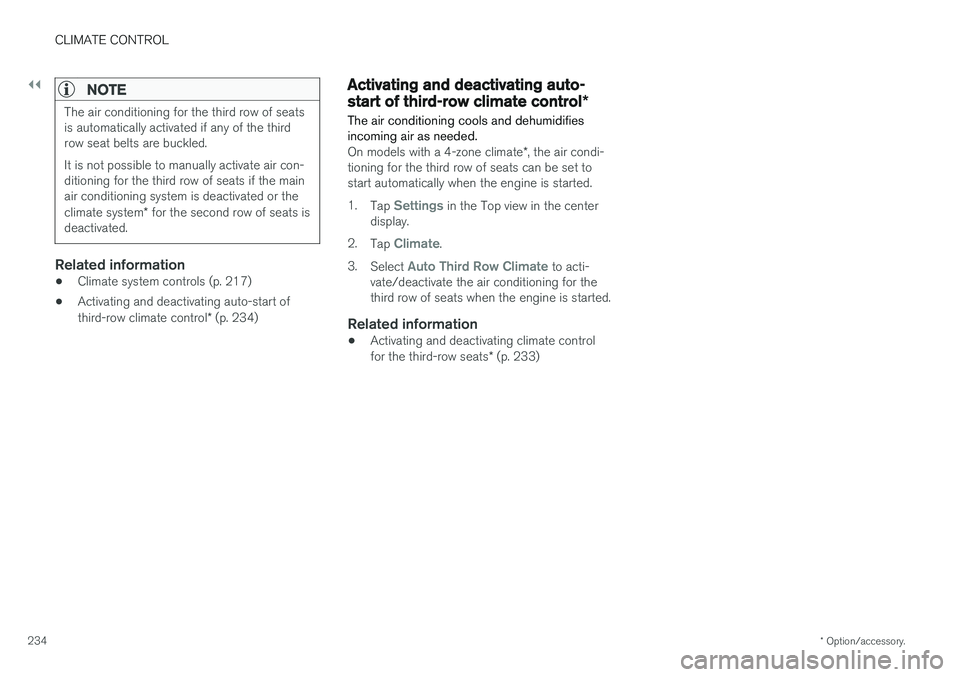
Air conditioning button in the Rear climate tab in Cli-
mate view.
1. Open Climate view in the center display and
select the Rear climate tab.
2. Tap
3rd row climate.
> The air conditioning is activated/deacti- vated and the button lights up/goes out.
Page 236 of 666
||
CLIMATE CONTROL
* Option/accessory.
234
NOTE
The air conditioning for the third row of seats is automatically activated if any of the thirdrow seat belts are buckled. It is not possible to manually activate air con- ditioning for the third row of seats if the mainair conditioning system is deactivated or the climate system * for the second row of seats is
deactivated.
Related information
• Climate system controls (p. 217)
• Activating and deactivating auto-start of third-row climate control
* (p. 234)
Activating and deactivating auto-
start of third-row climate control *
The air conditioning cools and dehumidifies incoming air as needed.
On models with a 4-zone climate *, the air condi-
tioning for the third row of seats can be set to start automatically when the engine is started. 1. Tap
Settings in the Top view in the center
display.
2. Tap
Climate.
3. Select
Auto Third Row Climate to acti-
vate/deactivate the air conditioning for the third row of seats when the engine is started.
Related information
• Activating and deactivating climate control for the third-row seats
* (p. 233)
Page 409 of 666
STARTING AND DRIVING
* Option/accessory.407
Ignition modes
The vehicle's ignition can be put in various modes (levels) to make different functions availa-ble.
To enable the use of a limited number of func- tions when the engine is not running, the ignition can be put in one of three different levels: 0, I
and II. These levels are referred to as "ignition
modes" in the Owner's Manual. The following table shows which functions are available in each ignition mode:
ModeFunctions
0 •The odometer, clock and tem- perature gauge are illuminated A
.
• The power seats
* can be
adjusted.
• The power windows can be used.
• The center display is activatedand can be used A
.
• The 12 V outlet in the cargo com- partment
* can be used.
• The infotainment system can be used A
.
In this ignition mode, the functions are available for a limited time and then switch off automatically.
I •The panoramic roof, power win-dows, 12 V outlet in passengercompartment, Bluetooth, naviga-tion, phone, blower and wind-shield wipers can be used.
• The power seats can be adjusted.
• The 12 V outlet in the cargo com-partment can be used.
Electrical current will be takenfrom the battery in this ignitionmode.ModeFunctions
II •The headlights illuminate.
• Warning/indicator lights illumi- nate for 5 seconds.
• A number of other systems areactivated. However, seat and rearwindow heating can only be acti-vated when the engine is running.
This ignition mode uses a lot ofcurrent from the battery andshould be avoided whenever pos-sible!
A Also activated when the door is opened.
Related information
• Starting the vehicle (p. 404)
• Adjusting the steering wheel (p. 203)
• Jump starting using another battery (p. 447)
• Selecting ignition mode (p. 408)
Page 413 of 666
STARTING AND DRIVING
}}
411
Braking on salted roads When driving on salted roads, a layer of salt may form on the brake discs and brake pads.
This could increase stopping distance. Maintain an extra large safety distance to the vehicleahead. Make sure to also:
• Apply the brakes from time to time to helpremove salt. Make sure braking does notpose a risk to any other road users.
• Gently apply the brakes when you have fin-ished driving and before driving again.
Related information
• Brakes (p. 409)
• Braking on wet roads (p. 410)
Maintenance of the brake system
Regularly check the brake system components for wear.
To keep the vehicle as safe and reliable as possi- ble, follow the Volvo service schedule specified inthe Warranty and Maintenance Records Informa-tion booklet. New and replaced brake pads andbrake discs do not provide optimal braking effectuntil they are "broken in" by driving a few hun-dred kilometers (miles). Compensate for thereduced braking effect by applying greater pres-sure to the brake pedal. Volvo recommends onlyusing brake pads approved for your Volvo.
CAUTION
The brake system's components should be regularly checked for wear. Contact a workshop for advice on how to do this or let a workshop perform the inspection- an authorized Volvo workshop is recom-mended.
Related information
• Brakes (p. 409)
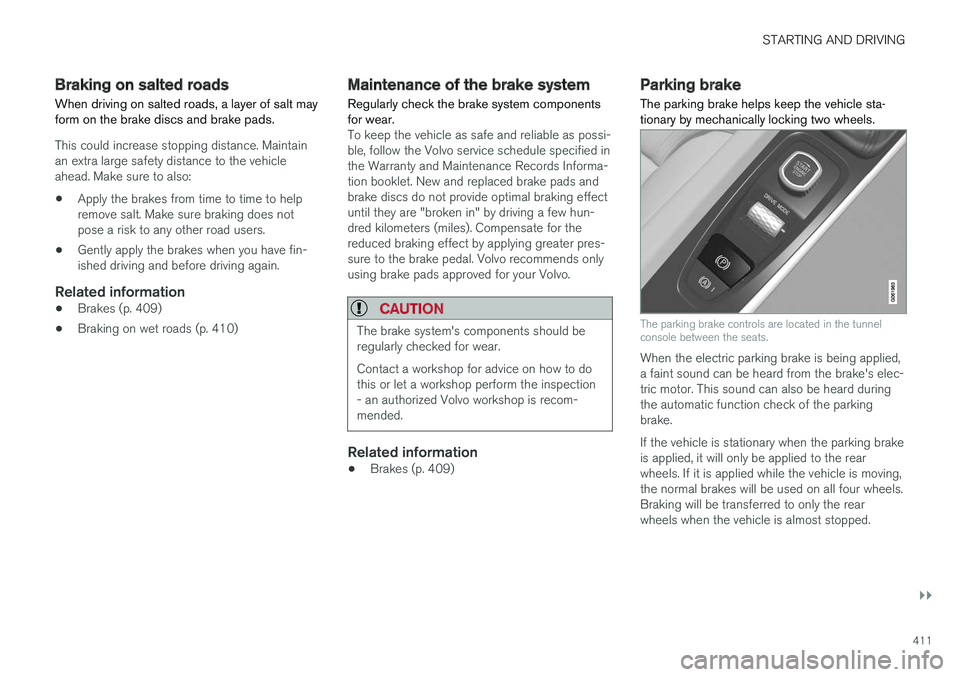
Parking brake The parking brake helps keep the vehicle sta- tionary by mechanically locking two wheels.
The parking brake controls are located in the tunnel console between the seats.
When the electric parking brake is being applied, a faint sound can be heard from the brake's elec-tric motor. This sound can also be heard duringthe automatic function check of the parkingbrake. If the vehicle is stationary when the parking brake is applied, it will only be applied to the rearwheels. If it is applied while the vehicle is moving,the normal brakes will be used on all four wheels.Braking will be transferred to only the rearwheels when the vehicle is almost stopped.
Page 560 of 666
LOADING, STORAGE AND PASSENGER COMPARTMENT
* Option/accessory.
558
Passenger compartment interior
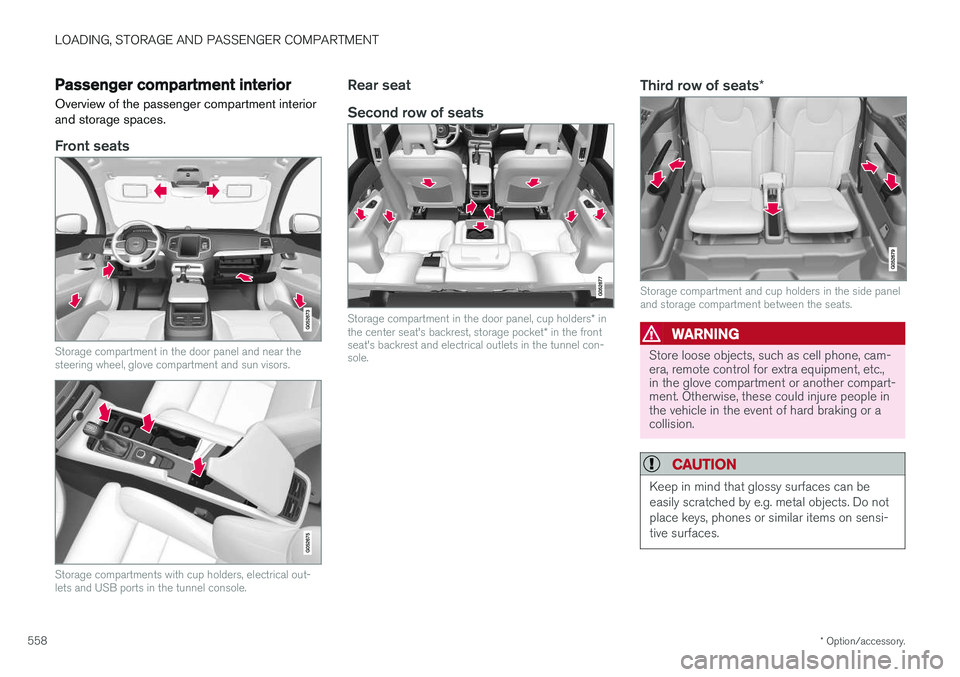
Overview of the passenger compartment interior and storage spaces.
Front seats
Storage compartment in the door panel and near the steering wheel, glove compartment and sun visors.
Storage compartments with cup holders, electrical out- lets and USB ports in the tunnel console.
Rear seat Second row of seats
Storage compartment in the door panel, cup holders * in
the center seat's backrest, storage pocket * in the front
seat's backrest and electrical outlets in the tunnel con- sole.
Third row of seats *
Storage compartment and cup holders in the side panel and storage compartment between the seats.
WARNING
Store loose objects, such as cell phone, cam- era, remote control for extra equipment, etc.,in the glove compartment or another compart-ment. Otherwise, these could injure people inthe vehicle in the event of hard braking or acollision.
CAUTION
Keep in mind that glossy surfaces can be easily scratched by e.g. metal objects. Do notplace keys, phones or similar items on sensi-tive surfaces.
Page 561 of 666
LOADING, STORAGE AND PASSENGER COMPARTMENT
* Option/accessory.559
Related information
•Electrical outlets (p. 560)
• Using the glove compartment (p. 563)
• Sun visors (p. 564)
• Tunnel console (p. 559)
• Connecting a device via the USB port (p. 492)
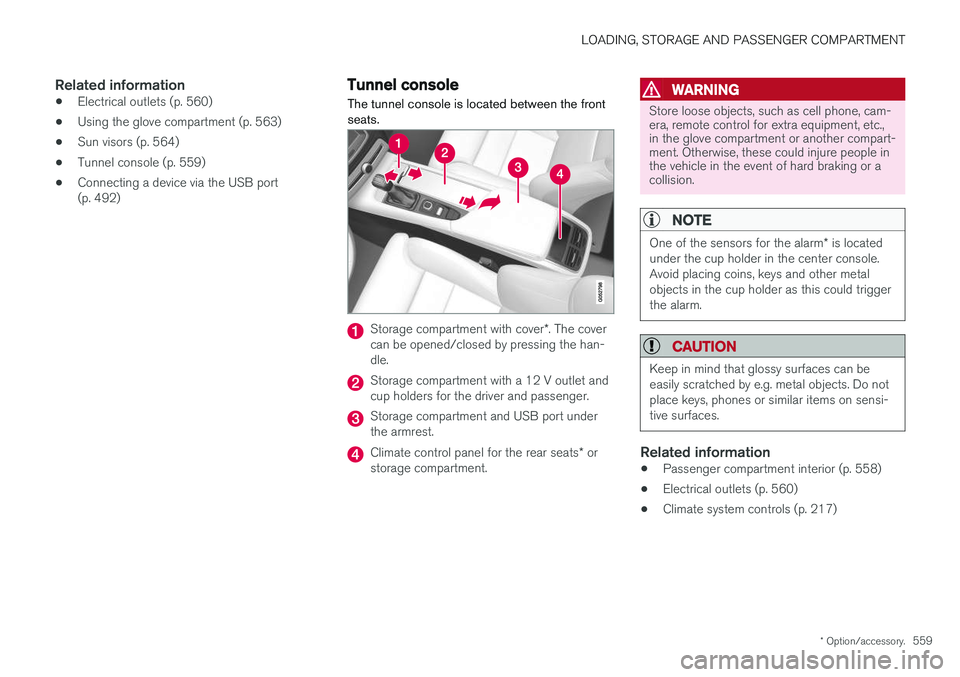
Tunnel console The tunnel console is located between the front seats.
Storage compartment with cover
*. The cover
can be opened/closed by pressing the han- dle.
Storage compartment with a 12 V outlet and cup holders for the driver and passenger.
Storage compartment and USB port under the armrest.
Climate control panel for the rear seats * or
storage compartment.
WARNING
Store loose objects, such as cell phone, cam- era, remote control for extra equipment, etc.,in the glove compartment or another compart-ment. Otherwise, these could injure people inthe vehicle in the event of hard braking or acollision.
NOTE
One of the sensors for the alarm * is located
under the cup holder in the center console. Avoid placing coins, keys and other metalobjects in the cup holder as this could triggerthe alarm.
CAUTION
Keep in mind that glossy surfaces can be easily scratched by e.g. metal objects. Do notplace keys, phones or similar items on sensi-tive surfaces.
Related information
• Passenger compartment interior (p. 558)
• Electrical outlets (p. 560)
• Climate system controls (p. 217)
Page 562 of 666
LOADING, STORAGE AND PASSENGER COMPARTMENT
* Option/accessory.
560
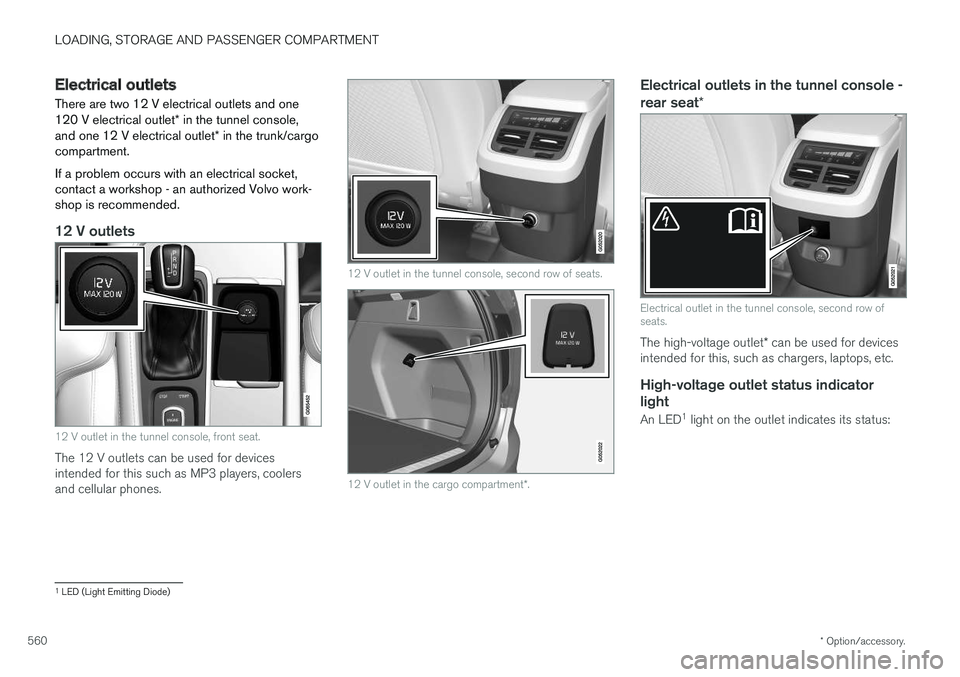
Electrical outlets
There are two 12 V electrical outlets and one 120 V electrical outlet * in the tunnel console,
and one 12 V electrical outlet * in the trunk/cargo
compartment. If a problem occurs with an electrical socket, contact a workshop - an authorized Volvo work-shop is recommended.
12 V outlets
12 V outlet in the tunnel console, front seat.
The 12 V outlets can be used for devices intended for this such as MP3 players, coolersand cellular phones.
12 V outlet in the tunnel console, second row of seats.
12 V outlet in the cargo compartment *.
Electrical outlets in the tunnel console - rear seat *
Electrical outlet in the tunnel console, second row of seats.
The high-voltage outlet * can be used for devices
intended for this, such as chargers, laptops, etc.
High-voltage outlet status indicator
light
An LED 1
light on the outlet indicates its status:
1 LED (Light Emitting Diode)
Page 566 of 666
LOADING, STORAGE AND PASSENGER COMPARTMENT
* Option/accessory.
564
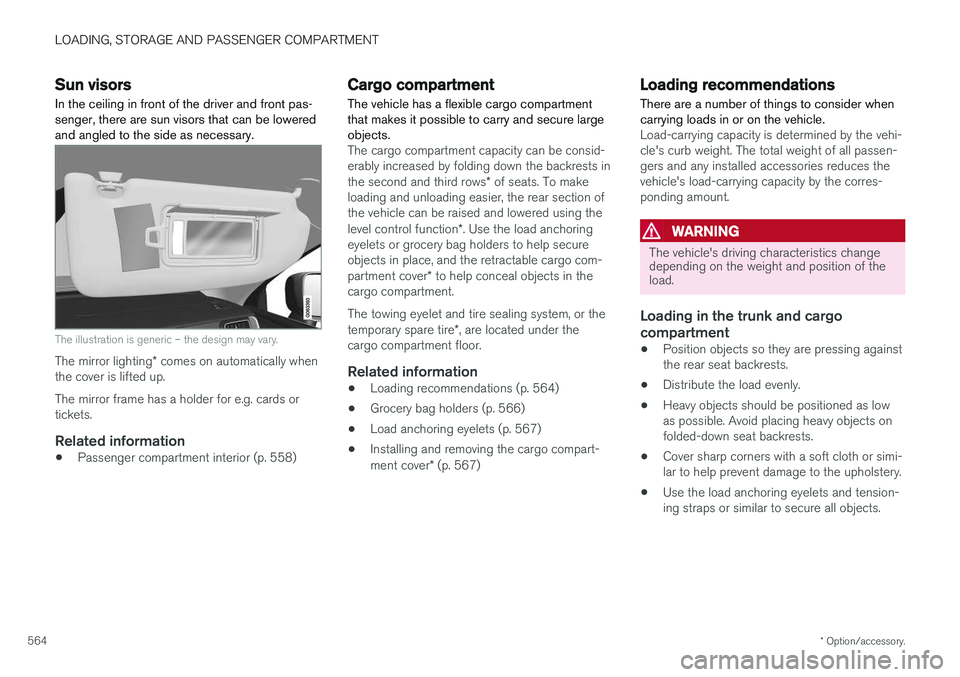
Sun visors In the ceiling in front of the driver and front pas- senger, there are sun visors that can be loweredand angled to the side as necessary.
The illustration is generic – the design may vary.
The mirror lighting * comes on automatically when
the cover is lifted up. The mirror frame has a holder for e.g. cards or tickets.
Related information
• Passenger compartment interior (p. 558)
Cargo compartment The vehicle has a flexible cargo compartment that makes it possible to carry and secure largeobjects.
The cargo compartment capacity can be consid- erably increased by folding down the backrests in the second and third rows
* of seats. To make
loading and unloading easier, the rear section of the vehicle can be raised and lowered using the level control function *. Use the load anchoring
eyelets or grocery bag holders to help secure objects in place, and the retractable cargo com- partment cover * to help conceal objects in the
cargo compartment. The towing eyelet and tire sealing system, or the temporary spare tire *, are located under the
cargo compartment floor.
Related information
• Loading recommendations (p. 564)
• Grocery bag holders (p. 566)
• Load anchoring eyelets (p. 567)
• Installing and removing the cargo compart-ment cover
* (p. 567)
Loading recommendations
There are a number of things to consider when carrying loads in or on the vehicle.
Load-carrying capacity is determined by the vehi- cle's curb weight. The total weight of all passen-gers and any installed accessories reduces thevehicle's load-carrying capacity by the corres-ponding amount.
WARNING
The vehicle's driving characteristics change depending on the weight and position of theload.
Loading in the trunk and cargo compartment
• Position objects so they are pressing against the rear seat backrests.
• Distribute the load evenly.
• Heavy objects should be positioned as lowas possible. Avoid placing heavy objects onfolded-down seat backrests.
• Cover sharp corners with a soft cloth or simi-lar to help prevent damage to the upholstery.
• Use the load anchoring eyelets and tension-ing straps or similar to secure all objects.
Page 567 of 666
LOADING, STORAGE AND PASSENGER COMPARTMENT
* Option/accessory.565
WARNING
In a head-on collision at a speed of 50 km/h (30 mph), an unsecured object weighing 20kg (44 pounds) can reach a projectile weightequivalent to 1000 kg (2200 pounds).
WARNING
If objects are loaded higher than the upper edge of the side windows, leave a 10 cm (4in.) space between the objects and the win-dow. Objects placed closer to this couldimpede the function of the inflatable curtainconcealed inside the headlining.
WARNING
Always secure the load. Otherwise, it may shift during heavy braking and injure people in thevehicle. Cover sharp edges and sharp corners with something soft. Turn off the engine and apply the parking brake when loading/unloading long objects.Otherwise, it is possible for the load to reachthe gear lever or gear selector and move it toa drive position – which could cause the vehi-cle to begin rolling.
Extra cargo space
The rear seat backrests can be folded down to increase cargo compartment space and simplifyloading. If the rear seat backrests are folded down, make sure that no objects loaded into thevehicle prevent the WHIPS system for the frontseats from functioning correctly.
Raising/lowering the rear end of the vehicle
*
The rear end of the vehicle can be lowered or raised for easier loading or to facilitate attaching a trailer*.
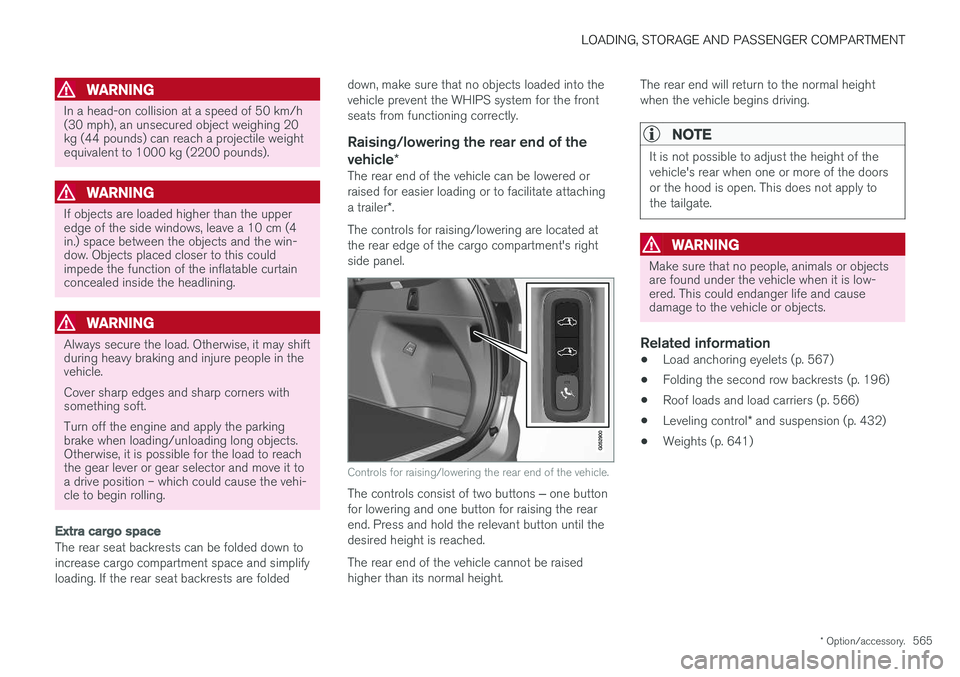
The controls for raising/lowering are located at the rear edge of the cargo compartment's rightside panel.
Controls for raising/lowering the rear end of the vehicle.
The controls consist of two buttons ‒ one button
for lowering and one button for raising the rear end. Press and hold the relevant button until thedesired height is reached. The rear end of the vehicle cannot be raised higher than its normal height. The rear end will return to the normal heightwhen the vehicle begins driving.
NOTE
It is not possible to adjust the height of the vehicle's rear when one or more of the doorsor the hood is open. This does not apply tothe tailgate.
WARNING
Make sure that no people, animals or objects are found under the vehicle when it is low-ered. This could endanger life and causedamage to the vehicle or objects.
Related information
•
Load anchoring eyelets (p. 567)
• Folding the second row backrests (p. 196)
• Roof loads and load carriers (p. 566)
• Leveling control
* and suspension (p. 432)
• Weights (p. 641)
Page 571 of 666
LOADING, STORAGE AND PASSENGER COMPARTMENT
* Option/accessory.569
Loading mode
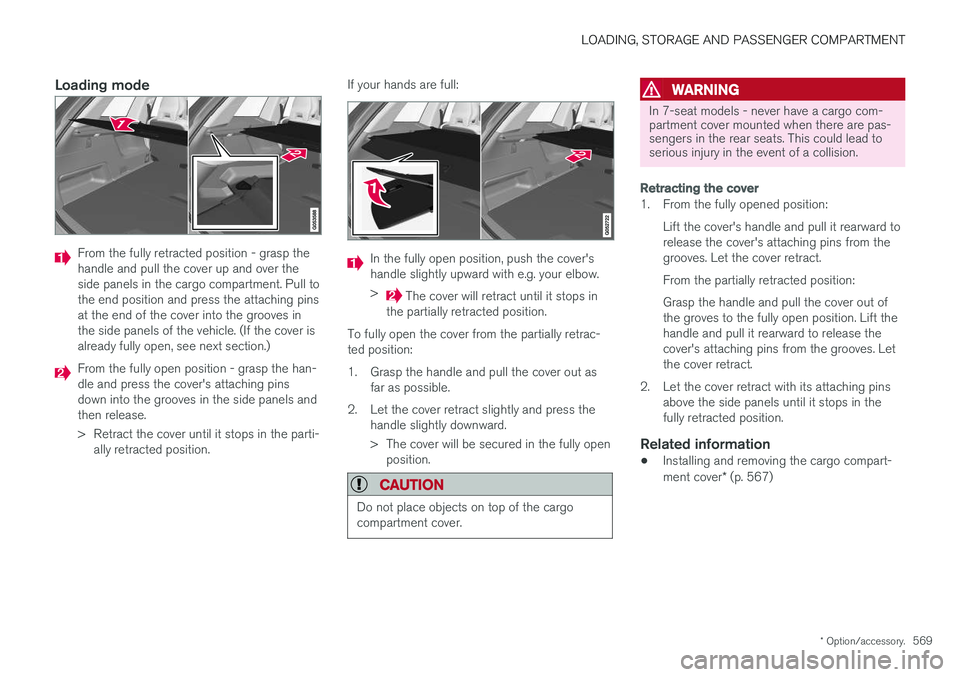
From the fully retracted position - grasp the handle and pull the cover up and over theside panels in the cargo compartment. Pull tothe end position and press the attaching pinsat the end of the cover into the grooves inthe side panels of the vehicle. (If the cover isalready fully open, see next section.)
From the fully open position - grasp the han- dle and press the cover's attaching pinsdown into the grooves in the side panels andthen release.
> Retract the cover until it stops in the parti-
ally retracted position. If your hands are full:
In the fully open position, push the cover's handle slightly upward with e.g. your elbow. >
The cover will retract until it stops in
the partially retracted position.
To fully open the cover from the partially retrac- ted position:
1. Grasp the handle and pull the cover out as far as possible.
2. Let the cover retract slightly and press the handle slightly downward.
> The cover will be secured in the fully openposition.
CAUTION
Do not place objects on top of the cargo compartment cover.
WARNING
In 7-seat models - never have a cargo com- partment cover mounted when there are pas-sengers in the rear seats. This could lead toserious injury in the event of a collision.
Retracting the cover
1. From the fully opened position:
Lift the cover's handle and pull it rearward to release the cover's attaching pins from thegrooves. Let the cover retract. From the partially retracted position: Grasp the handle and pull the cover out of the groves to the fully open position. Lift thehandle and pull it rearward to release thecover's attaching pins from the grooves. Letthe cover retract.
2. Let the cover retract with its attaching pins above the side panels until it stops in thefully retracted position.
Related information
• Installing and removing the cargo compart- ment cover
* (p. 567)